可作为 Jekyll 主题 gem 或 GitHub Pages 远程主题安装
Jekyll启动器
rido-alembic — Jekyll 启动器模板
作者 AburridoCode
基于 Jekyll 的启动器主题,提供导航、短代码、联系表单、离线 Service Worker 与可配置配色等基础结构。
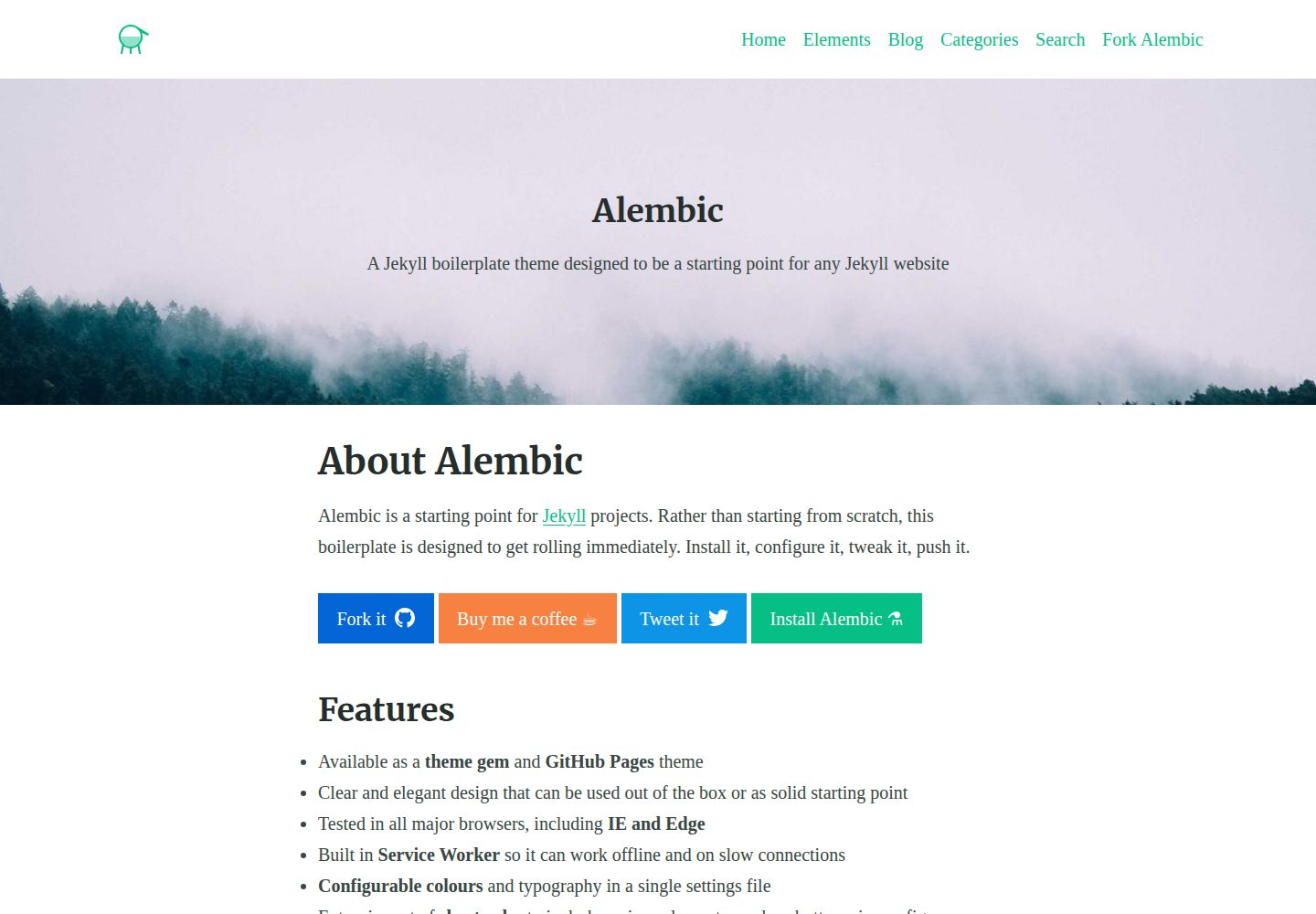
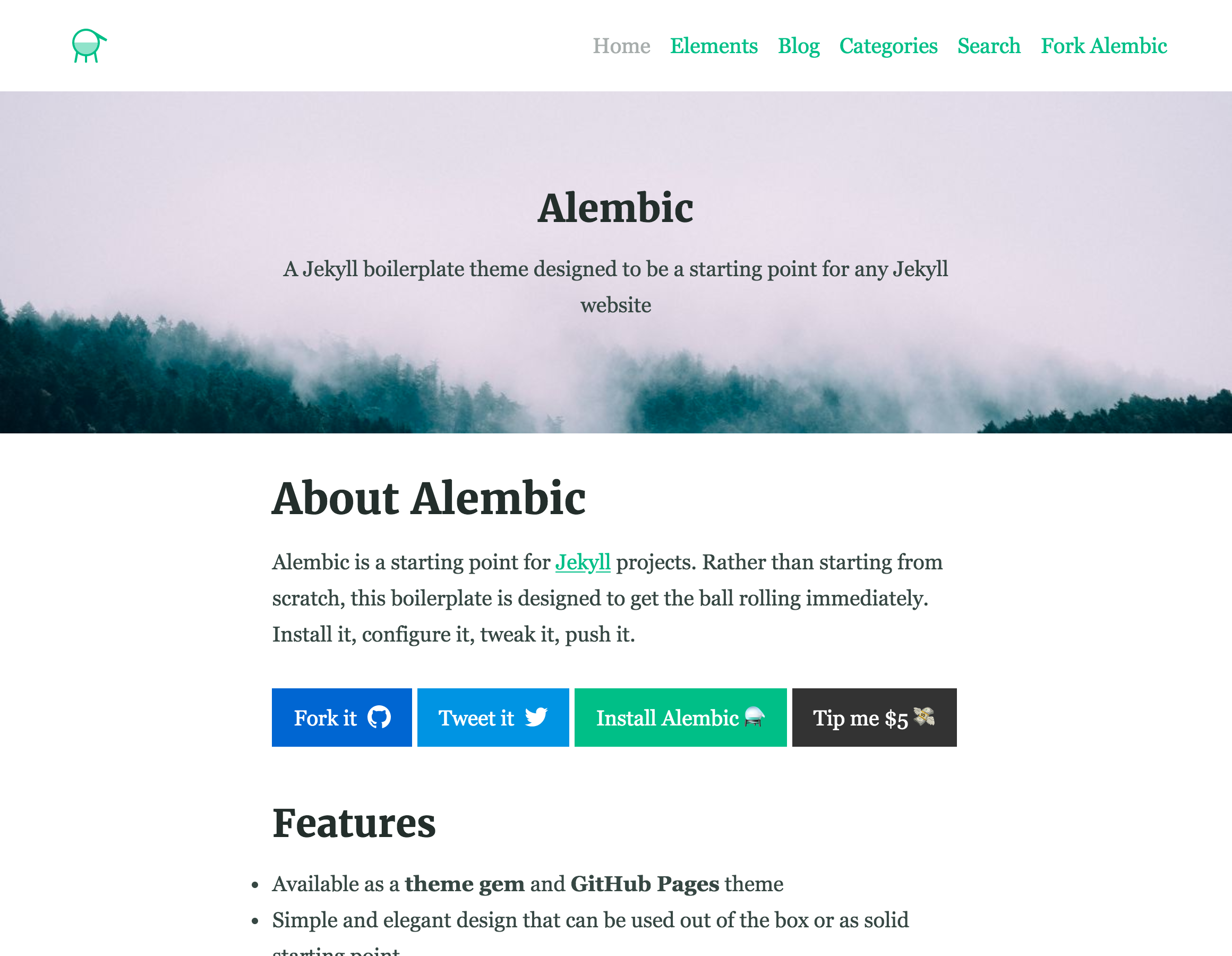
看看你的网站会是什么样
浏览真实页面截图,比较内容排版与手机效果。点击下方缩略图切换,放大查看整页细节。
全部页面与视图 3
截图用于了解视觉与布局,交互效果请以实际项目为准。
采集于 2026-10-12查看来源
值得关注的模板亮点
从已有项目资料中,快速了解它的特点。
通过单个设置文件调整配色与字体
内置短代码,可插入按钮、图标、图片等元素
支持按分类分组的文章索引页
内置 JavaScript 实时搜索
内置 Service Worker,可离线访问已缓存内容
模板详细介绍
rido-alembic 是一个 Jekyll 启动器主题,定位为任意 Jekyll 网站的起点。它提供清晰的默认设计与可覆盖的文件结构,可通过主题 gem、GitHub Pages 远程主题或 fork 方式接入项目。主题内置导航配置、短代码集合、分类文章索引、JavaScript 实时搜索,以及基于 Formspree 或 Netlify Forms 的联系表单。配色与字体集中在单个设置文件中调整,并附带文档说明。
使用上有若干限制:联系表单需自行配置 Formspree 或 Netlify Forms 端点,其额度与费用需单独核对;演示图片、字体、图标等第三方素材的许可需单独确认;README 中提到的性能相关选项并非性能保证,需自行审计。
Jekyll启动器
适合你的项目吗?
适用场景
- 需要快速搭建 Jekyll 博客或内容站点
- 希望通过远程主题方式在 GitHub Pages 上使用
- 需要带分类索引与站内实时搜索的静态站点
- 需要可配置导航与社交分享按钮的站点
适合人群
- 熟悉 Jekyll 并希望从现成结构起步的开发者
- 需要 MIT 许可下可修改和分发的站点项目
- 使用 GitHub Pages 或 Netlify 部署静态站点的用户
上手与定制指南
结合仓库当前版本的说明,按下面的资料检查内容、配置与运行要求。
- 1
作为主题 gem 使用时,在 Gemfile 添加 alembic-jekyll-theme,运行 bundle install,并在 _config.yml 中设置 theme。
- 2
作为 GitHub Pages 远程主题使用时,添加 jekyll-remote-theme 插件,并在 _config.yml 中设置 remote_theme。
- 3
联系表单需配置 Formspree 或 Netlify Forms 端点,相关额度与费用需自行核对。
- 4
演示图片、字体、图标等第三方素材需按各自许可单独确认。
- 5
README 中提到的性能选项不构成性能保证,建议自行审计站点。
授权与来源资料
使用条件与限制
免费使用 · 保留许可声明本次收录的是公开仓库中采用 MIT 许可的免费版本;免费范围为该版本代码,不代表外部服务或第三方素材免费。
使用时需要遵守
- 允许免费使用、修改、商用和分发该版本代码。
- 分发代码副本或实质性部分时,保留原作者版权声明和完整 MIT 许可声明。
- 代码按现状提供;担保与责任限制以原许可证及适用法律为准。
额外费用与待核对事项
- README 提及 Formspree 表单服务;真实提交需配置服务端点,其使用额度与费用需单独核对。
- 演示图片、字体、图标及其他第三方素材需按各自许可核对,不能仅凭代码的 MIT 许可判断。
- 域名、托管、数据库、支付或 AI 等外部服务可能另外收费。
- 联系表单依赖第三方服务 Formspree 或 Netlify Forms,需自行注册账号并配置端点,其免费额度与费用需单独核对。
- 自定义字体默认从 Google Fonts 加载,属于外部服务依赖,可能涉及第三方服务条款与网络请求。
- 启用 Google Analytics 需自行提供跟踪 ID,属于外部服务,涉及第三方数据处理与隐私合规。
- 评论功能依赖第三方 Disqus 服务,需自行注册账号并配置用户名。
- 主题自带的 logo、社交与离线图片等素材需替换为自己的图形,原素材许可需单独确认。
- 性能相关选项不构成性能保证,需自行审计与调试站点。
查看原文依据
Permission is hereby granted, free of charge
许可证原文
**Contact form** built in using [Formspree](https://formspree.io/) or [Netlify Forms](https://www.netlify.com/features/#forms)
README 原文
Alembic comes with custom fonts served from Google fonts.
README 原文
Google Analytics can be enabled via the site configuration too. Add your tracking ID to the `/_config.yml` file
README 原文
The `disqus` value can be changed to your project username on [Disqus](https://disqus.com)
README 原文
You'll also need to replace the logos, default social and default offline images in the `/assets/` directory with your own graphics.
README 原文
https://github.com/AburridoCode/rido-alembic/blob/main/LICENSEhttps://github.com/AburridoCode/rido-alembic/blob/main/README.mdPlease note that these options aren't a "silver bullet" for making your site faster, make sure to audit and debug your site to get the best performance for your situation.
README 原文
DeepSeek 根据仓库许可证和 README 整理 ·2026-10-12。结果仅覆盖已读取资料,依赖、图片、字体及后续条款变更以各自原文为准。
项目核对记录与介绍依据
模板资料
- 来源平台
- GitHub
- 资料与维护参考分
- 资料一般 · 65 / 100
- 技术栈
- Jekyll
- 网站类型
- 启动器
这个分数如何计算
本站按许可资料(最高30分)、演示链接(12分)、预览图(10分)、Star数(15分)、记录的维护时间(15分)、描述完整度(8分)、功能记录(5分)和分类资料(5分)计算。它不是代码、安全或性能测试,也不是 Google 评分;有链接不代表已实测可用。
这个项目需要核对什么
- 记录的仓库更新时间
- 2022-05-27
- 截图检查日期
- 2026-10-12
已收录演示链接。请用你的内容与屏幕尺寸检查;有演示不代表表单、认证或支付已经可用。
目录记录的主要技术栈是 Jekyll。请通过依赖清单和锁文件核对实际版本与托管要求。这些说明基于收录资料,不代表代码审计或部署实测。
查看具体选型方法 →介绍的制作与核对状态
介绍由 AI 辅助整理目录与仓库资料。仓库作者不等于这篇介绍的审核者。
审核声明: [email protected] · 2026-10-13
查看当时使用的来源资料
SHA-256: 8ff30d497a43e99f80403fb7c6082078dec454c4417864c80e38f4cb25a1d161
2026-10-12T23:58:40.969Z
来源文件 / 仓库# [Alembic](https://alembic.darn.es/)
[](https://badge.fury.io/rb/alembic-jekyll-theme)
⚗ A Jekyll boilerplate theme designed to be a starting point for any Jekyll website.
[<img src="https://cdn.buymeacoffee.com/buttons/default-yellow.png" width="217"/>](https://buymeacoffee.com/daviddarnes#support)
## Contents
- [About](#about)
- [Features](#features)
- [Examples](#examples)
- [Installation](#installation)
- [Customising](#customising)
- [Configuration](#configuration)
- [Gem dependency settings](#gem-dependency-settings)
- [Site settings](#site-settings)
- [Site performance settings](#site-performance-settings)
- [Site navigation](#site-navigation)
- [Custom fonts](#custom-fonts)
- [Using includes](#using-includes)
- [Page layouts](#page-layouts)
- [Page and Post options](#page-and-post-options)
- [Credits](#credits)
## About
**Alembic is a starting point for [Jekyll](https://jekyllrb.com/) projects. Rather than starting from scratch, this boilerplate theme is designed to get rolling immediately. Install it, configure it, tweak it, push it.**
## Features
- Available as a **theme gem** and **GitHub Pages** theme
- Clear and elegant design that can be used out of the box or as solid starting point
- Tested in all major browsers, including **IE and Edge**
- Built in **Service Worker** so it can work offline and on slow connections
- **Configurable colours** and typography in a single settings file
- Extensive set of **shortcodes** to include various elements; such as buttons, icons, figure images and more
- Solid **typographic framework** from [Sassline](https://sassline.com/)
- Configurable navigation via a single file
- Modular Jekyll components
- Post category support in the form of a single post index page grouped by category
- Built in live search using JavaScript
- **Contact form** built in using [Formspree](https://formspree.io/) or [Netlify Forms](https://www.netlify.com/features/#forms)
- Designed with **[Siteleaf](http://www.siteleaf.com/)** in mind
- Has 9 of the most popular networks as performant sharing buttons
- Has documentation
## Examples
Here are a few examples of Alembic out in the wild being used in a variety of ways:
- [billmei.net](https://billmei.net/)
- [bawejakunal.github.io](https://bawejakunal.github.io/)
- [case2111.github.io](https://case2111.github.io/)
- [karateca.org](https://www.karateca.org/)
## Installation
### Quick setup
To give you a running start I've put together some starter kits that you can download, fork or even deploy immediately:
- Vanilla Jekyll starter kit:
[](https://app.netlify.com/start/deploy?repository=https://github.com/daviddarnes/alembic-kit)
- Forestry starter kit:
[](https://app.forestry.io/quick-start?repo=daviddarnes/alembic-forestry-kit&engine=jekyll)
[](https://app.netlify.com/start/deploy?repository=https://github.com/daviddarnes/alembic-forestry-kit)
- Netlify CMS starter kit:
[](https://app.netlify.com/start/deploy?repository=https://github.com/daviddarnes/alembic-netlifycms-kit&stack=cms)
- GitHub Pages with remote theme kit - **[Download kit](https://github.com/daviddarnes/alembic-kit/archive/remote-theme.zip)**
- Stackbit starter kit:
[](https://app.stackbit.com/create?theme=https://github.com/daviddarnes/alembic-stackbit-kit)
### As a Jekyll theme
1. Add `gem "alembic-jekyll-theme"` to your `Gemfile` to add the theme as a dependancy
2. Run the command `bundle install` in the root of project to install the theme and its dependancies
3. Add `theme: alembic-jekyll-theme` to your `_config.yml` file to set the site theme
4. Run `bundle exec jekyll serve` to build and serve your site
5. Done! Use the [configuration](#configuration) documentation and the example [`_config.yml`](https://github.com/daviddarnes/alembic/blob/master/_config.yml) file to set things like the navigation, contact form and social sharing buttons
### As a GitHub Pages remote theme
1. Add `gem "jekyll-remote-theme"` to your `Gemfile` to add the theme as a dependancy
2. Run the command `bundle install` in the root of project to install the jekyll remote theme gem as a dependancy
3. Add `jekyll-remote-theme` to the list of `plugins` in your `_config.yml` file
4. Add `remote_theme: daviddarnes/alembic@main` to your `_config.yml` file to set the site theme
5. Run `bundle exec jekyll serve` to build and serve your site
6. Done! Use the [configuration](#configuration) documentation and the example [`_config.yml`](https://github.com/daviddarnes/alembic/blob/master/_config.yml) file to set things like the navigation, contact form and social sharing buttons
### As a Boilerplate / Fork
_(deprecated, not recommended)_
1. [Fork the repo](https://github.com/daviddarnes/alembic#fork-destination-box)
2. Replace the `Gemfile` with one stating all the gems used in your project
3. Delete the following unnecessary files/folders: `.github`, `LICENSE`, `screenshot.png`, `CNAME` and `alembic-jekyll-theme.gemspec`
4. Run the command `bundle install` in the root of project to install the jekyll remote theme gem as a dependancy
5. Run `bundle exec jekyll serve` to build and serve your site
6. Done! Use the [configuration](#configuration) documentation and the example [`_config.yml`](https://github.com/daviddarnes/alembic/blob/master/_config.yml) file to set things like the navigation, contact form and social sharing buttons
## Customising
When using Alembic as a theme means you can take advantage of the file overriding method. This allows you to overwrite any file in this theme with your own custom file, by matching the file name and path. The most common example of this would be if you want to add your own styles or change the core style settings.
To add your own styles copy the [`styles.scss`](https://github.com/daviddarnes/alembic/blob/master/assets/styles.scss) into your own project with the same file path (`assets/styles.scss`). From there you can add your own styles, you can even optionally ignore the theme styles by removing the `@import "alembic";` line.
If you're looking to set your own colours and fonts you can overwrite them by matching the variable names from the [`_settings.scss`](https://github.com/daviddarnes/alembic/blob/master/_sass/_settings.scss) file in your own `styles.scss`, make sure to state them before the `@import "alembic";` line so they take effect. The settings are a mixture of custom variables and settings from [Sassline](https://medium.com/@jakegiltsoff/sassline-v2-0-e424b2881e7e) - follow the link to find out how to configure the typographic settings.
## Configuration
There are a number of optional settings for you to configure. Use the example [`_config.yml`](https://github.com/daviddarnes/alembic/blob/master/_config.yml) file in the repo and use the documentation below to configure your site:
### Gem dependency settings
`twitter`, `author` and `social` values will need to be changed to the projects' social information or removed. Look for the `Gem settings` comment within the `/_config.yml` file. These values are for the [jekyll-seo-tag](https://github.com/jekyll/jekyll-seo-tag) - follow the link to find out more.
### Site settings
You'll need to change the `description`, `title` and `url` to match with the project. You'll also need to replace the logos, default social and default offline images in the `/assets/` directory with your own graphics. Setting the site language can be done with `lang`, the theme will default to `en-US`. The `email` needs to be changed to the email you want to receive contact form enquires with. The `disqus` value can be changed to your project username on [Disqus](https://disqus.com), remove this from the `/_config.yml` file if you don't want comments enabled. Look for the `Site settings` comment within the `/_config.yml` file. The `repo` setting is optional, for now, and can be removed entirely, if you wish.
Google Analytics can be enabled via the site configuration too. Add your tracking ID to the `/_config.yml` file in the following method: `google_analytics: 'UA-XXXXXXXX-1'`. By default all IPs of site visitors are anonymous to maintain a level of privacy for the audience. If you wish to turn this off set the `google_analytics_anonymize_ip` key to `false`.
Date format can be customised in the `/_config.yml` with the option `date_format` (please refer to Liquid date filters documentation for learning about formatting possibilities). Only placeholder formatting is supported, do not try to use ordinal dates introduced in Jekyll 3.8.
The `short_name` option within `/_config.yml` is to add a custom name to the site's web application counterpart. When the website is added to a device this name will appear alonside the app icon. The short name will default to the site title if this isn't set.
### Site performance settings
Alembic comes with a couple of options to enhance the speed and overall performance of the site you build upon it.
By default the built in Service Worker is enabled, and will work on a 'network first' method. Meaning if there's no internet connection the content the Service Worker has cached will be used until the connection comes back. It will always look for a live version of the code first. To disable the Service Worker add an option called `service_worker` with a value of `false` in the `/_config.yml` file.
Another option to speed up Alembic is to enable inline CSS, which is off by default. You can enable this by setting `css_inline: true` inside your `/_config.yml` file. By switching to inline styles you bypass the use `/assets/styles.scss`, any custom styles will need to be added in `/_includes/site-styles.html` or in a new custom file.
Please note that these options aren't a "silver bullet" for making your site faster, make sure to audit and debug your site to get the best performance for your situation.
### Site navigation
There are a total of 4 different navigation types:
- `navigation_header`: The links shown in the header (it is also used on the 404 page)
- `navigation_footer`: The links shown in the footer
- `social_links`: The social icon links that are shown in the sidebar
- `sharing_links`: The social sharing buttons that are shown at the bottom of blog posts
All navigations can be edited using the `_config.yml` file. To see example usage either look for the `Site navigation` comment within the `/_config.yml` file or see [the nav-share.html include](#nav-sharehtml).
If there are no items for the `navigation_header` or `navigation_footer`, they will fallback to a list of pages within the site. The `social_navigation` properties should either be one that is already in the list (so `Twitter` or `Facebook`) or a regular `link`, this is so an icon can be set for the link.
### Custom fonts
Alembic comes with custom fonts served from Google fonts. By default it requests Merriweather but this can be any font from any provider assuming it supports requesting fonts in the same manner and does not require javascript.
This can be configured under the `custom_fonts` key.
- `urls`: The urls supplied to you from your font provider (eg https://fonts.googleapis.com/css2?family=Merriweather). For best performance try to use as few urls as possible
- `preconnect`: (optional) If your font provider serves the font files from another domain it can be useful to make a connection to that domain in advance. For example google load the font files from fonts.gstatic.com. This can be omitted if not required
If you want to customise this further you can find the include for custom fonts in `_includes/site-custom-fonts.html`.
## Using includes
There are 2 main types of includes: ones designed for the site and ones that are designed as shortcodes. Here are a list of the shortcode includes:
### `button.html`
A button that can link to a page of any kind.
Example usage: `{% include button.html text="I'm a button" link="https://david.darn.es" %}`
Available options:
- `text`: The text of the button _required_
- `link`: The link that the button goes to _required_
- `icon`: The icon that is added to the end of the button text
- `color`: The colour of the button
### `figure.html`
An image with optional caption.
Example usage: `{% include figure.html image="/uploads/feature-image.jpg" caption="Check out my photo" %}`
Available options:
- `image`: The image shown _required_
- `caption`: A caption to explain the image
- `position`: The position of the image; `left`, `right` or `center`
- `width` & `height`: Optional width and height attributes of the containing image
### `icon.html`
An icon.
Example usage: `{% include icon.html id="twitter" %}`
Available options:
- `id`: The reference for the icon _required_
- `title`: The accessible label for the icon
- `color`: The desired colour of the icon
- `width` & `height`: Width and height attributes for the icon, default is `16`
### `nav-share.html`
A set of buttons that share the current page to various social networks, which is controlled within the `_config.yml` file under the `sharing_links` keyword.
Example usage: `{% include nav-share.html %}`
Available options:
``` yml
Twitter: "#1DA1F2"
facebook: "#3B5998"
Pinterest: "#BD081C"
LinkedIn: "#0077B5"
tumblr: "#36465D"
Reddit: "#FF4500"
HackerNews: "#ff6600"
DesignerNews: "#2D72D9"
Email: true
```
_The first item is the name of the network (must be one of the ones stated above) and the second is the colour of the button. To remove a button remove the line of the same name._
### `video.html`
A YouTube video.
Example usage: `{% include video.html id="zrkcGL5H3MU" %}`
Available options:
- `id`: The YouTube ID for the video _required_
### `map.html`
A Google map. _See Google [My Maps](https://www.google.com/mymaps)_
Example usage: `{% include map.html id="1UT-2Z-Vg_MG_TrS5X2p8SthsJhc" %}`
Available options:
- `id`: The map ID for the video _required_
### `site-form.html`
Adds a contact form to the page. This can be used with [Formspree](https://formspree.io/) or [Netlify Forms](https://www.netlify.com/docs/form-handling/) depending on your setup.
Example usage: `{% include site-form.html %}`
Available options:
- `netlify_form=true`: Set whether you would like to use Netlify Forms, otherwise the form will default to Formspree
- `name`: Give the form a name, by default the form is called "Contact". The name will be reflected when form submissions come through in Netlify or in your email client. The name is also used in the label and input elements for accessibility
Use the `email` option in the `/_config.yml` to change to the desired email.
### `site-search.html`
Adds a search form to the page.
Example usage: `{% include site-search.html %}`
This include has no options. This include will add a block of javascript to the page and javascript reference in order for the search field to work correctly.
### `site-before-start.html` & `site-before-end.html`
Optional html includes for adding scripts, css, js or any embed code you wish to add to every page without the need to overwrite the entire `default.html` template.
**Example usage:** These are different to other includes as they are designed to be overwritten. If you create a `site-before-start.html` file in the `_includes/` the contents of the file will be included immediately before the closing `</head>` tag. If you create a `site-before-end.html` file the contents of the file will be included immediately before the closing `</body>` tag.
## Page layouts
As well as `page`, `post`, `blog`, there are a few alternative layouts that can be used on pages:
- `categories`: Shows all posts grouped by category, with an index of categories in a left hand sidebar
- `search`: Adds a search field to the page as well as a simplified version of the sidebar to allow more focus on the search results
## Page and Post options
There are some more specific options you can apply when creating a page or a post:
- `aside: true`: Adds a sidebar to the page or post, this is false by default and will not appear
- `comments: false`: Turns off comments for that post
- `feature_image: "/uploads/feature-image.jpg"`: Adds a full width feature image at the top of the page
- `feature_text: "Example text"`: Adds text to the top of the page as a full width feature with solid colour; supports markdown. This can be used in conjunction with the `feature_image` option to create a feature image with text over it
- `indexing: false`: Adds a `noindex` meta element to the `<head>` to stop crawler bots from indexing the page, used on the 404 page
> **Note:** The Post List Page options are actually in the collection data within the `_config.yml` file.
## Credits
- Thanks to [Simple Icons](https://simpleicons.org/) for providing the brand icons, by [Dan Leech](https://twitter.com/bathtype)
- Thanks to [Sassline](https://sassline.com/) for the typographic basis, by [Jake Giltsoff](https://twitter.com/jakegiltsoff)
- Thanks to [Flexbox mixin](https://github.com/mastastealth/sass-flex-mixin) by [Brian Franco](https://twitter.com/brianfranco)
- Thanks to [Normalize](https://necolas.github.io/normalize.css/) by [Nicolas Gallagher](https://twitter.com/necolas) and [Jonathan Neal](https://twitter.com/jon_neal).
- Thanks to [pygments-css](http://richleland.github.io/pygments-css/) for the autumn syntax highlighting, by [Rich Leland](https://twitter.com/richleland)
看看同类模板
对比同技术栈与用途的模板,找到更适合的视觉与内容结构。
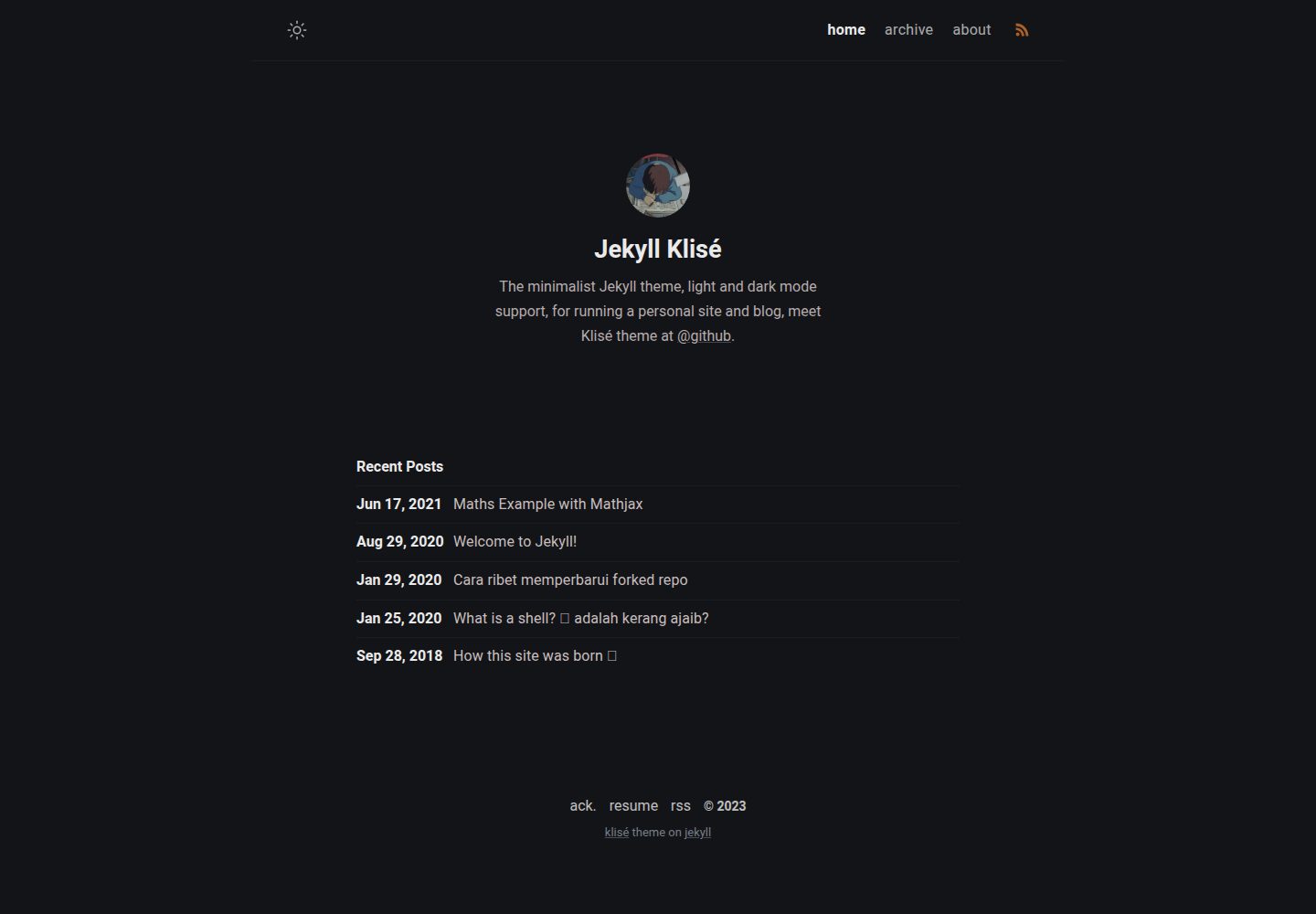
jekyll-klise
:beach_umbrella: Klisé is a minimalist Jekyll theme for running a personal site or blog, light & dark mode sup…
Jekyll · 博客
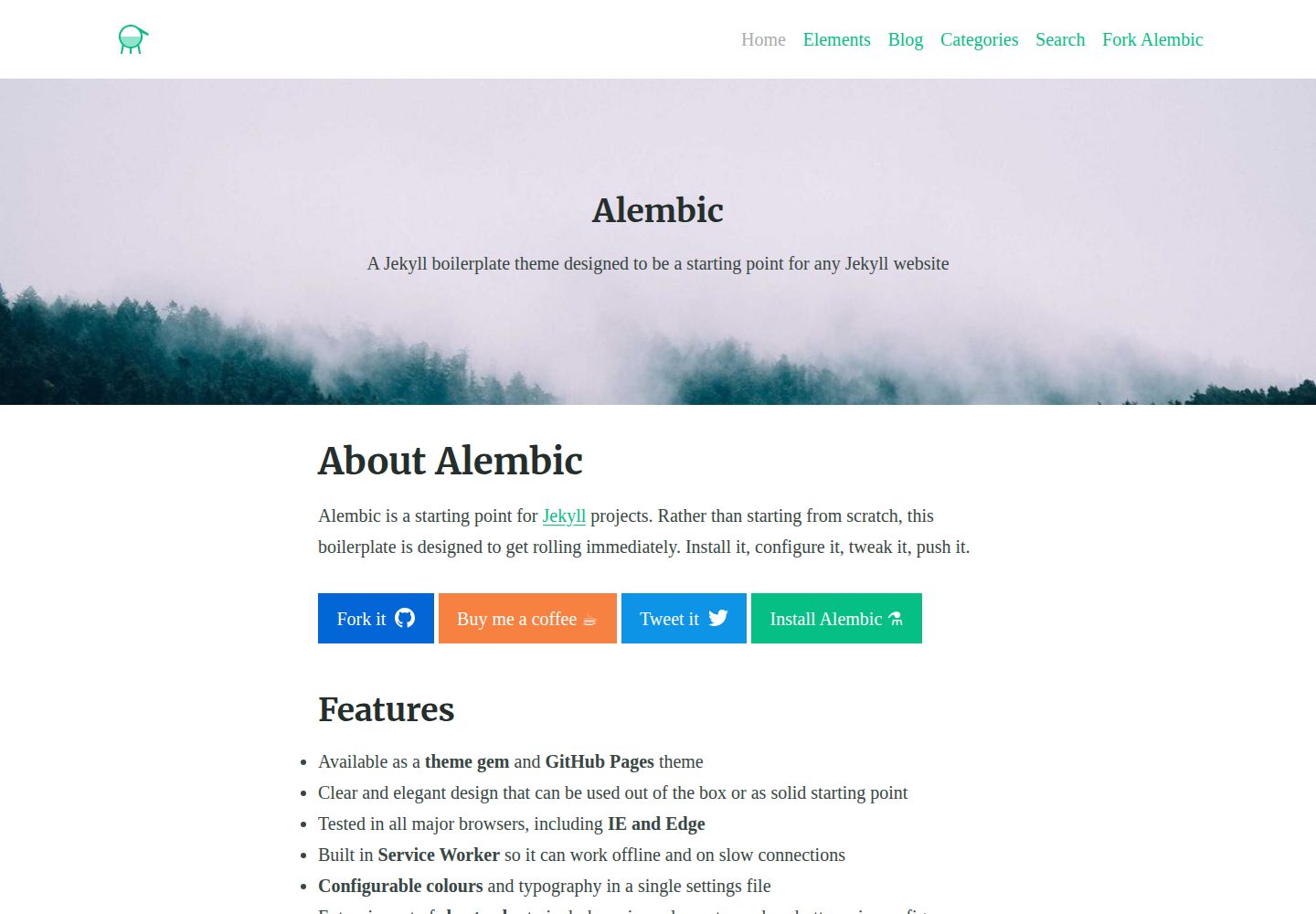
alembic
⚗️ A Jekyll boilerplate theme designed to be a starting point for any Jekyll website
Jekyll · 启动器
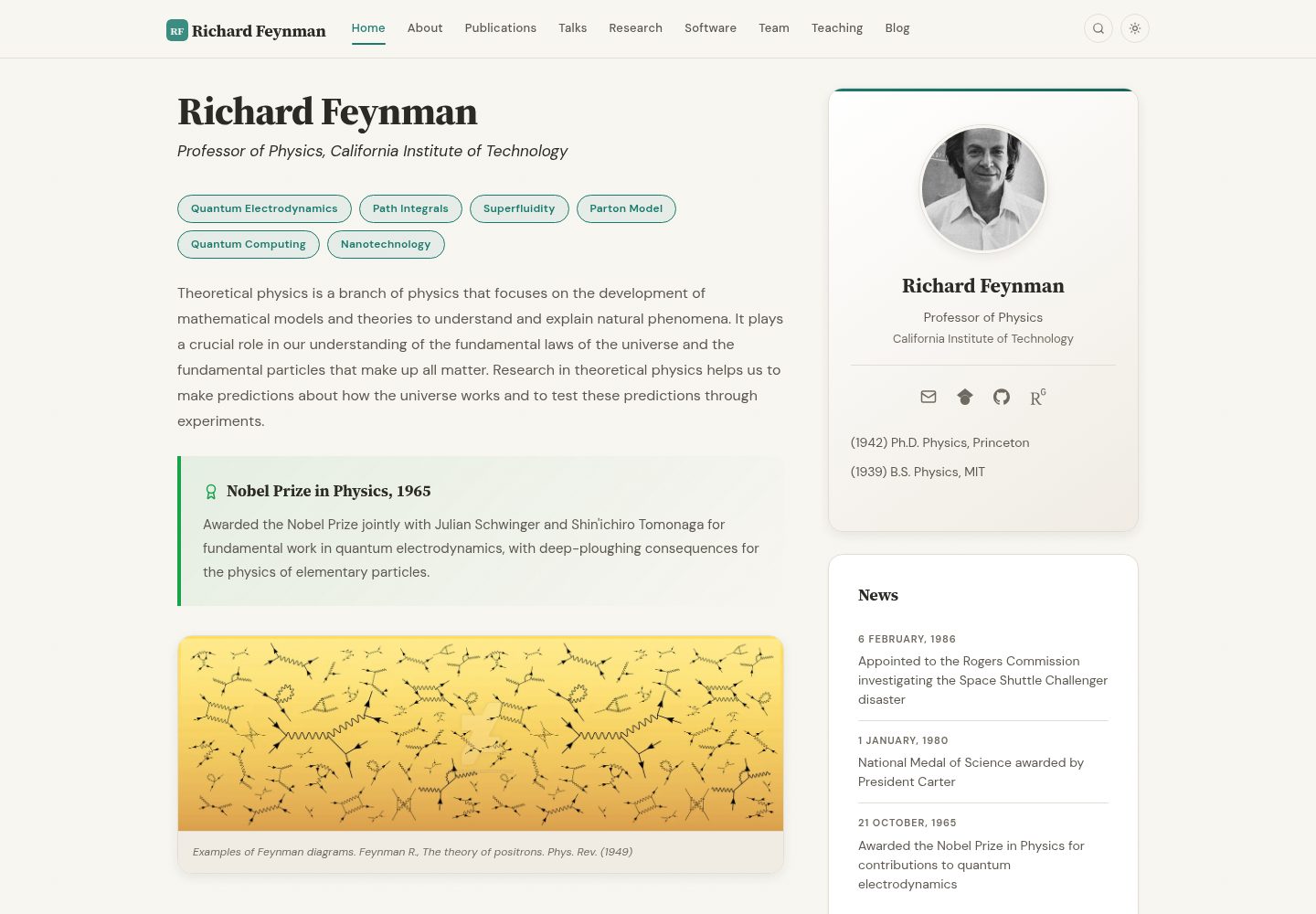
academic-website-template
Static web template for academics/research groups
Jekyll · 启动器
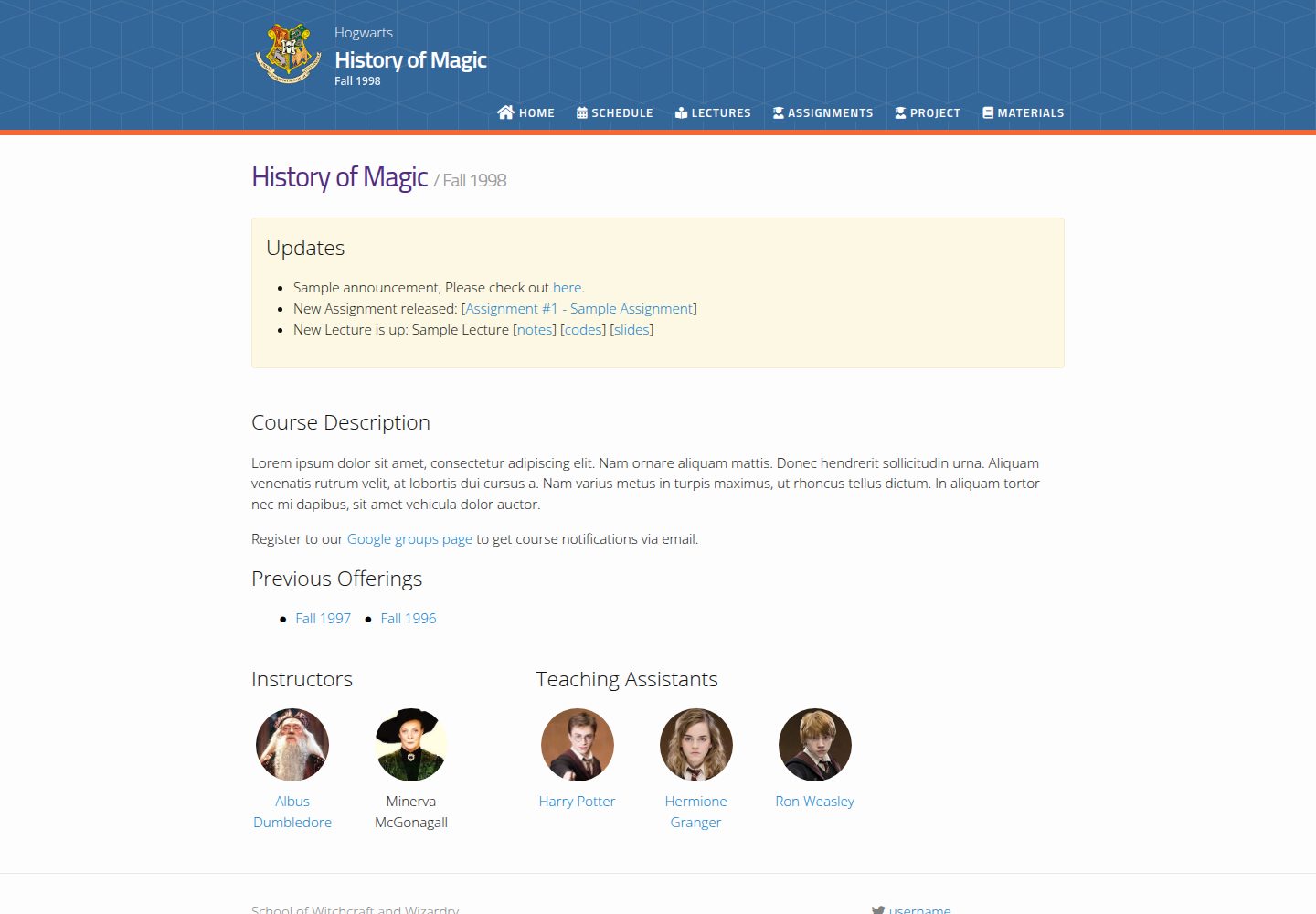
jekyll-course-website-template
Feature-rich and easy-to-use Jekyll website template for academic courses
Jekyll · 启动器

agency-jekyll-theme-starter
Agency Jekyll Theme starter template (optimized for GitHub Pages)
Jekyll · 企业官网
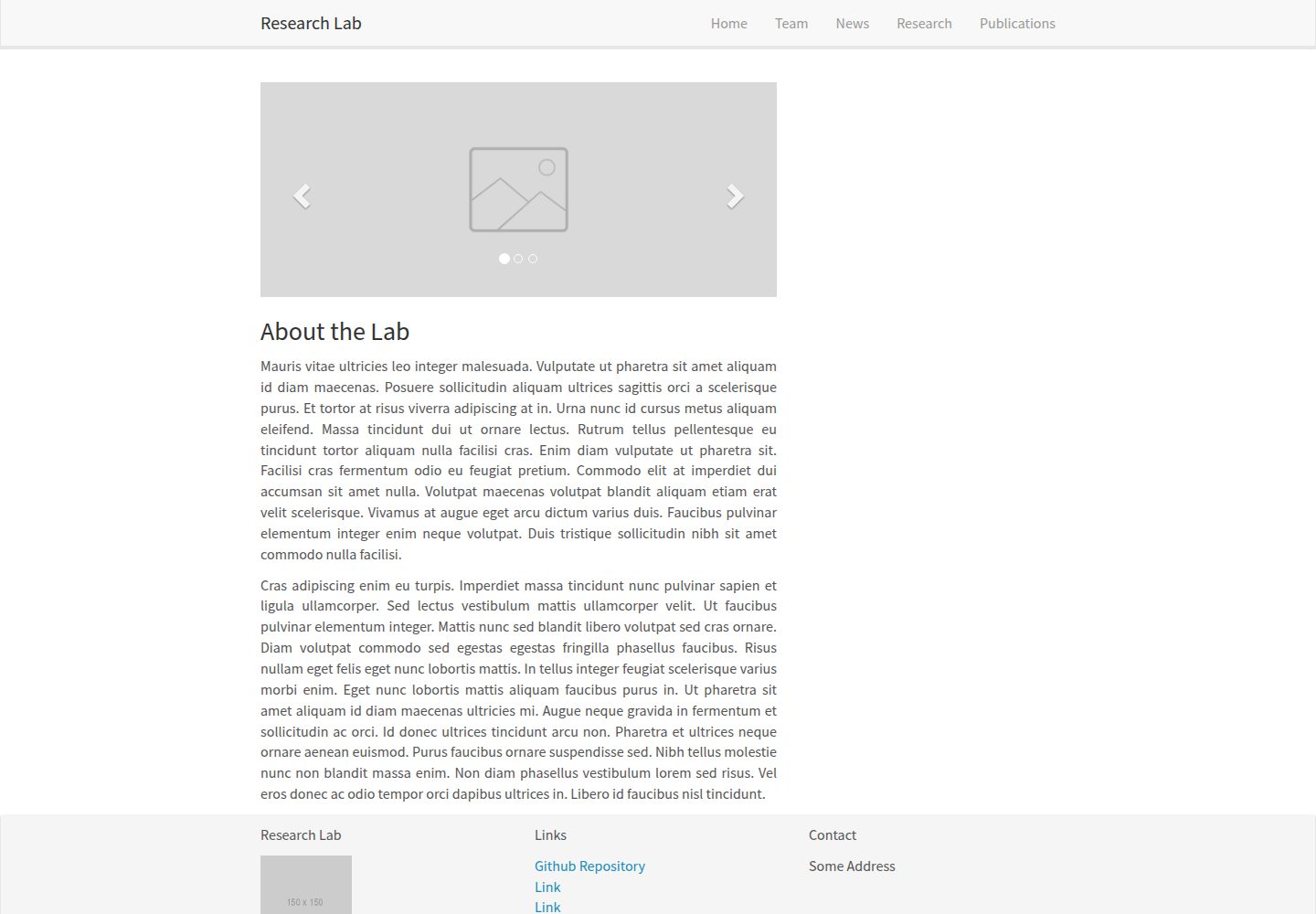
research-lab-website
A template for a Research Lab website, built with Jekyll.
Jekyll · 启动器