基于 TeX 排版风格的极简视觉设计
Hugo启动器
texugo-theme — Hugo 启动器模板
作者 antonioalmeida
texugo-theme 是一个基于 TeX 排版风格的 Hugo 极简网站主题,仓库内含示例站点配置与 GitHub Actions 部署参考。
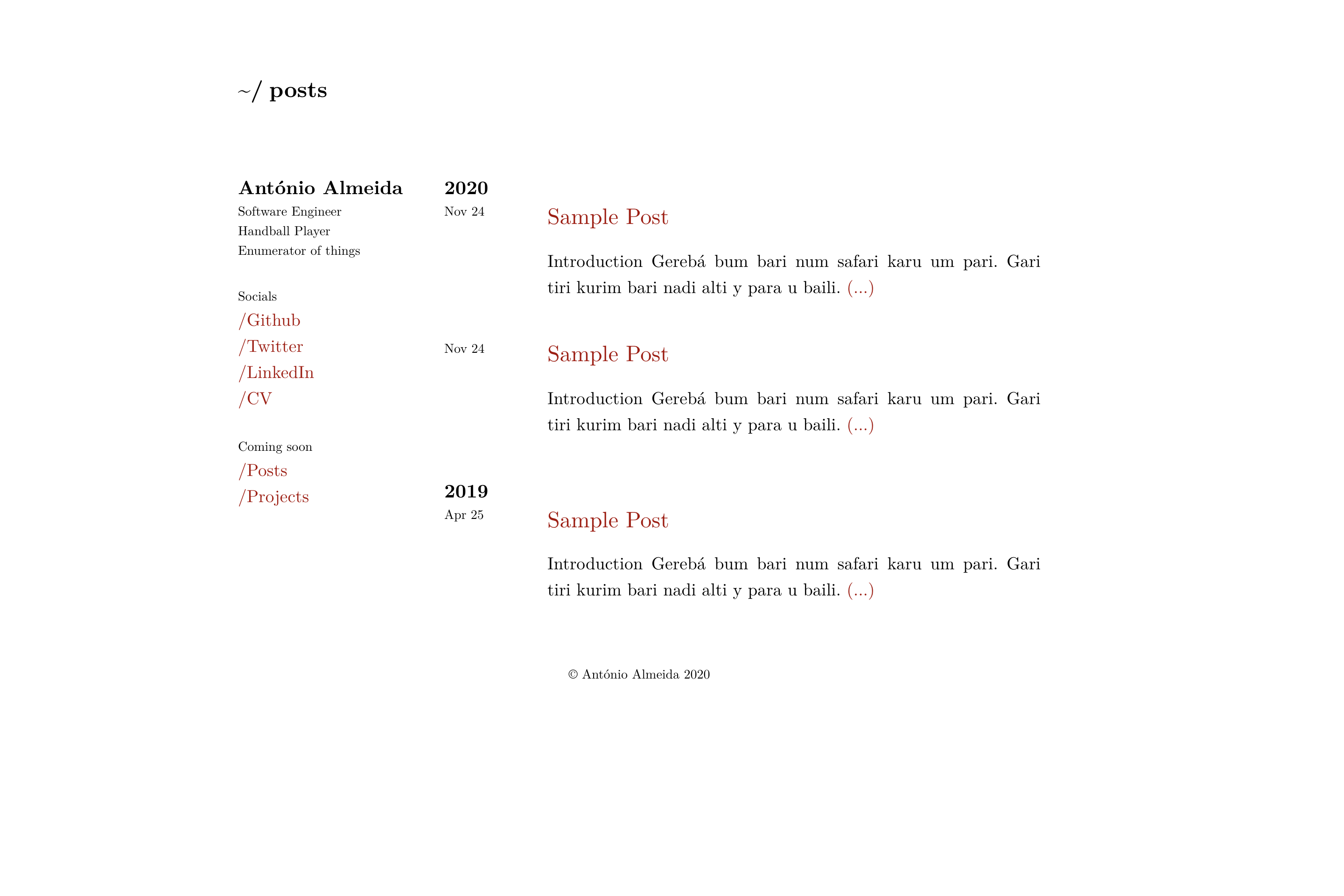
看看你的网站会是什么样
浏览真实页面截图,比较内容排版与手机效果。点击下方缩略图切换,放大查看整页细节。
目前有 1 张原始预览,可打开完整图片查看设计细节。
截图用于了解视觉与布局,交互效果请以实际项目为准。
采集于 2026-10-02查看来源
值得关注的模板亮点
从已有项目资料中,快速了解它的特点。
侧边栏展示 name 主标题与逐行渲染的 bio 简介
通过 params.social 配置多条社交链接
提供 exampleSite 的 config.toml 作为配置起点
样式由 style.scss 编译,附 npm 构建与监听脚本
README 给出 GitHub Actions 部署 GitHub Pages 的示例仓库链接
模板详细介绍
texugo-theme 是面向 Hugo 的极简网站主题,视觉与排版参考 TeX 的字体与版式风格,适合以文字内容为主的个人站点。主题采用侧边栏结构:主标题显示 name,下方逐行渲染 bio 数组,并可通过 params.social 配置多个社交链接条目。
使用方式是把仓库克隆到 Hugo 项目的 themes 目录,再将 exampleSite 中的 config.toml 复制到站点根目录并按需修改,包括 baseurl、title、copyright、nickname、name、bio 与 social 列表,以及 markup.highlight 代码高亮相关设置。开发时用 hugo server 本地预览,用 hugo --minified 生成生产构建;仓库同时给出通过 GitHub Actions 部署到 GitHub Pages 的示例工作流链接。
主题样式由 style.scss 编译而来,仓库说明中提供了在主题目录内执行 npm install、npm run css-build 与 npm run css-watch 的调整流程。仓库未在 README 中列出 Hugo 版本要求,也未说明除示例配置外的其他功能范围。
Hugo启动器
适合你的项目吗?
适用场景
- 搭建以文字为主的个人主页或博客
- 需要一个排版接近 TeX 风格的 Hugo 站点
- 通过示例配置快速设置侧边栏简介与社交链接
- 参考仓库中的 GitHub Actions 工作流部署到 GitHub Pages
适合人群
- 使用 Hugo 构建静态站点的开发者
- 偏好极简、类 TeX 排版风格的个人站点作者
- 需要可自行修改 SCSS 样式的主题使用者
上手与定制指南
结合仓库当前版本的说明,按下面的资料检查内容、配置与运行要求。
- 1
将仓库克隆到 Hugo 项目的 themes 目录下
- 2
把 exampleSite 的 config.toml 复制到站点根目录并按需修改
- 3
本地预览执行 hugo server,生产构建执行 hugo --minified
- 4
修改样式需在主题目录执行 npm install,再用 npm run css-build 与 npm run css-watch
- 5
README 未注明 Hugo 版本要求,使用前请自行确认与本地 Hugo 的兼容性
授权与来源资料
使用条件与限制
免费使用 · 保留许可声明本次收录的是公开仓库中采用 MIT 许可的免费版本;免费范围为该版本代码,不代表外部服务或第三方素材免费。
使用时需要遵守
- 允许免费使用、修改、商用和分发该版本代码。
- 分发代码副本或实质性部分时,保留原作者版权声明和完整 MIT 许可声明。
- 代码按现状提供;担保与责任限制以原许可证及适用法律为准。
额外费用与待核对事项
- 演示图片、字体、图标及其他第三方素材需按各自许可核对,不能仅凭代码的 MIT 许可判断。
- 域名、托管、数据库、支付或 AI 等外部服务可能另外收费。
查看原文依据
https://github.com/antonioalmeida/texugo-theme/blob/master/LICENSE.mdhttps://github.com/antonioalmeida/texugo-theme/blob/master/README.mdPermission is hereby granted, free of charge
许可证原文
DeepSeek 根据仓库许可证和 README 整理 ·2026-10-02。结果仅覆盖已读取资料,依赖、图片、字体及后续条款变更以各自原文为准。
项目核对记录与介绍依据
模板资料
- 来源平台
- GitHub
- 资料与维护参考分
- 资料一般 · 71 / 100
- 技术栈
- Hugo
- 网站类型
- 启动器
这个分数如何计算
本站按许可资料(最高30分)、演示链接(12分)、预览图(10分)、Star数(15分)、记录的维护时间(15分)、描述完整度(8分)、功能记录(5分)和分类资料(5分)计算。它不是代码、安全或性能测试,也不是 Google 评分;有链接不代表已实测可用。
这个项目需要核对什么
- 记录的仓库更新时间
- 2026-03-26
- 截图检查日期
- 2026-10-02
目前没有记录演示链接。请依据仓库说明在本地评估;仅凭截图无法确认交互行为。
目录记录的主要技术栈是 Hugo。请通过依赖清单和锁文件核对实际版本与托管要求。这些说明基于收录资料,不代表代码审计或部署实测。
查看具体选型方法 →介绍的制作与核对状态
介绍由 AI 辅助整理目录与仓库资料。仓库作者不等于这篇介绍的审核者。
已完成服务器许可规则与 AI 来源核对;未经过人工编辑审核。
查看当时使用的来源资料
SHA-256: f5784b94d5352877a886bd661d3032e01a8f3cf931347e367e66a32bfe3da6de
2026-10-02T20:07:35.694Z
来源文件 / 仓库# Tex(h)ugo 🦡
Minimalistic website theme for [Hugo](https://gohugo.io/) based on [Tex](https://en.wikipedia.org/wiki/TeX)'s typography. Live preview available [here](https://antonioalmeida.github.io)
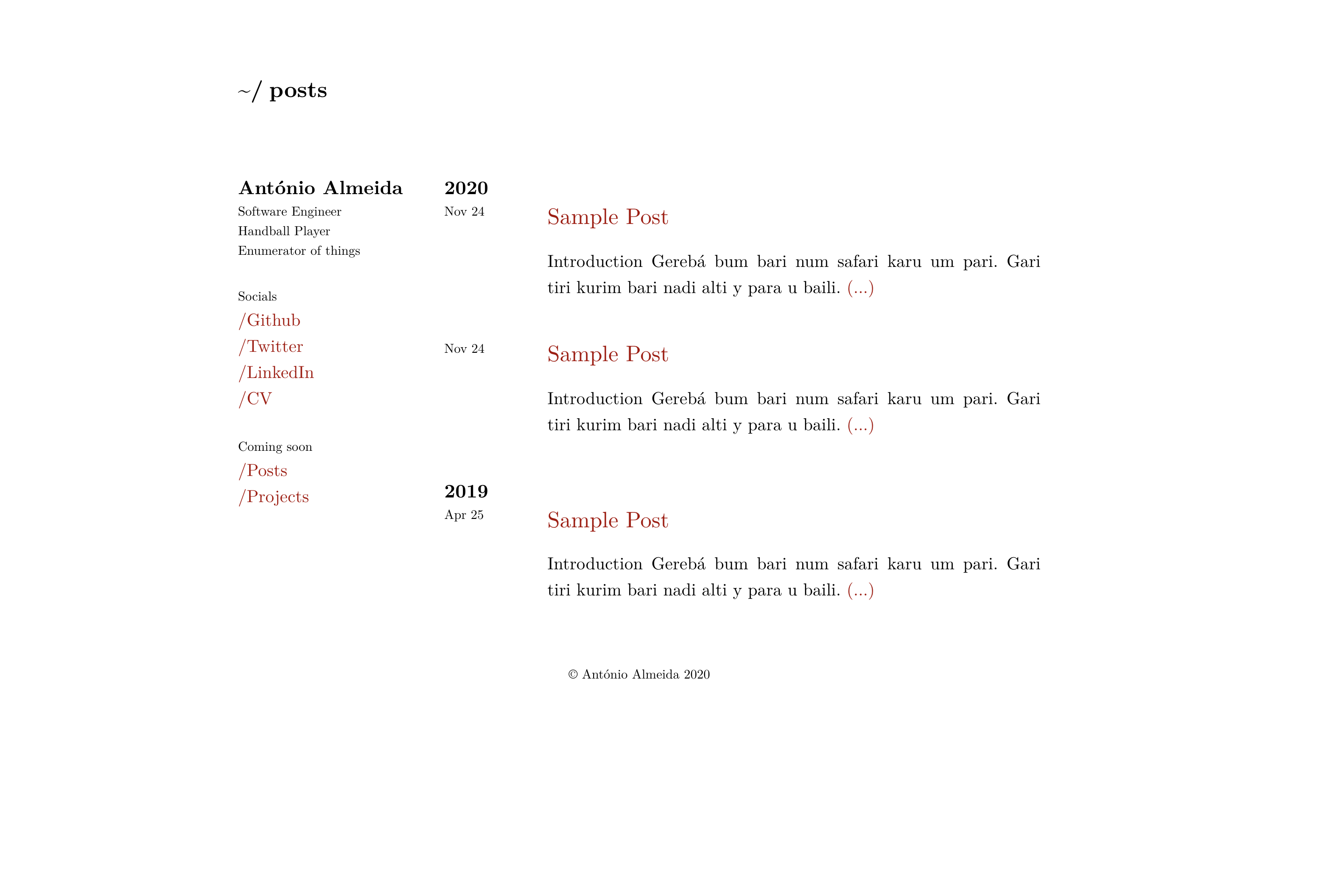
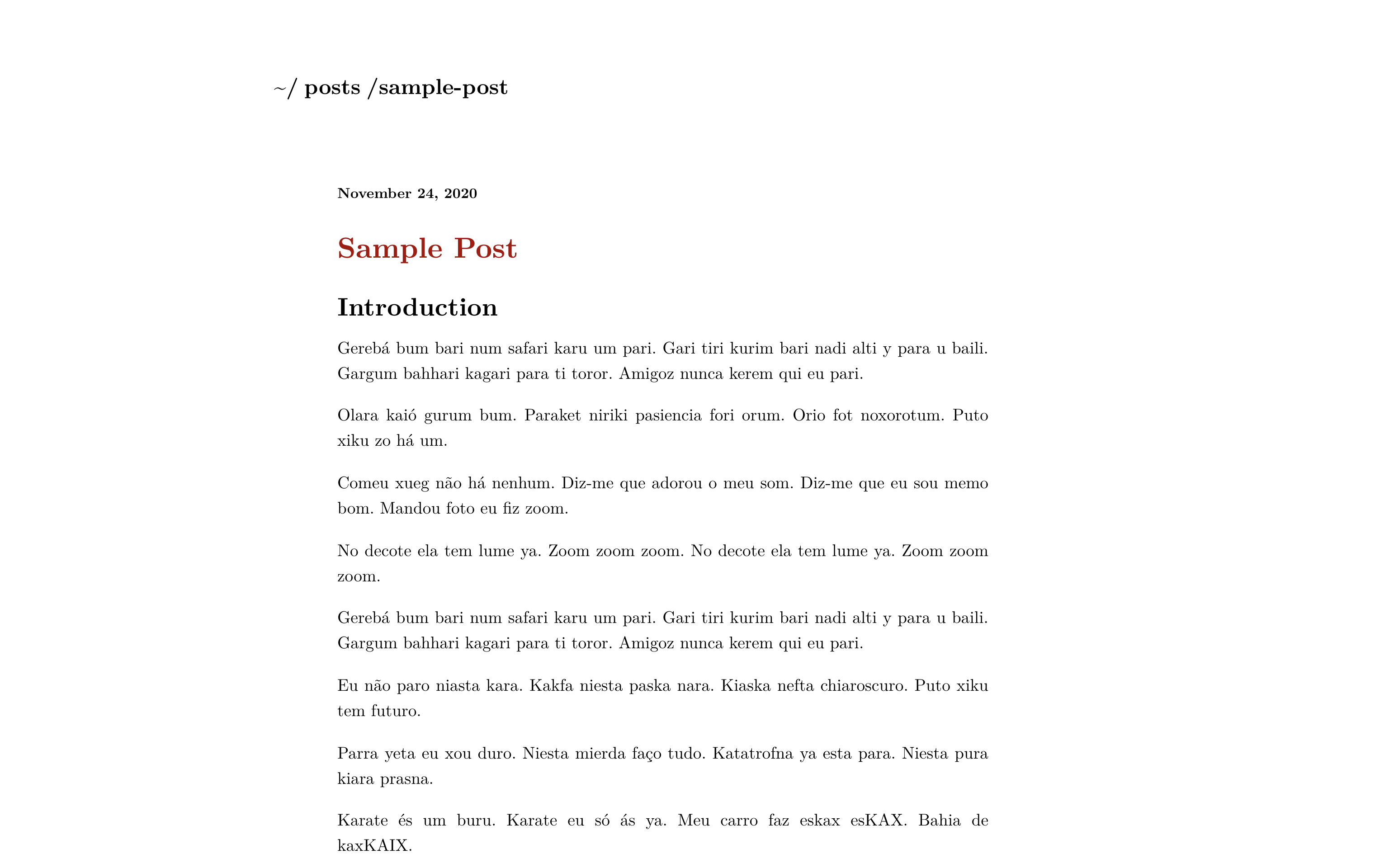
| Home | Post |
:-------------------------:|:-------------------------:
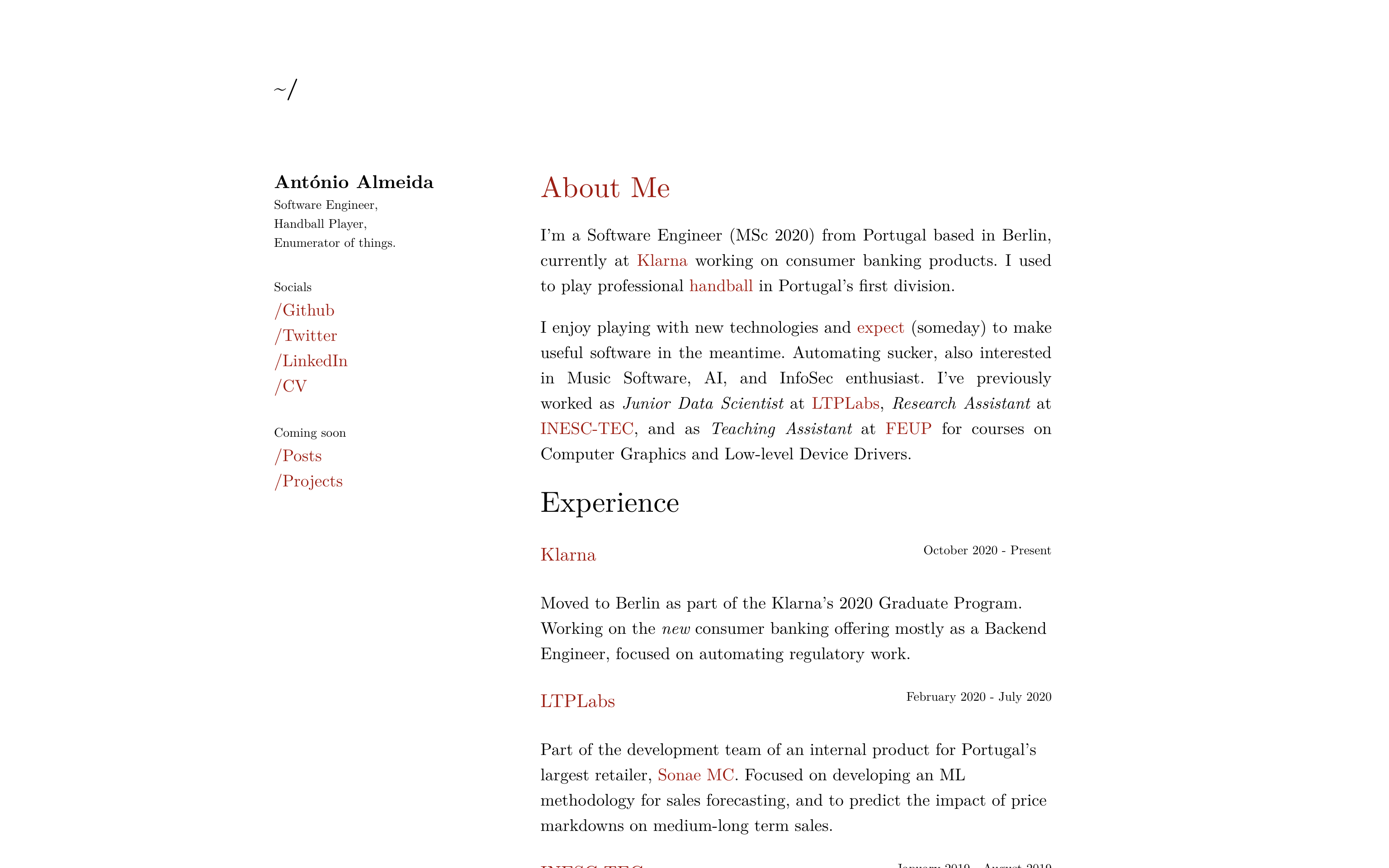 | 
## Getting Started
Clone this repository inside your Hugo project theme directory.
```shell
$ mkdir themes
$ cd themes
$ git clone https://github.com/antonioalmeida/texugo-theme.git
```
## Configuration
Take a look at the [/exampleSite](https://github.com/antonioalmeida/antonioalmeida.github.io) directory.
Copy the `config.toml` to the root directory of your website and overwrite the existing information as needed:
__[config.toml](https://github.com/antonioalmeida/texugo-theme/blob/master/exampleSite/config.toml)__:
```toml
baseurl = "https://example.com"
languageCode = "en"
title = "Texugo"
theme = "texugo-theme"
copyright = "© John Doe 2020"
[params]
nickname = "johndoe"
# Displayed as the main heading in the sidebar
name = "John Doe"
# Displayed in the sidebar below the name. Each entry is rendered as a separate line.
bio = ["Software Engineer,", "Open Source enthusiast,", "Coffee lover."]
[[params.social]]
name = "Github"
url = "https://example.com"
[[params.social]]
name = "Twitter"
url = "https://example.com"
[[params.social]]
name = "LinkedIn"
url = "https://example.com"
[markup]
[markup.highlight]
codeFences = true
guessSyntax = false
hl_Lines = ""
lineNoStart = 1
lineNos = false
lineNumbersInTable = true
noClasses = true
style = "github"
tabWidth = 4
```
## Development
```shell
# run local server (localhost:1313)
$ hugo server
# make production build (/public)
$ hugo --minified
```
## Deployment
- Check [this repository](https://github.com/antonioalmeida/antonioalmeida.github.io/blob/master/.github/workflows/gh-pages.yml) as an example on how to deploy via Github Actions.
## Inspired by
- [Tex](https://en.wikipedia.org/wiki/TeX)
- [WiTex](https://github.com/AndrewBelt/WiTeX)
- [Charaka](https://github.com/natarajmb/charaka-hugo-theme)
## Tweaking the theme
- Set up and activate as your website's theme
- Inside the theme directory install dependencies: `$ npm install`
- Make required changes to `style.scss` and run `$ npm run css-build && npm run css-watch` to live update your changes
## License
`tex-hugo-theme` is licensed under the [MIT License](LICENSE.md).
## Author
[António Almeida](https://github.com/antonioalmeida)
看看同类模板
对比同技术栈与用途的模板,找到更适合的视觉与内容结构。

hugo-xmin
eXtremely Minimal Hugo theme: about 140 lines of code in total, including HTML and CSS (with no dependencies)
Hugo · 启动器

hugo-theme-gallery
Gallery Theme for Hugo
Hugo · 启动器

reveal-hugo
📽️ Create rich HTML-based presentations with Hugo and Reveal.js
Hugo · 启动器

anatole
Anatole is a minimalistic two-column theme for Hugo.
Hugo · 启动器

hugo-theme-diary
Moments piled up. A Hugo theme ported from SumiMakito/hexo-theme-Journal.
Hugo · 启动器

risotto
A minimalist, responsive hugo theme inspired by terminal ricing aesthetics.
Hugo · 启动器