基于 Eleventy 的静态站点基础配置,面向项目网站与博客
Eleventy启动器
trivet-monolingual — Eleventy 启动器模板
作者 fluid-project
Fluid Project 推出的 Eleventy 静态站点启动器,不含国际化支持,内置 Sveltia CMS 配置与用户界面偏好编辑器。
看看你的网站会是什么样
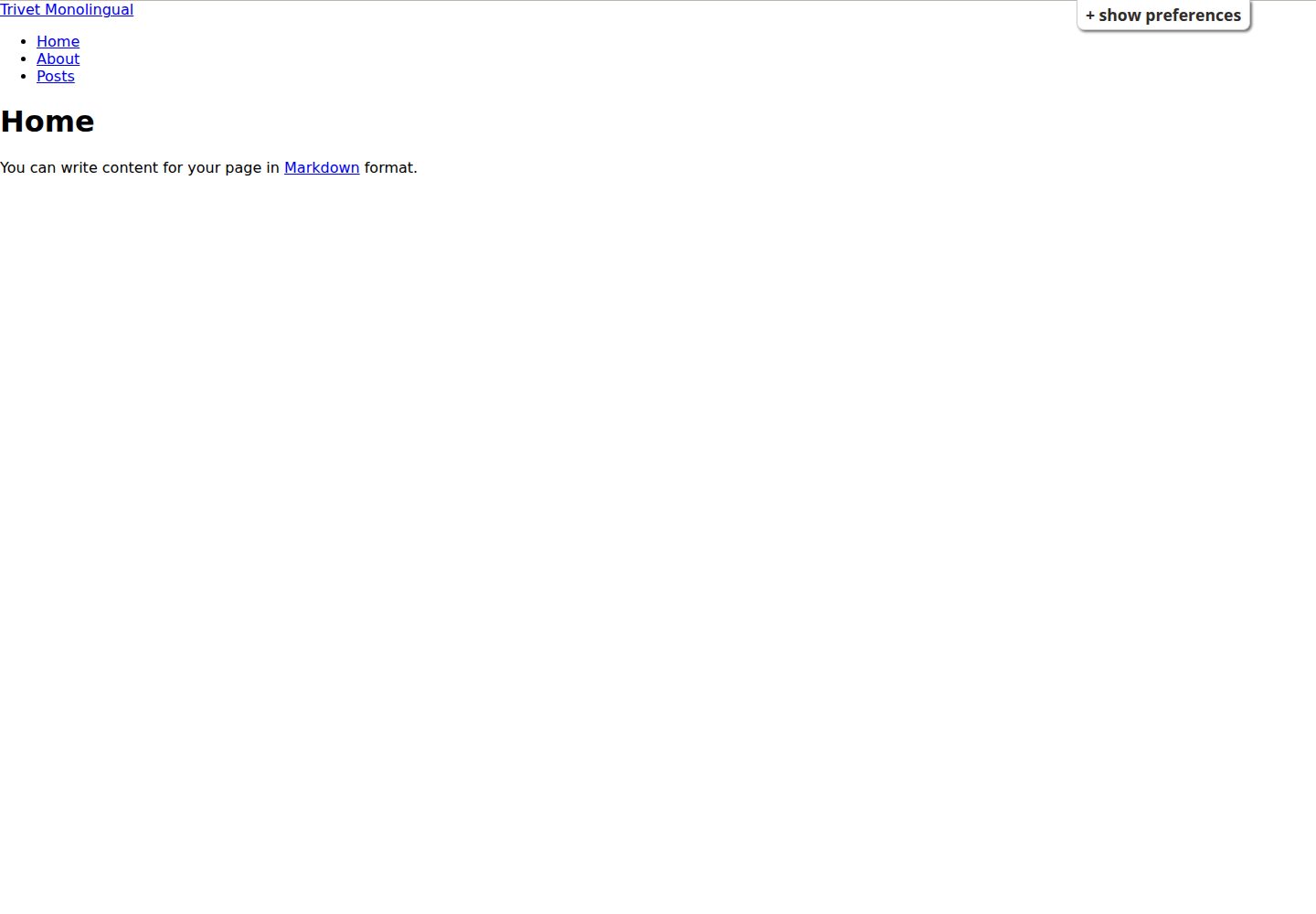
浏览真实页面截图,比较内容排版与手机效果。点击下方缩略图切换,放大查看整页细节。
全部页面与视图 3
截图用于了解视觉与布局,交互效果请以实际项目为准。
采集于 2026-09-30查看来源
值得关注的模板亮点
从已有项目资料中,快速了解它的特点。
提供 Sveltia CMS 的起始配置,配置文件位于 src/admin/config.yml
集成 Fluid Project 的 User Interface Options 偏好编辑器
支持通过 GitHub 模板仓库或 degit 初始化项目
提供开发模式、Docker 构建与静态部署三种运行方式
不包含国际化支持,多语言需求需改用 Trivet
模板详细介绍
Trivet Monolingual 是 Fluid Project 维护的 Eleventy 静态站点启动器,用于搭建项目网站与博客。它提供基础静态站点配置,并预置 Sveltia CMS 的起始配置以及 Fluid Project 的 User Interface Options 偏好编辑器。该模板不包含国际化支持,若项目需要多语言,应改用同组织的 Trivet。
使用方式上,可通过 GitHub 模板仓库功能创建新仓库,或用 degit 在本地初始化项目。开发时安装依赖后运行 Eleventy 开发模式,站点默认在 8080 端口;也可用 Docker 构建镜像并映射到 80 端口运行;部署时执行构建脚本,将 _site 目录内容上传到服务器 Web 根目录。
需要注意,_site 目录存放 Eleventy 生成的构建产物,不纳入版本控制,构建时会被覆盖,因此修改应针对源文件与源目录。Sveltia CMS 的配置位于 src/admin/config.yml。
Eleventy启动器
适合你的项目吗?
适用场景
- 为 Fluid Project 相关项目搭建单语言静态网站或博客
- 需要一个已接入 Sveltia CMS 与界面偏好编辑器的 Eleventy 起点
- 使用 Docker 构建并本地运行静态站点预览
- 构建静态产物并上传到自有 Web 服务器部署
适合人群
- 使用 Eleventy 构建单语言静态站点的开发者
- Fluid Project 生态内需要项目网站或博客的团队
- 希望以现成模板快速初始化仓库、再按需修改源文件的用户
上手与定制指南
结合仓库当前版本的说明,按下面的资料检查内容、配置与运行要求。
- 1
通过 GitHub 的 Use this template 创建新仓库,或运行 pnpm dlx degit fluid-project/trivet-monolingual YOUR-PROJECT-NAME 在本地初始化
- 2
开发模式:先执行 pnpm install,再执行 pnpm start,站点默认位于 http://localhost:8080
- 3
Docker 方式:docker build -t trivet-monolingual . 构建镜像,docker run --name trivet-monolingual -p 8000:80 trivet-monolingual 启动容器,站点位于 http://localhost:8000
- 4
部署方式:执行 pnpm install 与 pnpm build,然后将 ./_site/ 目录内容上传到服务器 Web 根目录
- 5
不要修改 _site 目录内容,该目录不纳入版本控制且构建时会被覆盖;Sveltia CMS 配置在 src/admin/config.yml 中编辑
授权与来源资料
使用条件与限制
免费使用 · 保留许可声明本次收录的是公开仓库中采用 BSD-3-Clause 许可的免费版本;免费范围为该版本代码,不代表外部服务或第三方素材免费。
使用时需要遵守
- 允许免费使用、修改、商用以及源代码或二进制形式的分发。
- 源代码分发需保留版权声明、三项条件和免责声明;二进制分发需在文档或随附材料中重现这些内容。
- 未经事先书面许可,不得使用权利人或贡献者的名称为衍生产品背书或推广。
- 代码按现状提供;担保与责任限制以原许可证及适用法律为准。
额外费用与待核对事项
- 该模板不包含国际化(i18n)支持,仅适用于单语言站点;若项目需要多语言,应改用同组织的 Trivet 模板。
- 除 _site 目录外,可修改任意源文件或目录;_site 为构建产物目录,不纳入版本控制且构建时会被覆盖,不应直接修改。
- 仅提供 Sveltia CMS 的起始配置,实际使用 CMS 需自行完成 Sveltia CMS 的部署与配置,可能涉及外部服务或托管要求。
- 演示图片、字体、图标及其他第三方素材需按各自许可核对,不能仅凭代码的 BSD-3-Clause 许可判断。
- 域名、托管、数据库、支付或 AI 等外部服务可能另外收费。
查看原文依据
Redistribution and use in source and binary forms, with or without modification, are permitted
许可证原文
It does not include support for internationalization; if your project requires internationalization, use [Trivet](https://github.com/fluid-project/trivet/) instead.
README 原文
Modifications can be made to any source file or directory except for the contents of the `_site` directory.
README 原文
https://github.com/fluid-project/trivet-monolingual/blob/main/LICENSE.mdhttps://github.com/fluid-project/trivet-monolingual/blob/main/README.mdStarter configuration for [Sveltia CMS](https://sveltiacms.app/).
README 原文
DeepSeek 根据仓库许可证和 README 整理 ·2026-10-01。结果仅覆盖已读取资料,依赖、图片、字体及后续条款变更以各自原文为准。
项目核对记录与介绍依据
模板资料
- 来源平台
- GitHub
- 资料与维护参考分
- 资料较完整 · 83 / 100
- 技术栈
- Eleventy
- 网站类型
- 启动器
这个分数如何计算
本站按许可资料(最高30分)、演示链接(12分)、预览图(10分)、Star数(15分)、记录的维护时间(15分)、描述完整度(8分)、功能记录(5分)和分类资料(5分)计算。它不是代码、安全或性能测试,也不是 Google 评分;有链接不代表已实测可用。
这个项目需要核对什么
- 记录的仓库更新时间
- 2026-09-25
- 截图检查日期
- 2026-10-01
已收录演示链接。请用你的内容与屏幕尺寸检查;有演示不代表表单、认证或支付已经可用。
目录记录的主要技术栈是 Eleventy。请通过依赖清单和锁文件核对实际版本与托管要求。这些说明基于收录资料,不代表代码审计或部署实测。
查看具体选型方法 →介绍的制作与核对状态
介绍由 AI 辅助整理目录与仓库资料。仓库作者不等于这篇介绍的审核者。
已完成服务器许可规则与 AI 来源核对;未经过人工编辑审核。
查看当时使用的来源资料
SHA-256: 1d70231353c6de61805dc423aab619eab6f296816a951174ad893c51b5ac60e4
2026-10-01T13:51:40.619Z
来源文件 / 仓库# Trivet Monolingual _A simple starter kit for Eleventy-based static sites for the Fluid Project._ This repository contains the files needed to build [Eleventy](http://11ty.dev/)-based static sites for the [Fluid Project](https://fluidproject.org). It does not include support for internationalization; if your project requires internationalization, use [Trivet](https://github.com/fluid-project/trivet/) instead. ## Installation You can use GitHub's template repository feature to create your own project based on Trivet Monolingual. From the [repository homepage](https://github.com/fluid-project/trivet-monolingual), click the "Use this template" button and then choose "Create a new repository". You can also set up a new project locally using [degit](https://www.npmjs.com/package/degit): ```bash pnpm dlx degit fluid-project/trivet-monolingual YOUR-PROJECT-NAME ``` ## Usage ### To run locally in development mode 1. Install the required NPM packages: `pnpm install` 2. Run [Eleventy](http://11ty.dev) in development mode: `pnpm start`. The website will be available at [http://localhost:8080](http://localhost:8080). ### To build and serve using Docker You can build and serve the website from a [Docker](https://docs.docker.com/get-docker) container. Once you have Docker installed, run the following commands to build a Docker image and start a container: - Build the image: `docker build -t trivet-monolingual .` - Run the container: `docker run --name trivet-monolingual -p 8000:80 trivet-monolingual` The website will be available at [http://localhost:8000](http://localhost:8000) If you make changes to the website, repeat the steps to build the image and start a new container. ### To build for deployment to a personal web server 1. Install the required NPM packages: `pnpm install` 2. Run the build script: `pnpm build` 3. Upload the contents of the `./_site/` directory to the web root of your server. If you make changes to the website, repeat step 2 to build the website and upload any changed files from the `./_site/` directory to the web root of your server. ## Features - Basic static site configuration for developing project websites and blogs. - Starter configuration for [Sveltia CMS](https://sveltiacms.app/). - Integrated [User Interface Options](https://docs.fluidproject.org/infusion/development/UserInterfaceOptionsAPI.html) Preferences Editor. ## Notes Modifications can be made to any source file or directory except for the contents of the `_site` directory. The `_site` directory is not versioned since it contains the built website that Eleventy generates from the source files, and files in `_site` are overwritten at build time. ## Working with Sveltia CMS The [Sveltia CMS](https://sveltiacms.app/) configuration can be edited in [`src/admin/config.yml`](src/admin/config.yml). For full documentation, see the [Sveltia CMS documentation](https://sveltiacms.app/en/docs/intro). ## License Trivet Monolingual is available under the [New BSD License](https://raw.githubusercontent.com/fluid-project/trivet-monolingual/master/LICENSE.md). ## Third Party Software in Trivet Monolingual Trivet is based on other publicly available software, categorized by license: ### MIT License - [Eleventastic](https://github.com/maxboeck/eleventastic) - [eleventy-webpack](https://github.com/clenemt/eleventy-webpack) - [Hylia](https://github.com/hankchizljaw/hylia) - [Supermaya](https://github.com/MadeByMike/supermaya)
看看同类模板
对比同技术栈与用途的模板,找到更适合的视觉与内容结构。

eleventy-base-blog
A starter repository for a blog web site using the Eleventy static site generator.
Eleventy · 博客

eleventy-garden
:seedling: A starter site for building a mind garden with eleventy
Eleventy · 启动器

eleventastic
An Eleventy Starter Kit
Eleventy · 启动器

neat-starter
Starter Template for Netlify CMS, Eleventy, Alpine JS & Tailwind CSS
Eleventy · 启动器

Eleventy-Starter-Boilerplate
🚀 Eleventy Starter is production-ready with SEO-friendly for quickly starting a blog. ⚡ Built with Eleventy, …
Eleventy · 博客

eleventy-plus-vite
A clean and fast Eleventy Starter Project with Vite
Eleventy · 启动器