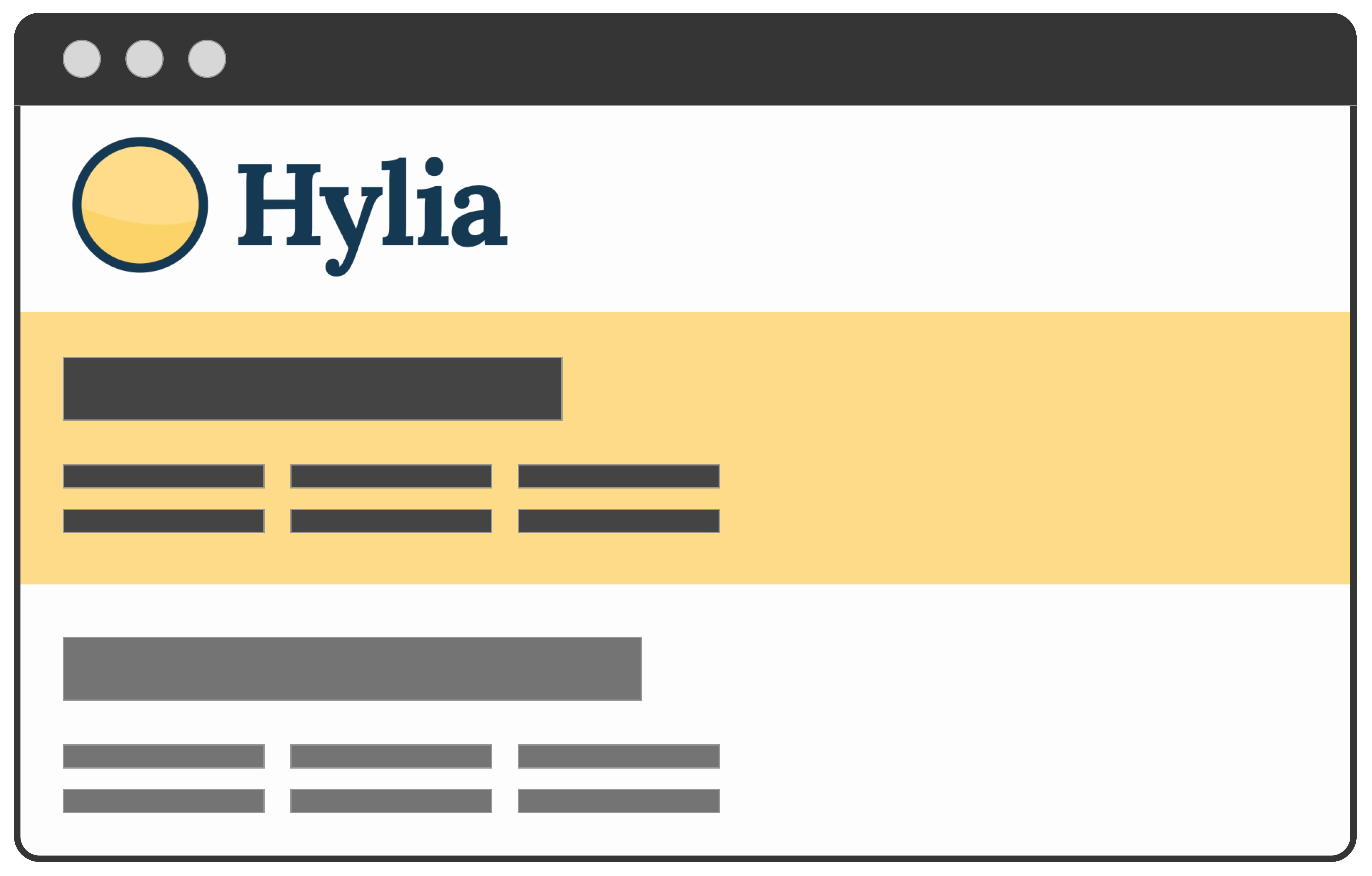
基于 Eleventy 的静态博客启动器,并预置 Forestry CMS 配置
Eleventy启动器
hylia-eleventy-starter — Eleventy 启动器模板
作者 heyyoudesign
Hylia 是一个基于 Eleventy 的轻量博客启动器,预置 Forestry CMS 配置,提供设计令牌、Sass 工具类生成器、标签归档、RSS 与离线缓存等基础能力。
看看你的网站会是什么样
浏览真实页面截图,比较内容排版与手机效果。点击下方缩略图切换,放大查看整页细节。
目前有 1 张原始预览,可打开完整图片查看设计细节。
截图用于了解视觉与布局,交互效果请以实际项目为准。
采集于 2026-10-03查看来源
值得关注的模板亮点
从已有项目资料中,快速了解它的特点。
设计令牌驱动主题,可在 CMS 中调整颜色、尺寸比例与字体
Sass 工具类生成器与可配置断点,支持响应式工具类输出
内置标签与标签归档、RSS 订阅、基础联系表单
Service Worker 缓存页面,支持离线阅读文章
附带 Styleguide 页面,可查看并调整样式示例
模板详细介绍
Hylia 是面向 Eleventy 的博客启动器,仓库中同时包含 Forestry CMS 的预配置。它适合希望用静态站点生成器搭建博客、并借助可视化 CMS 管理内容的开发者:导入 Forestry 后即可在后台创建草稿、预览并发布文章。
模板自带设计令牌(tokens.json)驱动的主题系统,颜色、尺寸比例与字体可在 CMS 的 theme settings 中调整,也可直接编辑源文件;Sass 侧由 Stalfos 配置生成工具类与断点。内容层面提供首页、文章、通用页面、全局站点数据、导航等可编辑项,并包含标签与标签归档、RSS 订阅、基础联系表单(面向 Netlify Forms)以及缓存页面的 Service Worker。
需要注意的是,README 中列出的路线图(如评论、Webmentions、分页、分享 API、文档站等)属于计划项而非现有功能;版本号信息以仓库实际依赖为准。演示图片、字体等第三方素材的许可需单独核对,MIT 许可仅覆盖代码本身。
Eleventy启动器
适合你的项目吗?
适用场景
- 用 Eleventy 快速搭建个人或团队博客,并通过 Forestry 后台管理文章
- 需要设计令牌与 Sass 工具类体系作为样式起点的静态站点项目
- 希望博客具备标签归档、RSS 与离线缓存等基础阅读体验
- 作为学习 Eleventy 目录组织与 CMS 集成方式的参考项目
适合人群
- 熟悉或愿意学习 Eleventy 与静态站点构建的前端开发者
- 需要可视化 CMS 编辑内容、但不使用传统数据库的博客作者
- 希望以 MIT 许可代码为基础自行扩展主题与功能的项目
上手与定制指南
结合仓库当前版本的说明,按下面的资料检查内容、配置与运行要求。
- 1
本地启动使用 npm start,生产构建使用 npm run production
- 2
Sass 编译与设计令牌重新生成分别使用 npm run sass:process 与 npm run sass:tokens
- 3
通过 Forestry 导入仓库后,需在设置中启动预览服务器以创建草稿并预览
- 4
修改 tokens.json 时需保持结构正确,否则会影响 Sass 编译
- 5
演示图片、字体、图标等第三方素材需按各自许可单独核对
授权与来源资料
使用条件与限制
免费使用 · 保留许可声明本次收录的是公开仓库中采用 MIT 许可的免费版本;免费范围为该版本代码,不代表外部服务或第三方素材免费。
使用时需要遵守
- 允许免费使用、修改、商用和分发该版本代码。
- 分发代码副本或实质性部分时,保留原作者版权声明和完整 MIT 许可声明。
- 代码按现状提供;担保与责任限制以原许可证及适用法律为准。
额外费用与待核对事项
- 联系表单依赖 Netlify Forms 服务,需部署到 Netlify 或自行接入等效表单后端才能实际收集提交内容。
- 可视化内容管理依赖第三方 Forestry CMS,需注册并导入仓库后才能使用后台编辑、草稿与预览功能。
- 草稿预览需在 Forestry 中手动启动预览服务器,属于外部服务操作步骤,非本地开箱即用。
- Sass 体系基于无文档的 WIP v2 版 Stalfos,扩展样式时缺少官方文档参考,需自行阅读源码。
- 项目自述处于早期阶段,功能与结构可能不稳定,不适合直接视为成熟生产级方案。
- 演示图片、字体、图标及其他第三方素材需按各自许可核对,不能仅凭代码的 MIT 许可判断。
- 域名、托管、数据库、支付或 AI 等外部服务可能另外收费。
查看原文依据
Permission is hereby granted, free of charge
许可证原文
A basic contact form, ready for [Netlify Forms](https://docs.netlify.com/forms/setup/#html-forms)
README 原文
Hylia has [Forestry CMS](https://forestry.io/) pre-configured as standard.
README 原文
Once the site is imported in Forestry, go to settings/previews to start the preview server.
README 原文
Hylia is based on the [WIP v2 version of Stalfos](https://github.com/hankchizljaw/stalfos/tree/feature/v2), which currently has no documentation
README 原文
https://github.com/heyyoudesign/hylia-eleventy-starter/blob/forestry/LICENSE.txthttps://github.com/heyyoudesign/hylia-eleventy-starter/blob/forestry/README.mdThis project is _super_ early and feedback is very much welcome.
README 原文
DeepSeek 根据仓库许可证和 README 整理 ·2026-10-03。结果仅覆盖已读取资料,依赖、图片、字体及后续条款变更以各自原文为准。
项目核对记录与介绍依据
模板资料
- 来源平台
- GitHub
- 资料与维护参考分
- 资料较少 · 53 / 100
- 技术栈
- Eleventy
- 网站类型
- 启动器
这个分数如何计算
本站按许可资料(最高30分)、演示链接(12分)、预览图(10分)、Star数(15分)、记录的维护时间(15分)、描述完整度(8分)、功能记录(5分)和分类资料(5分)计算。它不是代码、安全或性能测试,也不是 Google 评分;有链接不代表已实测可用。
这个项目需要核对什么
- 记录的仓库更新时间
- 2021-02-27
- 截图检查日期
- 2026-10-03
目前没有记录演示链接。请依据仓库说明在本地评估;仅凭截图无法确认交互行为。
目录记录的主要技术栈是 Eleventy。请通过依赖清单和锁文件核对实际版本与托管要求。这些说明基于收录资料,不代表代码审计或部署实测。
查看具体选型方法 →介绍的制作与核对状态
介绍由 AI 辅助整理目录与仓库资料。仓库作者不等于这篇介绍的审核者。
审核声明: [email protected] · 2026-10-04
查看当时使用的来源资料
SHA-256: 5a352d19165adee546b44c2c3b6d39e7025f72c1ce09f250b9915c28f39fbbc9
2026-10-03T14:38:26.538Z
来源文件 / 仓库# A simple starter kit for Eleventy
Hylia is a lightweight [Eleventy](https://11ty.io) starter kit with [Forestry CMS](https://forestry.io/) pre-configured, so that you can one-click install a progressive, accessible blog in minutes. It also gives you a well organised starting point to extend it for yourself.
[](https://app.forestry.io/quick-start?repo=dirtyf/hylia&provider=github&branch=forestry&engine=other&preview=https://hankchizljaw.imgix.net/hylia-github.jpg?auto=format&q=60)
<img src="https://hankchizljaw.imgix.net/hylia-github.jpg?auto=format&q=60" width="550" />
## Features
Hylia version 0.7.0 features:
🎨 Customisable design tokens to make it your own
🌍 Customisable global data and navigation
📂 Tags and tag archives
🎈 _Super_ lightweight front-end
✅ Progressively enhanced, semantic and accessible
🚰 Sass powered CSS system with utility class generator
⚙️ Service worker that caches pages so people can read your articles offline
🚀 An RSS feed for your posts
💌 A basic contact form, ready for [Netlify Forms](https://docs.netlify.com/forms/setup/#html-forms)
✍️ A pre-configured [Forestry CMS](https://forestry.io/) setup
## Roadmap
💬 [Netlify Forms](https://www.netlify.com/docs/form-handling/) powered comments
💡 ~~Dark/Light mode toggle~~ [Added in 0.4.0](https://github.com/hankchizljaw/hylia/releases/tag/0.4.0)
🗣 Webmentions
📖 Pagination
🐦 Web sharing API integration
🗒 Offline mode with links to cached pages
📄 Documentation site
💅 Proper Sass documentation
✍️ Proper CMS documentation
🖼 A facility for you to be able to add your logo / branding
---
## Terminal commands
### Serve the site locally
```bash
npm start
```
### Build a production version of the site
```bash
npm run production
```
### Compile Sass
```bash
npm run sass:process
```
### Re-generate design tokens for Sass
```bash
npm run sass:tokens
```
## Getting started with the CMS
[](https://app.forestry.io/quick-start?repo=dirtyf/hylia&provider=github&branch=forestry&engine=other&preview=https://camo.githubusercontent.com/8bae59778d46d15e98e701d5b6f4d0cb3a2cb880/68747470733a2f2f68616e6b6368697a6c6a61772e696d6769782e6e65742f68796c69612d6769746875622e6a70673f6175746f3d666f726d617426713d3630)
Once the site is imported in Forestry, go to settings/previews to start the preview server.
You'll be able to create drafts and preview the final rendering before publishing.
## Design Tokens and Styleguide
### Design Tokens
Although Hylia has a pretty simple design, you can configure the core design tokens that control the colours, size ratio and fonts.
---
**Note**: _Credit must be given to the hard work [Jina Anne](https://twitter.com/jina) did in order for the concept of design tokens to even exist. You should watch [this video](https://www.youtube.com/watch?v=wDBEc3dJJV8), then [read this article](https://the-pastry-box-project.net/jina-bolton/2015-march-28) and then sign up for [this course](https://aycl.uie.com/virtual_seminars/design_tokens_scaling_design_with_a_single_source_of_truth) to expand your knowledge._
---
To change the design tokens in the CMS, click on “theme settings” in the sidebar.
To change the design tokens directly, edit [`_src/data/tokens.json`](https://github.com/hankchizljaw/hylia/blob/master/src/_data/tokens.json).
The tokens are converted into maps that the Sass uses to compile the front-end CSS, so make sure that you maintain the correct structure of `tokens.json`.
### Styleguide
Your version of Hylia ships with a Styleguide by default. You can see a demo of the Styleguide at <https://hylia.website/styleguide/>.
You can edit the Styleguide by opening [`src/styleguide.njk`](https://github.com/hankchizljaw/hylia/blob/master/src/styleguide.njk). If you don’t want the Styleguide, delete that file and the page will vanish.
## Sass
Hylia is based on the [WIP v2 version of Stalfos](https://github.com/hankchizljaw/stalfos/tree/feature/v2), which currently has no documentation (I know, I’m bad). Here is some very basic documentation for elements of the new framework that you will encounter on this project.
### Configuration
The whole Sass system is powered by central config file, which lives here: [`_src/scss/_config.scss`](https://github.com/hankchizljaw/hylia/blob/master/src/scss/_config.scss).
Before Sass is compiled, a `_tokens.scss` file is generated from the [design tokens config](https://github.com/hankchizljaw/hylia/blob/master/src/_data/tokens.json) which is required.
Key elements:
- `$stalfos-size-scale`: A token driven size scale which by default, is a “Major Third” scale
- `$stalfos-colors`: A token driven map of colours
- `$stalfos-util-prefix`: All pre-built, framework utilities will have this prefix. Example: the wrapper utility is '.sf-wrapper' because the default prefix is 'sf-'
- `$metrics`: Various misc metrics to use around the site
- `$stalfos-config`: This powers everything from utility class generation to breakpoints to enabling/disabling pre-built components/utilities
### How to create a new utility class with the generator
The utility class generator lets you generate whatever you want, with no opinions on class name or properties affected.
To add a new class, add another item to the exists `$stalfos-config` map. This example adds a utility for floating elements.
```scss
'float':('items':('left':'left','right': 'right'
),
'output': 'responsive',
'property': 'float'
);
```
The `output` is set to `responsive` which means every breakpoint will generate a prefixed class for itself. If you only wanted elements to float left in the `md` breakpoint, you’d now be able to add a class of `md:float-left` to your HTML elements.
If you only want standard utility classes generating, set the `output` to `standard`.
### Functions
#### `get-color($key)`
Function tries to match the passed `$key` with the `$stalfos-colors` map. Returns null if it can’t find a match.
#### `get-config-value($key, $group)`
Returns back a 1 dimensional (key value pair) config value if available.
#### `get-size($ratio-key)`
Function tries to match the passed `$ratio-key` with the `$stalfos-size-scale`. Returns null if it can’t find a match.
### Mixins
#### `apply-utility($key, $value-key)`
Grabs the property and value of one of the `$stalfos-config utilities` that the generator will generate a class for.
#### `media-query($key)`
Pass in the key of one of your breakpoints set in `$stalfos-config['breakpoints']` and this mixin will generate the `@media` query with your configured value.
## CMS
Hylia has [Forestry CMS](https://forestry.io/) pre-configured as standard. You can customise the configuration by editing [`.forestry/settings.yml`](https://github.com/DirtyF/hylia/blob/forestry/.forestry/settings.yml).
### Content that you can edit
The basic CMS setup allows you to edit the following:
- **Home page**: Edit the content on your homepage
- **Posts**: Create and edit blog posts
- **Generic pages**: Create generic pages that use a similar layout to posts
- **Global site data**: Various bits of global site data such as your url, title, posts per page and author details
- **Navigation**: Edit your primary navigation items
- **Theme**: Edit the design tokens that power the site’s theme
## Get involved
This project is _super_ early and feedback is very much welcome. In order to keep things running smooth, please consult the [contribution guide and code of conduct](https://github.com/hankchizljaw/hylia/blob/master/contributing.md).
The stuff that I need the most help with is:
- Documentation
- [Webmentions](https://www.w3.org/TR/webmention/)
- Performance
看看同类模板
对比同技术栈与用途的模板,找到更适合的视觉与内容结构。

eleventy-base-blog
A starter repository for a blog web site using the Eleventy static site generator.
Eleventy · 博客

eleventy-garden
:seedling: A starter site for building a mind garden with eleventy
Eleventy · 启动器

eleventastic
An Eleventy Starter Kit
Eleventy · 启动器

neat-starter
Starter Template for Netlify CMS, Eleventy, Alpine JS & Tailwind CSS
Eleventy · 启动器

Eleventy-Starter-Boilerplate
🚀 Eleventy Starter is production-ready with SEO-friendly for quickly starting a blog. ⚡ Built with Eleventy, …
Eleventy · 博客

eleventy-plus-vite
A clean and fast Eleventy Starter Project with Vite
Eleventy · 启动器