包含用户注册、登录与 JWT 认证流程
React电商
ecommerce-react — React 电商模板
作者 jdomindev
基于 React 与 MERN 技术栈的电商模板,包含账户注册登录、购物车与 Stripe 测试模式结账流程,并提供商品与分类的种子数据脚本。
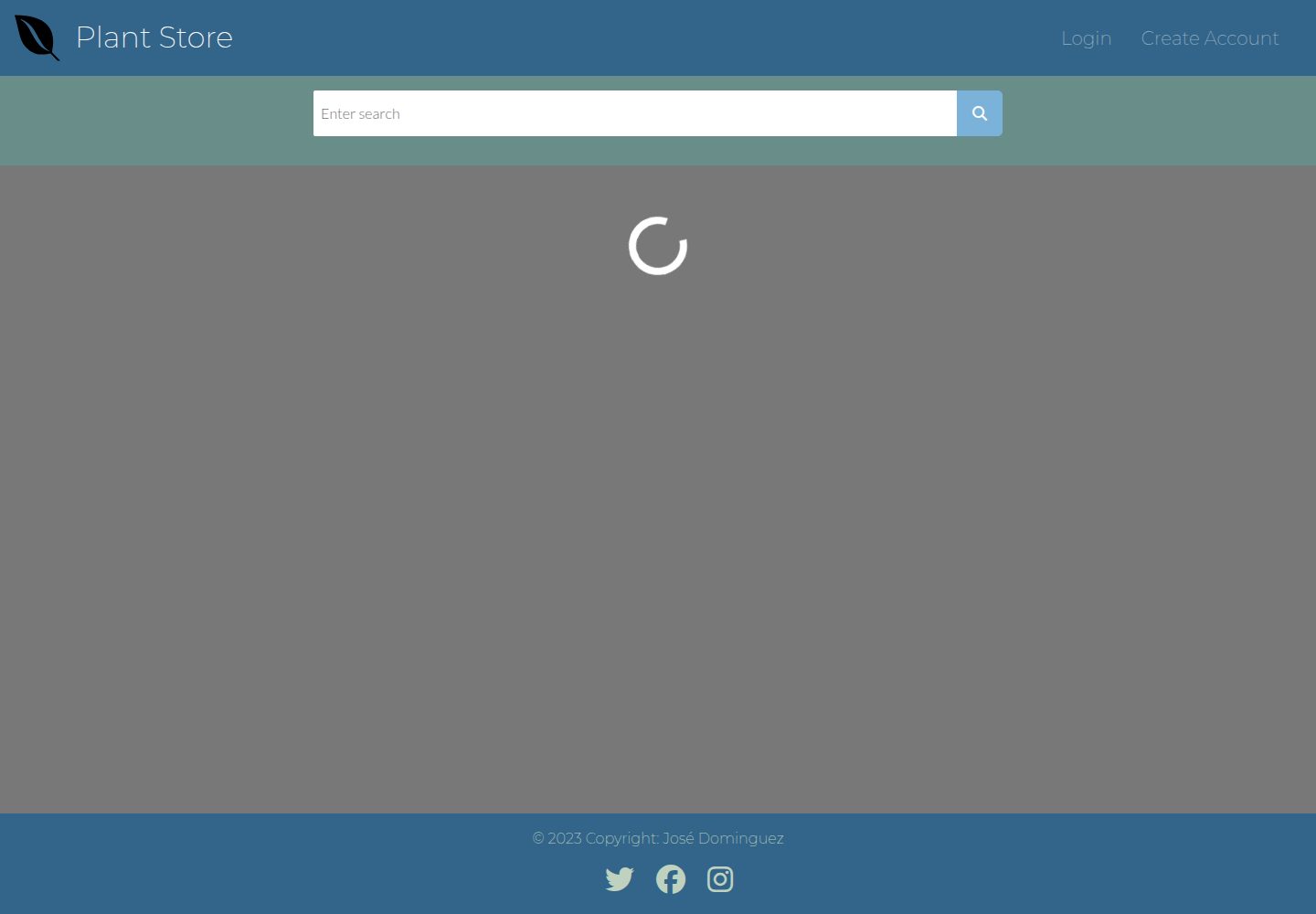
看看你的网站会是什么样
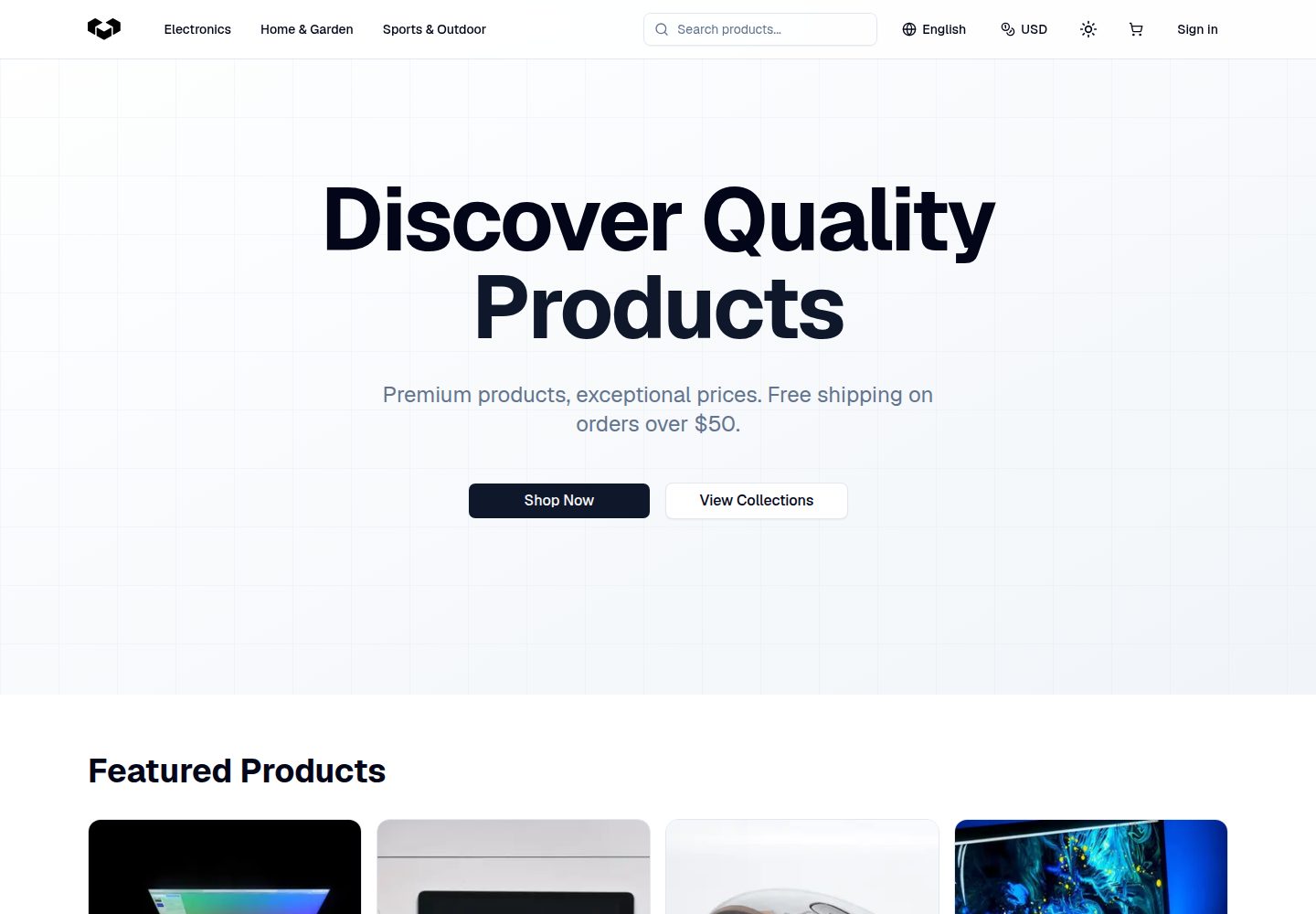
浏览真实页面截图,比较内容排版与手机效果。点击下方缩略图切换,放大查看整页细节。
目前有 1 张原始预览,可打开完整图片查看设计细节。
截图用于了解视觉与布局,交互效果请以实际项目为准。
采集于 2026-10-02查看来源
值得关注的模板亮点
从已有项目资料中,快速了解它的特点。
支持将商品加入购物车并通过 Stripe 结账
Stripe 结账默认处于测试模式,演示时不产生真实交易
提供商品与分类的 JSON 种子文件及 npm run seed 脚本
采用 React、Node、Express、MongoDB、GraphQL 与 Bootstrap 组合
MIT 许可,允许免费使用、修改、商用与分发
模板详细介绍
这是一个面向电商场景的模板项目,作者将其定位为「简单电商站点」的起点。前端使用 React,后端与数据层涉及 Node、Express、MongoDB、GraphQL(Apollo)与 JWT 认证,样式基于 Bootstrap。
功能范围覆盖用户注册与登录、将商品加入购物车,以及通过 Stripe 结账。仓库说明中明确 Stripe 处于 Test Mode,因此演示环境不会产生真实交易费用,结账时需使用 Stripe 官方测试卡号(如 4242 4242 4242 4242)。演示站点提供访客账号 [email protected] / password 用于预览。
数据方面,商品与分类通过 seeders 目录下的 productSeeds 与 categorySeeds JSON 文件维护,执行 npm run seed 写入数据库。分类 ID 由 MongoDB 在种子写入后生成,因此必须先运行分类种子,再把分类 ID 填入商品 JSON;作者建议使用 MongoDB Compass 查看生成的分类 ID。
使用限制:运行前需要自备 MongoDB 数据库、Stripe 密钥与 JWT 会话密钥,并写入 env 文件;模板本身不包含这些外部服务的免费额度。许可为 MIT,允许免费使用、修改、商用与分发该版本代码,但分发时需保留版权与许可声明,且演示图片、字体、图标等第三方素材需单独核对许可。
React电商
适合你的项目吗?
适用场景
- 学习 MERN 技术栈下电商前后端如何组织
- 以现有代码为起点搭建自己的简单电商站点
- 演示或测试 Stripe 结账流程(测试模式)
- 练习通过种子脚本向 MongoDB 写入商品与分类数据
适合人群
- 希望基于现成 React 电商模板二次开发的开发者
- 需要带登录、购物车与 Stripe 结账示例的学习者
- 能自行准备 MongoDB 与 Stripe 账号的团队
上手与定制指南
结合仓库当前版本的说明,按下面的资料检查内容、配置与运行要求。
- 1
先 fork 仓库,执行 npm install 安装依赖,再用 npm run start 同时启动服务端与客户端;仅启动后端可用 npm run server。
- 2
需要创建 env 文件并填写 MONGODB_URI、STRIPE_PRIVATE_KEY、STRIPE_PUBLIC_KEY 与 SESSION_SECRET。
- 3
Stripe 结账为测试模式,需使用 Stripe 官方测试卡号,例如 4242 4242 4242 4242,CVC 任意三位数,有效期填未来日期。
- 4
添加自有商品前先填写 seeders 目录下的 categorySeeds,运行 npm run seed 生成分类 ID,再把 ID 填入 productSeeds 后再次执行种子脚本。
- 5
演示访客账号为 [email protected],密码 password;作者要求以模板形式使用该仓库时链接回原 GitHub 仓库。
授权与来源资料
使用条件与限制
免费使用 · 保留许可声明本次收录的是公开仓库中采用 MIT 许可的免费版本;免费范围为该版本代码,不代表外部服务或第三方素材免费。
使用时需要遵守
- 允许免费使用、修改、商用和分发该版本代码。
- 分发代码副本或实质性部分时,保留原作者版权声明和完整 MIT 许可声明。
- 代码按现状提供;担保与责任限制以原许可证及适用法律为准。
额外费用与待核对事项
- 作者要求以模板形式使用该仓库时,需给予适当署名并链接回原 GitHub 仓库。
- 运行需自备 MongoDB 数据库,并创建 env 文件填写自己的 MongoDB URI。
- 使用 Stripe 结账需自行注册 Stripe 账号,并将公私钥写入 env 文件。
- 登录认证依赖 JWT,必须自行提供会话密钥,否则认证无法工作。
- 演示环境的 Stripe 结账处于测试模式,不产生真实交易费用,需使用官方测试卡号。
- 演示图片、字体、图标及其他第三方素材需按各自许可核对,不能仅凭代码的 MIT 许可判断。
- 域名、托管、数据库、支付或 AI 等外部服务可能另外收费。
查看原文依据
Permission is hereby granted, free of charge
许可证原文
all I ask is that you give me proper credit by linking back to my [GitHub Repo](https://github.com/jdomindev/ecommerce-react).
README 原文
A [Mongo database](https://www.mongodb.com/basics/create-database) is needed to store the product and user information. You will need create an env file and enter your own MongoDB URI.
README 原文
if you plan to use Stripe for the checkout process, you will need to [create an account](https://dashboard.stripe.com/register) and add your public key and private key to your env file.
README 原文
Login authentication is handled by JSON Web Tokens. A secret is required for authentication to work.
README 原文
https://github.com/jdomindev/ecommerce-react/blob/main/LICENSEhttps://github.com/jdomindev/ecommerce-react/blob/main/README.mdStripe checkout is in *Test Mode* so there are no transaction costs for the user.
README 原文
DeepSeek 根据仓库许可证和 README 整理 ·2026-10-02。结果仅覆盖已读取资料,依赖、图片、字体及后续条款变更以各自原文为准。
项目核对记录与介绍依据
模板资料
- 来源平台
- GitHub
- 资料与维护参考分
- 资料一般 · 57 / 100
- 技术栈
- React
- 网站类型
- 电商
这个分数如何计算
本站按许可资料(最高30分)、演示链接(12分)、预览图(10分)、Star数(15分)、记录的维护时间(15分)、描述完整度(8分)、功能记录(5分)和分类资料(5分)计算。它不是代码、安全或性能测试,也不是 Google 评分;有链接不代表已实测可用。
这个项目需要核对什么
- 记录的仓库更新时间
- 2023-06-21
- 截图检查日期
- 2026-10-02
已收录演示链接。请用你的内容与屏幕尺寸检查;有演示不代表表单、认证或支付已经可用。
目录记录的主要技术栈是 React。请通过依赖清单和锁文件核对实际版本与托管要求。这些说明基于收录资料,不代表代码审计或部署实测。
查看具体选型方法 →介绍的制作与核对状态
介绍由 AI 辅助整理目录与仓库资料。仓库作者不等于这篇介绍的审核者。
已完成服务器许可规则与 AI 来源核对;未经过人工编辑审核。
查看当时使用的来源资料
SHA-256: 521e62542547b0c2b0616c6fd33dcb6b6076fb1f81057eb28a3cb50206d753bf
2026-10-02T18:30:21.626Z
来源文件 / 仓库# E-Commerce Template Site ## About this App This website was created to be a template for users to build their own simple e-commerce site. Users of the e-commerce site can create an account, log in, select items to add to their cart, and checkout out using stripe’s secure checkout process. ## Site Demo ### Credentials To preview the site as a guest user, these credentials may be used: ```Email: [email protected]``` ```Password: password``` ### Checkout <mark>Stripe checkout is in *Test Mode* so there are no transaction costs for the user.</mark> Use any info you like for the name and zip code section of checkout, however since this Stripe instance is in *Test Mode* you must use one of the test cards from the test card list as specified in the [Stripe API](https://stripe.com/docs/testing#cards). Here is the test Visa card: ``` Credit Card: 4242 4242 4242 4242 CVC: any 3 digits Expiration Date: any future date ``` # Installation and setup Once the repo is forked: 1. ```run npm install``` to install all the dependencies needed. 2. Then run ```npm run start``` to start up the server and client. To start only the backend: 1. ```npm run server``` ## Forking app as template For those who wish to use this template, all I ask is that you give me proper credit by linking back to my [GitHub Repo](https://github.com/jdomindev/ecommerce-react). ### Prerequisites #### MongoDB A [Mongo database](https://www.mongodb.com/basics/create-database) is needed to store the product and user information. You will need create an env file and enter your own MongoDB URI. #### Stripe In addition, if you plan to use Stripe for the checkout process, you will need to [create an account](https://dashboard.stripe.com/register) and add your public key and private key to your env file. #### JWT Login authentication is handled by JSON Web Tokens. A secret is required for authentication to work. The secret can be any thing you like, just add it to the env file. ##### Example of the env file: ``` MONGODB_URI = YOUR_MONGO_URI STRIPE_PRIVATE_KEY = YOUR_PRIVATE_KEY STRIPE_PUBLIC_KEY = YOUR_PUBLIC_KEY SESSION_SECRET = YOUR_OWN_SECRET ``` ## Adding Your Own Products To add your own products you need to fill out the *productSeeds* and *categorySeeds* jsons in the *seeders* folder with your own products and categories. For products to have an associated category, you need to enter its ID into the product json. - Category IDs are generated in MongoDB after seeding the categories, so the <mark>category json should be run first.</mark> - It may be helpful to have MongoDB Compass installed to see the category IDs and then add those to each product. Once a json is filled out run `npm run seed` to populate your database. ## Screenshots ## Badges            ## License MIT License Copyright (c) 2023 Jose Dominguez Permission is hereby granted, free of charge, to any person obtaining a copy of this software and associated documentation files (the "Software"), to deal in the Software without restriction, including without limitation the rights to use, copy, modify, merge, publish, distribute, sublicense, and/or sell copies of the Software, and to permit persons to whom the Software is furnished to do so, subject to the following conditions: The above copyright notice and this permission notice shall be included in all copies or substantial portions of the Software. THE SOFTWARE IS PROVIDED "AS IS", WITHOUT WARRANTY OF ANY KIND, EXPRESS OR IMPLIED, INCLUDING BUT NOT LIMITED TO THE WARRANTIES OF MERCHANTABILITY, FITNESS FOR A PARTICULAR PURPOSE AND NONINFRINGEMENT. IN NO EVENT SHALL THE AUTHORS OR COPYRIGHT HOLDERS BE LIABLE FOR ANY CLAIM, DAMAGES OR OTHER LIABILITY, WHETHER IN AN ACTION OF CONTRACT, TORT OR OTHERWISE, ARISING FROM, OUT OF OR IN CONNECTION WITH THE SOFTWARE OR THE USE OR OTHER DEALINGS IN THE SOFTWARE.
看看同类模板
对比同技术栈与用途的模板,找到更适合的视觉与内容结构。
ecommerce-dashboard
React Admin Dashboard Template
React · 后台
Fashion-eCommerce-Shop-in-React
Fashion-eCommerce-Shop-in-React 是一个以 React.js 和 TypeScript 构建的服装电商前端模板,设计上侧重时尚与女性服饰,但也可适配男装和童装。
React · 电商
react-ecommerce-template
Bootstrap e-commerce template written in React JS.
React · 电商
Free-Admin-Dashboard
Free-Admin-Dashboard 是一个面向电商场景的后台管理模板,由 Kuzma02 在 Figma 中完成设计,再用 React.js、Tailwind CSS 和 TypeScript 实现。
React · 后台
react-redux-ecommerce
react-redux-ecommerce 是一个基于 React 和 Redux 的电商网站模板,目标是在一小时内搭建起可运行的商店。
React · 电商
tanstack-starter-vendure
Official TanStack Start starter for Vendure
React · 电商