使用 React.js 与 TailwindCSS 构建
ViteReact作品集
open-source-portfolio — Vite 作品集模板
作者 jinvkyen
基于 React.js 与 TailwindCSS 的响应式个人作品集模板,支持主题切换、简历下载,并可按 README 步骤部署到 Vercel。
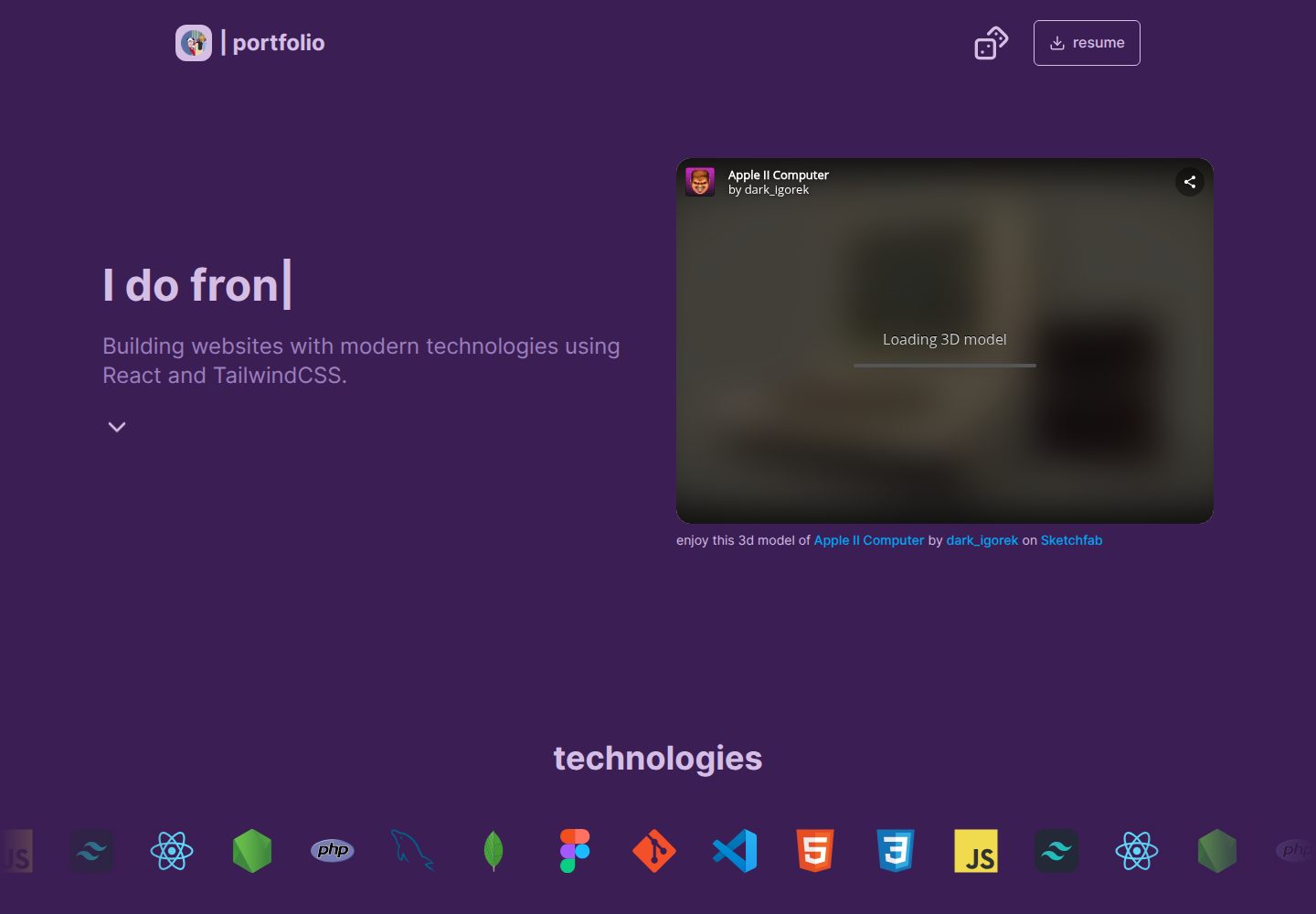
看看你的网站会是什么样
浏览真实页面截图,比较内容排版与手机效果。点击下方缩略图切换,放大查看整页细节。
全部页面与视图 2
截图用于了解视觉与布局,交互效果请以实际项目为准。
采集于 2026-10-16查看来源
值得关注的模板亮点
从已有项目资料中,快速了解它的特点。
响应式布局,适配桌面与移动端预览
支持主题切换
支持下载 CV 或简历文件
README 提供 Vercel 部署步骤
MIT 许可证,可自由使用、修改与分发
模板详细介绍
该模板用于展示个人技能、项目与简历,README 说明其使用 React.js 和 TailwindCSS 构建,并具备响应式与可定制特性。模板提供主题切换和可下载的 CV,并说明可部署到 Vercel。
使用流程为:Fork 仓库、克隆自己的分支、执行 npm install 安装依赖、运行 npm run dev 启动开发服务器。个人内容需在 data/ 或 constants/ 目录中修改项目等数组数据;简历文件放在 /public/assets/cv.pdf 或 /public/assets/resume.pdf,也可改为链接形式。部署时需将分支推送到 GitHub,在 Vercel 新建项目并导入仓库,使用默认设置(README 称会识别为 React + Vite)后点击 Deploy。
README 未提供关于具体框架版本、性能表现、可访问性、浏览器兼容范围或生产环境就绪程度的说明,也未列出除 Vercel 之外的其他部署方式。
ViteReact作品集
适合你的项目吗?
适用场景
- 个人开发者展示技能、项目与简历
- 作为 React + TailwindCSS 作品集起步模板进行二次定制
- 通过 Vercel 部署个人在线作品集
适合人群
- 希望快速搭建个人作品集页面的开发者
- 熟悉 React 与 TailwindCSS、愿意修改数据文件进行定制的用户
- 计划使用 Vercel 托管静态前端项目的用户
上手与定制指南
结合仓库当前版本的说明,按下面的资料检查内容、配置与运行要求。
- 1
先 Fork 仓库,再克隆自己的分支并进入目录
- 2
运行 npm install 安装依赖
- 3
运行 npm run dev 启动开发服务器
- 4
在 data/ 或 constants/ 目录中修改项目等个人数据
- 5
将简历文件放入 /public/assets/cv.pdf 或 /public/assets/resume.pdf,或改为链接形式
授权与来源资料
使用条件与限制
免费使用 · 保留许可声明本次收录的是公开仓库中采用 MIT 许可的免费版本;免费范围为该版本代码,不代表外部服务或第三方素材免费。
使用时需要遵守
- 允许免费使用、修改、商用和分发该版本代码。
- 分发代码副本或实质性部分时,保留原作者版权声明和完整 MIT 许可声明。
- 代码按现状提供;担保与责任限制以原许可证及适用法律为准。
额外费用与待核对事项
- 演示图片、字体、图标及其他第三方素材需按各自许可核对,不能仅凭代码的 MIT 许可判断。
- 域名、托管、数据库、支付或 AI 等外部服务可能另外收费。
- 部署到 Vercel 需要注册并登录 vercel.com 账户,属于外部服务账号要求。
- Vercel 部署时需使用默认设置(README 称会识别为 React + Vite),自定义配置可能影响部署流程。
查看原文依据
Permission is hereby granted, free of charge
许可证原文
1. Go to vercel.com and sign in
README 原文
https://github.com/jinvkyen/open-source-portfolio/blob/main/LICENSEhttps://github.com/jinvkyen/open-source-portfolio/blob/main/README.md3. Use default settings (React + Vite detected)
README 原文
DeepSeek 根据仓库许可证和 README 整理 ·2026-10-16。结果仅覆盖已读取资料,依赖、图片、字体及后续条款变更以各自原文为准。
项目核对记录与介绍依据
模板资料
- 来源平台
- GitHub
- 资料与维护参考分
- 资料较完整 · 79 / 100
- 技术栈
- Vite · React
- 网站类型
- 作品集
这个分数如何计算
本站按许可资料(最高30分)、演示链接(12分)、预览图(10分)、Star数(15分)、记录的维护时间(15分)、描述完整度(8分)、功能记录(5分)和分类资料(5分)计算。它不是代码、安全或性能测试,也不是 Google 评分;有链接不代表已实测可用。
这个项目需要核对什么
- 记录的仓库更新时间
- 2025-06-14
- 截图检查日期
- 2026-10-16
已收录演示链接。请用你的内容与屏幕尺寸检查;有演示不代表表单、认证或支付已经可用。
目录记录的主要技术栈是 Vite。请通过依赖清单和锁文件核对实际版本与托管要求。这些说明基于收录资料,不代表代码审计或部署实测。
查看具体选型方法 →介绍的制作与核对状态
介绍由 AI 辅助整理目录与仓库资料。仓库作者不等于这篇介绍的审核者。
审核声明: codex-user-requested-batch-review-20261017 · 2026-10-16
查看当时使用的来源资料
SHA-256: ddf422b8be2232d34d8f4e1f75b022394d5c9f8524555a53b14ab0493f89cf4a
2026-10-16T00:28:17.314Z
来源文件 / 仓库# Open Source Website Portfolio

A responsive and customizable portfolio template built with **React.js** and **TailwindCSS**, designed for anyone to showcase their skills, projects, and cv.
- customizable
- theme switcher
- downloadable cv
- deploy-ready on **Vercel**
---
## To start:
### 1. **Fork this repo**
Click the **Fork** button at the top right of this repo to create your own copy.
### 2. **Clone your fork**
```bash
git clone https://github.com/YOUR_USERNAME/your-forked-repo.git
cd your-forked-repo
```
### 3. **Install dependencies**
```bash
npm install
```
### 4. **Start dev server**
```bash
npm run dev
```
#### Now visit http://localhost:{your-port} to see your portfolio in action!
---
## ✏️ Customize your information
### Go into the data/ or constants/ folder (wherever your project stores personal content) and update arrays like:
// Change projects data here:
<pre lang="markdown"> const projects =
[{ title: "Cool Project",
description: "A short description",
link: "https://your-project-link.com" }];
</pre>
### 📄 Replace CV or Resume
/public/assets/cv.pdf
or
/public/assets/resume.pdf
(or if you prefer just the link, simply remove the download in the <a> tag)
## ☁️ Deploy on Vercel
### Push your forked repo to GitHub
1. Go to vercel.com and sign in
2. Click New Project and import your repo
3. Use default settings (React + Vite detected)
4. Click Deploy
## 🤝 Contributing
This is an open-source project!
Feel free to fork it, personalize it, and share it.
Pull requests and ideas are always welcome 💛
## 📄 License
### MIT License — free to use, modify, and distribute.
---
### React + Vite
#### This template provides a minimal setup to get React working in Vite with HMR and some ESLint rules.
##### Currently, two official plugins are available:
- [@vitejs/plugin-react](https://github.com/vitejs/vite-plugin-react/blob/main/packages/plugin-react/README.md) uses [Babel](https://babeljs.io/) for Fast Refresh
- [@vitejs/plugin-react-swc](https://github.com/vitejs/vite-plugin-react-swc) uses [SWC](https://swc.rs/) for Fast Refresh
##### Expanding the ESLint configuration
##### If you are developing a production application, we recommend using TypeScript and enable type-aware lint rules. Check out the [TS template](https://github.com/vitejs/vite/tree/main/packages/create-vite/template-react-ts) to integrate TypeScript and [`typescript-eslint`](https://typescript-eslint.io) in your project.
看看同类模板
对比同技术栈与用途的模板,找到更适合的视觉与内容结构。

Resumify
Free, privacy-first resume builder — 6 ATS-friendly templates, full customization, JSON import/export. No sign…
Vite · 作品集

showlit
✨ Showlit - A modern and clean template for creating a personal website
Vite · 作品集

folium
Professional developer portfolio boilerplate (React • TypeScript • Tailwind • Vite) with simple content custom…
Vite · 作品集

kurizu-discord
A Discord themed website built using React & Vite
Vite · 作品集
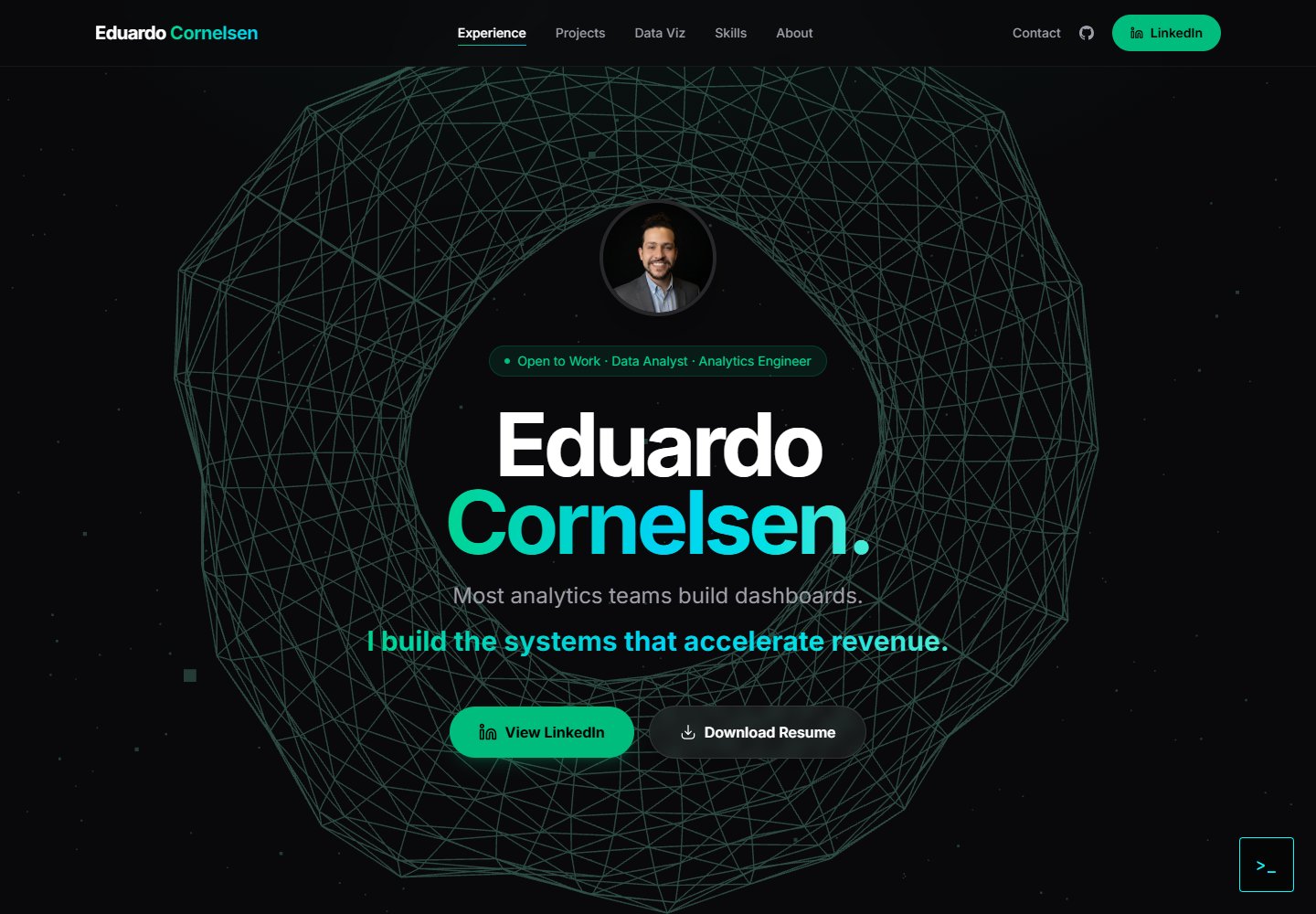
cv-educornelsen
Production portfolio with a streaming AI chatbot (Gemini + SSE), containerized via Docker, deployed to Google …
Vite · 作品集

about-me-personal-portfolio-website-template
Simple Personal Website Template, built with bootstrap and vite js project.
Vite · 作品集