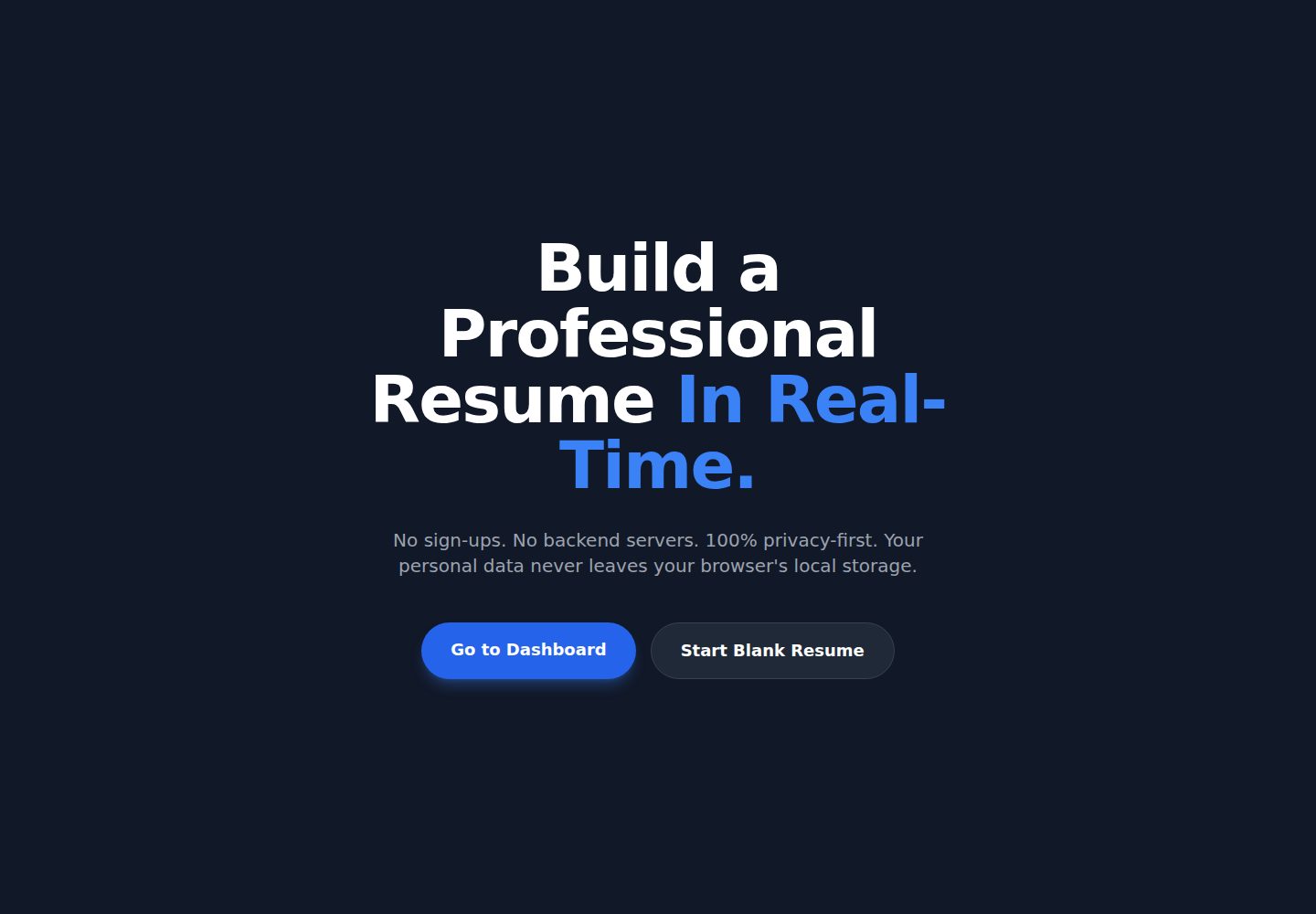
完全客户端运行,简历数据在浏览器内处理并生成 PDF
Next.jsReact作品集
Resume-Builder — Next.js 作品集模板
作者 kaifgowani
RenderCV 是一个完全在浏览器端运行的简历生成工具,可动态编辑经历并实时生成 PDF,源码托管于 GitHub 仓库 kaifgowani/Resume-Builder。
看看你的网站会是什么样
浏览真实页面截图,比较内容排版与手机效果。点击下方缩略图切换,放大查看整页细节。
全部页面与视图 2
截图用于了解视觉与布局,交互效果请以实际项目为准。
采集于 2026-10-14查看来源
值得关注的模板亮点
从已有项目资料中,快速了解它的特点。
输入时实时生成 PDF 预览,文档计算与主界面线程解耦
自动解析日期字符串,将 Experience 和 Education 按倒序排列,Current 职位置顶
通过自定义 LocalStorage 同步钩子实现自动保存
使用 Redux Toolkit 管理 Experience、Education、Projects 等深层嵌套数组
可在 Classic 与 Modern 两种布局间一键切换
模板详细介绍
RenderCV 是一个客户端简历生成工具,README 说明其完全在浏览器端运行,用户可以动态构建、重排和格式化职业经历,并实时生成可用的 PDF。它通过后台线程处理 PDF 几何计算,使 React 界面在文档生成时保持流畅。
功能方面,README 列出零延迟实时预览、按日期自动排序经历与教育条目、基于 LocalStorage 的自动保存、使用 Redux Toolkit 管理深层嵌套数组,以及 Classic 与 Modern 两种可切换布局。README 还描述了三个具体技术问题的处理方式:用 globalOrderKey 解决 @react-pdf/renderer 在数组项快速交换时出现重复数据的 ghost-clone 问题;用 sortChronologically 中间件把表单录入顺序与 PDF 渲染顺序解耦,避免输入时字段跳动;用 usePDF 后台钩子隔离文档计算,减少主线程阻塞。
技术栈方面,README 的徽章标注 Next.js、React、Redux Toolkit 与 Tailwind CSS,但未提供依赖清单核对的具体版本号。安装说明要求 64 位 Node.js 18.17.0 或更高版本,步骤为克隆仓库、进入目录、npm install、npm run dev,然后访问 http://localhost:3000。README 的路线图列出用户认证、云数据库同步、更多模板与 AI 优化等尚未实现的项目,这些属于未来计划而非现有功能。
Next.jsReact作品集
适合你的项目吗?
适用场景
- 在浏览器中逐项填写并实时查看简历 PDF 效果
- 调整工作经历或教育条目的顺序并观察 PDF 同步更新
- 在本地持续编辑简历,依靠自动保存避免内容丢失
- 切换 Classic 或 Modern 模板比较不同版式
适合人群
- 希望简历数据留在本地浏览器、不依赖服务端存储的用户
- 需要边输入边查看 PDF 排版效果的人
- 使用 Next.js、React、Redux Toolkit 与 Tailwind CSS 技术栈的开发者参考或二次开发
上手与定制指南
结合仓库当前版本的说明,按下面的资料检查内容、配置与运行要求。
- 1
需要 64 位 Node.js,版本 18.17.0 或更高
- 2
依次执行 git clone、cd Resume-Builder、npm install、npm run dev
- 3
开发服务器启动后访问 http://localhost:3000
- 4
README 未提供生产部署、环境变量或后端服务的配置说明
授权与来源资料
使用条件与限制
免费使用 · 保留许可声明本次收录的是公开仓库中采用 MIT 许可的免费版本;免费范围为该版本代码,不代表外部服务或第三方素材免费。
使用时需要遵守
- 允许免费使用、修改、商用和分发该版本代码。
- 分发代码副本或实质性部分时,保留原作者版权声明和完整 MIT 许可声明。
- 代码按现状提供;担保与责任限制以原许可证及适用法律为准。
额外费用与待核对事项
- README 提及 Firebase 集成;启用相关动态功能前需自行配置,并核对 Firebase 的额度与收费。
- 演示图片、字体、图标及其他第三方素材需按各自许可核对,不能仅凭代码的 MIT 许可判断。
- 域名、托管、数据库、支付或 AI 等外部服务可能另外收费。
查看原文依据
https://github.com/kaifgowani/Resume-Builder/blob/main/LICENSEhttps://github.com/kaifgowani/Resume-Builder/blob/main/README.mdPermission is hereby granted, free of charge
许可证原文
DeepSeek 根据仓库许可证和 README 整理 ·2026-10-14。结果仅覆盖已读取资料,依赖、图片、字体及后续条款变更以各自原文为准。
项目核对记录与介绍依据
模板资料
- 来源平台
- GitHub
- 资料与维护参考分
- 资料较完整 · 85 / 100
- 技术栈
- Next.js · React
- 网站类型
- 作品集
这个分数如何计算
本站按许可资料(最高30分)、演示链接(12分)、预览图(10分)、Star数(15分)、记录的维护时间(15分)、描述完整度(8分)、功能记录(5分)和分类资料(5分)计算。它不是代码、安全或性能测试,也不是 Google 评分;有链接不代表已实测可用。
这个项目需要核对什么
- 记录的仓库更新时间
- 2026-05-03
- 截图检查日期
- 2026-10-14
已收录演示链接。请用你的内容与屏幕尺寸检查;有演示不代表表单、认证或支付已经可用。
目录记录的主要技术栈是 Next.js。请通过依赖清单和锁文件核对实际版本与托管要求。这些说明基于收录资料,不代表代码审计或部署实测。
查看具体选型方法 →介绍的制作与核对状态
介绍由 AI 辅助整理目录与仓库资料。仓库作者不等于这篇介绍的审核者。
审核声明: codex-user-requested-batch-review-20261015 · 2026-10-15
查看当时使用的来源资料
SHA-256: bc1177cecf50026ba932a61bbeeeb3426387ac86b7b89cfe2fd71c617ef8312d
2026-10-14T18:57:26.551Z
来源文件 / 仓库# RenderCV 🚀 > A high-performance, client-side Resume Builder with zero-latency live PDF rendering. [](https://nextjs.org/) [](https://reactjs.org/) [](https://redux-toolkit.js.org/) [](https://tailwindcss.com/) [](https://opensource.org/licenses/MIT) ## 💡 Overview **🚀 Live Demo:** [Click here to try RenderCV](https://render-cv-beige.vercel.app) RenderCV is a privacy-first, fully client-side resume generation tool. It allows users to dynamically build, reorder, and format their professional experience while generating a production-ready PDF in real-time. By leveraging a background-thread architecture for PDF geometry calculations, the application maintains a buttery-smooth React UI without the typical thread-blocking delays associated with heavy document generation. ## ✨ Key Features * **Zero-Latency Live Preview:** Watch your PDF generate instantly as you type, with document rendering fully decoupled from the main UI thread. * **Intelligent Chronological Auto-Sorting:** The engine automatically parses raw date strings and sorts Experience and Education arrays. "Current" roles are pinned to the top, followed by strict reverse-chronological ordering based on dates. * **Persistent Auto-Save:** Powered by a custom LocalStorage synchronization hook, ensuring you never lose your progress even if the browser crashes. * **Complex State Management:** Deeply nested array mutations (Experience, Education, Projects) handled safely and predictably via Redux Toolkit. * **Dynamic Templating Engine:** Swap between professional layouts (Classic, Modern) with a single click. ## 🧠 Technical Architecture & Challenges Solved Building a live PDF renderer in the browser introduces severe performance bottlenecks. Here is how RenderCV solves them: 1. **The Ghost-Clone Bug (React Reconciliation):** * *Problem:* Rapidly swapping array items (like moving a job up or down) caused `@react-pdf/renderer` to lose track of text blocks, rendering duplicate "ghost" data. * *Solution:* Engineered a dynamic `globalOrderKey` reconciliation strategy. By mapping the exact order of IDs into a master key at the document root, the PDF engine is forced to cleanly destroy and rebuild the component tree on every structural swap, guaranteeing 100% data accuracy. 2. **UI State vs. Render State Conflicts (Sorting UX):** * *Problem:* Auto-sorting the Redux state while a user is actively typing dates causes input fields to unexpectedly jump and swap positions in the UI. * *Solution:* Decoupled the form's local entry order from the document's render order. Implemented a `sortChronologically` middleware utility that intercepts the Redux payload *right before* it injects into the React-PDF instance. The UI form remains stable for the user, while the generated PDF remains perfectly reverse-chronological. 3. **Main Thread Blocking:** * *Problem:* Calculating PDF word-wraps and page breaks requires massive CPU power, causing the React form to freeze on every keystroke. * *Solution:* Implemented the `usePDF` background hook to isolate document calculation. The React form updates instantly, while the PDF engine asynchronously generates Blob URLs in the background, rendering them safely in an isolated iframe. ## 🛠️ Getting Started ### Prerequisites Make sure you are running a **64-bit version** of Node.js (v18.17.0 or higher) to handle the PDF compilation. ### Installation 1. Clone the repository: ```bash git clone [https://github.com/kaifgowani/Resume-Builder.git](https://github.com/kaifgowani/Resume-Builder.git) 2. Navigate into the directory: ```Bash cd Resume-Builder 3. Install dependencies: ```Bash npm install 4. Start the development server: ```Bash npm run dev 5. Open http://localhost:3000 in your browser. 🚀 Future Roadmap [ ] Implement user authentication via Firebase/Supabase. [ ] Add cloud database synchronization for multi-device access. [ ] Expand the template library with highly customizable color themes. [ ] Integrate AI-powered bullet point optimization. 🤝 Contributing Contributions, issues, and feature requests are welcome! Feel free to check the issues page. Built with coffee and late-night debugging by Kaif Gowani.
看看同类模板
对比同技术栈与用途的模板,找到更适合的视觉与内容结构。

react-resume-template
A personal resume website template built with React.js, Typescript, Next.js, and styled with Tailwind css
Next.js · 作品集

nxt-lnk
Custom bio links for creatives who love coding. A perfect custom alternative for linktree, bio and other short…
Next.js · 作品集

sylph
A minimal portfolio template.
Next.js · 作品集

sleek-portfolio
sleek-portfolio 是一个面向开发者个人品牌展示的现代作品集模板,基于 Next.js 15、TypeScript、Tailwind CSS 和 Shadcn UI 构建。
Next.js · 作品集

research-website-template
React + Next.js template for research websites (for PhD students, researchers, etc)
Next.js · 作品集

shadcn-portfolio
shadcn-portfolio 是一个面向开发者的作品集模板,技术栈为 Next.js 15、shadcn/ui、Tailwind CSS 和 Framer Motion。
Next.js · 作品集