纯客户端架构,所有区块使用类型化 mock 数据,开箱即用无需数据库或 API key
Next.jsReact后台
developer-portal-template — Next.js 后台模板
作者 kenzikenzili-build
基于 Next.js App Router 的开发者控制台模板,使用 TypeScript 与 Tailwind CSS,全部数据来自本地 mock,可静态导出部署到任意静态托管。
看看你的网站会是什么样
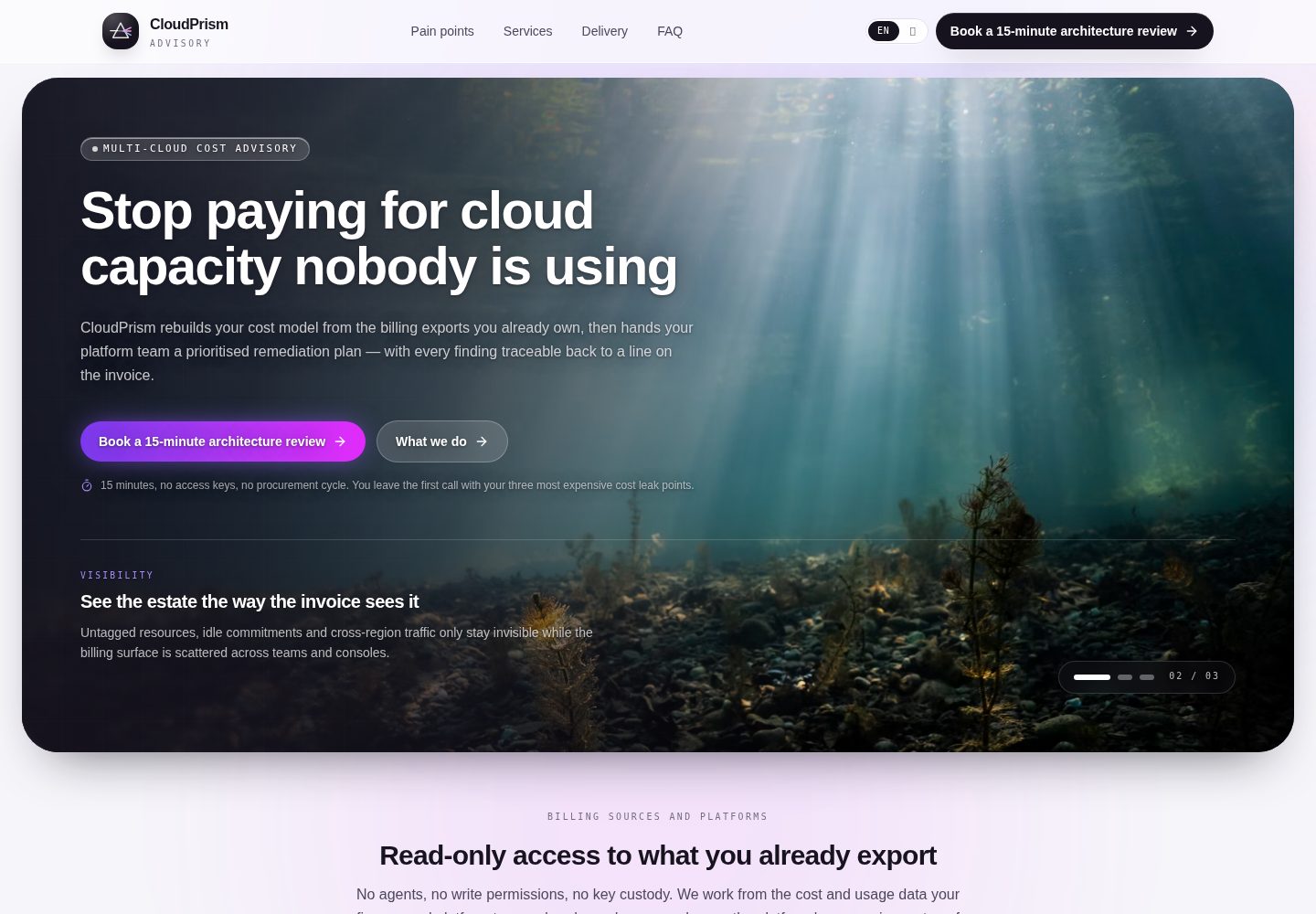
浏览真实页面截图,比较内容排版与手机效果。点击下方缩略图切换,放大查看整页细节。
全部页面与视图 2
截图用于了解视觉与布局,交互效果请以实际项目为准。
采集于 2026-10-14查看来源
值得关注的模板亮点
从已有项目资料中,快速了解它的特点。
next.config.mjs 预配置 output: 'export',可导出静态站点部署到 S3、Cloudflare Pages、Vercel、GitHub Pages 或 Nginx
包含任务看板、FinOps、通勤遥测、知识库、情报流、交付看板、工具启动器、报告、资产现金流、合同与密钥保险库等仪表盘区块
通过 config/site.ts 与 config/mockData.ts 等配置文件调整品牌、时区、存储前缀和各区块数据
提供 ⌘K 命令面板、明暗主题持久化、PWA manifest 与基于构建 ID 的缓存清理机制
认证层以 WorkspaceAuthState 契约实现 mock 会话,可替换为 Auth0、NextAuth、Cognito、Clerk 或 Supabase
模板详细介绍
这是一个开发者控制台(Developer Mission Control)前端模板,README 说明其采用 Next.js 16 App Router、React 19、TypeScript 5.7、Tailwind CSS v4 以及 shadcn 风格 UI 组件。模板定位为纯客户端驱动的静态前端外壳:所有区块消费本地类型化的 mock 数据,不连接网络,也不需要数据库或 API key,因此可以通过 next.config.mjs 中的 output: 'export' 导出为静态站点,部署到 S3 + CloudFront、Cloudflare Pages、Vercel、GitHub Pages 或 Nginx。
仪表盘由多个区块组成,README 按布局顺序列出:Hero 封面(时钟、问候、天气、本地备忘)、任务看板、FinOps 云支出、通勤遥测、知识库、情报流、交付看板、工具启动器、报告、资产与现金流、合同台账、密钥保险库。此外还包含 ⌘K 命令面板、架构弹窗、明暗主题持久化、PWA manifest、自定义光标、动画天气图标,以及基于 NEXT_PUBLIC_BUILD_ID 的缓存清理机制。
自定义主要通过配置文件完成:config/site.ts 管理品牌、时区、mock 操作员身份与 localStorage 前缀;config/mockData.ts 集中存放各区块数据;config/toolCatalog.ts、config/tools.ts、config/reports.ts、config/contracts.ts、config/wealth.ts 存放领域数据与种子。接入真实后端时,README 建议保留导出的类型,用 useSWR 或 useEffect 获取数据后传入原有 prop 或 context,并在 .env.example 中列出了可选端点环境变量。认证部分由 components/providers/workspace-auth-provider.tsx 实现,使用 localStorage 中的 mock 会话,可替换为 Auth0、NextAuth、Cognito、Clerk 或 Supabase。
需要注意的限制:README 明确说明密钥保险库仅为 UI 演示,值为占位符,不应在客户端打包真实凭据;mock 会话存于 localStorage,暴露真实内容前应替换认证提供者;仓库中没有 API 路由、中间件或 server actions,以保持静态导出有效。README 未提供性能数据、生产环境验证结论或后端实现细节。
Next.jsReact后台
适合你的项目吗?
适用场景
- 作为开发者个人或团队内部仪表盘的前端起点,先以 mock 数据展示各区块布局
- 在静态托管平台上部署纯前端控制台,不引入后端运行时
- 分叉模板后替换 config 中的品牌、时区与数据,快速产出定制化门户
- 按 README 指引把 mock 数据替换为自有 API 返回的数据,并接入真实认证提供者
适合人群
- 需要静态导出、无后端依赖的开发者门户或控制台前端项目
- 希望以配置文件驱动方式快速定制仪表盘内容的开发者
- 计划后续自行接入 API 与认证服务的团队
- 使用 Next.js App Router、TypeScript 与 Tailwind CSS 技术栈的项目
上手与定制指南
结合仓库当前版本的说明,按下面的资料检查内容、配置与运行要求。
- 1
需要 Node.js 20+,克隆仓库后执行 npm install
- 2
本地开发运行 npm run dev;在文件监听受限的容器环境使用 npm run dev:webpack,或提高 fs.inotify.max_user_watches
- 3
npm run build 会进行类型检查并导出静态站点到 out/ 目录;npm run export 是 build 的别名
- 4
部署到 Vercel、Cloudflare Pages、Netlify 或 GitHub Pages 时,构建命令设为 npm run build,输出目录设为 out;子路径部署需在 next.config.mjs 添加 basePath
- 5
接入真实 API 时参考 .env.example 中的可选端点变量,并保留原有导出类型以复用组件 prop
授权与来源资料
使用条件与限制
免费使用 · 保留许可声明本次收录的是公开仓库中采用 MIT 许可的免费版本;免费范围为该版本代码,不代表外部服务或第三方素材免费。
使用时需要遵守
- 允许免费使用、修改、商用和分发该版本代码。
- 分发代码副本或实质性部分时,保留原作者版权声明和完整 MIT 许可声明。
- 代码按现状提供;担保与责任限制以原许可证及适用法律为准。
额外费用与待核对事项
- 演示图片、字体、图标及其他第三方素材需按各自许可核对,不能仅凭代码的 MIT 许可判断。
- 域名、托管、数据库、支付或 AI 等外部服务可能另外收费。
- 密钥保险库仅为 UI 演示,其值为占位符;不得在客户端打包真实凭据,应通过自有后端代理读取并仅返回掩码值。
- mock 会话保存在 localStorage 中,仅便于演示;在暴露任何真实内容前必须替换该认证提供者。
- 仓库中没有 API 路由、中间件或 server actions,以保持 output: 'export' 静态导出有效;若需保留静态托管应维持此状态。
- 认证层为 mock 实现,需自行替换为 Auth0、NextAuth、Cognito、Clerk 或 Supabase 等真实提供者。
- 所有区块当前仅消费本地 mock 数据,不进行网络请求;接入真实 API 需自行实现数据获取。
- 部署到子路径(如 GitHub Pages 项目站点)时需在 next.config.mjs 中添加 basePath。
- 在文件监听受限的容器或 CI 环境中,next dev 可能因 inotify 限制失败,需改用 npm run dev:webpack 或提高 fs.inotify.max_user_watches。
- 需要 Node.js 20+(Next.js 16 基线)。
查看原文依据
Permission is hereby granted, free of charge
许可证原文
- **The vault card is a UI demo.** Its values are obvious placeholders. Never ship real credentials in a client bundle — proxy secret reads through your own backend and return masked values only.
README 原文
- Mock sessions live in `localStorage` for convenience. Replace the provider before exposing anything real.
README 原文
- There are no API routes, middleware, or server actions in this repository, so `output: 'export'` stays valid — keep it that way if you want to retain static hosting.
README 原文
`components/providers/workspace-auth-provider.tsx` implements the `WorkspaceAuthState` contract from `lib/auth/types.ts` and keeps a mocked session in localStorage. Swap in Auth0 / NextAuth / Cognito / Clerk / Supabase, or point it at your own session endpoint — no dashboard component changes are required.
README 原文
Every section consumes a plain typed shape and never talks to the network today. To go live:
README 原文
For hosting under a sub-path (for example GitHub Pages project sites), add `basePath` to `next.config.mjs`.
README 原文
`next dev` fails with `OS file watch limit reached` when `fs.inotify.max_user_watches` is set too low — common in containers and CI. `npm run dev:webpack` is more tolerant because webpack polling needs fewer watchers. Alternatively raise the host limit:
README 原文
https://github.com/kenzikenzili-build/developer-portal-template/blob/main/LICENSEhttps://github.com/kenzikenzili-build/developer-portal-template/blob/main/README.mdNode.js 20+ is required (Next.js 16 baseline).
README 原文
DeepSeek 根据仓库许可证和 README 整理 ·2026-10-14。结果仅覆盖已读取资料,依赖、图片、字体及后续条款变更以各自原文为准。
项目核对记录与介绍依据
模板资料
- 来源平台
- GitHub
- 资料与维护参考分
- 资料较完整 · 85 / 100
- 技术栈
- Next.js · React
- 网站类型
- 后台
这个分数如何计算
本站按许可资料(最高30分)、演示链接(12分)、预览图(10分)、Star数(15分)、记录的维护时间(15分)、描述完整度(8分)、功能记录(5分)和分类资料(5分)计算。它不是代码、安全或性能测试,也不是 Google 评分;有链接不代表已实测可用。
这个项目需要核对什么
- 记录的仓库更新时间
- 2026-09-28
- 截图检查日期
- 2026-10-14
已收录演示链接。请用你的内容与屏幕尺寸检查;有演示不代表表单、认证或支付已经可用。
目录记录的主要技术栈是 Next.js。请通过依赖清单和锁文件核对实际版本与托管要求。这些说明基于收录资料,不代表代码审计或部署实测。
查看具体选型方法 →介绍的制作与核对状态
介绍由 AI 辅助整理目录与仓库资料。仓库作者不等于这篇介绍的审核者。
审核声明: codex-user-requested-batch-review-20261015 · 2026-10-15
查看当时使用的来源资料
SHA-256: efefb612ed9b98e246de4f32a913eae3c10f17cc54adb7f53fb48faa42c783a9
2026-10-14T23:46:57.739Z
来源文件 / 仓库# Developer Mission Control (OSS Portal Template) A clean, decoupled, and production-grade developer control center built with **Next.js 16 (App Router)**, **React 19**, **TypeScript 5.7**, **Tailwind CSS v4**, and shadcn-style UI primitives. Designed as a lightweight, zero-maintenance frontend shell that can be deployed to any static host (AWS S3 + CloudFront, Cloudflare Pages, Vercel, GitHub Pages, or plain Nginx) without requiring a backend runtime, a database, or a single API key.  --- ## Table of Contents - [Key Features](#key-features) - [Quick Start](#quick-start) - [How to Customize (Make It Yours)](#how-to-customize-make-it-yours) - [Project Structure](#project-structure) - [Deployment Recipes](#deployment-recipes) - [Security Notes](#security-notes) - [Author & Connect](#author--connect) - [License](#license) --- ## Key Features - **Decoupled architecture:** 100% client-driven with typed mock adapters. Runs out-of-the-box with zero database or API setup. - **Static export ready:** Pre-configured with `output: 'export'` in `next.config.mjs` for sub-second static loads and near-zero hosting costs. - **Developer telemetry:** Built-in sprint delivery tracking, task board, workspace app launcher, intelligence feed, reports, FinOps spend telemetry, contracts ledger, and infrastructure status widgets. - **Config-driven customization:** Brand, timezone, telemetry, and mock datasets are localized into two straightforward config files. - **Pure demo secret vault:** Safe visual UI demo component without sensitive credential leakage risks. ### Feature Tour Rows are listed in the dashboard block order, which the sticky `TopNav` mirrors one-for-one (`components/dashboard/authorized-dashboard.tsx` is the single source of truth for the layout; `components/dashboard/top-nav.tsx` renders it with progressive `md`/`lg`/`xl` tiers). | # | Section | What it shows | Mock source | | --- | --- | --- | --- | | 1 | Hero cover | Live clock, greeting, weather card, local quick memo | `mockWeather`, `siteConfig` | | 2 | Task board | Three-column queue with local persistence | `mockTasks` | | 3 | FinOps | Month-to-date cloud spend with trend deltas | `mockFinopsMetrics` | | 4 | Commute telemetry | Travel hub — one direction and one leg at a time, fastest service crowned and pinned to slot 1, local 1 Hz countdown | `mockCommute` | | 5 | Knowledge hub | Note capture, tag select, keyword search, copy-to-clipboard | `mockKnowledgeNotes` | | 6 | Intelligence feed | Category tabs, severity badges, read/unread, save to notes | `mockIntelligence` | | 7 | Delivery board | Sprint switcher, project filters, status cycling, KPI rail | `mockSprintCatalog` | | 8 | Tool launcher | Category filters, drag & drop reorder, lock, reset | `toolCatalog` | | 9 | Reports | Top-8 / all view, read state, drawer with markdown body | `mockReports` | | 10 | Portfolio & cash flow | Liquid assets, net-worth milestones, budget categories | `mockWealthTelemetry`, `mockBudgetTelemetry` | | 11 | Contracts | Renewal urgency, cancelled-service ledger, draft drawer | `mockContracts` | | 12 | Secret vault | **UI demo only** — masked placeholders, reveal & copy | `mockVaultEntries` | Also included: ⌘K command palette, architecture modal, dark/light theme with persistence, PWA manifest, custom cursor, animated weather icons, and a build-id cache kill-switch for clean CDN releases. --- ## Quick Start ### 1. Clone & Install ```bash git clone https://github.com/kenzikenzili-build/developer-portal-template.git cd developer-portal-template npm install ``` Node.js 20+ is required (Next.js 16 baseline). ### 2. Run Local Development For standard environments: ```bash npm run dev ``` You are signed in automatically with a local mock session, so the dashboard renders immediately. Use the sign-out button in the top nav to visit `/login` and start the mock session again. If developing inside resource-constrained Docker / WebContainer environments: ```bash npm run dev:webpack ``` `next dev` fails with `OS file watch limit reached` when `fs.inotify.max_user_watches` is set too low — common in containers and CI. `npm run dev:webpack` is more tolerant because webpack polling needs fewer watchers. Alternatively raise the host limit: ```bash sudo sysctl fs.inotify.max_user_watches=524288 ``` Open [http://localhost:3000](http://localhost:3000) to access your mission control. The production build is unaffected by the watch-limit issue. ### 3. Available Scripts | Script | Description | | --- | --- | | `npm run dev` | Start the dev server (Turbopack) | | `npm run dev:webpack` | Dev server on the webpack pipeline (containers with low file-watch limits) | | `npm run build` | Type-check and export the static site to `out/` | | `npm run start` | Serve a production build with `next start` | | `npm run export` | Alias of `build` for static hosting pipelines | --- ## How to Customize (Make It Yours) This template is designed to be forked and customized in under 10 minutes. ### 1. Site Branding & Preferences Edit `config/site.ts` to adjust: - Workspace name, short name, monogram, tagline, footer label, and metadata. - Default locale and timezone used by every clock / date formatter. - The mock `operator` identity shown while no auth provider is wired up. - `storagePrefix` — the prefix applied to every persisted localStorage key, so forks never collide. ### 2. Updating Telemetry & Mock Data All widget data lives in `config/mockData.ts`: - **Sprint & Delivery Board:** Update ongoing roadmap milestones, sprint catalog, and task progress (`mockSprintCatalog`, `mockTasks`). - **Travel hub:** Each direction (`morning` / `evening`) owns two legs, and every boardable service lives in that leg's `options` array — the lowest `etaMinutes` in the selected leg is crowned and pinned automatically (`mockCommute`). - **Quick Launcher:** Add or remove shortcuts to your internal tools and daily web apps (`config/toolCatalog.ts`). - **System Metrics & Feeds:** Configure the static cards representing your infra health, intelligence items, reports, FinOps deltas, contracts, wealth, and budget telemetry. Domain contracts and seeds live next to their sections — `config/tools.ts`, `config/reports.ts`, `config/contracts.ts`, `config/wealth.ts` — alongside the pure helpers in `lib/`. Replace the exported constants and the UI updates instantly. ### 3. Connecting to Real APIs (Bring Your Own Backend) Every section consumes a plain typed shape and never talks to the network today. To go live: 1. Keep the exported type (for example `IntelReport`, `SprintCatalog`). 2. Fetch your payload with `useSWR` or a `useEffect`. 3. Pass the result into the same prop / context the mock previously supplied. Optional endpoint env vars are documented in `.env.example`: `NEXT_PUBLIC_SPRINT_ENDPOINT`, `NEXT_PUBLIC_REPORTS_ENDPOINT`, `NEXT_PUBLIC_INTELLIGENCE_ENDPOINT`, `NEXT_PUBLIC_FINOPS_ENDPOINT`, `NEXT_PUBLIC_TASKS_ENDPOINT`. ### 4. Replace the Auth Provider `components/providers/workspace-auth-provider.tsx` implements the `WorkspaceAuthState` contract from `lib/auth/types.ts` and keeps a mocked session in localStorage. Swap in Auth0 / NextAuth / Cognito / Clerk / Supabase, or point it at your own session endpoint — no dashboard component changes are required. --- ## Project Structure ``` app/ Next.js App Router (static export) (workspace)/ Dashboard routes + per-section anchors login/ Mock sign-in seam components/ dashboard/ One file per dashboard section providers/ Theme / modal / auth providers ui/ shadcn-style primitives config/ site.ts Branding, timezone, storage prefix mockData.ts ⭐ The entire mock data registry toolCatalog.ts Generic tool launcher catalog tools.ts reports.ts contracts.ts wealth.ts Domain contracts + seeds lib/ Pure helpers (sprint, budget, wealth, news, storage) hooks/ Sprint catalog + report read-state hooks public/ Icons, videos, placeholder art ``` --- ## Deployment Recipes ### Static Build Export every route to a clean static distribution directory (`out/`): ```bash npm run build ``` `next.config.mjs` sets `output: 'export'` and `images.unoptimized: true`, which disables Route Handlers, middleware, and server actions. That is exactly why this template ships with no backend coupling. ### AWS S3 + CloudFront ```bash npm run build aws s3 sync out/ s3://<your-bucket> --delete aws cloudfront create-invalidation --distribution-id <id> --paths '/*' ``` Upload the contents of `out/` directly to your S3 bucket, front it with CloudFront, and invalidate the distribution on every release. ### Vercel / Cloudflare Pages / Netlify / GitHub Pages Connect your GitHub repository and set: - **Build command:** `npm run build` - **Output / publish directory:** `out` For hosting under a sub-path (for example GitHub Pages project sites), add `basePath` to `next.config.mjs`. ### Cache-Busting Releases `NEXT_PUBLIC_BUILD_ID` (defaults to the Git SHA in CI, otherwise a timestamp) is baked into the client bundle. When it changes, the shell purges stale Cache Storage entries and unregisters old service workers, so clients never serve a previous app shell. --- ## Security Notes - **The vault card is a UI demo.** Its values are obvious placeholders. Never ship real credentials in a client bundle — proxy secret reads through your own backend and return masked values only. - Mock sessions live in `localStorage` for convenience. Replace the provider before exposing anything real. - There are no API routes, middleware, or server actions in this repository, so `output: 'export'` stays valid — keep it that way if you want to retain static hosting. - No personal or project-specific data is checked in; `.env.example` documents optional endpoints only. --- ## Tech Stack Next.js 16 (App Router) · React 19 · TypeScript 5.7 · Tailwind CSS v4 · next-themes · framer-motion · lucide-react · cmdk · @dnd-kit · Base UI --- ## Author & Connect Crafted by **KZ** ([@kenzikenzili-build](https://github.com/kenzikenzili-build)) *Cloud Solutions Architect & Systems Builder* Specializing in cost-optimized serverless architectures, decoupled frontend systems, and developer automation. - **Discussions & Feedback:** Open an [Issue](https://github.com/kenzikenzili-build/developer-portal-template/issues) or start a GitHub Discussion on this repository. - **Consulting & Projects:** Open for architectural consulting, high-impact implementation opportunities, and technical advisory. - **Reach out:** Connect via GitHub or reach out directly at [[email protected]](mailto:[email protected]). --- ## License This project is open-source under the [MIT License](LICENSE). Feel free to fork, adapt, and build upon it.
看看同类模板
对比同技术栈与用途的模板,找到更适合的视觉与内容结构。

next-shadcn-dashboard-starter
Free, open source, AI-friendly admin dashboard template built with Next.js 16, shadcn/ui, Tailwind CSS, and Ty…
Next.js · 后台

Studio Admin · Radix UI
Modern Admin Dashboard Template built with Shadcn UI and Next.js 16
Next.js · 后台

free-nextjs-admin-dashboard
TailAdmin is a Next.js and Tailwind CSS free, open-source admin dashboard template. Provides developers with t…
Next.js · 后台

materio-mui-nextjs-admin-template-free
An enterprise-grade Next.js admin dashboard template. Made with developer experience first: Next.js v14 (App R…
Next.js · 后台
nextjs-postgres-nextauth-tailwindcss-template
Admin dashboard template.
Next.js · 后台

shadcn-dashboard-landing-template
Accelerate your development with a sleek, open-source admin dashboard and landing page built on Vite-React, Ne…
Next.js · 后台