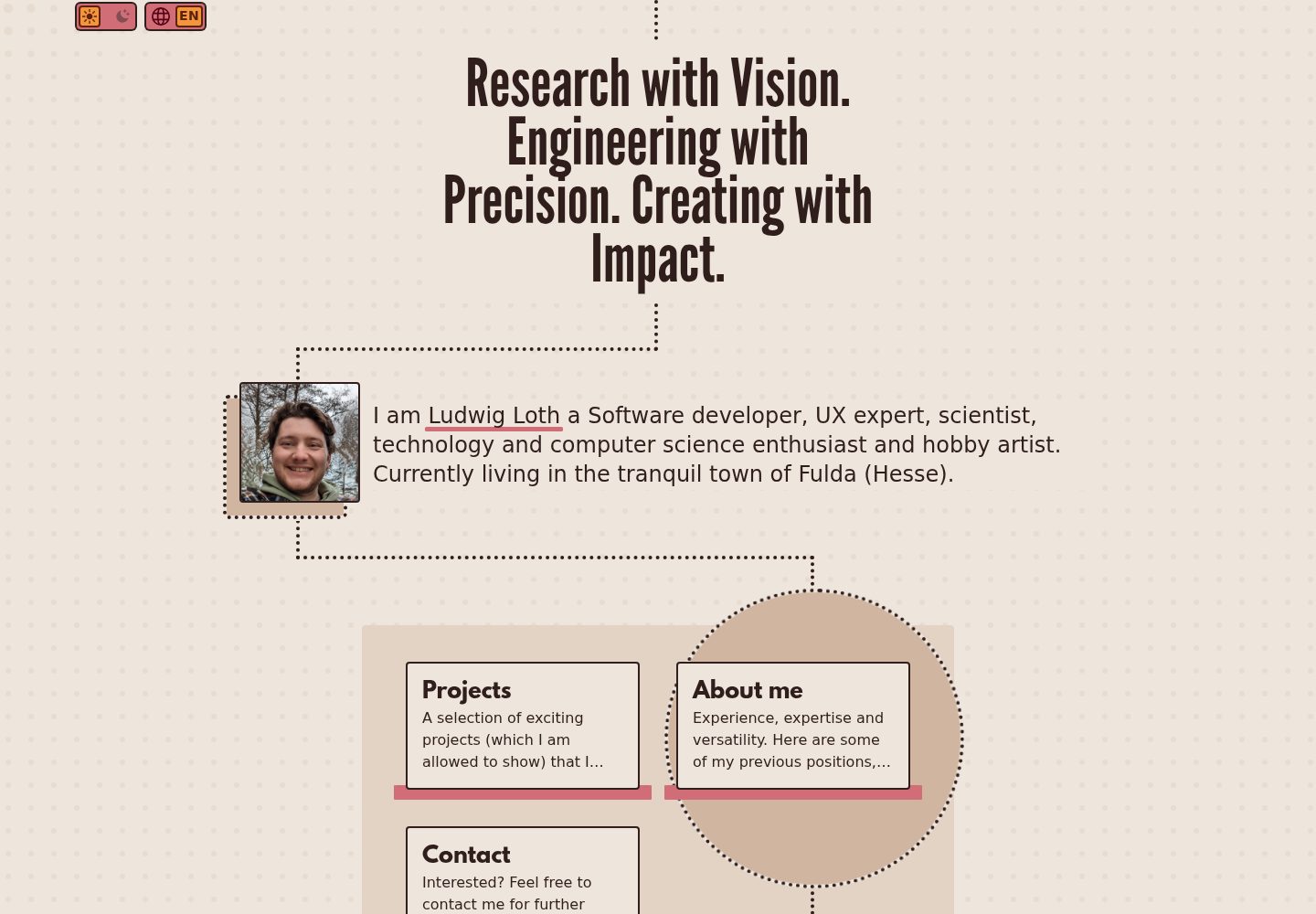
基于 Nuxt 与 Tailwind CSS,设计系统围绕点状视觉展开
NuxtVue作品集
punkt3 — Nuxt 作品集模板
作者 ludwig-loth
PUNKT3 是一个基于 Nuxt 与 Tailwind CSS 的个人作品集前端模板,以后端无关的适配器方式接入 CMS,内置作品集、关于我、联系三类页面,并支持 i18n 与 SEO。
看看你的网站会是什么样
浏览真实页面截图,比较内容排版与手机效果。点击下方缩略图切换,放大查看整页细节。
全部页面与视图 3
截图用于了解视觉与布局,交互效果请以实际项目为准。
采集于 2026-10-03查看来源
值得关注的模板亮点
从已有项目资料中,快速了解它的特点。
后端无关的适配器架构,仓库已实现 Directus 适配器
包含落地页、作品集列表与详情、关于我、联系、法律声明等页面
提供侧边栏布局与子菜单,用于作品集、关于我、联系等页面
内置 SEO composable 与翻译辅助 composable,支持 i18n
带交互式点状背景动画,随鼠标位置变化
模板详细介绍
PUNKT3 是一个用 Nuxt 和 Tailwind CSS 构建的个人网站前端模板,设计围绕“点”展开,名称中的 3 对应作品集、关于我、联系三个主要板块。模板本身不绑定具体后端,数据访问通过适配器完成,仓库中已实现 Directus 适配器,并在配置中列出 supabase、nuxt_content 等可选值。
页面方面包含落地页、作品集列表与详情、关于我、联系、法律声明,以及标注为 WIP 的博客和其他项目页面。布局分为默认布局与侧边栏布局,侧边栏布局用于作品集、关于我、联系和法律声明等页面,并带有子菜单。数据流上,Nitro 服务端 API 调用适配器,Pinia store 在应用启动时通过 useAsyncData 加载数据,再由页面和组件渲染。
使用前需要配置 .env,其中 NUXT_BACKEND_ADAPTER 为必填,Directus 适配器还要求 NUXT_PUBLIC_API_URL。新增后端需要自行实现适配器接口中的取数方法与转换方法,并手动注册到 server/services/index.ts,同时按 shared/types 下的类型完成字段映射。博客和其他项目页面尚未完成,第三方素材与外部服务的许可和费用需单独核对。
Nuxt作品集
适合你的项目吗?
适用场景
- 搭建个人作品集网站,展示项目列表与项目详情
- 为个人网站接入 Directus 等 headless CMS 管理内容
- 需要多语言与 SEO 元数据配置的个人站点
- 以适配器方式对接自有 API 或其它 CMS 的前端项目
适合人群
- 熟悉 Nuxt 与 Tailwind CSS 的前端开发者
- 希望自行实现后端适配器并控制数据映射的开发者
- 需要作品集、关于我、联系等固定页面结构的个人网站
上手与定制指南
结合仓库当前版本的说明,按下面的资料检查内容、配置与运行要求。
- 1
复制 example.env 为 .env,并设置 NUXT_BACKEND_ADAPTER,Directus 适配器还需设置 NUXT_PUBLIC_API_URL
- 2
使用 Directus 时需按适配器中的示例配置集合与字段,并将响应转换为 shared/types 下的类型
- 3
新增后端适配器需实现取数与转换方法,并在 server/services/index.ts 中注册
- 4
博客与其他项目页面在仓库中标注为 WIP,使用前需确认完成度
- 5
演示图片、字体、图标等第三方素材需按各自许可核对,域名、托管等外部服务可能另行收费
授权与来源资料
使用条件与限制
免费使用 · 保留许可声明本次收录的是公开仓库中采用 MIT 许可的免费版本;免费范围为该版本代码,不代表外部服务或第三方素材免费。
使用时需要遵守
- 允许免费使用、修改、商用和分发该版本代码。
- 分发代码副本或实质性部分时,保留原作者版权声明和完整 MIT 许可声明。
- 代码按现状提供;担保与责任限制以原许可证及适用法律为准。
额外费用与待核对事项
- 演示图片、字体、图标及其他第三方素材需按各自许可核对,不能仅凭代码的 MIT 许可判断。
- 域名、托管、数据库、支付或 AI 等外部服务可能另外收费。
- 必须设置 NUXT_BACKEND_ADAPTER 环境变量;可选值中目前仅 Directus 适配器已实现,supabase 与 nuxt_content 尚未实现,需自行开发。
- 使用 Directus 适配器时必须提供 NUXT_PUBLIC_API_URL,即需要自备可访问的 Directus 后端服务。
- 新增后端适配器时,目前需要手动将其加入 TypeScript 接口,无法自动注册。
- 博客页面标注为 WIP(开发中),功能尚未完成,使用前需确认完成度。
- 其他项目页面标注为 WIP(开发中),功能尚未完成,使用前需确认完成度。
查看原文依据
Permission is hereby granted, free of charge
许可证原文
`NUXT_BACKEND_ADAPTER` must be set. Available values: see [server/services/index.ts](server/services/index.ts) (`directus`, `supabase`, `nuxt_content`). Currently implemented: `directus`.
README 原文
`NUXT_PUBLIC_API_URL` is required by the Directus adapter: [server/services/directus.adapter.ts](server/services/directus.adapter.ts).
README 原文
for now you have to add them to the TypeScript interface by hand
README 原文
Blog (WIP): [app/pages/blog/index.vue](app/pages/blog/index.vue)
README 原文
https://github.com/ludwig-loth/punkt3/blob/main/LICENSEhttps://github.com/ludwig-loth/punkt3/blob/main/README.mdOther Projects (WIP): [app/pages/other-projects/index.vue](app/pages/other-projects/index.vue)
README 原文
DeepSeek 根据仓库许可证和 README 整理 ·2026-10-04。结果仅覆盖已读取资料,依赖、图片、字体及后续条款变更以各自原文为准。
项目核对记录与介绍依据
模板资料
- 来源平台
- GitHub
- 资料与维护参考分
- 资料较完整 · 83 / 100
- 技术栈
- Nuxt · Vue
- 网站类型
- 作品集
这个分数如何计算
本站按许可资料(最高30分)、演示链接(12分)、预览图(10分)、Star数(15分)、记录的维护时间(15分)、描述完整度(8分)、功能记录(5分)和分类资料(5分)计算。它不是代码、安全或性能测试,也不是 Google 评分;有链接不代表已实测可用。
这个项目需要核对什么
- 记录的仓库更新时间
- 2026-03-04
- 截图检查日期
- 2026-10-04
已收录演示链接。请用你的内容与屏幕尺寸检查;有演示不代表表单、认证或支付已经可用。
目录记录的主要技术栈是 Nuxt。请通过依赖清单和锁文件核对实际版本与托管要求。这些说明基于收录资料,不代表代码审计或部署实测。
查看具体选型方法 →介绍的制作与核对状态
介绍由 AI 辅助整理目录与仓库资料。仓库作者不等于这篇介绍的审核者。
审核声明: [email protected] · 2026-10-04
查看当时使用的来源资料
SHA-256: eceb0f37f4294747fe26d51fac5b74650818e39922cfda0ce0381f4413c53793
2026-10-04T07:35:24.749Z
来源文件 / 仓库# PUNKT3
*PUNKT3 (Punkte) [ˈpʊŋktə]* is a template for your personal website built with Nuxt and Tailwind CSS.
Punkte is the german word for "points" or "dots".
The whole design philosophy of this frontend template is based on dots.
The number 3 represents the three main aspects of the framework:
- Portfolio
- About me
- Contact
This frontend template is designed to be backend-agnostic. Data access is handled through adapters (e.g., Directus). The UI is based on Tailwind CSS with a consistent dot/points design system.
> You can see it in action at my personal website: [https://ludwigloth.de/](https://ludwigloth.de/)
---
## Features
- **Nuxt 4** with SSR, Pinia, SEO, i18n
- **Backend-agnostic** adapter system (Directus implemented, more coming)
- **Pages**:
- Landing: [app/pages/index.vue](app/pages/index.vue)
- Portfolio listing: [app/pages/portfolio/index.vue](app/pages/portfolio/index.vue)
- Portfolio detail: [app/pages/portfolio/[slug].vue](app/pages/portfolio/%5Bslug%5D.vue)
- About me: [app/pages/about-me.vue](app/pages/about-me.vue)
- Contact: [app/pages/contact.vue](app/pages/contact.vue)
- Blog (WIP): [app/pages/blog/index.vue](app/pages/blog/index.vue)
- Other Projects (WIP): [app/pages/other-projects/index.vue](app/pages/other-projects/index.vue)
- Legal Notice: [app/pages/legal-notice.vue](app/pages/legal-notice.vue)
- **Layouts**
- Default [app/layouts/default.vue](app/layouts/default.vue)
- Layout for the Landing Page
- honestly it is not used elsewhere
- Sidebars [app/layouts/sidebars.vue](app/layouts/sidebars.vue)
- layout for all Pages where a sidebar is needed
- Projects/Portfolio
- About me
- Contact
- Legal Notice
- **Submenus** for "sidebars" layout: [app/layouts/sidebars.vue](app/layouts/sidebars.vue)
- **Design system** via Tailwind and custom CSS: [app/assets/css/main.css](app/assets/css/main.css)
- **Interactive dots background**: [app/plugins/interactableDots.ts](app/plugins/interactableDots.ts)
- (just a little fun animation based on your mouse position)
- **SEO composables**: [app/composables/useSeo.ts](app/composables/useSeo.ts)
- **Translation helpers**: [app/composables/useTranslation.ts](app/composables/useTranslation.ts)
---
## Architecture Overview
**Data Flow (simplified):**
- **Server APIs** (Nitro) call the configured adapter:
- Landing: [server/api/landingPage.get.ts](server/api/landingPage.get.ts)
- Projects: [server/api/projects.get.ts](server/api/projects.get.ts)
- CV: [server/api/cv.get.ts](server/api/cv.get.ts)
- Contact: [server/api/contact.get.ts](server/api/contact.get.ts)
- Legal Notice: [server/api/legalNotice.get.ts](server/api/legalNotice.get.ts)
- **Adapter selection**: [server/services/index.ts](server/services/index.ts) via `NUXT_BACKEND_ADAPTER` env
- **Directus adapter**: [server/services/directus.adapter.ts](server/services/directus.adapter.ts)
- **Stores** (Pinia) initialize data at app level:
- App bootstrap: [app/app.vue](app/app.vue) loads data via `useAsyncData()` and populates stores (Landing, CV, Projects, Contact, LegalNotice)
- **Rendering** via pages + components:
- Timeline components: [app/components/stagesTimeline.vue](app/components/stagesTimeline.vue), [app/components/publicationsTimeline.vue](app/components/publicationsTimeline.vue)
- Lightbox: [app/components/lightBox.vue](app/components/lightBox.vue)
- Buttons: [app/components/linkButton.vue](app/components/linkButton.vue), [app/components/actionButton.vue](app/components/actionButton.vue)
- and much more
---
## Configuration (.env)
Create a `.env` file (or use `example.env` as template):
```env
NUXT_BACKEND_ADAPTER=directus
# Public URLs (needed on client-side)
NUXT_PUBLIC_API_URL=https://your-directus.example.com
NUXT_PUBLIC_SITE_URL=https://your-site.example.com
NUXT_PUBLIC_SITE_NAME=Your Site Name
NUXT_PUBLIC_SITE_DESCRIPTION=This is your site description.
# Optional: Node/Host/Port for Docker/Server
NODE_ENV=production
HOST=0.0.0.0
PORT=3000
```
**Important:**
- `NUXT_BACKEND_ADAPTER` must be set. Available values: see [server/services/index.ts](server/services/index.ts) (`directus`, `supabase`, `nuxt_content`). Currently implemented: `directus`.
- keep in mind that you can always implement new ones
- for now you have to add them to the TypeScript interface by hand
- `NUXT_PUBLIC_API_URL` is required by the Directus adapter: [server/services/directus.adapter.ts](server/services/directus.adapter.ts).
---
## Backend Adapters
- **Selection & Loading**: [server/services/index.ts](server/services/index.ts)
- **Directus**:
- Initialization: [server/services/directus.adapter.ts](server/services/directus.adapter.ts) (requires `NUXT_PUBLIC_API_URL`)
- **Setup your Collections/Fields**:
- Example for projects: [`getProjectData()`](server/services/directus.adapter.ts) (replace placeholder `<your project endpoint>` and adapt fields/relations)
- Convert responses to shared types under `shared/types/*` (e.g., [shared/types/project.ts](shared/types/project.ts), [shared/types/cv.ts](shared/types/cv.ts), [shared/types/contact.ts](shared/types/contact.ts), [shared/types/legalNotice.ts](shared/types/legalNotice.ts))
---
## Creating a New Backend Adapter
PUNKT3's adapter system allows you to connect to any headless CMS or API backend. Here's how to create your own adapter:
### 1. Understanding the Adapter Interface
Every adapter must implement these methods:
**Get methods for fetching data from your CMS:**
- `getAdapterName()` - Returns adapter name
- `getLandingPageData()` - Returns [`Landing`](shared/types/landing.ts) data
- `getContactData()` - Returns [`Contact`](shared/types/contact.ts) data
- `submitContactForm(formData)` - Handles contact form submissions
- `getProjectData()` - Returns [`Project[]`](shared/types/project.ts) array
- `getCVData()` - Returns [`CV`](shared/types/cv.ts) data
- `getLegalNoticeData()` - Returns [`LegalNotice`](shared/types/legalNotice.ts) data
**Private converter methods for transforming your CMS data to PUNKT3 structure:**
- `convertToLanding(backendData)` - Transforms raw CMS data to [`Landing`](shared/types/landing.ts) interface
- `convertToContact(backendData)` - Transforms raw CMS data to [`Contact`](shared/types/contact.ts) interface
- `convertToProject(backendData)` - Transforms raw CMS data to [`Project`](shared/types/project.ts) interface
- `convertToCV(backendData)` - Transforms raw CMS data to [`CV`](shared/types/cv.ts) interface
- `convertToLegalNotice(backendData)` - Transforms raw CMS data to [`LegalNotice`](shared/types/legalNotice.ts) interface
**Why converter methods are important:**
- They isolate the data transformation logic from API calls
- Make your adapter easier to test and debug
- Handle field mapping between your CMS structure and PUNKT3's expected types
- Manage translation/i18n data formatting
- Convert date formats, nested relationships, and media URLs
**Example converter pattern:**
```typescript
private convertToLanding(cmsData: any): Landing {
return {
id: cmsData.id,
status: cmsData.status || 'published',
date_updated: cmsData.updatedAt,
initials: cmsData.user_initials,
my_name: cmsData.full_name,
image: cmsData.profile_image?.url,
menu_items: cmsData.navigation?.map(item => ({
slug: item.page_slug,
icon: item.icon_name,
sort: item.order,
translations: item.localizations?.map(loc => ({
languages_code: loc.locale,
heading: loc.title,
description: loc.description
})) || []
})) || [],
translations: cmsData.localizations?.map(translation => ({
languages_code: translation.locale,
about_me_short: translation.bio_text,
opening_line: translation.intro_text,
seo: {
title: translation.meta_title,
meta_description: translation.meta_description,
keywords: translation.meta_keywords,
no_index: translation.no_index || false,
no_follow: translation.no_follow || false,
og_image: translation.social_image?.url
}
})) || []
}
}
```
### 2. Create Your Adapter File
Create a new file in [`server/services/`](server/services/) (e.g., `strapi.adapter.ts`):
```typescript
import type { Landing, Contact, Project, CV, LegalNotice } from '~/shared/types'
class StrapiAdapter {
private apiUrl: string
constructor() {
if (!process.env.NUXT_PUBLIC_API_URL) {
throw new Error('NUXT_PUBLIC_API_URL environment variable is required')
}
this.apiUrl = process.env.NUXT_PUBLIC_API_URL
}
async getAdapterName() {
return 'strapi'
}
async getLandingPageData(): Promise<Landing> {
// Fetch from your backend
const response = await fetch(`${this.apiUrl}/api/landing-page?populate=*`)
const data = await response.json()
// Convert to PUNKT3's Landing type
return this.convertToLanding(data.data)
}
private convertToLanding(backendData: any): Landing {
// Transform your backend's data structure to PUNKT3's Landing interface
return {
id: backendData.id,
status: backendData.attributes.status,
// ... map all required Landing fields
}
}
// Implement all other required methods...
}
export default StrapiAdapter
```
### 3. Register Your Adapter
Update [`server/services/index.ts`](server/services/index.ts):
```typescript
// Add your adapter to available types
const AVAILABLE_ADAPTERS = ['directus', 'supabase', 'nuxt_content', 'strapi'] as const
// Add case in loadAdapter() function
case 'strapi':
const { default: StrapiAdapter } = await import('./strapi.adapter')
adapterCache = new StrapiAdapter()
break
```
### 4. Data Type Mapping
The most crucial part is mapping your backend's data to PUNKT3's types. Study these interfaces:
- [`Landing`](shared/types/landing.ts) - Homepage content with menu items
- [`Project`](shared/types/project.ts) - Portfolio projects with content blocks
- [`CV`](shared/types/cv.ts) - Career stages, education, skills, publications
- [`Contact`](shared/types/contact.ts) - Contact info and social links
- [`LegalNotice`](shared/types/legalNotice.ts) - Legal information
### 5. Multilingual Support
PUNKT3 expects translations in this format:
```typescript
translations: [
{
languages_code: 'en-US',
title: 'English Title',
description: 'English description'
},
{
languages_code: 'de-DE',
title: 'German Title',
description: 'German description'
}
]
```
Map your CMS's i18n structure to this format in your conversion methods.
### 6. Environment Configuration
Update your `.env` file:
```env
NUXT_BACKEND_ADAPTER=strapi
NUXT_PUBLIC_API_URL=https://your-strapi-instance.com
# Add any adapter-specific environment variables
```
### 7. Testing Your Adapter
1. Set your adapter in `.env`: `NUXT_BACKEND_ADAPTER=your-adapter`
2. Run `npm run dev`
3. Check console output shows: `Using adapter: your-adapter`
4. Verify all pages load with your backend data
### 8. Error Handling Best Practices
```typescript
async getLandingPageData(): Promise<Landing> {
try {
const response = await fetch(`${this.apiUrl}/api/landing-page`)
if (!response.ok) {
throw new Error(`API error: ${response.status}`)
}
const data = await response.json()
return this.convertToLanding(data)
} catch (error) {
console.error('Error fetching landing page:', error)
throw error // Re-throw to let API endpoint handle it
}
}
```
### 9. Common Pitfalls
- **Missing environment variables** - Always validate required env vars in constructor
- **Incorrect type mapping** - Ensure your conversion methods return exactly what PUNKT3 expects
- **Missing translations** - All content should have proper language code mappings
- **Async/await issues** - All adapter methods should be properly async
- **Error boundaries** - Handle API failures gracefully
### Example Adapters
Check the existing implementations for guidance:
- [`server/services/directus.adapter.ts`](server/services/directus.adapter.ts) - Full Directus implementation
- more to follow
### Getting Help
Feel free to open a discussion here on GitHub.
---
## Contributing
We welcome contributions! Whether you're fixing bugs, adding features, or creating new backend adapters, your help is appreciated.
If you create an adapter for a popular CMS, consider contributing it back to the project!
**Quick start for adapter contributions:**
1. Fork the repository
2. Create your working adapter
3. Make a clean template version (no real API endpoints)
4. Submit a PR with the template only
See our detailed [Contributing Guide](CONTRIBUTING.md) for complete instructions.
---
## License
This project is licensed under the MIT License - see the [LICENSE](LICENSE) file for details.
MIT License allows you to:
- ✅ Use commercially
- ✅ Modify and distribute
- ✅ Include in private projects
- ✅ Sublicense
The only requirement is to include the original copyright notice.
看看同类模板
对比同技术栈与用途的模板,找到更适合的视觉与内容结构。

canvas
Portfolio template made with Nuxt 3, Nuxt Content v3, NuxtUI v3 and TailwindCSS v4
Nuxt · 作品集
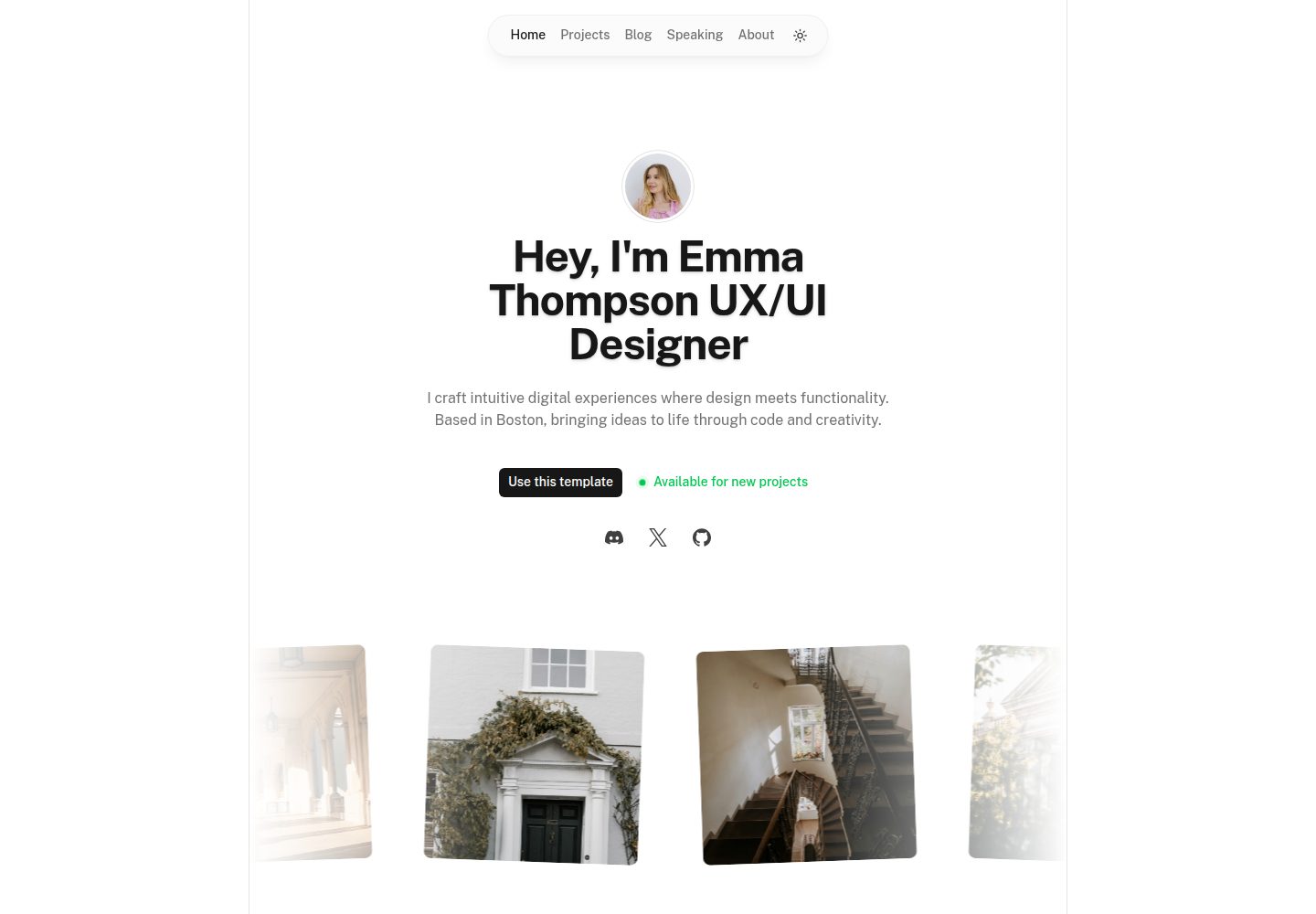
portfolio
Nuxt Portfolio Template made with Nuxt UI and Nuxt Content.
Nuxt · 作品集
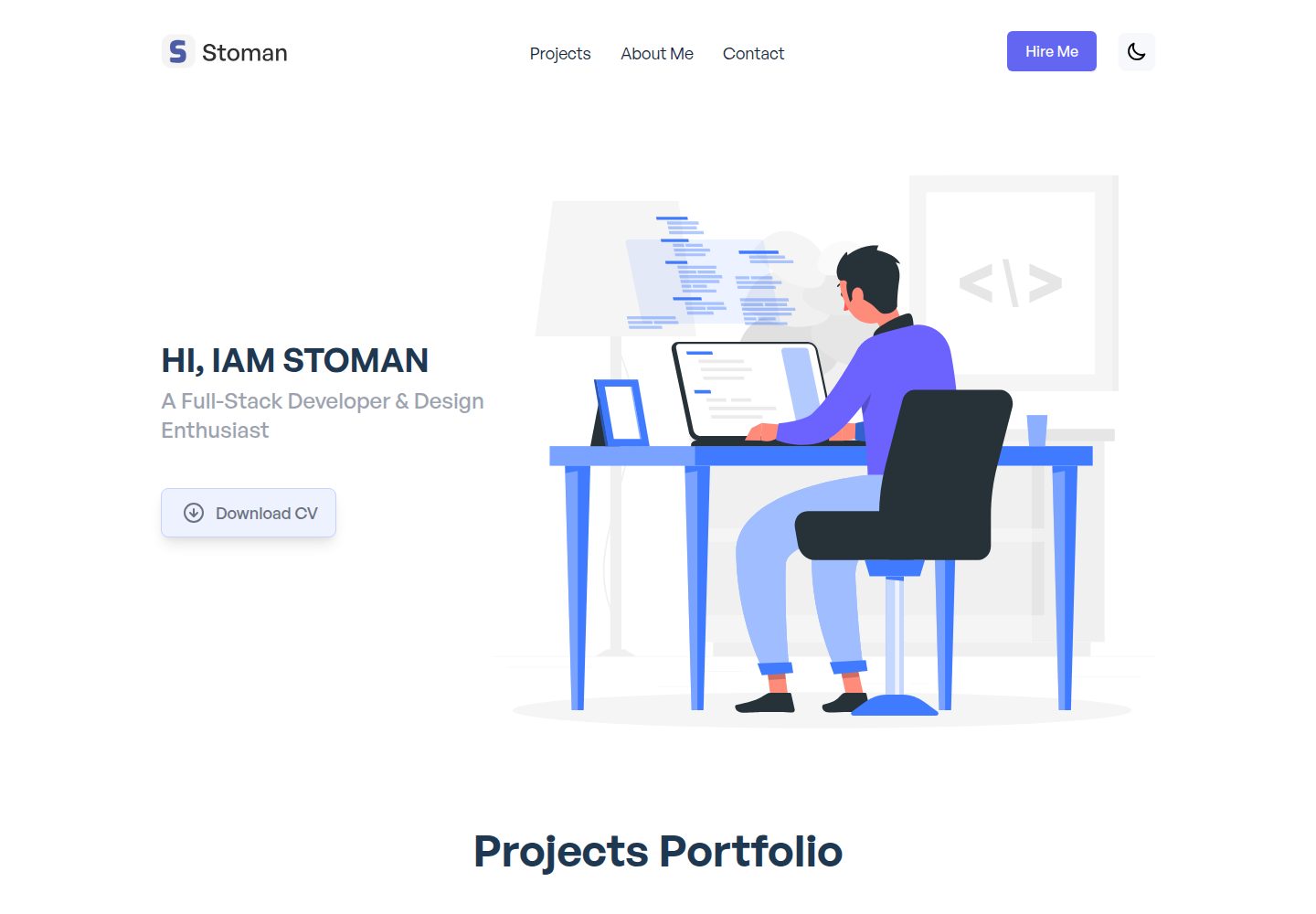
nuxtjs-tailwindcss-portfolio
Nuxt.js & Tailwind CSS version of the portfolio project.
Nuxt · 作品集
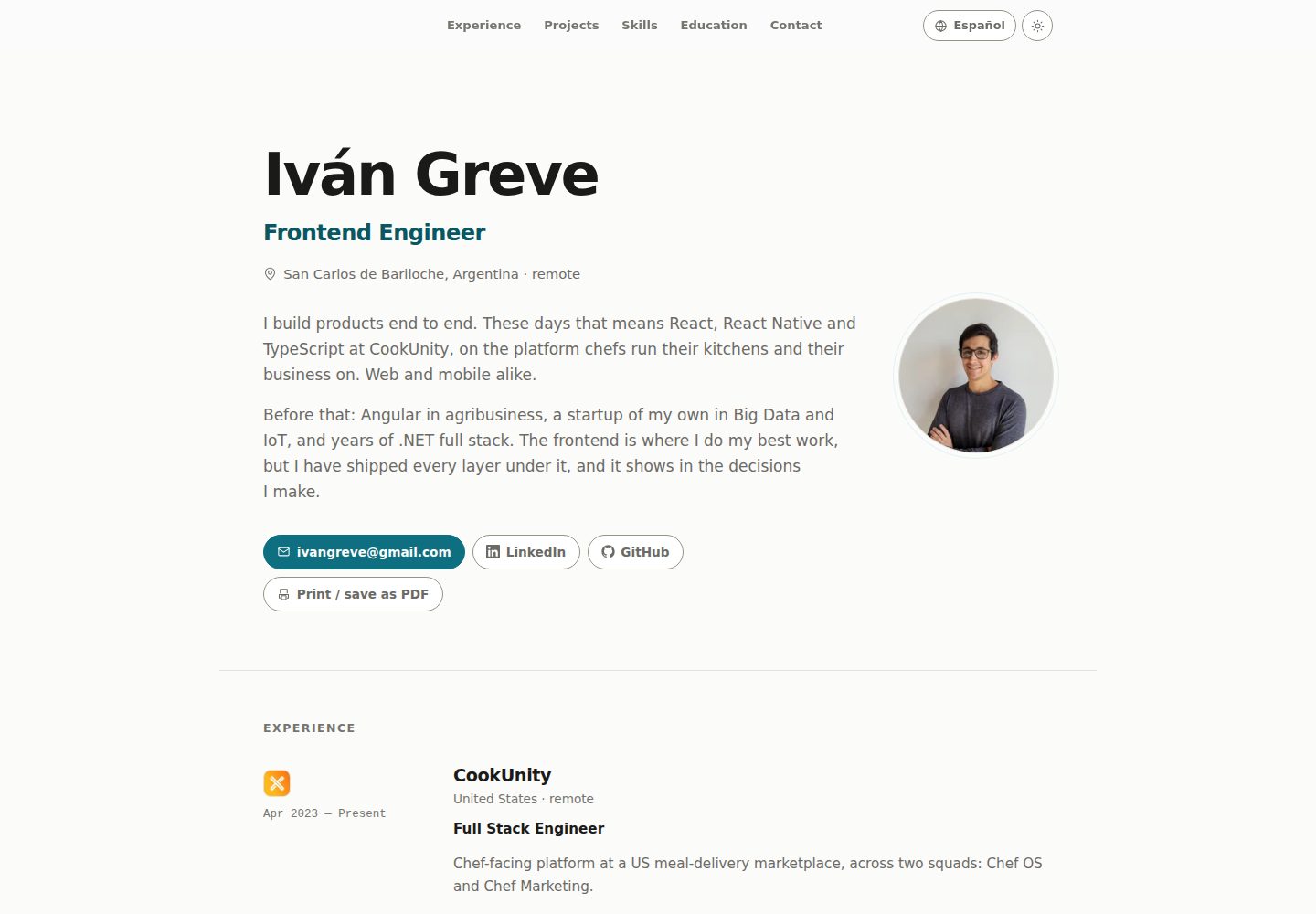
nuxt-resume
Personal resume template, VueJs + Nuxt
Nuxt · 作品集
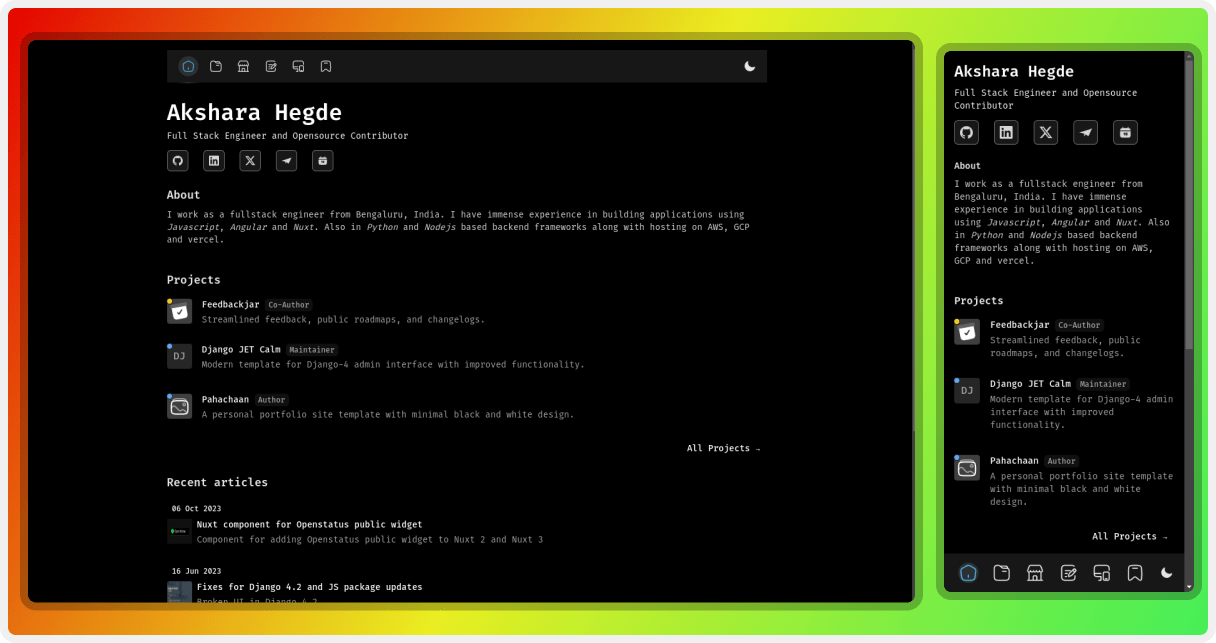
pahachaan
Opensource portfolio template using Nuxt 4 with Nuxt Studio support
Nuxt · 作品集
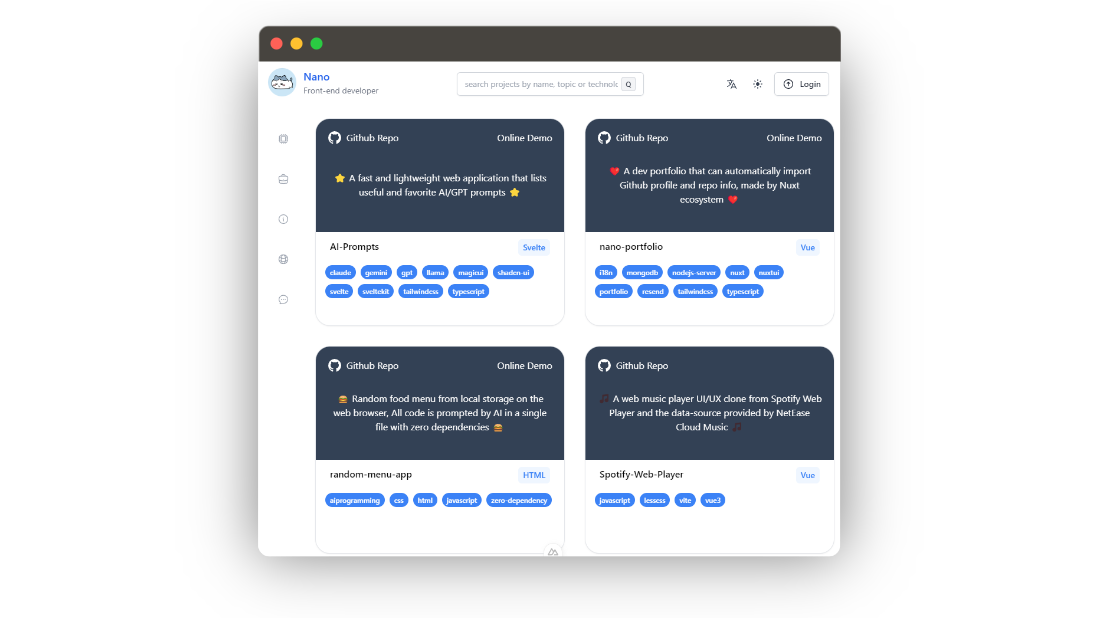
nano-portfolio
Nano Portfolio 是一个面向开发者的开源作品集模板,基于 Nuxt 3 生态构建,核心卖点是能通过 GitHub Octokit 自动拉取你的 GitHub 个人资料与仓库信息,省去手动维护项目列表的麻烦。
Nuxt · 作品集