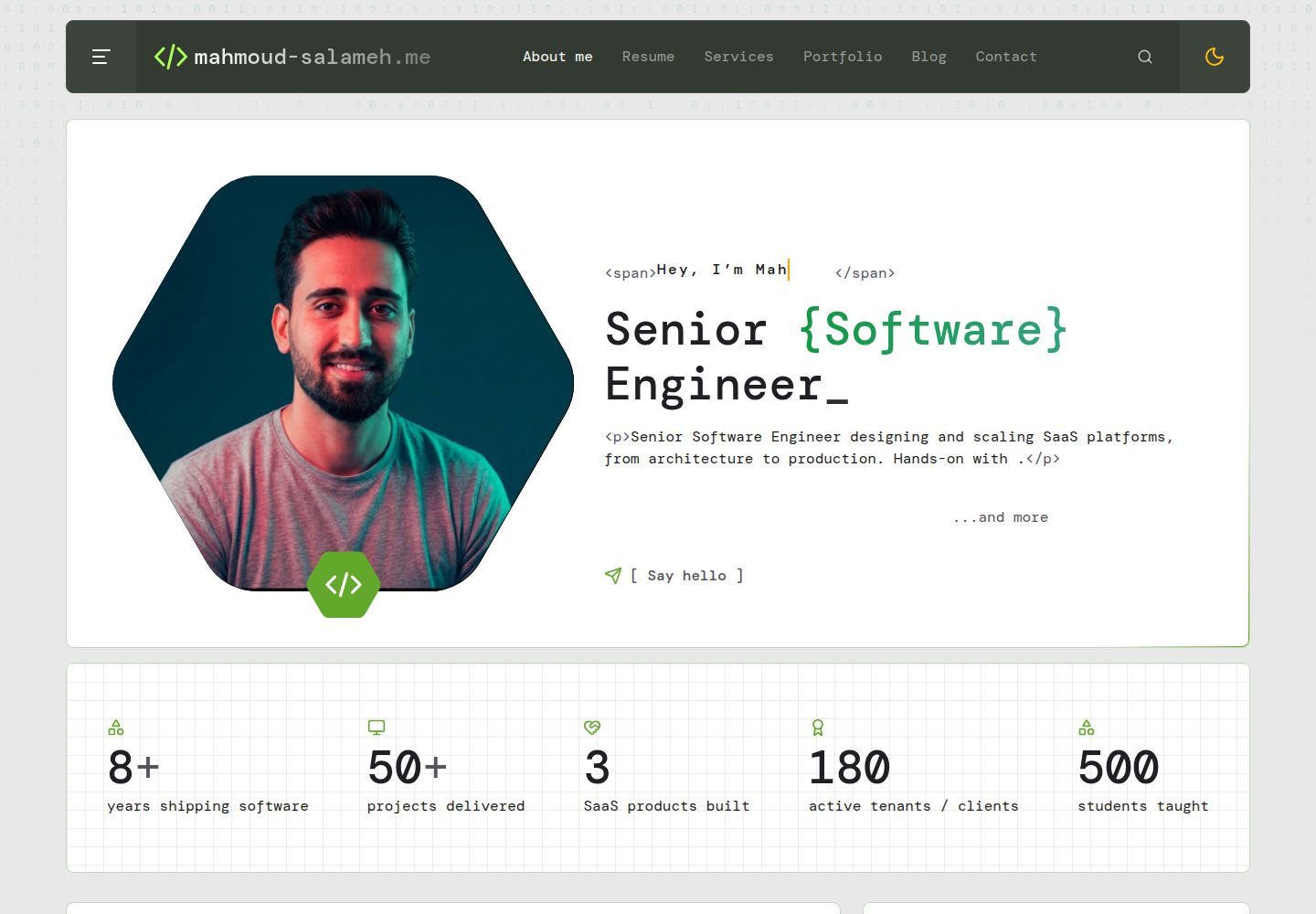
Filament 后台管理个人简介、经历、项目、文章、书籍、技能、推荐语与收件箱,内容不硬编码
LaravelReact后台作品集
portfolio (MahmoudSlameh) — Laravel 后台模板
作者 MahmoudSlameh
基于 Laravel 与 React 的自托管开发者作品集,带 Filament 后台、可切换模板、AI 模板生成器与一键生成 ATS 友好简历。
看看你的网站会是什么样
浏览真实页面截图,比较内容排版与手机效果。点击下方缩略图切换,放大查看整页细节。
全部页面与视图 3
截图用于了解视觉与布局,交互效果请以实际项目为准。
采集于 2026-10-02查看来源
值得关注的模板亮点
从已有项目资料中,快速了解它的特点。
内置多套模板(如 Changelog、Playground、Terminal、Minimal),同一内容一键切换,支持登录后私密预览
AI 模板生成器:用描述或参考截图生成经 schema 校验的模板规格,由 React 引擎渲染,不直接写代码
从站点数据一键生成 ATS 友好简历 PDF,可选 Classic、Modern、Compact 版式与 A4/Letter 纸张
支持 SSR、Open Graph、JSON-LD、sitemap、RSS、自托管字体与响应式 WebP 图片
提供 make:template 命令与模板契约,可基于 Minimal 起步或从现有模板派生自定义模板
模板详细介绍
这是一个自托管的开发者作品集项目,后端使用 Laravel,前端使用 React,管理界面由 Filament 提供。站点内容(个人简介、经历、项目、文章、书籍、技能、推荐语等)都在后台编辑,不硬编码个人信息。前台提供多套内置模板,同一份内容可切换不同设计,并支持登录后以 /?template=<id> 私密预览其他模板。
项目包含 AI 模板生成器:用自然语言描述或上传参考截图,由 AI 生成一份经过校验的模板规格(设计令牌、布局与区块变体、UI 文案、可选样式表),再由内置 React 引擎渲染,不直接生成代码。生成过程在后台队列运行,支持版本回滚、手动编辑 JSON 规格,以及导出/导入 .studio.json 文件。
简历功能从站点数据生成 PDF,提供 Classic、Modern、Compact 三种版式与 A4/Letter 纸张选择,遵循单栏可选文本、标准章节标题、MMM YYYY 日期、无表格图片图标等 ATS 常见要求。
技术栈涉及 Laravel、Filament、React、Inertia、Spatie Media Library 等,具体版本号未在依赖清单中核对,故不在此列出。仓库采用 MIT 许可,但演示图片、字体、图标等第三方素材需单独核对许可;域名、托管、数据库及 AI 等外部服务可能产生费用。
LaravelReact后台作品集
适合你的项目吗?
适用场景
- 开发者搭建个人作品集站点,并通过后台持续维护项目、文章与经历
- 希望用同一份内容快速切换或预览不同视觉风格,而不改动数据
- 需要从站点数据直接导出符合 ATS 常见要求的 PDF 简历
- 想借助 AI 根据描述或参考截图生成新模板设计,再决定是否转为代码
- 自托管部署并需要 SSR、SEO 元数据、sitemap 与 RSS 等基础能力
适合人群
- 熟悉 Laravel 与 React、愿意自行部署和维护的开发者
- 需要后台管理内容而非直接改代码的作品集站点
- 对模板可替换性和 AI 辅助设计感兴趣的开发者
- 需要从同一数据源生成 ATS 友好简历的用户
上手与定制指南
结合仓库当前版本的说明,按下面的资料检查内容、配置与运行要求。
- 1
环境要求:PHP 8.4+(gd 或 imagick 需支持 WebP,另需 intl、exif)、Composer 2、Node.js 22
- 2
执行 composer setup 完成安装、.env、密钥、迁移与前端构建,再运行 db:seed 创建管理员和默认设置
- 3
本地管理员默认账号为 [email protected] / password,可通过 .env 中的 ADMIN_NAME、ADMIN_EMAIL、ADMIN_PASSWORD 修改
- 4
使用 AI 模板生成器需在 Site → AI 配置提供商与密钥,并保持队列进程运行(如 composer dev)
- 5
生产环境需按 .env.example 配置 APP_URL、ADMIN_EMAILS、MEDIA_DISK、MAIL_*、QUEUE_CONNECTION 等变量
授权与来源资料
使用条件与限制
免费使用 · 保留许可声明本次收录的是公开仓库中采用 MIT 许可的免费版本;免费范围为该版本代码,不代表外部服务或第三方素材免费。
使用时需要遵守
- 允许免费使用、修改、商用和分发该版本代码。
- 分发代码副本或实质性部分时,保留原作者版权声明和完整 MIT 许可声明。
- 代码按现状提供;担保与责任限制以原许可证及适用法律为准。
额外费用与待核对事项
- AI 模板生成器为可选功能,需自行配置第三方 AI 提供商(如 Anthropic、OpenAI、Gemini 等)及其 API 密钥,可能产生外部服务费用。
- 生产部署需支持常驻 Node 进程的 VPS 或类似平台,共享主机无法运行 SSR。
- 若使用 s3 作为媒体存储,需自行准备并承担相应云存储服务费用。
- 联系表单邮件通知需自行配置邮件服务,可能涉及外部邮件服务费用。
- 演示图片、字体、图标及其他第三方素材需按各自许可核对,不能仅凭代码的 MIT 许可判断。
- 域名、托管、数据库、支付或 AI 等外部服务可能另外收费。
查看原文依据
Permission is hereby granted, free of charge
许可证原文
Want the AI builder? Add a provider in **Site → AI** (or `STUDIO_AI_PROVIDER` and the provider's key in `.env`)
README 原文
SSR needs a long-running Node process, so use a VPS or a platform like Laravel Forge, Ploi or Laravel Cloud (shared hosting won't work).
README 原文
`MEDIA_DISK` | `public` or `s3` for uploaded images
README 原文
https://github.com/MahmoudSlameh/portfolio/blob/main/LICENSEhttps://github.com/MahmoudSlameh/portfolio/blob/main/README.md`MAIL_*` | Contact-form notifications
README 原文
DeepSeek 根据仓库许可证和 README 整理 ·2026-10-02。结果仅覆盖已读取资料,依赖、图片、字体及后续条款变更以各自原文为准。
项目核对记录与介绍依据
模板资料
- 来源平台
- GitHub
- 资料与维护参考分
- 资料较完整 · 88 / 100
- 技术栈
- Laravel · React
- 网站类型
- 后台 · 作品集
这个分数如何计算
本站按许可资料(最高30分)、演示链接(12分)、预览图(10分)、Star数(15分)、记录的维护时间(15分)、描述完整度(8分)、功能记录(5分)和分类资料(5分)计算。它不是代码、安全或性能测试,也不是 Google 评分;有链接不代表已实测可用。
这个项目需要核对什么
- 记录的仓库更新时间
- 2026-10-01
- 截图检查日期
- 2026-10-02
已收录演示链接。请用你的内容与屏幕尺寸检查;有演示不代表表单、认证或支付已经可用。
目录记录的主要技术栈是 Laravel。请通过依赖清单和锁文件核对实际版本与托管要求。这些说明基于收录资料,不代表代码审计或部署实测。
查看具体选型方法 →介绍的制作与核对状态
介绍由 AI 辅助整理目录与仓库资料。仓库作者不等于这篇介绍的审核者。
已完成服务器许可规则与 AI 来源核对;未经过人工编辑审核。
查看当时使用的来源资料
SHA-256: 29c566e3aee7541110c4702fae3be4c04b519af5d045c0dfa601e11240c6e9d7
2026-10-02T09:53:23.513Z
来源文件 / 仓库<div align="center">
# Portfolio
### The developer portfolio you run like a CMS, and redesign with one prompt.
A self-hosted Laravel + React portfolio with a real admin panel, swappable
templates, an **AI template builder** and a **one-click ATS-friendly CV**.
Server-rendered, SEO-ready, and yours to extend.
[](https://github.com/MahmoudSlameh/portfolio/actions/workflows/tests.yml)
[](LICENSE)


[Highlights](#-highlights) · [Templates](#-templates) · [AI builder](#-ai-template-builder) ·
[CV](#-ats-friendly-cv-in-one-click) · [Quick start](#-quick-start) ·
[Build a template](#-build-your-own-template) · [Docs](docs/README.md)
<img src="docs/images/hero.webp" alt="Four portfolio designs rendering the same content: Changelog, Playground, Terminal and an AI-generated studio template" width="100%">
**If this saves you a weekend, please ⭐ star the repo. It helps others find it.**
</div>
---
## ✨ Highlights
- 🎨 **Switch the whole design in one click.** Four built-in templates, plus
your own, all rendering the same content. Preview any of them privately
before visitors see it.
- 🤖 **Generate new templates with AI.** Describe a look or drop in a
screenshot; bring any provider (Anthropic, OpenAI, Gemini, Ollama, …). The AI
writes a validated design spec, never code.
- 📄 **An ATS-friendly CV from your data.** Pick one of three templates and
download a PDF, or make it the site's "Download CV" file.
- 🛠 **A real admin panel.** Bio, experience, projects, articles, books,
skills, testimonials, … everything is editable in Filament; nothing
personal is hard-coded. Paste articles straight from any web page.
- 🚀 **Fast and SEO-first.** Server-side rendering, Open Graph, JSON-LD,
sitemap, RSS, self-hosted fonts and responsive WebP images.
- 🧩 **Built to be extended.** `php artisan make:template`, a typed template
contract, a shared kit of hooks, and `template:eject` to turn an AI design
into React code.
- ✅ **Production-grade.** 450+ Pest tests, Larastan level 7, TypeScript,
CI on every push, and a full deployment guide.
## 🎨 Templates
| Changelog | Playground | Terminal |
| ----------------------------------------------------------------- | ------------------------------------------------------------- | ---------------------------------------------------------------- |
|  |  |  |
| Editorial "engineer's changelog" with a git-graph career timeline | Playful bento layout with stickers, career tickets and a dock | Dark developer-terminal look with mono type and a project slider |
Plus **Minimal**, a plain, fully commented starter to copy when you build
your own. Every template has a light and a dark theme (no flash on load):
<img src="docs/images/light-dark.webp" alt="The Changelog template in light and dark mode" width="100%">
<details>
<summary><b>Every page, in every template</b></summary>
Home, project archive, case studies (architecture diagram, metrics,
gallery), writing archive, articles (table of contents, code blocks),
bookshelf, `/uses`, `/now` and a custom 404. Writing, Books, Uses and Now can
be switched off. There's also a command palette (<kbd>Ctrl</kbd>/<kbd>⌘</kbd> +
<kbd>K</kbd>), archive filters kept in the URL, and a contact form that lands
in the panel's inbox and your email.
Visitors always see the template you activated. While you're signed in,
`/?template=<id>` previews another one just for you (`noindex`), and
`/?template=reset` ends the preview.
</details>
## 🤖 AI template builder
Describe the design you want, attach up to three screenshots you like, and
get a complete new template (every page, light and dark) that renders
**your** real content. It runs in the background; the card on **Site →
Appearance** shows live progress and you get a notification when it's
ready.
<img src="docs/images/admin-generate.webp" alt="The Generate with AI dialog: name, prompt, reference images and a starting template" width="100%">
**How it stays safe and fast:** the AI never writes code. It fills in a
_Template Spec_: design tokens, layout and section variants, UI copy and an
optional stylesheet. The spec is validated against a schema; if it fails,
the errors go back to the AI to fix (up to twice). The CSS is sanitised,
scoped to the template, and may not load fonts, images or anything else from
the internet. One built-in React engine renders any spec, so generated
templates keep SSR and SEO, need no build step, and survive deploys.
<img src="docs/images/studio-templates.webp" alt="Four studio templates rendered by the spec engine" width="100%">
- **Any provider**, via the official [Laravel AI SDK](https://laravel.com/ai):
Anthropic, OpenAI, Gemini, xAI, Mistral, DeepSeek, Groq, OpenRouter, a
local Ollama model or any OpenAI-compatible endpoint. Set it in **Site →
AI** (the key is encrypted and never shown again) with a **Test
connection** button, or in `.env`.
- **Iterate:** **Refine** ("make it darker, use a serif headline") creates a
new version; the live site keeps the current one until you activate it.
**Versions** lets you preview and roll back any version.
- **Edit by hand:** the spec is JSON, editable in the panel with
validation on save.
- **Share:** export and import templates as `.studio.json` files
([guide](docs/templates/sharing-studio-templates.md)).
- **Keep costs predictable:** a daily generation limit, and token usage shown
on every version.
- **Graduate to code:** `php artisan template:eject "Night Shift" night-shift`
turns a generated design into a regular React template you own.
Full design: [docs/12-ai-templates.md](docs/12-ai-templates.md).
## 📄 ATS-friendly CV in one click
Your CV is built from the same data as your site, so it's never out of date.
On **Profile → CV**, pick **Classic**, **Modern** or **Compact**, A4 or US
Letter and the sections to include; check the live preview; then **Generate
PDF**, or **Use as my resume** to make it the file behind the site's
"Download CV" link.
<img src="docs/images/admin-cv.webp" alt="The CV page: template choice, options and a live preview" width="100%">
The templates follow the rules applicant-tracking systems care about:
- a single column of real, selectable text;
- standard section headings;
- `MMM YYYY` dates;
- no tables, images or icons;
- contact details in the body, not a header or footer.
Tests extract the PDF text and check that it reads in order. Scripting?
`php artisan cv:generate --template=modern --paper=letter`.
## 🛠 The admin panel
<img src="docs/images/admin-dashboard.webp" alt="The Filament admin dashboard with stats, latest messages and a content health checklist" width="100%">
<details>
<summary><b>Everything you can manage</b></summary>
- **Profile & bio**, social links, now page, resume/CV.
- **Career:** work experience (with a changelog-style timeline), education,
certifications, companies & clients, testimonials.
- **Work:** projects with case studies, architecture diagrams, metrics and
galleries; skills and categories.
- **Content:** articles in a rich editor (paste from any page or Google
Docs, import Markdown, callouts and code blocks with file names), books,
uses.
- **Inbox** for contact messages, and a **dashboard** with a content-health
checklist.
- **Site:** Appearance (templates, AI, versions, import/export), SEO &
settings (meta defaults, favicon, OG image, verification codes, analytics,
page toggles), AI provider settings.
- All media go through Spatie Media Library, with responsive WebP
conversions and alt text.
</details>
<img src="docs/images/admin-editor.webp" alt="The article editor: rich text with headings, formatting and a code block with a file name" width="100%">
## 🚀 Quick start
**Requirements:**
- PHP 8.4+ with `gd` or `imagick` built with WebP support, plus `intl` and `exif`
- Composer 2
- Node.js 22
```bash
git clone https://github.com/MahmoudSlameh/portfolio.git
cd portfolio
composer setup # install, .env, key, migrate, npm install, build
php artisan db:seed # admin user + default settings
php artisan storage:link
php artisan db:seed --class=DemoContentSeeder # optional: a complete demo portfolio
composer dev # server + queue worker + Vite
```
Open <http://localhost:8000> for the site and <http://localhost:8000/admin>
for the panel. Locally the admin is `[email protected]` / `password` (set
`ADMIN_NAME`, `ADMIN_EMAIL` and `ADMIN_PASSWORD` in `.env` to change it).
Want the AI builder? Add a provider in **Site → AI** (or `STUDIO_AI_PROVIDER` and
the provider's key in `.env`) and keep `composer dev` running for the queue.
To run with SSR like production: `npm run build:ssr && php artisan inertia:start-ssr`.
## ⚙️ Configuration
The important `.env` values (see [`.env.example`](.env.example)):
| Variable | Purpose |
| ----------------------------------------------- | ----------------------------------------------------------------- |
| `APP_URL` | Canonical URLs, sitemap and Open Graph images use it |
| `ADMIN_NAME` / `ADMIN_EMAIL` / `ADMIN_PASSWORD` | First admin user created by the seeder |
| `ADMIN_EMAILS` | Comma-separated emails allowed into `/admin` in production |
| `MEDIA_DISK` | `public` or `s3` for uploaded images |
| `MAIL_*` | Contact-form notifications |
| `QUEUE_CONNECTION` | Queue for notifications, image conversions and AI generation |
| `STUDIO_AI_PROVIDER` / `STUDIO_AI_MODEL` | AI template builder defaults (Site → AI overrides them) |
| `STUDIO_SCREENSHOT_CHROME` | Optional Chromium path for template-card screenshots and SVG favicons |
Everything else (site name, SEO defaults, favicon, analytics, enabled pages,
active template) is edited in the panel.
## 🧑💻 Build your own template
A template is a set of React components that receive typed props from
Laravel (the _template contract_) and only decide how things look. Behaviour
comes from the kit: `useContactForm`, `useArchiveFilters`, `useSiteSearch`,
`useTheme`, `ArticleBlocks`, `InlineText`, `ResponsiveImage` and more.
```bash
php artisan make:template magazine --name="Magazine" # copies the commented `minimal` starter
php artisan make:template retro --from=terminal # or start from any template
composer dev # then preview /?template=magazine
```
No PHP changes are needed: the template is discovered automatically, and the
test suite renders every page of it. Open
<http://localhost:8000/dev/templates> (local only) to compare every page of
every template side by side, light or dark, desktop or mobile.
**Step-by-step guide:
[docs/templates/building-a-template.md](docs/templates/building-a-template.md)**
## 🧱 Tech stack
| Layer | Tools |
| -------- | ---------------------------------------------------------------------------------------- |
| Backend | PHP 8.4, Laravel 13, Filament 5, Laravel AI SDK, Spatie Media Library, dompdf, Wayfinder |
| Frontend | React 19 (React Compiler), Inertia 3 with SSR, Tailwind CSS 4, Motion, Vite+ |
| Data | SQLite for local development and CI, MySQL 8 in production |
| Quality | Pest 5, Larastan (level 7), Pint, TypeScript, Vite+ lint & format, GitHub Actions |
## 🧪 Testing
```bash
composer ci:check # everything CI runs: format, lint, types, Larastan, Pest
composer test # Pint (check), Larastan, Pest
```
## 🌍 Deployment
SSR needs a long-running Node process, so use a VPS or a platform like
Laravel Forge, Ploi or Laravel Cloud (shared hosting won't work). The guide
covers server requirements, environment, build steps, Supervisor programs for
SSR and the queue worker, Nginx, backups and a launch checklist:
[docs/10-deployment.md](docs/10-deployment.md).
## 📚 Documentation
[`docs/`](docs/README.md) holds the full design documentation: architecture,
data model, admin panel, media, templates, SEO, conventions, the decision log
and the phased [task board](docs/tasks/README.md).
## 🗺 Roadmap
| Phase | Status | What |
| ----- | ------ | ------------------------------------------------------------------------------------ |
| P0–P5 | Done | Data layer, admin panel, three templates, SEO & performance, tests, deployment guide |
| P6 | Done | Open-source release |
| P7 | Done | Template kit: registry, shared hooks, `make:template`, starter template, guide |
| P8 | Done | Studio engine: templates stored as a JSON spec and rendered by one React engine |
| P9 | Done | AI template builder with the Laravel AI SDK |
| P10 | Done | Refine & versions, export/import, card screenshots, eject to code |
| P11 | Done | Paste-friendly article editor; ATS-friendly CV generated as PDF from the panel |
Ideas and requests are welcome in the
[issues](https://github.com/MahmoudSlameh/portfolio/issues).
## 🤝 Contributing
Contributions are welcome, especially new templates. Read
[CONTRIBUTING.md](CONTRIBUTING.md), then pick an open task from the
[task board](docs/tasks/README.md). Please follow the
[Code of Conduct](CODE_OF_CONDUCT.md); report vulnerabilities as described in
[SECURITY.md](SECURITY.md).
## ⭐ Support
If you use this for your own portfolio, or it taught you something about
Laravel, Filament, Inertia or AI tooling, a star is the best way to say
thanks and helps other developers find it.
[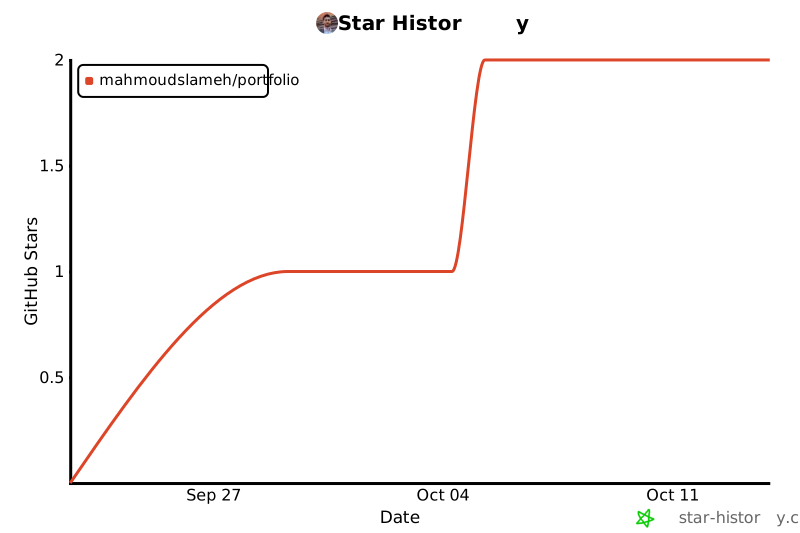](https://star-history.com/#MahmoudSlameh/portfolio&Date)
## 📝 License
Released under the [MIT License](LICENSE).
看看同类模板
对比同技术栈与用途的模板,找到更适合的视觉与内容结构。

coreui-free-laravel-admin-template
CoreUI Free Laravel Bootstrap Admin Template
Laravel · 后台

sneat-bootstrap-html-laravel-admin-template-free
Most Powerful & Comprehensive Free Bootstrap 5 HTML Laravel Admin Dashboard Template built for developers!
Laravel · 后台
laqul
A complete starter kit that allows you create amazing apps that look native thanks to the Quasar Framework. Po…
Laravel · 后台
laravel9-inertiajs-reactjs-starter
This is a starter code to start the project built with Laravel 9 + InertiaJs + ReactJs, which already includes…
Laravel · 后台
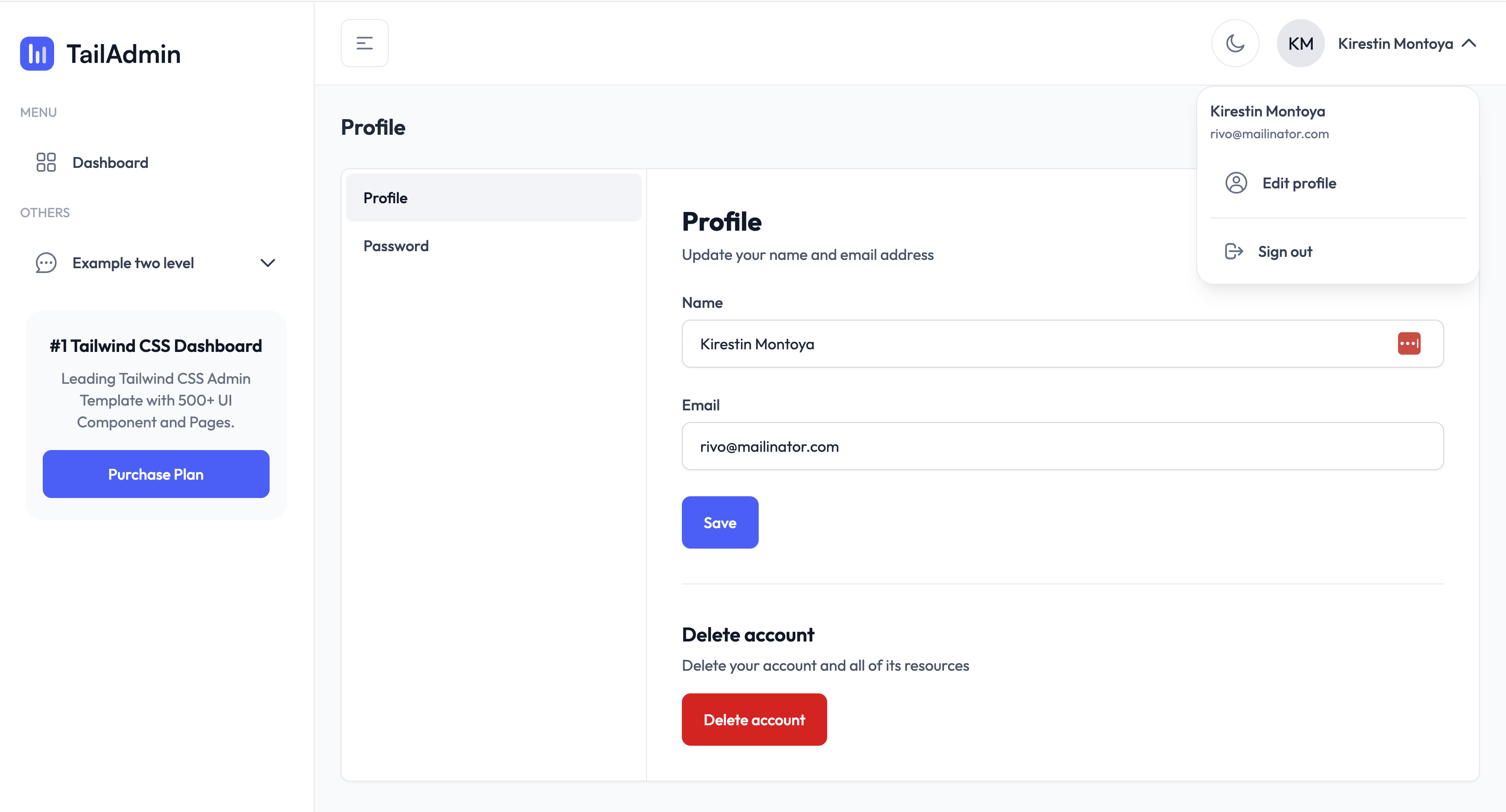
TailAdmin-Laravel-Starter-Kit
TailAdmin-Laravel-Starter-Kit 开源网站模板。
Laravel · 后台
laravel-sentinel-crud-starter
This is a Starter Laravel project ,using the Sentinel Authentication ,User Role ,User Perrmisson,Role perrmiss…
Laravel · 后台