极简主题,README 称其非必要组件很少,并说明整体体积小于 5kB
Hugo启动器
hugo-rocinante — Hugo 启动器模板
作者 mavidser
Rocinante 是一个面向 Hugo 的极简主题,支持普通博客与图片博客,几乎不依赖 JavaScript,并提供分页、标签、RSS 与自定义 CSS 等基础能力。
看看你的网站会是什么样
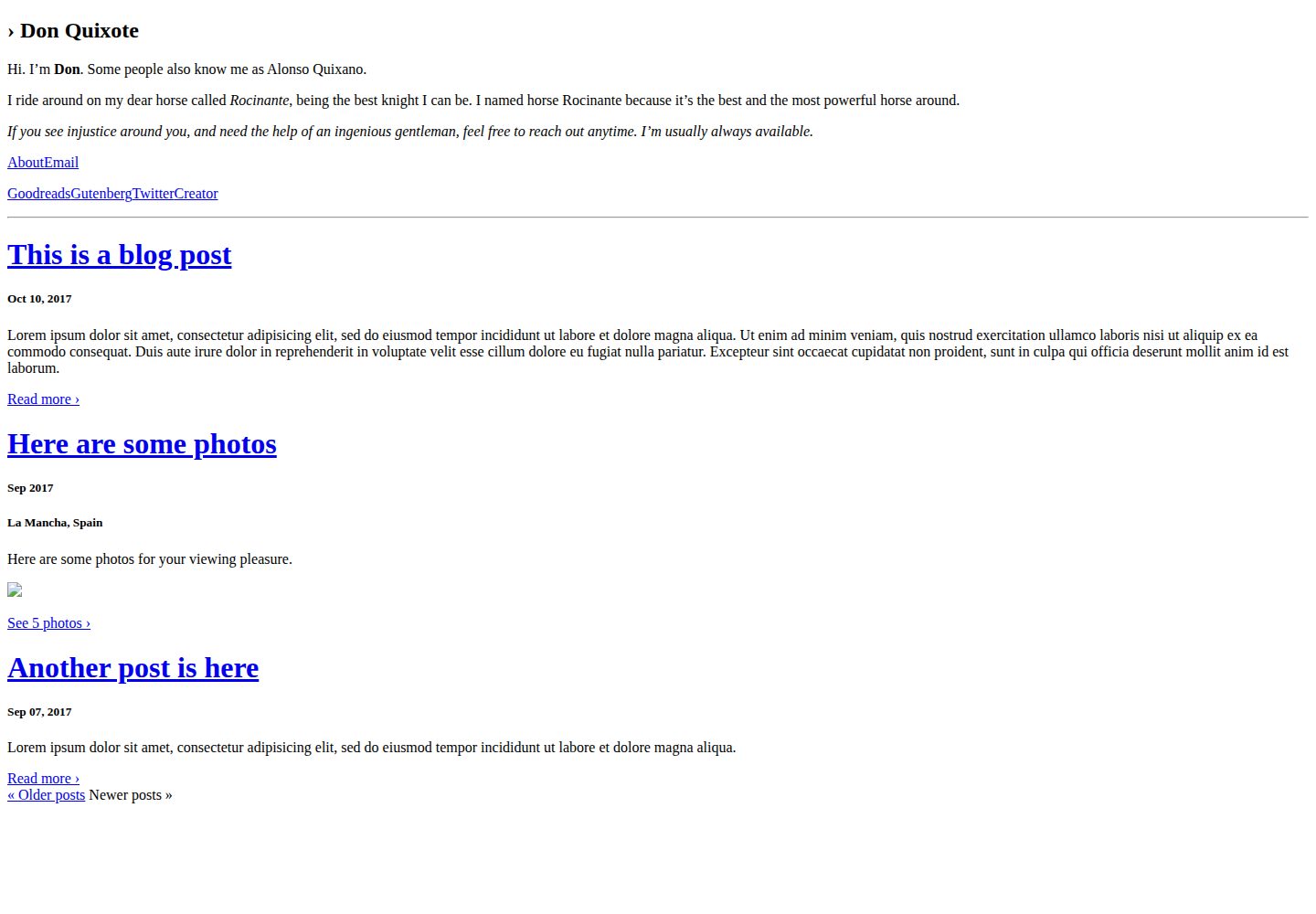
浏览真实页面截图,比较内容排版与手机效果。点击下方缩略图切换,放大查看整页细节。
全部页面与视图 2
截图用于了解视觉与布局,交互效果请以实际项目为准。
采集于 2026-10-03查看来源
值得关注的模板亮点
从已有项目资料中,快速了解它的特点。
支持普通博客文章与图片博客两种内容类型
内置分页、标签、移动端适配与 RSS 订阅
除可选的智能邮件链接外不依赖 JavaScript
支持通过 params.customCSS 引入自定义 CSS
提供 light、dark、auto 三种配色方案
模板详细介绍
Rocinante 是 mavidser 为 Hugo 开发的极简主题,仓库以 MIT 许可发布。它面向两类内容:常规博客文章和图片博客(photoblog),首页只展示 mainSections 参数中列出的内容类型。主题在配置层面提供分页、标签、移动端适配、RSS 订阅与自定义 CSS 支持,并可通过 colorScheme 在浅色、深色或自动模式间切换。
主题本身几乎不包含 JavaScript:唯一一段脚本用于可选的智能邮件链接,点击后先显示邮箱地址再跳转 mailto;若浏览器禁用 JavaScript,该链接退化为普通链接。安装方式为将仓库作为 Git 子模块放入 Hugo 站点的 themes/rocinante 目录,然后在 config.toml 的 params 中配置 customCSS、mainSections、email、favicon、about 与 links 等选项。
使用限制方面,README 未提供内容模型、多语言、搜索、评论或图片处理等说明,因此这些能力不在本主题的已知范围内。主题的 about 文本以字符串形式写在配置中,README 也说明这种写法略显不便。演示图片、字体、图标等第三方素材的许可需单独核对,不能仅凭代码的 MIT 许可判断。
Hugo启动器
适合你的项目吗?
适用场景
- 搭建以文字为主的个人博客,并需要分页与标签归档
- 搭建图片博客,将照片作为主要内容类型展示
- 希望站点在禁用 JavaScript 时仍能正常浏览
- 需要通过自定义 CSS 调整主题外观的 Hugo 站点
适合人群
- 使用 Hugo 并偏好极简、低脚本依赖主题的开发者
- 同时发布文章与照片的个人站点作者
- 需要 RSS 订阅与标签功能的博客维护者
上手与定制指南
结合仓库当前版本的说明,按下面的资料检查内容、配置与运行要求。
- 1
在 Hugo 站点目录执行 git submodule add https://github.com/mavidser/hugo-rocinante.git themes/rocinante 完成安装
- 2
在 config.toml 中设置 theme = "rocinante",并按需配置 paginate 与 markup.goldmark.renderer.unsafe
- 3
在 params 中配置 colorScheme、mainSections、email、favicon、about 与 links 等选项
- 4
运行 hugo server 后访问 localhost:1313 预览站点
- 5
在文章 front matter 中添加 hidden: true 可将该文章从首页及列表页隐藏
授权与来源资料
使用条件与限制
免费使用 · 保留许可声明本次收录的是公开仓库中采用 MIT 许可的免费版本;免费范围为该版本代码,不代表外部服务或第三方素材免费。
使用时需要遵守
- 允许免费使用、修改、商用和分发该版本代码。
- 分发代码副本或实质性部分时,保留原作者版权声明和完整 MIT 许可声明。
- 代码按现状提供;担保与责任限制以原许可证及适用法律为准。
额外费用与待核对事项
- 主题唯一的 JavaScript 仅用于可选的智能邮件链接增强:点击后先显示邮箱地址再跳转 mailto;若浏览器禁用 JavaScript,该链接退化为普通链接,不影响基本使用。
- 仅当在 params.links 中将某链接的 smart_email_link 设为 true 时,才会注入该 JavaScript 片段改变链接行为;不启用则无此脚本。
- about 关于文本需以字符串形式直接写在 config.toml 的 params 中,README 自述这种写法略显不便,不支持独立内容文件。
- 首页仅展示 mainSections 数组中列出的内容类型(posts、photos 或两者),未列入的类型不会出现在首页列表中。
- 演示图片、字体、图标及其他第三方素材需按各自许可核对,不能仅凭代码的 MIT 许可判断。
- 域名、托管、数据库、支付或 AI 等外部服务可能另外收费。
查看原文依据
Permission is hereby granted, free of charge
许可证原文
The only javascript in the theme is for an optional enhancement to Email link, where it shows the email ID upon clicking such links.
README 原文
smart_email_link = Boolean. If true, a javascript snippet is included which changed link behavior.
README 原文
about = """Hi. Welcome to my website"""
README 原文
https://github.com/mavidser/hugo-rocinante/blob/master/LICENSEhttps://github.com/mavidser/hugo-rocinante/blob/master/README.mdOnly the content type listed in the array gets listed on the homepage.
README 原文
DeepSeek 根据仓库许可证和 README 整理 ·2026-10-03。结果仅覆盖已读取资料,依赖、图片、字体及后续条款变更以各自原文为准。
项目核对记录与介绍依据
模板资料
- 来源平台
- Hugo Themes
- 资料与维护参考分
- 资料较完整 · 81 / 100
- 技术栈
- Hugo
- 网站类型
- 启动器
这个分数如何计算
本站按许可资料(最高30分)、演示链接(12分)、预览图(10分)、Star数(15分)、记录的维护时间(15分)、描述完整度(8分)、功能记录(5分)和分类资料(5分)计算。它不是代码、安全或性能测试,也不是 Google 评分;有链接不代表已实测可用。
这个项目需要核对什么
- 记录的仓库更新时间
- 2025-08-26
- 截图检查日期
- 2026-10-03
已收录演示链接。请用你的内容与屏幕尺寸检查;有演示不代表表单、认证或支付已经可用。
目录记录的主要技术栈是 Hugo。请通过依赖清单和锁文件核对实际版本与托管要求。这些说明基于收录资料,不代表代码审计或部署实测。
查看具体选型方法 →介绍的制作与核对状态
介绍由 AI 辅助整理目录与仓库资料。仓库作者不等于这篇介绍的审核者。
已完成服务器许可规则与 AI 来源核对;未经过人工编辑审核。
查看当时使用的来源资料
SHA-256: 86319517f0a9d9db963cd5aad1b71baa1172ae3462360d5c20da4b5566853670
2026-10-03T08:08:16.520Z
来源文件 / 仓库# Rocinante theme for Hugo Rocinante is a minimal and lightweight theme for hugo. It has minimal non-essential components, and supports normal blog posts and photoblogs. [Here][1] are some opinions used in building a theme. In short, extremely minimal footprint (under 5kB) with good contrast for accessibility. ###### [Demo link](https://sidverma.io/hugo-rocinante/) 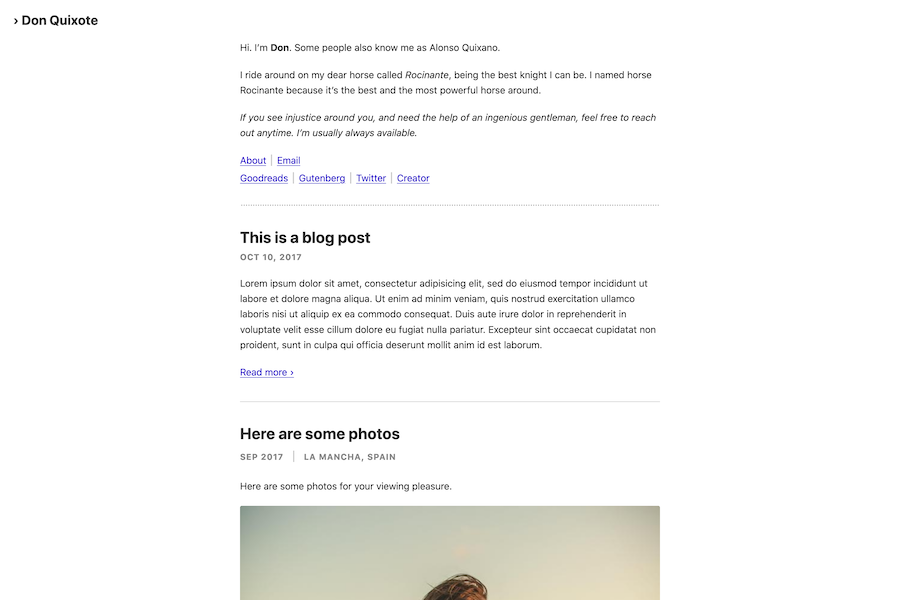 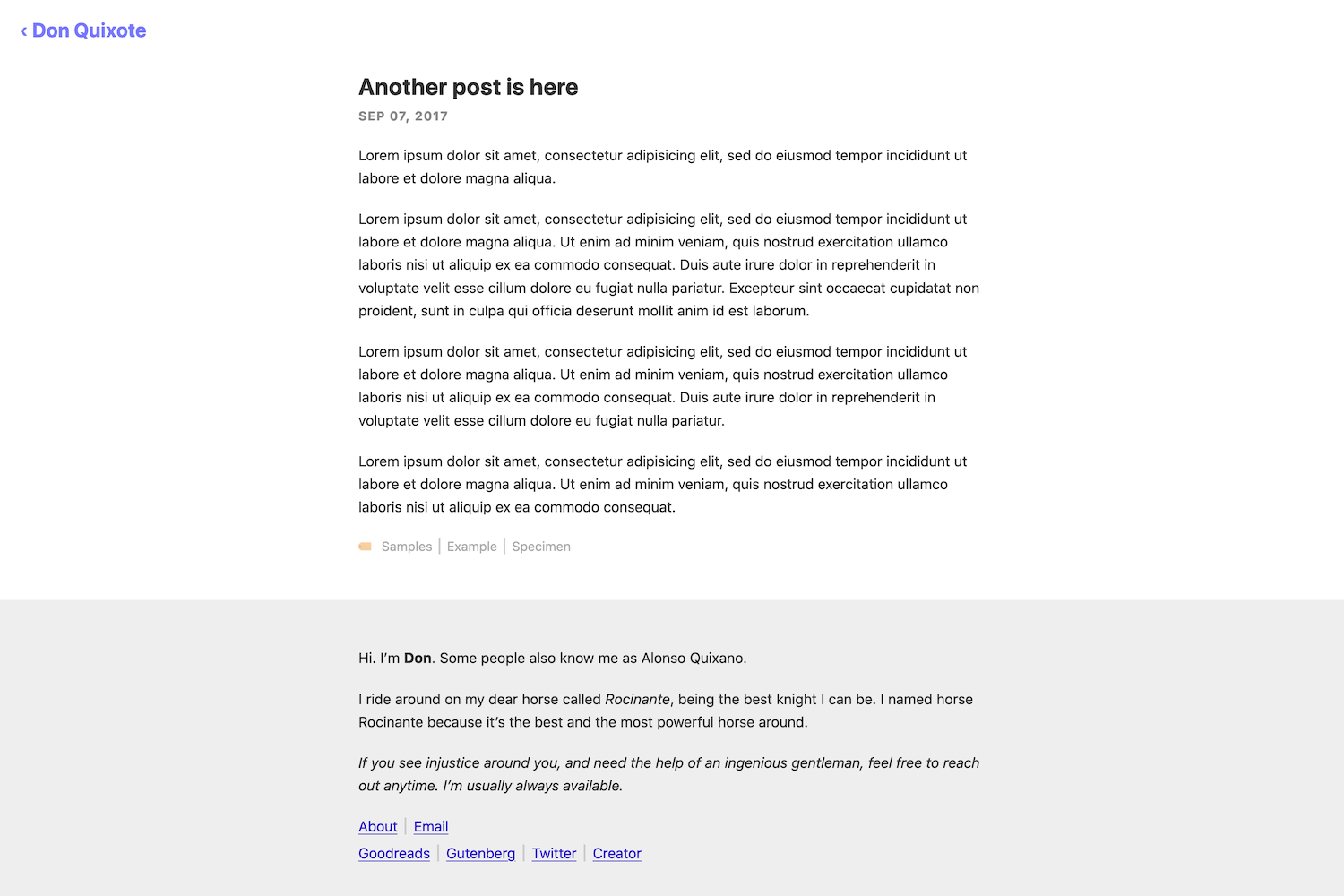 ## Features - Pagination - Tags support - Mobile support - RSS Feeds - No essential Javascript - Custom CSS support The only javascript in the theme is for an optional enhancement to Email link, where it shows the email ID upon clicking such links. See the demo on the 'Email' link on [the demo website](https://sidverma.io/hugo-rocinante/). If javascript is disabled, it works as a normal link. ## Installation Inside the folder of your Hugo site run: ``` git submodule add https://github.com/mavidser/hugo-rocinante.git themes/rocinante ``` For more information read the official [setup guide](//gohugo.io/overview/installing/) of Hugo. ## Configuration options Put these in the `params` section of config.toml - **customCSS** - An array of paths to css files in the `assets` directory. Eg: `customCSS = ["css/style.css"]`. - **mainSections** - An array containing either `"posts"`, `"photos"` or both. Only the content type listed in the array gets listed on the homepage. Eg: `mainSections = ["post", "photos"]` - **email** - A string which will be used in the `mailto` link if smart email links are being used. Details on smart links are below, in the links option details. Eg: `email = "[email protected]"` - **favicon** - A string of the favicon path in the `static` directory. Eg: `favicon = "icon/favicon.jpg"` - **about** - A string of the about text. This is slightly ugly, sorry. Eg: `about = """Hi. Welcome to my website"""` - **links** - A table which contains array of `link` tables. This one is easier to explain using an example. Details of the link `table`: - name - String containing the text of the link - href - String containing URL of the link - new_tab = Boolean, to open link in a new tab - smart_email_link = Boolean. If true, a javascript snippet is included which changed link behavior. Text will change to the content of `email` param upon clicking once, after which it follows a `mailto:` link to the same. See example on the Email link in the about section of the demo page. Example: ```toml [[params.links]] [[params.links.link]] name = "About" href = "https://en.wikipedia.org/wiki/Don_Quixote" new_tab = true smart_email_link = true ``` ## Getting started After installing the theme successfully it requires a just a few more steps to get your site running. ### Update config file Example: ```toml baseURL = "https://example.com/" languageCode = "en-us" title = "Rocinante" theme = "rocinante" paginate = 3 [markup] [markup.goldmark.renderer] unsafe= true [params] colorScheme = "light" # "light" or "dark" or "auto". Defaults to light. mainSections = ["posts", "photos"] email = "[email protected]" favicon = "icons/favicon.png" about = """ About section. Enter details about you here. """ [[params.links]] [[params.links.link]] name = "Resume" href = "/Resume.pdf" [[params.links.link]] name = "Email" href = "/contact" smart_email_link = true [[params.links]] [[params.links.link]] name = "Github" href = "https://github.com/" new_tab = true [[params.links.link]] name = "Mastodon" href = "https://mastodon.social/" new_tab = true [[params.links.link]] name = "Twitter" href = "https://twitter.com/" new_tab = true [[params.links.link]] name = "Instagram" href = "https://instagram.com/" new_tab = true ``` ### Check your site In order to see your site in action, run Hugo's built-in local server. ``` hugo server ``` Now enter [`localhost:1313`](http://localhost:1313/) in the address bar of your browser. ## Post configurations: ### Hidden posts: To hide a post from appearing in the homepage or any other list of posts, add the following to the front matter of the post: ```toml hidden: true ``` ## License MIT [1]: https://sidverma.io/2020/03/07/website-updates#the-theme
看看同类模板
对比同技术栈与用途的模板,找到更适合的视觉与内容结构。

hugo-xmin
eXtremely Minimal Hugo theme: about 140 lines of code in total, including HTML and CSS (with no dependencies)
Hugo · 启动器

hugo-theme-gallery
Gallery Theme for Hugo
Hugo · 启动器

reveal-hugo
📽️ Create rich HTML-based presentations with Hugo and Reveal.js
Hugo · 启动器

anatole
Anatole is a minimalistic two-column theme for Hugo.
Hugo · 启动器

hugo-theme-diary
Moments piled up. A Hugo theme ported from SumiMakito/hexo-theme-Journal.
Hugo · 启动器

risotto
A minimalist, responsive hugo theme inspired by terminal ricing aesthetics.
Hugo · 启动器