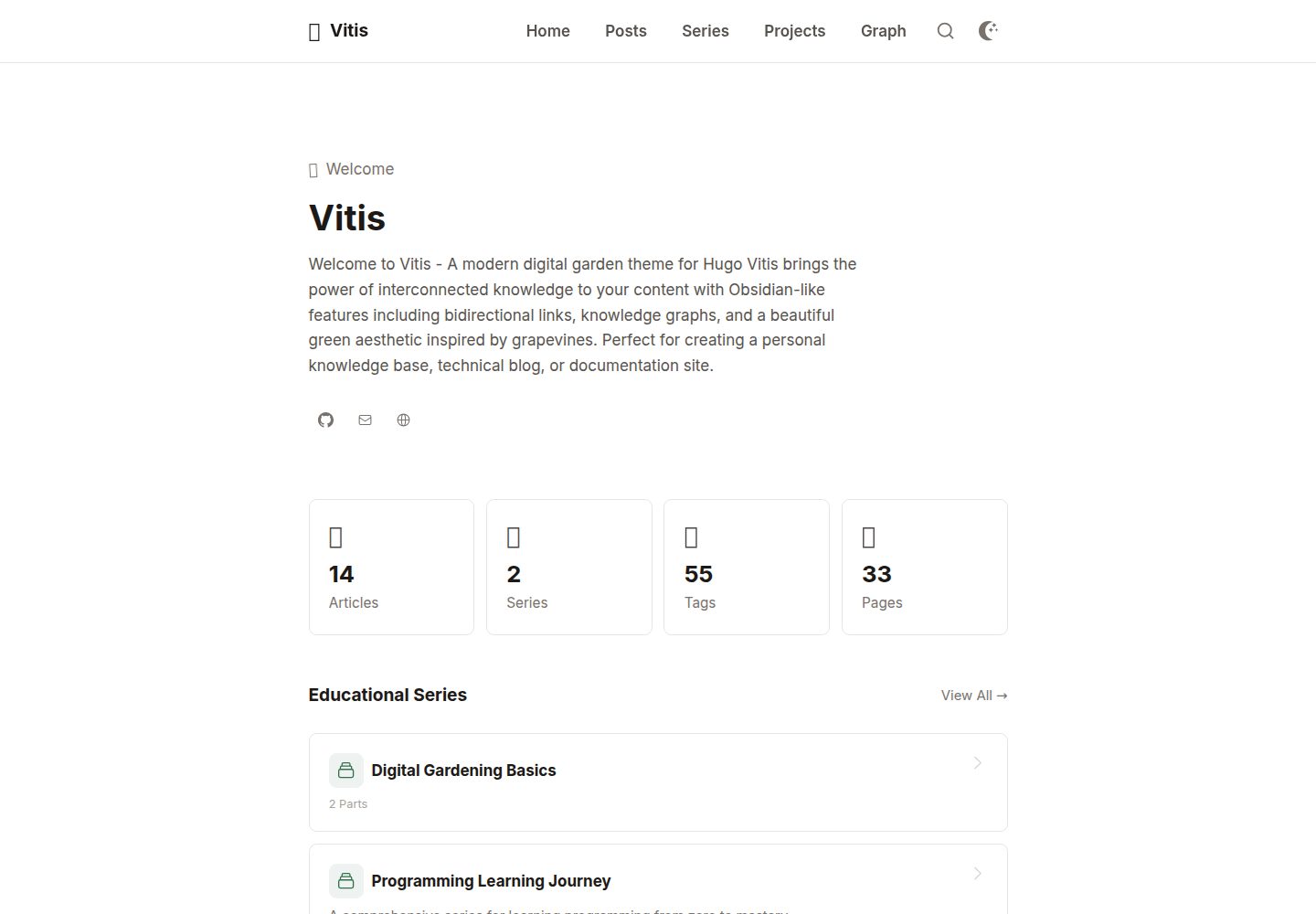
支持 [[wiki-link]] 语法,自动转换为 Hugo 链接并在被引用页面生成反向链接
Hugo启动器
vitis — Hugo 启动器模板
作者 mohamedelhefni
Vitis 是一个面向知识管理与数字花园场景的 Hugo 主题,支持 wiki 链接、知识图谱与反向链接。
看看你的网站会是什么样
浏览真实页面截图,比较内容排版与手机效果。点击下方缩略图切换,放大查看整页细节。
全部页面与视图 3
截图用于了解视觉与布局,交互效果请以实际项目为准。
采集于 2026-10-03查看来源
值得关注的模板亮点
从已有项目资料中,快速了解它的特点。
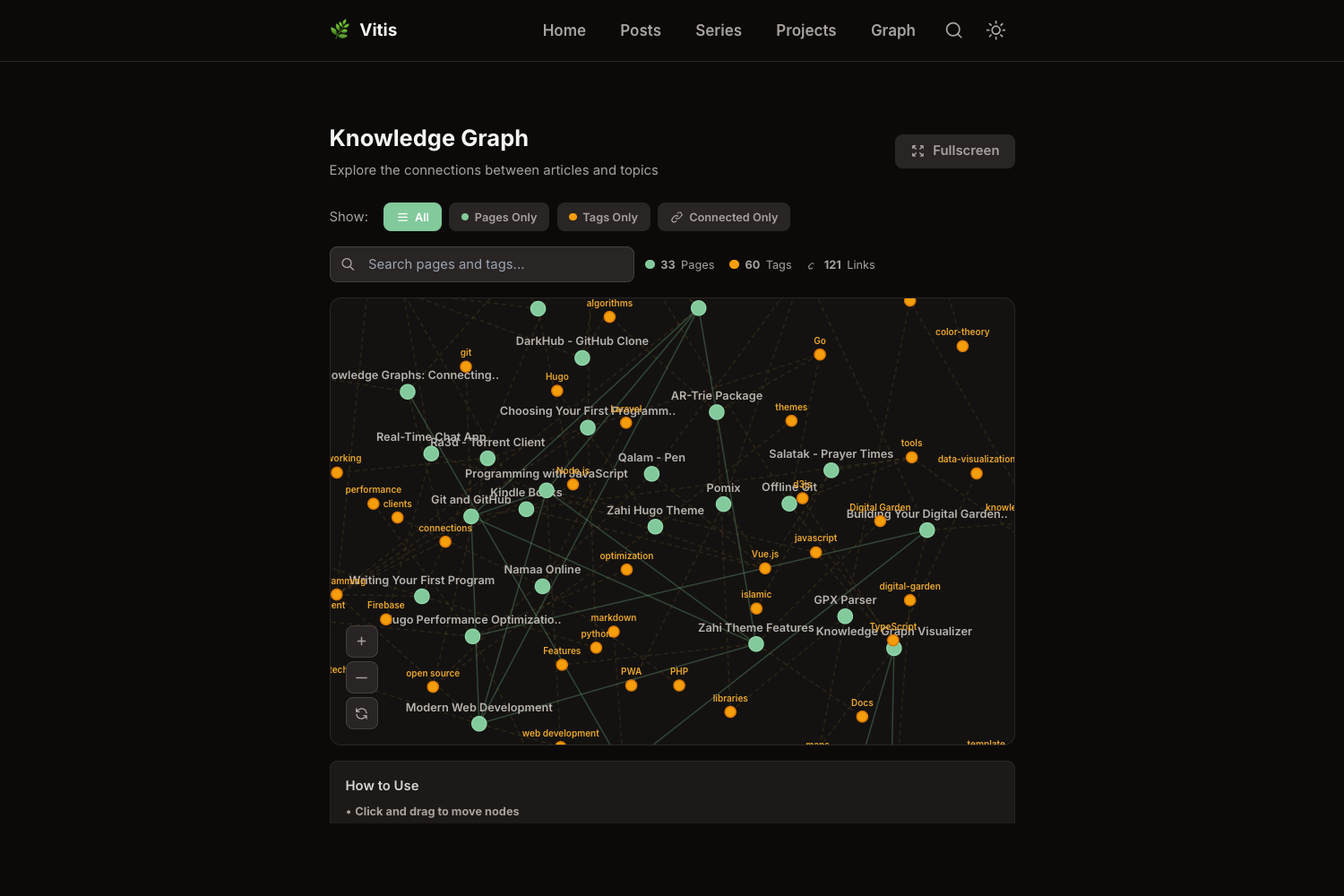
基于 D3.js 的交互式知识图谱,可视化文章连接、标签与系列关系
系列(series)支持:自动分组、显示进度并提供篇目间导航
内置基于 Fuse.js 的客户端搜索、自动目录、阅读时间与标签分类
深色/浅色模式切换,支持偏好检测与可自定义社交图标
提供 Open Graph、Twitter Cards 与 schema 标记等 SEO 输出
模板详细介绍
Vitis 是一个 Hugo 主题,定位为数字花园与个人知识库。它围绕笔记之间的关联组织内容:在 Markdown 中使用 [[wiki-link]] 语法即可建立页面间的连接,主题会自动把这些引用转换为 Hugo 链接,并在被引用页面生成反向链接,同时把连接关系纳入知识图谱。
知识图谱页面基于 D3.js 渲染,用于可视化文章之间经由 wiki 链接形成的连接、标签关系以及系列关系,可通过 /graph 路径访问或加入导航菜单。主题还提供系列(series)支持,在 front matter 中声明系列名称后,相关文章会被自动分组、显示系列进度并提供篇目之间的导航。
内容层面,主题包含自动生成的目录、代码块语法高亮、基于 Fuse.js 的客户端搜索、阅读时间估算以及标签与分类法。界面支持深色/浅色模式切换与偏好检测,并提供可自定义的社交图标。SEO 方面包含 Open Graph、Twitter Cards 与 schema 标记;隐私方面提供可配置的分析选项。
安装方式有三种:Hugo Modules、Git Submodule 或直接克隆到 themes 目录。主题使用 Tailwind CSS,若要修改颜色、字体等设计变量,需要复制 tailwind.config.js 并通过 npm 重新构建 CSS。README 要求 Hugo Extended 0.112.0 或更高版本,使用 Hugo Modules 方式时需要 Git,定制 Tailwind 时需要 Node.js 与 npm。
需要注意:仓库当前星标数很少,主题的成熟度与长期维护情况需自行评估;演示站点中的图片、字体、图标等第三方素材应单独核对其许可,不能仅凭代码的 MIT 许可判断。
Hugo启动器
适合你的项目吗?
适用场景
- 搭建个人数字花园,用 wiki 链接串联零散笔记
- 维护多篇连载内容,需要系列进度与篇目导航
- 通过知识图谱查看笔记之间的引用与标签关系
- 为长文提供目录、代码高亮、搜索与阅读时间等阅读辅助
适合人群
- 使用 Hugo 并希望以笔记关联方式组织内容的个人站点
- 需要反向链接与知识图谱能力的知识库类项目
- 撰写多部分系列文章并希望自动展示进度的作者
上手与定制指南
结合仓库当前版本的说明,按下面的资料检查内容、配置与运行要求。
- 1
需要 Hugo Extended 0.112.0 或更高版本
- 2
可通过 Hugo Modules、Git Submodule 或克隆到 themes 目录三种方式安装
- 3
使用 Hugo Modules 方式时需要 Git
- 4
修改 Tailwind 样式需安装 Node.js 与 npm 并重新构建 CSS
- 5
可复制 exampleSite/hugo.toml 作为站点配置起点
授权与来源资料
使用条件与限制
免费使用 · 保留许可声明本次收录的是公开仓库中采用 MIT 许可的免费版本;免费范围为该版本代码,不代表外部服务或第三方素材免费。
使用时需要遵守
- 允许免费使用、修改、商用和分发该版本代码。
- 分发代码副本或实质性部分时,保留原作者版权声明和完整 MIT 许可声明。
- 代码按现状提供;担保与责任限制以原许可证及适用法律为准。
额外费用与待核对事项
- 仅在自定义 Tailwind CSS 样式时需要安装 Node.js 与 npm 并重新构建 CSS;不修改样式则无需该依赖。
- Google Analytics 为可选配置,启用需自行提供 GA 跟踪 ID,属于第三方外部服务。
- Disqus 评论为可选功能,启用需提供 Disqus shortname,依赖第三方外部服务。
- 使用 Hugo Modules 安装方式时需要本地已安装 Git。
- 演示图片、字体、图标及其他第三方素材需按各自许可核对,不能仅凭代码的 MIT 许可判断。
- 域名、托管、数据库、支付或 AI 等外部服务可能另外收费。
查看原文依据
Permission is hereby granted, free of charge
许可证原文
Node.js and npm (only if customizing Tailwind CSS)
README 原文
[params.analytics] [params.analytics.google] id = "G-XXXXXXXXXX"
README 原文
[services.disqus] shortname = 'your-disqus-shortname'
README 原文
https://github.com/mohamedelhefni/vitis/blob/main/LICENSEhttps://github.com/mohamedelhefni/vitis/blob/main/README.mdGit (for Hugo Modules method)
README 原文
DeepSeek 根据仓库许可证和 README 整理 ·2026-10-03。结果仅覆盖已读取资料,依赖、图片、字体及后续条款变更以各自原文为准。
项目核对记录与介绍依据
模板资料
- 来源平台
- Hugo Themes
- 资料与维护参考分
- 资料较完整 · 83 / 100
- 技术栈
- Hugo
- 网站类型
- 启动器
这个分数如何计算
本站按许可资料(最高30分)、演示链接(12分)、预览图(10分)、Star数(15分)、记录的维护时间(15分)、描述完整度(8分)、功能记录(5分)和分类资料(5分)计算。它不是代码、安全或性能测试,也不是 Google 评分;有链接不代表已实测可用。
这个项目需要核对什么
- 记录的仓库更新时间
- 2026-03-15
- 截图检查日期
- 2026-10-03
已收录演示链接。请用你的内容与屏幕尺寸检查;有演示不代表表单、认证或支付已经可用。
目录记录的主要技术栈是 Hugo。请通过依赖清单和锁文件核对实际版本与托管要求。这些说明基于收录资料,不代表代码审计或部署实测。
查看具体选型方法 →介绍的制作与核对状态
介绍由 AI 辅助整理目录与仓库资料。仓库作者不等于这篇介绍的审核者。
审核声明: [email protected] · 2026-10-04
查看当时使用的来源资料
SHA-256: 68e1b91d32a14d7093bfa4dadfc841fa54440fef0bef0f50a7074749b2e0628e
2026-10-03T15:28:02.402Z
来源文件 / 仓库# Vitis
A modern Hugo theme designed as a digital garden with Obsidian-like features including wiki-links, knowledge graph visualization, backlinks, and series support.

## Demo
[Live Demo](https://vitis-demo.netlify.app/)
## Features
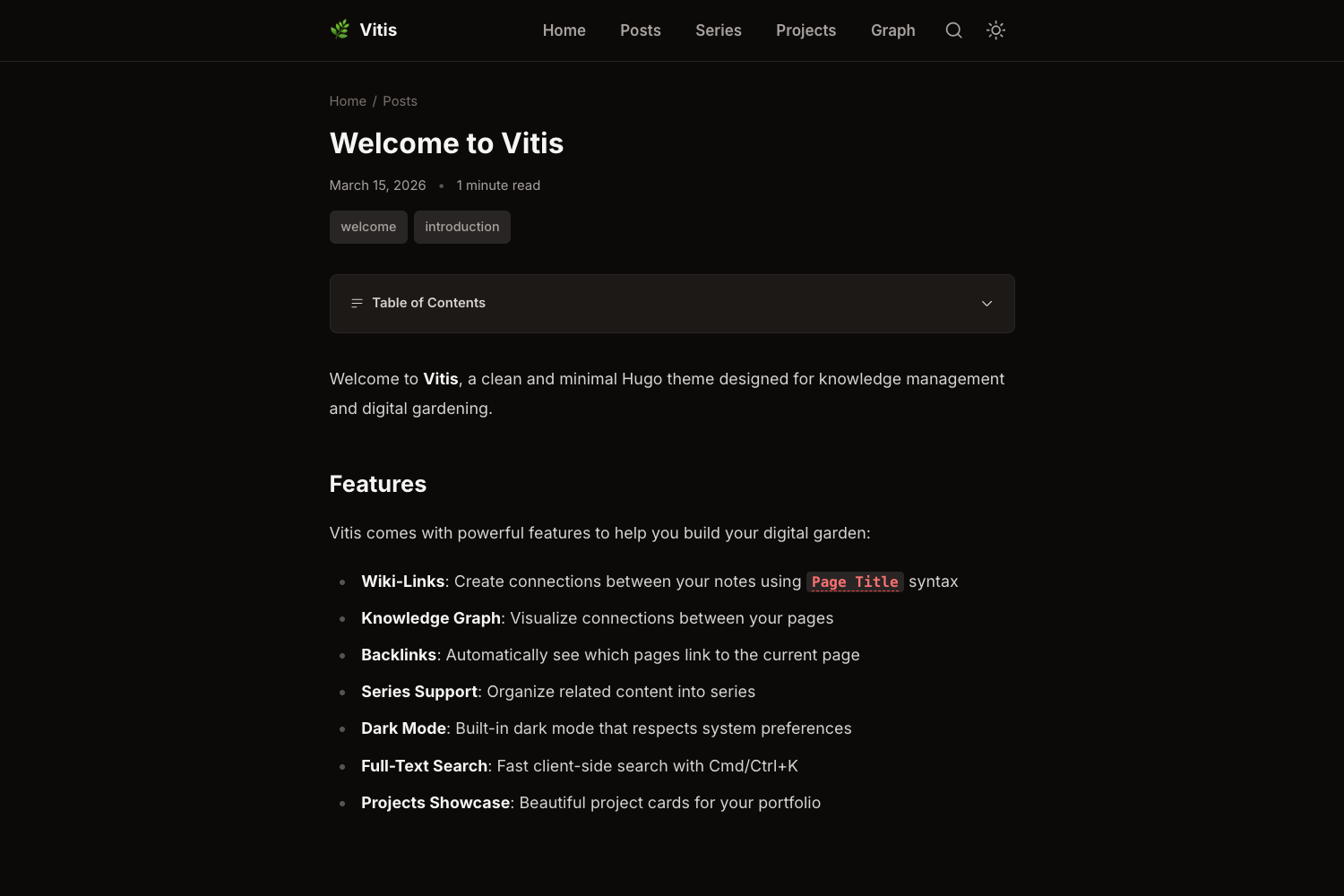
- **Wiki-Links Support**: Create connections between your content using `[[wiki-link]]` syntax
- **Interactive Knowledge Graph**: Visual representation of content relationships with D3.js
- **Backlinks**: Automatic bidirectional linking between related content
- **Series Support**: Organize content into multi-part series with progress tracking
- **Responsive Design**: Beautiful on all devices and screen sizes
- **Dark/Light Mode**: Toggle between themes with automatic preference detection
- **Table of Contents**: Auto-generated navigation for long-form content
- **Syntax Highlighting**: Code blocks with Dracula theme support
- **Search Functionality**: Fast client-side search powered by Fuse.js
- **Reading Time**: Estimated reading time for all posts
- **Tags & Taxonomies**: Organize and discover content easily
- **Social Icons**: Customizable social media links
- **SEO Optimized**: Open Graph, Twitter Cards, and schema markup
- **Performance**: Optimized for speed with minification and lazy loading
- **Privacy Focused**: GDPR compliant with configurable analytics
## Screenshots
### Homepage

### Knowledge Graph
### Post View
### Series Progress

## Installation
### Method 1: Hugo Modules (Recommended)
1. Initialize your Hugo site as a module:
```bash
hugo mod init github.com/yourusername/yoursite
```
2. Add the theme to your `hugo.toml`:
```toml
[module]
[[module.imports]]
path = "github.com/mohamedelhefni/vitis"
```
3. Get the module:
```bash
hugo mod get -u
```
### Method 2: Git Submodule
```bash
git submodule add https://github.com/mohamedelhefni/vitis.git themes/vitis
```
Then add to your `hugo.toml`:
```toml
theme = "vitis"
```
### Method 3: Clone
```bash
git clone https://github.com/mohamedelhefni/vitis.git themes/vitis
```
## Quick Start
1. Copy the example site configuration:
```bash
cp themes/vitis/exampleSite/hugo.toml hugo.toml
```
2. Update the `baseURL`, `title`, and other site parameters in `hugo.toml`
3. Create your first post:
```bash
hugo new posts/my-first-post.md
```
4. Start the Hugo server:
```bash
hugo server -D
```
5. Visit `http://localhost:1313`
## Configuration
### Basic Configuration
```toml
baseURL = "https://example.com/"
title = "My Digital Garden"
languageCode = "en"
defaultContentLanguage = "en"
[module]
[[module.imports]]
path = "github.com/mohamedelhefni/vitis"
# Site Parameters
[params]
description = "My personal knowledge base and digital garden"
author = "Your Name"
keywords = ["blog", "digital garden", "knowledge base"]
# Social links
github = "https://github.com/yourusername"
mail = "mailto:[email protected]"
site = "https://yoursite.com/"
[params.social]
twitter = "yourusername"
github = "yourusername"
```
### Navigation Menu
```toml
[menu]
[[menu.main]]
identifier = "home"
name = "Home"
url = "/"
weight = 10
[[menu.main]]
identifier = "posts"
name = "Posts"
url = "/posts"
weight = 20
[[menu.main]]
identifier = "graph"
name = "Graph"
url = "/graph"
weight = 30
```
### Analytics (Optional)
```toml
[params.analytics]
[params.analytics.google]
id = "G-XXXXXXXXXX"
[params.analytics.plausible]
domain = "yoursite.com"
```
### Comments (Optional)
```toml
[services.disqus]
shortname = 'your-disqus-shortname'
```
## Content Creation
### Creating Posts
```bash
hugo new posts/my-post.md
```
Example front matter:
```yaml
---
title: "My First Post"
date: 2024-02-27
draft: false
description: "A brief description of the post"
tags: ["hugo", "blog", "digital-garden"]
series: ["Getting Started"]
---
```
### Creating Series
Add posts to a series by including the series name in the front matter:
```yaml
---
title: "Part 1: Introduction"
series: ["My Series Name"]
---
```
The theme will automatically:
- Group related posts
- Show series progress
- Display navigation between parts
### Using Wiki-Links
Create connections between your content using wiki-link syntax:
```markdown
This post is related to [[other-post-title]] and [[another-post]].
```
The theme will automatically:
- Convert wiki-links to proper Hugo links
- Create backlinks on linked pages
- Include these connections in the knowledge graph
### Knowledge Graph
The knowledge graph automatically visualizes:
- Connections between posts via wiki-links
- Tag relationships
- Series connections
Access it at `/graph` or add it to your menu.
## Customization
### UI Strings
Customize all text in the theme by overriding the `[params.ui]` section:
```toml
[params.ui]
greeting = "Welcome"
recent_posts = "Latest Articles"
reading_time_singular = "min read"
reading_time_plural = "mins read"
```
See `exampleSite/hugo.toml` for all available strings.
### Styling
The theme uses Tailwind CSS. To customize:
1. Copy `tailwind.config.js` from the theme root
2. Modify colors, fonts, and other design tokens
3. Rebuild CSS:
```bash
npm install
npm run build
```
### Syntax Highlighting
Change the code highlighting theme in `hugo.toml`:
```toml
[markup.highlight]
style = "dracula" # or monokai, github, etc.
```
## Advanced Features
### Search
Search is automatically enabled. The theme generates a JSON index of your content.
### Backlinks
Backlinks are automatically generated for pages that are referenced via wiki-links.
### Related Posts
The theme shows related content based on:
- Shared tags (weight: 100)
- Same series (weight: 80)
- Publication date (weight: 10)
Customize in `hugo.toml`:
```toml
[related]
includeNewer = true
threshold = 80
toLower = true
[[related.indices]]
name = "tags"
weight = 100
```
## Requirements
- Hugo Extended v0.112.0 or higher
- Git (for Hugo Modules method)
- Node.js and npm (only if customizing Tailwind CSS)
## Performance
The theme is optimized for performance:
- Minified HTML, CSS, and JavaScript
- Lazy loading for images
- Optimized font loading
- Minimal dependencies
- Fast client-side search
## Browser Support
- Chrome (latest)
- Firefox (latest)
- Safari (latest)
- Edge (latest)
## Contributing
Contributions are welcome! Please feel free to submit a Pull Request.
1. Fork the repository
2. Create your feature branch (`git checkout -b feature/AmazingFeature`)
3. Commit your changes (`git commit -m 'Add some AmazingFeature'`)
4. Push to the branch (`git push origin feature/AmazingFeature`)
5. Open a Pull Request
## Support
- [Documentation](https://github.com/mohamedelhefni/vitis/wiki)
- [Issue Tracker](https://github.com/mohamedelhefni/vitis/issues)
- [Discussions](https://github.com/mohamedelhefni/vitis/discussions)
## License
This theme is released under the MIT License. See [LICENSE](LICENSE) for details.
## Credits
- Developed by [Mohamed Elhefni](https://github.com/mohamedelhefni)
- Knowledge graph visualization powered by [D3.js](https://d3js.org/)
- Search powered by [Fuse.js](https://fusejs.io/)
- Icons from [Heroicons](https://heroicons.com/)
- Styled with [Tailwind CSS](https://tailwindcss.com/)
## Acknowledgments
Inspired by:
- Obsidian's knowledge management features
- Digital garden philosophy
- Andy Matuschak's notes on note-taking
看看同类模板
对比同技术栈与用途的模板,找到更适合的视觉与内容结构。

hugo-xmin
eXtremely Minimal Hugo theme: about 140 lines of code in total, including HTML and CSS (with no dependencies)
Hugo · 启动器

hugo-theme-gallery
Gallery Theme for Hugo
Hugo · 启动器

reveal-hugo
📽️ Create rich HTML-based presentations with Hugo and Reveal.js
Hugo · 启动器

anatole
Anatole is a minimalistic two-column theme for Hugo.
Hugo · 启动器

hugo-theme-diary
Moments piled up. A Hugo theme ported from SumiMakito/hexo-theme-Journal.
Hugo · 启动器

risotto
A minimalist, responsive hugo theme inspired by terminal ricing aesthetics.
Hugo · 启动器