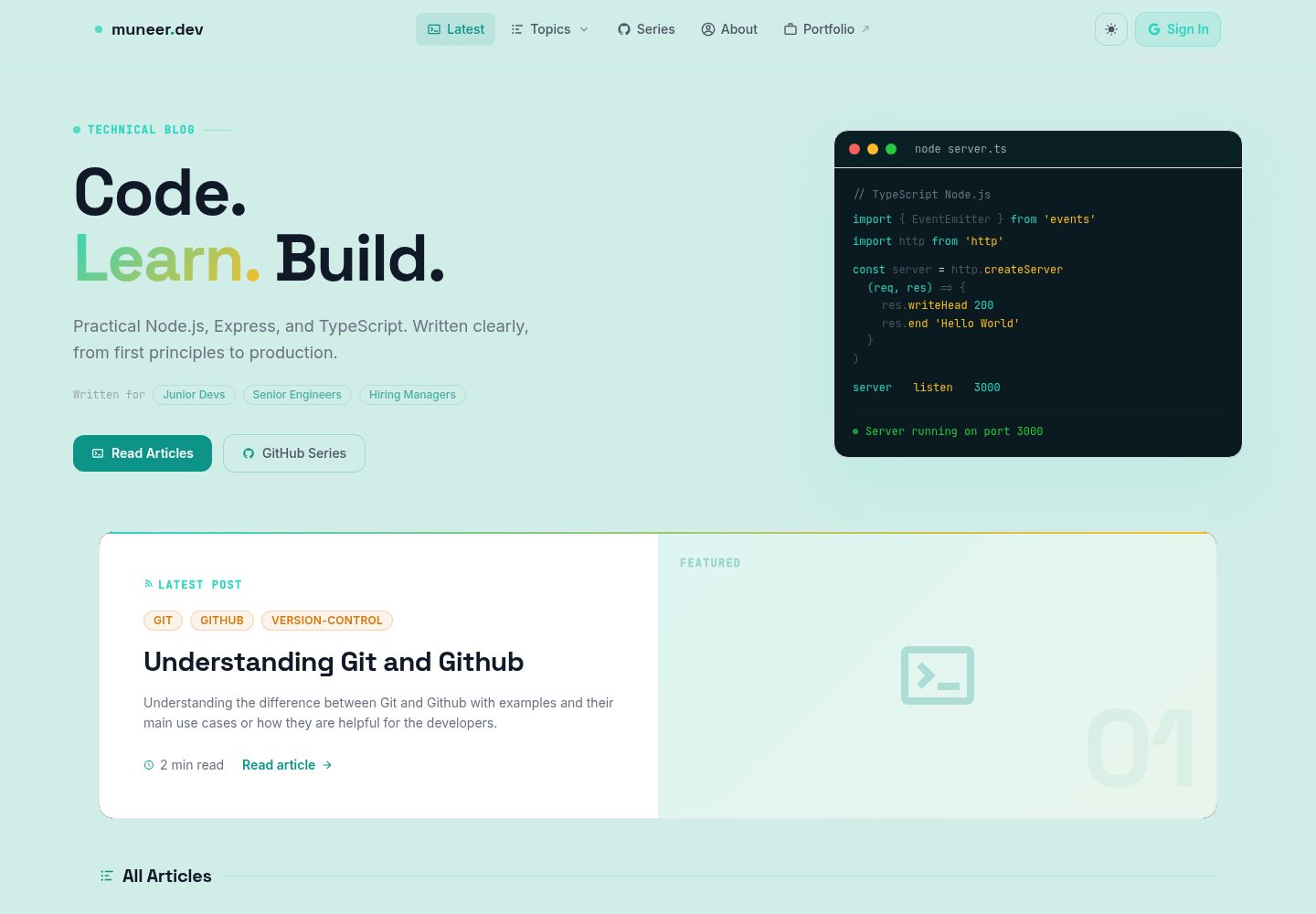
Markdown 驱动内容:文章为 content/ 下的 .md 文件,frontmatter 支持标题、摘要、主题、标签、作者、阅读时长和头图。
NuxtVue作品集博客
nest-of-blogs — Nuxt 作品集模板
作者 muneer-ahmed-khan
基于 Nuxt 3 的 Markdown 博客与作品集模板,文章存放在 content 目录,集成 Google 登录、Firestore 评论与点赞、明暗主题和移动端优先布局。
看看你的网站会是什么样
浏览真实页面截图,比较内容排版与手机效果。点击下方缩略图切换,放大查看整页细节。
全部页面与视图 3
截图用于了解视觉与布局,交互效果请以实际项目为准。
采集于 2026-10-01查看来源
值得关注的模板亮点
从已有项目资料中,快速了解它的特点。
Google 登录与 Firestore 互动:评论和点赞通过服务端 API 路由读写,Firebase Admin 凭据仅保留在服务器端。
明暗主题切换:基于 @nuxtjs/color-mode 的 class 模式,配色定义在 tailwind.config.js 的 ocean 与 mist 调色板中。
移动端优先布局:导航栏含移动端汉堡菜单与 Topics 手风琴,文章页提供可折叠的移动端目录面板。
文章页功能完整:包含目录与当前标题高亮、阅读时长、标签、头图、社交分享、点赞按钮和评论区。
部署路径明确:支持 Vercel 自动部署,也提供 GitHub Actions 工作流构建静态导出并发布到 GitHub Pages。
模板详细介绍
nest-of-blogs 是一个用 Nuxt 3 构建的全栈博客平台,内容以 Markdown 文件形式放在 content/ 目录,放入文件即可生成带目录、阅读时长、标签、头图、社交分享、点赞和评论区的文章页面,内容本身不需要数据库记录。认证通过 Firebase 的 Google 提供方完成,评论和点赞数据存放在 Firestore,并且只通过服务端 API 路由访问,Firebase Admin 凭据不会离开服务器。样式使用 Tailwind CSS 与 typography 插件,图标使用 @nuxt/icon,状态用 Pinia 管理用户信息,主题切换由 @nuxtjs/color-mode 以 class 方式实现。项目提供首页、关于页、文章详情页、按主题筛选页以及系列文章页,部署目标包括 Vercel 和 GitHub Pages 静态导出。使用前需要准备 Node.js 20+ 和 npm,并配置 Firebase 客户端与 Admin SDK 环境变量;README 提及 Firebase 集成,启用评论、点赞等动态功能前需自行配置并核对 Firebase 的额度与收费。演示图片、字体、图标等第三方素材需按各自许可核对,不能仅凭代码的 MIT 许可判断。
NuxtVue作品集博客
适合你的项目吗?
适用场景
- 个人技术博客:用 Markdown 写文章,按主题和标签组织内容,并让读者用 Google 账号参与评论和点赞。
- 作品集站点:在文章之外提供关于页和系列文章页,展示作者信息与成体系的写作内容。
- 学习 Nuxt 3 全栈实践:参考其内容层、服务端 API 路由、Pinia 状态和 Firebase 集成的组织方式。
- 需要明暗主题与移动端阅读体验的博客:直接复用其主题切换和响应式目录、导航实现。
适合人群
- 希望用 Markdown 管理内容、不想为文章单独维护数据库记录的开发者。
- 接受使用 Firebase 并愿意自行配置 Google 登录、Firestore 与 Admin SDK 凭据的团队或个人。
- 需要博客同时具备评论、点赞等读者互动功能的站点。
- 以移动端阅读为主、同时需要桌面端目录侧栏的博客或作品集。
上手与定制指南
结合仓库当前版本的说明,按下面的资料检查内容、配置与运行要求。
- 1
需要 Node.js 20+ 和 npm,项目使用 package-lock.json,建议不要改用 yarn 或 pnpm。
- 2
复制 .env.example 为 .env,填入 Firebase 客户端配置和 Admin SDK 凭据;NUXT_PUBLIC_* 变量会暴露给浏览器,其余仅保留在服务端。
- 3
FIREBASE_PRIVATE_KEY 中的换行需写成字面量 \n 并用双引号包裹整个值;.env 已在 .gitignore 中,不要提交。
- 4
客户端配置从 Firebase 控制台的项目设置中获取,Admin 凭据通过服务账号生成新的私钥获得。
- 5
部署到 Vercel 时需在项目设置的环境变量中添加全部变量;静态托管可运行 npm run generate,输出在 .output/public。
授权与来源资料
使用条件与限制
免费使用 · 保留许可声明本次收录的是公开仓库中采用 MIT 许可的免费版本;免费范围为该版本代码,不代表外部服务或第三方素材免费。
使用时需要遵守
- 允许免费使用、修改、商用和分发该版本代码。
- 分发代码副本或实质性部分时,保留原作者版权声明和完整 MIT 许可声明。
- 代码按现状提供;担保与责任限制以原许可证及适用法律为准。
额外费用与待核对事项
- 使用评论、点赞和 Google 登录等动态功能必须自行创建并配置 Firebase 项目,启用 Firestore 与 Google 认证,并提供客户端配置和服务账号密钥;这些外部服务受 Firebase 自身条款与额度限制。
- 服务端 API 依赖 Firebase Admin 服务账号私钥,需自行在 Firebase 控制台生成并妥善保管,凭据泄露或配置错误会导致功能不可用。
- 部署到 Vercel 时需在项目设置中手动添加全部环境变量,否则线上评论、点赞与登录功能无法工作。
- README 提及 Firebase 集成;启用相关动态功能前需自行配置,并核对 Firebase 的额度与收费。
- 演示图片、字体、图标及其他第三方素材需按各自许可核对,不能仅凭代码的 MIT 许可判断。
- 域名、托管、数据库、支付或 AI 等外部服务可能另外收费。
查看原文依据
Permission is hereby granted, free of charge
许可证原文
A **Firebase project** with Firestore and Google Auth enabled — you need both the client SDK config and a service account key for the Admin SDK
README 原文
Get the Admin credentials from **Firebase Console → Project Settings → Service accounts → Generate new private key**.
README 原文
https://github.com/muneer-ahmed-khan/nest-of-blogs/blob/master/LICENSEhttps://github.com/muneer-ahmed-khan/nest-of-blogs/blob/master/README.mdFor Vercel deployments, add all variables in **Project → Settings → Environment Variables**.
README 原文
DeepSeek 根据仓库许可证和 README 整理 ·2026-10-01。结果仅覆盖已读取资料,依赖、图片、字体及后续条款变更以各自原文为准。
项目核对记录与介绍依据
模板资料
- 来源平台
- GitHub
- 资料与维护参考分
- 资料较完整 · 88 / 100
- 技术栈
- Nuxt · Vue
- 网站类型
- 作品集 · 博客
这个分数如何计算
本站按许可资料(最高30分)、演示链接(12分)、预览图(10分)、Star数(15分)、记录的维护时间(15分)、描述完整度(8分)、功能记录(5分)和分类资料(5分)计算。它不是代码、安全或性能测试,也不是 Google 评分;有链接不代表已实测可用。
这个项目需要核对什么
- 记录的仓库更新时间
- 2026-04-17
- 截图检查日期
- 2026-10-01
已收录演示链接。请用你的内容与屏幕尺寸检查;有演示不代表表单、认证或支付已经可用。
目录记录的主要技术栈是 Nuxt。请通过依赖清单和锁文件核对实际版本与托管要求。这些说明基于收录资料,不代表代码审计或部署实测。
查看具体选型方法 →介绍的制作与核对状态
介绍由 AI 辅助整理目录与仓库资料。仓库作者不等于这篇介绍的审核者。
已完成服务器许可规则与 AI 来源核对;未经过人工编辑审核。
查看当时使用的来源资料
SHA-256: 9fda6fd05b45622dbe710f49e16a65f96e4e80550ae214a5b5f53b6807b90280
2026-10-01T00:31:58.325Z
来源文件 / 仓库# nest-of-blogs A full-stack blog platform built with **Nuxt 3** — markdown-driven articles, Google authentication, Firestore-backed comments and likes, dark/light theming, and mobile-first layout. **Live site:** [muneer-dev.vercel.app](https://muneer-dev.vercel.app/) --- ## What it does Posts are plain Markdown files in `content/`. Drop a file in, and it becomes a fully rendered article with a table of contents, reading time, tags, header image, social share, like counter, and comment section — no database entries to manage for the content itself. Authentication runs through Firebase with the Google provider. Comments and likes are stored in Firestore and accessed only through server-side API routes, so Firebase Admin credentials never leave the server. --- ## Tech stack | Area | Choice | |---|---| | Framework | Nuxt 3 — `<script setup>` + Composition API throughout | | Language | TypeScript 5 | | Content | `@nuxt/content` v2 — Markdown with frontmatter | | Styling | Tailwind CSS v3 + `@tailwindcss/typography` | | Icons | `@nuxt/icon` | | Auth | Firebase Auth — Google provider | | Database | Firestore via Firebase Admin SDK (server-side only) | | State | Pinia — user store at `store/index.ts` | | Theme | `@nuxtjs/color-mode` — class-based dark/light switching | | Hosting | Vercel | --- ## Prerequisites - **Node.js 20+** (the CI pipeline runs on Node 20 — match it locally to avoid surprises) - **npm** (project uses `package-lock.json`, so stick with npm rather than yarn or pnpm) - A **Firebase project** with Firestore and Google Auth enabled — you need both the client SDK config and a service account key for the Admin SDK --- ## Getting started ```bash # Clone the repo git clone https://github.com/muneer-ahmed-khan/nest-of-blogs.git cd nest-of-blogs # Install dependencies npm install # Set up environment variables cp .env.example .env # Open .env and fill in your Firebase credentials (see the section below) # Start the dev server npm run dev ``` The app runs at `http://localhost:3000`. Hot reload is on by default. --- ## Environment variables Create a `.env` file at the project root. Use `.env.example` as the starting point. ```env # Firebase client keys — these are bundled into the browser build NUXT_PUBLIC_FIREBASE_API_KEY= NUXT_PUBLIC_FIREBASE_AUTH_DOMAIN= NUXT_PUBLIC_FIREBASE_PROJECT_ID= NUXT_PUBLIC_FIREBASE_STORAGE_BUCKET= NUXT_PUBLIC_FIREBASE_SENDER_ID= NUXT_PUBLIC_FIREBASE_APP_ID= NUXT_PUBLIC_FIREBASE_MEASUREMENT_ID= # Firebase Admin SDK — server-side only, never sent to the client FIREBASE_PROJECT_ID= FIREBASE_CLIENT_EMAIL= FIREBASE_PRIVATE_KEY="-----BEGIN PRIVATE KEY-----\n...\n-----END PRIVATE KEY-----\n" ``` A few things worth knowing: - `NUXT_PUBLIC_*` variables are exposed to the browser. Everything else stays on the server. - `FIREBASE_PRIVATE_KEY` must include literal `\n` sequences for the newlines inside the key — wrap the whole value in double quotes in `.env`. - Get the client config from **Firebase Console → Project Settings → Your apps**. - Get the Admin credentials from **Firebase Console → Project Settings → Service accounts → Generate new private key**. - **Never commit `.env`** — it's already in `.gitignore`. For Vercel deployments, add all variables in **Project → Settings → Environment Variables**. --- ## Available scripts ```bash npm run dev # Start dev server at localhost:3000 npm run build # Build for production (SSR) npm run generate # Build as a static site (.output/public) npm run preview # Preview the production build locally npm run postinstall # Run automatically after npm install — generates Nuxt types ``` --- ## Project structure ``` nest-of-blogs/ ├── assets/css/ │ └── tailwind.css # Tailwind entry point — custom components, animations, prose overrides ├── components/ │ ├── Navbar.vue # Fixed top navbar — auth state, dark mode toggle, mobile hamburger + Topics accordion │ ├── Header.vue # Generic page hero header │ ├── BlogHeader.vue # Header specific to the blog listing page │ ├── BlogInner.vue # Full article layout — header image, meta bar, body, mobile TOC, author footer │ ├── TableOfContent.vue # TOC with active-heading tracking; desktop sidebar + collapsible mobile panel │ ├── Footer.vue │ ├── LikeBtn.vue # Like toggle button — calls /api/likes/* │ ├── BlogShare.vue # Social share buttons │ ├── Comments.vue # Comment thread — calls /api/comments/* │ └── Alert.vue # Toast notifications (transient, scoped to user feedback) ├── composables/ │ ├── useArticles.ts # Query articles by topic or slug, compute reading time │ ├── useCheckAuth.ts # Read auth state from localStorage │ ├── useGithubSeries.ts # Fetch series posts from GitHub, 10-minute cache │ └── useReducedMotion.ts # Respect OS reduced-motion preference ├── content/ │ └── *.md # Blog post files — frontmatter + Markdown body ├── pages/ │ ├── index.vue # Home — blog listing + GitHub series preview │ ├── about.vue │ ├── blogs/[slug].vue # Article view — SEO meta, BlogInner component │ ├── topic/[name].vue # Topic-filtered article listing │ └── series/ │ ├── index.vue # All series │ └── [slug].vue # Single series article ├── plugins/ │ └── firebase.ts # Firebase client init — injects $auth and $provider ├── server/ │ ├── api/ │ │ ├── comments/ │ │ │ ├── [pid].ts # GET comments for an article │ │ │ ├── post-comment.ts # POST a new comment │ │ │ └── delete-comment.ts # DELETE a comment │ │ └── likes/ │ │ ├── [id].ts # GET like count + current user's like status │ │ └── like-blog.ts # POST toggle like (IP-based deduplication) │ ├── services/ │ │ └── firebase-admin.ts # Firebase Admin SDK — Firestore client (server-only) │ └── tsconfig.json ├── store/ │ └── index.ts # Pinia user store — name, photo URL, auth token, UID ├── public/ # Static files served as-is — images, favicon, robots.txt ├── utils/ │ └── index.ts # titleToSlug(), calculateReadTime() ├── app.vue # Root component — loading bar, Navbar, page outlet, Footer ├── nuxt.config.ts ├── tailwind.config.js └── tsconfig.json ``` --- ## Writing a blog post Create a `.md` file in `content/` with this frontmatter: ```yaml --- title: "Your post title" abstract: "One or two sentences — used on cards and for SEO description" topic: "Vue" tags: "vue nuxt composition-api" author: "Muneer Ahmed" readingTime: "8 min read" headerImage: "/BL-1001/header.jpg" --- ``` - `topic` drives the `/topic/[name]` filter pages - `tags` is space-separated - `headerImage` is relative to `/public` The slug is derived from the file name, so `my-first-post.md` → `/blogs/my-first-post`. --- ## API reference These routes live in `server/api/` and run on the Nitro server. They use Firebase Admin to talk to Firestore — no client SDK credentials involved. | Method | Path | What it does | |---|---|---| | GET | `/api/comments/[pid]` | Fetch all comments for article `pid` | | POST | `/api/comments/post-comment` | Add a comment (requires auth token) | | DELETE | `/api/comments/delete-comment` | Delete a comment (author or admin only) | | GET | `/api/likes/[id]` | Get like count + whether current user has liked | | POST | `/api/likes/like-blog` | Toggle like — deduplicates by hashed IP | --- ## Design system Colors live in `tailwind.config.js` as `ocean` (dark) and `mist` (light) palettes. The main tokens: - **Primary:** teal-400 `#2dd4bf` (dark) / teal-600 `#0d9488` (light) - **Accent:** amber-400 `#fbbf24` (dark) / amber-600 `#d97706` (light) - **Dark background:** `#040d10` - **Light background:** `#d0ede8` Fonts: **Space Grotesk** for headings, **Inter** for body text, **JetBrains Mono** for code. Theme switching is class-based — `@nuxtjs/color-mode` adds a `dark` class to `<html>` and persists the preference. Use `useColorMode().preference` to read or change it. --- ## Deployment The app deploys to Vercel automatically on every push to `master`. There is also a GitHub Actions workflow at `.github/workflows/deploy.yml` that builds a static export and publishes it to GitHub Pages. To deploy manually: ```bash # For Vercel (SSR) npm run build # For static hosting npm run generate # Output lands in .output/public ``` --- ## Contributing Contributions, fixes, and suggestions are welcome. See [CONTRIBUTING.md](CONTRIBUTING.md) for the full workflow — branch naming, commit style, and PR process. If you find a security issue, please follow the process in [SECURITY.md](SECURITY.md) rather than opening a public issue. --- ## License [MIT](LICENSE) — © 2025 Muneer Ahmed
看看同类模板
对比同技术栈与用途的模板,找到更适合的视觉与内容结构。

canvas
Portfolio template made with Nuxt 3, Nuxt Content v3, NuxtUI v3 and TailwindCSS v4
Nuxt · 作品集
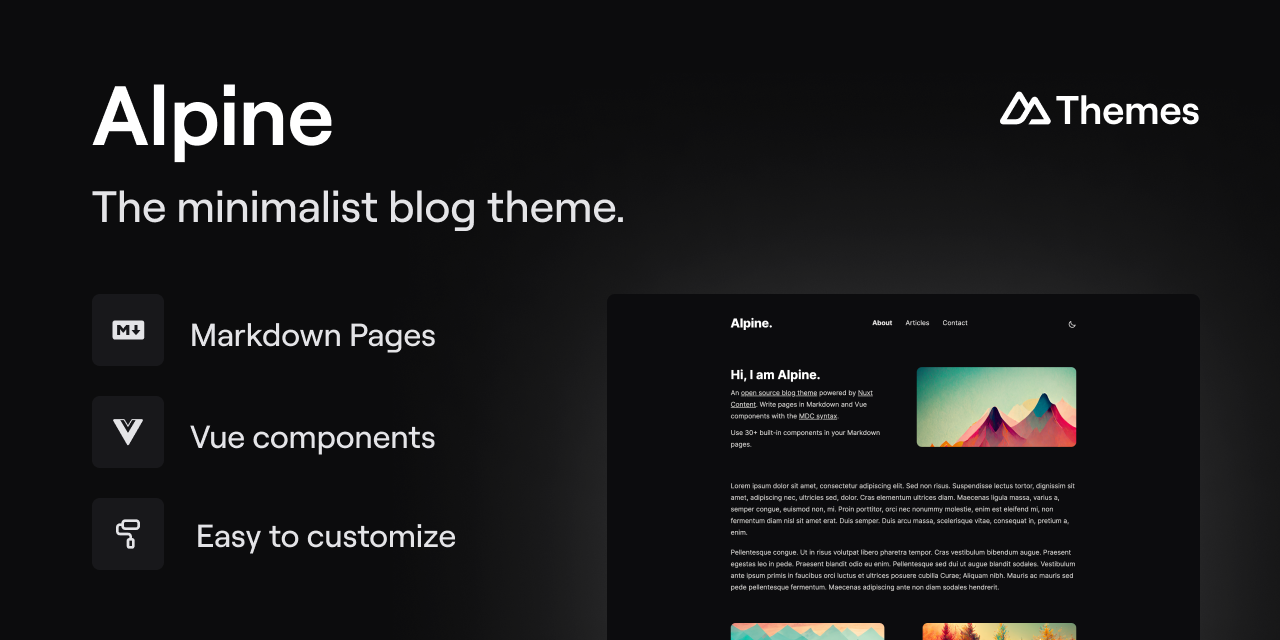
alpine-theme
Alpine 是一个以极简为设计核心的博客主题,基于 Nuxt 与 Nuxt Content 构建。 它的特别之处在于,你可以从一个简单的个人资料页开始,逐步扩展成一个完整的博客。
Nuxt · 博客
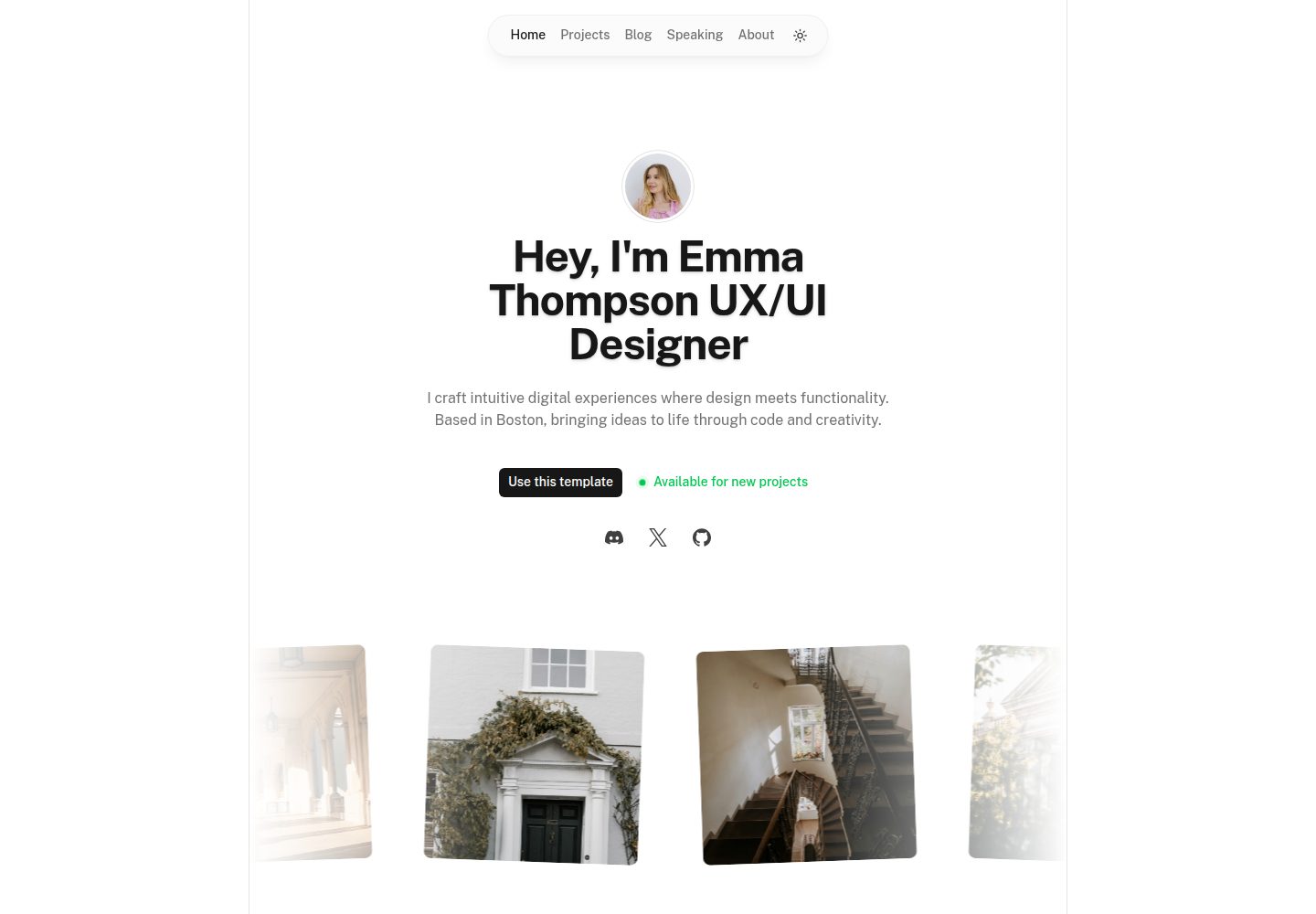
portfolio
Nuxt Portfolio Template made with Nuxt UI and Nuxt Content.
Nuxt · 作品集
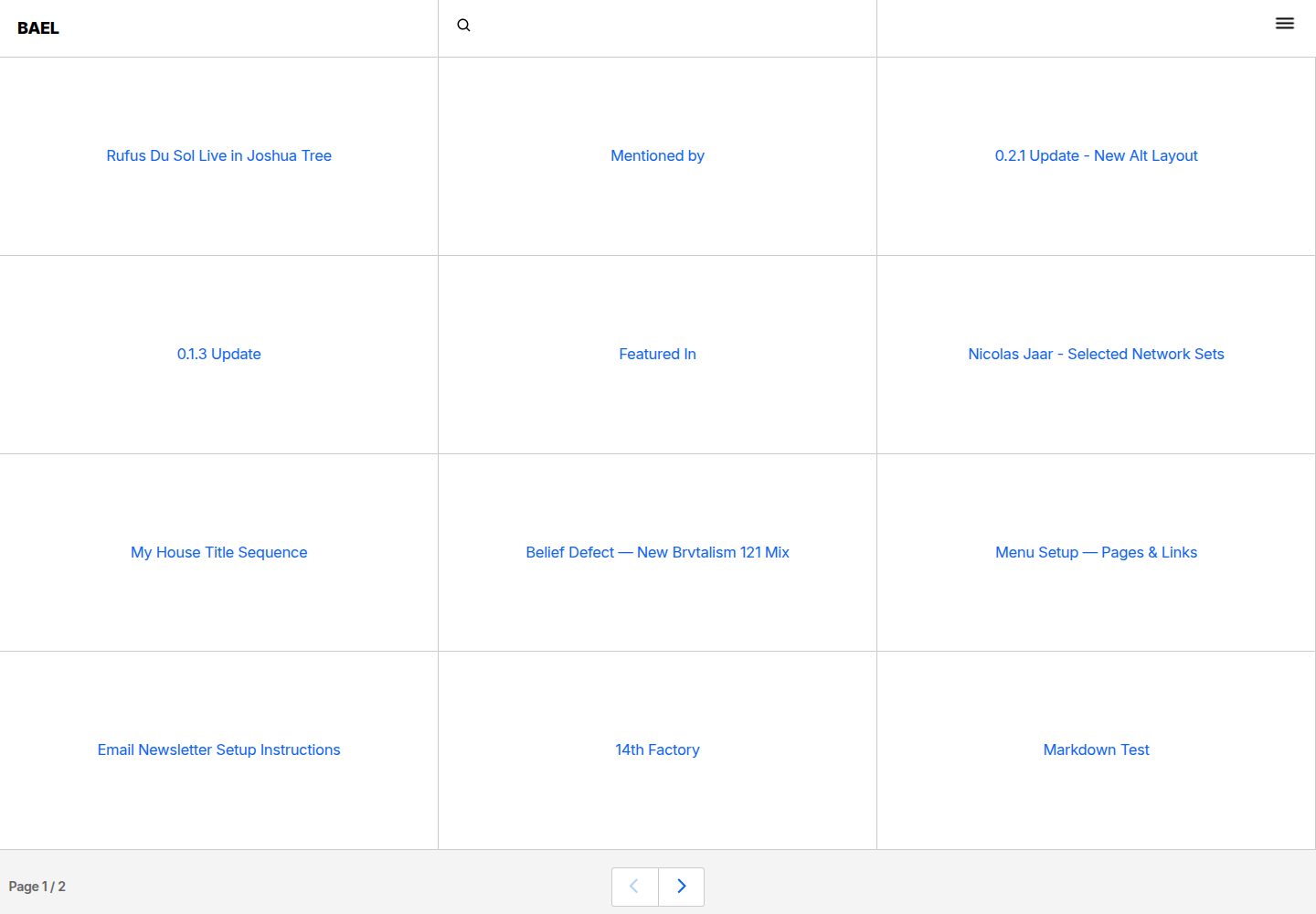
bael-template
Brutalist Blog theme for Netlify CMS
Nuxt · 博客

bloggrify
Run a blog from Markdown files. Themes, SEO, analytics, newsletter and comments preconfigured. Like Docus, but…
Nuxt · 博客
nuxtjs-tailwindcss-portfolio
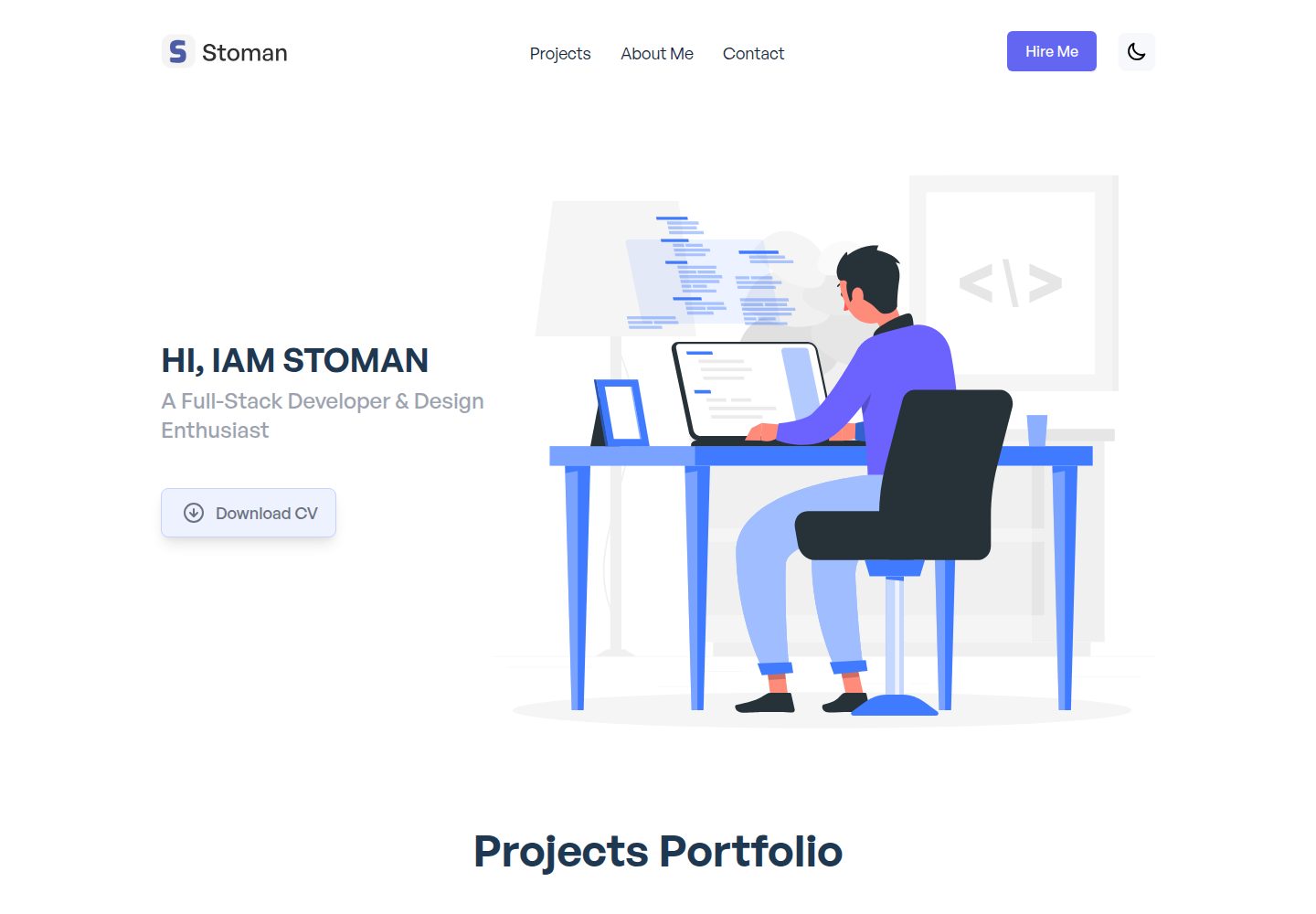
Nuxt.js & Tailwind CSS version of the portfolio project.
Nuxt · 作品集