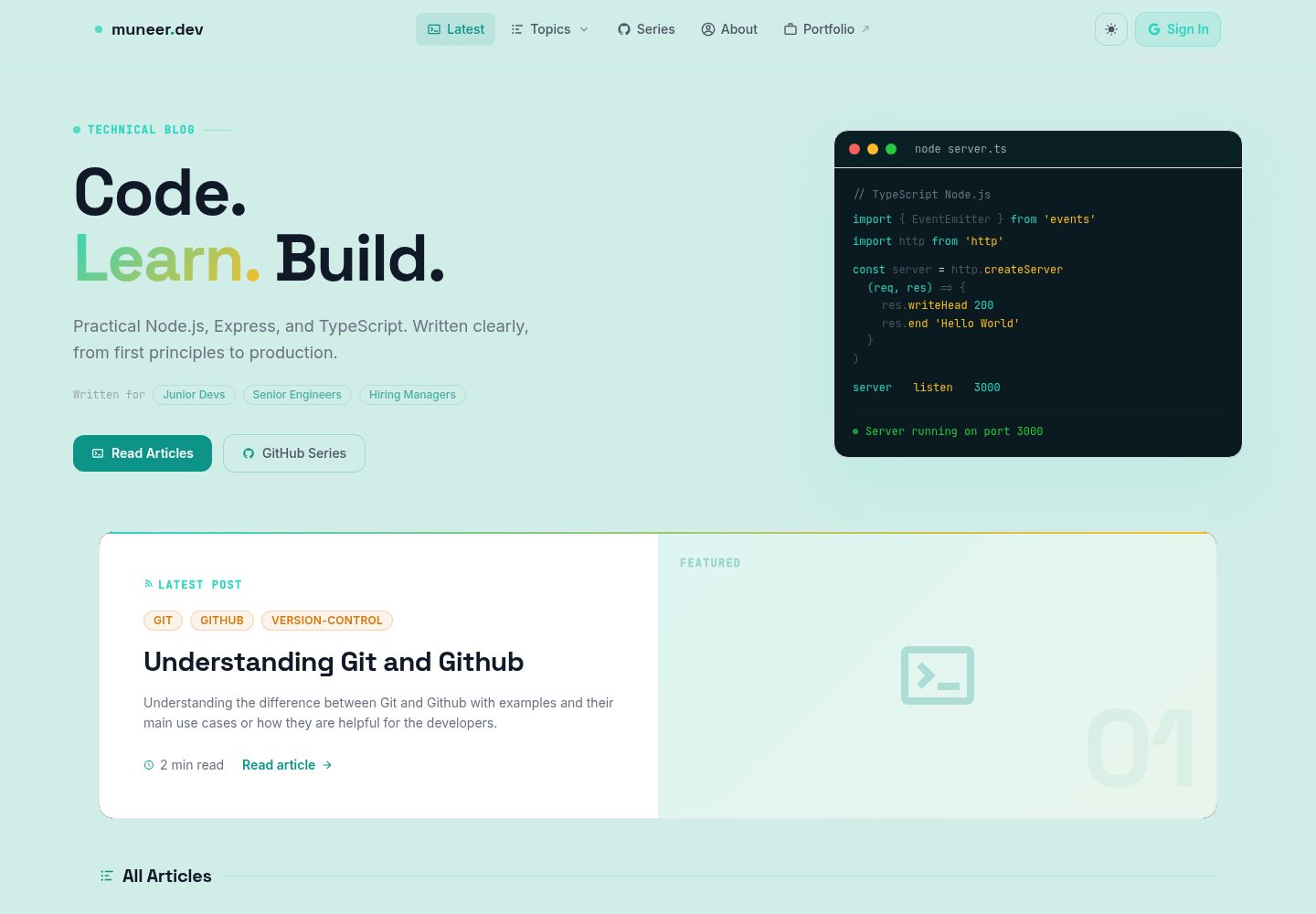
Markdown-driven content: articles are .md files under content/, with frontmatter supporting title, summary, topic, tags, author, reading time, and header image.
NuxtVuePortfolioBlog
nest-of-blogs — Nuxt Portfolio Template
By muneer-ahmed-khan
A Nuxt 3 Markdown blog and portfolio template with articles stored in the content directory, integrating Google sign-in, Firestore comments and likes, light/dark themes, and a mobile-first layout.
Explore the design
Compare the page layouts and mobile experience. Open any screenshot for a closer look.
Desktop homepage1 / 3
Desktop captureTop of page
Actual screenshot captured by the server browser.
All pages & views 3
Screenshots show visual appearance; interactive behavior may differ.
Recorded 2026-10-01View source
What stands out
A quick read of the recorded project description.
Google sign-in and Firestore interactions: comments and likes are read and written through server-side API routes, with Firebase Admin credentials kept only on the server.
Light/dark theme switching: based on @nuxtjs/color-mode's class mode, with colors defined in the ocean and mist palettes in tailwind.config.js.
Mobile-first layout: the navigation bar includes a mobile hamburger menu and a Topics accordion, and article pages provide a collapsible mobile table-of-contents panel.
Complete article pages: including a table of contents with active heading highlighting, reading time, tags, header image, social sharing, like button, and comment section.
Clear deployment paths: supports automatic deployment on Vercel, and also provides a GitHub Actions workflow to build a static export and publish it to GitHub Pages.
Template Details
nest-of-blogs is a full-stack blog platform built with Nuxt 3. Content is stored as Markdown files in the content/ directory; dropping in a file generates an article page with a table of contents, reading time, tags, a header image, social sharing, likes, and a comment section, without needing database records for the content itself. Authentication is handled through Firebase's Google provider, while comments and likes are stored in Firestore and accessed only via server-side API routes, so Firebase Admin credentials never leave the server. Styling uses Tailwind CSS with the typography plugin, icons use @nuxt/icon, user state is managed with Pinia, and theme switching is implemented via @nuxtjs/color-mode using the class strategy. The project provides a home page, about page, article detail pages, topic-filtered pages, and series article pages. Deployment targets include Vercel and static export to GitHub Pages. Before use, you need Node.js 20+ and npm, and you must configure Firebase client and Admin SDK environment variables; the README mentions Firebase integration, and you must set it up yourself and check Firebase quotas and billing before enabling dynamic features such as comments and likes. Third-party assets such as demo images, fonts, and icons must be checked against their respective licenses and cannot be assumed to be covered solely by the code's MIT license.
NuxtVuePortfolioBlog
Is it right for your project?
Use Cases
- Personal tech blog: write articles in Markdown, organize content by topic and tags, and let readers participate in comments and likes with Google accounts.
- Portfolio site: provide an about page and series article pages alongside articles to showcase author information and a coherent body of writing.
- Learning Nuxt 3 full-stack practices: reference how it organizes the content layer, server API routes, Pinia state, and Firebase integration.
- Blogs that need light/dark themes and a mobile reading experience: reuse its theme switching and responsive table-of-contents and navigation implementations.
Suitable For
- Developers who want to manage content in Markdown and avoid maintaining separate database records for articles.
- Teams or individuals who accept using Firebase and are willing to configure Google sign-in, Firestore, and Admin SDK credentials themselves.
- Sites that need a blog with reader interaction features such as comments and likes.
- Blogs or portfolios focused on mobile reading while also needing a desktop table-of-contents sidebar.
Getting started & customization
Use these recorded setup notes alongside the repository instructions for your chosen version.
- 1
Requires Node.js 20+ and npm; the project uses package-lock.json, so it is recommended not to switch to yarn or pnpm.
- 2
Copy .env.example to .env and fill in the Firebase client configuration and Admin SDK credentials; NUXT_PUBLIC_* variables are exposed to the browser, while the rest remain server-side only.
- 3
Newlines in FIREBASE_PRIVATE_KEY must be written as literal \n and the entire value wrapped in double quotes; .env is already in .gitignore, so do not commit it.
- 4
The client configuration is obtained from the Firebase console's project settings, and Admin credentials are obtained by generating a new private key through a service account.
- 5
When deploying to Vercel, add all variables in the project settings' environment variables; for static hosting, run npm run generate, with output in .output/public.
License & source material
Usage conditions & limitations
Free to use · keep license noticeThis listing covers the free version of the public repository under the MIT license; the free scope applies to that version's code and does not mean external services or third-party assets are free.
Must comply with when using
- You may use, modify, commercialize, and distribute the code of this version for free.
- When distributing copies or substantial portions of the code, retain the original author's copyright notice and the full MIT license notice.
- The code is provided as is; warranties and limitations of liability are governed by the original license and applicable law.
Additional costs & items to verify
- Using dynamic features such as comments, likes, and Google sign-in requires creating and configuring your own Firebase project, enabling Firestore and Google authentication, and providing client configuration and a service account key; these external services are subject to Firebase's own terms and quotas.
- The server-side API depends on a Firebase Admin service account private key, which you must generate in the Firebase console and keep secure; credential leaks or misconfiguration will make the features unavailable.
- When deploying to Vercel, you must manually add all environment variables in the project settings; otherwise, online comments, likes, and sign-in will not work.
- The README mentions Firebase integration; before enabling related dynamic features, you must configure it yourself and check Firebase quotas and billing.
- Demo images, fonts, icons, and other third-party assets must be checked against their respective licenses and cannot be assumed to be covered solely by the code's MIT license.
- External services such as domains, hosting, databases, payments, or AI may incur additional charges.
View Original Text Basis
Permission is hereby granted, free of charge
Original License Text
A **Firebase project** with Firestore and Google Auth enabled — you need both the client SDK config and a service account key for the Admin SDK
Original README
Get the Admin credentials from **Firebase Console → Project Settings → Service accounts → Generate new private key**.
Original README
https://github.com/muneer-ahmed-khan/nest-of-blogs/blob/master/LICENSEhttps://github.com/muneer-ahmed-khan/nest-of-blogs/blob/master/README.mdFor Vercel deployments, add all variables in **Project → Settings → Environment Variables**.
Original README
Compiled by DeepSeek based on repository license and README ·2026-10-01. Results only cover the materials read; dependencies, images, fonts, and subsequent term changes are subject to their respective original texts.
Project checks & description sources
Template Information
- Source platforms
- GitHub
- Documentation and maintenance reference score
- More documented · 88 / 100
- Technologies
- Nuxt · Vue
- Website type
- Portfolio · Blog
How this score is calculated
Our heuristic uses license records (up to 30), a demo link (12), a preview (10), stars (15), recorded maintenance (15), description completeness (8), feature records (5) and classification data (5). It is not a code, security or performance test, or a Google score. A link does not establish tested functionality.
What to verify for this project
- Repository update recorded
- 2026-04-17
- Screenshot last checked
- 2026-10-01
A demo link is listed. Check it with your own content and viewport sizes; its presence does not confirm that forms, authentication or payments work.
The catalog identifies Nuxt as the primary stack. Check the actual dependency manifest and lockfile for versions and hosting requirements. These notes use recorded metadata, not a code audit or a deployment test.
Use a selection guide →How this description was prepared
AI-assisted description based on catalog records and repository material. Repository authors are not automatically the reviewers of this description.
Automatically checked against source and license rules; no manual editorial review.
Inspect the recorded source material
SHA-256: 9fda6fd05b45622dbe710f49e16a65f96e4e80550ae214a5b5f53b6807b90280
2026-10-01T00:31:58.325Z
Source file / repository# nest-of-blogs A full-stack blog platform built with **Nuxt 3** — markdown-driven articles, Google authentication, Firestore-backed comments and likes, dark/light theming, and mobile-first layout. **Live site:** [muneer-dev.vercel.app](https://muneer-dev.vercel.app/) --- ## What it does Posts are plain Markdown files in `content/`. Drop a file in, and it becomes a fully rendered article with a table of contents, reading time, tags, header image, social share, like counter, and comment section — no database entries to manage for the content itself. Authentication runs through Firebase with the Google provider. Comments and likes are stored in Firestore and accessed only through server-side API routes, so Firebase Admin credentials never leave the server. --- ## Tech stack | Area | Choice | |---|---| | Framework | Nuxt 3 — `<script setup>` + Composition API throughout | | Language | TypeScript 5 | | Content | `@nuxt/content` v2 — Markdown with frontmatter | | Styling | Tailwind CSS v3 + `@tailwindcss/typography` | | Icons | `@nuxt/icon` | | Auth | Firebase Auth — Google provider | | Database | Firestore via Firebase Admin SDK (server-side only) | | State | Pinia — user store at `store/index.ts` | | Theme | `@nuxtjs/color-mode` — class-based dark/light switching | | Hosting | Vercel | --- ## Prerequisites - **Node.js 20+** (the CI pipeline runs on Node 20 — match it locally to avoid surprises) - **npm** (project uses `package-lock.json`, so stick with npm rather than yarn or pnpm) - A **Firebase project** with Firestore and Google Auth enabled — you need both the client SDK config and a service account key for the Admin SDK --- ## Getting started ```bash # Clone the repo git clone https://github.com/muneer-ahmed-khan/nest-of-blogs.git cd nest-of-blogs # Install dependencies npm install # Set up environment variables cp .env.example .env # Open .env and fill in your Firebase credentials (see the section below) # Start the dev server npm run dev ``` The app runs at `http://localhost:3000`. Hot reload is on by default. --- ## Environment variables Create a `.env` file at the project root. Use `.env.example` as the starting point. ```env # Firebase client keys — these are bundled into the browser build NUXT_PUBLIC_FIREBASE_API_KEY= NUXT_PUBLIC_FIREBASE_AUTH_DOMAIN= NUXT_PUBLIC_FIREBASE_PROJECT_ID= NUXT_PUBLIC_FIREBASE_STORAGE_BUCKET= NUXT_PUBLIC_FIREBASE_SENDER_ID= NUXT_PUBLIC_FIREBASE_APP_ID= NUXT_PUBLIC_FIREBASE_MEASUREMENT_ID= # Firebase Admin SDK — server-side only, never sent to the client FIREBASE_PROJECT_ID= FIREBASE_CLIENT_EMAIL= FIREBASE_PRIVATE_KEY="-----BEGIN PRIVATE KEY-----\n...\n-----END PRIVATE KEY-----\n" ``` A few things worth knowing: - `NUXT_PUBLIC_*` variables are exposed to the browser. Everything else stays on the server. - `FIREBASE_PRIVATE_KEY` must include literal `\n` sequences for the newlines inside the key — wrap the whole value in double quotes in `.env`. - Get the client config from **Firebase Console → Project Settings → Your apps**. - Get the Admin credentials from **Firebase Console → Project Settings → Service accounts → Generate new private key**. - **Never commit `.env`** — it's already in `.gitignore`. For Vercel deployments, add all variables in **Project → Settings → Environment Variables**. --- ## Available scripts ```bash npm run dev # Start dev server at localhost:3000 npm run build # Build for production (SSR) npm run generate # Build as a static site (.output/public) npm run preview # Preview the production build locally npm run postinstall # Run automatically after npm install — generates Nuxt types ``` --- ## Project structure ``` nest-of-blogs/ ├── assets/css/ │ └── tailwind.css # Tailwind entry point — custom components, animations, prose overrides ├── components/ │ ├── Navbar.vue # Fixed top navbar — auth state, dark mode toggle, mobile hamburger + Topics accordion │ ├── Header.vue # Generic page hero header │ ├── BlogHeader.vue # Header specific to the blog listing page │ ├── BlogInner.vue # Full article layout — header image, meta bar, body, mobile TOC, author footer │ ├── TableOfContent.vue # TOC with active-heading tracking; desktop sidebar + collapsible mobile panel │ ├── Footer.vue │ ├── LikeBtn.vue # Like toggle button — calls /api/likes/* │ ├── BlogShare.vue # Social share buttons │ ├── Comments.vue # Comment thread — calls /api/comments/* │ └── Alert.vue # Toast notifications (transient, scoped to user feedback) ├── composables/ │ ├── useArticles.ts # Query articles by topic or slug, compute reading time │ ├── useCheckAuth.ts # Read auth state from localStorage │ ├── useGithubSeries.ts # Fetch series posts from GitHub, 10-minute cache │ └── useReducedMotion.ts # Respect OS reduced-motion preference ├── content/ │ └── *.md # Blog post files — frontmatter + Markdown body ├── pages/ │ ├── index.vue # Home — blog listing + GitHub series preview │ ├── about.vue │ ├── blogs/[slug].vue # Article view — SEO meta, BlogInner component │ ├── topic/[name].vue # Topic-filtered article listing │ └── series/ │ ├── index.vue # All series │ └── [slug].vue # Single series article ├── plugins/ │ └── firebase.ts # Firebase client init — injects $auth and $provider ├── server/ │ ├── api/ │ │ ├── comments/ │ │ │ ├── [pid].ts # GET comments for an article │ │ │ ├── post-comment.ts # POST a new comment │ │ │ └── delete-comment.ts # DELETE a comment │ │ └── likes/ │ │ ├── [id].ts # GET like count + current user's like status │ │ └── like-blog.ts # POST toggle like (IP-based deduplication) │ ├── services/ │ │ └── firebase-admin.ts # Firebase Admin SDK — Firestore client (server-only) │ └── tsconfig.json ├── store/ │ └── index.ts # Pinia user store — name, photo URL, auth token, UID ├── public/ # Static files served as-is — images, favicon, robots.txt ├── utils/ │ └── index.ts # titleToSlug(), calculateReadTime() ├── app.vue # Root component — loading bar, Navbar, page outlet, Footer ├── nuxt.config.ts ├── tailwind.config.js └── tsconfig.json ``` --- ## Writing a blog post Create a `.md` file in `content/` with this frontmatter: ```yaml --- title: "Your post title" abstract: "One or two sentences — used on cards and for SEO description" topic: "Vue" tags: "vue nuxt composition-api" author: "Muneer Ahmed" readingTime: "8 min read" headerImage: "/BL-1001/header.jpg" --- ``` - `topic` drives the `/topic/[name]` filter pages - `tags` is space-separated - `headerImage` is relative to `/public` The slug is derived from the file name, so `my-first-post.md` → `/blogs/my-first-post`. --- ## API reference These routes live in `server/api/` and run on the Nitro server. They use Firebase Admin to talk to Firestore — no client SDK credentials involved. | Method | Path | What it does | |---|---|---| | GET | `/api/comments/[pid]` | Fetch all comments for article `pid` | | POST | `/api/comments/post-comment` | Add a comment (requires auth token) | | DELETE | `/api/comments/delete-comment` | Delete a comment (author or admin only) | | GET | `/api/likes/[id]` | Get like count + whether current user has liked | | POST | `/api/likes/like-blog` | Toggle like — deduplicates by hashed IP | --- ## Design system Colors live in `tailwind.config.js` as `ocean` (dark) and `mist` (light) palettes. The main tokens: - **Primary:** teal-400 `#2dd4bf` (dark) / teal-600 `#0d9488` (light) - **Accent:** amber-400 `#fbbf24` (dark) / amber-600 `#d97706` (light) - **Dark background:** `#040d10` - **Light background:** `#d0ede8` Fonts: **Space Grotesk** for headings, **Inter** for body text, **JetBrains Mono** for code. Theme switching is class-based — `@nuxtjs/color-mode` adds a `dark` class to `<html>` and persists the preference. Use `useColorMode().preference` to read or change it. --- ## Deployment The app deploys to Vercel automatically on every push to `master`. There is also a GitHub Actions workflow at `.github/workflows/deploy.yml` that builds a static export and publishes it to GitHub Pages. To deploy manually: ```bash # For Vercel (SSR) npm run build # For static hosting npm run generate # Output lands in .output/public ``` --- ## Contributing Contributions, fixes, and suggestions are welcome. See [CONTRIBUTING.md](CONTRIBUTING.md) for the full workflow — branch naming, commit style, and PR process. If you find a security issue, please follow the process in [SECURITY.md](SECURITY.md) rather than opening a public issue. --- ## License [MIT](LICENSE) — © 2025 Muneer Ahmed
Explore similar templates
Compare previews and descriptions within the same stack and category.

canvas
Canvas is a Nuxt-based portfolio template that uses Nuxt Content for content management and Nuxt UI with Tailwind CSS for pages.
Nuxt · Portfolio
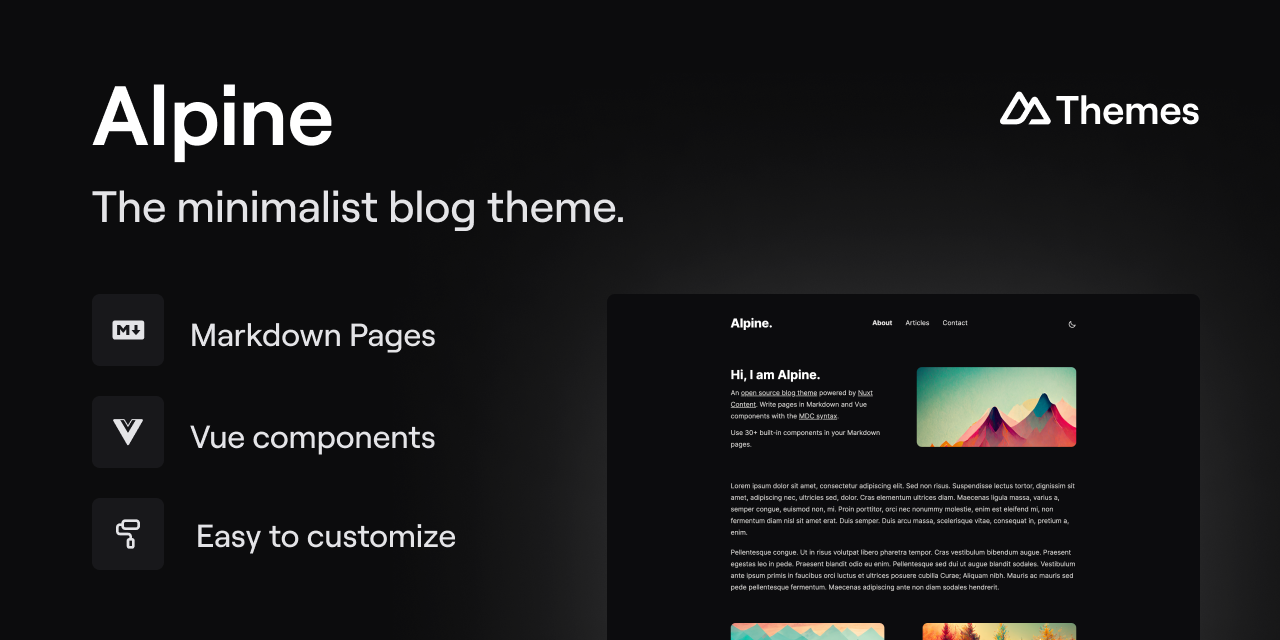
alpine-theme
Alpine is a minimalist blog theme built on Nuxt and Nuxt Content, supporting Markdown and MDC syntax with over 30 components from Nuxt Elements.
Nuxt · Blog
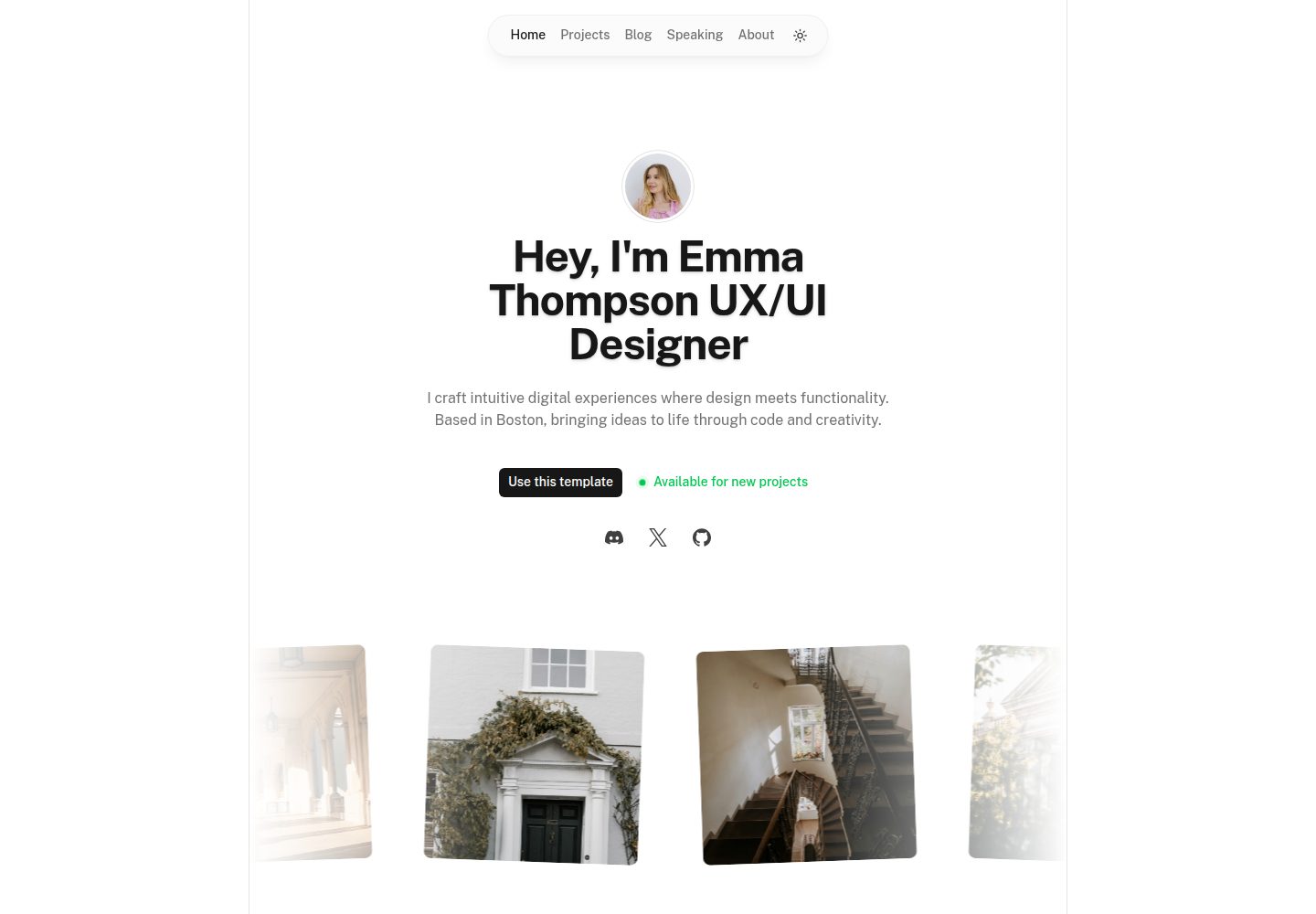
portfolio
A Nuxt portfolio template using Nuxt UI for interface components and Nuxt Content for content, intended to showcase projects, skills, and blog.
Nuxt · Portfolio
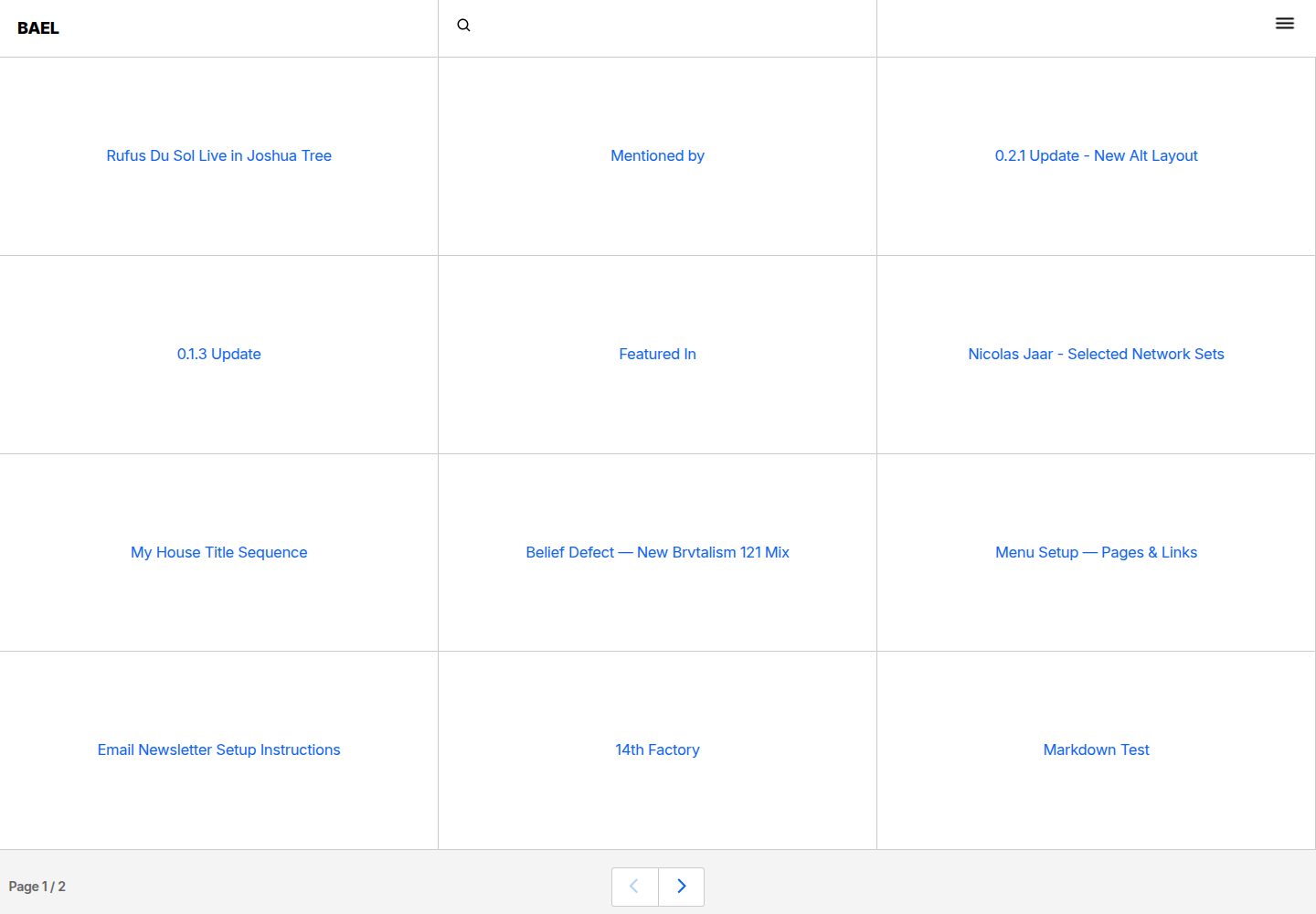
bael-template
Bael is a brutalist-style blog template built with Nuxt.js and Vue.js, using Netlify CMS for content management and deploying to Netlify. Content is stored as files in a Git repository and edited through the /admin path.
Nuxt · Blog

bloggrify
Bloggrify is a Nuxt layer that turns Markdown files into a blog site, built on Nuxt Content with preconfigured analytics, newsletter, comments, SEO, RSS, and content components.
Nuxt · Blog
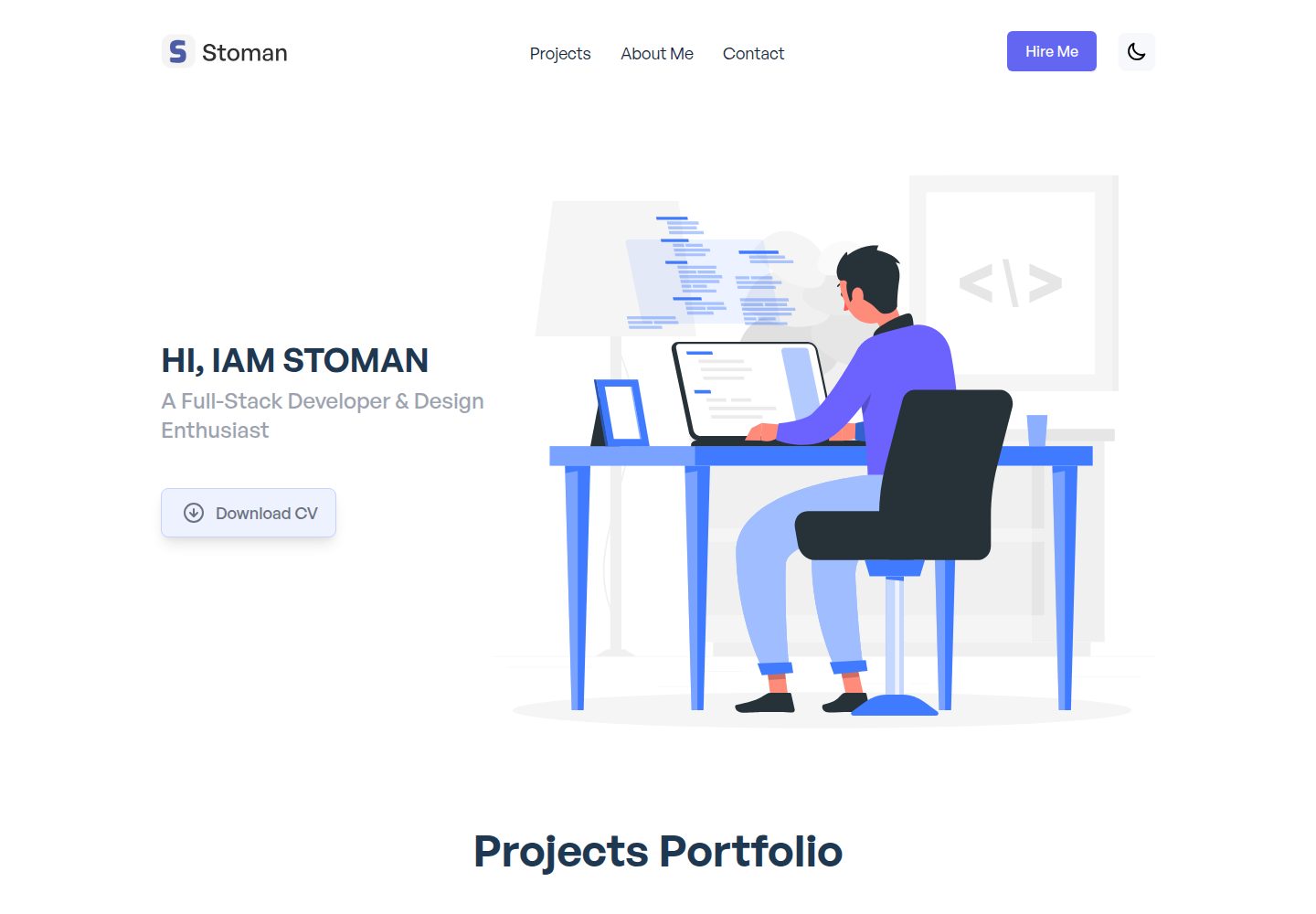
nuxtjs-tailwindcss-portfolio
A Nuxt.js and Tailwind CSS personal portfolio starter theme with dark mode, theme switching, Vuex state management, reusable components, project category filtering and title search, Vue transition animations, a project carousel, smooth scrolling, a dynamic form, a counter, and back-to-top and download…
Nuxt · Portfolio