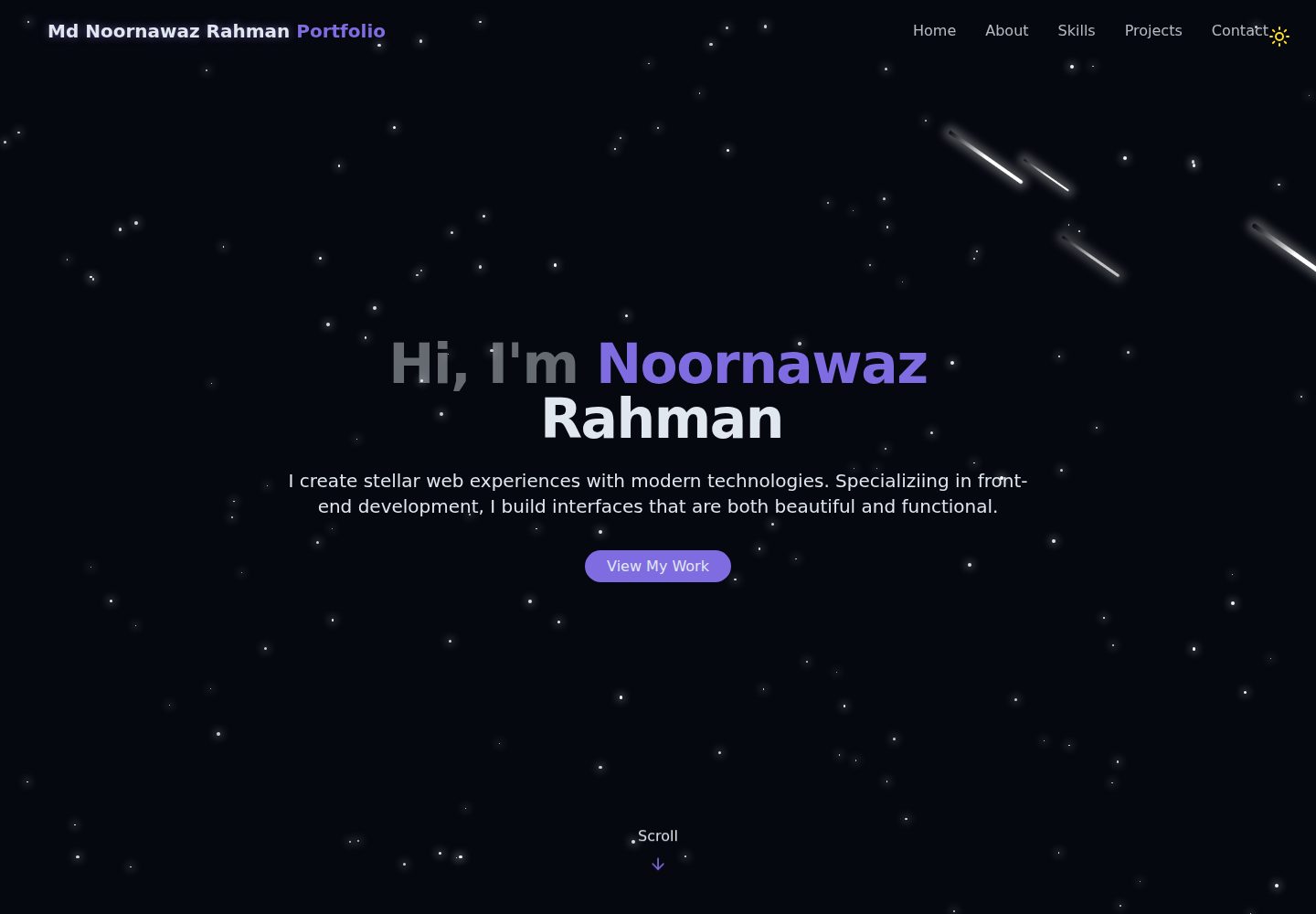
宇宙主题视觉:星空背景配合流星动画
ViteReact作品集
portfolio-react-tailwind — Vite 作品集模板
作者 NoornawazRahman
基于 React 与 Vite 构建的单页个人作品集模板,使用 Tailwind CSS 实现宇宙主题视觉,含星空与流星动画背景、明暗主题切换及联系表单。
看看你的网站会是什么样
浏览真实页面截图,比较内容排版与手机效果。点击下方缩略图切换,放大查看整页细节。
全部页面与视图 2
截图用于了解视觉与布局,交互效果请以实际项目为准。
采集于 2026-10-13查看来源
值得关注的模板亮点
从已有项目资料中,快速了解它的特点。
明暗模式切换,并保留用户主题偏好
单页结构,含 Hero、About、Skills、Projects、Contact 等区块
技能展示支持按分类筛选
联系表单带 Toast 提示反馈
使用 Tailwind CSS 编写样式,组件按区块拆分便于修改
模板详细介绍
这是一个单页作品集网站模板,采用 React 与 Vite 构建,样式由 Tailwind CSS 完成。整体视觉为宇宙主题:StarBackground 组件提供星空背景并带有流星动画,ThemeToggle 支持明暗模式切换并保留用户偏好。
页面由若干区块组成:Hero 为带动画文字的开场介绍,About 展示个人背景与专长领域,Skills 支持按分类筛选的技能展示,Projects 列出带图片与链接的项目,Contact 提供联系表单与社交媒体链接,Footer 为页脚信息。导航为单页平滑滚动,另有 NotFound 页面。
技术栈方面,README 列出 React Router DOM 用于路由、Lucide React 提供图标、Radix UI 的 Toast 组件用于提示,以及 clsx、tailwind-merge、class-variance-authority 等工具库。项目结构清晰,组件集中在 src/components,页面在 src/pages,另有 hooks 与 lib 目录。
自定义方式以直接编辑组件内数据为主:Navbar 中的名字、HeroSection 的介绍文字、AboutSection 的个人简介、ContactSection 的联系方式与社交链接、Footer 的版权信息;技能数组位于 SkillsSection,项目数组位于 ProjectsSection,项目图片需放入 public/projects/ 目录;主题颜色在 src/index.css 的 :root 与 .dark 选择器中调整。
构建产物输出到 dist 目录,可部署到 Vercel、Netlify、GitHub Pages 或 Firebase Hosting 等静态托管服务。README 提到 Firebase 集成,启用相关动态功能前需自行配置并核对 Firebase 的额度与收费。演示图片、字体、图标等第三方素材需按各自许可单独核对。
ViteReact作品集
适合你的项目吗?
适用场景
- 个人开发者搭建展示技能与项目的作品集页面
- 作为 React + Vite + Tailwind CSS 的练手或二次开发起点
- 需要明暗主题切换与动画背景的静态站点
- 部署到 Vercel、Netlify 等静态托管服务的个人站点
适合人群
- 有 React 基础、希望快速改出个人作品集的开发者
- 偏好直接编辑组件内数据、不依赖后台管理系统的使用者
- 需要单页滚动式作品集而非多页博客的场合
上手与定制指南
结合仓库当前版本的说明,按下面的资料检查内容、配置与运行要求。
- 1
克隆仓库后执行 npm install 安装依赖,npm run dev 启动开发服务器,默认访问 http://localhost:5173
- 2
个人资料分散在 Navbar、HeroSection、AboutSection、ContactSection、Footer 等组件中,需逐处替换
- 3
技能与项目数据分别位于 SkillsSection 和 ProjectsSection 的数组中,项目图片放入 public/projects/ 目录
- 4
主题颜色在 src/index.css 的 :root 与 .dark 选择器中修改
- 5
npm run build 生成 dist 目录用于部署;README 提及的 Firebase 集成需自行配置并核对额度与收费
授权与来源资料
使用条件与限制
免费使用 · 保留许可声明本次收录的是公开仓库中采用 MIT 许可的免费版本;免费范围为该版本代码,不代表外部服务或第三方素材免费。
使用时需要遵守
- 允许免费使用、修改、商用和分发该版本代码。
- 分发代码副本或实质性部分时,保留原作者版权声明和完整 MIT 许可声明。
- 代码按现状提供;担保与责任限制以原许可证及适用法律为准。
额外费用与待核对事项
- README 提及 Firebase 集成;启用相关动态功能前需自行配置,并核对 Firebase 的额度与收费。
- 演示图片、字体、图标及其他第三方素材需按各自许可核对,不能仅凭代码的 MIT 许可判断。
- 域名、托管、数据库、支付或 AI 等外部服务可能另外收费。
查看原文依据
https://github.com/NoornawazRahman/portfolio-react-tailwind/blob/main/LICENSEhttps://github.com/NoornawazRahman/portfolio-react-tailwind/blob/main/README.mdPermission is hereby granted, free of charge
许可证原文
DeepSeek 根据仓库许可证和 README 整理 ·2026-10-13。结果仅覆盖已读取资料,依赖、图片、字体及后续条款变更以各自原文为准。
项目核对记录与介绍依据
模板资料
- 来源平台
- GitHub
- 资料与维护参考分
- 资料较完整 · 85 / 100
- 技术栈
- Vite · React
- 网站类型
- 作品集
这个分数如何计算
本站按许可资料(最高30分)、演示链接(12分)、预览图(10分)、Star数(15分)、记录的维护时间(15分)、描述完整度(8分)、功能记录(5分)和分类资料(5分)计算。它不是代码、安全或性能测试,也不是 Google 评分;有链接不代表已实测可用。
这个项目需要核对什么
- 记录的仓库更新时间
- 2025-10-20
- 截图检查日期
- 2026-10-13
已收录演示链接。请用你的内容与屏幕尺寸检查;有演示不代表表单、认证或支付已经可用。
目录记录的主要技术栈是 Vite。请通过依赖清单和锁文件核对实际版本与托管要求。这些说明基于收录资料,不代表代码审计或部署实测。
查看具体选型方法 →介绍的制作与核对状态
介绍由 AI 辅助整理目录与仓库资料。仓库作者不等于这篇介绍的审核者。
审核声明: [email protected] · 2026-10-13
查看当时使用的来源资料
SHA-256: 84968daaa3a7a51a8bd2b25f2a85f03782a7c929300f55e141337ab142230b73
2026-10-13T06:55:51.511Z
来源文件 / 仓库# Portfolio Website A modern, responsive portfolio website built with React, Vite, and Tailwind CSS featuring a cosmic-themed design with animated stars and meteors. ## Features - 🌟 **Cosmic Theme** - Beautiful star-field background with animated meteors - 🌓 **Dark/Light Mode** - Toggle between dark and light themes with persistent preference - 📱 **Fully Responsive** - Optimized for all device sizes - ⚡ **Fast Performance** - Built with Vite for lightning-fast development and builds - 🎨 **Modern UI** - Sleek design with smooth animations and transitions - 📧 **Contact Form** - Interactive contact section with toast notifications - 🎯 **Smooth Navigation** - Single-page application with smooth scrolling ## Sections - **Hero** - Eye-catching introduction with animated text - **About** - Professional background and expertise areas - **Skills** - Interactive skills showcase with filtering by category - **Projects** - Featured projects with images and links - **Contact** - Contact form and social media links ## Tech Stack - **Frontend Framework**: React 19 - **Build Tool**: Vite 7 - **Styling**: Tailwind CSS 4 - **Routing**: React Router DOM - **Icons**: Lucide React - **UI Components**: Radix UI (Toast) - **Utilities**: clsx, tailwind-merge, class-variance-authority ## Installation 1. Clone the repository: ```bash git clone <repository-url> cd portfolio ``` 2. Install dependencies: ```bash npm install ``` 3. Start the development server: ```bash npm run dev ``` 4. Open your browser and visit `http://localhost:5173` ## Available Scripts - `npm run dev` - Start development server - `npm run build` - Build for production - `npm run preview` - Preview production build - `npm run lint` - Run ESLint ## Project Structure ``` portfolio/ ├── public/ │ └── vite.svg ├── src/ │ ├── assets/ │ │ └── react.svg │ ├── components/ │ │ ├── ui/ │ │ │ ├── toast.jsx │ │ │ └── toaster.jsx │ │ ├── AboutSection.jsx │ │ ├── ContactSection.jsx │ │ ├── Footer.jsx │ │ ├── HeroSection.jsx │ │ ├── Navbar.jsx │ │ ├── ProjectsSection.jsx │ │ ├── SkillsSection.jsx │ │ ├── StarBackground.jsx │ │ └── ThemeToggle.jsx │ ├── hooks/ │ │ └── use-toast.js │ ├── lib/ │ │ └── utils.js │ ├── pages/ │ │ ├── Home.jsx │ │ └── NotFound.jsx │ ├── App.jsx │ ├── index.css │ └── main.jsx ├── .gitignore ├── eslint.config.js ├── index.html ├── package.json ├── README.md └── vite.config.js ``` ## Customization ### Personal Information Update your personal information in the following files: - **Navbar.jsx** - Your name in the logo - **HeroSection.jsx** - Your introduction text - **AboutSection.jsx** - Your bio and expertise - **ContactSection.jsx** - Your contact details and social media links - **Footer.jsx** - Copyright information ### Skills Edit the `skills` array in `src/components/SkillsSection.jsx` to add or modify your skills. ### Projects Update the `projects` array in `src/components/ProjectsSection.jsx` with your actual projects. Add project images to the `public/projects/` directory. ### Theme Colors Modify theme colors in `src/index.css` under the `:root` and `.dark` selectors. ## Browser Support - Chrome (latest) - Firefox (latest) - Safari (latest) - Edge (latest) ## Performance Optimization - Lazy loading for images - Code splitting with React Router - Optimized animations with CSS - Minimal bundle size with tree-shaking ## Deployment Build the project for production: ```bash npm run build ``` The optimized files will be in the `dist` directory, ready to be deployed to any static hosting service like: - Vercel - Netlify - GitHub Pages - Firebase Hosting ## License This project is open source and available under the [MIT License](LICENSE). ## Contact For any inquiries or feedback, please reach out through the contact form on the website or via: - Email: [email protected] - LinkedIn: [Md Noornawaz Rahman](https://www.linkedin.com/in/md-noornawaz-rahman/) --- Made with ❤️ using React and Tailwind CSS
看看同类模板
对比同技术栈与用途的模板,找到更适合的视觉与内容结构。

Resumify
Free, privacy-first resume builder — 6 ATS-friendly templates, full customization, JSON import/export. No sign…
Vite · 作品集

showlit
✨ Showlit - A modern and clean template for creating a personal website
Vite · 作品集

folium
Professional developer portfolio boilerplate (React • TypeScript • Tailwind • Vite) with simple content custom…
Vite · 作品集

kurizu-discord
A Discord themed website built using React & Vite
Vite · 作品集

about-me-personal-portfolio-website-template
Simple Personal Website Template, built with bootstrap and vite js project.
Vite · 作品集
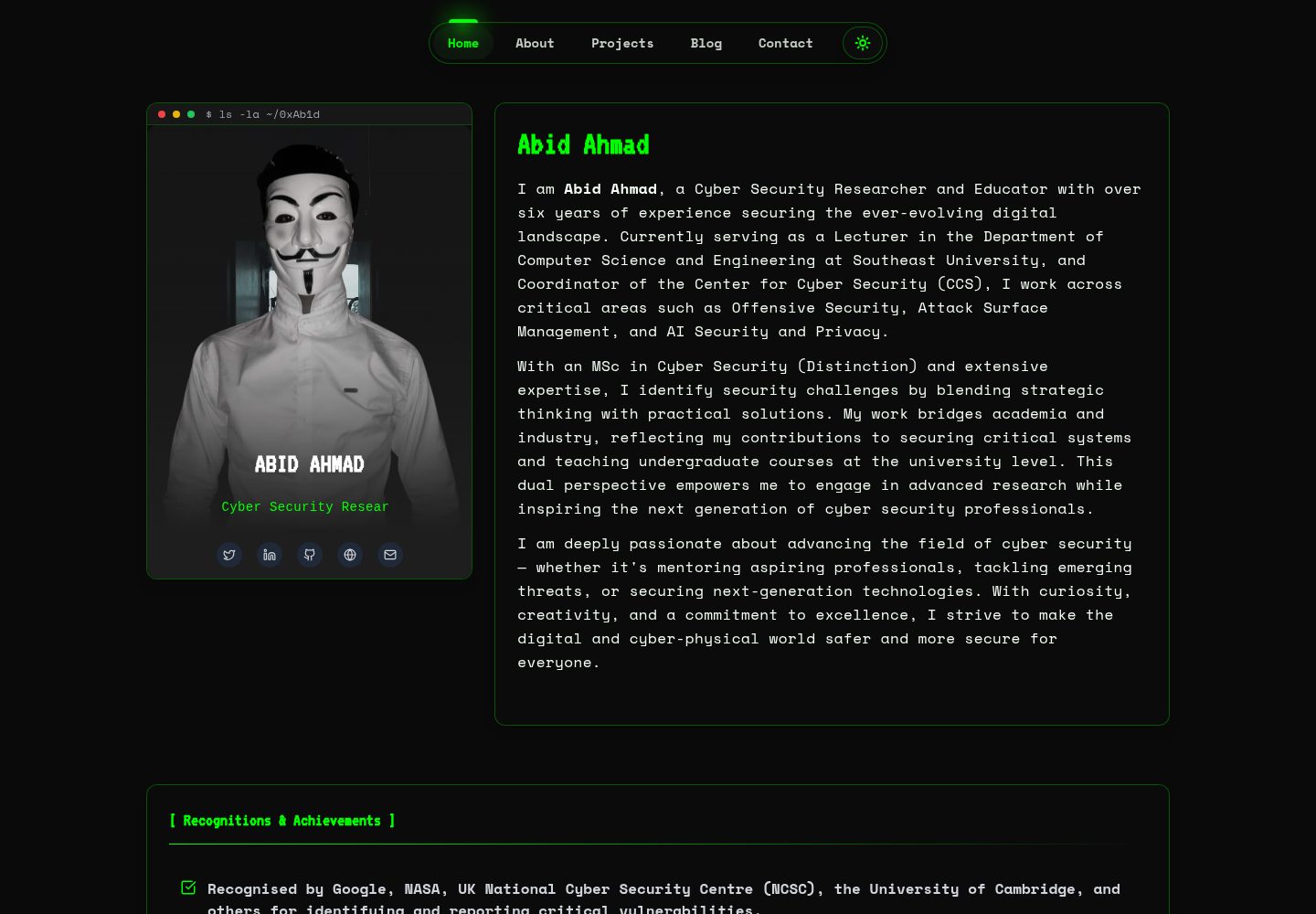
HackFolio
A high-performance, SEO-optimized hacker-themed portfolio website tailored for for ethical hackers, penetratio…
Vite · 作品集