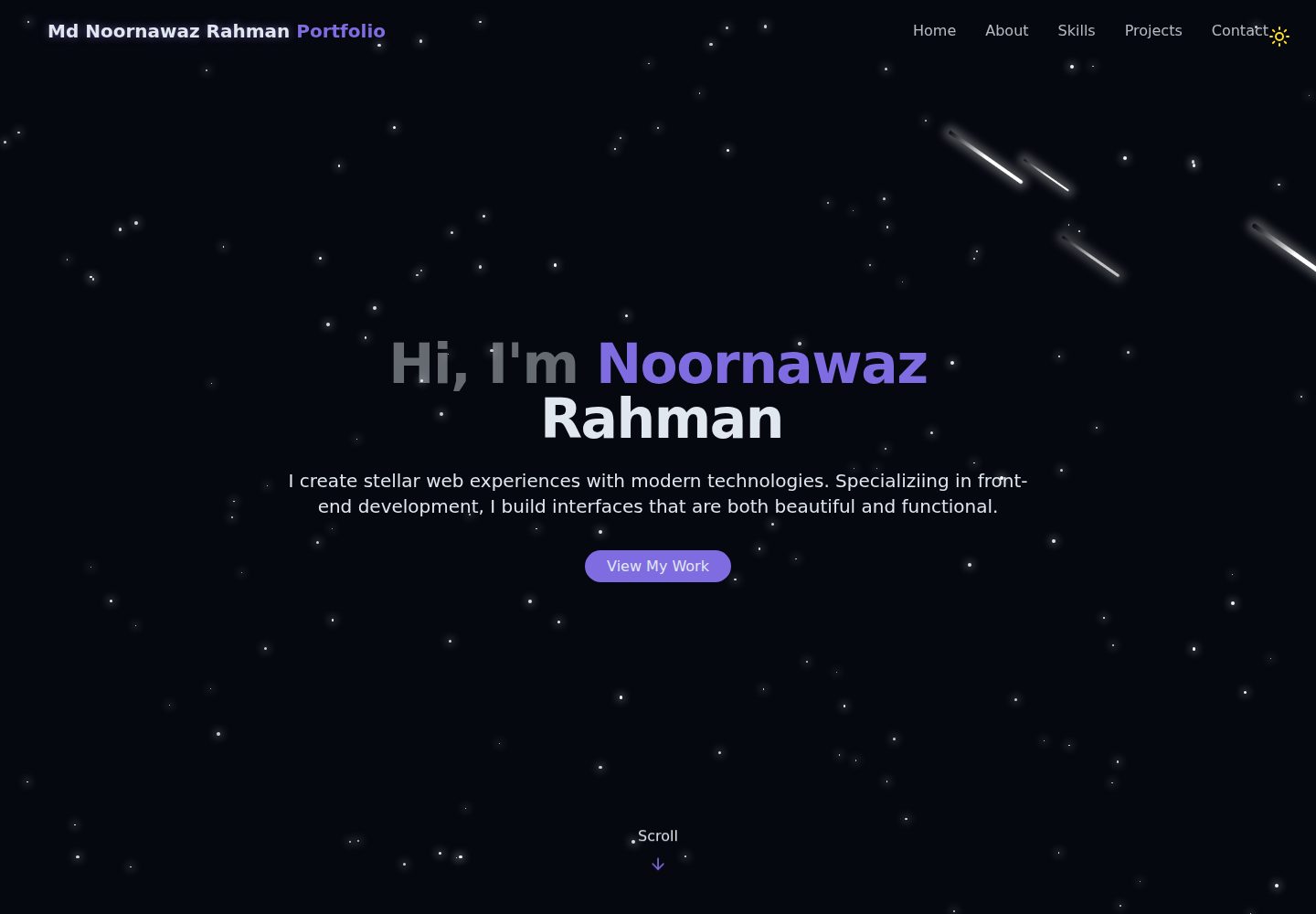
Cosmic-themed visuals: starry background with meteor animations
ViteReactPortfolio
portfolio-react-tailwind — Vite Portfolio Template
By NoornawazRahman
A single-page personal portfolio template built with React and Vite, using Tailwind CSS for a cosmic-themed visual with a starry sky and meteor animation background, light/dark theme toggle, and a contact form.
Explore the design
Compare the page layouts and mobile experience. Open any screenshot for a closer look.
Desktop homepage1 / 2
Desktop captureTop of page
Actual screenshot captured by the server browser.
All pages & views 2
Screenshots show visual appearance; interactive behavior may differ.
Recorded 2026-10-13View source
What stands out
A quick read of the recorded project description.
Light/dark mode toggle that preserves user theme preference
Single-page structure with Hero, About, Skills, Projects, Contact, and other sections
Skill display supports category filtering
Contact form with Toast notification feedback
Styled with Tailwind CSS, with components split by section for easy modification
Template Details
This is a single-page portfolio website template built with React and Vite, styled with Tailwind CSS. The overall visual theme is cosmic: the StarBackground component provides a starry background with meteor animations, and ThemeToggle supports light/dark mode switching while preserving user preferences.
The page consists of several sections: Hero is an animated text introduction, About shows personal background and areas of expertise, Skills supports category-filtered skill display, Projects lists projects with images and links, Contact provides a contact form and social media links, and Footer contains footer information. Navigation is single-page smooth scrolling, and there is also a NotFound page.
On the technical side, the README lists React Router DOM for routing, Lucide React for icons, Radix UI's Toast component for notifications, and utility libraries such as clsx, tailwind-merge, and class-variance-authority. The project structure is clear, with components in src/components, pages in src/pages, and additional hooks and lib directories.
Customization is mainly done by directly editing data within components: the name in Navbar, the introduction text in HeroSection, the personal bio in AboutSection, the contact details and social links in ContactSection, and the copyright information in Footer; the skills array is in SkillsSection, the projects array is in ProjectsSection, and project images should be placed in the public/projects/ directory; theme colors are adjusted in the :root and .dark selectors in src/index.css.
The build output goes to the dist directory and can be deployed to static hosting services such as Vercel, Netlify, GitHub Pages, or Firebase Hosting. The README mentions Firebase integration; before enabling related dynamic features, you need to configure it yourself and check Firebase's quotas and pricing. Third-party assets such as demo images, fonts, and icons need to be checked separately under their respective licenses.
ViteReactPortfolio
Is it right for your project?
Use Cases
- Individual developers building a portfolio page to showcase skills and projects
- As a starting point for practice or secondary development with React + Vite + Tailwind CSS
- Static sites that need light/dark theme switching and an animated background
- Personal sites deployed to static hosting services such as Vercel or Netlify
Suitable For
- Developers with React basics who want to quickly customize a personal portfolio
- Users who prefer directly editing data within components and do not rely on a backend management system
- Situations requiring a single-page scrolling portfolio rather than a multi-page blog
Getting started & customization
Use these recorded setup notes alongside the repository instructions for your chosen version.
- 1
After cloning the repository, run npm install to install dependencies, then npm run dev to start the development server, accessible by default at http://localhost:5173
- 2
Personal information is scattered across components such as Navbar, HeroSection, AboutSection, ContactSection, and Footer, and needs to be replaced in each place
- 3
Skill and project data are in arrays in SkillsSection and ProjectsSection respectively; project images go in the public/projects/ directory
- 4
Theme colors are modified in the :root and .dark selectors in src/index.css
- 5
npm run build generates the dist directory for deployment; the Firebase integration mentioned in the README requires your own configuration and checking of quotas and pricing
License & source material
Usage conditions & limitations
Free to use · keep license noticeThis entry covers the free version under the MIT license in the public repository; the free scope is the code of this version and does not mean external services or third-party assets are free.
Must comply with when using
- You are allowed to use, modify, commercialize, and distribute the code of this version for free.
- When distributing copies or substantial portions of the code, retain the original author's copyright notice and the full MIT license notice.
- The code is provided as is; warranties and limitations of liability are governed by the original license and applicable law.
Additional costs & items to verify
- The README mentions Firebase integration; before enabling related dynamic features, you need to configure it yourself and check Firebase's quotas and pricing.
- Demo images, fonts, icons, and other third-party assets need to be checked under their respective licenses and cannot be judged solely by the code's MIT license.
- External services such as domains, hosting, databases, payments, or AI may incur additional charges.
View Original Text Basis
Compiled by DeepSeek based on repository license and README ·2026-10-13. Results only cover the materials read; dependencies, images, fonts, and subsequent term changes are subject to their respective original texts.
Project checks & description sources
Template Information
- Source platforms
- GitHub
- Documentation and maintenance reference score
- More documented · 85 / 100
- Technologies
- Vite · React
- Website type
- Portfolio
How this score is calculated
Our heuristic uses license records (up to 30), a demo link (12), a preview (10), stars (15), recorded maintenance (15), description completeness (8), feature records (5) and classification data (5). It is not a code, security or performance test, or a Google score. A link does not establish tested functionality.
What to verify for this project
- Repository update recorded
- 2025-10-20
- Screenshot last checked
- 2026-10-13
A demo link is listed. Check it with your own content and viewport sizes; its presence does not confirm that forms, authentication or payments work.
The catalog identifies Vite as the primary stack. Check the actual dependency manifest and lockfile for versions and hosting requirements. These notes use recorded metadata, not a code audit or a deployment test.
Use a selection guide →How this description was prepared
AI-assisted description based on catalog records and repository material. Repository authors are not automatically the reviewers of this description.
Review declaration: [email protected] · 2026-10-13
Inspect the recorded source material
SHA-256: 84968daaa3a7a51a8bd2b25f2a85f03782a7c929300f55e141337ab142230b73
2026-10-13T06:55:51.511Z
Source file / repository# Portfolio Website A modern, responsive portfolio website built with React, Vite, and Tailwind CSS featuring a cosmic-themed design with animated stars and meteors. ## Features - 🌟 **Cosmic Theme** - Beautiful star-field background with animated meteors - 🌓 **Dark/Light Mode** - Toggle between dark and light themes with persistent preference - 📱 **Fully Responsive** - Optimized for all device sizes - ⚡ **Fast Performance** - Built with Vite for lightning-fast development and builds - 🎨 **Modern UI** - Sleek design with smooth animations and transitions - 📧 **Contact Form** - Interactive contact section with toast notifications - 🎯 **Smooth Navigation** - Single-page application with smooth scrolling ## Sections - **Hero** - Eye-catching introduction with animated text - **About** - Professional background and expertise areas - **Skills** - Interactive skills showcase with filtering by category - **Projects** - Featured projects with images and links - **Contact** - Contact form and social media links ## Tech Stack - **Frontend Framework**: React 19 - **Build Tool**: Vite 7 - **Styling**: Tailwind CSS 4 - **Routing**: React Router DOM - **Icons**: Lucide React - **UI Components**: Radix UI (Toast) - **Utilities**: clsx, tailwind-merge, class-variance-authority ## Installation 1. Clone the repository: ```bash git clone <repository-url> cd portfolio ``` 2. Install dependencies: ```bash npm install ``` 3. Start the development server: ```bash npm run dev ``` 4. Open your browser and visit `http://localhost:5173` ## Available Scripts - `npm run dev` - Start development server - `npm run build` - Build for production - `npm run preview` - Preview production build - `npm run lint` - Run ESLint ## Project Structure ``` portfolio/ ├── public/ │ └── vite.svg ├── src/ │ ├── assets/ │ │ └── react.svg │ ├── components/ │ │ ├── ui/ │ │ │ ├── toast.jsx │ │ │ └── toaster.jsx │ │ ├── AboutSection.jsx │ │ ├── ContactSection.jsx │ │ ├── Footer.jsx │ │ ├── HeroSection.jsx │ │ ├── Navbar.jsx │ │ ├── ProjectsSection.jsx │ │ ├── SkillsSection.jsx │ │ ├── StarBackground.jsx │ │ └── ThemeToggle.jsx │ ├── hooks/ │ │ └── use-toast.js │ ├── lib/ │ │ └── utils.js │ ├── pages/ │ │ ├── Home.jsx │ │ └── NotFound.jsx │ ├── App.jsx │ ├── index.css │ └── main.jsx ├── .gitignore ├── eslint.config.js ├── index.html ├── package.json ├── README.md └── vite.config.js ``` ## Customization ### Personal Information Update your personal information in the following files: - **Navbar.jsx** - Your name in the logo - **HeroSection.jsx** - Your introduction text - **AboutSection.jsx** - Your bio and expertise - **ContactSection.jsx** - Your contact details and social media links - **Footer.jsx** - Copyright information ### Skills Edit the `skills` array in `src/components/SkillsSection.jsx` to add or modify your skills. ### Projects Update the `projects` array in `src/components/ProjectsSection.jsx` with your actual projects. Add project images to the `public/projects/` directory. ### Theme Colors Modify theme colors in `src/index.css` under the `:root` and `.dark` selectors. ## Browser Support - Chrome (latest) - Firefox (latest) - Safari (latest) - Edge (latest) ## Performance Optimization - Lazy loading for images - Code splitting with React Router - Optimized animations with CSS - Minimal bundle size with tree-shaking ## Deployment Build the project for production: ```bash npm run build ``` The optimized files will be in the `dist` directory, ready to be deployed to any static hosting service like: - Vercel - Netlify - GitHub Pages - Firebase Hosting ## License This project is open source and available under the [MIT License](LICENSE). ## Contact For any inquiries or feedback, please reach out through the contact form on the website or via: - Email: [email protected] - LinkedIn: [Md Noornawaz Rahman](https://www.linkedin.com/in/md-noornawaz-rahman/) --- Made with ❤️ using React and Tailwind CSS
Explore similar templates
Compare previews and descriptions within the same stack and category.

Resumify
Resumify is a browser-based resume builder built with React, TypeScript, and Vite.
Vite · Portfolio

showlit
Showlit is a personal website template built with React, Vite, TypeScript, Tailwind CSS, and shadcn/ui.
Vite · Portfolio

folium
A developer portfolio template built with Vite, React, TypeScript, and Tailwind CSS.
Vite · Portfolio

kurizu-discord
A personal portfolio website built with React and Vite that mimics the Discord desktop app, organizing projects, skills, and experience into customizable channels, threads, a member list, and emoji reactions.
Vite · Portfolio

about-me-personal-portfolio-website-template
AboutMe is a free personal website template built with Bootstrap and Vite, released under the MIT license. It provides a single-page index.html with organized src directories for images, JavaScript, and SCSS, along with npm scripts for development and build.
Vite · Portfolio
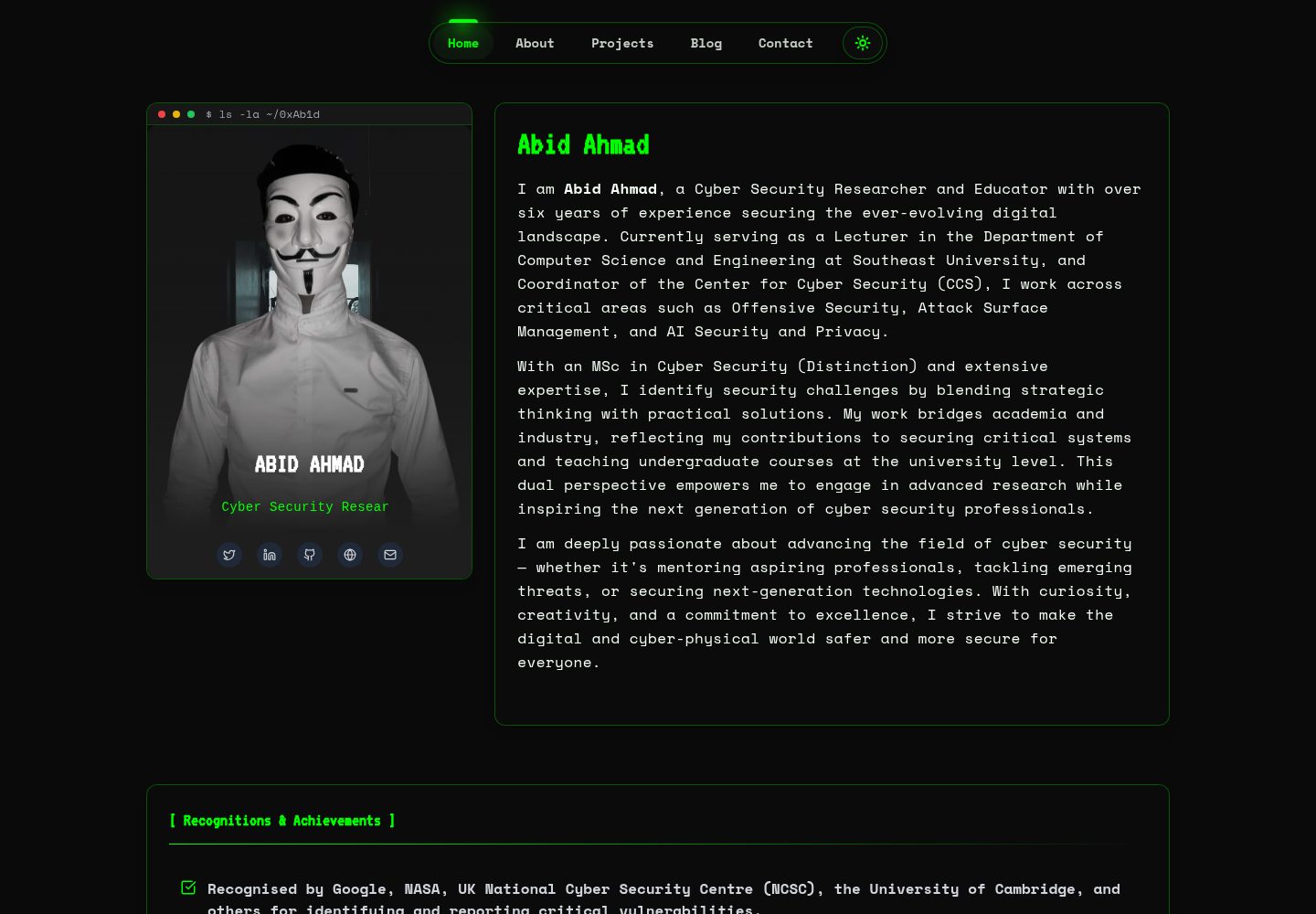
HackFolio
HackFolio is a hacker-style personal portfolio template for ethical hackers, penetration testers, bug bounty hunters, red teamers, and cybersecurity professionals.
Vite · Portfolio