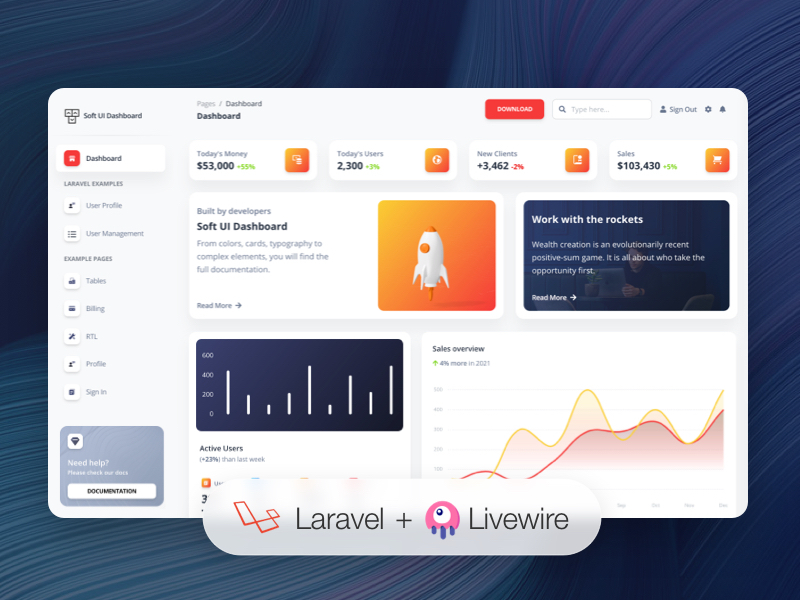
基于 Soft UI Dashboard 设计,提供约 70 个手工制作的 UI 组件
Laravel后台
noorzeea-dashboard-laravel — Laravel 后台模板
作者 noorzeea-templates
基于 Soft UI Dashboard 的 Laravel Livewire 后台模板,内置认证、用户资料与仪表盘等示例页面。
看看你的网站会是什么样
浏览真实页面截图,比较内容排版与手机效果。点击下方缩略图切换,放大查看整页细节。
目前有 1 张原始预览,可打开完整图片查看设计细节。
截图用于了解视觉与布局,交互效果请以实际项目为准。
采集于 2026-10-13查看来源
值得关注的模板亮点
从已有项目资料中,快速了解它的特点。
使用 Laravel Livewire 与 Alpine.js 构建动态交互界面
内置注册、登录、忘记密码、重置密码和用户资料编辑功能
包含仪表盘、账单、表格等 7 个示例页面
附带组件与功能的详细文档,并预置路由到 routes/web.php
以 MIT 许可发布,允许个人与商业项目免费使用和修改
模板详细介绍
该模板将 Creative Tim 的 Soft UI Dashboard 设计移植到 Laravel,并使用 Livewire 与 Alpine.js 构建动态界面。README 说明其提供约 70 个手工制作的 UI 组件、7 个示例页面,以及基于 Laravel 的注册、登录、忘记密码、重置密码和用户资料编辑功能。默认账号为 [email protected],密码 secret,需先执行迁移与填充。
代码以 MIT 许可发布,可用于个人和商业项目。模板依赖 Apache、PHP、MySQL 与 Composer 环境,安装步骤包括 composer install、配置 .env、生成密钥、执行迁移与填充、创建存储软链接。演示图片、字体、图标等第三方素材需单独核对许可,域名、托管、数据库等外部服务可能产生费用。
Laravel后台
适合你的项目吗?
适用场景
- 快速搭建需要登录认证与用户资料管理的 Laravel 后台界面
- 在 Laravel 项目中引入 Soft UI 风格的管理面板作为起点
- 学习 Livewire 与 Alpine.js 在 Laravel 中实现认证和仪表盘页面的示例
- 为客户或内部系统提供带示例页面和文档的后台模板基础
适合人群
- 熟悉 Laravel 与 Composer 的开发者
- 需要带认证与用户资料功能的后台模板的团队
- 希望基于 Soft UI 设计快速启动管理界面的项目
- 接受 MIT 许可并会自行核对第三方素材许可的使用者
上手与定制指南
结合仓库当前版本的说明,按下面的资料检查内容、配置与运行要求。
- 1
需要 Apache、PHP、MySQL 环境,并安装 Composer 与 Laravel
- 2
解压后重命名项目文件夹,在终端运行 composer install
- 3
复制 .env.example 为 .env,配置数据库等参数
- 4
运行 php artisan key:generate、php artisan migrate --seed 和 php artisan storage:link
- 5
可使用默认账号 [email protected] / secret 登录,或自行注册用户
授权与来源资料
使用条件与限制
免费使用 · 保留许可声明本次收录的是公开仓库中采用 MIT 许可的免费版本;免费范围为该版本代码,不代表外部服务或第三方素材免费。
使用时需要遵守
- 允许免费使用、修改、商用和分发该版本代码。
- 分发代码副本或实质性部分时,保留原作者版权声明和完整 MIT 许可声明。
- 代码按现状提供;担保与责任限制以原许可证及适用法律为准。
额外费用与待核对事项
- 演示图片、字体、图标及其他第三方素材需按各自许可核对,不能仅凭代码的 MIT 许可判断。
- 域名、托管、数据库、支付或 AI 等外部服务可能另外收费。
- 使用该模板需要自行准备 Apache、PHP 与 MySQL 本地环境,README 仅提供各平台环境搭建教程链接,不包含这些外部服务。
- 使用前必须额外安装 Composer 与 Laravel 框架,模板本身不提供这些依赖。
- 必须自行配置 .env 文件,尤其是数据库连接信息,否则无法运行。
- 需要执行数据库迁移与填充命令来创建数据表和预置用户,依赖可用的数据库服务。
- 需运行 storage:link 创建存储软链接;若使用 Vagrant/Homestead,必须进入虚拟机内执行该命令。
- 默认账号 [email protected] / secret 只有在执行迁移与填充后才可用,否则需自行注册用户。
- 所有功能页面需登录后才能查看,未登录只能访问登录与注册页。
- 密码重置链接有效期为 12 小时,超时后需重新发起找回流程。
- 官方仅支持所列浏览器(Chrome、Firefox、Edge、Safari、Opera)的最新两个版本,其他浏览器不保证兼容。
查看原文依据
Permission is hereby granted, free of charge
许可证原文
If you don't already have an Apache local environment with PHP and MySQL, use one of the following links:
README 原文
Also, you will need to install Composer: https://getcomposer.org/doc/00-intro.md And Laravel: https://laravel.com/docs/9.x/installation
README 原文
Copy `.env.example` to `.env` and updated the configurations (mainly the database configuration)
README 原文
Run `php artisan migrate --seed` to create the database tables and seed the roles and users tables
README 原文
Run `php artisan storage:link` to create the storage symlink (if you are using **Vagrant** with **Homestead** for development, remember to ssh into your virtual machine and run the command from there).
README 原文
Register a user or login with default user **[email protected]** and password **secret** from your database and start testing (make sure to run the migrations and seeders for these credentials to be available).
README 原文
Keep in mind that all of the features can be viewed once you login using the credentials provided or by registering your own user.
README 原文
The link for resetting the password is available for 12 hours.
README 原文
https://github.com/noorzeea-templates/noorzeea-dashboard-laravel/blob/master/LICENCE.mdhttps://github.com/noorzeea-templates/noorzeea-dashboard-laravel/blob/master/README.mdAt present, we officially aim to support the last two versions of the following browsers:
README 原文
DeepSeek 根据仓库许可证和 README 整理 ·2026-10-13。结果仅覆盖已读取资料,依赖、图片、字体及后续条款变更以各自原文为准。
项目核对记录与介绍依据
模板资料
- 来源平台
- GitHub
- 资料与维护参考分
- 资料较少 · 53 / 100
- 技术栈
- Laravel
- 网站类型
- 后台
这个分数如何计算
本站按许可资料(最高30分)、演示链接(12分)、预览图(10分)、Star数(15分)、记录的维护时间(15分)、描述完整度(8分)、功能记录(5分)和分类资料(5分)计算。它不是代码、安全或性能测试,也不是 Google 评分;有链接不代表已实测可用。
这个项目需要核对什么
- 记录的仓库更新时间
- 2022-04-11
- 截图检查日期
- 2026-10-13
目前没有记录演示链接。请依据仓库说明在本地评估;仅凭截图无法确认交互行为。
目录记录的主要技术栈是 Laravel。请通过依赖清单和锁文件核对实际版本与托管要求。这些说明基于收录资料,不代表代码审计或部署实测。
查看具体选型方法 →介绍的制作与核对状态
介绍由 AI 辅助整理目录与仓库资料。仓库作者不等于这篇介绍的审核者。
审核声明: [email protected] · 2026-10-13
查看当时使用的来源资料
SHA-256: 47fdfa1a3b4591242285932b1a7395d67dcf6e0850c48e94fd4e2e3801039d8f
2026-10-13T10:26:55.827Z
来源文件 / 仓库# [Soft UI Dashboard Laravel](https://soft-ui-dashboard-laravel.creative-tim.com/login)   [](https://github.com/creativetimofficial/soft-ui-dashboard-laravel/issues?q=is%3Aopen+is%3Aissue) [](https://github.com/creativetimofficial/soft-ui-dashboard-laravel/issues?q=is%3Aissue+is%3Aclosed) *Frontend version*: Soft UI Dashboard v1.0.0. More info at https://www.creative-tim.com/product/soft-ui-dashboard-laravel/?ref=sudl-readme [<img src="https://s3.amazonaws.com/creativetim_bucket/products/492/original/soft-ui-dashboard-laravel-livewire.jpg" width="100%" />](https://www.creative-tim.com/live/soft-ui-dashboard-laravel) ## Free Frontend Web App for Laravel with Livewire & Alpine.js What happens when you combine Soft UI, one of the hottest design trends right now, and Laravel? We've partnered with [UPDIVISION](https://updivision.com/) to create the ultimate design & development toolbox. Soft UI Dashboard Laravel comes with dozens of handcrafted UI elements tailored for Bootstrap 5 and an out of the box Laravel backend. The Livewire integration allows you to build dynamic interfaces easier without leaving the comfort of your favourite framework. If you combine this even further with Alpine.js, you get the perfect combo for kickstarting your next project. ## Ok, I`m hooked. So, what am I getting? You're getting a lean, mean, app-building machine. Here is the blueprint: * 70 handcrafted UI components. From buttons and inputs to navbars and cards, everything is designed to create visually cohesive interfaces. * 7 example pages to get you started * fully-functional authentication system, register and user profile editing features built with Laravel * Livewire & Alpine.js integration ## Free for personal and commercial projects Whether you're working on a side project or delivering to a client, we've got you covered. Soft UI Dashboard Laravel is released under MIT license, so you can use it both for personal and commercial projects for free. All you need to do is start coding. ## Detailed documentation and example pages We also included detailed documentation for every component and feature so you can follow along. The pre-built example pages give you a quick glimpse of what Soft UI Dashboard Laravel has to offer so you can get started in no time. ## Table of Contents * [Prerequisites](#prerequisites) * [Installation](#installation) * [Usage](#usage) * [Versions](#versions) * [Demo](#demo) * [Documentation](#documentation) * [Login](#login) * [Register](#register) * [Forgot Password](#forgot-password) * [Reset Password](#reset-password) * [User Profile](#user-profile) * [Dashboard](#dashboard) * [File Structure](#file-structure) * [Browser Support](#browser-support) * [Reporting Issues](#reporting-issues) * [Licensing](#licensing) * [Useful Links](#useful-links) * [Social Media](#social-media) * [Credits](#credits) ## Prerequisites If you don't already have an Apache local environment with PHP and MySQL, use one of the following links: - Windows: https://updivision.com/blog/post/beginner-s-guide-to-setting-up-your-local-development-environment-on-windows - Linux: https://howtoubuntu.org/how-to-install-lamp-on-ubuntu - Mac: https://wpshout.com/quick-guides/how-to-install-mamp-on-your-mac/ Also, you will need to install Composer: https://getcomposer.org/doc/00-intro.md And Laravel: https://laravel.com/docs/9.x/installation ## Installation 1. Unzip the downloaded archive 2. Copy and paste **soft-ui-dashboard-laravel-master** folder in your **projects** folder. Rename the folder to your project's name 3. In your terminal run `composer install` 4. Copy `.env.example` to `.env` and updated the configurations (mainly the database configuration) 5. In your terminal run `php artisan key:generate` 6. Run `php artisan migrate --seed` to create the database tables and seed the roles and users tables 7. Run `php artisan storage:link` to create the storage symlink (if you are using **Vagrant** with **Homestead** for development, remember to ssh into your virtual machine and run the command from there). ## Usage Register a user or login with default user **[email protected]** and password **secret** from your database and start testing (make sure to run the migrations and seeders for these credentials to be available). Besides the dashboard, the auth pages, the billing and table pages, there is also has an edit profile page. All the necessary files are installed out of the box and all the needed routes are added to `routes/web.php`. Keep in mind that all of the features can be viewed once you login using the credentials provided or by registering your own user. ## Versions [<img src="https://github.com/creativetimofficial/public-assets/blob/master/logos/html-logo.jpg?raw=true" width="60" height="60" />](https://demos.creative-tim.com/argon-dashboard-pro/pages/dashboards/dashboard.html?ref=sudl-readme) [<img src="https://github.com/creativetimofficial/public-assets/blob/master/logos/laravel_logo.png?raw=true" width="60" height="60" />](https://argon-dashboard-pro-laravel.creative-tim.com/?ref=sudl-readme) | HTML | Laravel | | --- | --- | | [](https://www.creative-tim.com/product/soft-ui-dashboard) | [](https://www.creative-tim.com/product/soft-ui-dashboard-laravel) | ## Demo | Register | Login | Dashboard | | --- | --- | --- | | [<img src="https://github.com/creativetimofficial/public-assets/blob/master/soft-ui-design-system-laravel/Register.png" width="322" />](https://soft-ui-dashboard-laravel.creative-tim.com/sign-up) | [<img src="https://github.com/creativetimofficial/public-assets/blob/master/soft-ui-design-system-laravel/Login.png?raw=true" width="322" />](https://soft-ui-dashboard-laravel.creative-tim.com/login) | [<img src="https://github.com/creativetimofficial/public-assets/blob/master/soft-ui-design-system-laravel/Dashboard.png?raw=true" width="322" />](https://soft-ui-dashboard-laravel.creative-tim.com/dashboard) | Forgot Password Page | Reset Password Page | Profile Page | | --- | --- | --- | | [<img src="https://github.com/creativetimofficial/public-assets/blob/master/soft-ui-design-system-laravel/Forgot-password.png" width="320" />](https://soft-ui-dashboard-laravel.creative-tim.com/login/forgot-password) | [<img src="https://github.com/creativetimofficial/public-assets/blob/master/soft-ui-design-system-laravel/Login.png" width="312" />](https://soft-ui-dashboard-laravel.creative-tim.com/) | [<img src="https://github.com/creativetimofficial/public-assets/blob/master/soft-ui-design-system-laravel/Profile.png" width="330" />](https://soft-ui-dashboard-laravel.creative-tim.com/laravel-user-profile) [View More](https://soft-ui-dashboard-laravel.creative-tim.com/dashboard) ## Documentation The documentation for the Soft UI Dashboard Laravel is hosted at our [website](https://soft-ui-dashboard-laravel.creative-tim.com/documentation/bootstrap/overview/soft-ui-dashboard/index.html). ### Login If you are not logged in you can only access this page or the Sign Up page. The default url takes you to the login page where you use the default credentials **[email protected]** with the password **secret**. Logging in is possible only with already existing credentials. For this to work you should have run the migrations. The `App\Http\Livewire\Auth\Login` handles the logging in of an existing user. ``` public function login() { $credentials = $this->validate(); if(auth()->attempt(['email' => $this->email, 'password' => $this->password], $this->remember_me)) { $user = User::where(["email" => $this->email])->first(); auth()->login($user, $this->remember_me); return redirect()->intended('/dashboard-default'); } else{ return $this->addError('email', trans('auth.failed')); } } ``` ### Register You can register as a user by filling in the name, email and password for your account. You can do this by accessing the sign up page from the "**Sign Up**" button in the top navbar or by clicking the "**Sign Up**" button from the bottom of the log in form.. Another simple way is adding **/sign-up** in the url. The `App\Http\Livewire\Auth\SignUp` handles the registration of a new user. ``` public function register() { $this->validate(); $user = User::create([ 'name' => $this->name, 'email' => $this->email, 'password' => Hash::make($this->password) ]); auth()->login($user); return redirect('/dashboard'); } ``` ### Forgot Password If a user forgets the account's password it is possible to reset the password. For this the user should click on the "**here**" under the login form or add **/forgot-password** in the url. The `App\Http\Livewire\Auth\ForgotPassword` takes care of sending an email to the user where he can reset the password afterwards. ``` public function recoverPassword() { $this->validate(); $user = User::where('email', $this->email)->first(); if($user){ $this->notify(new ResetPassword($user->id)); $this->showSuccesNotification = true; $this->showFailureNotification = false; } else { $this->showFailureNotification = true; } } ``` ### Reset Password The user who forgot the password gets an email on the account's email address. The user can access the reset password page by clicking the button found in the email. The link for resetting the password is available for 12 hours. The user must add the email, the password and confirm the password for his password to be updated. The `App\Http\Livewire\Auth\ResetPassword` helps the user reset the password. ``` public function resetPassword() { $this->validate(); $existingUser = User::where('email', $this->email)->first(); if($existingUser && $existingUser->id == $this->urlID) { $existingUser->update([ 'password' => Hash::make($this->password) ]); $this->showSuccesNotification = true; $this->showFailureNotification = false; } else { $this->showFailureNotification = true; } } ``` ### User Profile The profile can be accessed by a logged in user by clicking "**User Profile**" from the sidebar or adding **/user-profile** in the url. The user can add information like phone number, location, description or change the name and email. The `App\Http\Livewire\UserProfile` handles the user's profile information. ``` public function save() { $this->validate(); $this->user->save(); $this->showSuccesNotification = true; } ``` ### Dashboard You can access the dashboard either by using the "**Dashboard**" link in the left sidebar or by adding **/dashboard** in the url after logging in. ## File Structure ``` app ├── Console │ └── Kernel.php ├── Exceptions │ └── Handler.php ├── Http │ ├── Controllers │ │ └── Controller.php │ ├── Kernel.php │ ├── Livewire │ │ ├── Auth │ │ │ ├── ForgotPassword.php │ │ │ ├── Login.php │ │ │ ├── Logout.php │ │ │ ├── ResetPassword.php │ │ │ └── SignUp.php │ │ ├── Billing.php │ │ ├── Dashboard.php │ │ ├── LaravelExamples │ │ │ ├── UserManagement.php │ │ │ └── UserProfile.php │ │ ├── Profile.php │ │ ├── Rtl.php │ │ ├── StaticSignIn.php │ │ ├── StaticSignUp.php │ │ └── Tables.php │ └── Middleware │ ├── Authenticate.php │ ├── EncryptCookies.php │ ├── PreventRequestsDuringMaintenance.php │ ├── RedirectIfAuthenticated.php │ ├── TrimStrings.php │ ├── TrustHosts.php │ ├── TrustProxies.php │ └── VerifyCsrfToken.php ├── Models │ └── User.php ├── Notifications │ └── ResetPassword.php ├── Providers │ ├── AppServiceProvider.php │ ├── AuthServiceProvider.php │ ├── BroadcastServiceProvider.php │ ├── EventServiceProvider.php │ └── RouteServiceProvider.php └── View └── Components └── Layouts ├── App.php └── ... ``` ## Browser Support At present, we officially aim to support the last two versions of the following browsers: <img src="https://s3.amazonaws.com/creativetim_bucket/github/browser/chrome.png" width="64" height="64"> <img src="https://s3.amazonaws.com/creativetim_bucket/github/browser/firefox.png" width="64" height="64"> <img src="https://s3.amazonaws.com/creativetim_bucket/github/browser/edge.png" width="64" height="64"> <img src="https://s3.amazonaws.com/creativetim_bucket/github/browser/safari.png" width="64" height="64"> <img src="https://s3.amazonaws.com/creativetim_bucket/github/browser/opera.png" width="64" height="64"> ## Reporting Issues We use GitHub Issues as the official bug tracker for the Soft UI Dashboard. Here are some advices for our users that want to report an issue: 1. Make sure that you are using the latest version of the Soft UI Dashboard. Check the CHANGELOG from your dashboard on our [website](https://www.creative-tim.com/product/soft-ui-dashboard-laravel?ref=readme-sudl). 2. Providing us reproducible steps for the issue will shorten the time it takes for it to be fixed. 3. Some issues may be browser specific, so specifying in what browser you encountered the issue might help. ## Licensing - Copyright 2021 [Creative Tim](https://www.creative-tim.com?ref=readme-sudl) - Creative Tim [license](https://www.creative-tim.com/license?ref=readme-sudl) ## Useful Links - [Tutorials](https://www.youtube.com/channel/UCVyTG4sCw-rOvB9oHkzZD1w) - [Affiliate Program](https://www.creative-tim.com/affiliates/new) (earn money) - [Blog Creative Tim](http://blog.creative-tim.com/) - [Free Products](https://www.creative-tim.com/bootstrap-themes/free) from Creative Tim - [Premium Products](https://www.creative-tim.com/bootstrap-themes/premium?ref=sudl-readme) from Creative Tim - [React Products](https://www.creative-tim.com/bootstrap-themes/react-themes?ref=sudl-readme) from Creative Tim - [VueJS Products](https://www.creative-tim.com/bootstrap-themes/vuejs-themes?ref=sudl-readme) from Creative Tim - [More products](https://www.creative-tim.com/bootstrap-themes?ref=sudl-readme) from Creative Tim - Check our Bundles [here](https://www.creative-tim.com/bundles??ref=sudl-readme) ### Social Media ### Creative Tim Twitter: <https://twitter.com/CreativeTim?ref=sudl-readme> Facebook: <https://www.facebook.com/CreativeTim?ref=sudl-readme> Dribbble: <https://dribbble.com/creativetim?ref=sudl-readme> Instagram: <https://www.instagram.com/CreativeTimOfficial?ref=sudl-readme> ### Updivision: Twitter: <https://twitter.com/updivision?ref=sudl-readme> Facebook: <https://www.facebook.com/updivision?ref=sudl-readme> Linkedin: <https://www.linkedin.com/company/updivision?ref=sudl-readme> Updivision Blog: <https://updivision.com/blog/?ref=sudl-readme> ## Credits - [Creative Tim](https://creative-tim.com/?ref=sudl-readme) - [UPDIVISION](https://updivision.com)
看看同类模板
对比同技术栈与用途的模板,找到更适合的视觉与内容结构。

coreui-free-laravel-admin-template
CoreUI Free Laravel Bootstrap Admin Template
Laravel · 后台

sneat-bootstrap-html-laravel-admin-template-free
Most Powerful & Comprehensive Free Bootstrap 5 HTML Laravel Admin Dashboard Template built for developers!
Laravel · 后台
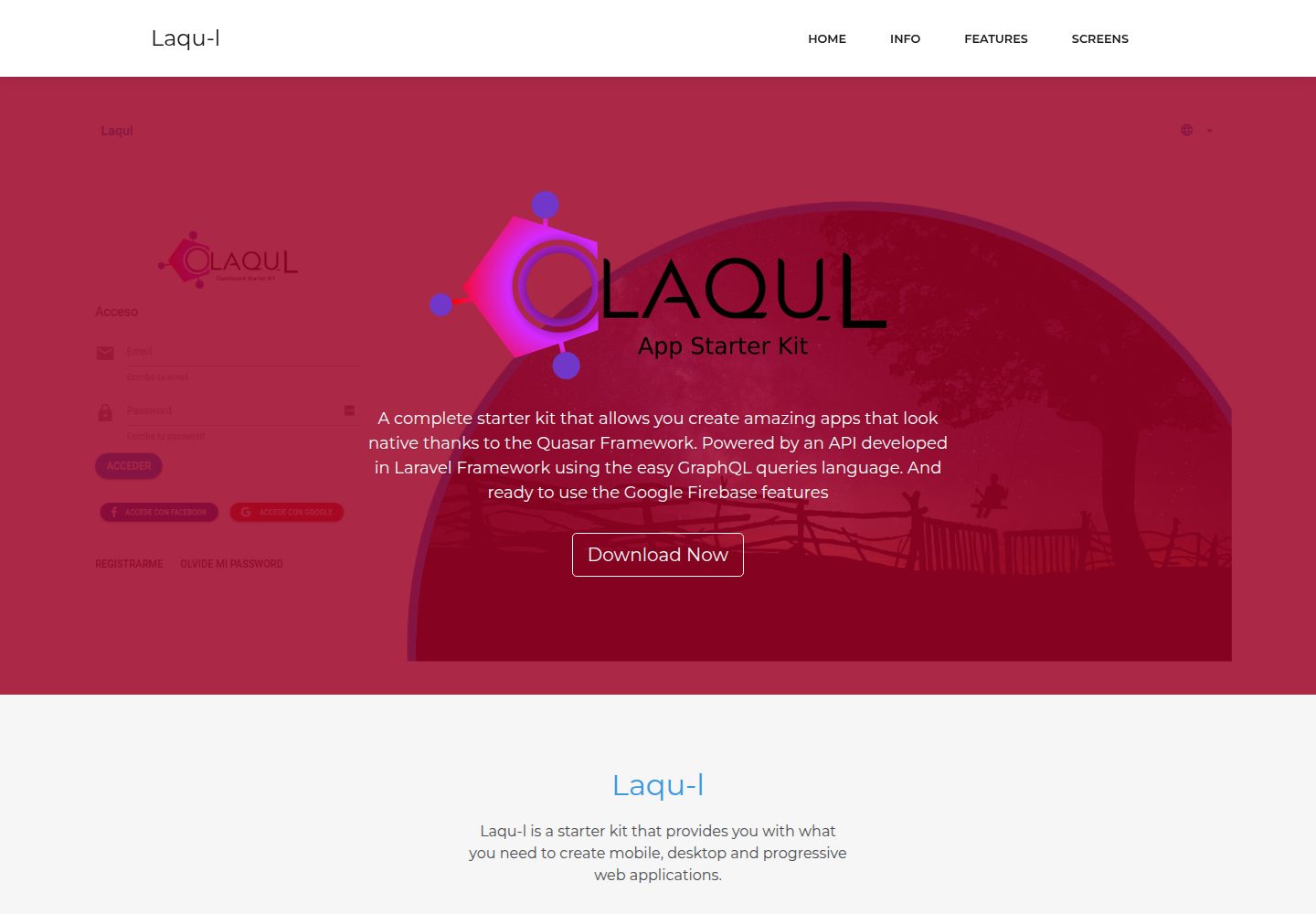
laqul
A complete starter kit that allows you create amazing apps that look native thanks to the Quasar Framework. Po…
Laravel · 后台
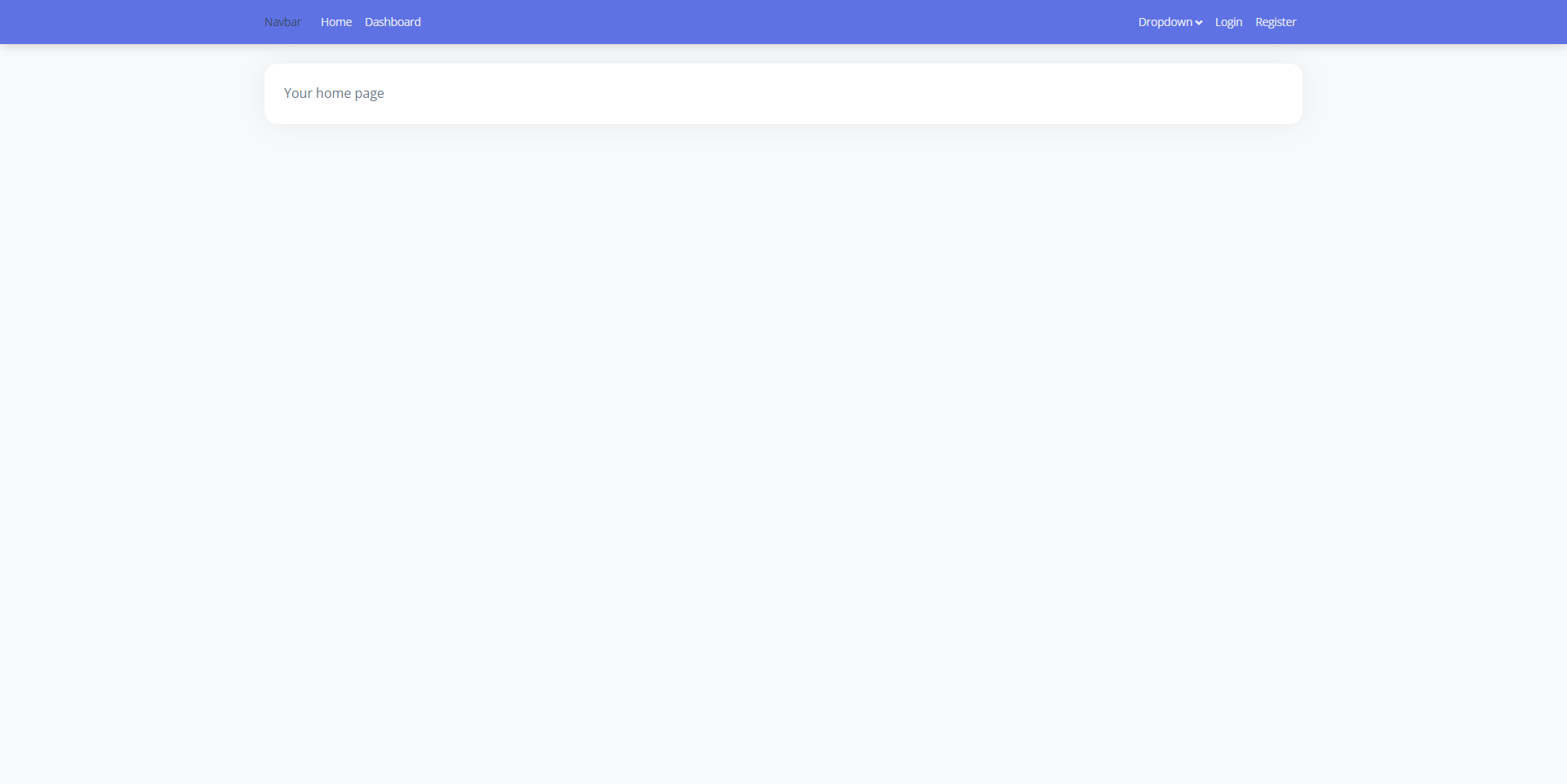
laravel9-inertiajs-reactjs-starter
This is a starter code to start the project built with Laravel 9 + InertiaJs + ReactJs, which already includes…
Laravel · 后台
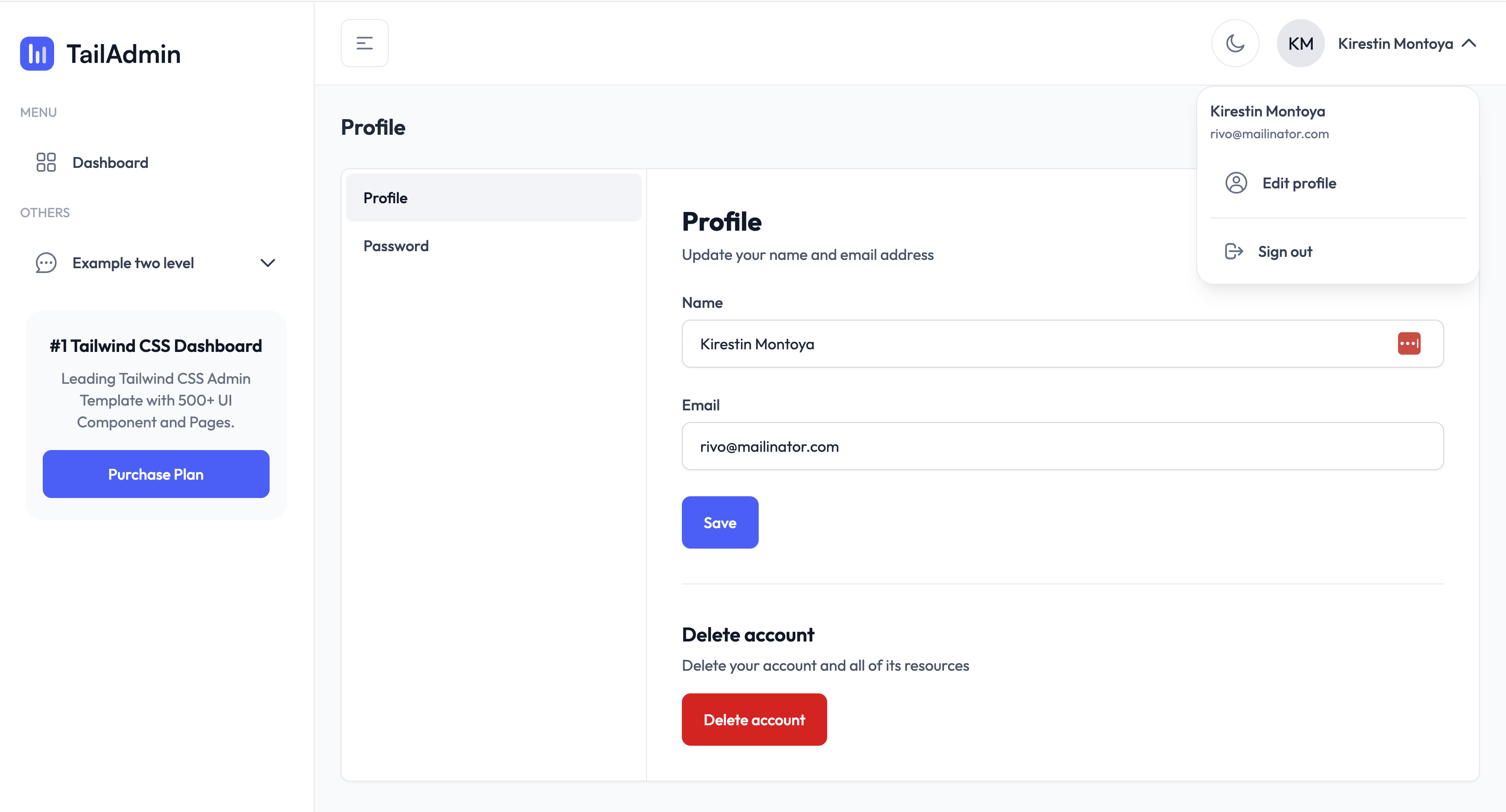
TailAdmin-Laravel-Starter-Kit
TailAdmin-Laravel-Starter-Kit 开源网站模板。
Laravel · 后台
laravel-sentinel-crud-starter
This is a Starter Laravel project ,using the Sentinel Authentication ,User Role ,User Perrmisson,Role perrmiss…
Laravel · 后台