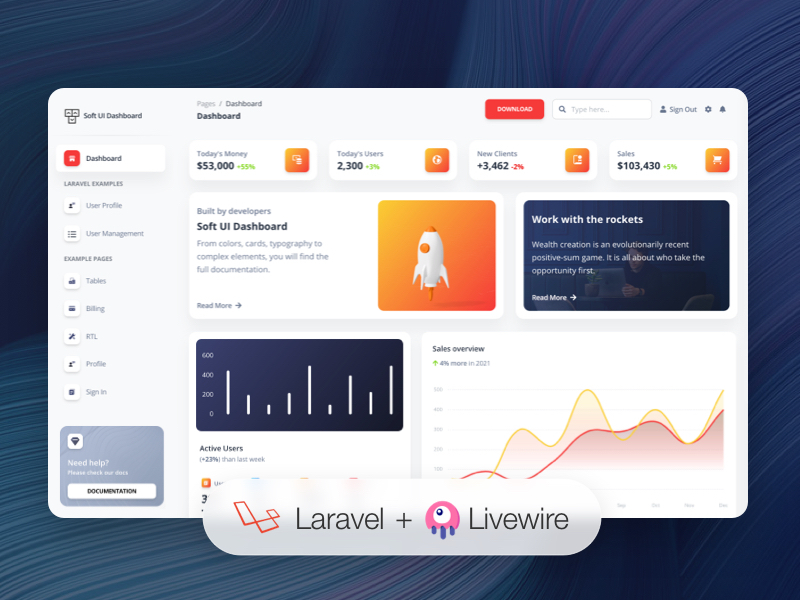
Based on the Soft UI Dashboard design, providing about 70 handcrafted UI components
LaravelAdmin dashboard
noorzeea-dashboard-laravel — Laravel Admin dashboard Template
By noorzeea-templates
A Laravel Livewire backend template based on Soft UI Dashboard, with built-in authentication, user profile, and dashboard example pages.
Explore the design
Compare the page layouts and mobile experience. Open any screenshot for a closer look.
Author preview
Author-provided previewTop of page
Preview provided in the project README.
One original preview is available. Open the full image to inspect the design.
Screenshots show visual appearance; interactive behavior may differ.
Recorded 2026-10-13View source
What stands out
A quick read of the recorded project description.
Uses Laravel Livewire and Alpine.js to build dynamic interactive interfaces
Built-in registration, login, forgot password, reset password, and user profile editing
Includes 7 example pages such as dashboard, billing, and tables
Comes with detailed documentation for components and features, and preconfigured routes in routes/web.php
Released under the MIT license, allowing free use and modification for personal and commercial projects
Template Details
This template ports Creative Tim's Soft UI Dashboard design to Laravel and uses Livewire with Alpine.js to build dynamic interfaces. The README states it provides about 70 handcrafted UI components, 7 example pages, and Laravel-based registration, login, forgot password, reset password, and user profile editing. The default account is [email protected] with password secret, and migrations and seeding must be run first.
The code is released under the MIT license and can be used for personal and commercial projects. The template depends on an Apache, PHP, MySQL, and Composer environment. Installation steps include composer install, configuring .env, generating a key, running migrations and seeding, and creating a storage symlink. Third-party assets such as demo images, fonts, and icons require separate license verification, and external services such as domain, hosting, and database may incur costs.
LaravelBackend
Is it right for your project?
Use Cases
- Quickly building a Laravel backend interface that requires login authentication and user profile management
- Introducing a Soft UI style admin panel as a starting point in a Laravel project
- Learning from examples of implementing authentication and dashboard pages with Livewire and Alpine.js in Laravel
- Providing a backend template foundation with example pages and documentation for client or internal systems
Suitable For
- Developers familiar with Laravel and Composer
- Teams needing a backend template with authentication and user profile features
- Projects wanting to quickly start an admin interface based on the Soft UI design
- Users who accept the MIT license and will independently verify third-party asset licenses
Getting started & customization
Use these recorded setup notes alongside the repository instructions for your chosen version.
- 1
Requires an Apache, PHP, and MySQL environment, and installation of Composer and Laravel
- 2
After extracting, rename the project folder and run composer install in the terminal
- 3
Copy .env.example to .env and configure parameters such as the database
- 4
Run php artisan key:generate, php artisan migrate --seed, and php artisan storage:link
- 5
You can log in with the default account [email protected] / secret, or register your own user
License & source material
Usage conditions & limitations
Free to use · keep license noticeThis entry covers the free version under the MIT license in a public repository; the free scope is the code of this version and does not mean external services or third-party assets are free.
Must comply with when using
- Allows free use, modification, commercial use, and distribution of this version's code.
- When distributing copies or substantial portions of the code, retain the original author's copyright notice and the full MIT license notice.
- The code is provided as is; warranties and limitations of liability are governed by the original license and applicable law.
Additional costs & items to verify
- Demo images, fonts, icons, and other third-party assets must be checked against their respective licenses and cannot be judged solely by the code's MIT license.
- External services such as domain, hosting, database, payment, or AI may incur additional charges.
- Using this template requires preparing an Apache, PHP, and MySQL local environment yourself; the README only provides links to environment setup tutorials for various platforms and does not include these external services.
- Composer and the Laravel framework must be installed separately before use; the template itself does not provide these dependencies.
- You must configure the .env file yourself, especially the database connection information, otherwise it will not run.
- You need to run database migration and seeding commands to create tables and preset users, which depends on an available database service.
- You need to run storage:link to create the storage symlink; if using Vagrant/Homestead, you must run this command inside the virtual machine.
- The default account [email protected] / secret is only available after running migrations and seeding; otherwise, you need to register a user yourself.
- All feature pages require login to view; when not logged in, only the login and registration pages are accessible.
- Password reset links are valid for 12 hours; after timeout, you need to restart the recovery process.
- Official support is only for the latest two versions of the listed browsers (Chrome, Firefox, Edge, Safari, Opera); compatibility with other browsers is not guaranteed.
View Original Text Basis
Permission is hereby granted, free of charge
Original License Text
If you don't already have an Apache local environment with PHP and MySQL, use one of the following links:
Original README
Also, you will need to install Composer: https://getcomposer.org/doc/00-intro.md And Laravel: https://laravel.com/docs/9.x/installation
Original README
Copy `.env.example` to `.env` and updated the configurations (mainly the database configuration)
Original README
Run `php artisan migrate --seed` to create the database tables and seed the roles and users tables
Original README
Run `php artisan storage:link` to create the storage symlink (if you are using **Vagrant** with **Homestead** for development, remember to ssh into your virtual machine and run the command from there).
Original README
Register a user or login with default user **[email protected]** and password **secret** from your database and start testing (make sure to run the migrations and seeders for these credentials to be available).
Original README
Keep in mind that all of the features can be viewed once you login using the credentials provided or by registering your own user.
Original README
The link for resetting the password is available for 12 hours.
Original README
https://github.com/noorzeea-templates/noorzeea-dashboard-laravel/blob/master/LICENCE.mdhttps://github.com/noorzeea-templates/noorzeea-dashboard-laravel/blob/master/README.mdAt present, we officially aim to support the last two versions of the following browsers:
Original README
Compiled by DeepSeek based on repository license and README ·2026-10-13. Results only cover the materials read; dependencies, images, fonts, and subsequent term changes are subject to their respective original texts.
Project checks & description sources
Template Information
- Source platforms
- GitHub
- Documentation and maintenance reference score
- Less documented · 53 / 100
- Technologies
- Laravel
- Website type
- Admin dashboard
How this score is calculated
Our heuristic uses license records (up to 30), a demo link (12), a preview (10), stars (15), recorded maintenance (15), description completeness (8), feature records (5) and classification data (5). It is not a code, security or performance test, or a Google score. A link does not establish tested functionality.
What to verify for this project
- Repository update recorded
- 2022-04-11
- Screenshot last checked
- 2026-10-13
No demo link is recorded. Use the repository instructions to evaluate the project locally; the screenshot alone cannot establish interactive behavior.
The catalog identifies Laravel as the primary stack. Check the actual dependency manifest and lockfile for versions and hosting requirements. These notes use recorded metadata, not a code audit or a deployment test.
Use a selection guide →How this description was prepared
AI-assisted description based on catalog records and repository material. Repository authors are not automatically the reviewers of this description.
Review declaration: [email protected] · 2026-10-13
Inspect the recorded source material
SHA-256: 47fdfa1a3b4591242285932b1a7395d67dcf6e0850c48e94fd4e2e3801039d8f
2026-10-13T10:26:55.827Z
Source file / repository# [Soft UI Dashboard Laravel](https://soft-ui-dashboard-laravel.creative-tim.com/login)   [](https://github.com/creativetimofficial/soft-ui-dashboard-laravel/issues?q=is%3Aopen+is%3Aissue) [](https://github.com/creativetimofficial/soft-ui-dashboard-laravel/issues?q=is%3Aissue+is%3Aclosed) *Frontend version*: Soft UI Dashboard v1.0.0. More info at https://www.creative-tim.com/product/soft-ui-dashboard-laravel/?ref=sudl-readme [<img src="https://s3.amazonaws.com/creativetim_bucket/products/492/original/soft-ui-dashboard-laravel-livewire.jpg" width="100%" />](https://www.creative-tim.com/live/soft-ui-dashboard-laravel) ## Free Frontend Web App for Laravel with Livewire & Alpine.js What happens when you combine Soft UI, one of the hottest design trends right now, and Laravel? We've partnered with [UPDIVISION](https://updivision.com/) to create the ultimate design & development toolbox. Soft UI Dashboard Laravel comes with dozens of handcrafted UI elements tailored for Bootstrap 5 and an out of the box Laravel backend. The Livewire integration allows you to build dynamic interfaces easier without leaving the comfort of your favourite framework. If you combine this even further with Alpine.js, you get the perfect combo for kickstarting your next project. ## Ok, I`m hooked. So, what am I getting? You're getting a lean, mean, app-building machine. Here is the blueprint: * 70 handcrafted UI components. From buttons and inputs to navbars and cards, everything is designed to create visually cohesive interfaces. * 7 example pages to get you started * fully-functional authentication system, register and user profile editing features built with Laravel * Livewire & Alpine.js integration ## Free for personal and commercial projects Whether you're working on a side project or delivering to a client, we've got you covered. Soft UI Dashboard Laravel is released under MIT license, so you can use it both for personal and commercial projects for free. All you need to do is start coding. ## Detailed documentation and example pages We also included detailed documentation for every component and feature so you can follow along. The pre-built example pages give you a quick glimpse of what Soft UI Dashboard Laravel has to offer so you can get started in no time. ## Table of Contents * [Prerequisites](#prerequisites) * [Installation](#installation) * [Usage](#usage) * [Versions](#versions) * [Demo](#demo) * [Documentation](#documentation) * [Login](#login) * [Register](#register) * [Forgot Password](#forgot-password) * [Reset Password](#reset-password) * [User Profile](#user-profile) * [Dashboard](#dashboard) * [File Structure](#file-structure) * [Browser Support](#browser-support) * [Reporting Issues](#reporting-issues) * [Licensing](#licensing) * [Useful Links](#useful-links) * [Social Media](#social-media) * [Credits](#credits) ## Prerequisites If you don't already have an Apache local environment with PHP and MySQL, use one of the following links: - Windows: https://updivision.com/blog/post/beginner-s-guide-to-setting-up-your-local-development-environment-on-windows - Linux: https://howtoubuntu.org/how-to-install-lamp-on-ubuntu - Mac: https://wpshout.com/quick-guides/how-to-install-mamp-on-your-mac/ Also, you will need to install Composer: https://getcomposer.org/doc/00-intro.md And Laravel: https://laravel.com/docs/9.x/installation ## Installation 1. Unzip the downloaded archive 2. Copy and paste **soft-ui-dashboard-laravel-master** folder in your **projects** folder. Rename the folder to your project's name 3. In your terminal run `composer install` 4. Copy `.env.example` to `.env` and updated the configurations (mainly the database configuration) 5. In your terminal run `php artisan key:generate` 6. Run `php artisan migrate --seed` to create the database tables and seed the roles and users tables 7. Run `php artisan storage:link` to create the storage symlink (if you are using **Vagrant** with **Homestead** for development, remember to ssh into your virtual machine and run the command from there). ## Usage Register a user or login with default user **[email protected]** and password **secret** from your database and start testing (make sure to run the migrations and seeders for these credentials to be available). Besides the dashboard, the auth pages, the billing and table pages, there is also has an edit profile page. All the necessary files are installed out of the box and all the needed routes are added to `routes/web.php`. Keep in mind that all of the features can be viewed once you login using the credentials provided or by registering your own user. ## Versions [<img src="https://github.com/creativetimofficial/public-assets/blob/master/logos/html-logo.jpg?raw=true" width="60" height="60" />](https://demos.creative-tim.com/argon-dashboard-pro/pages/dashboards/dashboard.html?ref=sudl-readme) [<img src="https://github.com/creativetimofficial/public-assets/blob/master/logos/laravel_logo.png?raw=true" width="60" height="60" />](https://argon-dashboard-pro-laravel.creative-tim.com/?ref=sudl-readme) | HTML | Laravel | | --- | --- | | [](https://www.creative-tim.com/product/soft-ui-dashboard) | [](https://www.creative-tim.com/product/soft-ui-dashboard-laravel) | ## Demo | Register | Login | Dashboard | | --- | --- | --- | | [<img src="https://github.com/creativetimofficial/public-assets/blob/master/soft-ui-design-system-laravel/Register.png" width="322" />](https://soft-ui-dashboard-laravel.creative-tim.com/sign-up) | [<img src="https://github.com/creativetimofficial/public-assets/blob/master/soft-ui-design-system-laravel/Login.png?raw=true" width="322" />](https://soft-ui-dashboard-laravel.creative-tim.com/login) | [<img src="https://github.com/creativetimofficial/public-assets/blob/master/soft-ui-design-system-laravel/Dashboard.png?raw=true" width="322" />](https://soft-ui-dashboard-laravel.creative-tim.com/dashboard) | Forgot Password Page | Reset Password Page | Profile Page | | --- | --- | --- | | [<img src="https://github.com/creativetimofficial/public-assets/blob/master/soft-ui-design-system-laravel/Forgot-password.png" width="320" />](https://soft-ui-dashboard-laravel.creative-tim.com/login/forgot-password) | [<img src="https://github.com/creativetimofficial/public-assets/blob/master/soft-ui-design-system-laravel/Login.png" width="312" />](https://soft-ui-dashboard-laravel.creative-tim.com/) | [<img src="https://github.com/creativetimofficial/public-assets/blob/master/soft-ui-design-system-laravel/Profile.png" width="330" />](https://soft-ui-dashboard-laravel.creative-tim.com/laravel-user-profile) [View More](https://soft-ui-dashboard-laravel.creative-tim.com/dashboard) ## Documentation The documentation for the Soft UI Dashboard Laravel is hosted at our [website](https://soft-ui-dashboard-laravel.creative-tim.com/documentation/bootstrap/overview/soft-ui-dashboard/index.html). ### Login If you are not logged in you can only access this page or the Sign Up page. The default url takes you to the login page where you use the default credentials **[email protected]** with the password **secret**. Logging in is possible only with already existing credentials. For this to work you should have run the migrations. The `App\Http\Livewire\Auth\Login` handles the logging in of an existing user. ``` public function login() { $credentials = $this->validate(); if(auth()->attempt(['email' => $this->email, 'password' => $this->password], $this->remember_me)) { $user = User::where(["email" => $this->email])->first(); auth()->login($user, $this->remember_me); return redirect()->intended('/dashboard-default'); } else{ return $this->addError('email', trans('auth.failed')); } } ``` ### Register You can register as a user by filling in the name, email and password for your account. You can do this by accessing the sign up page from the "**Sign Up**" button in the top navbar or by clicking the "**Sign Up**" button from the bottom of the log in form.. Another simple way is adding **/sign-up** in the url. The `App\Http\Livewire\Auth\SignUp` handles the registration of a new user. ``` public function register() { $this->validate(); $user = User::create([ 'name' => $this->name, 'email' => $this->email, 'password' => Hash::make($this->password) ]); auth()->login($user); return redirect('/dashboard'); } ``` ### Forgot Password If a user forgets the account's password it is possible to reset the password. For this the user should click on the "**here**" under the login form or add **/forgot-password** in the url. The `App\Http\Livewire\Auth\ForgotPassword` takes care of sending an email to the user where he can reset the password afterwards. ``` public function recoverPassword() { $this->validate(); $user = User::where('email', $this->email)->first(); if($user){ $this->notify(new ResetPassword($user->id)); $this->showSuccesNotification = true; $this->showFailureNotification = false; } else { $this->showFailureNotification = true; } } ``` ### Reset Password The user who forgot the password gets an email on the account's email address. The user can access the reset password page by clicking the button found in the email. The link for resetting the password is available for 12 hours. The user must add the email, the password and confirm the password for his password to be updated. The `App\Http\Livewire\Auth\ResetPassword` helps the user reset the password. ``` public function resetPassword() { $this->validate(); $existingUser = User::where('email', $this->email)->first(); if($existingUser && $existingUser->id == $this->urlID) { $existingUser->update([ 'password' => Hash::make($this->password) ]); $this->showSuccesNotification = true; $this->showFailureNotification = false; } else { $this->showFailureNotification = true; } } ``` ### User Profile The profile can be accessed by a logged in user by clicking "**User Profile**" from the sidebar or adding **/user-profile** in the url. The user can add information like phone number, location, description or change the name and email. The `App\Http\Livewire\UserProfile` handles the user's profile information. ``` public function save() { $this->validate(); $this->user->save(); $this->showSuccesNotification = true; } ``` ### Dashboard You can access the dashboard either by using the "**Dashboard**" link in the left sidebar or by adding **/dashboard** in the url after logging in. ## File Structure ``` app ├── Console │ └── Kernel.php ├── Exceptions │ └── Handler.php ├── Http │ ├── Controllers │ │ └── Controller.php │ ├── Kernel.php │ ├── Livewire │ │ ├── Auth │ │ │ ├── ForgotPassword.php │ │ │ ├── Login.php │ │ │ ├── Logout.php │ │ │ ├── ResetPassword.php │ │ │ └── SignUp.php │ │ ├── Billing.php │ │ ├── Dashboard.php │ │ ├── LaravelExamples │ │ │ ├── UserManagement.php │ │ │ └── UserProfile.php │ │ ├── Profile.php │ │ ├── Rtl.php │ │ ├── StaticSignIn.php │ │ ├── StaticSignUp.php │ │ └── Tables.php │ └── Middleware │ ├── Authenticate.php │ ├── EncryptCookies.php │ ├── PreventRequestsDuringMaintenance.php │ ├── RedirectIfAuthenticated.php │ ├── TrimStrings.php │ ├── TrustHosts.php │ ├── TrustProxies.php │ └── VerifyCsrfToken.php ├── Models │ └── User.php ├── Notifications │ └── ResetPassword.php ├── Providers │ ├── AppServiceProvider.php │ ├── AuthServiceProvider.php │ ├── BroadcastServiceProvider.php │ ├── EventServiceProvider.php │ └── RouteServiceProvider.php └── View └── Components └── Layouts ├── App.php └── ... ``` ## Browser Support At present, we officially aim to support the last two versions of the following browsers: <img src="https://s3.amazonaws.com/creativetim_bucket/github/browser/chrome.png" width="64" height="64"> <img src="https://s3.amazonaws.com/creativetim_bucket/github/browser/firefox.png" width="64" height="64"> <img src="https://s3.amazonaws.com/creativetim_bucket/github/browser/edge.png" width="64" height="64"> <img src="https://s3.amazonaws.com/creativetim_bucket/github/browser/safari.png" width="64" height="64"> <img src="https://s3.amazonaws.com/creativetim_bucket/github/browser/opera.png" width="64" height="64"> ## Reporting Issues We use GitHub Issues as the official bug tracker for the Soft UI Dashboard. Here are some advices for our users that want to report an issue: 1. Make sure that you are using the latest version of the Soft UI Dashboard. Check the CHANGELOG from your dashboard on our [website](https://www.creative-tim.com/product/soft-ui-dashboard-laravel?ref=readme-sudl). 2. Providing us reproducible steps for the issue will shorten the time it takes for it to be fixed. 3. Some issues may be browser specific, so specifying in what browser you encountered the issue might help. ## Licensing - Copyright 2021 [Creative Tim](https://www.creative-tim.com?ref=readme-sudl) - Creative Tim [license](https://www.creative-tim.com/license?ref=readme-sudl) ## Useful Links - [Tutorials](https://www.youtube.com/channel/UCVyTG4sCw-rOvB9oHkzZD1w) - [Affiliate Program](https://www.creative-tim.com/affiliates/new) (earn money) - [Blog Creative Tim](http://blog.creative-tim.com/) - [Free Products](https://www.creative-tim.com/bootstrap-themes/free) from Creative Tim - [Premium Products](https://www.creative-tim.com/bootstrap-themes/premium?ref=sudl-readme) from Creative Tim - [React Products](https://www.creative-tim.com/bootstrap-themes/react-themes?ref=sudl-readme) from Creative Tim - [VueJS Products](https://www.creative-tim.com/bootstrap-themes/vuejs-themes?ref=sudl-readme) from Creative Tim - [More products](https://www.creative-tim.com/bootstrap-themes?ref=sudl-readme) from Creative Tim - Check our Bundles [here](https://www.creative-tim.com/bundles??ref=sudl-readme) ### Social Media ### Creative Tim Twitter: <https://twitter.com/CreativeTim?ref=sudl-readme> Facebook: <https://www.facebook.com/CreativeTim?ref=sudl-readme> Dribbble: <https://dribbble.com/creativetim?ref=sudl-readme> Instagram: <https://www.instagram.com/CreativeTimOfficial?ref=sudl-readme> ### Updivision: Twitter: <https://twitter.com/updivision?ref=sudl-readme> Facebook: <https://www.facebook.com/updivision?ref=sudl-readme> Linkedin: <https://www.linkedin.com/company/updivision?ref=sudl-readme> Updivision Blog: <https://updivision.com/blog/?ref=sudl-readme> ## Credits - [Creative Tim](https://creative-tim.com/?ref=sudl-readme) - [UPDIVISION](https://updivision.com)
Explore similar templates
Compare previews and descriptions within the same stack and category.

coreui-free-laravel-admin-template
A free MIT-licensed Laravel admin template using CoreUI Bootstrap styles, with a sample login account and management examples for users, menus, roles, media, BREAD, and email templates.
Laravel · Admin dashboard

sneat-bootstrap-html-laravel-admin-template-free
Sneat Free is a Laravel admin template with a Bootstrap 5 frontend, MIT-licensed, offering a dashboard, multiple layouts, authentication pages, forms, and tables.
Laravel · Admin dashboard
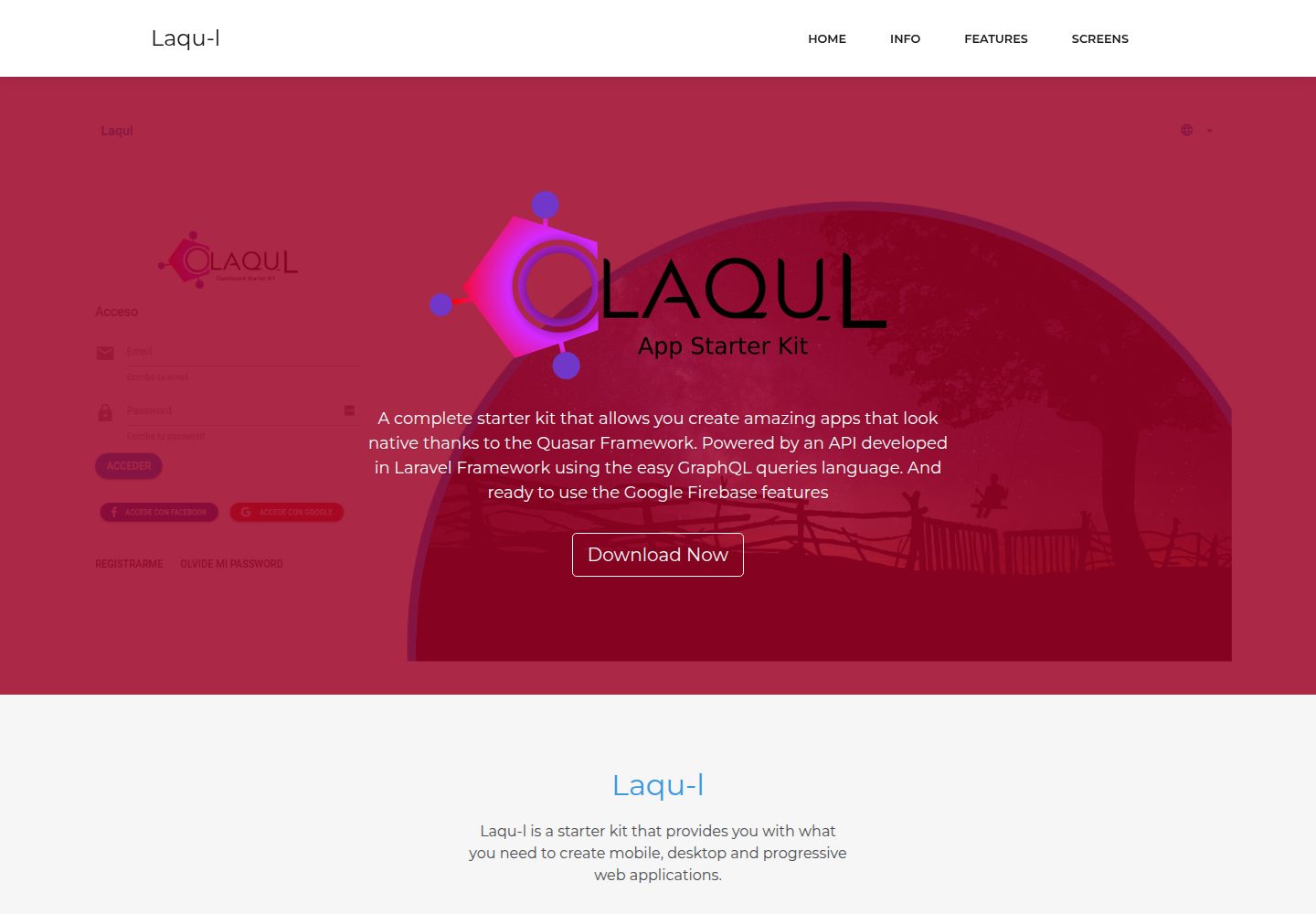
laqul
Laqul is an MIT-licensed Laravel + GraphQL + Quasar full-stack starter kit for backend/admin projects. It separates a Laravel GraphQL API, a Quasar dashboard client buildable as SPA, PWA, desktop, or mobile app, and a client-backend PHP relay for OAUTH2 credentials.
Laravel · Admin dashboard
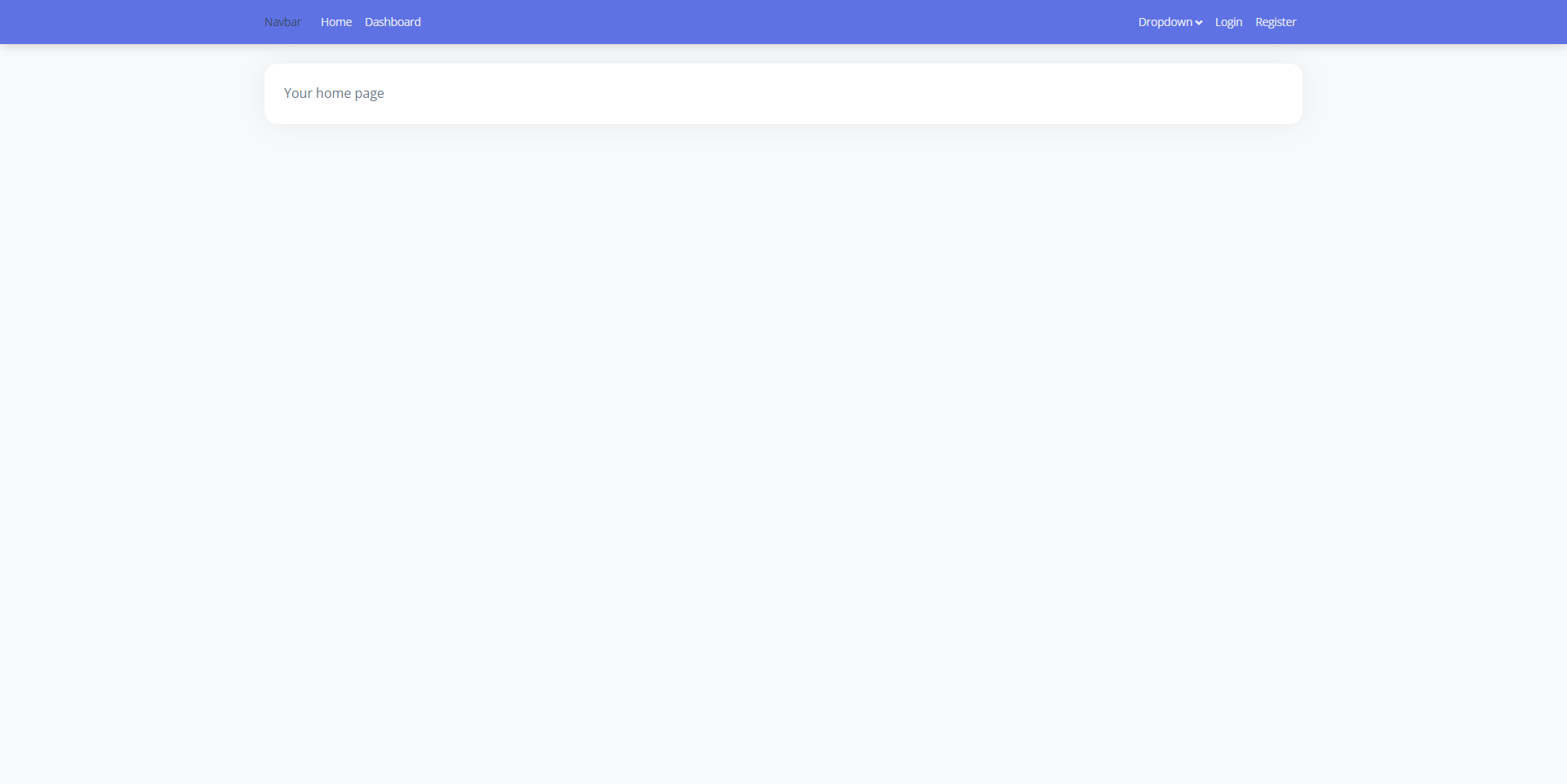
laravel9-inertiajs-reactjs-starter
A Laravel 9 + Inertia.js + React admin starter with Guest, Base, and Auth layouts, login, registration, Google login, user management, and profile pages, styled with Bootstrap 5 and Argon Dashboard 2. Activity Log and Roles and Permissions are not yet implemented.
Laravel · Admin dashboard
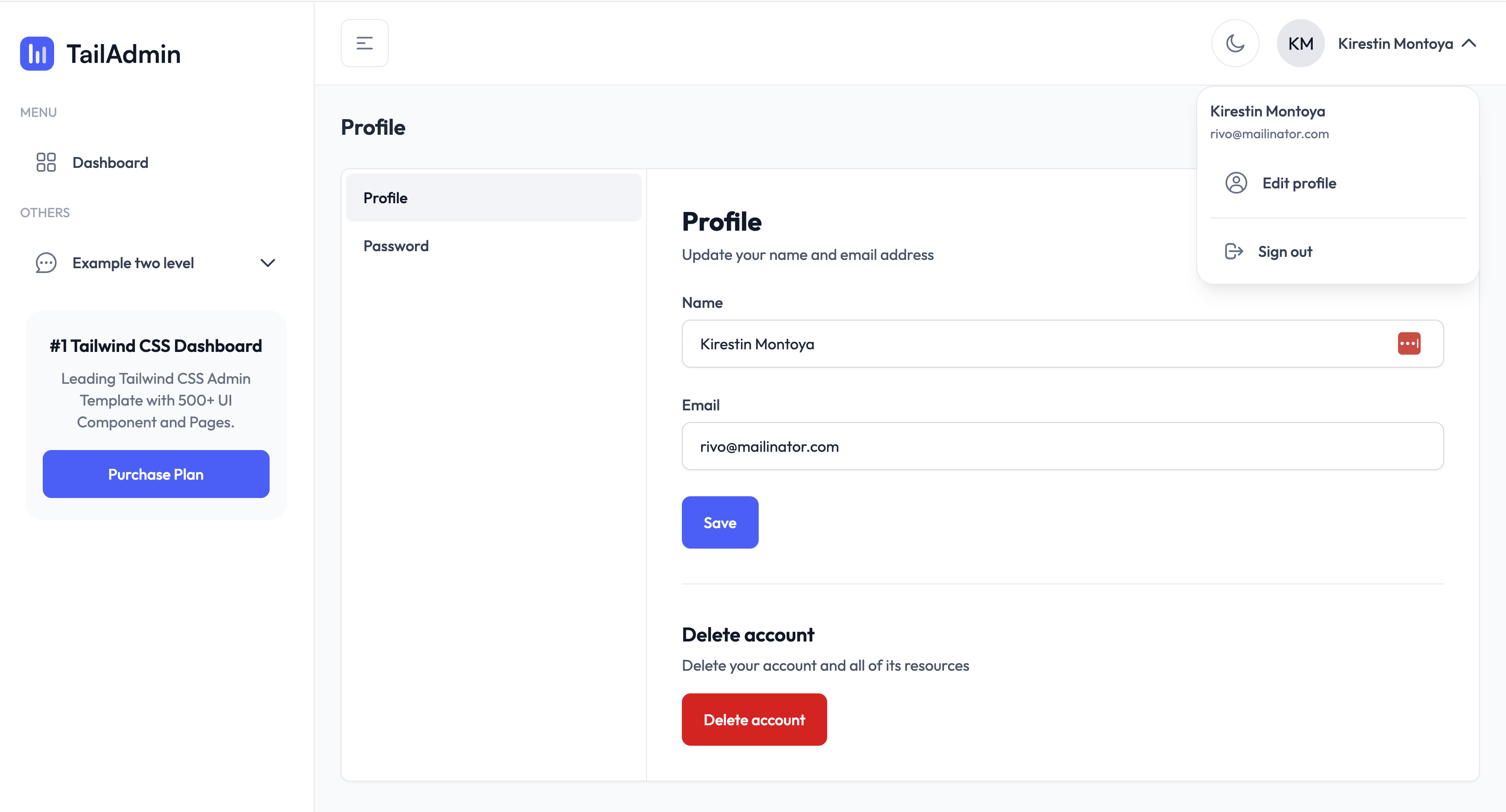
TailAdmin-Laravel-Starter-Kit
A Laravel admin starter maintained by LaravelDaily that merges LaravelDaily/starter-kit with TailAdmin Laravel free dashboard components.
Laravel · Admin dashboard
laravel-sentinel-crud-starter
A Laravel admin starter project that combines Cartalyst Sentinel authentication with user, role, and permission management, plus an Artisan command-driven CRUD generator. It includes user, role, permission assignment, and dashboard pages, a Datatables Bundle, and optional Gentelella Dashboard styling.
Laravel · Admin dashboard