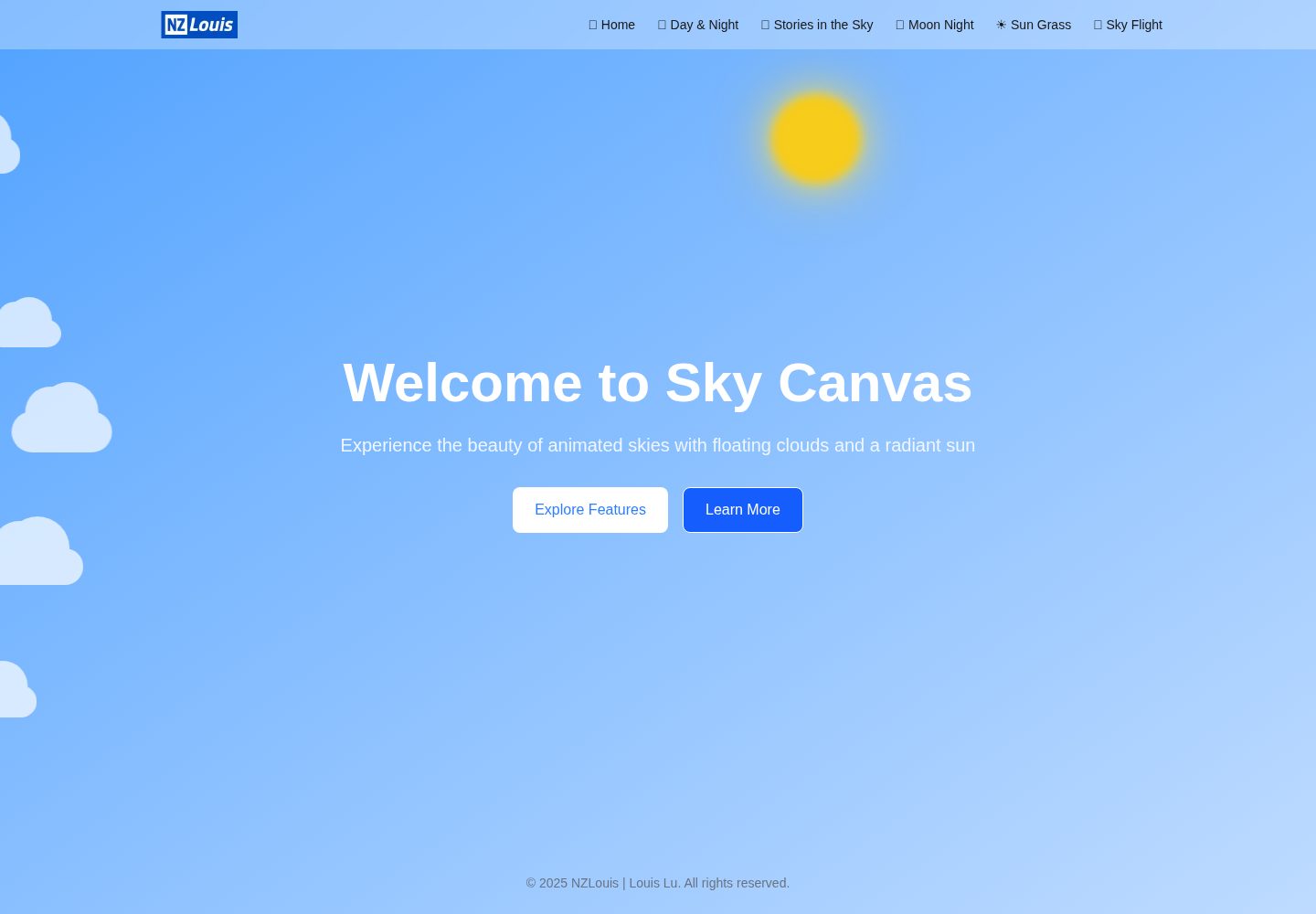
以天空为主题,包含蓝天、云朵与太阳等视觉元素
Next.jsReact作品集
sky-canvas — Next.js 作品集模板
作者 NZLouislu
Sky Canvas 是 NZLouis 的个人网站项目,以天空主题视觉呈现个人背景与页面内容,基于 Next.js 构建。
看看你的网站会是什么样
浏览真实页面截图,比较内容排版与手机效果。点击下方缩略图切换,放大查看整页细节。
全部页面与视图 2
截图用于了解视觉与布局,交互效果请以实际项目为准。
采集于 2026-10-13查看来源
值得关注的模板亮点
从已有项目资料中,快速了解它的特点。
基于 Next.js 构建,使用 TypeScript 与 Tailwind CSS
包含首页、Stories in the Sky、Sun & Clouds 等页面
响应式设计,适配桌面端与移动端
仓库采用 MIT 许可,可免费使用、修改与分发
模板详细介绍
Sky Canvas 是 NZLouis 的个人网站项目,用天空主题的视觉体验展示个人背景、网站风格和相关页面。README 描述其采用舒缓的蓝色天空美学,包含动态云朵与太阳视觉元素,并做响应式适配。
页面方面,README 列出首页、Stories in the Sky 和 Sun & Clouds 三个主要页面,分别用于介绍个人与网站概念、以天空背景呈现叙事内容、以及展示天气元素。技术栈标注为 Next.js、React、TypeScript、Tailwind CSS 和 Lucide React 图标,项目由 create-next-app 初始化。
仓库采用 MIT 许可,免费范围限于该版本代码;演示图片、字体、图标等第三方素材需按各自许可核对,域名、托管等外部服务可能另外收费。
Next.js作品集
适合你的项目吗?
适用场景
- 为个人展示搭建以天空视觉为主题的网站
- 参考其页面结构与天空背景的呈现方式
- 在 Next.js 项目中复用其视觉与布局思路
适合人群
- 需要个人作品集或介绍页的开发者
- 偏好天空主题视觉风格的个人项目
- 使用 Next.js 与 Tailwind CSS 的前端项目
上手与定制指南
结合仓库当前版本的说明,按下面的资料检查内容、配置与运行要求。
- 1
使用 npm run dev 或 yarn、pnpm、bun 启动开发服务器
- 2
默认在 http://localhost:3000 查看页面
- 3
可修改 app/page.tsx 开始编辑页面内容
- 4
部署可参考 Next.js 官方部署文档或 Vercel 平台
- 5
第三方素材与外部服务需单独核对许可与费用
授权与来源资料
使用条件与限制
免费使用 · 保留许可声明本次收录的是公开仓库中采用 MIT 许可的免费版本;免费范围为该版本代码,不代表外部服务或第三方素材免费。
使用时需要遵守
- 允许免费使用、修改、商用和分发该版本代码。
- 分发代码副本或实质性部分时,保留原作者版权声明和完整 MIT 许可声明。
- 代码按现状提供;担保与责任限制以原许可证及适用法律为准。
额外费用与待核对事项
- 演示图片、字体、图标及其他第三方素材需按各自许可核对,不能仅凭代码的 MIT 许可判断。
- 域名、托管、数据库、支付或 AI 等外部服务可能另外收费。
查看原文依据
https://github.com/NZLouislu/sky-canvas/blob/main/LICENSEhttps://github.com/NZLouislu/sky-canvas/blob/main/README.mdPermission is hereby granted, free of charge
许可证原文
DeepSeek 根据仓库许可证和 README 整理 ·2026-10-13。结果仅覆盖已读取资料,依赖、图片、字体及后续条款变更以各自原文为准。
项目核对记录与介绍依据
模板资料
- 来源平台
- GitHub
- 资料与维护参考分
- 资料较完整 · 77 / 100
- 技术栈
- Next.js · React
- 网站类型
- 作品集
这个分数如何计算
本站按许可资料(最高30分)、演示链接(12分)、预览图(10分)、Star数(15分)、记录的维护时间(15分)、描述完整度(8分)、功能记录(5分)和分类资料(5分)计算。它不是代码、安全或性能测试,也不是 Google 评分;有链接不代表已实测可用。
这个项目需要核对什么
- 记录的仓库更新时间
- 2025-09-21
- 截图检查日期
- 2026-10-13
已收录演示链接。请用你的内容与屏幕尺寸检查;有演示不代表表单、认证或支付已经可用。
目录记录的主要技术栈是 Next.js。请通过依赖清单和锁文件核对实际版本与托管要求。这些说明基于收录资料,不代表代码审计或部署实测。
查看具体选型方法 →介绍的制作与核对状态
介绍由 AI 辅助整理目录与仓库资料。仓库作者不等于这篇介绍的审核者。
审核声明: [email protected] · 2026-10-13
查看当时使用的来源资料
SHA-256: 380e4791e2b1ade8c6d02a3580db5efb366a0c08f5088db715cf58329392c6b7
2026-10-13T04:05:03.252Z
来源文件 / 仓库# Sky Canvas - NZLouis Personal Website This is a personal website project for NZLouis, showcasing background, website style, and related page displays with a sky-themed visual experience. ## Live Demo You can view the live website at: [sky.nzlouis.com](https://sky.nzlouis.com) ## Project Overview Sky Canvas is a visually-driven Next.js website that presents NZLouis's personal background and creative vision through immersive sky-themed pages. The site features: - A calming blue sky aesthetic throughout - Dynamic cloud and sun visual elements - Responsive design that works across all devices - Artistic presentation of personal and professional background ## Website Style The website embraces a clean, minimalist design philosophy with a focus on: - **Sky-themed visuals**: Each page features different aspects of sky imagery including clear blue skies, clouds, and sun elements - **Immersive experience**: Visitors are greeted with visually appealing backgrounds that create a peaceful atmosphere - **Storytelling approach**: Content is presented in a narrative format, taking visitors on a journey through NZLouis's background and interests ## Key Pages - **Home**: Introduction to NZLouis and the website concept - **Stories in the Sky**: Narrative content presented against beautiful sky backdrops - **Sun & Clouds**: Visual showcase of dynamic weather elements ## Technical Stack - [Next.js 15](https://nextjs.org/) - React 19 - TypeScript - Tailwind CSS - Lucide React Icons This is a [Next.js](https://nextjs.org) project bootstrapped with [`create-next-app`](https://nextjs.org/docs/app/api-reference/cli/create-next-app). ## Getting Started First, run the development server: ```bash npm run dev # or yarn dev # or pnpm dev # or bun dev ``` Open [http://localhost:3000](http://localhost:3000) with your browser to see the result. You can start editing the page by modifying `app/page.tsx`. The page auto-updates as you edit the file. This project uses [`next/font`](https://nextjs.org/docs/app/building-your-application/optimizing/fonts) to automatically optimize and load [Geist](https://vercel.com/font), a new font family for Vercel. ## Learn More To learn more about Next.js, take a look at the following resources: - [Next.js Documentation](https://nextjs.org/docs) - learn about Next.js features and API. - [Learn Next.js](https://nextjs.org/learn) - an interactive Next.js tutorial. You can check out [the Next.js GitHub repository](https://github.com/vercel/next.js) - your feedback and contributions are welcome! ## Deploy on Vercel The easiest way to deploy your Next.js app is to use the [Vercel Platform](https://vercel.com/new?utm_medium=default-template&filter=next.js&utm_source=create-next-app&utm_campaign=create-next-app-readme) from the creators of Next.js. Check out our [Next.js deployment documentation](https://nextjs.org/docs/app/building-your-application/deploying) for more details.
看看同类模板
对比同技术栈与用途的模板,找到更适合的视觉与内容结构。

react-resume-template
A personal resume website template built with React.js, Typescript, Next.js, and styled with Tailwind css
Next.js · 作品集

nxt-lnk
Custom bio links for creatives who love coding. A perfect custom alternative for linktree, bio and other short…
Next.js · 作品集

sylph
A minimal portfolio template.
Next.js · 作品集

sleek-portfolio
sleek-portfolio 是一个面向开发者个人品牌展示的现代作品集模板,基于 Next.js 15、TypeScript、Tailwind CSS 和 Shadcn UI 构建。
Next.js · 作品集

research-website-template
React + Next.js template for research websites (for PhD students, researchers, etc)
Next.js · 作品集

shadcn-portfolio
shadcn-portfolio 是一个面向开发者的作品集模板,技术栈为 Next.js 15、shadcn/ui、Tailwind CSS 和 Framer Motion。
Next.js · 作品集