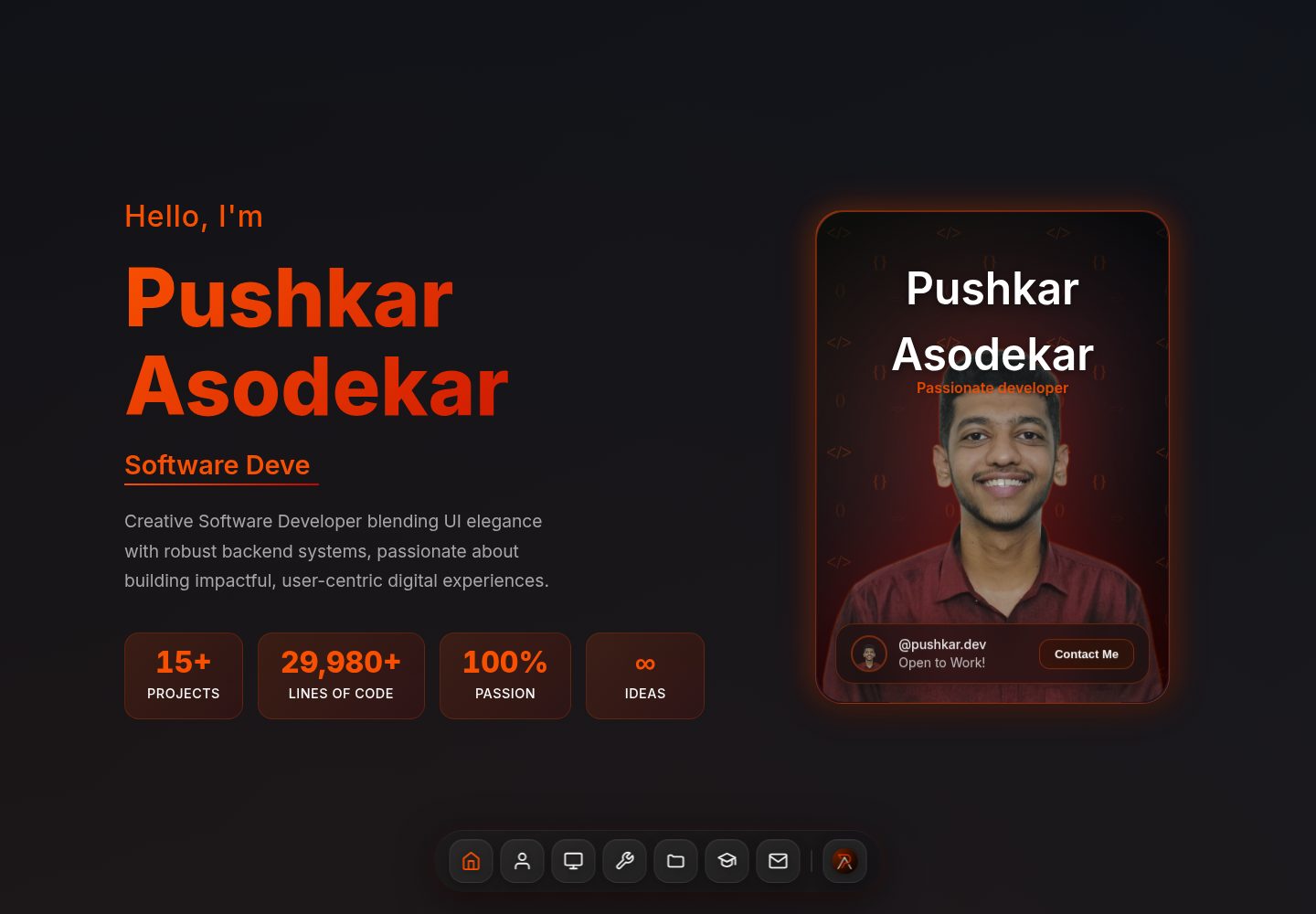
React + Vite 构建,动画由 Framer Motion 驱动
ViteReact作品集
Portfolio (Pushkaraso19) — Vite 作品集模板
作者 Pushkaraso19
基于 React 与 Vite 构建的深色主题个人作品集模板,使用 Framer Motion 实现过渡动画,内容集中在 portfolioData.js 与各分区组件中,便于替换为个人信息。
看看你的网站会是什么样
浏览真实页面截图,比较内容排版与手机效果。点击下方缩略图切换,放大查看整页细节。
全部页面与视图 2
截图用于了解视觉与布局,交互效果请以实际项目为准。
采集于 2026-10-13查看来源
值得关注的模板亮点
从已有项目资料中,快速了解它的特点。
深色主题与渐变配色,面向开发者审美
分区组件结构清晰,含导航、Hero、关于、技能、项目、经历、教育、联系等模块
社交链接与联系方式集中在 src/data/portfolioData.js 便于统一替换
README 提供逐文件的自定义清单与 Vercel、Netlify、GitHub Pages 部署说明
模板详细介绍
这是一个面向开发者个人展示的作品集网站模板,使用 React 与 Vite 构建,动画由 Framer Motion 提供,图标来自 Lucide React。页面采用深色配色与渐变,包含导航栏、Hero 区、关于、技能、项目、经历、教育、联系等分区,并配有 Dock 导航组件。
模板把社交链接、邮箱、电话等集中放在 src/data/portfolioData.js,其余文案与占位内容分散在对应分区组件中;项目图片放在 public/projects/,头像放在 src/assets/photo.png。README 提供了逐文件的自定义清单,但联系表单只做前端展示,如需接收消息要自行接入后端。
仓库采用 MIT 许可,可免费使用、修改和分发,但演示图片、字体、图标等第三方素材需单独核对授权;部署方面 README 给出了 Vercel、Netlify 与 GitHub Pages 三种方式。
ViteReact作品集
适合你的项目吗?
适用场景
- 开发者搭建个人作品集网站,展示项目、技能与经历
- 作为 React + Vite 项目的组件结构参考
- 快速替换占位内容后部署到静态托管平台
适合人群
- 希望用 React 维护个人作品集的开发者
- 偏好深色主题与动画过渡效果的展示型站点
- 需要现成组件分区结构并自行替换文案与图片的使用者
上手与定制指南
结合仓库当前版本的说明,按下面的资料检查内容、配置与运行要求。
- 1
克隆仓库后运行 npm install 安装依赖,再执行 npm run dev 启动开发服务器
- 2
按 README 清单替换各分区组件中的占位文案、社交链接、项目链接与图片
- 3
项目图片放入 public/projects/,头像替换 src/assets/photo.png
- 4
联系表单默认无后端,如需接收消息需自行接入服务
- 5
部署前执行 npm run build,再按所选平台上传 dist 目录或配置自动部署
授权与来源资料
使用条件与限制
免费使用 · 保留许可声明本次收录的是公开仓库中采用 MIT 许可的免费版本;免费范围为该版本代码,不代表外部服务或第三方素材免费。
使用时需要遵守
- 允许免费使用、修改、商用和分发该版本代码。
- 分发代码副本或实质性部分时,保留原作者版权声明和完整 MIT 许可声明。
- 代码按现状提供;担保与责任限制以原许可证及适用法律为准。
额外费用与待核对事项
- 演示图片、字体、图标及其他第三方素材需按各自许可核对,不能仅凭代码的 MIT 许可判断。
- 域名、托管、数据库、支付或 AI 等外部服务可能另外收费。
- 联系表单默认仅前端展示,不包含后端;如需真正接收用户提交的消息,必须自行接入后端服务。
- 项目区默认是占位内容,需替换为使用者自己的真实项目,不能直接作为成品展示。
- 模板中大量文案为占位文本,使用前需逐项替换为使用者本人信息。
- 关于区头像为占位图片,需替换为使用者自己的照片。
- 项目展示图片为占位图,需替换为使用者自己的项目截图。
查看原文依据
Permission is hereby granted, free of charge
许可证原文
Customize the contact form (add backend integration if needed)
README 原文
Replace placeholder projects with your actual work
README 原文
Replace all placeholder text with your information
README 原文
Replace the user icon/photo in `src/assets/photo.png`
README 原文
https://github.com/Pushkaraso19/Portfolio/blob/main/LICENSEhttps://github.com/Pushkaraso19/Portfolio/blob/main/README.mdReplace placeholder images with actual project screenshots in `public/projects/`
README 原文
DeepSeek 根据仓库许可证和 README 整理 ·2026-10-13。结果仅覆盖已读取资料,依赖、图片、字体及后续条款变更以各自原文为准。
项目核对记录与介绍依据
模板资料
- 来源平台
- GitHub
- 资料与维护参考分
- 资料较完整 · 85 / 100
- 技术栈
- Vite · React
- 网站类型
- 作品集
这个分数如何计算
本站按许可资料(最高30分)、演示链接(12分)、预览图(10分)、Star数(15分)、记录的维护时间(15分)、描述完整度(8分)、功能记录(5分)和分类资料(5分)计算。它不是代码、安全或性能测试,也不是 Google 评分;有链接不代表已实测可用。
这个项目需要核对什么
- 记录的仓库更新时间
- 2026-05-27
- 截图检查日期
- 2026-10-13
已收录演示链接。请用你的内容与屏幕尺寸检查;有演示不代表表单、认证或支付已经可用。
目录记录的主要技术栈是 Vite。请通过依赖清单和锁文件核对实际版本与托管要求。这些说明基于收录资料,不代表代码审计或部署实测。
查看具体选型方法 →介绍的制作与核对状态
介绍由 AI 辅助整理目录与仓库资料。仓库作者不等于这篇介绍的审核者。
审核声明: [email protected] · 2026-10-13
查看当时使用的来源资料
SHA-256: 8471c272e49562ebfc00718ac3d539c43ebc8d3ef3b9f4134e018c5b7f5a56af
2026-10-13T02:12:11.626Z
来源文件 / 仓库# Modern Portfolio Website 🚀 A modern, minimalist portfolio website built with React, Vite, and Framer Motion. Features a dark theme, programmer-friendly aesthetics, and smooth animations. ## ✨ Features - **Responsive Design** – Works perfectly on all devices - **Modern Dark Theme** – Sleek programmer-inspired design - **Smooth Animations** – Powered by Framer Motion - **Interactive Components** – Engaging user experience - **Fast & Optimized** – Built with Vite for lightning-fast performance - **Easy to Customize** – Well-structured components for easy modifications ## 🛠️ Tech Stack - **React 19** – Latest React with modern features - **Framer Motion** – Production-ready motion library - **Lucide React** – Beautiful & consistent icon library - **Vite** – Next generation frontend tooling ## 🚀 Getting Started 1. **Clone or download** this project 2. **Install dependencies**: ```bash npm install ``` 3. **Start development server**: ```bash npm run dev ``` 4. **Open your browser** and visit `http://localhost:5173` ## 🎨 Customization Guide ### 1. Personal Information - **Navbar** (`src/components/Navbar.jsx`): - Change the logo to your own - Update social media links in the `portfolioData.js` file (`src/data/portfolioData.js`) - **Hero Section** (`src/components/HeroSection/HeroSection.jsx`): - Replace "Your Name" in the code snippet - Modify the subtitle and description - Update the greeting message - **About Section** (`src/components/AboutSection/AboutSection.jsx`): - Replace the user icon/photo in `src/assets/photo.png` - Update the description paragraph - Modify the stats (projects completed, experience, etc.) - Customize the journey timeline - **Skills Section** (`src/components/SkillsSection/SkillsSection.jsx`): - Update skill categories and proficiency levels - Add or remove technologies - Modify the "Languages I Speak" section - **Projects Section** (`src/components/ProjectsSection/ProjectsSection.jsx`): - Replace placeholder projects with your actual work - Update project descriptions, technologies used - Add real GitHub and live demo links - Replace placeholder images with actual project screenshots in `public/projects/` - **Contact Section** (`src/components/ContactSection/ContactSection.jsx`): - Update email address and phone number in `portfolioData.js` - Modify location information - Update social media links - Customize the contact form (add backend integration if needed) - **Footer** (part of `ContactSection`): - Update copyright information - Modify quick links - Update contact information ## 🎯 Quick Customization Checklist - [ ] Replace all placeholder text with your information - [ ] Update social media links (GitHub, LinkedIn, etc.) - [ ] Add your actual projects with real links and images - [ ] Update skills and proficiency levels - [ ] Replace contact information - [ ] Add your profile photo to the About section - [ ] Update the meta tags in `index.html` - [ ] Customize the favicon ## 📁 Project Structure ``` src/ ├── assets/ # Images, PDFs, icons ├── data/ │ └── portfolioData.js # Centralized portfolio data ├── components/ │ ├── Navbar.jsx # Navigation bar │ ├── AboutSection/ │ │ ├── AboutSection.jsx │ │ └── AboutSection.css │ ├── ContactSection/ │ │ ├── ContactSection.jsx │ │ └── ContactSection.css │ ├── Dock/ │ │ ├── Dock.jsx │ │ └── Dock.css │ ├── EducationSection/ │ │ ├── EducationSection.jsx │ │ └── EducationSection.css │ ├── ExperienceSection/ │ │ ├── ExperienceSection.jsx │ │ └── ExperienceSection.css │ ├── HeroSection/ │ │ ├── HeroSection.jsx │ │ └── HeroSection.css │ │ └── ProfileCard/ │ │ ├── ProfileCard.jsx │ │ └── ProfileCard.css │ ├── ProjectsSection/ │ │ ├── ProjectsSection.jsx │ │ └── ProjectsSection.css │ ├── SkillsSection/ │ │ ├── SkillsSection.jsx │ │ └── SkillsSection.css ├── App.jsx # Main app component ├── App.css # Global styles ├── index.css # Global imports └── main.jsx # App entry point ``` ## 🌐 Deployment ### Deploy to Vercel 1. Push your code to GitHub 2. Connect your repo to [Vercel](https://vercel.com) 3. Deploy with one click ### Deploy to Netlify 1. Build the project: `npm run build` 2. Upload the `dist` folder to [Netlify](https://netlify.com) ### Deploy to GitHub Pages 1. Install gh-pages: `npm install --save-dev gh-pages` 2. Add to package.json scripts: ```json "homepage": "https://yourusername.github.io/portfolio", "predeploy": "npm run build", "deploy": "gh-pages -d dist" ``` 3. Run: `npm run deploy` ## 🎨 Color Scheme The portfolio uses a modern dark color palette and gradients: - **Primary Background**: `#232222` (Deep Charcoal) - **Gradient Background**: `linear-gradient(135deg, #0d1117 0%, #161b22 50%, #0d1117 100%)` - **Card Background**: `linear-gradient(135deg, rgba(51, 51, 51, 0.9), rgba(100, 100, 100, 0.9))` - **Text Primary**: `#fff` (White) - **Text Secondary**: `#A7A7A7` (Muted Gray) - **Accent Gradient**: `linear-gradient(to right, #F85002, #C10801)` (Orange-Red) - **Accent Solid**: `#F85002` (Orange), `#C10801` (Red) - **Card Border**: `rgba(167, 167, 167, 0.3)` - **Scrollbar**: `#1f2937` (Track), `#4b5563` (Thumb), `#F85002` (Thumb Hover) ## 📱 Responsive Design The portfolio is fully responsive with breakpoints: - **Mobile**: 320px and up - **Tablet**: 768px and up - **Desktop**: 1024px and up - **Large Desktop**: 1280px and up ## ⚡ Performance - **Lighthouse Score**: 95+ on all metrics - **Bundle Size**: Optimized with Vite - **Images**: Optimized and lazy-loaded - **Animations**: Hardware accelerated ## 🤝 Contributing Feel free to fork this project and make it your own! If you create something cool, I'd love to see it. ## 📄 License This project is open source and available under the [MIT License](LICENSE). --- **Happy coding!** 🎉 If you have any questions or need help customizing your portfolio, feel free to reach out!
看看同类模板
对比同技术栈与用途的模板,找到更适合的视觉与内容结构。

Resumify
Free, privacy-first resume builder — 6 ATS-friendly templates, full customization, JSON import/export. No sign…
Vite · 作品集

showlit
✨ Showlit - A modern and clean template for creating a personal website
Vite · 作品集

folium
Professional developer portfolio boilerplate (React • TypeScript • Tailwind • Vite) with simple content custom…
Vite · 作品集

kurizu-discord
A Discord themed website built using React & Vite
Vite · 作品集

about-me-personal-portfolio-website-template
Simple Personal Website Template, built with bootstrap and vite js project.
Vite · 作品集
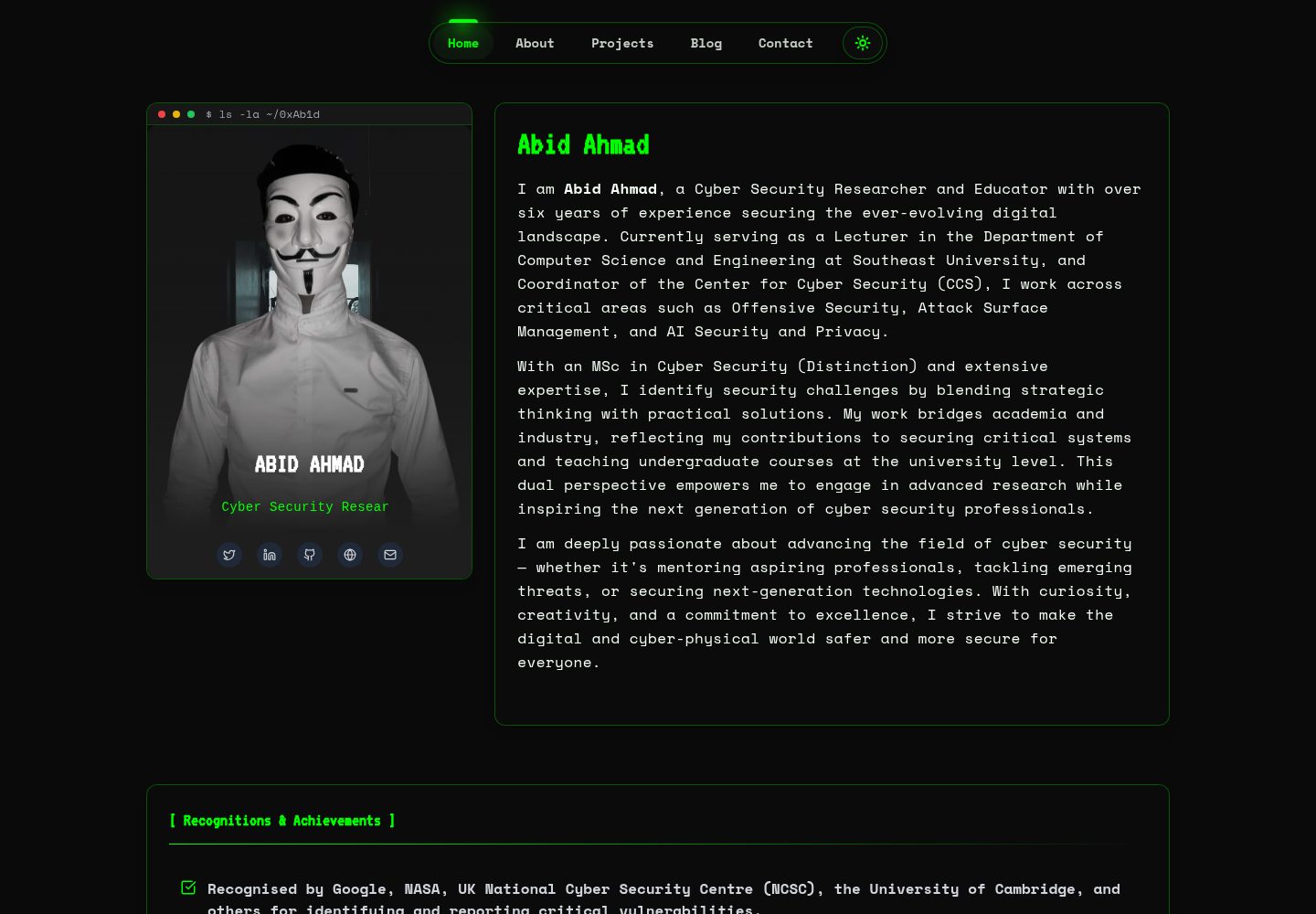
HackFolio
A high-performance, SEO-optimized hacker-themed portfolio website tailored for for ethical hackers, penetratio…
Vite · 作品集