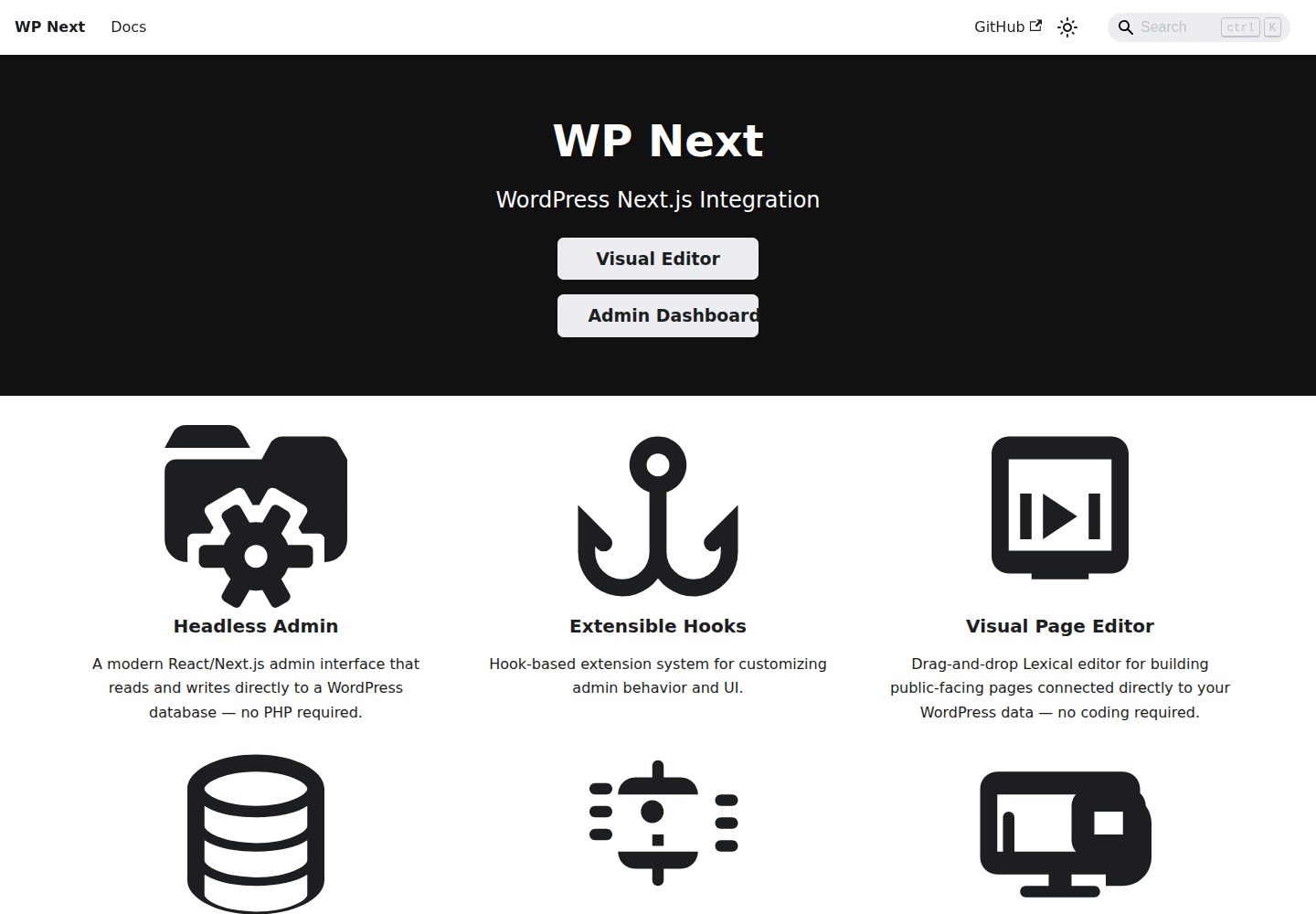
两个可独立使用的产品:可视化编辑器与 React 管理后台,可组合也可只用后台
Next.jsWordPressReact后台
wp-next — Next.js 后台模板
作者 rnaga
WP-Next 是用 TypeScript 与 React 为 WordPress 构建的 Next.js 工具集,包含可视化拖拽编辑器与 React 管理后台两个可独立使用的产品。
看看你的网站会是什么样
浏览真实页面截图,比较内容排版与手机效果。点击下方缩略图切换,放大查看整页细节。
全部页面与视图 2
截图用于了解视觉与布局,交互效果请以实际项目为准。
采集于 2026-10-02查看来源
值得关注的模板亮点
从已有项目资料中,快速了解它的特点。
模板与页面以 Lexical JSON 存入 WordPress 数据库,可版本控制、程序化处理
拖拽画布支持实时预览、元素选择/缩放/嵌套/动画,以及桌面、平板、手机断点与 CSS 状态
动态数据绑定可直接读取 WordPress 的文章、用户、分类法与选项,无需自建 API 端点
内置 Agent Skill,支持自然语言创建、更新模板,或将 HTML/CSS 转换为 Lexical JSON 模板
后台覆盖文章、页面、媒体、评论、用户与角色、修订版本,多站点模式另支持站点与各站点内容
模板详细介绍
WP-Next 面向希望用 Next.js 替代传统 PHP 主题与后台的 WordPress 项目,仓库同时提供两个产品:WP-Next Editor 与 WP-Next Admin,可一起使用,也可只用 Admin。
WP-Next Editor 是可视化拖拽建站工具,直接连接 WordPress 数据库生成前台页面。模板与页面以 Lexical JSON 形式存入 WordPress 数据库,因此可纳入版本控制、被程序处理,也便于 AI 读写。编辑器提供实时预览、桌面/平板/手机断点与 hover、focus 等 CSS 状态、动态数据绑定(文章、用户、分类法、选项)、可嵌套复用的 widget、模板级 CSS 变量、CSS 关键帧动画(含 Animate.css 预设)、直接编辑 Lexical JSON 的代码编辑器,以及带预览与恢复的保存历史。
编辑器内置 Agent Skill(/wp-next-editor-template),支持 create、update、convert、help 四种模式,可用自然语言生成模板、修改现有模板、把 HTML/CSS 转为 Lexical JSON 模板,或查询可用节点与样式。该技能遵循 Agent Skills 开放标准,可在支持该标准的编码代理中使用。
WP-Next Admin 是 React 管理后台,作为传统 WordPress 后台的替代界面,也可脱离编辑器单独采用。默认包含文章与页面、媒体、分类与标签、评论、个人资料与设置、用户与角色、修订版本;多站点模式下还支持站点与各站点内容(文章、媒体、评论)。它支持自定义页面,并提供受 WordPress hooks 启发、面向 TypeScript 与 Node.js 的过滤器与动作钩子:前端钩子扩展浏览器中的后台界面,后端钩子处理认证、媒体上传与集成等服务端事项。
使用前提是已有可运行的 WordPress 数据库;若尚未安装 WordPress,README 指向 WP-Node 的安装指南。官方提供 Docker 演示镜像,包含编辑器与后台,默认账号 wp/wp。初始化可用 CLI:initEditor 安装编辑器与随附后台,initAdmin 只安装后台。仓库采用 MIT 许可,第三方素材与外部服务需另行核对。
Next.jsWordPressReact后台
适合你的项目吗?
适用场景
- 用 Next.js 前端替换 WordPress 传统 PHP 主题,并直接读取现有 WordPress 数据库
- 在浏览器中拖拽搭建营销页、落地页等前台页面,按设备断点调整样式与动画
- 让编码代理根据自然语言描述生成模板,或把已有 HTML/CSS 转成 Lexical JSON 模板
- 用 React 管理后台替代 wp-admin 进行日常内容管理,并通过自定义页面与钩子扩展功能
- 在多站点 WordPress 环境下统一管理站点及各站点的文章、媒体与评论
适合人群
- 已有 WordPress 数据库、希望用 TypeScript/React 构建前台与后台的团队
- 需要可视化建站且要求模板可版本控制、可被程序或 AI 处理的开发者
- 只想替换 WordPress 管理界面、暂不需要可视化编辑器的项目
- 使用支持 Agent Skills 的编码代理进行模板编写的开发者
上手与定制指南
结合仓库当前版本的说明,按下面的资料检查内容、配置与运行要求。
- 1
需要先有可运行的 WordPress 数据库;未安装 WordPress 时参考 WP-Node 安装指南
- 2
快速体验可运行官方 Docker 镜像 rnagat/wp-next-editor-example:latest,映射 3000 端口,默认账号 wp/wp
- 3
完整安装执行 npx @rnaga/wp-next-cli -- initEditor;仅安装后台执行 npx @rnaga/wp-next-cli -- initAdmin
- 4
启用 AI 模板编写需安装技能:npx @rnaga/wp-next-cli -- editor agentSkills add
- 5
代码为 MIT 许可,但演示图片、字体、图标等第三方素材及域名、托管、数据库、AI 等外部服务需另行核对许可与费用
授权与来源资料
使用条件与限制
免费使用 · 保留许可声明本次收录的是公开仓库中采用 MIT 许可的免费版本;免费范围为该版本代码,不代表外部服务或第三方素材免费。
使用时需要遵守
- 允许免费使用、修改、商用和分发该版本代码。
- 分发代码副本或实质性部分时,保留原作者版权声明和完整 MIT 许可声明。
- 代码按现状提供;担保与责任限制以原许可证及适用法律为准。
额外费用与待核对事项
- 使用前提:必须已有可运行的 WordPress 数据库,否则无法运行编辑器或后台。
- 完整安装需通过 npx 执行官方 CLI 命令 initEditor,依赖 npm 生态与网络下载。
- 仅安装后台需执行官方 CLI 命令 initAdmin,同样依赖 npm 与网络。
- 快速体验依赖 Docker 运行官方镜像,需本地具备 Docker 环境。
- 启用 AI 模板编写需额外安装 Agent Skill,并配合支持该标准的编码代理使用。
- 演示图片、字体、图标及其他第三方素材需按各自许可核对,不能仅凭代码的 MIT 许可判断。
- 域名、托管、数据库、支付或 AI 等外部服务可能另外收费。
查看原文依据
Permission is hereby granted, free of charge
许可证原文
Both products require a running WordPress database.
README 原文
npx @rnaga/wp-next-cli -- initEditor
README 原文
npx @rnaga/wp-next-cli -- initAdmin
README 原文
docker run --rm --init -it --name wp-next-editor-example
README 原文
https://github.com/rnaga/wp-next/blob/main/LICENSEhttps://github.com/rnaga/wp-next/blob/main/README.mdnpx @rnaga/wp-next-cli -- editor agentSkills add
README 原文
DeepSeek 根据仓库许可证和 README 整理 ·2026-10-02。结果仅覆盖已读取资料,依赖、图片、字体及后续条款变更以各自原文为准。
项目核对记录与介绍依据
模板资料
- 来源平台
- GitHub
- 资料与维护参考分
- 资料较完整 · 92 / 100
- 技术栈
- Next.js · WordPress · React
- 网站类型
- 后台
这个分数如何计算
本站按许可资料(最高30分)、演示链接(12分)、预览图(10分)、Star数(15分)、记录的维护时间(15分)、描述完整度(8分)、功能记录(5分)和分类资料(5分)计算。它不是代码、安全或性能测试,也不是 Google 评分;有链接不代表已实测可用。
这个项目需要核对什么
- 记录的仓库更新时间
- 2026-07-26
- 截图检查日期
- 2026-10-02
已收录演示链接。请用你的内容与屏幕尺寸检查;有演示不代表表单、认证或支付已经可用。
目录记录的主要技术栈是 Next.js。请通过依赖清单和锁文件核对实际版本与托管要求。这些说明基于收录资料,不代表代码审计或部署实测。
查看具体选型方法 →介绍的制作与核对状态
介绍由 AI 辅助整理目录与仓库资料。仓库作者不等于这篇介绍的审核者。
已完成服务器许可规则与 AI 来源核对;未经过人工编辑审核。
查看当时使用的来源资料
SHA-256: 0f1064e925829d80ebfb2f5d01833756d31fcd28f7ab1afe3a3766259aedb0c8
2026-10-02T10:02:20.285Z
来源文件 / 仓库# WP-Next ## 📖 [Full Documentation → rnaga.github.io/wp-next](https://rnaga.github.io/wp-next/) > For guides, concepts, and examples, the documentation site is the best starting point. **WP-Next** is a **TypeScript-first** toolkit for building **WordPress-powered Next.js applications** — with a visual drag-and-drop editor, a modern React admin dashboard, and **first-class AI support** built in from day one. <a href="https://vimeo.com/1185738064?share=copy#t=0" target="_blank" rel="noopener"> <img width="1200" height="699" alt="WP-Next Editor canvas demo" src="https://rnaga.github.io/wp-next/assets/editor/canvas/drag-drop-0.gif" /> </a> <a href="https://vimeo.com/1112693769?share=copy#t=0" target="_blank" rel="noopener"> <img width="1200" height="699" alt="WP-Next Admin dashboard demo" src="https://rnaga.github.io/wp-next/images/dashboard-vimeo.png" /> </a> --- ## Two Products, One Stack WP-Next ships as two products you can use together or independently: - **WP-Next Editor** — visual site builder with live preview, responsive breakpoints, dynamic WordPress data binding, and AI-powered template authoring. Includes Admin automatically. - **WP-Next Admin** — standalone React admin dashboard you can adopt without the editor. Use both as one stack, or start with Admin alone. --- ## Quick Demo Run a ready-made WP-Next Editor example using Docker. This is the recommended demo because it includes the editor and the admin dashboard in one setup: ```bash docker run --rm --init -it --name wp-next-editor-example -p 3000:3000 \ -v wp-next-editor_public:/app/editor/public \ -v wp-next-editor_db:/var/lib/mysql \ rnagat/wp-next-editor-example:latest ``` Log in with: ```text Username: wp Password: wp ``` - Editor: [http://localhost:3000/admin/1/editor](http://localhost:3000/admin/1/editor) - Admin Dashboard: [http://localhost:3000/admin](http://localhost:3000/admin) To stop the container: ```bash docker stop wp-next-editor-example ``` ## Prerequisites Both products require a running WordPress database. If you don't already have WordPress installed, see the [WP-Node installation guide](https://rnaga.github.io/wp-node/docs/getting-started/installation#prerequisites). ## Getting Started Choose the setup that matches what you want to build: ### Build WP-Next Editor + Admin Use this if you want the full WP-Next experience. This installs both packages, with WP-Next Admin included as part of the editor setup. ```bash npx @rnaga/wp-next-cli -- initEditor ``` See the [Editor Installation guide](https://rnaga.github.io/wp-next/docs/editor/installation) for the full setup walkthrough. ### Build WP-Next Admin Only Run this only if you want to start up **WP-Next Admin** without the visual editor: ```bash npx @rnaga/wp-next-cli -- initAdmin ``` See the [Admin Getting Started guide](https://rnaga.github.io/wp-next/docs/admin/getting-started) for the full setup walkthrough. ## WP-Next Editor WP-Next Editor is a visual, drag-and-drop website builder for building public-facing WordPress sites directly connected to your WordPress database. Templates and pages are stored as structured [Lexical](https://lexical.dev/docs/intro) JSON in the WordPress database — making them version-controllable, programmatically manipulable, and AI-ready. ### Key Features - **Drag-and-drop canvas** — build pages visually with a live preview. Select, resize, nest, and animate elements directly on the canvas. - **Responsive design** — set per-device breakpoints (desktop, tablet, mobile) and CSS states (hover, focus, etc.). Each device gets its own `@media` query at render time. - **Dynamic data binding** — pull posts, users, taxonomies, and options directly from the WordPress database into any element. No custom API endpoints required. - **Widget system** — embed sub-templates (widgets) inside other templates for reusable headers, footers, and components. Widget variants let the same widget render different content per embedding. - **CSS variables** — define design tokens at the template level and reference them across all elements for consistent theming. - **Animations** — attach CSS keyframe animations (98 Animate.css presets) to any element, triggered by hover, click, scroll, and more. - **JSON editor** — edit the raw Lexical JSON directly in a built-in code editor for precise control over template structure. - **Save history** — create and manage template save points with preview and restore support. ### AI-Powered Template Authoring — Built-in Agent Skills WP-Next Editor ships with a built-in **[Agent Skill](https://agentskills.io/home)** (`/wp-next-editor-template`) that lets you build and modify templates using natural-language prompts. All templates are stored as Lexical JSON, so AI agents can read, write, and transform them directly. [Agent Skills](https://agentskills.io/home) is an open standard supported by Claude Code, OpenAI Codex, GitHub Copilot, Cursor, Gemini CLI, VS Code, and more. Install the skill once and use it with whichever coding agent you prefer. The skill supports four modes: | Mode | What it does | | --------- | ----------------------------------------------------------- | | `create` | Scaffold a new template from a natural-language description | | `update` | Modify an existing template based on a prompt | | `convert` | Convert HTML/CSS into a Lexical JSON template | | `help` | Describe available nodes, styles, and patterns | Install the skill with: ```bash npx @rnaga/wp-next-cli -- editor agentSkills add ``` Example prompt: ``` /wp-next-editor-template create src/templates/home.json "A hero section with a full-width background image, centered headline, subtitle, and a CTA button" ``` See [Using AI](https://rnaga.github.io/wp-next/docs/editor/concepts-features/using-ai) for installation details and more examples. --- ## WP-Next Admin WP-Next Admin is a **React-based Admin Dashboard** that serves as a modern alternative to the traditional WordPress Admin Dashboard. It can be used on its own, and it is also the admin layer that ships with WP-Next Editor. ### Key Features Out of the box, it includes: - Posts & Pages - Media - Terms (Categories, Tags) - Comments - Profile & Settings - Users and Roles - Revisions In **multisite mode**, it also supports: - Sites - Blogs (per-site content such as posts, media, comments) ### Extensibility WP-Next Admin supports **custom pages** and a **hook system** (filters and actions) inspired by WordPress hooks but built for TypeScript and Node.js. Frontend hooks extend the Admin UI in the browser; backend hooks handle server-side concerns such as authentication, media uploads, and integrations. See [Hooks](https://rnaga.github.io/wp-next/docs/admin/concepts-features/hooks) and [Custom Admin Pages](https://rnaga.github.io/wp-next/docs/admin/concepts-features/custom-pages) in the documentation. --- ## License MIT
看看同类模板
对比同技术栈与用途的模板,找到更适合的视觉与内容结构。

next-shadcn-dashboard-starter
Free, open source, AI-friendly admin dashboard template built with Next.js 16, shadcn/ui, Tailwind CSS, and Ty…
Next.js · 后台

Studio Admin · Radix UI
Modern Admin Dashboard Template built with Shadcn UI and Next.js 16
Next.js · 后台

free-nextjs-admin-dashboard
TailAdmin is a Next.js and Tailwind CSS free, open-source admin dashboard template. Provides developers with t…
Next.js · 后台

materio-mui-nextjs-admin-template-free
An enterprise-grade Next.js admin dashboard template. Made with developer experience first: Next.js v14 (App R…
Next.js · 后台
nextjs-postgres-nextauth-tailwindcss-template
Admin dashboard template.
Next.js · 后台

shadcn-dashboard-landing-template
Accelerate your development with a sleek, open-source admin dashboard and landing page built on Vite-React, Ne…
Next.js · 后台