从 Hexo 官方 Landscape 主题修改而来的极简博客主题
Hexo博客
hexo-theme-vivia — Hexo 博客模板
作者 saicaca
Vivia 是一个基于 Hexo 的简洁博客主题,由 Landscape 主题修改而来,支持明暗模式、自定义主题色与横幅,并提供 Valine、Twikoo 评论集成。
看看你的网站会是什么样
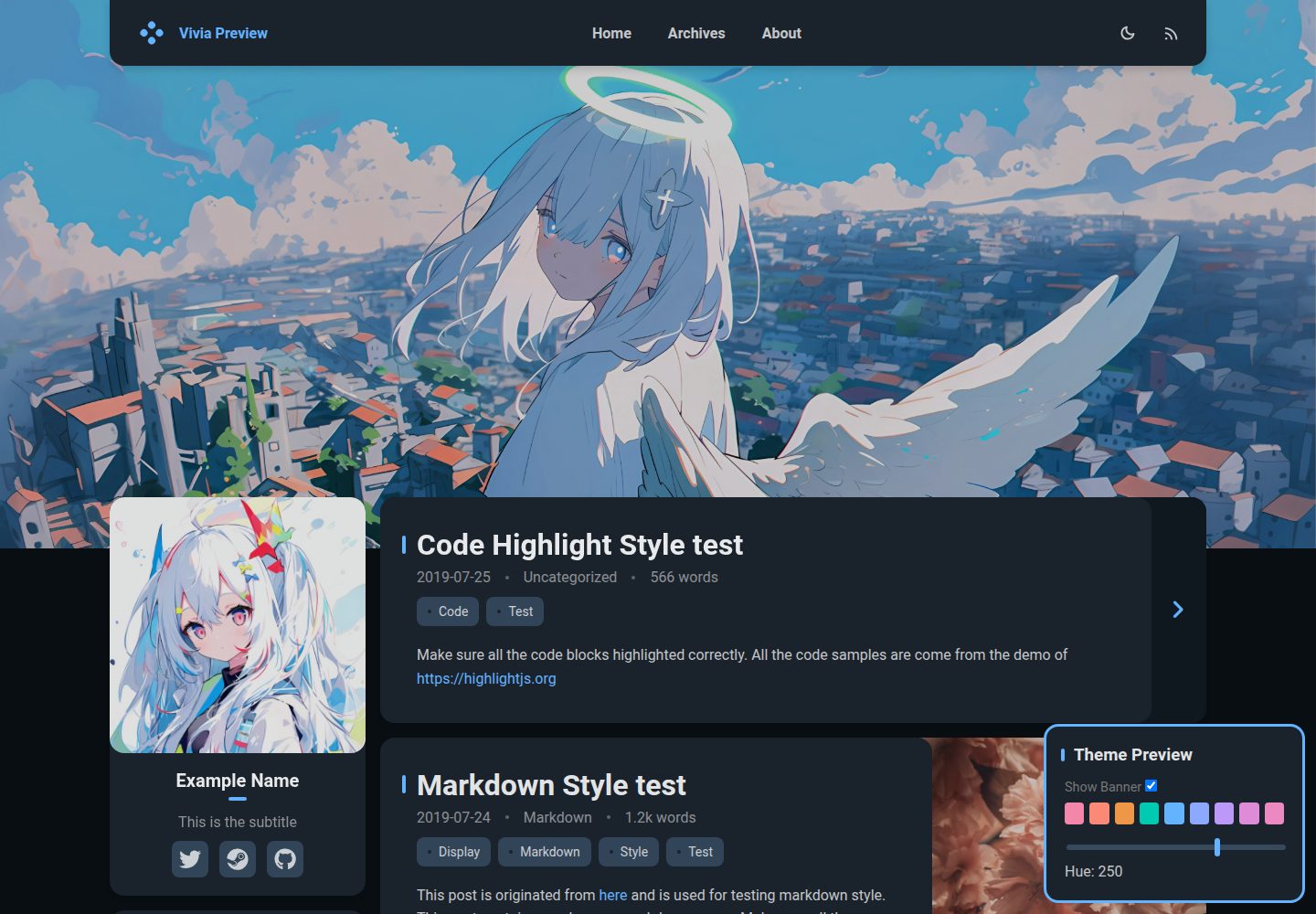
浏览真实页面截图,比较内容排版与手机效果。点击下方缩略图切换,放大查看整页细节。
全部页面与视图 3
截图用于了解视觉与布局,交互效果请以实际项目为准。
采集于 2026-10-01查看来源
值得关注的模板亮点
从已有项目资料中,快速了解它的特点。
支持明暗模式、自定义主题色与自定义横幅
响应式设计,适配桌面与移动端
评论系统已集成 Valine 和 Twikoo
通过 npm 安装或 Git 克隆到 themes 目录两种方式部署
MIT 许可,允许免费使用、修改、商用与分发
模板详细介绍
Vivia 是 saicaca 开发的 Hexo 博客主题,定位为干净、极简的博客外观,代码从 Hexo 官方 Landscape 主题修改而来。主题通过 npm 包 hexo-theme-vivia 发布,也可以直接克隆仓库到 themes/vivia 目录使用;配置集中在博客根目录的 _config.vivia.yml 中,可调整主题色、横幅等外观选项。
功能方面,主题已实现明暗模式切换、自定义主题色、自定义横幅和响应式布局,评论系统支持 Valine 与 Twikoo。搜索和目录(TOC)组件在仓库的待办列表中仍标记为未完成。安装后需要额外创建 about 页面,并在博客 _config.yml 中把 archive_generator.per_page 设为 0,否则归档页最多只显示十篇文章。
需要留意的是,仓库 README 明确说明项目已不再活跃维护,作者建议改用其新的 Astro 版本 fuwari。主题以 MIT 许可发布,可免费使用、修改、商用和分发,但演示图片、字体、图标等第三方素材需单独核对许可;域名、托管等外部服务费用不包含在内。
Hexo博客
适合你的项目吗?
适用场景
- 搭建以文章阅读为主的个人 Hexo 博客
- 需要明暗模式切换和自定义主题色的博客站点
- 使用 Valine 或 Twikoo 作为评论系统的 Hexo 站点
- 希望基于现成主题做二次修改的 Hexo 项目
适合人群
- 使用 Hexo 静态博客框架的开发者
- 偏好简洁排版、不需要复杂页面结构的博主
- 能接受主题已停止活跃维护、愿意自行维护的用户
- 需要 MIT 宽松许可用于个人或商业项目的使用者
上手与定制指南
结合仓库当前版本的说明,按下面的资料检查内容、配置与运行要求。
- 1
在 Hexo 博客根目录执行 npm install hexo-theme-vivia,或克隆仓库到 themes/vivia 并安装 colorjs.io、stylus、hexo-symbols-count-time 依赖
- 2
复制 example_config.vivia.yml 到博客根目录并重命名为 _config.vivia.yml
- 3
执行 hexo config theme vivia 将主题设为 vivia
- 4
执行 hexo new page about 创建 about 页面
- 5
在 _config.yml 中设置 archive_generator.per_page 为 0,否则归档页最多只显示十篇文章
授权与来源资料
使用条件与限制
免费使用 · 保留许可声明本次收录的是公开仓库中采用 MIT 许可的免费版本;免费范围为该版本代码,不代表外部服务或第三方素材免费。
使用时需要遵守
- 允许免费使用、修改、商用和分发该版本代码。
- 分发代码副本或实质性部分时,保留原作者版权声明和完整 MIT 许可声明。
- 代码按现状提供;担保与责任限制以原许可证及适用法律为准。
额外费用与待核对事项
- 项目已停止活跃维护,作者建议改用新的 Astro 版本 fuwari;使用者需自行承担后续维护与兼容性风险。
- 该主题是 Hexo 官方 Landscape 主题的修改版,且 README 标注为开发中(Work in progress),功能可能不完整。
- 必须在博客 _config.yml 中设置 archive_generator.per_page 为 0,否则归档页最多只显示十篇文章。
- 搜索与目录(TOC)组件在待办列表中仍未完成,主题不提供这两项功能。
- 评论系统仅集成 Valine 与 Twikoo,其他评论系统未支持;使用这些评论服务可能需自行申请账号或部署后端。
- 演示图片、字体、图标及其他第三方素材需按各自许可核对,不能仅凭代码的 MIT 许可判断。
- 域名、托管、数据库、支付或 AI 等外部服务可能另外收费。
查看原文依据
Permission is hereby granted, free of charge
许可证原文
This project is no longer actively maintained. If you are interested in this theme, it is recommended to use [the new Astro version](https://github.com/saicaca/fuwari).
README 原文
A theme for <a href="https://hexo.io/">Hexo</a>, modified from <a href="https://github.com/hexojs/hexo-theme-landscape">Landscape</a>. (Work in progress)
README 原文
Without this configuration, the archive page will only show up to ten articles at most.
README 原文
- [ ] Search - [ ] TOC widget
README 原文
https://github.com/saicaca/hexo-theme-vivia/blob/main/LICENSEhttps://github.com/saicaca/hexo-theme-vivia/blob/main/README.md- [x] Comments - [x] Valine - [x] Twikoo - [ ] Others
README 原文
DeepSeek 根据仓库许可证和 README 整理 ·2026-10-01。结果仅覆盖已读取资料,依赖、图片、字体及后续条款变更以各自原文为准。
项目核对记录与介绍依据
模板资料
- 来源平台
- GitHub
- 资料与维护参考分
- 资料较完整 · 76 / 100
- 技术栈
- Hexo
- 网站类型
- 博客
这个分数如何计算
本站按许可资料(最高30分)、演示链接(12分)、预览图(10分)、Star数(15分)、记录的维护时间(15分)、描述完整度(8分)、功能记录(5分)和分类资料(5分)计算。它不是代码、安全或性能测试,也不是 Google 评分;有链接不代表已实测可用。
这个项目需要核对什么
- 记录的仓库更新时间
- 2024-06-30
- 截图检查日期
- 2026-10-01
已收录演示链接。请用你的内容与屏幕尺寸检查;有演示不代表表单、认证或支付已经可用。
目录记录的主要技术栈是 Hexo。请通过依赖清单和锁文件核对实际版本与托管要求。这些说明基于收录资料,不代表代码审计或部署实测。
查看具体选型方法 →介绍的制作与核对状态
介绍由 AI 辅助整理目录与仓库资料。仓库作者不等于这篇介绍的审核者。
已完成服务器许可规则与 AI 来源核对;未经过人工编辑审核。
查看当时使用的来源资料
SHA-256: 6f3986167bc5e0834b333e546a209eb26a39a4db04d43ccafc224d184fffad0b
2026-10-01T03:21:42.987Z
来源文件 / 仓库> [!NOTE] > This project is no longer actively maintained. If you are interested in this theme, it is recommended to use [the new Astro version](https://github.com/saicaca/fuwari). > > 本项目已不再活跃维护,若对本主题感兴趣,建议使用[新的 Astro 版本](https://github.com/saicaca/fuwari) <br> <div align="center"> <img alt="Vivia Logo" src="https://raw.githubusercontent.com/saicaca/resource/main/vivia-img/logo.png" width="280px"> <br> <br> <strong> <a href="https://saicaca.github.io/vivia-preview/">💻Live Demo</a> | <a href="https://github.com/saicaca/hexo-theme-vivia/blob/main/README.zh-CN.md">🌏中文</a> | <a href="https://github.com/saicaca/fuwari">✨Astro Version (NEW)</a> </strong> <br> <br> A theme for <a href="https://hexo.io/">Hexo</a>, modified from <a href="https://github.com/hexojs/hexo-theme-landscape">Landscape</a>. (Work in progress) <br> <br> <a href="https://www.npmjs.com/package/hexo-theme-vivia"> <img src="https://img.shields.io/npm/v/hexo-theme-vivia"/> </a> <a href="https://github.com/saicaca/hexo-theme-vivia/blob/main/LICENSE"> <img src="https://img.shields.io/github/license/saicaca/hexo-theme-vivia"/> </a> </div> # Preview **[💻Live Demo](https://saicaca.github.io/vivia-preview/)** 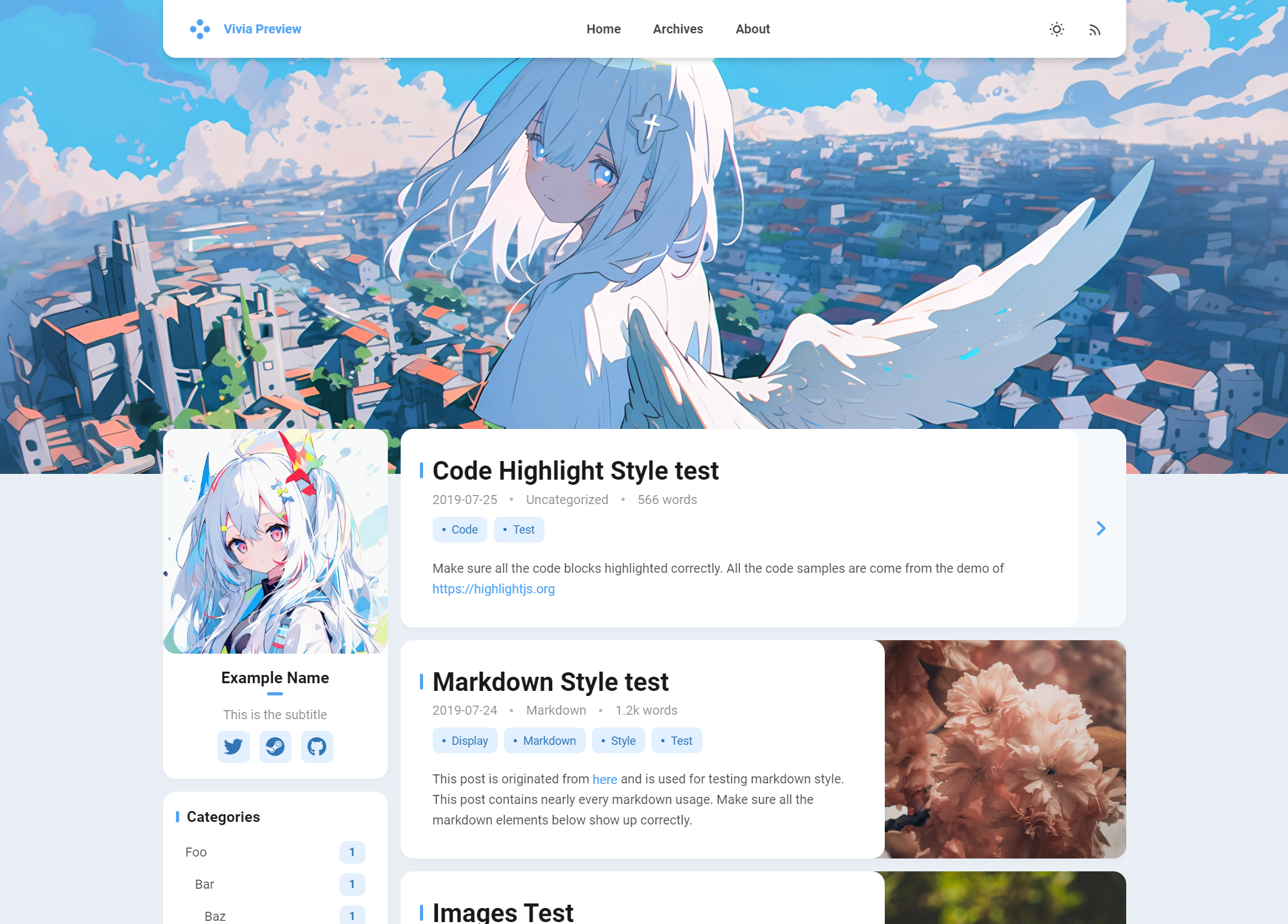 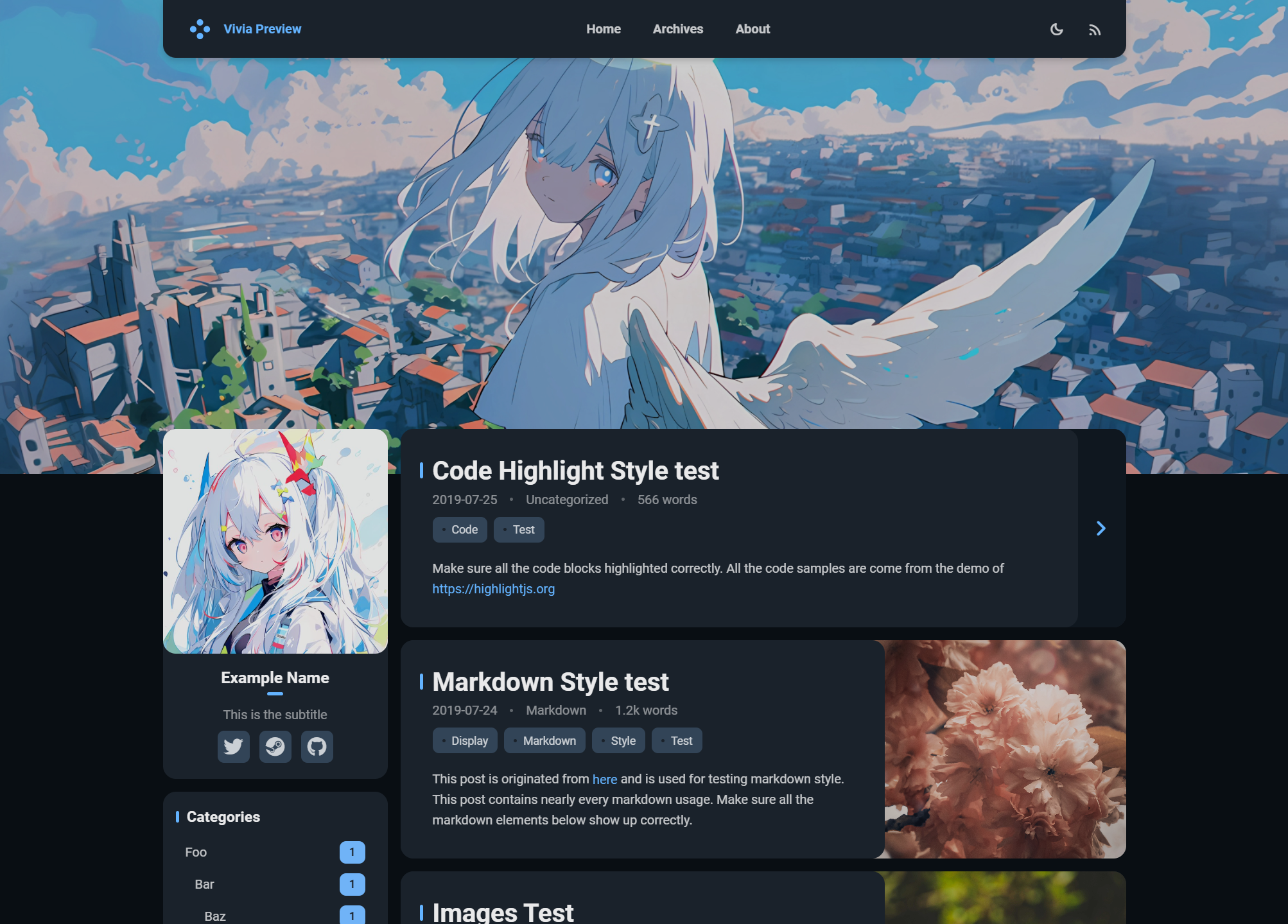 # Install > [!NOTE] > All the following commands should be executed in the root directory of your Hexo blog ### 1. Install the Theme Via npm (Recommended) ```bash npm install hexo-theme-vivia ``` Via Git ```bash # Clone the theme into the /themes/vivia directory git clone https://github.com/saicaca/hexo-theme-vivia.git themes/vivia # Install the required dependencies npm install colorjs.io stylus hexo-symbols-count-time ``` ### 2. Create the Theme Configuration File Copy the example configuration file to your Hexo blog's root directory: - If you installed the theme via npm, the file is located at `node_modules/hexo-theme-vivia/example_config.vivia.yml`. - If you installed via Git, the file is in `themes/vivia/example_config.vivia.yml`. After copying, rename this file to `_config.vivia.yml`. ### 3. Customize the Theme Edit `_config.vivia.yml` and make any desired customizations. ### 4. Set `vivia` as the Theme ```bash hexo config theme vivia ``` ### 5. Create the `about` Page ```bash hexo new page about ``` ### 6. Disable the Pagination of Archive Page Edit `_config.yml` and add the following lines: ```yaml archive_generator: per_page: 0 ``` Without this configuration, the archive page will only show up to ten articles at most. # To-do list - [x] Light / dark mode - [x] Custom theme color - [x] Custom banner - [x] Responsive design - [x] Comments - [x] Valine - [x] Twikoo - [ ] Others - [ ] Search - [ ] TOC widget # Thanks <a href="https://jb.gg/OpenSourceSupport"> <img src="https://resources.jetbrains.com/storage/products/company/brand/logos/jb_beam.png" alt="JetBrains Logo (Main) logo." width="200px" height="200px"> </a> - [Hexo](https://hexo.io/zh-cn/index.html) - [Landscape](https://github.com/hexojs/hexo-theme-landscape) - [Color.js](https://colorjs.io/) - [Font Awesome](https://github.com/FortAwesome/Font-Awesome) - [Material Icons / Material Symbols](https://github.com/google/material-design-icons)
看看同类模板
对比同技术栈与用途的模板,找到更适合的视觉与内容结构。

hexo-theme-matery
A beautiful hexo blog theme with material design and responsive design.一个基于材料设计和响应式设计而成的全面、美观的Hexo主题。
Hexo · 博客

hexo-theme-cactus
:cactus: A responsive, clean and simple theme for Hexo.
Hexo · 博客

hexo-theme-volantis
A Wonderful Theme for Hexo.
Hexo · 博客

hexo-theme-aurora
Hexo Theme Aurora 是一款以极光色彩和渐变 UI 为核心的 Hexo 博客主题,整体走未来感路线。 它的首页采用杂志式网格布局,文章列表与精选区域层次分明,视觉上更接近个人媒体站点而非传统博客。
Hexo · 博客

hexo-theme-Claudia
Claudia 是一款为 Hexo 设计的博客主题,主打简洁外观与易配置。 它支持自动跟随设备深色模式,并在 README 中宣称拥有 90+ 的 Lighthouse 评分,适合追求轻量与性能的博客作者。
Hexo · 博客

hexo-theme-A4
A hexo theme that looks like an A4 paper.(一个类A4纸张质感的hexo博客主题。 )
Hexo · 博客