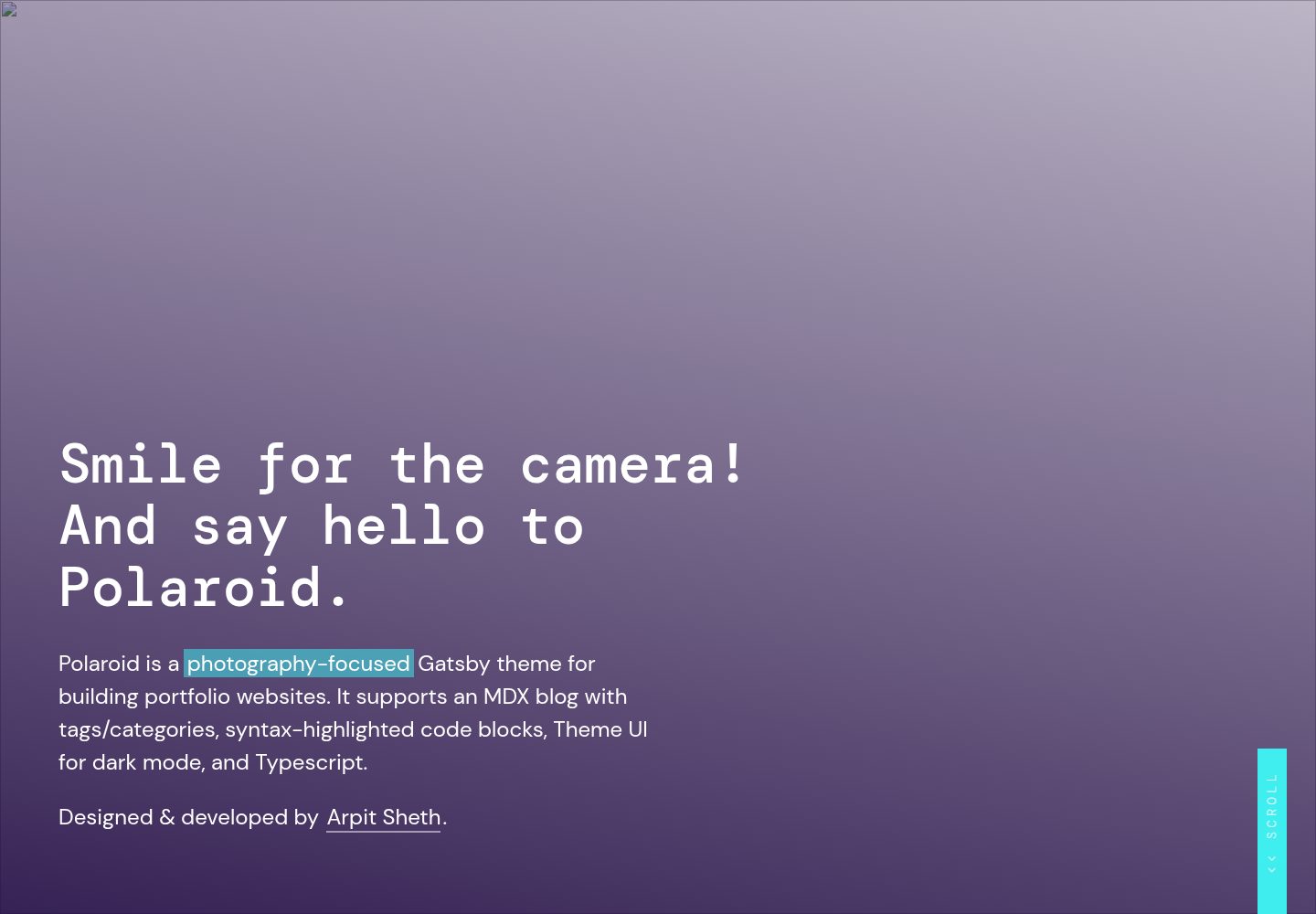
以全屏照片展示为核心的首页,支持响应式图片、渐变遮罩、标题、描述、链接和行动按钮等可配置属性
GatsbyReact作品集博客
gatsby-theme-polaroid — Gatsby 作品集模板
作者 shetharp
Polaroid 是一个以摄影作品展示为核心的 Gatsby 主题,支持 MDX 博客、标签分类、代码高亮和明暗模式,采用 MIT 许可。
看看你的网站会是什么样
浏览真实页面截图,比较内容排版与手机效果。点击下方缩略图切换,放大查看整页细节。
全部页面与视图 3
截图用于了解视觉与布局,交互效果请以实际项目为准。
采集于 2026-10-03查看来源
值得关注的模板亮点
从已有项目资料中,快速了解它的特点。
支持 MDX 页面与博客文章,博客可设置标签/分类,适合同时维护作品集与写作内容
代码块支持语法高亮,可添加行号、行高亮、语言标签和文件标题,便于搭建开发者博客
使用 Theme UI 构建,内置明暗模式切换,图片在暗色模式下自动变暗
使用 TypeScript 编写,组件可导入、覆盖和自定义,并提供类型定义
提供 Yarn workspaces 工作区结构,theme 与 demo 分离,便于开发与发布主题
模板详细介绍
Polaroid 是面向摄影作品集网站的 Gatsby 主题,由 Arpit Sheth 设计开发。它基于 @lekoarts/gatsby-theme-minimal-blog-core 构建,在博客功能之上增加了适合摄影展示的首页与响应式图片处理。主题支持 MDX 格式的页面与文章,博客文章可设置标签/分类,代码块支持语法高亮,并可通过 Theme UI 切换明暗模式。代码使用 TypeScript 编写,组件可导入、覆盖和自定义。
使用方式有两种:一是将 @shetharp/gatsby-theme-polaroid 作为依赖安装到现有 Gatsby 站点,在 gatsby-config.js 中注册为插件,并在 content/posts 与 content/pages 目录下创建 .mdx 文件;二是以仓库作为工作区起点,theme 目录存放主题组件、样式和配置,demo 目录存放示例站点内容,通过 Yarn workspaces 管理。主题选项、站点元数据、Logo、页眉链接和页脚等均可通过配置或覆盖组件调整。
该主题适合需要摄影作品展示与轻量博客的站点。它不包含内容管理系统或后台编辑界面,内容以本地 MDX 文件维护。演示图片、字体、图标等第三方素材的许可需单独核对,域名、托管等外部服务可能产生费用。
Gatsby作品集博客
适合你的项目吗?
适用场景
- 摄影师或视觉创作者搭建个人作品集网站,用全屏照片展示作品
- 在作品集之外维护一个带标签分类的博客,发布创作笔记或技术文章
- 开发者希望基于现有 Gatsby 主题进行覆盖和二次开发,构建自己的摄影类主题
- 需要明暗模式切换和代码高亮功能的个人站点
适合人群
- 熟悉 Gatsby 和 MDX 的前端开发者或设计师
- 以图片展示为主、同时需要博客功能的个人站点
- 希望以 MIT 许可免费使用并修改主题代码的用户
- 愿意通过本地文件维护内容、不需要后台管理系统的项目
上手与定制指南
结合仓库当前版本的说明,按下面的资料检查内容、配置与运行要求。
- 1
安装主题:npm i --save @shetharp/gatsby-theme-polaroid 或 yarn add @shetharp/gatsby-theme-polaroid,然后在 gatsby-config.js 的 plugins 中加入该主题
- 2
内容文件为 .mdx 格式,默认放在站点的 content/posts 和 content/pages 目录,需自行创建这些目录
- 3
若以仓库为工作区起点,需使用 Yarn workspaces,theme 目录用于主题开发,demo 目录用于示例站点,运行 yarn workspace demo develop 启动开发服务器
- 4
主题选项、站点元数据、Logo、页眉链接和页脚等可通过 gatsby-config.js 或覆盖组件进行自定义
- 5
演示图片、字体、图标等第三方素材需按各自许可单独核对;域名、托管等外部服务可能另外收费
授权与来源资料
使用条件与限制
免费使用 · 保留许可声明本次收录的是公开仓库中采用 MIT 许可的免费版本;免费范围为该版本代码,不代表外部服务或第三方素材免费。
使用时需要遵守
- 允许免费使用、修改、商用和分发该版本代码。
- 分发代码副本或实质性部分时,保留原作者版权声明和完整 MIT 许可声明。
- 代码按现状提供;担保与责任限制以原许可证及适用法律为准。
额外费用与待核对事项
- 演示图片、字体、图标及其他第三方素材需按各自许可核对,不能仅凭代码的 MIT 许可判断。
- 域名、托管、数据库、支付或 AI 等外部服务可能另外收费。
查看原文依据
https://github.com/shetharp/gatsby-theme-polaroid/blob/master/LICENSEhttps://github.com/shetharp/gatsby-theme-polaroid/blob/master/README.mdPermission is hereby granted, free of charge
许可证原文
DeepSeek 根据仓库许可证和 README 整理 ·2026-10-03。结果仅覆盖已读取资料,依赖、图片、字体及后续条款变更以各自原文为准。
项目核对记录与介绍依据
模板资料
- 来源平台
- GitHub
- 资料与维护参考分
- 资料一般 · 73 / 100
- 技术栈
- Gatsby · React
- 网站类型
- 作品集 · 博客
这个分数如何计算
本站按许可资料(最高30分)、演示链接(12分)、预览图(10分)、Star数(15分)、记录的维护时间(15分)、描述完整度(8分)、功能记录(5分)和分类资料(5分)计算。它不是代码、安全或性能测试,也不是 Google 评分;有链接不代表已实测可用。
这个项目需要核对什么
- 记录的仓库更新时间
- 2023-01-06
- 截图检查日期
- 2026-10-03
已收录演示链接。请用你的内容与屏幕尺寸检查;有演示不代表表单、认证或支付已经可用。
目录记录的主要技术栈是 Gatsby。请通过依赖清单和锁文件核对实际版本与托管要求。这些说明基于收录资料,不代表代码审计或部署实测。
查看具体选型方法 →介绍的制作与核对状态
介绍由 AI 辅助整理目录与仓库资料。仓库作者不等于这篇介绍的审核者。
已完成服务器许可规则与 AI 来源核对;未经过人工编辑审核。
查看当时使用的来源资料
SHA-256: fd2c2c8ebdd196662b3a47dce157da2d61fd7517e975f1c6a9a497fc6ff9e95e
2026-10-03T00:19:13.938Z
来源文件 / 仓库# gatsby-theme-polaroid-workspace



[](https://shetharp.github.io/gatsby-theme-polaroid/)
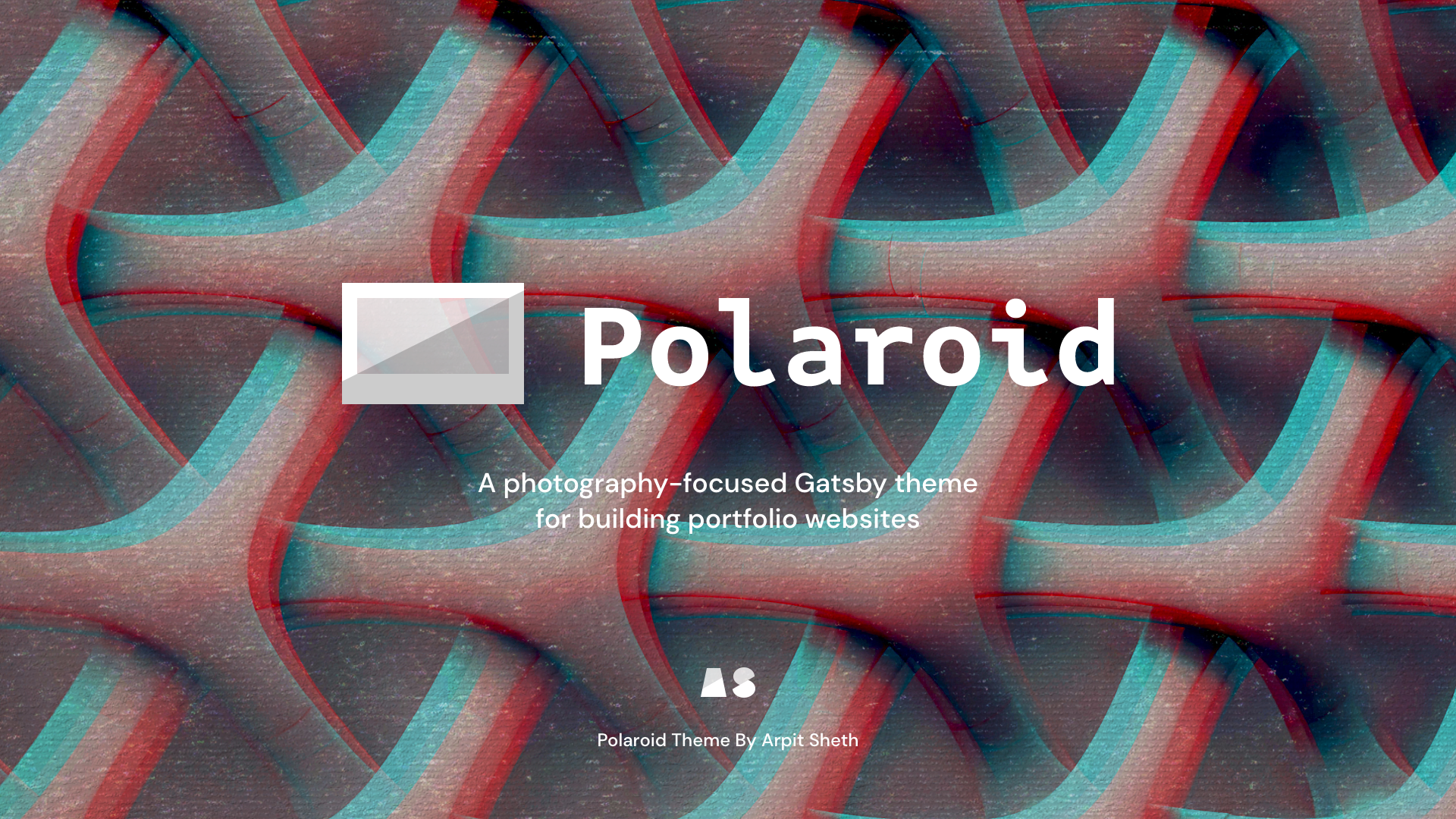
Polaroid is a _photography-focused_ Gatsby theme for building portfolio websites. It supports an MDX blog with tags/categories, syntax-highlighted code blocks, Theme UI for dark mode, and Typescript.
Designed & developed by [Arpit Sheth](https://arpitsheth.com/).
### [📸 View Demo Site →](https://shetharp.github.io/gatsby-theme-polaroid/)
---
### [Readme](https://github.com/shetharp/gatsby-theme-polaroid/blob/master/README.md)
- [📸 View Demo Site →](https://shetharp.github.io/gatsby-theme-polaroid/)
- [Install the Polaroid Theme](https://github.com/shetharp/gatsby-theme-polaroid/blob/master/README.md#install-the-polaroid-theme)
- [Start with the Polaroid Workspace](https://github.com/shetharp/gatsby-theme-polaroid/blob/master/README.md#start-with-the-polaroid-workspace)
- [Features](https://github.com/shetharp/gatsby-theme-polaroid/blob/master/README.md#features)
- [📖 Read Wiki Documentation →](https://github.com/shetharp/gatsby-theme-polaroid/wiki)
- [How to Contribute](https://github.com/shetharp/gatsby-theme-polaroid#how-to-contribute)
### [Add Content](https://github.com/shetharp/gatsby-theme-polaroid/wiki/Add-Content)
- [Add a new slide to the homepage](https://github.com/shetharp/gatsby-theme-polaroid/wiki/Add-a-new-slide-to-the-homepage)
- [Add a new page](https://github.com/shetharp/gatsby-theme-polaroid/wiki/Add-a-new-page)
- [Add a new blog post](https://github.com/shetharp/gatsby-theme-polaroid/wiki/Add-a-new-blog-post)
### [Customizing and Shadowing](https://github.com/shetharp/gatsby-theme-polaroid/wiki/Customizing-and-Shadowing)
- [Customize Site Metadata](https://github.com/shetharp/gatsby-theme-polaroid/wiki/Customize-Site-Metadata)
- [Customize Theme Options](https://github.com/shetharp/gatsby-theme-polaroid/wiki/Customize-Theme-Options)
- [Customize Theme UI](https://github.com/shetharp/gatsby-theme-polaroid/wiki/Customize-Theme-UI)
- [Customize the Logo](https://github.com/shetharp/gatsby-theme-polaroid/wiki/Customize-the-Logo)
- [Customize the Header Links](https://github.com/shetharp/gatsby-theme-polaroid/wiki/Customize-the-Header-Links)
- [Customize the Footer](https://github.com/shetharp/gatsby-theme-polaroid/wiki/Customize-the-Footer)
### [Features](https://github.com/shetharp/gatsby-theme-polaroid/blob/master/README.md#features)
- [Use Syntax Highlighted Code Blocks](https://github.com/shetharp/gatsby-theme-polaroid/wiki/Use-Syntax-Highlighted-Code-Blocks)
### [Developer Guide](https://github.com/shetharp/gatsby-theme-polaroid/wiki/Developer-Guide)
- [How to Contribute](https://github.com/shetharp/gatsby-theme-polaroid#how-to-contribute)
- [Deploy and Publish](https://github.com/shetharp/gatsby-theme-polaroid/wiki/Deploy-and-Publish)
- [Creating New Gatsby Theme with Typescript, MDX, and Theme-UI](https://hackernoon.com/creating-new-gatsby-theme-with-typescript-mdx-and-theme-ui-tz1c3u3u) _– article by Arpit Sheth_
---
# Install the Polaroid Theme
1. Add the theme as a dependency to your Gatsby site.
```shell
npm i --save @shetharp/gatsby-theme-polaroid
# or
yarn add @shetharp/gatsby-theme-polaroid
```
2. Add the theme to your `gatsby-config.js` file
```js:title=gatsby-config.js
module.exports = {
plugins: ["@shetharp/gatsby-theme-polaroid"],
};
```
3. Modify the [theme options](https://github.com/LekoArts/gatsby-themes/tree/master/themes/gatsby-theme-minimal-blog) and site metadata in your `gatsby-config.js` file.
4. Create `.mdx` files for your site's pages or posts. By default this should be in your site's `content/posts` and `content/pages` directories. You should create these directories if they don't already exist.
5. Shadow, override, and customize the theme to fit your needs. See the list of features below for more info.
# Start with the Polaroid Workspace
1. start developing your own theme using this repo as a starting point:
```shell
gatsby new gatsby-theme-custom https://github.com/shetharp/gatsby-theme-polaroid
cd gatsby-theme-custom
yarn
yarn workspace demo develop
```
_Replace `gatsby-theme-custom` with whatever you wish to name your theme._
2. The `theme` workspace directory contains the components, styles, and theme configurations.
- You should update the `package.json` to match the details for your theme (such as name, author, repository, etc.)
- This workspace can be used to publish your theme as its own npm package
3. The `demo` workspace directory contains the content, components, and styles for an example site that consumes the theme.
- You should update the `package.json` to include your theme as a dependency. Make sure the name of the dependency matches the name in your theme's `package.json` file!
- You should then update the `gatsby-config.js` to include your theme as a plugin
- This workspace can be used to deploy a demo site for your theme
---
# Features
Under the hood, Polaroid is built on top of the functionality provided by [@lekoarts/gatsby-theme-minimal-blog-core](https://www.gatsbyjs.org/packages/@lekoarts/gatsby-theme-minimal-blog-core/). Polaroid provides additional features, especially those that enhance the user experience for a photography-focused portfolio website and blog.
Polaroid lets you quickly build a production-ready website that supports the following out of the box:
- **Photo-rich portfolio**
- A gorgeous homepage that puts your photos or work on fullscreen display
- Responsive optimized images
- Automatically darkens images in dark mode
- Customizable props for colorful gradient overlays
- Customizable props for titles, descriptions, links, and call to action buttons
- Beautiful typography with plenty of responsive styling for all screen sizes
- **MDX Blog Posts and Site Pages**
- MDX support for pages and posts
- A blog with tags/categories for posts
- Syntax-highlighted code blocks if you want to set up a developer blog
- Allows adding line numbers, line highlighting, language tabs, and file titles
- Provided by [prism-react-renderer](https://github.com/FormidableLabs/prism-react-renderer) and [react-live](https://github.com/FormidableLabs/react-live)
- Typography driven with minimal styles
- Great reading experience with light and dark mode options
- **Built with Theme UI**
- A custom theme with beautiful colors
- Typography driven with minimal styles
- Plenty of responsive styling for a great looking website on all screen sizes
- Support for light mode / dark mode
- **Easy to Customize with Typescript**
- Customizable `data` for the header, toggle header menu, and footer
- Easy to import, shadow, and customize components with plenty of Typescript types defined for you
# Wiki Documentation
The Polaroid Theme wiki contains more documentation on how to add content, customize the theme, and how to use its features.
### [📖 Read Wiki Documentation →](https://github.com/shetharp/gatsby-theme-polaroid/wiki)
# How to Contribute
It will help if you have some basic experience with Yarn workspaces, Gatsby, and Gatsby themes. If you don't have much experience with this, I suggest looking into these resources:
- [What are Gatsby themes?](https://www.gatsbyjs.org/docs/themes/what-are-gatsby-themes) _– oficial documentation_
- [Building Themes](https://www.gatsbyjs.org/docs/themes/building-themes) _– oficial documentation_
- [Creating New Gatsby Theme with Typescript, MDX, and Theme-UI](https://hackernoon.com/creating-new-gatsby-theme-with-typescript-mdx-and-theme-ui-tz1c3u3u) _– article by Arpit Sheth_
This repo uses Yarn workspaces and Gatsby, so make sure you have them installed on your machine.
1. Clone this repo and `cd` into it
2. Install dependencies
```shell
yarn
```
3. Make changes to the theme itself in the `theme` directory. To update the demo site, make changes in the `demo` directory.
4. Launch the development server for the demo site to see your changes live.
```shell
yarn workspace demo develop
```
5. Commit your changes to your own branch and make a PR against this repo.
- Be sure to test your PR with a production build of the demo site.
```shell
yarn workspace demo build
```
- Please take a moment to update any relevant documentation in the Readme or Wiki.
💙 Thank you for helping make this project better! ❤️
看看同类模板
对比同技术栈与用途的模板,找到更适合的视觉与内容结构。

gatsby-starter-gcn
gatsby-starter-gcn 是一个面向静态网站构建的 Gatsby 启动器,将内容管理、部署和前端开发串联起来。
Gatsby · 博客
yashitanamdeo.github.io
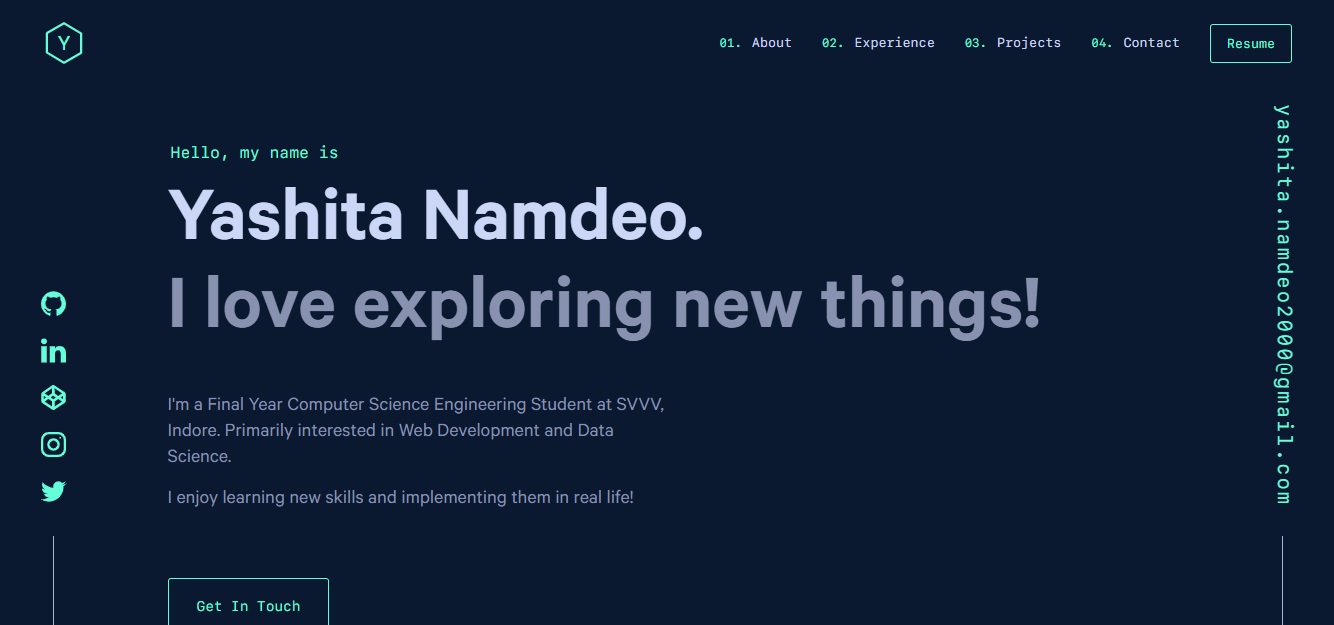
yashitanamdeo.github.io 是一个基于 Gatsby 和 React 构建的个人作品集网站模板,源自开发者 Yashita Namdeo 的第一版个人主页。
Gatsby · 作品集
devblog
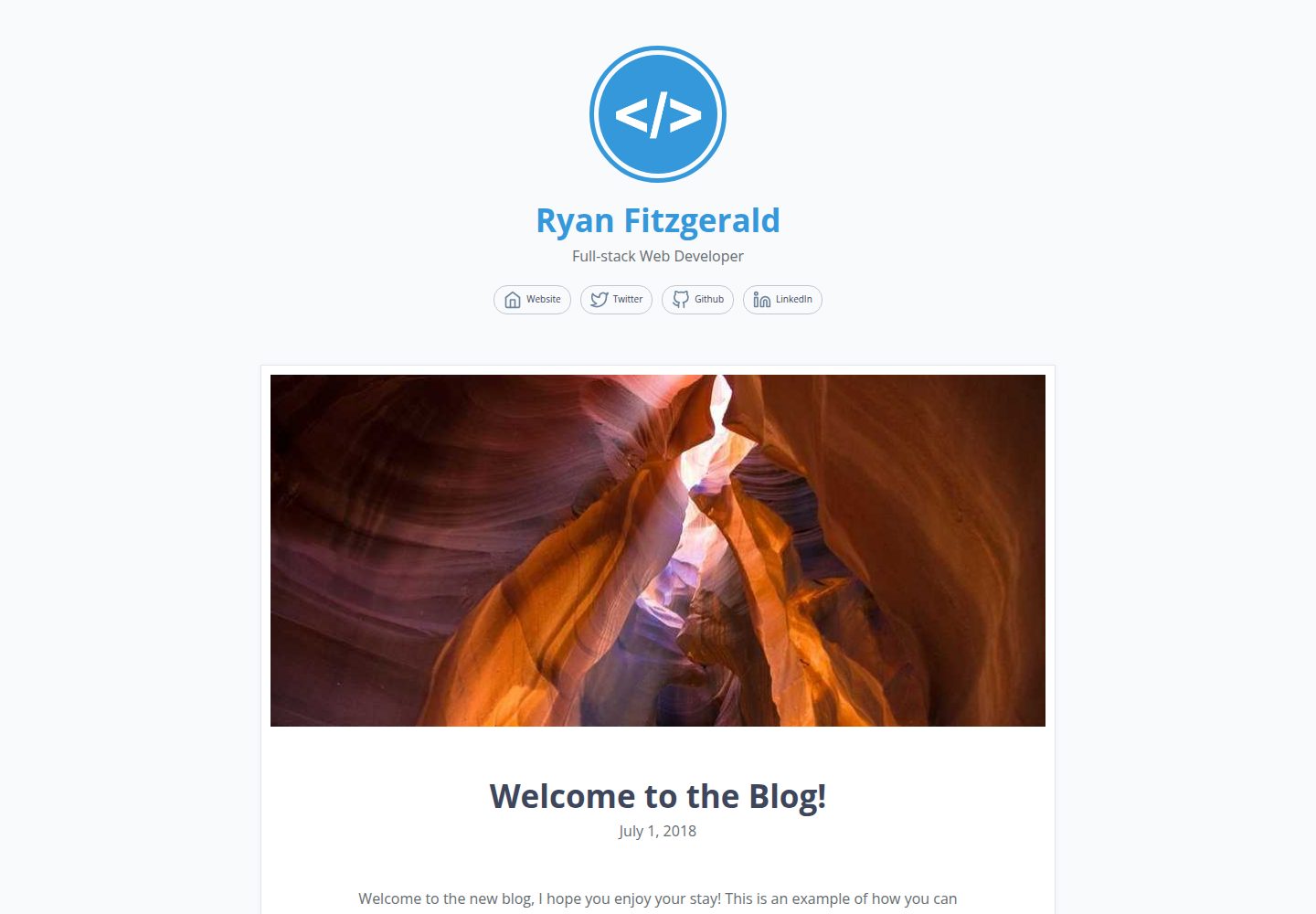
A lightweight, customizable personal blog template built with GatsbyJS and React
Gatsby · 博客

gatsby-starter-morning-dew
:rocket: A Gatsby theme/starter to build lightning-fast blog/websites
Gatsby · 博客

starter-gatsby-blog
这是一个由 Contentful 社区维护的 Gatsby 博客启动器,目标是把静态站点的低维护成本与 Contentful 的友好编辑界面结合起来。
Gatsby · 社区

blog-template
Scientific blog template based on theaisummer.com
Gatsby · 博客