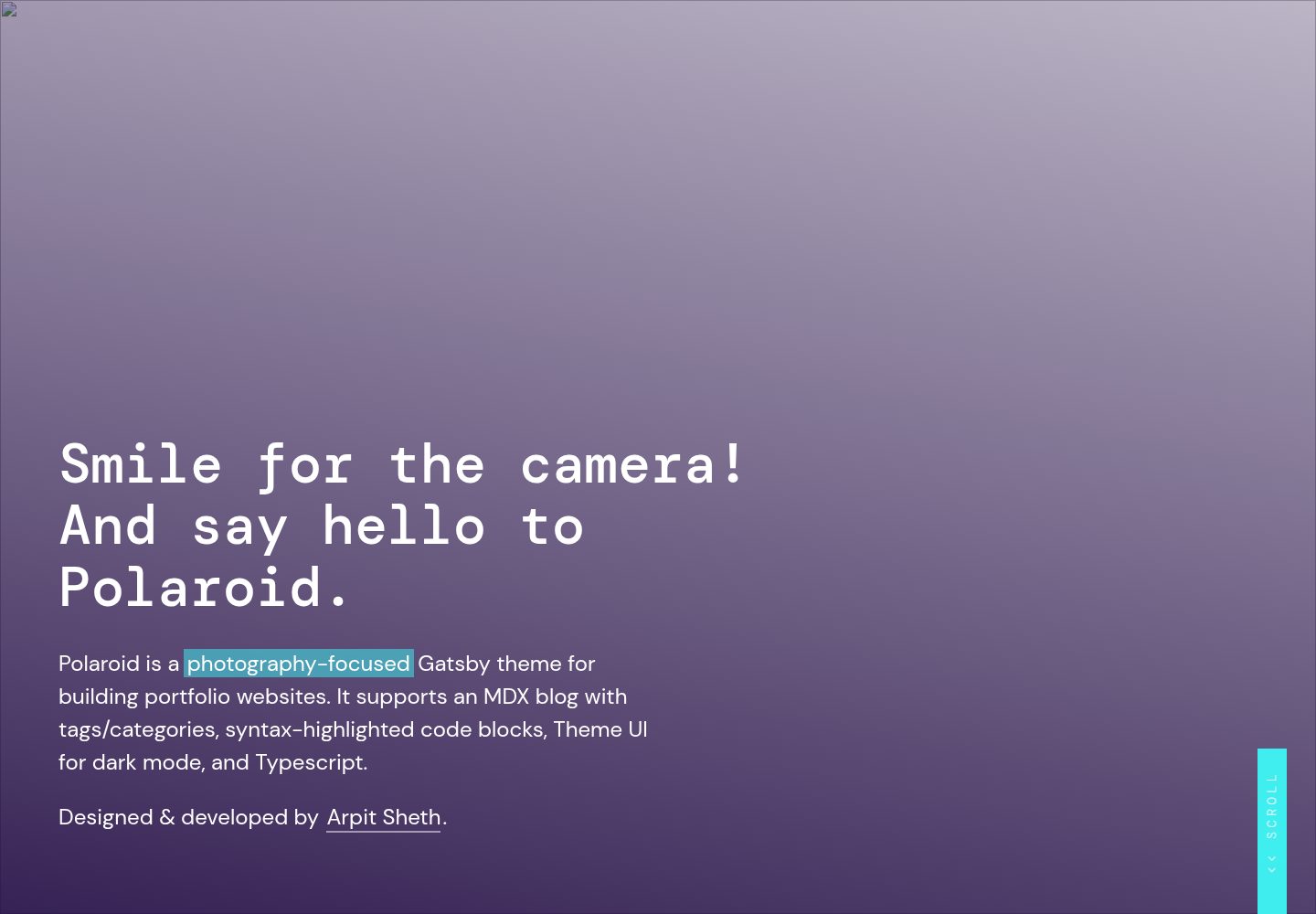
A homepage centered on full-screen photo display, supporting responsive images, gradient overlays, titles, descriptions, links, and call-to-action buttons as configurable properties
GatsbyReactPortfolioBlog
gatsby-theme-polaroid — Gatsby Portfolio Template
By shetharp
Polaroid is a Gatsby theme centered on photography portfolio display, supporting MDX blog posts, tag categorization, code highlighting, and light/dark mode, under the MIT license.
Explore the design
Compare the page layouts and mobile experience. Open any screenshot for a closer look.
Desktop homepage1 / 3
Desktop captureTop of page
Actual screenshot captured by the server browser.
All pages & views 3
Screenshots show visual appearance; interactive behavior may differ.
Recorded 2026-10-03View source
What stands out
A quick read of the recorded project description.
Supports MDX pages and blog posts, with tags/categories for blog posts, suitable for maintaining both a portfolio and written content
Code blocks support syntax highlighting, with optional line numbers, line highlighting, language labels, and file titles, making it convenient for building a developer blog
Built with Theme UI, with built-in light/dark mode toggle, and images automatically dimmed in dark mode
Written in TypeScript, components can be imported, overridden, and customized, with type definitions provided
Provides a Yarn workspaces structure, separating theme and demo for easier theme development and publishing
Template Details
Polaroid is a Gatsby theme for photography portfolio websites, designed and developed by Arpit Sheth. It is built on @lekoarts/gatsby-theme-minimal-blog-core, adding a homepage suited to photography display and responsive image handling on top of blog functionality. The theme supports MDX-format pages and posts, blog posts can have tags/categories, code blocks support syntax highlighting, and light/dark mode can be toggled via Theme UI. The code is written in TypeScript, and components can be imported, overridden, and customized.
There are two ways to use it: first, install @shetharp/gatsby-theme-polaroid as a dependency in an existing Gatsby site, register it as a plugin in gatsby-config.js, and create .mdx files under the content/posts and content/pages directories; second, use the repository as a workspace starting point, with the theme directory holding theme components, styles, and configuration, and the demo directory holding example site content, managed via Yarn workspaces. Theme options, site metadata, logo, header links, and footer can all be adjusted through configuration or by overriding components.
The theme suits sites that need photography portfolio display and a lightweight blog. It does not include a content management system or backend editing interface; content is maintained as local MDX files. Licenses for third-party assets such as demo images, fonts, and icons must be checked separately, and external services such as domains and hosting may incur costs.
GatsbyPortfolioBlog
Is it right for your project?
Use Cases
- Photographers or visual creators building a personal portfolio website to showcase work with full-screen photos
- Maintaining a blog with tag categorization alongside a portfolio, publishing creative notes or technical articles
- Developers who want to override and extend an existing Gatsby theme to build their own photography-related theme
- Personal sites that need light/dark mode switching and code highlighting
Suitable For
- Front-end developers or designers familiar with Gatsby and MDX
- Personal sites focused on image display that also need blog functionality
- Users who want to use and modify the theme code for free under the MIT license
- Projects willing to maintain content through local files without needing a backend management system
Getting started & customization
Use these recorded setup notes alongside the repository instructions for your chosen version.
- 1
Install the theme: npm i --save @shetharp/gatsby-theme-polaroid or yarn add @shetharp/gatsby-theme-polaroid, then add the theme to plugins in gatsby-config.js
- 2
Content files are in .mdx format, placed by default in the site's content/posts and content/pages directories; these directories must be created manually
- 3
If using the repository as a workspace starting point, Yarn workspaces are required; the theme directory is for theme development, the demo directory is for the example site, and yarn workspace demo develop starts the development server
- 4
Theme options, site metadata, logo, header links, and footer can be customized via gatsby-config.js or by overriding components
- 5
Third-party assets such as demo images, fonts, and icons must be checked separately under their respective licenses; external services such as domains and hosting may incur additional charges
License & source material
Usage conditions & limitations
Free to use · keep license noticeThis entry covers the free version under the MIT license in the public repository; the free scope is the code of this version, and does not mean external services or third-party assets are free.
Must comply with when using
- Allows free use, modification, commercial use, and distribution of this version's code.
- When distributing copies or substantial portions of the code, retain the original author's copyright notice and the full MIT license notice.
- The code is provided as is; warranties and limitations of liability are governed by the original license and applicable law.
Additional costs & items to verify
- Demo images, fonts, icons, and other third-party assets must be checked under their respective licenses and cannot be judged solely by the code's MIT license.
- External services such as domains, hosting, databases, payments, or AI may incur additional charges.
View Original Text Basis
https://github.com/shetharp/gatsby-theme-polaroid/blob/master/LICENSEhttps://github.com/shetharp/gatsby-theme-polaroid/blob/master/README.mdPermission is hereby granted, free of charge
Original License Text
Compiled by DeepSeek based on repository license and README ·2026-10-03. Results only cover the materials read; dependencies, images, fonts, and subsequent term changes are subject to their respective original texts.
Project checks & description sources
Template Information
- Source platforms
- GitHub
- Documentation and maintenance reference score
- Partly documented · 73 / 100
- Technologies
- Gatsby · React
- Website type
- Portfolio · Blog
How this score is calculated
Our heuristic uses license records (up to 30), a demo link (12), a preview (10), stars (15), recorded maintenance (15), description completeness (8), feature records (5) and classification data (5). It is not a code, security or performance test, or a Google score. A link does not establish tested functionality.
What to verify for this project
- Repository update recorded
- 2023-01-06
- Screenshot last checked
- 2026-10-03
A demo link is listed. Check it with your own content and viewport sizes; its presence does not confirm that forms, authentication or payments work.
The catalog identifies Gatsby as the primary stack. Check the actual dependency manifest and lockfile for versions and hosting requirements. These notes use recorded metadata, not a code audit or a deployment test.
Use a selection guide →How this description was prepared
AI-assisted description based on catalog records and repository material. Repository authors are not automatically the reviewers of this description.
Automatically checked against source and license rules; no manual editorial review.
Inspect the recorded source material
SHA-256: fd2c2c8ebdd196662b3a47dce157da2d61fd7517e975f1c6a9a497fc6ff9e95e
2026-10-03T00:19:13.938Z
Source file / repository# gatsby-theme-polaroid-workspace



[](https://shetharp.github.io/gatsby-theme-polaroid/)
Polaroid is a _photography-focused_ Gatsby theme for building portfolio websites. It supports an MDX blog with tags/categories, syntax-highlighted code blocks, Theme UI for dark mode, and Typescript.
Designed & developed by [Arpit Sheth](https://arpitsheth.com/).
### [📸 View Demo Site →](https://shetharp.github.io/gatsby-theme-polaroid/)
---
### [Readme](https://github.com/shetharp/gatsby-theme-polaroid/blob/master/README.md)
- [📸 View Demo Site →](https://shetharp.github.io/gatsby-theme-polaroid/)
- [Install the Polaroid Theme](https://github.com/shetharp/gatsby-theme-polaroid/blob/master/README.md#install-the-polaroid-theme)
- [Start with the Polaroid Workspace](https://github.com/shetharp/gatsby-theme-polaroid/blob/master/README.md#start-with-the-polaroid-workspace)
- [Features](https://github.com/shetharp/gatsby-theme-polaroid/blob/master/README.md#features)
- [📖 Read Wiki Documentation →](https://github.com/shetharp/gatsby-theme-polaroid/wiki)
- [How to Contribute](https://github.com/shetharp/gatsby-theme-polaroid#how-to-contribute)
### [Add Content](https://github.com/shetharp/gatsby-theme-polaroid/wiki/Add-Content)
- [Add a new slide to the homepage](https://github.com/shetharp/gatsby-theme-polaroid/wiki/Add-a-new-slide-to-the-homepage)
- [Add a new page](https://github.com/shetharp/gatsby-theme-polaroid/wiki/Add-a-new-page)
- [Add a new blog post](https://github.com/shetharp/gatsby-theme-polaroid/wiki/Add-a-new-blog-post)
### [Customizing and Shadowing](https://github.com/shetharp/gatsby-theme-polaroid/wiki/Customizing-and-Shadowing)
- [Customize Site Metadata](https://github.com/shetharp/gatsby-theme-polaroid/wiki/Customize-Site-Metadata)
- [Customize Theme Options](https://github.com/shetharp/gatsby-theme-polaroid/wiki/Customize-Theme-Options)
- [Customize Theme UI](https://github.com/shetharp/gatsby-theme-polaroid/wiki/Customize-Theme-UI)
- [Customize the Logo](https://github.com/shetharp/gatsby-theme-polaroid/wiki/Customize-the-Logo)
- [Customize the Header Links](https://github.com/shetharp/gatsby-theme-polaroid/wiki/Customize-the-Header-Links)
- [Customize the Footer](https://github.com/shetharp/gatsby-theme-polaroid/wiki/Customize-the-Footer)
### [Features](https://github.com/shetharp/gatsby-theme-polaroid/blob/master/README.md#features)
- [Use Syntax Highlighted Code Blocks](https://github.com/shetharp/gatsby-theme-polaroid/wiki/Use-Syntax-Highlighted-Code-Blocks)
### [Developer Guide](https://github.com/shetharp/gatsby-theme-polaroid/wiki/Developer-Guide)
- [How to Contribute](https://github.com/shetharp/gatsby-theme-polaroid#how-to-contribute)
- [Deploy and Publish](https://github.com/shetharp/gatsby-theme-polaroid/wiki/Deploy-and-Publish)
- [Creating New Gatsby Theme with Typescript, MDX, and Theme-UI](https://hackernoon.com/creating-new-gatsby-theme-with-typescript-mdx-and-theme-ui-tz1c3u3u) _– article by Arpit Sheth_
---
# Install the Polaroid Theme
1. Add the theme as a dependency to your Gatsby site.
```shell
npm i --save @shetharp/gatsby-theme-polaroid
# or
yarn add @shetharp/gatsby-theme-polaroid
```
2. Add the theme to your `gatsby-config.js` file
```js:title=gatsby-config.js
module.exports = {
plugins: ["@shetharp/gatsby-theme-polaroid"],
};
```
3. Modify the [theme options](https://github.com/LekoArts/gatsby-themes/tree/master/themes/gatsby-theme-minimal-blog) and site metadata in your `gatsby-config.js` file.
4. Create `.mdx` files for your site's pages or posts. By default this should be in your site's `content/posts` and `content/pages` directories. You should create these directories if they don't already exist.
5. Shadow, override, and customize the theme to fit your needs. See the list of features below for more info.
# Start with the Polaroid Workspace
1. start developing your own theme using this repo as a starting point:
```shell
gatsby new gatsby-theme-custom https://github.com/shetharp/gatsby-theme-polaroid
cd gatsby-theme-custom
yarn
yarn workspace demo develop
```
_Replace `gatsby-theme-custom` with whatever you wish to name your theme._
2. The `theme` workspace directory contains the components, styles, and theme configurations.
- You should update the `package.json` to match the details for your theme (such as name, author, repository, etc.)
- This workspace can be used to publish your theme as its own npm package
3. The `demo` workspace directory contains the content, components, and styles for an example site that consumes the theme.
- You should update the `package.json` to include your theme as a dependency. Make sure the name of the dependency matches the name in your theme's `package.json` file!
- You should then update the `gatsby-config.js` to include your theme as a plugin
- This workspace can be used to deploy a demo site for your theme
---
# Features
Under the hood, Polaroid is built on top of the functionality provided by [@lekoarts/gatsby-theme-minimal-blog-core](https://www.gatsbyjs.org/packages/@lekoarts/gatsby-theme-minimal-blog-core/). Polaroid provides additional features, especially those that enhance the user experience for a photography-focused portfolio website and blog.
Polaroid lets you quickly build a production-ready website that supports the following out of the box:
- **Photo-rich portfolio**
- A gorgeous homepage that puts your photos or work on fullscreen display
- Responsive optimized images
- Automatically darkens images in dark mode
- Customizable props for colorful gradient overlays
- Customizable props for titles, descriptions, links, and call to action buttons
- Beautiful typography with plenty of responsive styling for all screen sizes
- **MDX Blog Posts and Site Pages**
- MDX support for pages and posts
- A blog with tags/categories for posts
- Syntax-highlighted code blocks if you want to set up a developer blog
- Allows adding line numbers, line highlighting, language tabs, and file titles
- Provided by [prism-react-renderer](https://github.com/FormidableLabs/prism-react-renderer) and [react-live](https://github.com/FormidableLabs/react-live)
- Typography driven with minimal styles
- Great reading experience with light and dark mode options
- **Built with Theme UI**
- A custom theme with beautiful colors
- Typography driven with minimal styles
- Plenty of responsive styling for a great looking website on all screen sizes
- Support for light mode / dark mode
- **Easy to Customize with Typescript**
- Customizable `data` for the header, toggle header menu, and footer
- Easy to import, shadow, and customize components with plenty of Typescript types defined for you
# Wiki Documentation
The Polaroid Theme wiki contains more documentation on how to add content, customize the theme, and how to use its features.
### [📖 Read Wiki Documentation →](https://github.com/shetharp/gatsby-theme-polaroid/wiki)
# How to Contribute
It will help if you have some basic experience with Yarn workspaces, Gatsby, and Gatsby themes. If you don't have much experience with this, I suggest looking into these resources:
- [What are Gatsby themes?](https://www.gatsbyjs.org/docs/themes/what-are-gatsby-themes) _– oficial documentation_
- [Building Themes](https://www.gatsbyjs.org/docs/themes/building-themes) _– oficial documentation_
- [Creating New Gatsby Theme with Typescript, MDX, and Theme-UI](https://hackernoon.com/creating-new-gatsby-theme-with-typescript-mdx-and-theme-ui-tz1c3u3u) _– article by Arpit Sheth_
This repo uses Yarn workspaces and Gatsby, so make sure you have them installed on your machine.
1. Clone this repo and `cd` into it
2. Install dependencies
```shell
yarn
```
3. Make changes to the theme itself in the `theme` directory. To update the demo site, make changes in the `demo` directory.
4. Launch the development server for the demo site to see your changes live.
```shell
yarn workspace demo develop
```
5. Commit your changes to your own branch and make a PR against this repo.
- Be sure to test your PR with a production build of the demo site.
```shell
yarn workspace demo build
```
- Please take a moment to update any relevant documentation in the Readme or Wiki.
💙 Thank you for helping make this project better! ❤️
Explore similar templates
Compare previews and descriptions within the same stack and category.

gatsby-starter-gcn
A Gatsby starter for building static blogs with Contentful and Netlify.
Gatsby · Blog
yashitanamdeo.github.io
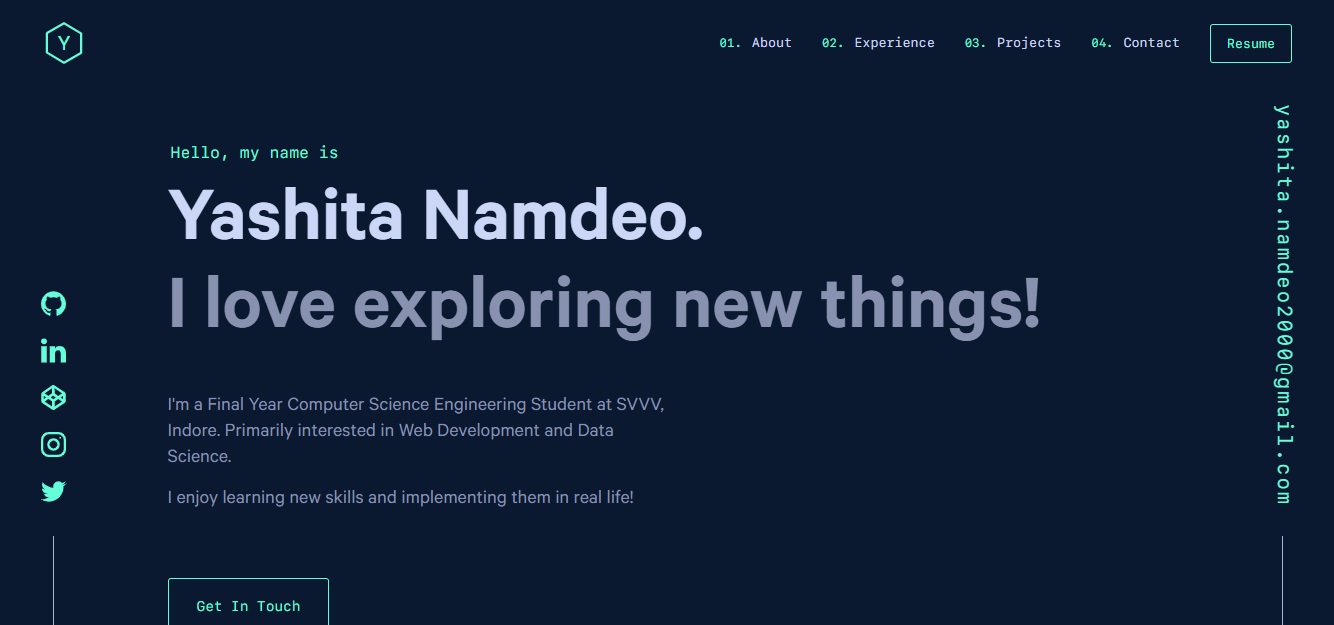
A Gatsby and React personal portfolio template with a dark theme and navy blue and green accents, based on Yashita Namdeo's first personal homepage.
Gatsby · Portfolio
devblog
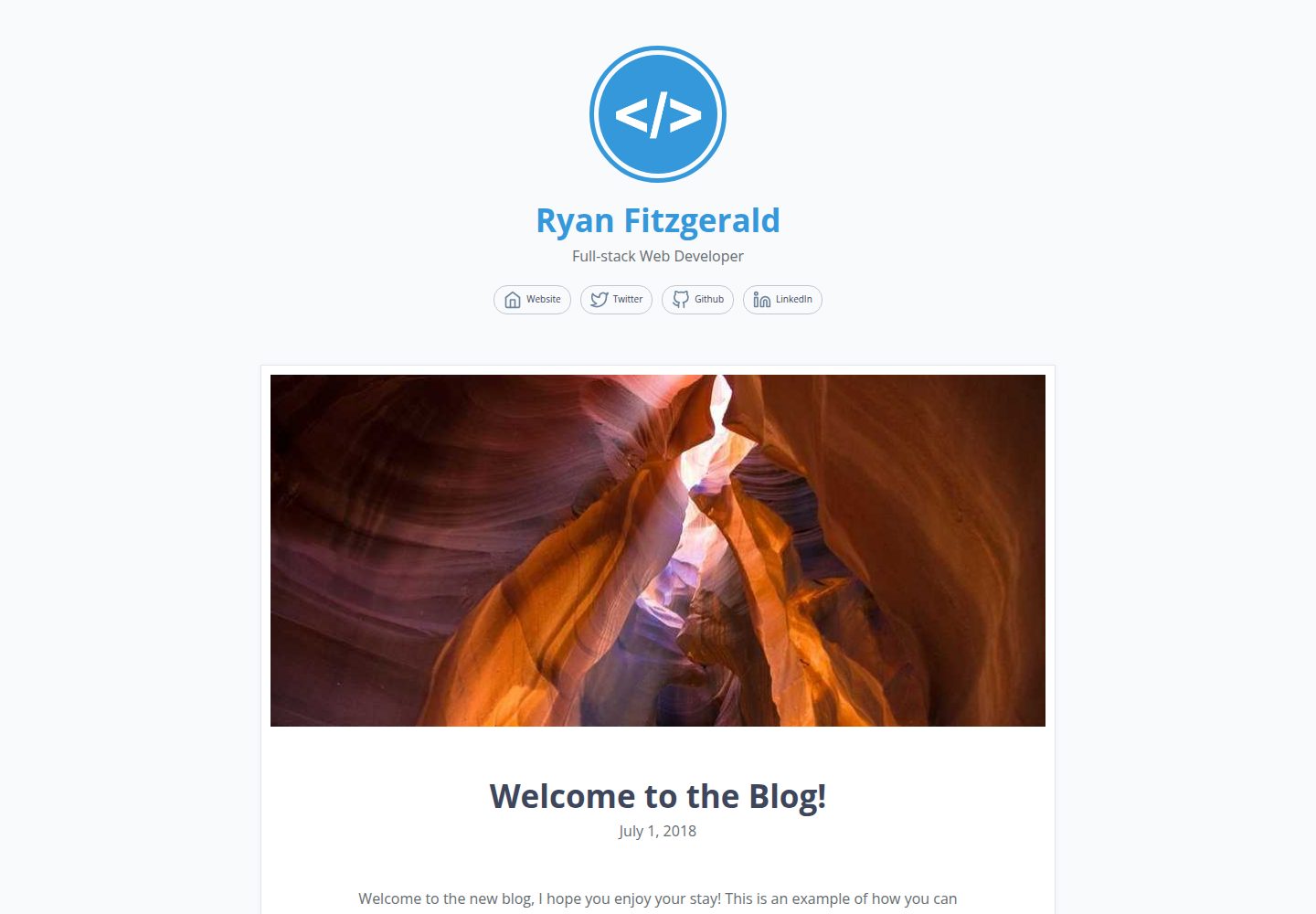
DevBlog is a lightweight, customizable personal blog template built with GatsbyJS and React. Posts are Markdown files in /src/pages, with URLs generated from folder names and frontmatter for title, date, and optional featured image.
Gatsby · Blog

gatsby-starter-morning-dew
A Gatsby and React blog starter/theme that uses Markdown or MDX for posts, supports multilingual content, dark mode, tag grouping, PWA, and Disqus comments, and is MIT licensed.
Gatsby · Blog

starter-gatsby-blog
A community-maintained Gatsby blog starter for Contentful, with a simple content model, npm run setup import, Sync API support, and gatsby-plugin-image. Suitable for quickly building a CMS-driven static blog or learning Gatsby and Headless CMS integration.
Gatsby · 社区

blog-template
A Gatsby scientific blog template streamlined from theaisummer.com, written in MDX with React components, TypeScript/TSX, and Sass.
Gatsby · Blog