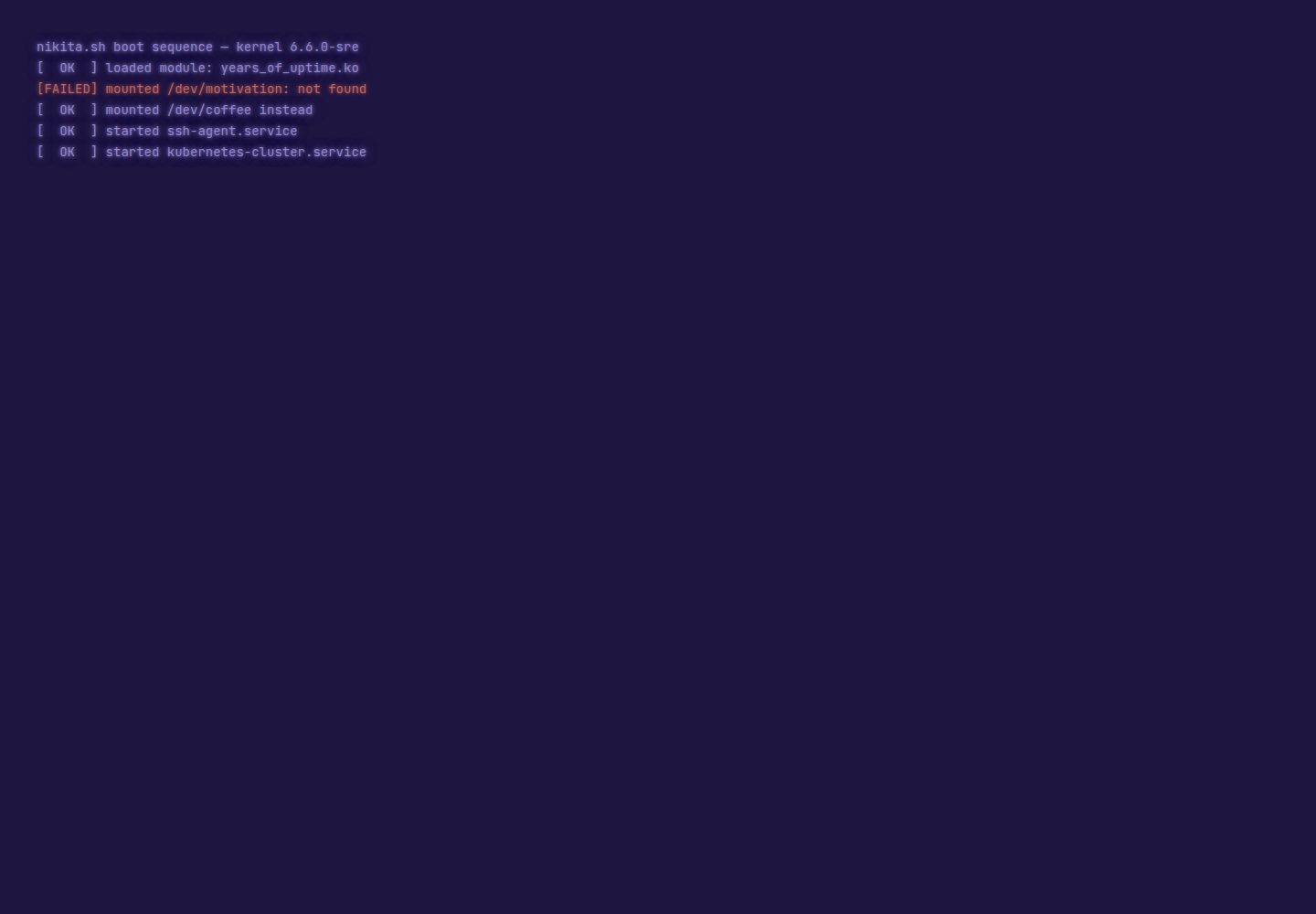
终端交互模拟:启动序列、Tab 补全、历史记录、Ctrl 快捷键和 matrix rain
Vite作品集
terminal-portfolio — Vite 作品集模板
作者 thatguynikita
基于 Vite 与 TypeScript 的终端风格个人作品集与 CV 模板,通过单一配置文件定制内容,支持多语言与主题切换。
看看你的网站会是什么样
浏览真实页面截图,比较内容排版与手机效果。点击下方缩略图切换,放大查看整页细节。
全部页面与视图 2
截图用于了解视觉与布局,交互效果请以实际项目为准。
采集于 2026-10-06查看来源
值得关注的模板亮点
从已有项目资料中,快速了解它的特点。
38 条内置命令,包含模拟的 kubectl、terraform、claude 和 ssh 等
7 个主题,每个主题为独立 CSS 文件,支持默认或随机切换
内置 13 种语言,语言切换按钮可切换整站文案
CV 页面以 shell 命令形式呈现,支持像素风头像和打印灰度样式
单一配置文件 profile.config.ts 管理全部站点内容
模板详细介绍
terminal-portfolio 是一个用 Vite 和 TypeScript 构建的终端风格个人网站模板,同时包含作品集主页和 CV 页面。整个站点的内容集中在 profile.config.ts 一个文件里:姓名、简介、技能、链接、信息卡、CV 内容以及命令输出文本都在此配置,只有姓名是必填项,其余字段留空即不显示。
交互上模拟真实终端,提供启动序列、Tab 补全、历史记录、Ctrl 快捷键和 matrix rain 效果,内置 38 条命令(包括模拟的 kubectl、terraform、claude 和 ssh 等)。假文件系统支持放入任意文件并通过 ls、cat 访问。模板自带 7 个主题,每个主题是一个 CSS 文件,可设置默认主题或随机切换;多语言方面内置 13 种语言,通过语言切换按钮切换整站文案。CV 页面以 shell 命令形式呈现各区块,支持像素风头像,屏幕显示跟随访客主题,打印时输出灰度样式。
扩展方式为按文件添加:新增命令、文件系统条目、主题或语言都只需放入对应目录,无需注册。项目附带 profile.config.example.ts 和 profile.config.multilingual.example.ts 两个完整示例配置,以及 npm run check 校验脚本,用于检查缺失的翻译、图片或无效链接。部署支持 GitHub Pages、Cloudflare Pages 和 S3 兼容存储,各提供一条命令。
限制方面:模板依赖 Node 环境(package.json 中要求 Node >=22.12),演示中的图片、字体、图标等第三方素材需单独核对许可;Spotify 正在播放功能依赖外部服务 spotify-now-playing。仓库采用 MIT 许可,允许免费使用、修改、商用和分发,但需保留版权声明和许可声明。
Vite作品集
适合你的项目吗?
适用场景
- 搭建个人作品集网站,以终端风格展示技能、项目和联系方式
- 制作在线 CV 页面,内容以命令行形式呈现并支持打印
- 作为前端模板学习 Vite + TypeScript 项目的配置驱动架构
- 通过假文件系统和隐藏命令添加彩蛋或小游戏
适合人群
- 希望用终端风格呈现个人主页和 CV 的开发者
- 需要多语言个人网站的前端工程师
- 想通过单一配置文件快速定制作品集模板的用户
- 偏好 Vite 与 TypeScript 技术栈的开发者
上手与定制指南
结合仓库当前版本的说明,按下面的资料检查内容、配置与运行要求。
- 1
需要 Node.js 版本 >=22.12(依据 package.json)
- 2
克隆仓库后运行 npm install 和 npm run dev 启动本地开发服务器
- 3
从 profile.config.example.ts 或 profile.config.multilingual.example.ts 复制生成 profile.config.ts 并填写个人信息
- 4
部署前复制 .env.example 为 .env 并设置 SITE_URL,该值影响链接、站点地图和预览卡片
- 5
运行 npm run check 检查缺失的翻译、图片或无效链接
授权与来源资料
使用条件与限制
免费使用 · 保留许可声明本次收录的是公开仓库中采用 MIT 许可的免费版本;免费范围为该版本代码,不代表外部服务或第三方素材免费。
使用时需要遵守
- 允许免费使用、修改、商用和分发该版本代码。
- 分发代码副本或实质性部分时,保留原作者版权声明和完整 MIT 许可声明。
- 代码按现状提供;担保与责任限制以原许可证及适用法律为准。
额外费用与待核对事项
- 演示图片、字体、图标及其他第三方素材需按各自许可核对,不能仅凭代码的 MIT 许可判断。
- 域名、托管、数据库、支付或 AI 等外部服务可能另外收费。
- “正在播放”功能依赖外部服务 spotify-now-playing 及 Spotify,需要额外配置与授权,并非模板自带能力。
- 部署前必须设置 SITE_URL 环境变量,否则链接、站点地图和预览卡片会不正确。
- 运行环境要求 Node.js 版本不低于 22.12,低版本无法构建或运行。
- 分享预览卡片需运行 npm run og-card 生成,图标替换为可选项。
查看原文依据
Permission is hereby granted, free of charge
许可证原文
**Live "now playing"** — your current Spotify track in the info card, via [spotify-now-playing](https://github.com/thatguynikita/spotify-now-playing)
README 原文
Tell the build where the site will live — it's the base of every link, the sitemap and the preview cards:
README 原文
[](package.json)
README 原文
https://github.com/thatguynikita/terminal-portfolio/blob/main/LICENSEhttps://github.com/thatguynikita/terminal-portfolio/blob/main/README.mdThe preview card for shared links is generated from your terminal by `npm run og-card`; swapping the icons is optional.
README 原文
DeepSeek 根据仓库许可证和 README 整理 ·2026-10-06。结果仅覆盖已读取资料,依赖、图片、字体及后续条款变更以各自原文为准。
项目核对记录与介绍依据
模板资料
- 来源平台
- GitHub
- 资料与维护参考分
- 资料较完整 · 80 / 100
- 技术栈
- Vite
- 网站类型
- 作品集
这个分数如何计算
本站按许可资料(最高30分)、演示链接(12分)、预览图(10分)、Star数(15分)、记录的维护时间(15分)、描述完整度(8分)、功能记录(5分)和分类资料(5分)计算。它不是代码、安全或性能测试,也不是 Google 评分;有链接不代表已实测可用。
这个项目需要核对什么
- 记录的仓库更新时间
- 2026-10-06
- 截图检查日期
- 2026-10-06
已收录演示链接。请用你的内容与屏幕尺寸检查;有演示不代表表单、认证或支付已经可用。
目录记录的主要技术栈是 Vite。请通过依赖清单和锁文件核对实际版本与托管要求。这些说明基于收录资料,不代表代码审计或部署实测。
查看具体选型方法 →介绍的制作与核对状态
介绍由 AI 辅助整理目录与仓库资料。仓库作者不等于这篇介绍的审核者。
审核声明: [email protected] · 2026-10-06
查看当时使用的来源资料
SHA-256: b0b4d23b717067997e8907d6866e4e052c0ba943007d656a117e44eceb157955
2026-10-06T07:41:44.858Z
来源文件 / 仓库<div align="center">
# terminal-portfolio
**Your own terminal-style website — with a CV page, hidden commands and easter eggs — built from one config file.**
[](https://github.com/thatguynikita/terminal-portfolio/actions/workflows/ci.yml)
[](tests/)
[](LICENSE)
[](package.json)
[](tsconfig.json)
[](vite.config.ts)
[](https://nikita.sh)
[](https://pagespeed.web.dev/analysis?url=https%3A%2F%2Fnikita.sh&form_factor=desktop)
<img src="docs/img/demo.gif" width="800" alt="A recorded session: the boot sequence and neofetch card, then help, about, skills, ls -lh revealing milk-quest.sh, cat contact.txt, switching to the ubuntu theme and back to green, asking claude to add tests, whoami, and logging out">
</div>
---
## Features
- 🖥️ **Terminal that feels real** — boot sequence, Tab-completion, history, Ctrl shortcuts, matrix rain
- 🕵️ **38 built-in commands** — a fake `kubectl`, `terraform`, `claude`, an `ssh` that answers recruiter questions and many more
- 🧩 **Easy to extend** — drop a file in and it's a new command, theme or language; the fake filesystem takes anything you put there
- 🎨 **7 themes, each a single CSS file** — set a default, deal them at random, or write your own
- 🌍 **Multilingual** — a language chip switches the whole site, bundled with 13 languages
- 📄 **CV that looks like the terminal** — every section is a shell command, your photo can go pixel-art, it follows the visitor's theme on screen and prints clean grayscale on paper
- 🎮 **Hidden game** — poke around the filesystem to find it; the demo hides [condensed-milk-quest](https://github.com/thatguynikita/condensed-milk-quest), yours can hide anything
- 🎵 **Live "now playing"** — your current Spotify track in the info card, via [spotify-now-playing](https://github.com/thatguynikita/spotify-now-playing)
- 📱 **Works on a phone** — tappable command chips, minimal keyboard interaction
- 🔍 **Readable by crawlers and AI assistants** — the CV is real HTML, plus sitemap, robots.txt, llms.txt and structured data
- 💍 **One file to rule them all** — name, bio, skills, links, CV, jokes, all from `profile.config.ts`
- 🚀 **Deploys with a single command** — GitHub Pages, Cloudflare Pages, or any S3-compatible bucket
## Screenshots
| The terminal | The CV |
|---|---|
| <img src="docs/img/terminal.png" alt="The terminal after boot: the neofetch card, the welcome lines and the prompt"> | <img src="docs/img/cv.png" alt="The CV page: name, contact links and portrait, then the about and experience sections as shell commands"> |
| Featured themes | The 404 |
|---|---|
| <img src="docs/img/themes.gif" alt="The same terminal cycling through all seven themes: green, amber, solarized, commodore, ubuntu, pascal and the secret light one"> | <img src="docs/img/404.png" alt="The 404 page: a fake ls error for the missing path, and the cat that ate the page"> |
---
## Quick start
```bash
git clone https://github.com/thatguynikita/terminal-portfolio.git
cd terminal-portfolio
npm install
npm run dev # open http://localhost:5173
```
## Make it yours
**1. Start from an example.** Two complete, fictional configs ship next to
the real one: `profile.config.example.ts` (English) and
`profile.config.multilingual.example.ts` (English, Spanish, German).
```bash
cp profile.config.example.ts profile.config.ts
```
**2. Top of the file: your languages.**
```ts
import en from "./src/i18n/messages/en.ts";
import es from "./src/i18n/messages/es.ts";
export const MESSAGES = { en, es }; // this line is the whole language setup
```
Thirteen are ready to import, and only the ones you list ship. Every field
below then asks for each of them. → [languages](docs/i18n.md)
**3. The rest of the file: you.** Name, bio, skills, links, the info card,
the CV, what the commands say. Only your name is required — leave anything
else out and it simply isn't there. → [configuration guide](docs/configuration.md)
**4. Your photo.** Drop it into `public/assets/img/portraits/` and point
`cv.photo` at it. The preview card for shared links is generated from your
terminal by `npm run og-card`; swapping the icons is optional.
→ [sizes and how to make them](docs/assets.md)
**5. `npm run check`.** It catches a half-finished rebrand — a missing
translation, an image that isn't there, a link that isn't a link.
## Add your own
Optional — the config alone makes a complete site. But if you want to
build on top of it, each of these is one file, and nothing needs registering.
<details>
<summary><b>Command</b></summary>
```ts
// src/commands/coffee.ts
import { defineCommand } from "../core/types.ts";
export default defineCommand({
name: "coffee",
complete: () => ["small", "large"],
run: (ctx, args) => ctx.printText(`brewing a ${args.positional[0] ?? "small"}`),
});
```
Add `commands: { coffee: "make a coffee" }` to each language and it shows up in `help`.
→ [guide](docs/commands.md)
</details>
<details>
<summary><b>File in the fake filesystem</b></summary>
Drop anything into `src/fs/` and it appears in `ls`, with `cat` printing it:
```
src/fs/projects.txt → ls, cat projects.txt
```
→ [guide](docs/filesystem.md) — including files that run
</details>
<details>
<summary><b>Theme</b></summary>
```css
/* src/themes/ocean.css */
:root[data-theme="ocean"] {
--bg: #04121c;
--fg: #7fdbff;
/* ...every colour green.css defines... */
}
```
It joins the theme list (and the random pool, if that's what you configured) on its own.
→ [guide](docs/theming.md)
</details>
<details>
<summary><b>Language that isn't among the thirteen</b></summary>
One file in `src/i18n/messages/`, translated from `en.ts`, plus its line in
`MESSAGES`. TypeScript and the tests point out anything missing or mistranslated.
→ [guide](docs/i18n.md#adding-a-language)
</details>
## Deploy
Tell the build where the site will live — it's the base of every link,
the sitemap and the preview cards:
```bash
cp .env.example .env # then set SITE_URL=https://your.domain
```
Then one command:
```bash
npm run deploy # GitHub Pages
npm run deploy:cf # Cloudflare Pages
npm run deploy:s3 # AWS S3, DigitalOcean Spaces, Yandex Object Storage
```
All three check, test and build first. → [deployment guide](docs/deploy.md)
---
## Contributing
Issues and pull requests are welcome — see [CONTRIBUTING.md](CONTRIBUTING.md).
More on how it's built: [docs](docs/README.md).
## Credits
Rebuilt from [nikita.sh](https://github.com/thatguynikita/nikita.sh), which now
deploys from here. Inspired by three terminal portfolios worth a look:
[iamdhakrey/terminal-portfolio](https://github.com/iamdhakrey/terminal-portfolio),
[micahkepe/term-website](https://github.com/micahkepe/term-website/) and
[satnaing/terminal-portfolio](https://github.com/satnaing/terminal-portfolio).
## License
MIT — see [LICENSE](LICENSE). Fork it, rename it, make it yours.
看看同类模板
对比同技术栈与用途的模板,找到更适合的视觉与内容结构。

Resumify
Free, privacy-first resume builder — 6 ATS-friendly templates, full customization, JSON import/export. No sign…
Vite · 作品集

showlit
✨ Showlit - A modern and clean template for creating a personal website
Vite · 作品集

folium
Professional developer portfolio boilerplate (React • TypeScript • Tailwind • Vite) with simple content custom…
Vite · 作品集

kurizu-discord
A Discord themed website built using React & Vite
Vite · 作品集

about-me-personal-portfolio-website-template
Simple Personal Website Template, built with bootstrap and vite js project.
Vite · 作品集
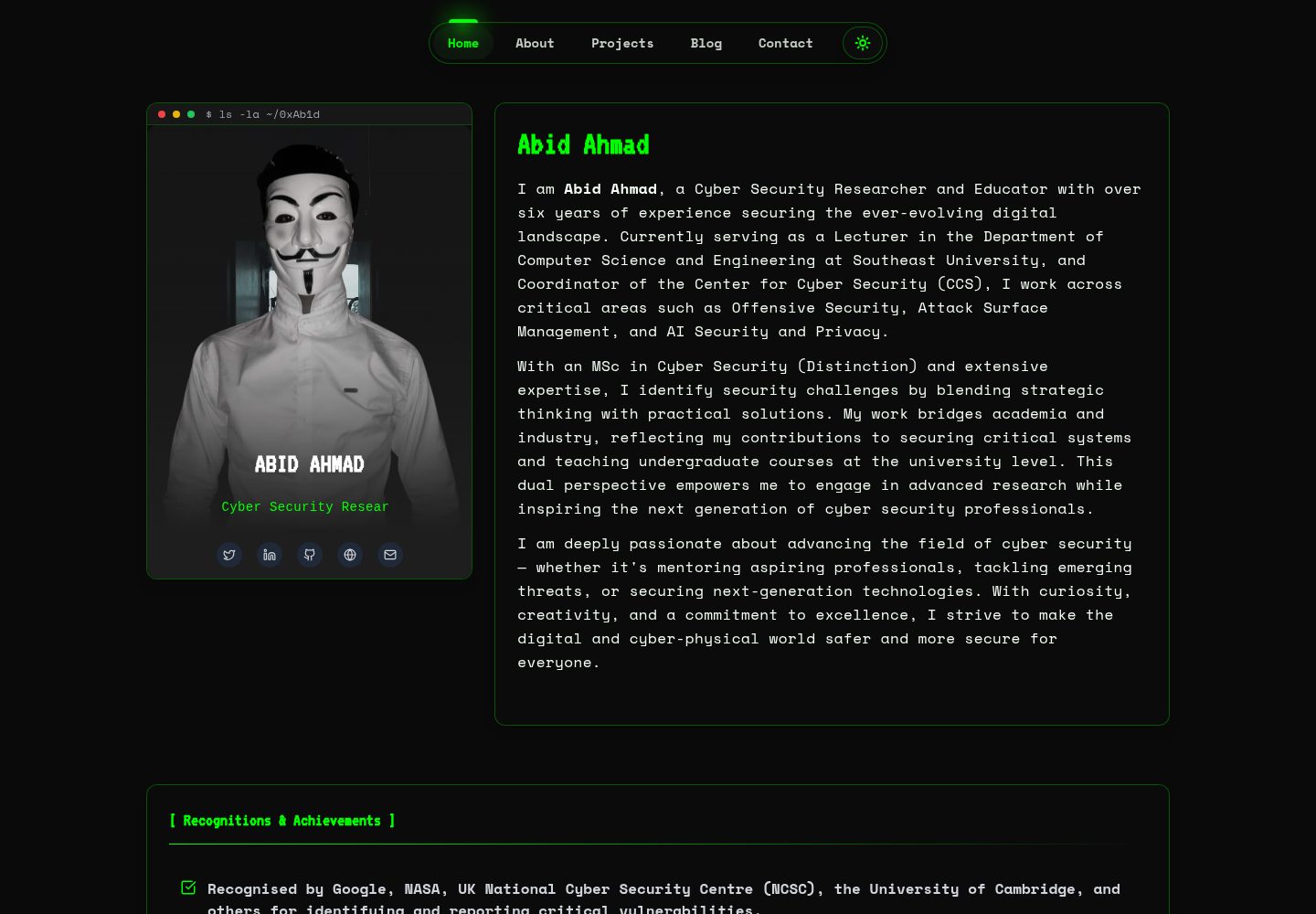
HackFolio
A high-performance, SEO-optimized hacker-themed portfolio website tailored for for ethical hackers, penetratio…
Vite · 作品集