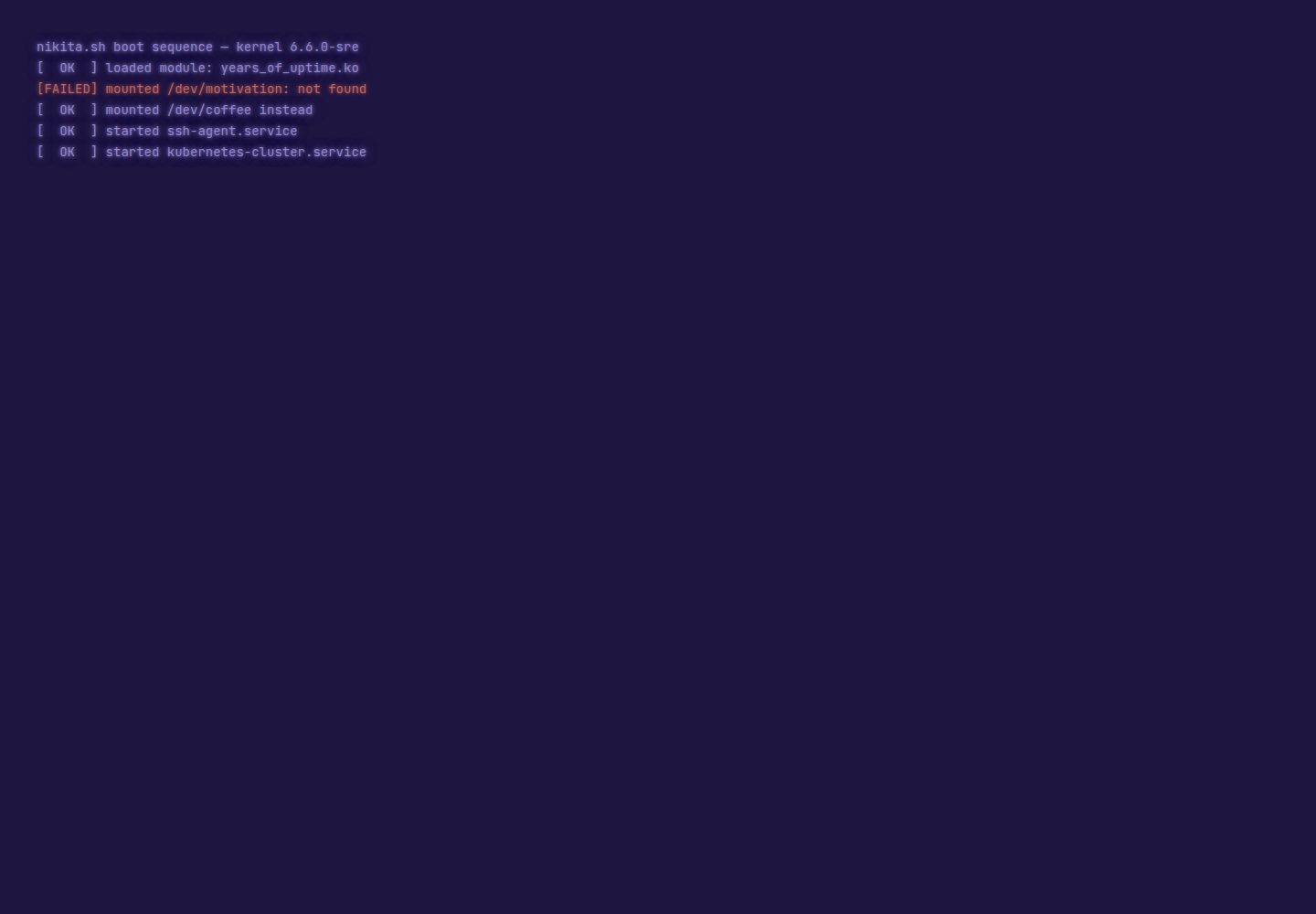
Terminal interaction simulation: boot sequence, Tab completion, history, Ctrl shortcuts, and matrix rain
VitePortfolio
terminal-portfolio — Vite Portfolio Template
By thatguynikita
A terminal-style personal portfolio and CV template built with Vite and TypeScript, with content customized through a single configuration file, supporting multiple languages and theme switching.
Explore the design
Compare the page layouts and mobile experience. Open any screenshot for a closer look.
Desktop homepage1 / 2
Desktop captureTop of page
Actual screenshot captured by the server browser.
All pages & views 2
Screenshots show visual appearance; interactive behavior may differ.
Recorded 2026-10-06View source
What stands out
A quick read of the recorded project description.
38 built-in commands, including simulated kubectl, terraform, claude, and ssh, among others
7 themes, each an independent CSS file, supporting default or random switching
13 built-in languages, with a language toggle button that switches all site text
CV page presented as shell commands, supporting a pixel-art avatar and grayscale print styles
A single configuration file, profile.config.ts, manages all site content
Template Details
terminal-portfolio is a terminal-style personal website template built with Vite and TypeScript, including both a portfolio homepage and a CV page. All site content is centralized in a single file, profile.config.ts: name, bio, skills, links, info cards, CV content, and command output text are all configured there. Only the name is required; leaving other fields empty hides them.
Interaction simulates a real terminal, offering a boot sequence, Tab completion, history, Ctrl shortcuts, and a matrix rain effect, with 38 built-in commands (including simulated kubectl, terraform, claude, and ssh, among others). A fake file system supports placing arbitrary files and accessing them via ls and cat. The template includes 7 themes, each a CSS file, and you can set a default theme or switch randomly; for multilingual support, 13 languages are built in, and a language toggle button switches all site text. The CV page presents sections as shell commands, supports a pixel-art avatar, follows the visitor's theme on screen, and outputs grayscale styles when printed.
Extension is file-based: adding a new command, file system entry, theme, or language only requires placing it in the corresponding directory, with no registration needed. The project includes two complete example configurations, profile.config.example.ts and profile.config.multilingual.example.ts, as well as an npm run check validation script to check for missing translations, images, or invalid links. Deployment supports GitHub Pages, Cloudflare Pages, and S3-compatible storage, each with a single command.
Limitations: the template requires a Node environment (package.json requires Node >=22.12); third-party assets such as images, fonts, and icons in the demo need separate license verification; the Spotify now-playing feature depends on the external service spotify-now-playing. The repository uses the MIT license, allowing free use, modification, commercial use, and distribution, provided the copyright notice and license notice are retained.
VitePortfolio
Is it right for your project?
Use Cases
- Build a personal portfolio website to showcase skills, projects, and contact information in a terminal style
- Create an online CV page with content presented as command-line output and printable
- Use as a front-end template to learn the configuration-driven architecture of a Vite + TypeScript project
- Add easter eggs or mini-games through the fake file system and hidden commands
Suitable For
- Developers who want to present a personal homepage and CV in a terminal style
- Front-end engineers who need a multilingual personal website
- Users who want to quickly customize a portfolio template through a single configuration file
- Developers who prefer the Vite and TypeScript stack
Getting started & customization
Use these recorded setup notes alongside the repository instructions for your chosen version.
- 1
Requires Node.js version >=22.12 (according to package.json)
- 2
After cloning the repository, run npm install and npm run dev to start the local development server
- 3
Copy profile.config.example.ts or profile.config.multilingual.example.ts to create profile.config.ts and fill in personal information
- 4
Before deployment, copy .env.example to .env and set SITE_URL; this value affects links, the sitemap, and preview cards
- 5
Run npm run check to check for missing translations, images, or invalid links
License & source material
Usage conditions & limitations
Free to use · keep license noticeThis entry covers the free version in the public repository under the MIT license; the free scope applies to that version's code and does not mean external services or third-party assets are free.
Must comply with when using
- Free use, modification, commercial use, and distribution of this version's code are permitted.
- When distributing copies or substantial portions of the code, retain the original author's copyright notice and the complete MIT license notice.
- The code is provided as is; warranties and limitations of liability are governed by the original license and applicable law.
Additional costs & items to verify
- Demo images, fonts, icons, and other third-party assets must be checked against their respective licenses; the code's MIT license alone is not sufficient to determine this.
- External services such as domains, hosting, databases, payments, or AI may incur additional charges.
- The now-playing feature depends on the external service spotify-now-playing and Spotify, requiring additional configuration and authorization; it is not a built-in capability of the template.
- The SITE_URL environment variable must be set before deployment; otherwise links, the sitemap, and preview cards will be incorrect.
- The runtime requires Node.js version 22.12 or higher; lower versions cannot build or run.
- Share preview cards require running npm run og-card to generate; replacing icons is optional.
View Original Text Basis
Permission is hereby granted, free of charge
Original License Text
**Live "now playing"** — your current Spotify track in the info card, via [spotify-now-playing](https://github.com/thatguynikita/spotify-now-playing)
Original README
Tell the build where the site will live — it's the base of every link, the sitemap and the preview cards:
Original README
[](package.json)
Original README
https://github.com/thatguynikita/terminal-portfolio/blob/main/LICENSEhttps://github.com/thatguynikita/terminal-portfolio/blob/main/README.mdThe preview card for shared links is generated from your terminal by `npm run og-card`; swapping the icons is optional.
Original README
Compiled by DeepSeek based on repository license and README ·2026-10-06. Results only cover the materials read; dependencies, images, fonts, and subsequent term changes are subject to their respective original texts.
Project checks & description sources
Template Information
- Source platforms
- GitHub
- Documentation and maintenance reference score
- More documented · 80 / 100
- Technologies
- Vite
- Website type
- Portfolio
How this score is calculated
Our heuristic uses license records (up to 30), a demo link (12), a preview (10), stars (15), recorded maintenance (15), description completeness (8), feature records (5) and classification data (5). It is not a code, security or performance test, or a Google score. A link does not establish tested functionality.
What to verify for this project
- Repository update recorded
- 2026-10-06
- Screenshot last checked
- 2026-10-06
A demo link is listed. Check it with your own content and viewport sizes; its presence does not confirm that forms, authentication or payments work.
The catalog identifies Vite as the primary stack. Check the actual dependency manifest and lockfile for versions and hosting requirements. These notes use recorded metadata, not a code audit or a deployment test.
Use a selection guide →How this description was prepared
AI-assisted description based on catalog records and repository material. Repository authors are not automatically the reviewers of this description.
Review declaration: [email protected] · 2026-10-06
Inspect the recorded source material
SHA-256: b0b4d23b717067997e8907d6866e4e052c0ba943007d656a117e44eceb157955
2026-10-06T07:41:44.858Z
Source file / repository<div align="center">
# terminal-portfolio
**Your own terminal-style website — with a CV page, hidden commands and easter eggs — built from one config file.**
[](https://github.com/thatguynikita/terminal-portfolio/actions/workflows/ci.yml)
[](tests/)
[](LICENSE)
[](package.json)
[](tsconfig.json)
[](vite.config.ts)
[](https://nikita.sh)
[](https://pagespeed.web.dev/analysis?url=https%3A%2F%2Fnikita.sh&form_factor=desktop)
<img src="docs/img/demo.gif" width="800" alt="A recorded session: the boot sequence and neofetch card, then help, about, skills, ls -lh revealing milk-quest.sh, cat contact.txt, switching to the ubuntu theme and back to green, asking claude to add tests, whoami, and logging out">
</div>
---
## Features
- 🖥️ **Terminal that feels real** — boot sequence, Tab-completion, history, Ctrl shortcuts, matrix rain
- 🕵️ **38 built-in commands** — a fake `kubectl`, `terraform`, `claude`, an `ssh` that answers recruiter questions and many more
- 🧩 **Easy to extend** — drop a file in and it's a new command, theme or language; the fake filesystem takes anything you put there
- 🎨 **7 themes, each a single CSS file** — set a default, deal them at random, or write your own
- 🌍 **Multilingual** — a language chip switches the whole site, bundled with 13 languages
- 📄 **CV that looks like the terminal** — every section is a shell command, your photo can go pixel-art, it follows the visitor's theme on screen and prints clean grayscale on paper
- 🎮 **Hidden game** — poke around the filesystem to find it; the demo hides [condensed-milk-quest](https://github.com/thatguynikita/condensed-milk-quest), yours can hide anything
- 🎵 **Live "now playing"** — your current Spotify track in the info card, via [spotify-now-playing](https://github.com/thatguynikita/spotify-now-playing)
- 📱 **Works on a phone** — tappable command chips, minimal keyboard interaction
- 🔍 **Readable by crawlers and AI assistants** — the CV is real HTML, plus sitemap, robots.txt, llms.txt and structured data
- 💍 **One file to rule them all** — name, bio, skills, links, CV, jokes, all from `profile.config.ts`
- 🚀 **Deploys with a single command** — GitHub Pages, Cloudflare Pages, or any S3-compatible bucket
## Screenshots
| The terminal | The CV |
|---|---|
| <img src="docs/img/terminal.png" alt="The terminal after boot: the neofetch card, the welcome lines and the prompt"> | <img src="docs/img/cv.png" alt="The CV page: name, contact links and portrait, then the about and experience sections as shell commands"> |
| Featured themes | The 404 |
|---|---|
| <img src="docs/img/themes.gif" alt="The same terminal cycling through all seven themes: green, amber, solarized, commodore, ubuntu, pascal and the secret light one"> | <img src="docs/img/404.png" alt="The 404 page: a fake ls error for the missing path, and the cat that ate the page"> |
---
## Quick start
```bash
git clone https://github.com/thatguynikita/terminal-portfolio.git
cd terminal-portfolio
npm install
npm run dev # open http://localhost:5173
```
## Make it yours
**1. Start from an example.** Two complete, fictional configs ship next to
the real one: `profile.config.example.ts` (English) and
`profile.config.multilingual.example.ts` (English, Spanish, German).
```bash
cp profile.config.example.ts profile.config.ts
```
**2. Top of the file: your languages.**
```ts
import en from "./src/i18n/messages/en.ts";
import es from "./src/i18n/messages/es.ts";
export const MESSAGES = { en, es }; // this line is the whole language setup
```
Thirteen are ready to import, and only the ones you list ship. Every field
below then asks for each of them. → [languages](docs/i18n.md)
**3. The rest of the file: you.** Name, bio, skills, links, the info card,
the CV, what the commands say. Only your name is required — leave anything
else out and it simply isn't there. → [configuration guide](docs/configuration.md)
**4. Your photo.** Drop it into `public/assets/img/portraits/` and point
`cv.photo` at it. The preview card for shared links is generated from your
terminal by `npm run og-card`; swapping the icons is optional.
→ [sizes and how to make them](docs/assets.md)
**5. `npm run check`.** It catches a half-finished rebrand — a missing
translation, an image that isn't there, a link that isn't a link.
## Add your own
Optional — the config alone makes a complete site. But if you want to
build on top of it, each of these is one file, and nothing needs registering.
<details>
<summary><b>Command</b></summary>
```ts
// src/commands/coffee.ts
import { defineCommand } from "../core/types.ts";
export default defineCommand({
name: "coffee",
complete: () => ["small", "large"],
run: (ctx, args) => ctx.printText(`brewing a ${args.positional[0] ?? "small"}`),
});
```
Add `commands: { coffee: "make a coffee" }` to each language and it shows up in `help`.
→ [guide](docs/commands.md)
</details>
<details>
<summary><b>File in the fake filesystem</b></summary>
Drop anything into `src/fs/` and it appears in `ls`, with `cat` printing it:
```
src/fs/projects.txt → ls, cat projects.txt
```
→ [guide](docs/filesystem.md) — including files that run
</details>
<details>
<summary><b>Theme</b></summary>
```css
/* src/themes/ocean.css */
:root[data-theme="ocean"] {
--bg: #04121c;
--fg: #7fdbff;
/* ...every colour green.css defines... */
}
```
It joins the theme list (and the random pool, if that's what you configured) on its own.
→ [guide](docs/theming.md)
</details>
<details>
<summary><b>Language that isn't among the thirteen</b></summary>
One file in `src/i18n/messages/`, translated from `en.ts`, plus its line in
`MESSAGES`. TypeScript and the tests point out anything missing or mistranslated.
→ [guide](docs/i18n.md#adding-a-language)
</details>
## Deploy
Tell the build where the site will live — it's the base of every link,
the sitemap and the preview cards:
```bash
cp .env.example .env # then set SITE_URL=https://your.domain
```
Then one command:
```bash
npm run deploy # GitHub Pages
npm run deploy:cf # Cloudflare Pages
npm run deploy:s3 # AWS S3, DigitalOcean Spaces, Yandex Object Storage
```
All three check, test and build first. → [deployment guide](docs/deploy.md)
---
## Contributing
Issues and pull requests are welcome — see [CONTRIBUTING.md](CONTRIBUTING.md).
More on how it's built: [docs](docs/README.md).
## Credits
Rebuilt from [nikita.sh](https://github.com/thatguynikita/nikita.sh), which now
deploys from here. Inspired by three terminal portfolios worth a look:
[iamdhakrey/terminal-portfolio](https://github.com/iamdhakrey/terminal-portfolio),
[micahkepe/term-website](https://github.com/micahkepe/term-website/) and
[satnaing/terminal-portfolio](https://github.com/satnaing/terminal-portfolio).
## License
MIT — see [LICENSE](LICENSE). Fork it, rename it, make it yours.
Explore similar templates
Compare previews and descriptions within the same stack and category.

Resumify
Resumify is a browser-based resume builder built with React, TypeScript, and Vite.
Vite · Portfolio

showlit
Showlit is a personal website template built with React, Vite, TypeScript, Tailwind CSS, and shadcn/ui.
Vite · Portfolio

folium
A developer portfolio template built with Vite, React, TypeScript, and Tailwind CSS.
Vite · Portfolio

kurizu-discord
A personal portfolio website built with React and Vite that mimics the Discord desktop app, organizing projects, skills, and experience into customizable channels, threads, a member list, and emoji reactions.
Vite · Portfolio

about-me-personal-portfolio-website-template
AboutMe is a free personal website template built with Bootstrap and Vite, released under the MIT license. It provides a single-page index.html with organized src directories for images, JavaScript, and SCSS, along with npm scripts for development and build.
Vite · Portfolio
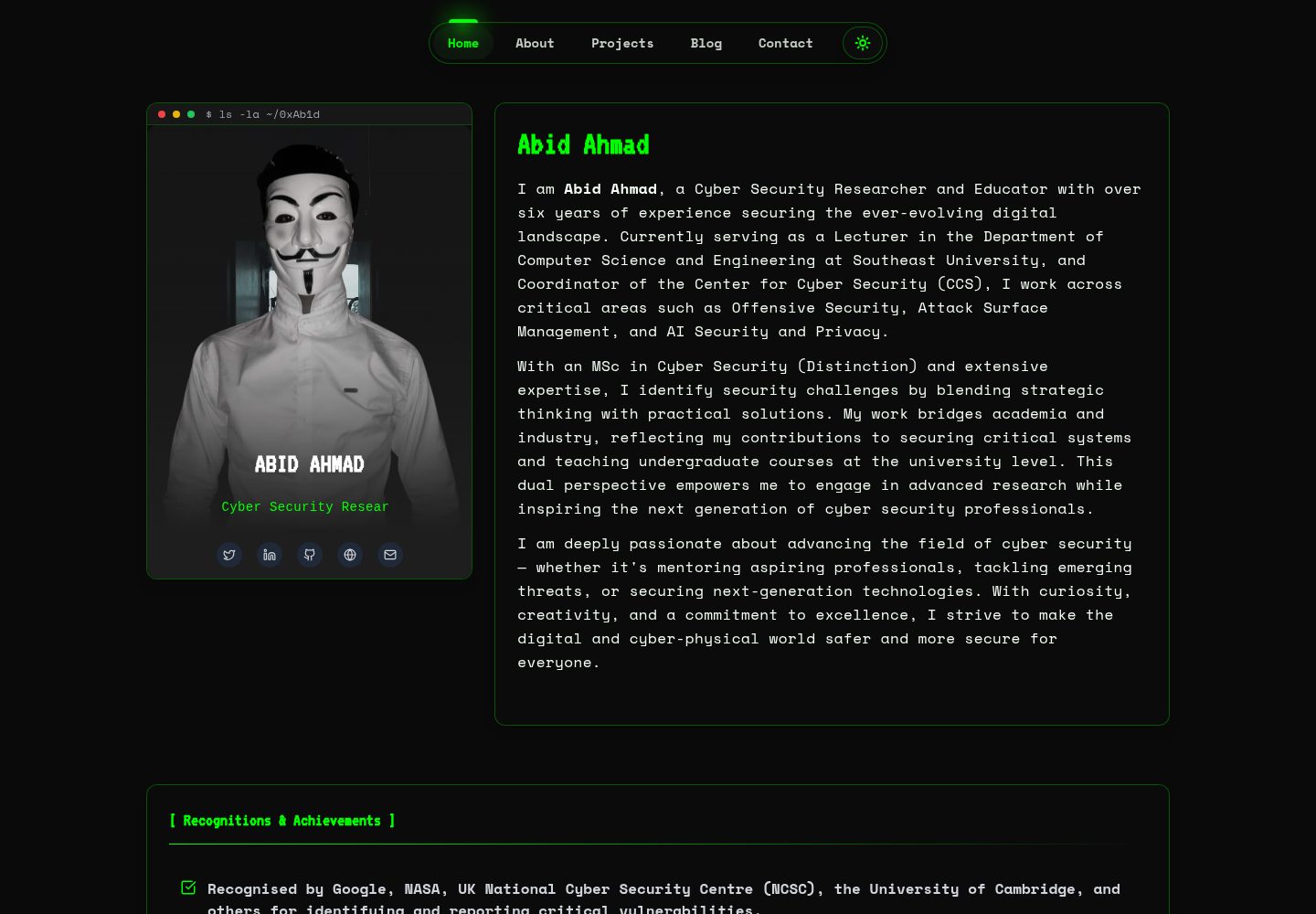
HackFolio
HackFolio is a hacker-style personal portfolio template for ethical hackers, penetration testers, bug bounty hunters, red teamers, and cybersecurity professionals.
Vite · Portfolio