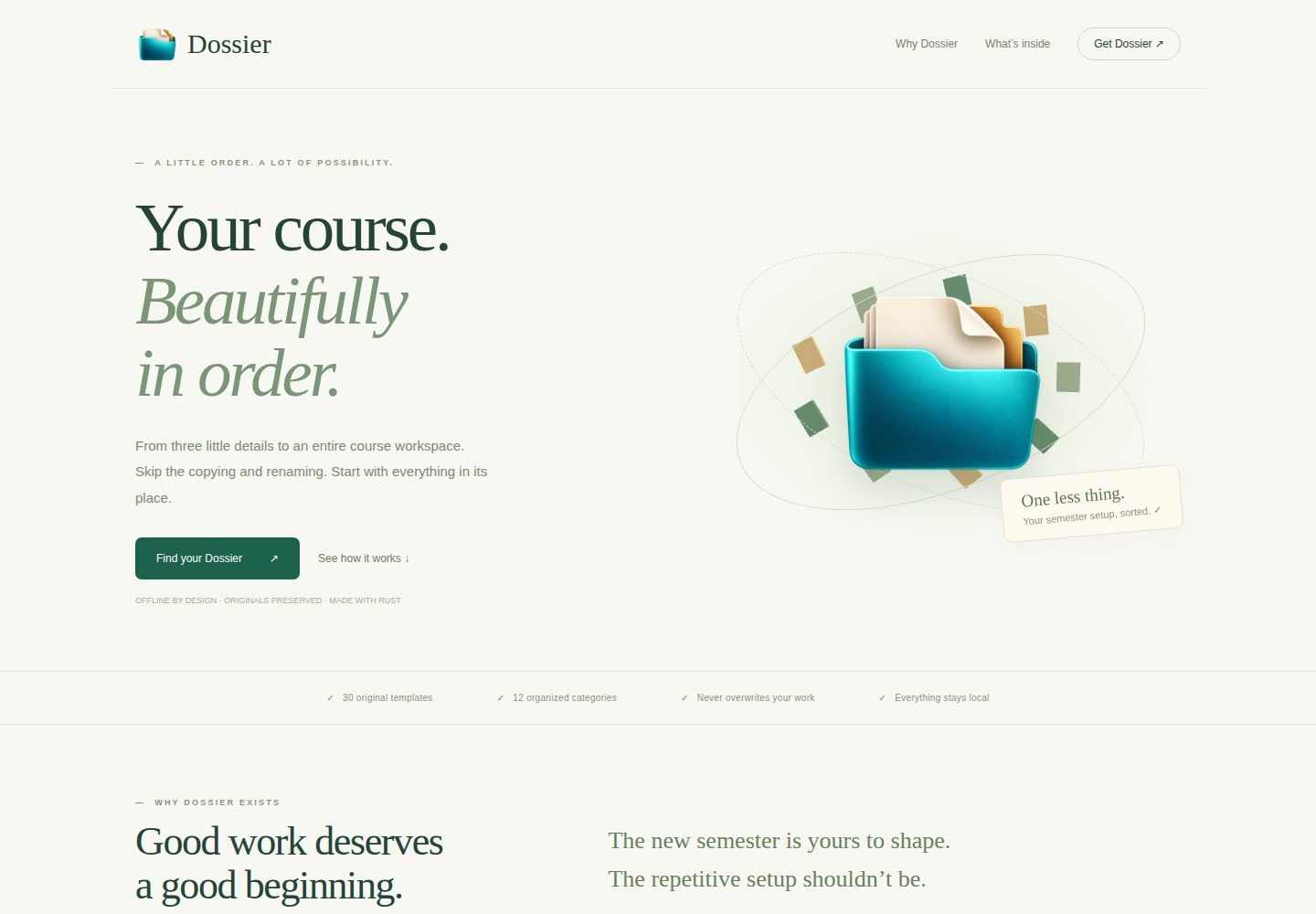
按学期、课程、章节生成包含 12 类子目录的课程资料文件夹结构
HTML企业官网
dossier — HTML 企业官网模板
作者 the-sudipta
Dossier 是一个离线桌面应用,按学期、课程、章节自动生成包含原始模板的课程资料文件夹结构,并提供独立的命令行工具。
看看你的网站会是什么样
浏览真实页面截图,比较内容排版与手机效果。点击下方缩略图切换,放大查看整页细节。
全部页面与视图 2
截图用于了解视觉与布局,交互效果请以实际项目为准。
采集于 2026-10-01查看来源
值得关注的模板亮点
从已有项目资料中,快速了解它的特点。
嵌入 30 份原始 Word、Excel、HTML 和文本模板,不修改模板内容
提供 Tauri 桌面界面与独立 CLI,两者共用同一 Rust 生成引擎
已存在文件一律跳过,写入使用 create_new(true) 防止覆盖
名称校验拒绝不安全字符、保留名、路径穿越和超长路径组件
CLI 输出 JSON 活动摘要,退出码区分成功、生成错误和参数错误
模板详细介绍
Dossier 是一个本地运行的桌面工具,用于为课程章节快速建立规范化的资料文件夹。用户输入学期、课程名和章节,选择已有输出目录后,应用会按固定命名规则创建学期文件夹、命名约定说明文件、学期待办 HTML 文件,以及包含课程大纲、考勤、作业、实验测试、项目报告、答卷、成绩单、CO-PO 文件等 12 类子目录的课程章节文件夹,并嵌入 30 份原始 Word、Excel、HTML 和文本模板。文件内容不会被解析或修改,应用只按指定顺序做四处字面路径替换。
桌面端基于 Tauri 构建,界面使用原生 HTML、CSS 和 JavaScript,提供实时可展开预览、内联校验和详细操作日志,并支持悬停、键盘焦点和 F1 提示模式。除图形界面外,项目还提供独立 CLI,可在 Windows、Linux 和 macOS 上使用同一 Rust 引擎执行生成并输出 JSON 活动摘要。
安全方面,已存在的文件一律跳过、不覆盖也不静默修复;写入使用 create_new(true),避免并发运行互相覆盖;名称会拒绝不安全字符、控制字符、Windows 保留名、路径穿越组件、结尾点和超长路径组件。输出目录必须已存在,且拒绝目标路径链中的符号链接和 Windows 目录联接。失败时摘要会列出已完成工作和具体失败路径,但不提供回滚或删除功能。
使用桌面版需要操作系统 WebView:Windows 需要 Microsoft Edge WebView2 Runtime,Linux 需要 WebKitGTK 4.1 和 GTK3,macOS 使用内置 WKWebView。独立 CLI 不依赖 WebView。macOS 图形包为 ad-hoc 签名、未经 Apple 公证,首次运行会触发系统验证。从源码构建需要 Rust 工具链和 Tauri 原生依赖,桌面前端不需要 Node/npm 构建。
HTML企业官网
适合你的项目吗?
适用场景
- 每学期为多门课程章节批量建立统一命名的资料文件夹
- 按 BAETE 课程文件管理要求整理课程大纲、考勤、作业和成绩记录
- 在 Windows、Linux 或 macOS 上通过命令行脚本自动生成课程工作区
- 在无图形界面的环境中使用独立 CLI 完成文件夹创建
适合人群
- 需要按固定模板反复创建课程章节文件夹的高校教师或教务人员
- 希望保留原有 Word、Excel 模板格式和公式的课程管理者
- 需要在本地离线环境中生成课程资料结构、不依赖网络服务的用户
- 需要在 Windows、Linux 或 macOS 上通过 CLI 批量处理课程目录的开发者
上手与定制指南
结合仓库当前版本的说明,按下面的资料检查内容、配置与运行要求。
- 1
Windows 图形版需要预先安装 Microsoft Edge WebView2 Runtime;Linux 需要 WebKitGTK 4.1 和 GTK3;macOS 使用内置 WKWebView
- 2
独立 CLI 不依赖 WebView,适合无图形界面的环境
- 3
macOS 图形包为 ad-hoc 签名、未经 Apple 公证,首次打开会触发系统验证
- 4
从源码构建需要 Rust 工具链和 Tauri 原生依赖,桌面前端不需要 Node/npm 构建
- 5
输出目录必须已存在,且应用不会覆盖、删除或回滚已有文件
授权与来源资料
使用条件与限制
免费使用 · 保留许可声明本次收录的是公开仓库中采用 MIT 许可的免费版本;免费范围为该版本代码,不代表外部服务或第三方素材免费。
使用时需要遵守
- 允许免费使用、修改、商用和分发该版本代码。
- 分发代码副本或实质性部分时,保留原作者版权声明和完整 MIT 许可声明。
- 代码按现状提供;担保与责任限制以原许可证及适用法律为准。
额外费用与待核对事项
- Windows 图形界面运行依赖系统预装的 Microsoft Edge WebView2 Runtime;完全未安装该组件的精简 Windows 镜像需提前配置,否则无法启动桌面版。
- Linux 图形版需系统已安装 WebKitGTK 4.1 与 GTK3 运行库,缺少这些依赖时无法运行 GUI;独立 CLI 包不受此限制。
- macOS 图形包仅做 ad-hoc 签名、未经 Apple 公证,首次打开会触发系统安全验证,需用户手动允许运行。
- 从源码构建时首次 Cargo 构建需要联网下载依赖;后续使用锁定缓存的构建才可离线进行。
- MIT 许可仅覆盖应用代码,不涵盖内置的第三方院校模板内容与校徽等标识;这些原始文档保留原有归属,不得据 MIT 授权再分发或商用。
- 仓库内 index.html 展示页的可选 Three.js 动画会从公共 CDN 加载脚本,离线时降级显示;桌面应用本身不使用该网站或任何 CDN。
- 演示图片、字体、图标及其他第三方素材需按各自许可核对,不能仅凭代码的 MIT 许可判断。
- 域名、托管、数据库、支付或 AI 等外部服务可能另外收费。
查看原文依据
Permission is hereby granted, free of charge
许可证原文
Windows requires Microsoft Edge WebView2 Runtime
README 原文
Linux requires WebKitGTK 4.1 and GTK3
README 原文
The GUI packages are ad-hoc signed, not Apple-notarized
README 原文
The first Cargo build downloads dependencies
README 原文
Original institutional documents retain their existing ownership; the MIT grant does not relicense third-party template content or university marks.
README 原文
https://github.com/the-sudipta/dossier/blob/main/LICENSEhttps://github.com/the-sudipta/dossier/blob/main/README.mdIts optional Three.js hero loads a pinned public CDN script
README 原文
DeepSeek 根据仓库许可证和 README 整理 ·2026-10-01。结果仅覆盖已读取资料,依赖、图片、字体及后续条款变更以各自原文为准。
项目核对记录与介绍依据
模板资料
- 来源平台
- GitHub
- 资料与维护参考分
- 资料较完整 · 80 / 100
- 技术栈
- HTML
- 网站类型
- 企业官网
这个分数如何计算
本站按许可资料(最高30分)、演示链接(12分)、预览图(10分)、Star数(15分)、记录的维护时间(15分)、描述完整度(8分)、功能记录(5分)和分类资料(5分)计算。它不是代码、安全或性能测试,也不是 Google 评分;有链接不代表已实测可用。
这个项目需要核对什么
- 记录的仓库更新时间
- 2026-09-23
- 截图检查日期
- 2026-10-01
已收录演示链接。请用你的内容与屏幕尺寸检查;有演示不代表表单、认证或支付已经可用。
目录记录的主要技术栈是 HTML。请通过依赖清单和锁文件核对实际版本与托管要求。这些说明基于收录资料,不代表代码审计或部署实测。
查看具体选型方法 →介绍的制作与核对状态
介绍由 AI 辅助整理目录与仓库资料。仓库作者不等于这篇介绍的审核者。
已完成服务器许可规则与 AI 来源核对;未经过人工编辑审核。
查看当时使用的来源资料
SHA-256: a1348b0b638aedb4cbd711ccfe52a2dbf77bcbff5baf8a7ae8f3b0e351018f2e
2026-10-01T15:22:35.013Z
来源文件 / 仓库<p align="center"><img src="app/assets/logo.png" width="140" alt="Dossier transparent folder icon"></p>
<h1 align="center">Dossier</h1>
<p align="center"><strong>Your course. Beautifully in order.</strong></p>
Build a complete course-section documentation workspace in seconds. Enter a semester, course, and section; choose a folder; create a perfectly named workspace with your original Word, Excel, HTML, and text templates. Everything stays on your computer.
## Project snapshot
| Detail | Implementation |
|---|---|
| Backend | Rust; exclusive, never-overwrite file creation |
| Desktop | Tauri v2; plain HTML, CSS, JavaScript |
| Templates | 30 originals embedded with rust-embed |
| Interface | Live expandable preview, inline validation, detailed activity log |
| Help | Hover/focus hints throughout; F1 hint mode; tap support |
| Branding | Original transparent PNG, multi-resolution ICO, ICNS |
| Platforms | Windows x64, Linux x64, macOS Intel and Apple Silicon build matrix |
| Current verification | See `verification/` and `docs/VERIFICATION.md` for actual local results |
| Release assets | Each versioned release includes GUI packages and independent standalone CLI packages for Windows x64, Linux x64, macOS Intel, and Apple Silicon, plus SHA-256 checksums. |
## Why this exists
Each new course section starts with the same copying, renaming, and folder setup. Dossier removes that repeated work while preserving the institutional templates exactly. Your marksheet formulas, Word formatting, and existing files remain yours.
## What it creates
The semester folder contains `NAMING CONVENTIONS.txt`, a semester TODO HTML file, and a course-section folder with a course checklist, marksheet, and these categories:
1. Course Outline
2. Attendance Record of the Students
3. Assignment Question
4. Lab Test Questions (Final Term Exam, Lab Tasks, Mid Exam, OBE, Quiz)
5. Project Report
6. Answer Scripts (Highest, Medium, Lowest) of Lab Tests
7. Submitted Copy (Highest, Medium, Lowest) of Assignments
8. Examination Result
9. Lab sheet
10. Assessment criteria or rubrics for assignments or projects or lab-activities
11. CO-PO Files
12. PRINT (All, Merged)
The precise original manifest and golden reference are in [the build dossier](docs/CODEX_BUILD_DOSSIER.md). The application only changes path names, using its four literal substitutions in the specified order. File contents are never parsed or modified.
## Requirements
The executable embeds every template and UI asset; no network is used by the desktop app. Tauri still uses the operating system's webview: **Windows requires Microsoft Edge WebView2 Runtime**, Linux requires WebKitGTK 4.1 and GTK3, and macOS uses its built-in WKWebView. A completely bare Windows image without WebView2 needs that prerequisite provisioned beforehand. The standalone `dossier-cli` can run without a webview.
For source builds: Rust 1.98.1 (pinned in `rust-toolchain.toml`) and the [Tauri native prerequisites](https://v2.tauri.app/start/prerequisites/). No Node/npm build is required for the desktop frontend. The first Cargo build downloads dependencies; subsequent locked, cached builds can run offline.
## How to use
**Windows:** Double-click `dist/Dossier.exe`. `dist/dossier-cli.exe` is the standalone console version. Versioned releases include `dossier-windows-x64.exe` and `dossier-cli-windows-x64.exe`.
```powershell
.\Dossier.exe
```
**Linux GUI:** Extract the `.tar.gz` release, then run the binary on a system with the listed GTK/WebKit dependencies. The separate `dossier-cli-linux-x64.tar.gz` standalone package has no GUI or webview dependency.
```sh
tar -xzf dossier-linux-x64.tar.gz
chmod +x dossier
./dossier
```
**macOS GUI:** Choose Intel or Apple Silicon, extract the `.app.zip`, and open `Dossier.app`. Separate `dossier-cli-macos-intel.tar.gz` and `dossier-cli-macos-apple-silicon.tar.gz` packages contain the standalone CLI. The GUI packages are ad-hoc signed, not Apple-notarized; normal macOS first-run verification applies.
```sh
unzip dossier-macos-apple-silicon.app.zip
open Dossier.app
```
In the app, enter the three details, inspect the live preview, choose an existing output folder, and click **Create workspace**. Press **F1** to highlight hints. Hints are available by hover and keyboard focus without enabling this mode.
## Example
`Fall 25-26` + `DS Lab` + `G` creates:
```text
<chosen folder>/Fall 25-26/
NAMING CONVENTIONS.txt
Fall_25-26.TODO_LIST.html
DS Lab [ G ]/
Fall_25-26.DS_Lab_[ G ].OVERALL.MARKSHEET.xlsx
...12 numbered categories and original templates...
```
CLI automation uses the same Rust engine and prints a JSON activity summary:
```powershell
.\dossier-cli.exe --semester "Fall 25-26" --course "DS Lab" --section "G" --output "E:\Course Files"
```
The GUI executable accepts the same flags. For redirected output and scripts on Windows, use the included console executable `dossier-cli.exe` (GUI executables attach to a parent console only when flags are supplied). Exit codes: 0 success, 1 generation error, 2 argument error.
## Build and verify
```sh
cargo test --locked -p dossier-core
cargo build --locked --release --workspace
python scripts/verify.py
```
Run `cargo run -p dossier` for the desktop app, or `scripts/dev.ps1` on this Windows machine to load the saved Rust environment into the current process. The first build requires native build prerequisites. `cargo fmt --all -- --check` and `cargo clippy --workspace --all-targets -- -D warnings` check formatting and lint.
`scripts/verify.py` independently parses Appendix B, compares every generated path, hashes every original ZIP/template/output file, tests reruns, section O, preserved edits, and invalid paths. Temporary acceptance outputs are isolated in a unique test directory. App code never deletes; test harnesses clean their own temporary directories.
`index.html` is a standalone showcase with its logo embedded as a data URI. Its optional Three.js hero loads a pinned public CDN script; the website falls back gracefully when offline. The desktop app does not use this website or any CDN. Opening `app/index.html` in a browser is a clearly explained visual preview; real folder generation is available only inside Tauri.
## Safety notes
- Existing files are skipped unconditionally, never overwritten or silently repaired. Edits are preserved.
- File writes use `create_new(true)` so competing runs cannot overwrite one another.
- Names reject unsafe characters, control characters, reserved Windows names, traversal components, trailing dots, and oversized path components.
- The output location must already exist. Symbolic links and Windows junctions in destination chains are rejected. This is a local personal tool, not a security boundary against a hostile process concurrently replacing parent folders.
- On failure, the summary lists completed work and the exact failing path. If a write is incomplete, that file is retained and explicitly reported. Inspect and move it aside manually before retrying; reruns skip it.
- No rollback, delete, telemetry, accounts, or template-content editing exists.
- Filesystem-specific full-path limits and permissions can still cause a clearly reported partial run. The tool cannot override them.
## Release and showcase
The workflow tests and builds all four targets on a pushed `v*.*.*` tag, then attaches GUI and standalone CLI packages plus `SHA256SUMS.txt` to a GitHub Release. Manual workflow runs build artifacts without publishing. Update the repository slug in `scripts/build_showcase.py` if the future repository is not `the-sudipta/dossier`, then regenerate `index.html`.
## License and citation
Application code uses the [MIT license](LICENSE), the runbook's default. Original institutional documents retain their existing ownership; the MIT grant does not relicense third-party template content or university marks. The icon is original, transparent, and independent of the AIUB crest. See [CITATION.cff](CITATION.cff); a DOI is intentionally absent until one is actually assigned.
看看同类模板
对比同技术栈与用途的模板,找到更适合的视觉与内容结构。

mazer
Free and Open-source Bootstrap 5 Admin Dashboard Template and Landing Page
HTML · 后台

Freelancer
Freelancer 是 Start Bootstrap 出品的单页作品集模板,专为自由职业者、设计师和小型工作室设计。 页面结构清晰,包含多个内容区块、响应式作品集网格,每个作品项目配有模态窗口展示详情。
HTML · 作品集

Creative
Creative 是 Start Bootstrap 团队维护的一款单页营销模板,定位明确:为创意机构或产品服务提供一个以作品展示和行动号召为核心的落地页。
HTML · 企业官网

startbootstrap-agency
Agency 是 Start Bootstrap 维护的单页代理商作品集主题,基于 Bootstrap 构建,MIT 许可。
HTML · 企业官网

startbootstrap-landing-page
这是 Start Bootstrap 系列中一款通用型落地页模板,基于 Bootstrap 构建,定位是给产品或服务做单页推广。
HTML · 企业官网

Landing-Page
Tailwind CSS Starter Template - Landing Page
HTML · 企业官网