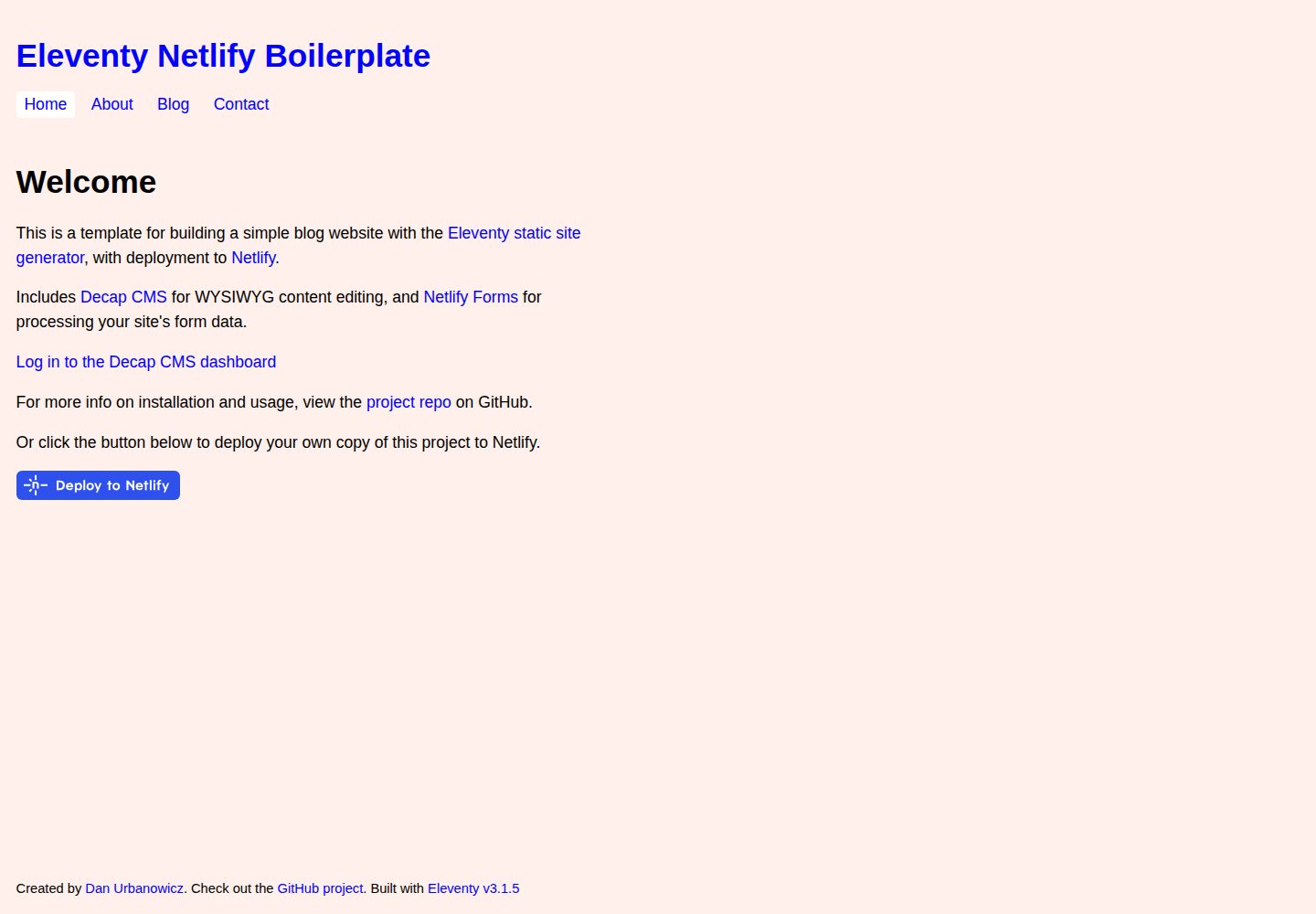
使用 Eleventy 生成预构建的静态 HTML 网站
Eleventy启动器
eleventy-netlify-starter- — Eleventy 启动器模板
作者 theapplegates
基于 Eleventy 的静态站点启动器,内置 Netlify CMS 与 Netlify 部署配置,提供示例页面、带标签的博客、导航菜单和联系表单。
看看你的网站会是什么样
浏览真实页面截图,比较内容排版与手机效果。点击下方缩略图切换,放大查看整页细节。
全部页面与视图 3
截图用于了解视觉与布局,交互效果请以实际项目为准。
采集于 2026-10-03查看来源
值得关注的模板亮点
从已有项目资料中,快速了解它的特点。
内置 Netlify CMS,支持编辑器预览
基于官方 Eleventy Navigation 插件构建菜单
包含示例页面与支持标签的博客
附带可用的联系表单
CSS 压缩后内联输出,并提供可选的压缩内联 JS 流程
模板详细介绍
这是一个面向 JAMstack 项目的 Eleventy 启动器,用于生成预构建的静态 HTML 网站。它基于 Eleventy Base Blog 仓库,内容以 Markdown 文件编写,布局使用 Nunjucks(或 Liquid)模板,并内置 Netlify CMS 提供编辑器预览。项目包含示例页面、支持标签的博客、基于官方 Eleventy Navigation 插件生成的菜单,以及一个可用的联系表单。样式方面,CSS 经压缩后内联输出,另提供可选的压缩内联 JS 处理流程,构建时也会对 HTML 进行压缩。README 说明该项目已在 Netlify 官方模板展示页中列出,并提供了演示站点。
使用限制与注意事项:仓库的部署按钮指向的是上游 danurbanowicz/eleventy-netlify-boilerplate 仓库,而非本仓库;本地开发需先克隆仓库、安装依赖并编辑 _data/metadata.json 中的站点标题与作者信息。若将部署时创建的仓库由公开改为私有,需要重新生成访问令牌,因为通过部署按钮生成的令牌只能访问公开仓库。Netlify CMS 的认证可通过 Netlify Identity 邀请邮件完成,也可在 Netlify 应用设置中添加 OAuth 外部提供方(如 GitHub)登录。
Eleventy启动器
适合你的项目吗?
适用场景
- 以 Eleventy 搭建个人博客或内容站点
- 作为 JAMstack 项目的起始模板
- 需要可视化编辑后台(Netlify CMS)的静态网站
- 部署到 Netlify 并使用其表单与身份服务的站点
适合人群
- 希望用 Markdown 管理内容的开发者
- 需要静态生成加 CMS 编辑后台的团队
- 准备在 Netlify 上部署并持续集成的项目
上手与定制指南
结合仓库当前版本的说明,按下面的资料检查内容、配置与运行要求。
- 1
克隆仓库后进入目录,安装依赖(README 示例为 npm install @11ty/eleventy)
- 2
编辑 _data/metadata.json 填写站点标题与作者等常用数据
- 3
使用 npx @11ty/eleventy 构建,或加 --watch 监听、--serve 本地预览
- 4
通过 Netlify 部署按钮创建仓库并启用 Netlify Identity 与 Netlify CMS
- 5
若将部署生成的仓库改为私有,需在 Netlify 设置中重新生成访问令牌
授权与来源资料
使用条件与限制
免费使用 · 保留许可声明本次收录的是公开仓库中采用 MIT 许可的免费版本;免费范围为该版本代码,不代表外部服务或第三方素材免费。
使用时需要遵守
- 允许免费使用、修改、商用和分发该版本代码。
- 分发代码副本或实质性部分时,保留原作者版权声明和完整 MIT 许可声明。
- 代码按现状提供;担保与责任限制以原许可证及适用法律为准。
额外费用与待核对事项
- 通过 Netlify 部署按钮生成的访问令牌只能访问公开仓库;若将部署时创建的仓库改为私有,需在 Netlify 设置中重新生成令牌。
- 使用 Netlify CMS 需配置认证:可接受 Netlify Identity 邀请邮件,或推荐在 Netlify 应用设置中添加 OAuth 外部提供方(如 GitHub)登录。
- 使用部署按钮需拥有 Netlify 账户(可在过程中创建),并依赖 Netlify 的 CDN、Identity、CMS 与 Forms 等外部服务。
- 演示图片、字体、图标及其他第三方素材需按各自许可核对,不能仅凭代码的 MIT 许可判断。
- 域名、托管、数据库、支付或 AI 等外部服务可能另外收费。
查看原文依据
Permission is hereby granted, free of charge
许可证原文
the token generated using the deploy to Netlify button can only access public repositories
README 原文
It is recommended to use this method of authentication as it removes the need for an email & password to log in to the CMS
README 原文
https://github.com/theapplegates/eleventy-netlify-starter-/blob/master/LICENSEhttps://github.com/theapplegates/eleventy-netlify-starter-/blob/master/README.mdClicking the button above will deploy a copy of the demo website to your Netlify account (you can create an account during this process if you don't have one)
README 原文
DeepSeek 根据仓库许可证和 README 整理 ·2026-10-03。结果仅覆盖已读取资料,依赖、图片、字体及后续条款变更以各自原文为准。
项目核对记录与介绍依据
模板资料
- 来源平台
- GitHub
- 资料与维护参考分
- 资料一般 · 65 / 100
- 技术栈
- Eleventy
- 网站类型
- 启动器
这个分数如何计算
本站按许可资料(最高30分)、演示链接(12分)、预览图(10分)、Star数(15分)、记录的维护时间(15分)、描述完整度(8分)、功能记录(5分)和分类资料(5分)计算。它不是代码、安全或性能测试,也不是 Google 评分;有链接不代表已实测可用。
这个项目需要核对什么
- 记录的仓库更新时间
- 2021-06-29
- 截图检查日期
- 2026-10-03
已收录演示链接。请用你的内容与屏幕尺寸检查;有演示不代表表单、认证或支付已经可用。
目录记录的主要技术栈是 Eleventy。请通过依赖清单和锁文件核对实际版本与托管要求。这些说明基于收录资料,不代表代码审计或部署实测。
查看具体选型方法 →介绍的制作与核对状态
介绍由 AI 辅助整理目录与仓库资料。仓库作者不等于这篇介绍的审核者。
审核声明: [email protected] · 2026-10-04
查看当时使用的来源资料
SHA-256: 871e66c5e7c2423f407165c994aecd5754e97b1dd9c2d10ea0b5487ee31ceee4
2026-10-03T14:47:49.157Z
来源文件 / 仓库[](https://app.netlify.com/sites/eleventy-netlify-boilerplate/deploys) # Eleventy Netlify Boilerplate ## [Demo Site](https://eleventy-netlify-boilerplate.netlify.app/) ## What is it? A simple template for building a fast, pre-generated HTML website using the [Eleventy](https://www.11ty.io/) static site generator. With [Netlify CMS](https://www.netlifycms.org/) baked-in, ready to deploy to [Netlify](https://www.netlify.com) in a couple of clicks. Use it as a starter for your own JAMstack projects, or as an easy way to get started building websites with Eleventy. Based on the [Eleventy Base Blog](https://github.com/11ty/eleventy-base-blog) repo (see there for additional info on Eleventy usage). 🔥 **This project is featured on Netlify's official [template showcase](https://templates.netlify.com/template/eleventy-netlify-boilerplate/)** 🔥 ## Features * NEW: Added maintenance-free post author archives * Uses the official [Eleventy Navigation](https://www.11ty.dev/docs/plugins/navigation/) plugin to build menus * Sample pages and a blog with tag support * Netlify CMS with editor previews (thanks [@biilmann](https://github.com/biilmann)!) * Includes a working contact form * CSS 2kb minified, inlined for fastest page render * Optional pipeline for minified inline JS * Pre-builds and minifies your HTML too * Uses Markdown files for content * Uses Nunjucks (or Liquid) templates for layout * 100% Javascript framework free * Continuous Deployment workflow via Netlify ## Want to try it out now? [](https://app.netlify.com/start/deploy?repository=https://github.com/danurbanowicz/eleventy-netlify-boilerplate&stack=cms) Clicking the button above will deploy a copy of the demo website to your Netlify account (you can create an account during this process if you don't have one) and everything needed for running the CMS: * A new repository in your GitHub account with the code * Full Continuous Deployment to Netlify's global CDN network * Control users and access with Netlify Identity * Manage content with Netlify CMS * Process form data with Netlify Forms ### Setup authentication After deploying this project, Netlify Identity will add you as a CMS user and will email you an invite. It is not necessary to accept this invite if you wish to use an [OAuth provider](https://www.netlify.com/docs/identity/#external-provider-login) (e.g. Github) to manage authentication for your CMS. It is recommended to use this method of authentication as it removes the need for an email & password to log in to the CMS and is generally more secure. You will need to add an OAuth provider in your Netlify app settings under "Settings" > "Identity" > "External providers". Once you've added an OAuth provider, navigate to `/admin` on your site, select your provider from the list, and you should then be logged into your CMS. Cool huh? Now you're all set, and you can start editing content! ## Gotchas If you change the repo that was created at deploy time from public to private, you'll need to regenerate your token, as the token generated using the deploy to Netlify button can only access public repositories. To regenerate your token, head to "Settings" in your Netlify site dashboard, go to the "Identity" section, then scroll to "Services" where you'll see an "Edit settings" button. Click that and you'll see a text link to "Generate access token in GitHub". If you need any help with setting up Netlify CMS, you can reach out to the Netlify team in the [Netlify CMS Gitter](https://gitter.im/netlify/netlifycms). ## Local development ### 1. Clone this repository: ``` git clone https://github.com/danurbanowicz/eleventy-netlify-boilerplate.git my-blog-name ``` ### 2. Navigate to the directory ``` cd my-blog-name ``` Specifically have a look at `.eleventy.js` to see if you want to configure any Eleventy options differently. ### 3. Install dependencies locally ``` npm install @11ty/eleventy ``` ### 4. Edit _data/metadata.json This file contains your site title and author details, and can be used to store any other commonly used site data. ### 5. Run Eleventy (builds the site) ``` npx @11ty/eleventy ``` Or build automatically when a template changes: ``` npx @11ty/eleventy --watch ``` Or build and host locally for local development: ``` npx @11ty/eleventy --serve ``` Or in debug mode: ``` DEBUG=* npx @11ty/eleventy ``` ## Bug reports, feature requests, etc This is an ongoing project and I welcome contributions and suggestions! Feel free to submit a PR. If you need any help with setting up Netlify CMS, you can reach out to the Netlify team in the [Netlify CMS Gitter](https://gitter.im/netlify/netlifycms).
看看同类模板
对比同技术栈与用途的模板,找到更适合的视觉与内容结构。

eleventy-base-blog
A starter repository for a blog web site using the Eleventy static site generator.
Eleventy · 博客

eleventy-garden
:seedling: A starter site for building a mind garden with eleventy
Eleventy · 启动器

eleventastic
An Eleventy Starter Kit
Eleventy · 启动器

neat-starter
Starter Template for Netlify CMS, Eleventy, Alpine JS & Tailwind CSS
Eleventy · 启动器

Eleventy-Starter-Boilerplate
🚀 Eleventy Starter is production-ready with SEO-friendly for quickly starting a blog. ⚡ Built with Eleventy, …
Eleventy · 博客

eleventy-plus-vite
A clean and fast Eleventy Starter Project with Vite
Eleventy · 启动器