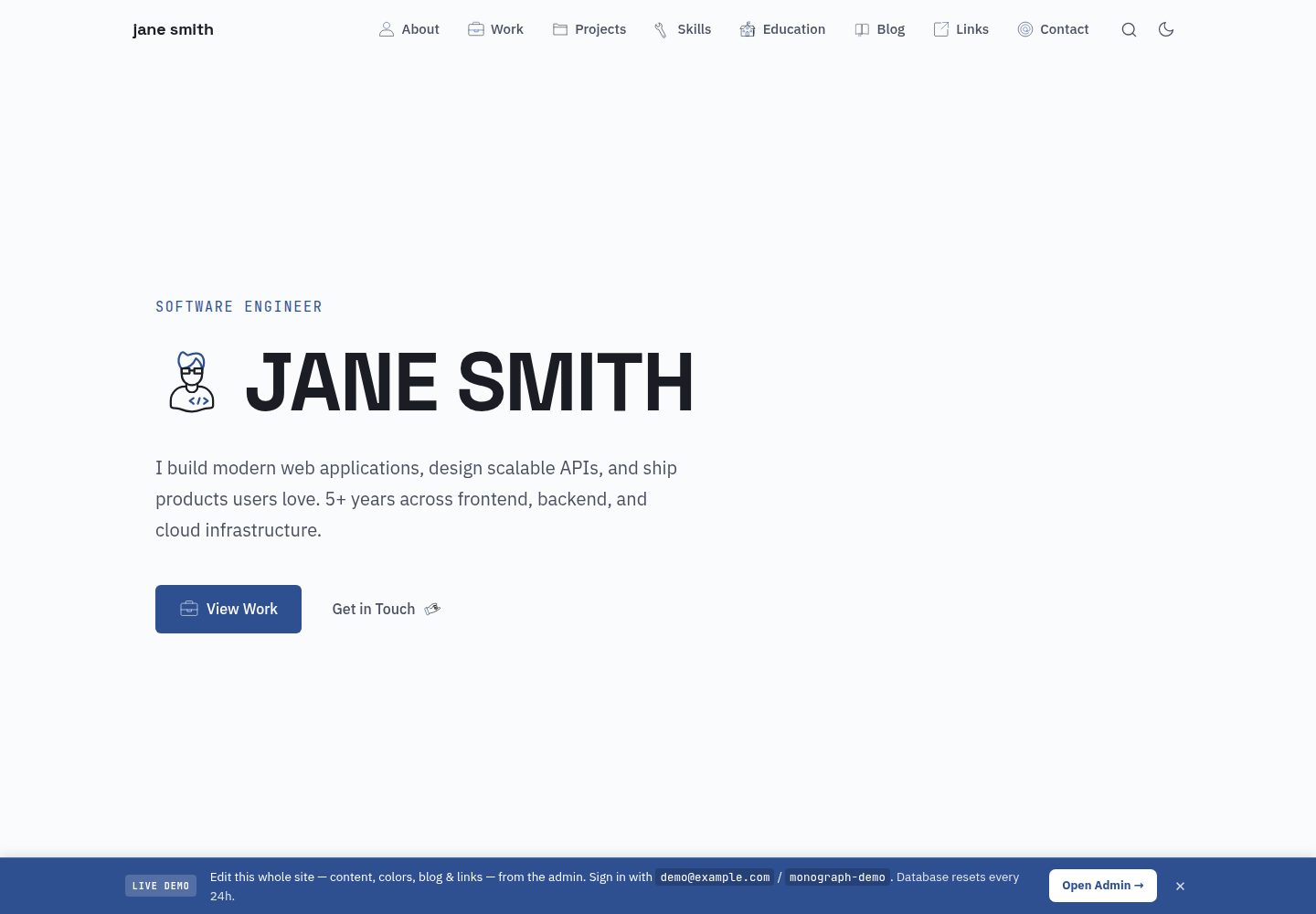
内置 /admin 后台,可在浏览器中编辑区块、配色、字体、博客与链接,无需改代码或重新部署
Astro作品集
astro-monograph-teenybase — Astro 作品集模板
作者 theserverlessdev
基于 Astro SSR 与 teenybase 的单页作品集主题,内置 /admin 后台,可在浏览器中编辑各区块、配色、字体、Markdown 博客与链接流,内容存入 Cloudflare D1,无需改代码或重新部署。
看看你的网站会是什么样
浏览真实页面截图,比较内容排版与手机效果。点击下方缩略图切换,放大查看整页细节。
全部页面与视图 3
截图用于了解视觉与布局,交互效果请以实际项目为准。
采集于 2026-10-13查看来源
值得关注的模板亮点
从已有项目资料中,快速了解它的特点。
Astro SSR 渲染时直接读取 Cloudflare D1 中的已发布内容,不经过额外 HTTP 请求
teenybase 提供 REST API、JWT 认证与行级规则、R2 文件上传,挂载在同一 Worker 的 /api/* 下
src/data/*.yaml 同时作为种子与回退内容,数据库未初始化时也能渲染
包含项目详情页、可打印 /cv 简历、Markdown 博客、链接流与边缘生成的 Open Graph 卡片
输出 RSS、links.xml、sitemap.xml、llms.txt 与 robots.txt
模板详细介绍
这是 Astro Monograph 主题的动态 CMS 版本。页面由 Astro SSR 在渲染时直接从 Cloudflare D1 读取已发布内容,不经过额外 HTTP 请求;teenybase 提供 REST API、带行级规则的 JWT 认证、R2 文件上传和后台界面,挂载在同一 Worker 的 /api/* 路径下。仓库中的 src/data/*.yaml 既是初始种子也是回退内容,因此全新克隆在数据库尚未初始化时也能正常渲染。在 /admin 中的修改先保存为草稿,可预览后再发布,发布即把 draft 复制为 published。站点包含首页各区块(Hero、About、Experience、Projects、Skills、Education、Contact 等)、/projects/<slug> 项目详情页(每个项目可选 Markdown 说明)、可打印的 /cv 简历、Markdown 博客、链接流,以及通过 satori 与 resvg 在边缘生成的 Open Graph 卡片(/og/*.png)。同时输出 RSS、链接 XML、站点地图、llms.txt 与 robots.txt。
运行需要 Cloudflare 账号与 Node 18+。npm run setup 会创建 D1 与 R2、执行迁移、设置密钥、部署、创建管理员用户并写入种子内容,脚本可重复执行;也可通过环境变量指定自定义域名或管理员凭据。本地开发使用 npm run dev 并配置 .dev.vars。默认分支的推送可通过 Cloudflare Workers Builds 自动构建部署,不使用 GitHub Actions。
限制与注意:内容依赖 Cloudflare D1/R2 与 teenybase 后端,属于平台绑定方案;公开演示位于 demo 分支,带有横幅、公开凭据并每日重置数据库,main 分支才是干净模板。代码采用 MIT 许可,但演示图片、字体、图标等第三方素材需单独核对许可,域名、托管、数据库等外部服务可能产生费用。
Astro作品集
适合你的项目吗?
适用场景
- 搭建个人作品集单页,并希望在浏览器后台持续更新内容、配色与字体
- 发布 Markdown 博客文章并维护一个链接流
- 为每个项目提供带 Markdown 说明的详情页,并生成可打印的简历页
- 在 Cloudflare Workers 上以单一 Worker 同时运行站点与内容后端
适合人群
- 拥有 Cloudflare 账号、愿意使用 D1 与 R2 的个人开发者
- 需要 CMS 后台但不想为每次内容修改重新部署的 Astro 用户
- 希望作品集、博客、链接流与简历共用同一份内容的个人站点作者
上手与定制指南
结合仓库当前版本的说明,按下面的资料检查内容、配置与运行要求。
- 1
需要 Cloudflare 账号与 Node 18+,先执行 npm install 与 npx wrangler login
- 2
运行 npm run setup 会创建 D1 与 R2、执行迁移、设置密钥、部署、创建管理员并写入种子内容,脚本可重复执行
- 3
可通过 ADMIN_EMAIL、ADMIN_PASSWORD 覆盖默认管理员凭据,通过 DOMAIN 指定自定义域名
- 4
本地开发需复制 blog-backend/.dev.vars.example 为 .dev.vars 并编辑,然后运行 npm run dev
- 5
修改 YAML 后用 npm run seed:content 重新写入内容,加 -- --force 可覆盖已有区块
授权与来源资料
使用条件与限制
免费使用 · 保留许可声明本次收录的是公开仓库中采用 MIT 许可的免费版本;免费范围为该版本代码,不代表外部服务或第三方素材免费。
使用时需要遵守
- 允许免费使用、修改、商用和分发该版本代码。
- 分发代码副本或实质性部分时,保留原作者版权声明和完整 MIT 许可声明。
- 代码按现状提供;担保与责任限制以原许可证及适用法律为准。
额外费用与待核对事项
- 演示图片、字体、图标及其他第三方素材需按各自许可核对,不能仅凭代码的 MIT 许可判断。
- 域名、托管、数据库、支付或 AI 等外部服务可能另外收费。
- 使用需注册 Cloudflare 账号(免费),并需要 Node 18 或更高版本环境。
- 自定义域名必须是该 Cloudflare 账号下已托管的区域(zone),否则无法使用该配置。
- 公开演示位于 demo 分支,带横幅、公开凭据且数据库每日重置;只有 main 分支是干净模板,不应将 demo 分支用于正式站点。
- 自动部署依赖 Cloudflare Workers Builds,不使用 GitHub Actions;需在 Cloudflare 控制台完成一次性连接配置。
- 图标来自 Lord Icon 第三方服务,其许可与使用条件需单独核对,不随本项目 MIT 代码许可一并授予。
查看原文依据
Permission is hereby granted, free of charge
许可证原文
You need a (free) Cloudflare account and Node 18+
README 原文
**Custom domain** (must be a zone on your Cloudflare account):
README 原文
The public demo (banner, exposed credentials, daily database reset) lives on the > [`demo` branch](https://github.com/theserverlessdev/astro-monograph-teenybase/tree/demo); > `main` is the clean template.
README 原文
Pushes to the default branch auto-build and deploy via **Cloudflare Workers Builds** (no GitHub Actions).
README 原文
https://github.com/theserverlessdev/astro-monograph-teenybase/blob/main/LICENSEhttps://github.com/theserverlessdev/astro-monograph-teenybase/blob/main/README.mdicons by [Lord Icon](https://lordicon.com)
README 原文
DeepSeek 根据仓库许可证和 README 整理 ·2026-10-13。结果仅覆盖已读取资料,依赖、图片、字体及后续条款变更以各自原文为准。
项目核对记录与介绍依据
模板资料
- 来源平台
- GitHub
- 资料与维护参考分
- 资料较完整 · 80 / 100
- 技术栈
- Astro
- 网站类型
- 作品集
这个分数如何计算
本站按许可资料(最高30分)、演示链接(12分)、预览图(10分)、Star数(15分)、记录的维护时间(15分)、描述完整度(8分)、功能记录(5分)和分类资料(5分)计算。它不是代码、安全或性能测试,也不是 Google 评分;有链接不代表已实测可用。
这个项目需要核对什么
- 记录的仓库更新时间
- 2026-06-14
- 截图检查日期
- 2026-10-13
已收录演示链接。请用你的内容与屏幕尺寸检查;有演示不代表表单、认证或支付已经可用。
目录记录的主要技术栈是 Astro。请通过依赖清单和锁文件核对实际版本与托管要求。这些说明基于收录资料,不代表代码审计或部署实测。
查看具体选型方法 →介绍的制作与核对状态
介绍由 AI 辅助整理目录与仓库资料。仓库作者不等于这篇介绍的审核者。
审核声明: [email protected] · 2026-10-13
查看当时使用的来源资料
SHA-256: 5450b06be28672ca25f2da115007743efca4564acbb2077e3ec79e88579be5eb
2026-10-13T00:15:13.431Z
来源文件 / 仓库# Astro Monograph — teenybase edition A single-page Astro portfolio that is **fully self-editable**: every section, the colors, the fonts, a Markdown **blog**, and a **links feed** are managed from a built-in `/admin`, with no code changes and no redeploys. Astro SSR and a [teenybase](https://teenybase.com) backend run inside **one Cloudflare Worker**, sharing a single D1 database and R2 bucket. **[Live demo → astro-monograph-teenybase.theserverless.dev](https://astro-monograph-teenybase.theserverless.dev)** — sign in to the admin and edit content, colors, fonts, blog posts and links live. > This is the dynamic, CMS-backed evolution of the static > [Astro Monograph](https://github.com/theserverlessdev/astro-monograph) theme. > See the [meta blog post on the live demo](https://astro-monograph-teenybase.theserverless.dev/blog/using-the-cms) > for a tour of the CMS and how the single-Worker architecture fits together. > > The public demo (banner, exposed credentials, daily database reset) lives on the > [`demo` branch](https://github.com/theserverlessdev/astro-monograph-teenybase/tree/demo); > `main` is the clean template. ## How it works - **Astro SSR** renders the site and reads the *published* content for each section straight from **Cloudflare D1** during render (no HTTP round-trip). - **teenybase** provides the REST API, JWT auth with row-level rules, R2 file uploads, and the admin — mounted at `/api/*` inside the same Worker (`src/server/teeny.ts`, `src/pages/api/[...path].ts`). - The committed `src/data/*.yaml` is both the **seed** and the **fallback**, so a fresh clone always renders even before the database is seeded (`src/lib/content.ts`). - Edits in `/admin` save as **drafts**; you **Preview**, then **Publish** (publish copies `draft` → `published`). - **Project detail pages** at `/projects/<slug>` (optional Markdown write-up per project), a print-ready **`/cv`** résumé generated from the same content, and **edge-generated Open Graph cards** for every page (`/og/*.png`, via satori + resvg) so shared links look like the site. ``` src/ ├── components/ # Hero, About, Experience, Projects, Skills, Education, │ # Contact, Footer, BlogTeaser, LinksTeaser, CustomSections ├── data/ # YAML seed + fallback content (edit or seed into D1) ├── layouts/ # BaseLayout (SEO/theme), PageLayout (sub-page chrome) ├── lib/ # data loader, content (D1↔YAML), blog, links, rss, slug, og, admin SPA ├── pages/ # index, blog/, links, cv, projects/[slug], admin/, │ # api/[...path], og/[...path], rss.xml, links.xml, │ # sitemap.xml, llms.txt, robots.txt ├── server/ # teeny.ts (mounts teenybase inside the Worker) └── styles/ # global.css (Tailwind theme + animations) blog-backend/ # teenybase config + generated D1 migrations + seed scripts scripts/ # setup.mjs, seed-content.mjs ``` ## Run it yourself You need a (free) Cloudflare account and Node 18+. ```bash git clone https://github.com/theserverlessdev/astro-monograph-teenybase cd astro-monograph-teenybase npm install npx wrangler login # Provisions D1 + R2, applies migrations, sets secrets, deploys, creates your # admin user, and seeds content. Prints your live URL + credentials. npm run setup ``` `npm run setup` (see `scripts/setup.mjs`) is idempotent and prints your admin login at the end (override with `[email protected] ADMIN_PASSWORD=…`). **Custom domain** (must be a zone on your Cloudflare account): ```bash DOMAIN=yourdomain.com npm run setup ``` To re-seed content from YAML after editing it: `npm run seed:content` (add `-- --force` to overwrite existing sections). ### Local development ```bash npm install cp blog-backend/.dev.vars.example .dev.vars # then edit npm run dev ``` ## Continuous deployment Pushes to the default branch auto-build and deploy via **Cloudflare Workers Builds** (no GitHub Actions). See [`blog-backend/CI-CD.md`](blog-backend/CI-CD.md) for the one-time dashboard connection steps. ## License MIT — see [LICENSE](LICENSE). Built with [Astro](https://astro.build), [Tailwind CSS](https://tailwindcss.com), [teenybase](https://teenybase.com), and icons by [Lord Icon](https://lordicon.com).
看看同类模板
对比同技术栈与用途的模板,找到更适合的视觉与内容结构。

astrofy
Astrofy is a free and open-source template for your Personal Portfolio Website built with Astro and TailwindCS…
Astro · 作品集

astro-nano
Astro Nano is a static, minimalist, lightweight, lightning fast portfolio and blog.
Astro · 作品集

astro-erudite
An opinionated, unstyled static blogging template built with Astro and native CSS.
Astro · 作品集

astro-sphere
Astro Sphere is a static, minimalist, lightweight, lightning fast portfolio and blog.
Astro · 作品集

astro-micro
Blog theme for Astro with search and comments built-in. Zero frameworks.
Astro · 作品集
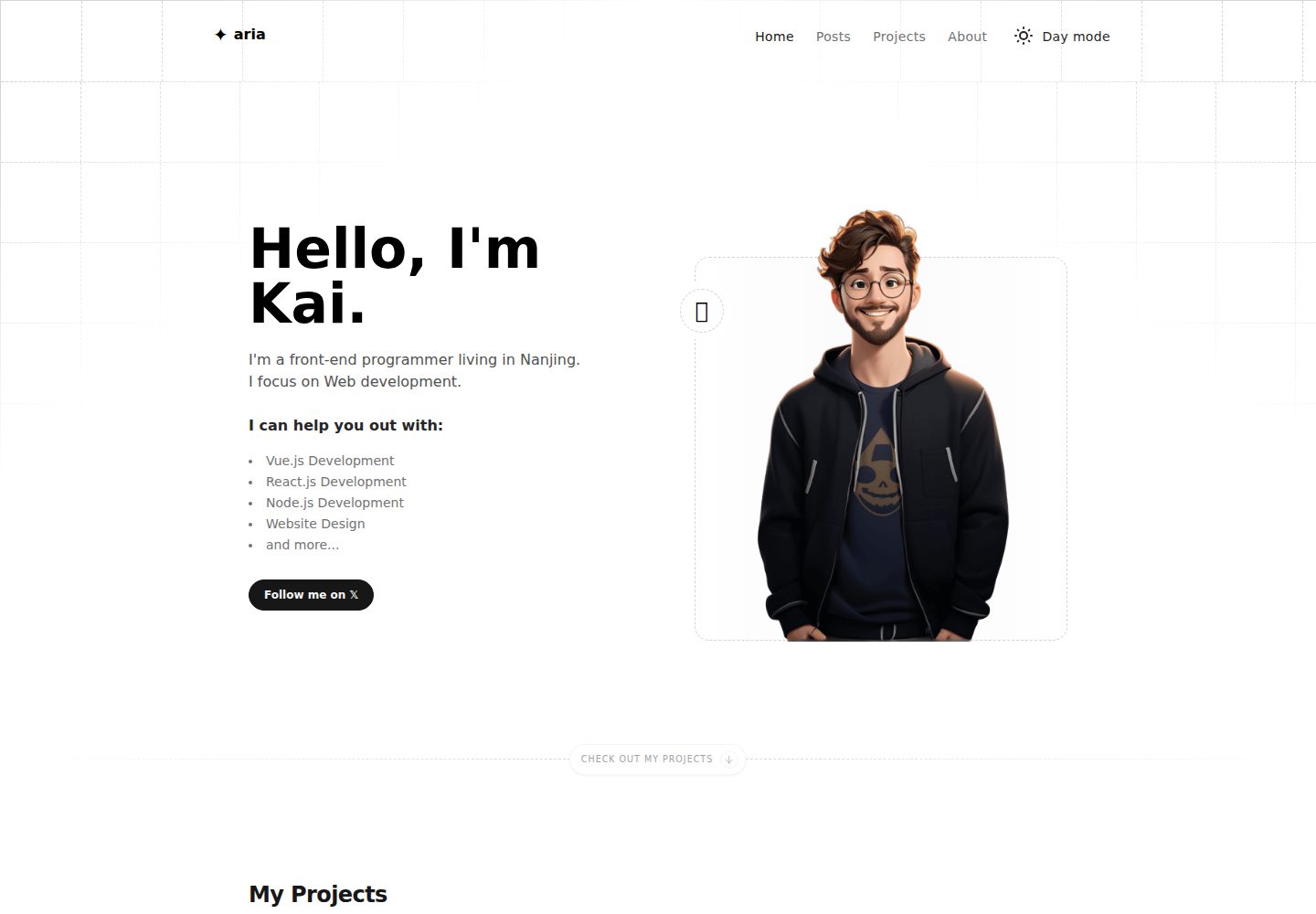
astro-aria
A personal blog, portfolio, or blog template
Astro · 作品集