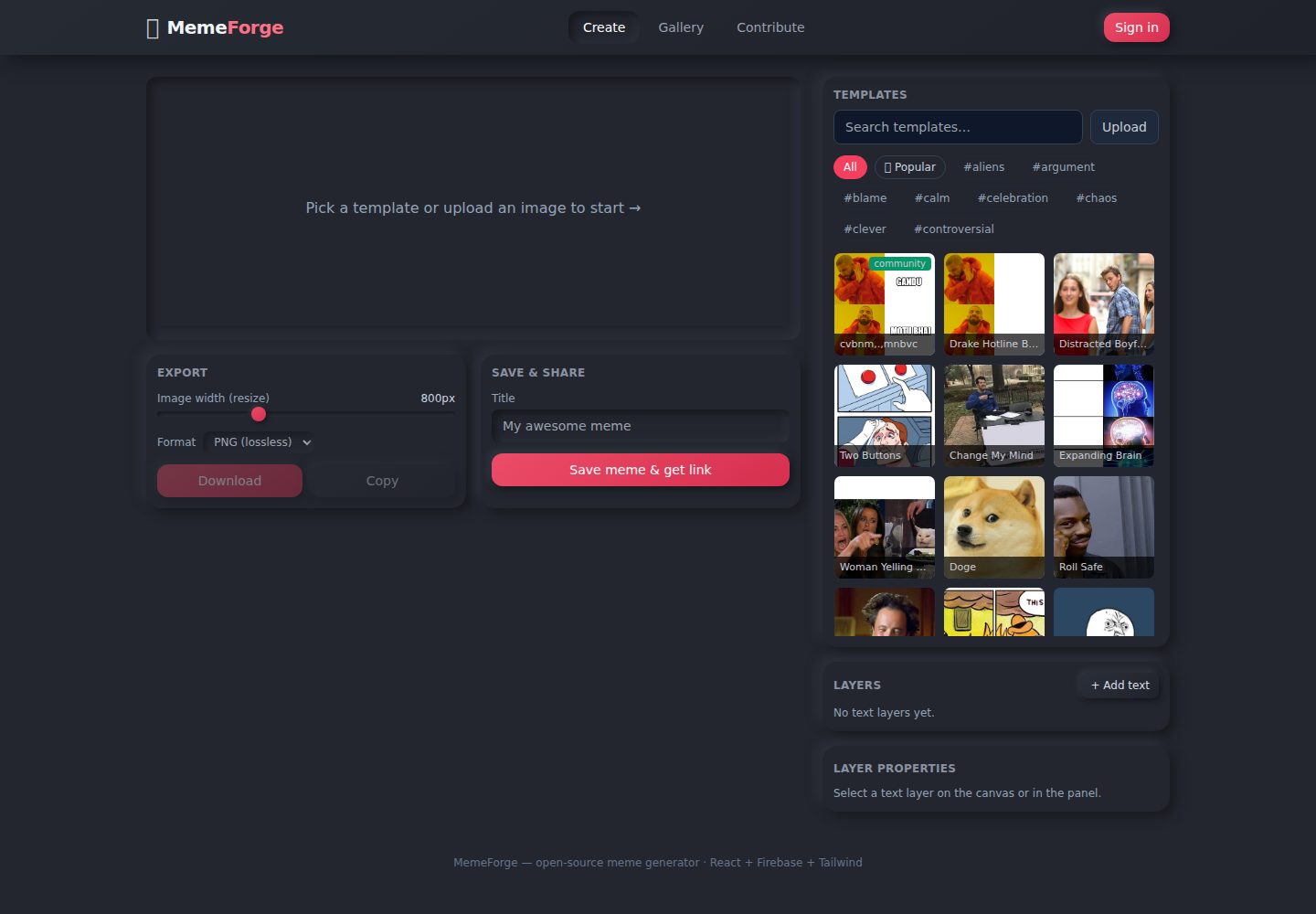
内置 14 个流行模板,支持上传自定义图片,并提供按名称/标签的实时搜索与筛选
ViteReact工具站
meme-generator — Vite 工具站模板
作者 trippusultan
MemeForge 是一个基于 React 和 Firebase 的开源梗图生成器,支持模板选择、自由文本图层编辑、导出与链接分享,未配置 Firebase 时以本地演示模式运行。
看看你的网站会是什么样
浏览真实页面截图,比较内容排版与手机效果。点击下方缩略图切换,放大查看整页细节。
全部页面与视图 2
截图用于了解视觉与布局,交互效果请以实际项目为准。
采集于 2026-10-17查看来源
值得关注的模板亮点
从已有项目资料中,快速了解它的特点。
文本图层可自由拖拽、缩放、排序、显示隐藏和删除,每层可独立设置字体、颜色、描边、大小和对齐
导出支持 200–2000px 宽度和 PNG/JPEG 格式,可下载或复制到剪贴板
配置 Firebase 后可将梗图上传至 Storage 并生成 #/m/<id> 分享链接,未配置时自动使用 IndexedDB 本地演示模式
提供 Contribute 标签页提交新模板,模板存入 Firestore 并出现在选择器中
模板详细介绍
MemeForge 是一个开源的梗图生成器,提供 14 个内置模板和自定义图片上传。用户可以在画布上添加自由拖拽的文本图层,调整字体、颜色、描边、大小和对齐方式,并支持图层排序、显示隐藏和删除。导出时可选择 200–2000px 宽度和 PNG/JPEG 格式,支持下载和复制到剪贴板。分享功能依赖 Firebase Storage 和 Firestore 上传渲染后的图片并生成 #/m/<id> 链接;未配置 Firebase 时应用自动进入本地演示模式,使用 IndexedDB 和 data URL 存储,适合开发与演示。README 明确说明内置安全规则允许未认证写入,仅适合演示,公开部署前应添加 Firebase Auth 并收紧规则。
ViteReact工具站
适合你的项目吗?
适用场景
- 快速制作带自定义文字的梗图并导出为图片
- 在无 Firebase 配置的本地环境中开发和演示梗图编辑功能
- 通过分享链接将生成的梗图发送给他人查看
- 社区用户提交新模板以扩充模板库
适合人群
- 需要轻量级梗图制作工具的普通用户
- 学习 HTML5 Canvas 图像操作和 Firebase 集成的开发者
- 希望自建梗图生成器并接受开源贡献的团队
上手与定制指南
结合仓库当前版本的说明,按下面的资料检查内容、配置与运行要求。
- 1
运行 npm install 和 npm run dev 即可启动本地开发服务器,无需 Firebase 配置
- 2
启用云分享需在 .env.local 中填入 Firebase Web API Key,并在 Firebase 控制台启用 Storage 和 Firestore
- 3
建议使用 Firebase CLI 部署仓库中的 firestore.rules 和 storage.rules,也可手动粘贴到控制台规则编辑器
- 4
内置安全规则允许未认证写入,仅适合演示;公开部署前应添加 Firebase Auth 并修改规则要求认证
授权与来源资料
使用条件与限制
免费使用 · 保留许可声明本次收录的是公开仓库中采用 MIT 许可的免费版本;免费范围为该版本代码,不代表外部服务或第三方素材免费。
使用时需要遵守
- 允许免费使用、修改、商用和分发该版本代码。
- 分发代码副本或实质性部分时,保留原作者版权声明和完整 MIT 许可声明。
- 代码按现状提供;担保与责任限制以原许可证及适用法律为准。
额外费用与待核对事项
- README 提及 Firebase 集成;启用相关动态功能前需自行配置,并核对 Firebase 的额度与收费。
- 演示图片、字体、图标及其他第三方素材需按各自许可核对,不能仅凭代码的 MIT 许可判断。
- 域名、托管、数据库、支付或 AI 等外部服务可能另外收费。
- 内置安全规则允许未认证写入,README 明确说明仅适合演示,公开部署前应添加 Firebase Auth 并收紧规则。
- 链接分享功能依赖 Firebase Storage 和 Firestore 上传渲染后的图片,需配置 Firebase 才能跨用户分享。
- 启用云分享需在 .env.local 中填入 Firebase Web API Key,并启用 Storage 和 Firestore 服务。
- 内置模板使用 Imgflip CDN 图片,导出时通过代理处理 CORS;这些外部图片资源的许可需自行核实。
查看原文依据
Permission is hereby granted, free of charge
许可证原文
> **Security note:** The bundled rules allow **open (unauthenticated) writes**
README 原文
- **Save & share with links** — rendered memes upload to Firebase Storage and
README 原文
2. Copy `apiKey` and replace `PASTE_API_KEY_HERE` in `.env.local`:
README 原文
https://github.com/trippusultan/meme-generator/blob/main/LICENSEhttps://github.com/trippusultan/meme-generator/blob/main/README.md`src/data/templates.js` (Imgflip CDN URLs are auto-proxied for CORS-safe
README 原文
DeepSeek 根据仓库许可证和 README 整理 ·2026-10-17。结果仅覆盖已读取资料,依赖、图片、字体及后续条款变更以各自原文为准。
项目核对记录与介绍依据
模板资料
- 来源平台
- GitHub
- 资料与维护参考分
- 资料较完整 · 88 / 100
- 技术栈
- Vite · React
- 网站类型
- 工具站
这个分数如何计算
本站按许可资料(最高30分)、演示链接(12分)、预览图(10分)、Star数(15分)、记录的维护时间(15分)、描述完整度(8分)、功能记录(5分)和分类资料(5分)计算。它不是代码、安全或性能测试,也不是 Google 评分;有链接不代表已实测可用。
这个项目需要核对什么
- 记录的仓库更新时间
- 2026-07-18
- 截图检查日期
- 2026-10-17
已收录演示链接。请用你的内容与屏幕尺寸检查;有演示不代表表单、认证或支付已经可用。
目录记录的主要技术栈是 Vite。请通过依赖清单和锁文件核对实际版本与托管要求。这些说明基于收录资料,不代表代码审计或部署实测。
查看具体选型方法 →介绍的制作与核对状态
介绍由 AI 辅助整理目录与仓库资料。仓库作者不等于这篇介绍的审核者。
审核声明: codex-user-requested-batch-review-20261018 · 2026-10-18
查看当时使用的来源资料
SHA-256: 865363e2fcffeb79b08e40d2e7549a90255f7dd686da8a72e5f52d34f248a255
2026-10-17T21:52:36.246Z
来源文件 / 仓库# 🔥 MemeForge — Meme Generator with Templates
A friendly, open-source meme generator. Pick a template (or upload your own),
add **free Photoshop-style text layers** you can drag anywhere, resize with a
handle, restyle, then **save & share** via a link.
**Tech stack:** React 18 · Firebase (Storage + Firestore) · Tailwind CSS · Vite
---
## ✨ Features
- **Template selection & custom images** — 14 popular built-in templates
(Drake, Distracted Boyfriend, Expanding Brain, …) plus your own uploads.
- **Photoshop-style text layers** — drag any text anywhere on the canvas,
drag the pink handle to resize, click to select. Add/reorder/show-hide/delete
layers, each with its own font, color, outline, size, alignment, and ALL-CAPS.
- **Image resizing & formatting** — export at any width (200–2000 px) as PNG or
JPEG, with one-click download and clipboard copy.
- **Save & share with links** — rendered memes upload to Firebase Storage and
get a shareable URL (`#/m/<id>`) that opens a clean viewer for anyone.
- **Search & filter templates** — live search by name/tag, plus “Popular” and
tag-chip filters.
- **Open-source contributions** — users can **submit new templates** from the
Contribute tab; they're stored in Firestore and appear in the picker.
- **Works offline/local** — with no Firebase config the app runs in **local
demo mode** (IndexedDB + data URLs), so it's fully usable for development and
demos. Add Firebase for real cloud storage & cross-user sharing.
---
## 🚀 Quick start
```bash
npm install
npm run dev
# open the printed http://localhost:5173
```
No Firebase setup needed for local/demo use.
### Build for production
```bash
npm run build # outputs to dist/
npm run preview # serves dist/ on http://localhost:4173
```
---
## ☁️ Enable Firebase (already configured for "memegen")
This project's web app **MemeForge** is already registered in the
**memegen** project (project ID `memegen-7b3d4`). To turn on real cloud
sharing you only need two things:
### 1. Paste your API key
The other config values are already written into `.env.local`. You just need
to paste the web API key:
1. Firebase Console → **Project settings** → **Your apps** → **MemeForge** →
SDK setup (`firebaseConfig`).
2. Copy `apiKey` and replace `PASTE_API_KEY_HERE` in `.env.local`:
```
VITE_FIREBASE_API_KEY=AIza...your_key
```
(Firebase web API keys are **not secret** — access is controlled by the
security rules below, not by hiding this key.)
### 2. Enable the two services
In the Firebase console, for the **memegen** project:
- **Storage** → Get started (default bucket `memegen-7b3d4.appspot.com`,
lock access to authed/validated — but this app writes unauthenticated, so
keep the bundled `storage.rules` which allows validated writes).
- **Firestore Database** → Create database (production mode) → publish the
bundled `firestore.rules`.
### 3. Deploy the rules (optional, recommended)
If you have the Firebase CLI:
```bash
npm install -g firebase-tools
firebase login
firebase use memegen-7b3d4
firebase deploy --only firestore:rules,storage
```
The rule files (`firestore.rules`, `storage.rules`) are already in the repo.
Without the CLI, you can paste them into the console's Rules editor instead.
### 4. Restart and verify
```bash
npm run dev
```
The "Local demo mode" banner should disappear and saving a meme returns a
real `#/m/<id>` link that works on any device.
> **Security note:** The bundled rules allow **open (unauthenticated) writes**
> so the app works with no login. This is fine for a demo but is abuseable.
> Before real public deployment, add **Firebase Auth** and require it in the
> rules (see `firestore.rules` / `storage.rules` comments).
---
## 🗂️ Project structure
```
meme-generator/
├─ index.html
├─ vite.config.js
├─ tailwind.config.js
├─ postcss.config.js
├─ firebase.json # points at firestore.rules / storage.rules
├─ firestore.rules # memes + templates collections
├─ storage.rules # memes/<id>.png images
├─ .env.example
├─ .env.local # your Firebase keys (gitignored)
├─ public/favicon.svg
└─ src/
├─ main.jsx
├─ App.jsx # layout, tabs, hash routing for share links
├─ index.css # Tailwind + neumorphism theme
├─ firebase.js # Firebase init (graceful null if unconfigured)
├─ data/templates.js # built-in template library + search/filter
├─ lib/
│ ├─ utils.js # uid, slugify, formatDate, clamp
│ ├─ storage.js # Firebase + IndexedDB fallback (unified API)
│ └─ renderMeme.js # canvas draw, free-layer text-wrap, export
└─ components/
├─ MemeCanvas.jsx # interactive canvas: select/move/resize layers
├─ TemplatePicker.jsx # search, filters, upload, community templates
├─ LayersPanel.jsx # add/select/reorder/show/delete + properties
├─ ExportControls.jsx # resize width, format, download, copy
├─ ShareControls.jsx # save + shareable link
├─ Gallery.jsx # recent memes
├─ ContributeForm.jsx # submit a new template
└─ MemeViewer.jsx # standalone share-link viewer
```
---
## 🧠 Learning path covered
- **Image manipulation** — HTML5 Canvas: drawing, text wrapping, outlines,
drag-to-position, scaling for export.
- **Firebase storage** — uploading data URLs to Storage, metadata in Firestore,
with a robust local (IndexedDB) fallback when unconfigured.
- **User interaction** — live layer editing, sliders, search/filter, drag
gestures, clipboard & download.
---
## 🤝 Contributing
Open-source contributions are welcome:
- **Add new templates** — submit via the Contribute tab, or add an entry to
`src/data/templates.js` (Imgflip CDN URLs are auto-proxied for CORS-safe
export).
- **Improve sharing** — add Firebase Auth, nicer share pages, or OG meta tags.
- **Advanced text editing** — rotation, per-line control, font uploads, etc.
1. Fork & clone.
2. `npm install && npm run dev`.
3. Make your change, open a PR.
---
## 📄 License
MIT — do what you like, just keep the memes funny.
看看同类模板
对比同技术栈与用途的模板,找到更适合的视觉与内容结构。

vituum
⚡⚙️ Fast Prototyping with Template Engines in Vite. Small and fast static site generator for Vite.
Vite · 工具站

tropical
Fast, mostly-just-HTML static sites with islands of client-side JS. Click the "Use this template" button ↖️
Vite · 工具站
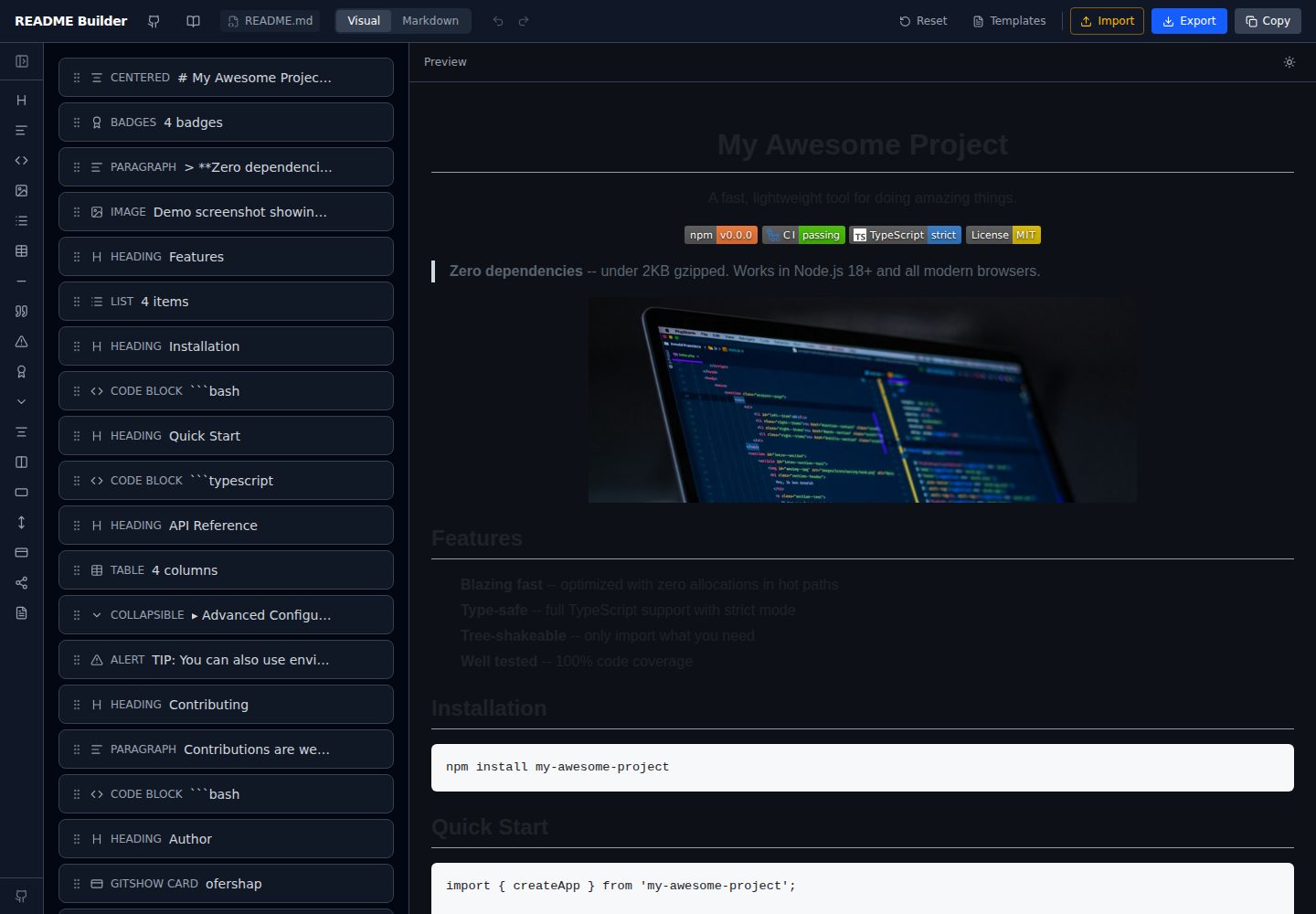
readme-builder
Visual drag-and-drop README editor with live GitHub-flavored preview. SEO-optimized templates, 15+ block types…
Vite · 工具站
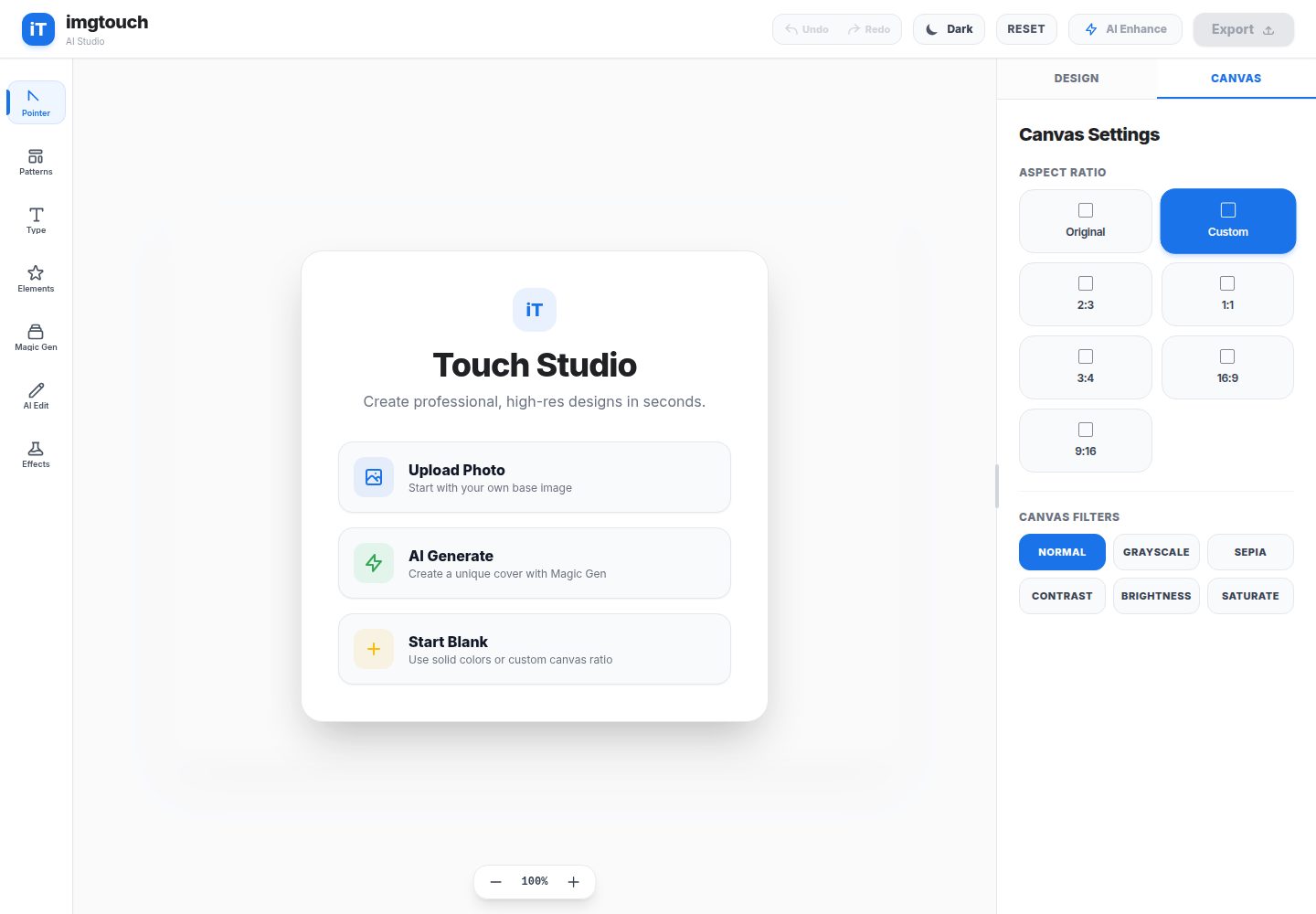
imgtouch
ImgTouch is an AI-powered Web Novel & Book Cover Studio designed for creators, authors, and designers. Powered…
Vite · 工具站
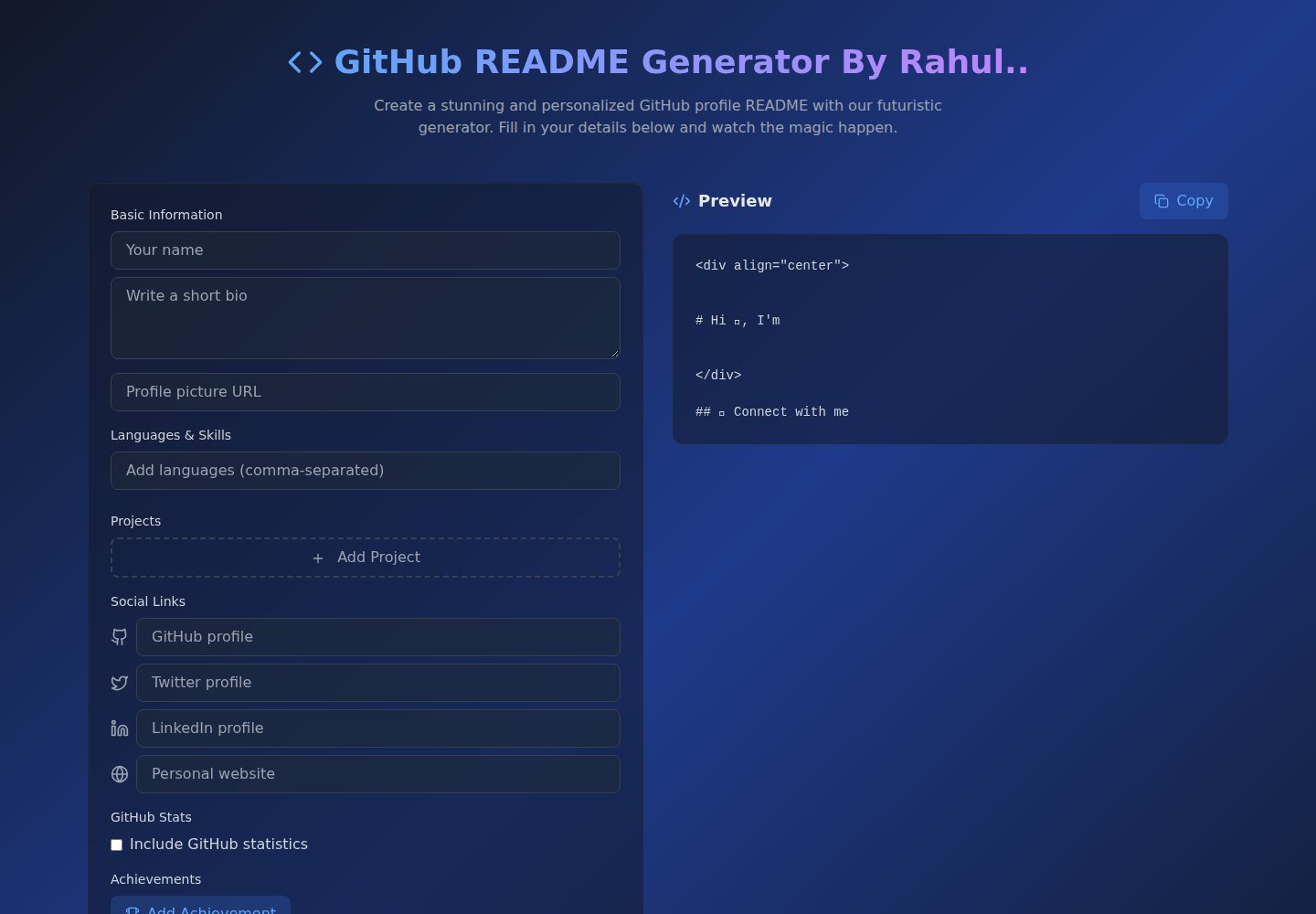
Github-Readme-Generator
An intuitive React-based README generator that helps developers create professional and standardized documenta…
Vite · 文档
Smart-Invoice-Builder
⚡ Free, privacy-first invoice generator with 12 professional templates, instant PDF exports, and local browser…
Vite · 工具站