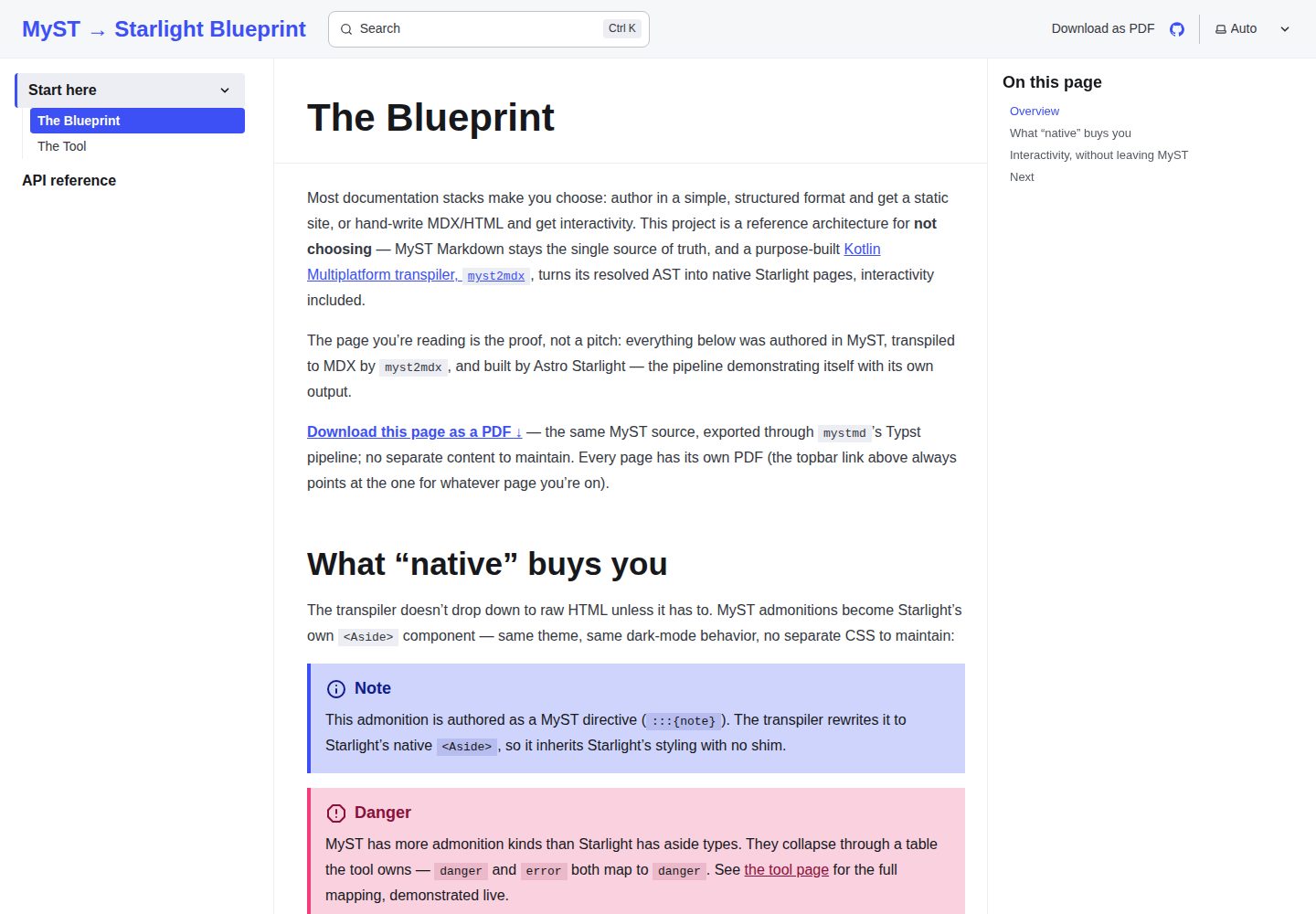
单一 MyST 源文件同时产出 Starlight 站点与逐页 Typst PDF,MDX 为构建产物且被 gitignore
Astro文档
myst-starlight-blueprint — Astro 文档模板
作者 wstein
把 MyST 源文件转译为 Astro Starlight 站点与 PDF 的参考架构,仓库自身即示例,可作模板使用。
看看你的网站会是什么样
浏览真实页面截图,比较内容排版与手机效果。点击下方缩略图切换,放大查看整页细节。
全部页面与视图 2
截图用于了解视觉与布局,交互效果请以实际项目为准。
采集于 2026-10-01查看来源
值得关注的模板亮点
从已有项目资料中,快速了解它的特点。
Kotlin Multiplatform 编写的 myst2mdx 转译器,共享核心同时编译为 JVM CLI 与 JS 导出
四通道转义(正文、代码、属性、JSX-HTML),并以 astro build 作为 MDX 编译校验
基于 CodeMirror 6 的 js-eval 代码块,在 Web Worker 中执行 JavaScript 并回传控制台输出
admonition 与代码块优先映射为 Starlight 原生 Aside 与 Expressive Code,减少自定义样式面
仓库自身即示例,包含 GitHub Actions 工作流,可 fork 为模板
模板详细介绍
这是一个以 Astro 为构建框架、以 MyST 为单一内容源的文档站点参考架构。仓库把 MyST 源文件经 mystmd 解析为 JSON AST,再由 Kotlin Multiplatform 编写的 myst2mdx 转译为 MDX,最后由 Astro Starlight 构建为静态站点并部署到 GitHub Pages。仓库本身既是蓝图、模板,也是可运行的示例:所有页面都用 MyST 编写,构建产物 MDX 被 gitignore,不手工编辑。
站点包含两个页面,其中一个页面内嵌了基于 CodeMirror 6 的 js-eval 代码块,可在浏览器中编辑并运行 JavaScript,执行结果由 Web Worker 返回控制台输出。每个 MyST 页面可在 frontmatter 中声明 Typst 导出,CI 逐页生成 PDF 并复制到 site/public/ 下,由顶栏的下载链接指向当前页对应的 PDF。
转译器 tool/ 是 Kotlin Multiplatform 项目,共享核心同时编译为 JVM CLI 与 JS 导出;CLI 提供 transpile、dokka2typst、dokka2mdx 子命令,其中后两者未接入任何流水线。转译器使用四通道转义处理文本、代码、属性与 JSX-HTML,并优先把 admonition 与代码块映射为 Starlight 原生组件。README 中列出的已知限制包括:AST 字段假设可能静默回退到 HTML、依赖版本升级需重跑完整流水线、--base 需与 astro.config.mjs 的 BASE 手动保持一致,以及 mystmd 项目级合并 PDF 导出在多页内容下只渲染一页。
Astro文档
适合你的项目吗?
适用场景
- 希望用 MyST 作为唯一内容源、同时输出交互式网站与 PDF 的文档项目
- 需要参考如何把 MyST AST 转译为 Astro Starlight 可用的 MDX
- 想在文档站点中嵌入可编辑并运行 JavaScript 的交互示例
- 需要为每个文档页面单独生成并下载 Typst PDF
- 评估 Kotlin Multiplatform 共享核心在 CLI 与浏览器端复用的做法
适合人群
- 熟悉 Astro、MyST 与 GitHub Actions 的开发者
- 需要单一内容源并接受构建产物不纳入版本控制的团队
- 愿意维护 Kotlin 转译器与固定依赖版本的文档项目
- 把该仓库作为模板或架构参考、而非开箱即用产品的人
上手与定制指南
结合仓库当前版本的说明,按下面的资料检查内容、配置与运行要求。
- 1
在 GitHub 仓库设置中将 Pages 来源设为 GitHub Actions,否则部署任务会失败
- 2
在 site/astro.config.mjs 中设置 SITE 与 BASE,BASE 需与仓库名一致,否则 CSS 与链接会失效
- 3
在 tool/ 下执行一次 gradle wrapper 并提交生成的 wrapper,便于 CI 与本地使用
- 4
本地运行完整流水线需要 JDK 21、Node 22、mystmd 与 typst;可用 flake.nix 的 nix develop 或 direnv allow 准备环境
- 5
升级 site/package.json 中任何依赖后需重跑完整流水线,仅 astro check 或 Kotlin 测试无法发现配置不匹配
授权与来源资料
使用条件与限制
免费使用 · 保留许可声明本次收录的是公开仓库中采用 MIT 许可的免费版本;免费范围为该版本代码,不代表外部服务或第三方素材免费。
使用时需要遵守
- 允许免费使用、修改、商用和分发该版本代码。
- 分发代码副本或实质性部分时,保留原作者版权声明和完整 MIT 许可声明。
- 代码按现状提供;担保与责任限制以原许可证及适用法律为准。
额外费用与待核对事项
- 本地生成 PDF 需安装 typst CLI;完整流水线还需 JDK 21、Node 22 与 mystmd,环境不满足时无法构建。
- 构建时需联网从 github.com/myst-templates/* 下载 lapreprint-typst 等模板,离线环境无法完成 PDF 导出。
- js-eval 的 Web Worker 仅作隔离而非安全沙箱,不得用于运行不受信任的第三方代码。
- 仅支持静态实时求值,MyST 的可执行代码块与 notebook 功能被有意排除在范围之外。
- JS 目标的浏览器演练场尚未实现,无组件消费 transpileToMdx(),该导出仅为可用 API 而非已交付功能。
- dokka2typst 与 dokka2mdx 子命令尚未接入任何流水线,需自行调用。
- PDF 为逐页导出,不提供合并的单一文档,跨页锚点链接在 PDF 导出中不可用。
- CLI 的 --base 需与 astro.config.mjs 的 BASE 手动保持一致,否则内部链接前缀错误。
- 依赖版本固定具有实际约束力,升级 site/package.json 中任何依赖后必须重跑完整流水线验证。
- 根级页面使用 autogenerate 侧边栏会静默渲染为空,必须改用显式 items 并保持与 myst.yml 的 toc 同步。
- 演示图片、字体、图标及其他第三方素材需按各自许可核对,不能仅凭代码的 MIT 许可判断。
- 域名、托管、数据库、支付或 AI 等外部服务可能另外收费。
查看原文依据
Permission is hereby granted, free of charge
许可证原文
Run it locally with `make pdf` (needs `typst` — in `flake.nix`'s devShell).
README 原文
The upstream Typst templates fetch over the network at build time and are outside this repo's control.
README 原文
**Web Worker is isolation, not a security sandbox.** Fine for trusted docs examples; don't run untrusted third-party code through it.
README 原文
**Static live-eval only.** MyST's executable/notebook features are intentionally out of scope; this path renders static output by design.
README 原文
**The JS target's browser playground is unbuilt.**
README 原文
`dokka2typst`/`dokka2mdx` convert Dokka-generated HTML (`Html2Typst`/`Html2Mdx`, tested against real `gradle dokkaGenerate` output) but aren't called from any pipeline yet
README 原文
**PDFs are per-page, deliberately — not one combined document.**
README 原文
**`--base` is a second copy of `astro.config.mjs`'s `BASE`, not derived from it.**
README 原文
**Pinned versions are load-bearing, not decorative.**
README 原文
https://github.com/wstein/myst-starlight-blueprint/blob/main/LICENSEhttps://github.com/wstein/myst-starlight-blueprint/blob/main/README.md**Starlight's `autogenerate` sidebar silently renders empty for root-level pages — use explicit `items` instead.**
README 原文
DeepSeek 根据仓库许可证和 README 整理 ·2026-10-01。结果仅覆盖已读取资料,依赖、图片、字体及后续条款变更以各自原文为准。
项目核对记录与介绍依据
模板资料
- 来源平台
- GitHub
- 资料与维护参考分
- 资料较完整 · 80 / 100
- 技术栈
- Astro
- 网站类型
- 文档
这个分数如何计算
本站按许可资料(最高30分)、演示链接(12分)、预览图(10分)、Star数(15分)、记录的维护时间(15分)、描述完整度(8分)、功能记录(5分)和分类资料(5分)计算。它不是代码、安全或性能测试,也不是 Google 评分;有链接不代表已实测可用。
这个项目需要核对什么
- 记录的仓库更新时间
- 2026-07-19
- 截图检查日期
- 2026-10-01
已收录演示链接。请用你的内容与屏幕尺寸检查;有演示不代表表单、认证或支付已经可用。
目录记录的主要技术栈是 Astro。请通过依赖清单和锁文件核对实际版本与托管要求。这些说明基于收录资料,不代表代码审计或部署实测。
查看具体选型方法 →介绍的制作与核对状态
介绍由 AI 辅助整理目录与仓库资料。仓库作者不等于这篇介绍的审核者。
已完成服务器许可规则与 AI 来源核对;未经过人工编辑审核。
查看当时使用的来源资料
SHA-256: 02855058311d30745383dea24da73f839b6303a26b78161c551d14d55ccf0bfd
2026-10-01T01:12:06.994Z
来源文件 / 仓库# MyST → Starlight Blueprint
> One MyST source → an interactive Starlight site, no duplication. A
> self-rendering docs stack with live code editing, unified search, and a shared
> theme, plus the Kotlin Multiplatform transpiler that wires MyST to Starlight.
> The repo builds itself as the example. Fork it as a template.
**[Live demo →](https://wstein.github.io/myst-starlight-blueprint/)** — the repo
you're reading deployed, live-JS editor included.
This repository is a **tech-stack idea**, not just a tool: a reference
architecture for documentation that has a single source of truth and still ships
an interactive web experience. The custom transpiler in `tool/` exists only to
make the idea cohere — it's the cog, not the point.
The proof is the repo itself: everything here is authored in MyST, transpiled to
MDX by the Kotlin Multiplatform tool, and built by Astro Starlight into the site
you deploy. Blueprint, template, and worked example in one.
## The idea in one picture
```mermaid
flowchart TD
A["<b>site/myst/*.md</b><br/>MyST source — single source of truth<br/><i>you edit only this</i>"]:::source
B["_build/site/content/*.json<br/>resolved MyST AST (mdast-based)"]
C["site/src/content/docs/*.mdx<br/>generated MDX — build artifact, never edited"]:::artifact
D["site/dist/<br/>static site"]
E(["GitHub Pages"])
A -->|"mystmd · myst build --site<br/>resolve xrefs, numbering, TOC"| B
B -->|"KMP transpiler · shared core to JVM CLI<br/>native-first, HTML-fallback"| C
C -->|"astro build (Starlight + MDX)<br/>◄ the MDX compile gate"| D
D --> E
classDef source fill:#dcfce7,stroke:#16a34a,color:#14532d;
classDef artifact fill:#f1f5f9,stroke:#94a3b8,color:#334155,stroke-dasharray:4 3;
```
Everything downstream of the MyST source is regenerated on every build. The MDX
is gitignored on purpose: it is output, not source.
## Why this stack (the load-bearing decisions)
| Decision | Choice | Why |
|---|---|---|
| Web framework | **Astro Starlight** | Static-first, islands, Pagefind search, non-React |
| Structured source | **mystmd** (standalone, not Sphinx) | Semantic authoring; emits a resolved AST as JSON |
| Integration model | **Transpile to MDX**, don't inject HTML | MDX pages become *native* Starlight pages → shared theme, topbar, search, sidebar for free |
| Emit target | **MDX** (not Markdoc) | Human-reviewable output; escaping is solved, not hoped away |
| Tool language | **Kotlin Multiplatform** | One `commonMain` core → JVM **CLI** + JS **export**, from a single codebase |
| Live editor | **CodeMirror 6, vanilla** | Interactive island with **no React**, per the framework decision |
| Live eval | **Web Worker** | Runs example JS off the main thread, no DOM access |
## The custom tool: `myst2mdx` (`tool/`, Kotlin Multiplatform)
A deliberate **orchestrator**, not a documentation engine. It doesn't parse MyST
(mystmd does) or render generic Markdown (MDX/Astro does). It owns exactly the
parts that encode *your policy*. Its CLI is `myst2mdx` (`gradle jvmJar` builds
`myst2mdx-jvm.jar`), and every generated MDX file carries its name in a
provenance banner comment. The CLI is one jar with subcommands, not one flat
command: `myst2mdx transpile --in ... --out ...` is the original,
CI-invoked path; `dokka2typst`/`dokka2mdx` convert Dokka-generated HTML
(`Html2Typst`/`Html2Mdx`, tested against real `gradle dokkaGenerate` output)
but aren't called from any pipeline yet — reachable and correct, not wired up:
```
tool/src/
├── commonMain/…/blueprint/ ← the shared core, compiled to BOTH targets
│ ├── ast/MystNode.kt resolved-AST model (tolerant JSON wrapper)
│ ├── escape/MdxEscaper.kt the FOUR-channel escaper (prose / code / attr / JSX-HTML)
│ ├── emit/NodeMapping.kt native-vs-fallback set + admonition collapse table
│ ├── emit/MdxEmitter.kt native-first emitter (→ <Aside>, Expressive Code, links)
│ └── Transpiler.kt frontmatter + imports + provenance banner
├── jvmMain/…/Cli.kt JVM target → myst2mdx transpile|dokka2typst|dokka2mdx
├── jvmMain/…/dokka/ Html2Typst + Html2Mdx — HTML -> Typst/MDX, jsoup-backed
├── jsMain/…/WebApi.kt JS target → transpileToMdx(), exported (@JsExport)
└── commonTest/…/blueprint/ unit tests for the shared core, incl. a fixtures/
package with a real mystmd AST capture — run via
`gradle jvmTest`, wired into CI before `jvmJar`
```
The same `Transpiler.transpile(...)` runs in CI (a JVM jar walking JSON files)
and is exported for JS (`transpileToMdx()`, `@JsExport`) — "shared code for
CLI and web" satisfied by construction, not copy-paste. No browser UI
consumes the JS export yet; it's a proven API surface, not a shipped
playground (see [Honest caveats](#honest-caveats)).
**Escaping is retired, not risked.** Every character is routed through one of four
channels: prose is neutralised, code fences pass through verbatim, attributes are
entity-escaped, and the raw-HTML fallback emits JSX-valid markup. The build then
runs the real MDX compiler (`astro build`) as a gate, so correctness is verified —
not trusted (see [Honest caveats](#honest-caveats) for the one gap this doesn't close).
**Native where possible, fallback where not.** Admonitions and code are rewritten
to native `<Aside>` and Expressive Code, so they never reach the CSS shim
(`site/src/styles/myst-shim.css`) — which is why the permanent styling surface
stays tiny.
## The signature: live JS evaluation
`site/myst/index.md` contains a `js-eval` code block. The transpiler maps it to
`<CodeMirrorEval>` — a vanilla CodeMirror 6 island whose Run button posts the
editor contents to a sandboxed Web Worker and streams the console output back. No
React, no main-thread eval. [Try it on the live site →](https://wstein.github.io/myst-starlight-blueprint/)
The site itself is two pages: `site/myst/index.md` (this pitch, live) and
[`site/myst/tool.md`](https://wstein.github.io/myst-starlight-blueprint/tool)
(the architecture walkthrough above, authored in MyST and demonstrating its own
admonition-collapse table live rather than just describing it).
## PDF export
Each MyST page declares a Typst export in its own frontmatter
(`exports: [{format: typst, template: lapreprint-typst}]`); CI runs
`myst build --typst <file>` once per page (see [Honest
caveats](#honest-caveats) for why not one multi-file invocation) to render its
own PDF, copied to `site/public/<slug>.pdf` — picked up by `astro build` like
any other static asset. Each page links to *its own* PDF from a topbar
download link (`site/src/components/HeaderWithPdf.astro`), not a single
shared link, since there's no combined PDF to point at.
Typst, not LaTeX: `mystmd`'s `--pdf` flag shells out to `latexmk`, which needs a
full TeX distribution; `--typst` shells out to the `typst` CLI, a single ~40MB
binary with no package manager to provision. Run it locally with `make pdf`
(needs `typst` — in `flake.nix`'s devShell).
mystmd's own project-level "combined book" export (one `exports:` entry in
`myst.yml`, referencing the whole `toc`) looked like the more obvious way to
produce a single multi-page PDF, but only rendered one of the two pages when
tried against this repo's content. Per-page exports sidestepped that bug
entirely — and turned out to be what "download the page you're on" actually
wants anyway, once the topbar link needed to be per-document rather than
site-wide. See [Honest caveats](#honest-caveats) for the one thing per-page
export still costs: no shared front matter or continuous pagination if you
wanted one combined document.
## Use it as a template
1. Click **Use this template** on GitHub (or fork).
2. In `site/astro.config.mjs`, set `SITE = 'https://<you>.github.io'` and
`BASE = '/<your-repo>'`.
3. Write MyST in `site/myst/`, list pages in `site/myst/myst.yml`'s `toc`.
4. Push to `main`. The workflow tests + builds the tool, resolves MyST,
transpiles, builds Starlight, and deploys to Pages.
Locally: `make pipeline` runs the whole chain — tool, MyST, transpile, PDF
export, site build — (needs JDK 21, Node 22, `mystmd`, `typst`).
A `flake.nix` is provided — `nix develop` (or `direnv allow`, via the checked-in
`.envrc`) drops you into a shell with all of those already on `PATH` except
`mystmd` (matching CI apart from the one `npm install -g mystmd` step you still
run yourself).
## First run — do these before watching the Actions tab
Most first-push failures are configuration, not code:
- [ ] **Pages source = GitHub Actions.** Settings → Pages → Source → *GitHub
Actions* (not "deploy from branch"), or the deploy job fails at the end.
- [ ] **Set `SITE` and `BASE`** in `astro.config.mjs` to your Pages URL and repo
name — wrong `BASE` ships a site with broken CSS/links even on a green build.
- [ ] **Commit a Gradle wrapper:** `cd tool && gradle wrapper` once, then commit.
CI's setup-gradle prefers it and it makes `./gradlew` work locally.
- [ ] **Verify the mystmd AST path.** Run `myst build --site` locally and confirm
the JSON lands in `_build/site/content/`; if not, fix `--in` in the workflow
and `Makefile`.
- [ ] **Check the pinned action majors.** Confirm the actions pinned in
`.github/workflows/deploy.yml` are still current majors — GitHub's Security tab
flags outdated actions on the repo once it's live.
The full chain — `myst build --site` → transpile → per-page PDF export →
`astro build` — has been run end-to-end locally against this repo's own
content and produces a working `site/dist/` (search index and per-page
downloadable PDFs included). Three failures only surfaced by actually running
it, all now fixed here: `site/myst/myst.yml`'s `site.template: none`
wasn't a real template — `myst build --site` always resolves and downloads an
actual site template, so it 404'd looking one up literally named "none" (fixed
by pinning `template: book-theme`, which is what it silently falls back to
anyway if no valid template is given); `site/package-lock.json` wasn't
committed, so CI's `npm ci` had nothing to install from; and `astro.config.mjs`'s
`social` option used the array shape from Starlight ≥0.33 while `^0.30.0` (what
`npm install` actually resolves) expects an object keyed by platform name.
## Honest caveats
- **`MystNode` field assumptions are the ongoing risk.** `kind` on admonitions and
`url` on resolved cross-references only fully surface when real content flows
through; a wrong assumption silently falls through to the HTML fallback instead
of failing a build. `tool/src/commonTest/.../RealAstFixtureTest.kt` grounds the
suite in a real `mystmd build --site` capture to catch this class of bug —
extend that fixture (or add new ones) whenever you lean on a new AST field.
- **Pinned versions are load-bearing, not decorative.** `@astrojs/starlight`
changed the shape of the `social` config option between 0.30 and 0.33 — a
caret range and the config calling it are coupled, and only `astro build`
(not `astro check`, not the Kotlin test suite) catches a mismatch. Re-run the
full pipeline after bumping anything in `site/package.json`. This repo hit
the same wall a second time bumping to `astro ^7.0.2` /
`@astrojs/starlight ^0.41.3` (needed for the official Markdoc preset,
itself pinned to `@astrojs/starlight >=0.41.0` as a peer dependency) — the
`social` array-shape fix from the first bump wasn't itself broken again, but
don't assume a caret range survives an upgrade untested just because it did
once before.
- **`--base` is a second copy of `astro.config.mjs`'s `BASE`, not derived from
it.** mystmd resolves internal links/xrefs to root-relative paths with no
knowledge of Astro's subpath deployment, so the CLI's `--base` flag re-prefixes
them at transpile time — but only if it's kept equal to `BASE`. This site had
exactly one page (no internal links) until a second page was added, which is
why this class of bug went undetected until then; forking this template means
updating `--base` in `Makefile`/`package.json`/CI alongside `astro.config.mjs`.
- **PDFs are per-page, deliberately — not one combined document.** Each page
renders through `lapreprint-typst` independently (its own "Open Access"
banner, its own page numbering starting back at 1), and the topbar's
download link always points at whichever page you're on. Cross-page anchor
links (e.g. a link into a specific heading on *another* MyST page) can't be
used in source that feeds the PDF export: each page compiles to Typst
independently, so a fragment that only exists in a different page's document
is an unresolved-label error at compile time, not a build-time warning.
- **The upstream Typst templates fetch over the network at build time and are
outside this repo's control.** `myst build --typst` downloads
`lapreprint-typst` (and any other named template) fresh from
`github.com/myst-templates/*` the same way `myst build --site` downloads
`book-theme` — see the AST-path caveat above. One known cosmetic issue in
that template: an admonition's title bar can land at the bottom of a page
with its body pushed to the next, because the box isn't wrapped in Typst's
`block(breakable: false)`. Fixing it means vendoring a patched local copy of
the template instead of tracking upstream — not done here; left as a known,
accepted limitation.
- **`myst build --typst <a> <b>` races its own first-time template download.**
Passing both pages to one invocation hit `Cannot use invalid template.yml`
reliably on a clean checkout (never on a warm cache) — both pages' export
kicked off the same template fetch concurrently and one process read the
file mid-write. `make pdf` / the CI step instead call `myst build --typst`
once per file, letting the first call's download finish before the second
starts. Since CI always builds from a clean checkout, the multi-file form
would have failed on every run, not intermittently.
- **Starlight's `autogenerate` sidebar silently renders empty for root-level
pages — use explicit `items` instead.** `{ autogenerate: { directory: '.' } }`
(and `''`) both matched zero routes against this site's two top-level pages,
so the sidebar rendered a group with an empty `<ul>` — no build error, no
`astro check` warning, both pages still directly reachable by URL. Only
surfaced by inspecting the built HTML. `astro.config.mjs` now lists pages
explicitly (`items: ['index', 'tool']`), mirroring `myst.yml`'s `toc` — keep
both in sync when adding a page.
- **Web Worker is isolation, not a security sandbox.** Fine for trusted docs
examples; don't run untrusted third-party code through it.
- **Static live-eval only.** MyST's executable/notebook features are intentionally
out of scope; this path renders static output by design.
- **The same MyST source feeds both the interactive site and the static PDF**,
so prose describing the `js-eval` block couldn't just say "press Run" —
that instruction is meaningless in a PDF Typst compiled from source it can't
execute. `index.md` now reads "on the live site... in the PDF you're reading
now, it's necessarily just the source," true in both contexts, rather than
writing format-conditional MyST (which doesn't exist) or pre-computing and
embedding the evaluated output (fragile — would silently go stale if the
sample code ever changed).
- **Starlight inner aside markup.** The emitter targets `<Aside>`; if you ever
bypass it and hand-write aside classes, match Starlight's rendered structure.
- **The JS target's browser playground is unbuilt.** `WebApi.kt`'s own doc
comment describes it — "the docs site can show 'paste MyST AST -> get MDX'
live" — but no component consumes `transpileToMdx()` anywhere in `site/`, and
`gradle jsBrowserProductionWebpack` has never run in CI or `make pipeline`.
Earlier drafts of this README and `tool.md` stated it as built; both now
describe what's actually shipped (a proven, exported JS API) rather than the
aspiration in the source comment that inspired them.
## Suggested repo topics
`myst` · `starlight` · `astro` · `mdx` · `documentation` · `single-source` ·
`kotlin-multiplatform` · `github-pages`
## Layout
```
.
├── README.md ← this blueprint
├── CLAUDE.md ← guidance for Claude Code when working in this repo
├── LICENSE ← MIT
├── Makefile ← `make pipeline`
├── package.json ← npm-script equivalents
├── flake.nix ← `nix develop` — JDK 21 + Node 22 + Gradle + Typst
├── .github/workflows/deploy.yml ← self-render → GitHub Pages (+ MDX compile gate)
├── tool/ ← `myst2mdx`, the Kotlin Multiplatform transpiler + Dokka converters
└── site/ ← Astro Starlight + MyST source + live-eval island
├── myst/ ← MyST source of truth (index.md, tool.md, myst.yml)
├── src/components/ ← CodeMirrorEval.astro, eval-worker.ts, HeaderWithPdf.astro
├── src/styles/myst-shim.css ← orphan-construct shim (Starlight tokens)
├── public/ ← generated: one PDF per page lands here pre-build
└── astro.config.mjs
```
## License
MIT — see [LICENSE](LICENSE).
看看同类模板
对比同技术栈与用途的模板,找到更适合的视觉与内容结构。
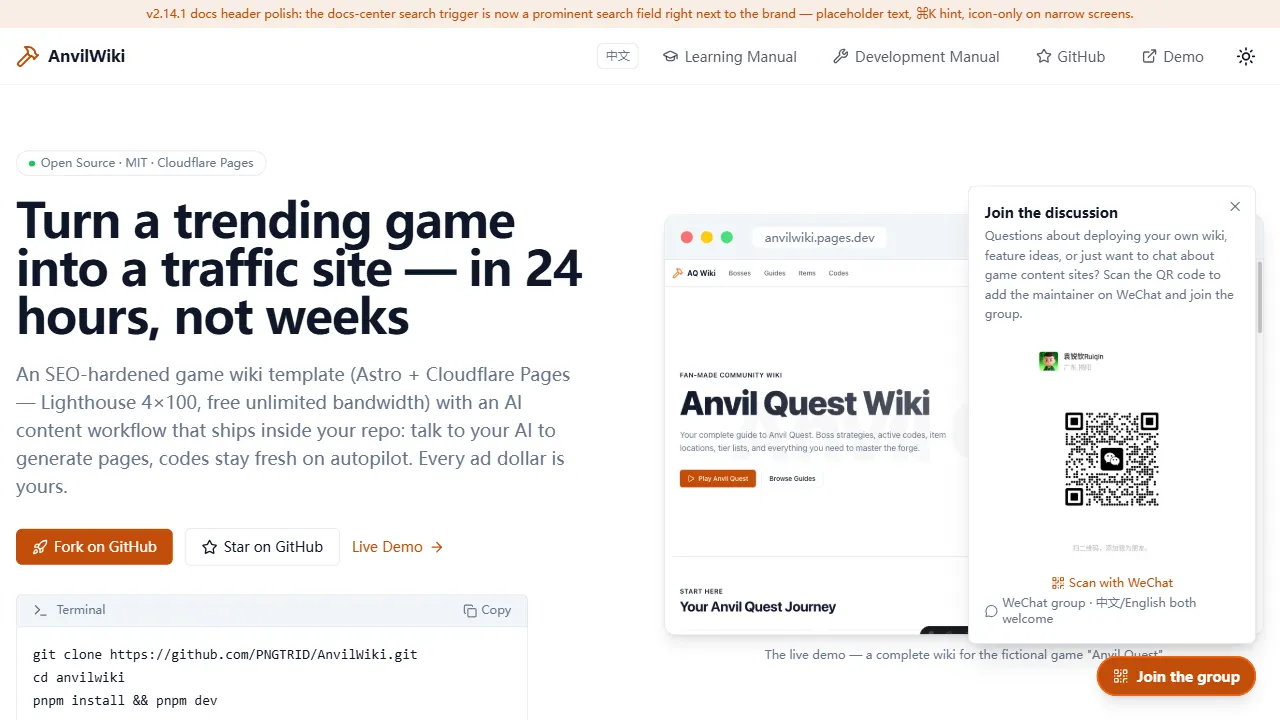
AnvilWiki
AnvilWiki 是一个围绕游戏攻略站场景设计的 Astro 静态模板,目标用户是希望快速搭建游戏内容站、通过 SEO 获取流量并利用广告变现的创作者。
Astro · 游戏站
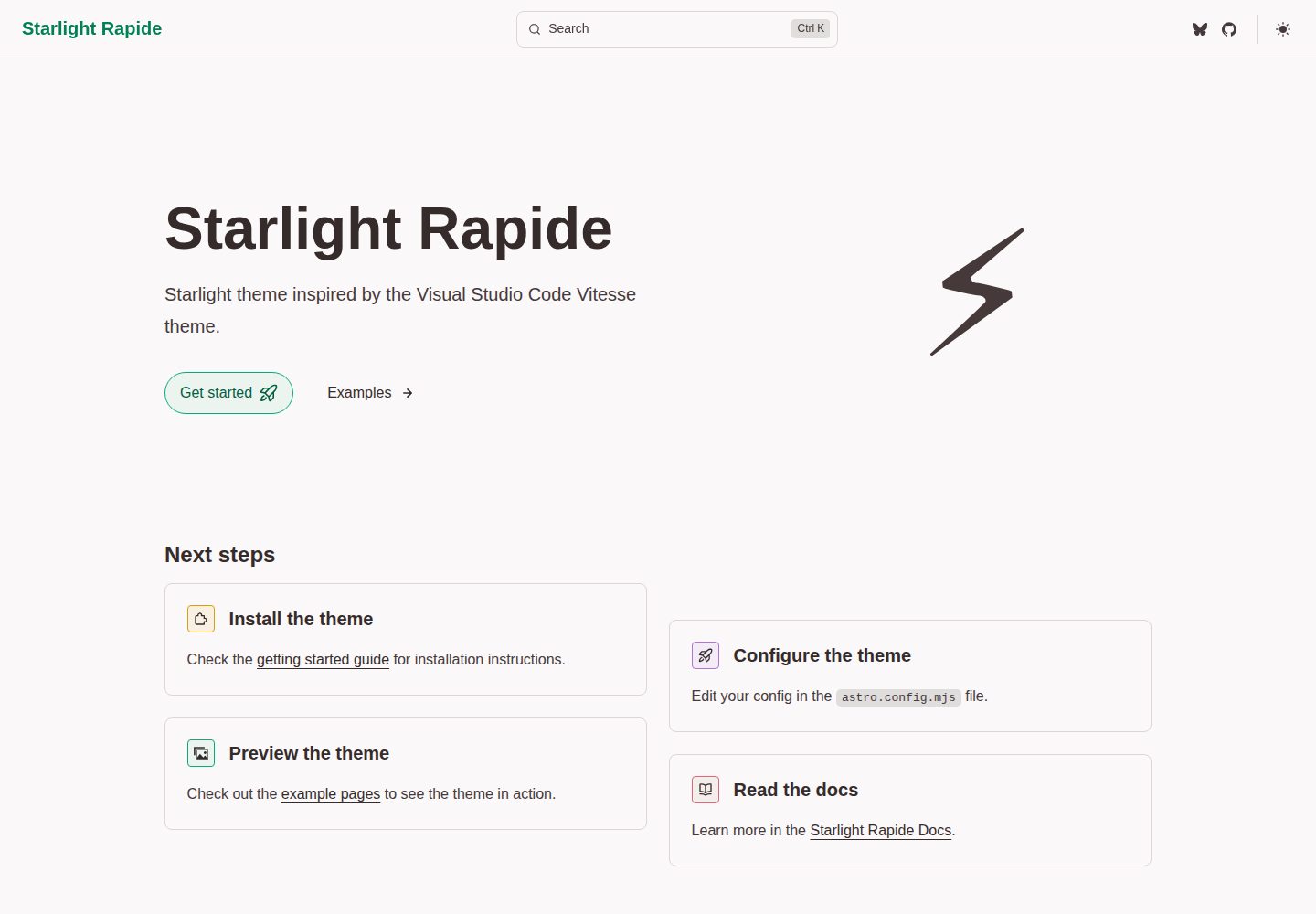
starlight-theme-rapide
Starlight theme inspired by the Visual Studio Code Vitesse theme
Astro · 文档
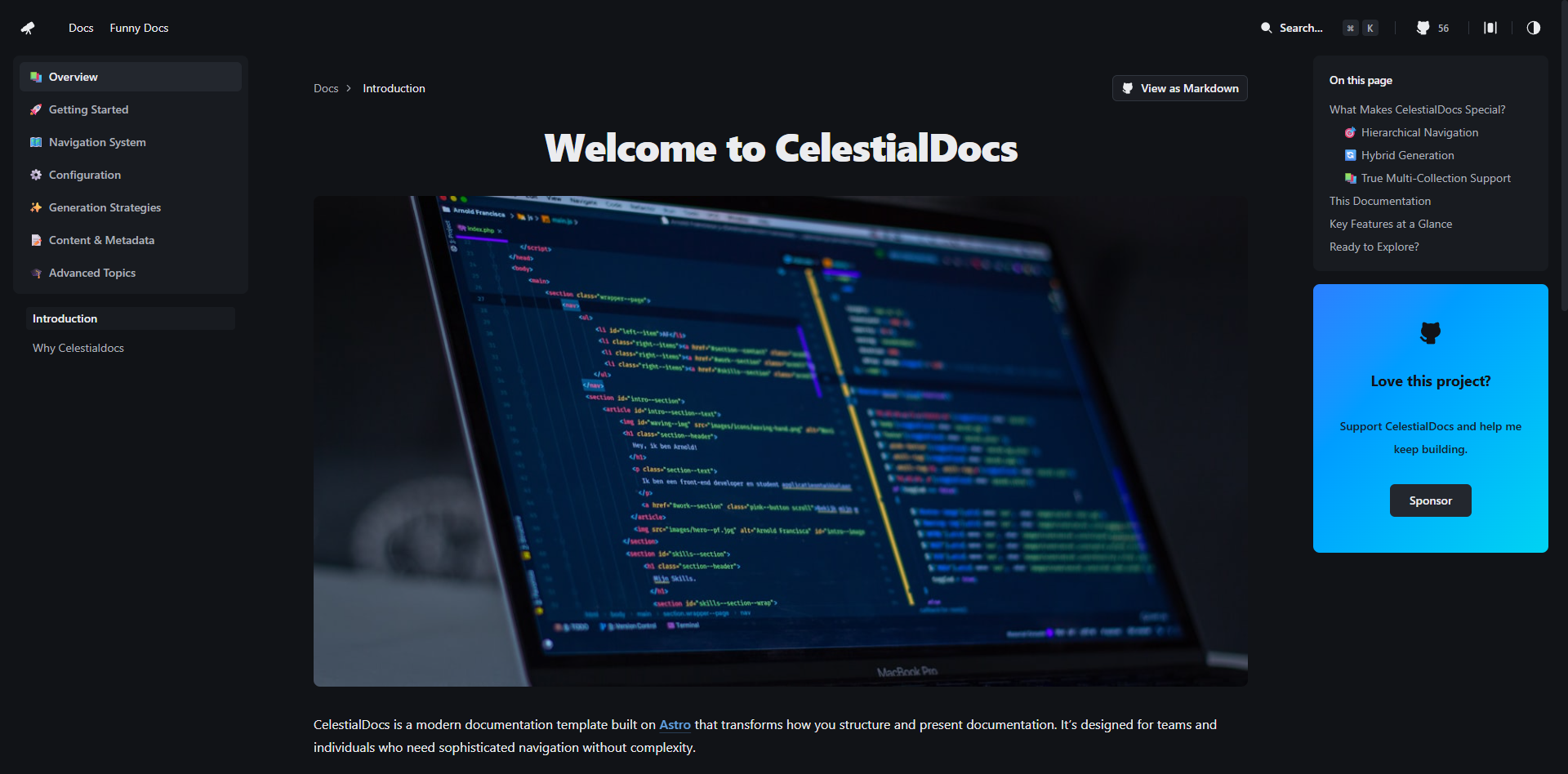
CelestialDocs
CelestialDocs 是一个基于 Astro 的文档平台模板,定位是让团队在一个仓库里同时维护文档、博客和产品页面。
Astro · 文档
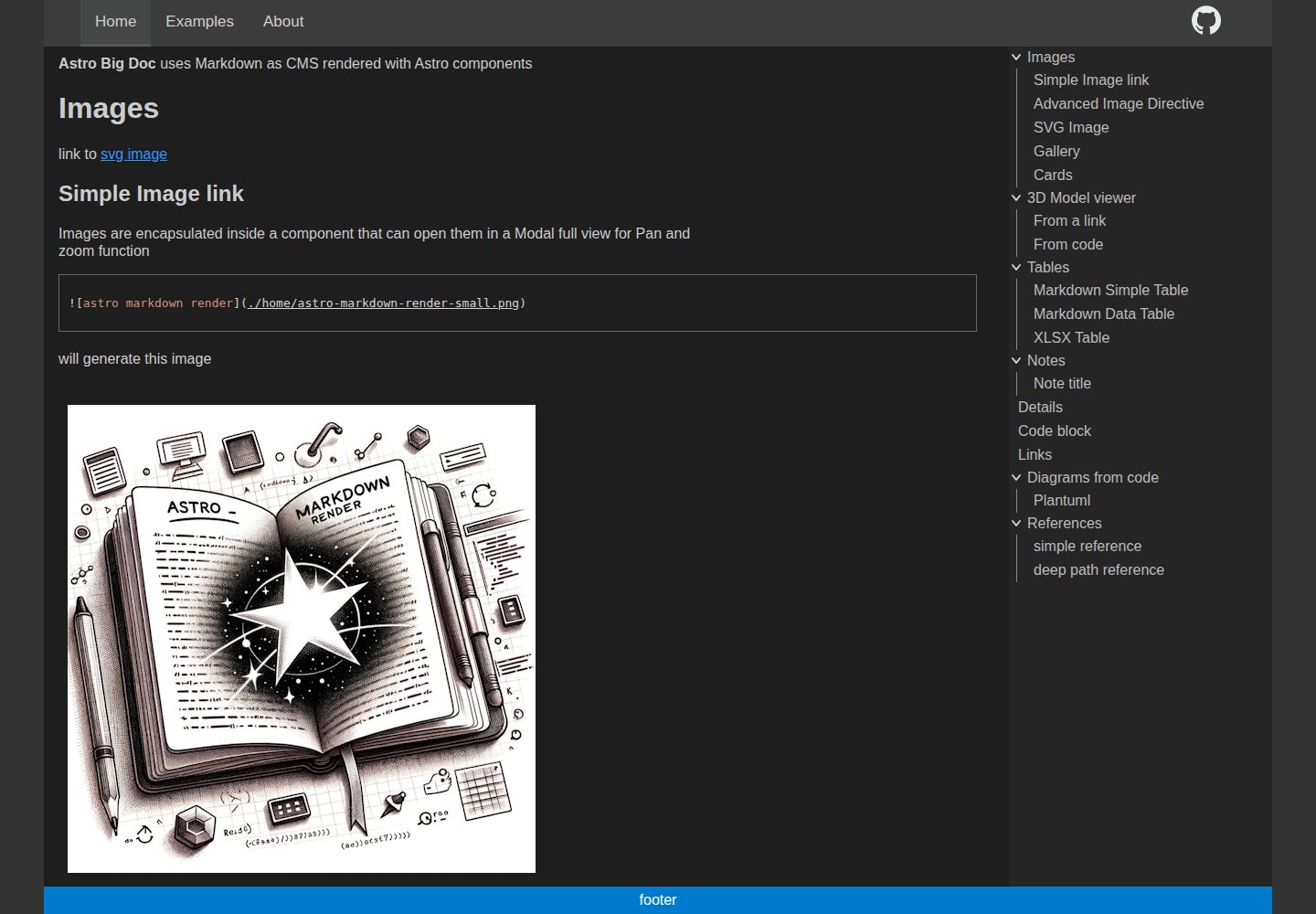
astro-big-doc
Astro Theme with zero config hierarchical menu and table of content, render pure standard Markdown .md with cu…
Astro · 文档
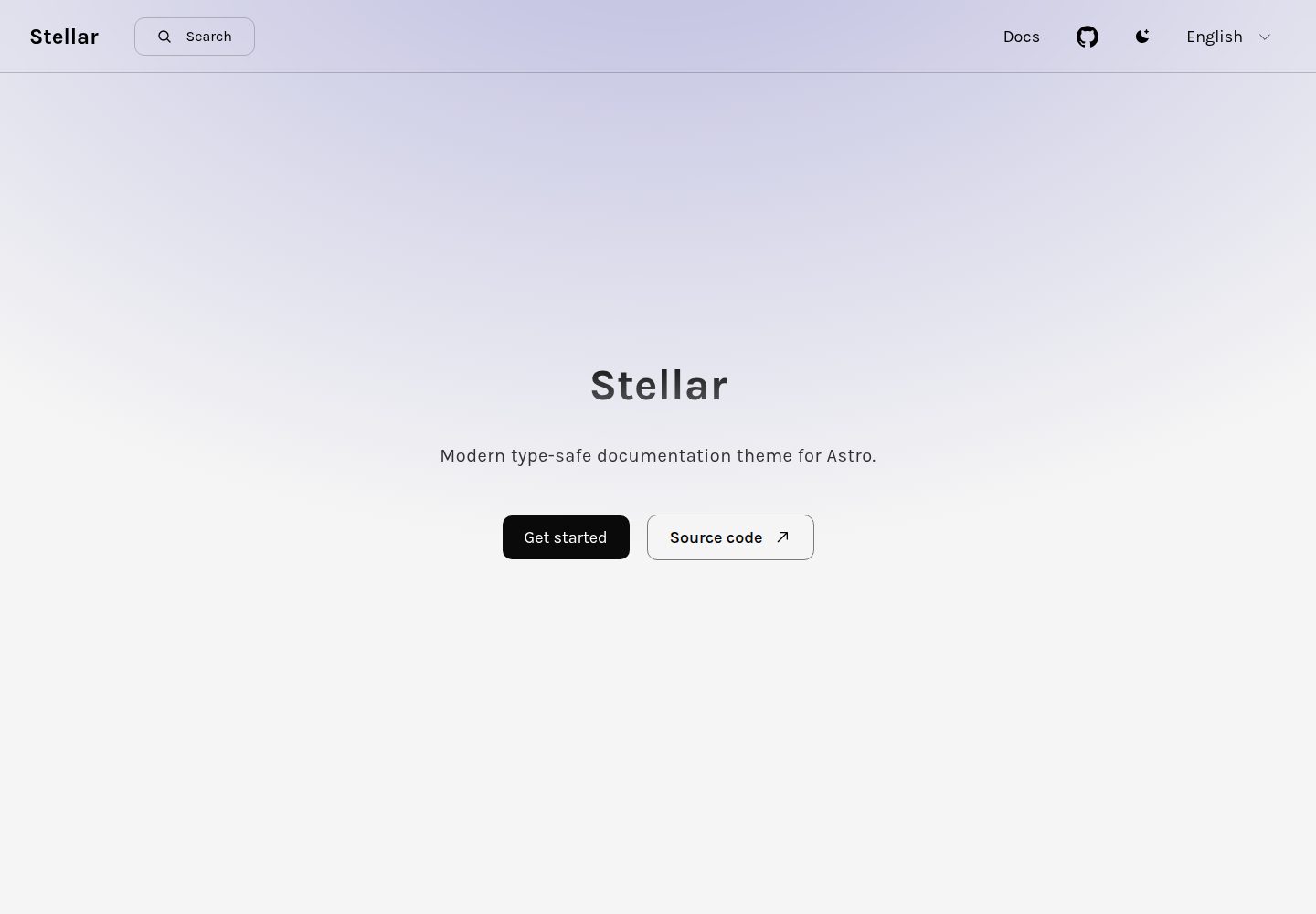
stellar
Modern type-safe documentation theme for Astro.
Astro · 文档
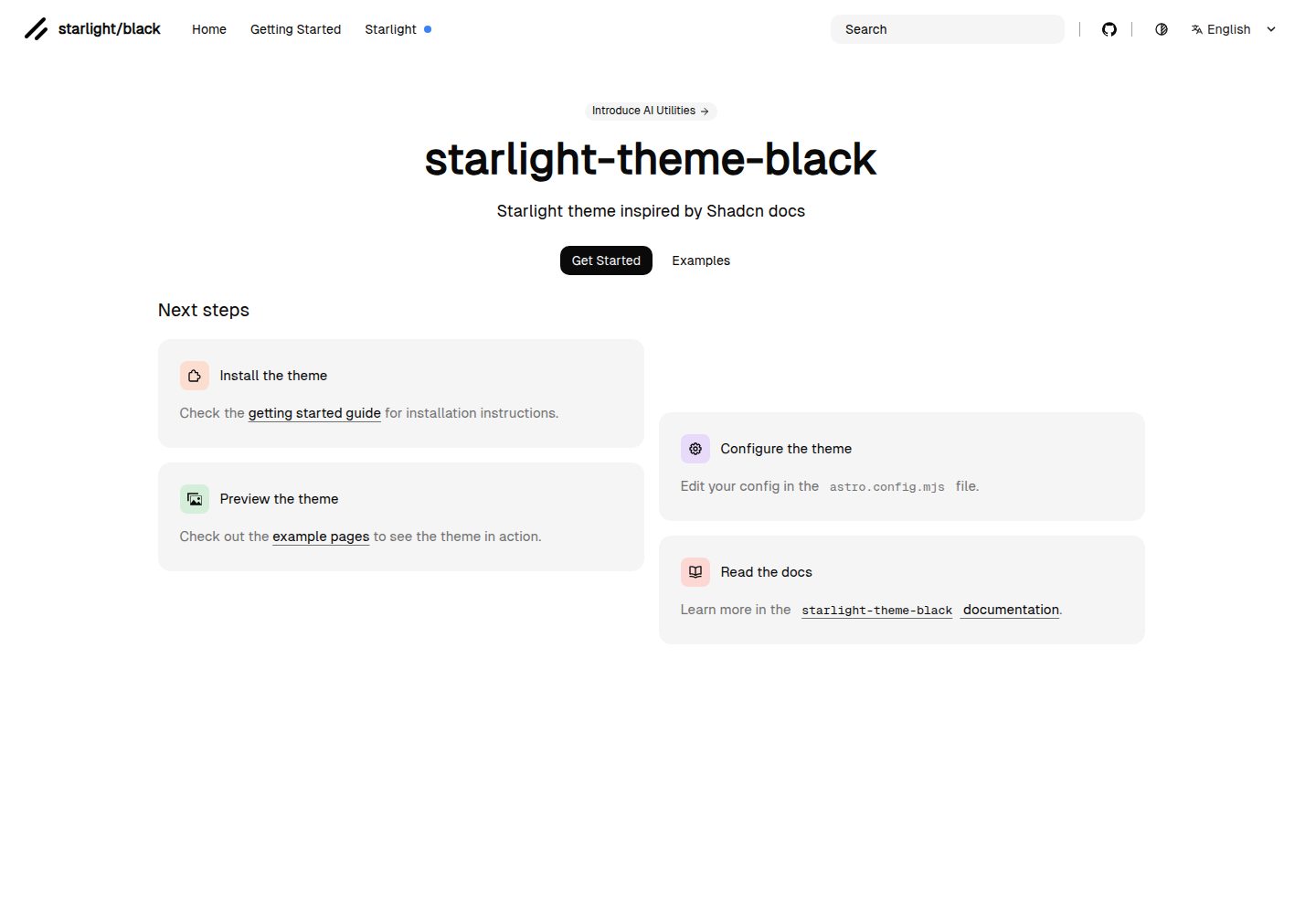
starlight-theme-black
Starlight theme inspired by @shadcn docs
Astro · 文档