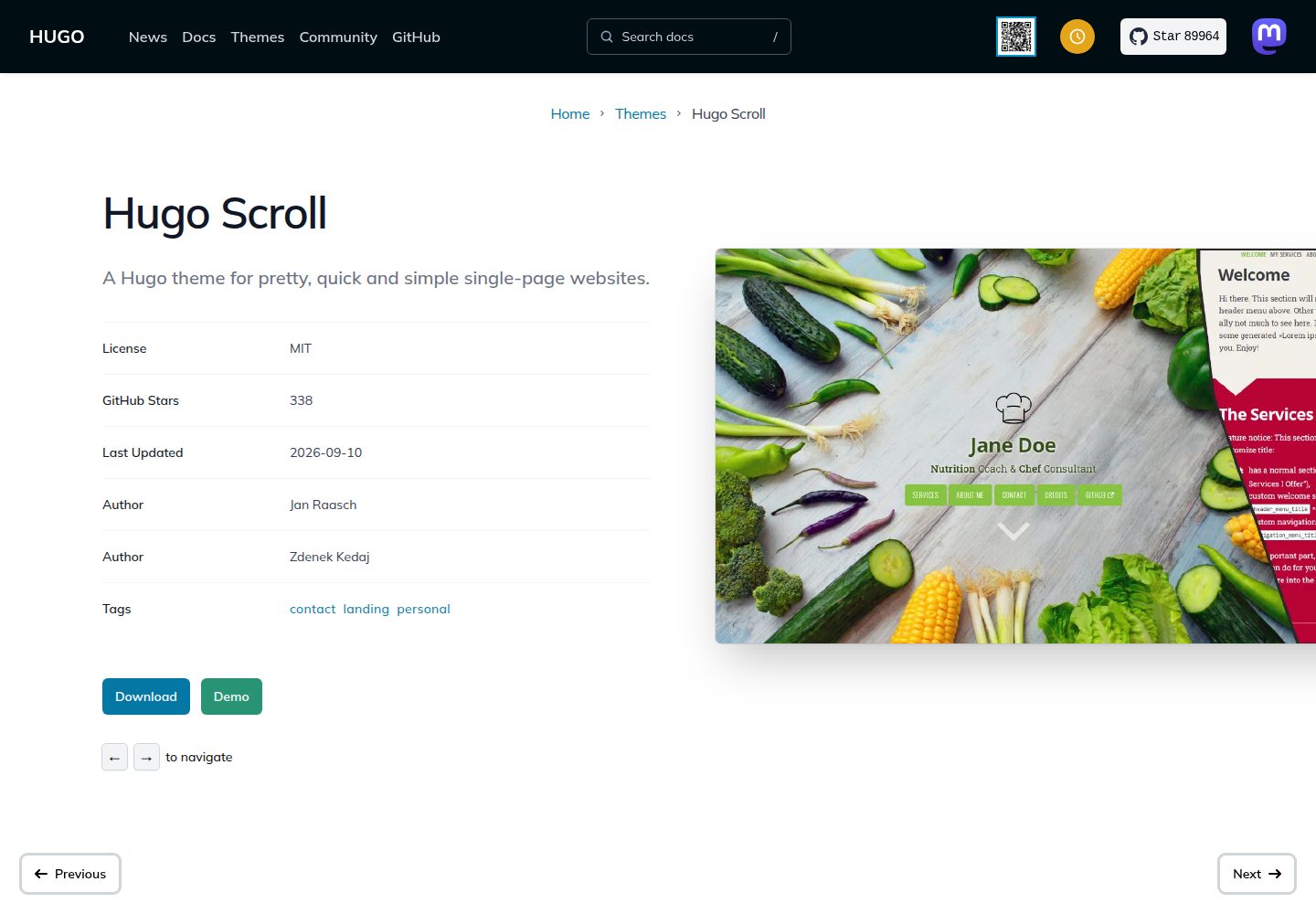
单页结构:首页由多个 Markdown 分段组成,导航在单页内滚动浏览
Hugo启动器
hugo-scroll — Hugo 启动器模板
作者 zjedi
hugo-scroll 是一个基于 Hugo 的干净、响应式单页网站主题,采用 MIT 许可,适合把内容组织为首页滚动分段的个人或项目站点。
看看你的网站会是什么样
浏览真实页面截图,比较内容排版与手机效果。点击下方缩略图切换,放大查看整页细节。
全部页面与视图 2
截图用于了解视觉与布局,交互效果请以实际项目为准。
采集于 2026-10-02查看来源
值得关注的模板亮点
从已有项目资料中,快速了解它的特点。
响应式布局,随屏幕尺寸与形状调整
内置 Font Awesome 图标集,可用 icon 短代码在 Markdown 中调用
支持视频封面与页头 logo 配置
提供 extlink 短代码生成新标签页打开的外部链接,并可附带图标
可通过 custom_head.html 或覆盖 SCSS 变量自定义样式
模板详细介绍
hugo-scroll 是面向 Hugo 的单页网站主题,页面内容以首页分段(section)的形式纵向排布,配合导航在单页内滚动浏览。主题强调响应式布局,能随屏幕尺寸与形状调整;同时提供 SEO 相关支持、可自定义的样式入口,以及视频封面、页头 logo 等展示选项。
在内容组织上,首页由多个 Markdown 分段组成,可通过 hugo new homepage/my-new-content.md 新增首页区块,也可用 hugo new my-new-page.md 创建独立于首页的页面。菜单支持外部链接,正文中可用 extlink 短代码生成新标签页打开的链接,并可附带图标。
主题内置 Font Awesome 图标集,通过 icon 短代码在 Markdown 中调用,品牌类图标需加 brand=true;联系方式列表可在 hugo.toml 中用完整类名指定图标。页脚可选显示来自 Hugo GitInfo 的版本信息,需在配置中开启 enableGitInfo。样式覆盖可通过 layouts/partials/custom_head.html 内嵌 <style> 或引入自定义 CSS,也可覆盖 assets/css/variables.scss 中的 CSS 变量。
使用前需要安装 Hugo Extended 与 Dart Sass 可执行文件并置于系统 PATH,因为 Hugo 已弃用 LibSass。主题仓库提供 exampleSite 供本地运行查看,也可将其内容复制到自己的站点作为起点;仓库中的示例图片标注可能已过时。演示图片、字体、图标等第三方素材需按各自许可单独核对,代码的 MIT 许可不覆盖这些素材。
Hugo启动器
适合你的项目吗?
适用场景
- 个人主页或作品集,把介绍、项目、联系方式组织为首页滚动分段
- 开源项目或产品的单页介绍站,用视频封面与 logo 做首屏展示
- 需要外部链接与图标入口的活动或品牌页面
- 在 Hugo 站点中快速搭建一个干净的单页落地页
适合人群
- 已安装 Hugo Extended 与 Dart Sass 的 Hugo 用户
- 希望用 Markdown 分段维护单页内容的站点作者
- 需要响应式单页主题并接受 MIT 许可条款的项目
- 愿意通过 SCSS 变量或自定义 head 文件调整样式的开发者
上手与定制指南
结合仓库当前版本的说明,按下面的资料检查内容、配置与运行要求。
- 1
需安装 Hugo Extended 与 Dart Sass 可执行文件,并确保 Dart Sass 在系统 PATH 中
- 2
可用 git submodule add https://github.com/zjedi/hugo-scroll.git themes/hugo-scroll 添加主题,再按注释调整 hugo.toml
- 3
本地查看示例站点:克隆仓库后运行 hugo server --source=exampleSite --themesDir=../..
- 4
新建首页分段用 hugo new homepage/my-new-content.md,新建独立页面用 hugo new my-new-page.md
- 5
页脚版本信息需在 hugo.toml 中设置 enableGitInfo = true
授权与来源资料
使用条件与限制
免费使用 · 保留许可声明本次收录的是公开仓库中采用 MIT 许可的免费版本;免费范围为该版本代码,不代表外部服务或第三方素材免费。
使用时需要遵守
- 允许免费使用、修改、商用和分发该版本代码。
- 分发代码副本或实质性部分时,保留原作者版权声明和完整 MIT 许可声明。
- 代码按现状提供;担保与责任限制以原许可证及适用法律为准。
额外费用与待核对事项
- 使用前必须安装 Hugo Extended v0.165.0 及以上版本,并将 Dart Sass 可执行文件放入系统 PATH,否则无法构建主题样式。
- NPM 仅用于管理 Prettier 格式化依赖,除代码格式化外并非必需,不影响主题正常使用。
- 示例站点中的库存照片来自 Pexels,需按 Pexels 自身许可单独核对,MIT 代码许可不覆盖这些图片素材。
- 使用 Font Awesome 品牌图标时需加 brand=true,此类图标带商标提示,商用前应自行确认商标与图标许可要求。
- 演示图片、字体、图标及其他第三方素材需按各自许可核对,不能仅凭代码的 MIT 许可判断。
- 域名、托管、数据库、支付或 AI 等外部服务可能另外收费。
查看原文依据
Permission is hereby granted, free of charge
许可证原文
You need to install **Hugo Extended v0.165.0+** and the **[Dart Sass](https://github.com/sass/dart-sass)** executable in your system `$PATH`
README 原文
NPM is only used to manage the Prettier dependencies, apart from formatting, NPM is not required at all to be available.
README 原文
[Pexels](https://www.pexels.com), for supplying _free_ stock photos.
README 原文
https://github.com/zjedi/hugo-scroll/blob/master/LICENSEhttps://github.com/zjedi/hugo-scroll/blob/master/README.mdIf you want to use one of Font Awesome's brand icons—the ones that have a trademark warning and the `fa-brands` class—add `brand=true`.
README 原文
DeepSeek 根据仓库许可证和 README 整理 ·2026-10-02。结果仅覆盖已读取资料,依赖、图片、字体及后续条款变更以各自原文为准。
项目核对记录与介绍依据
模板资料
- 来源平台
- GitHub
- 资料与维护参考分
- 资料较完整 · 91 / 100
- 技术栈
- Hugo
- 网站类型
- 启动器
这个分数如何计算
本站按许可资料(最高30分)、演示链接(12分)、预览图(10分)、Star数(15分)、记录的维护时间(15分)、描述完整度(8分)、功能记录(5分)和分类资料(5分)计算。它不是代码、安全或性能测试,也不是 Google 评分;有链接不代表已实测可用。
这个项目需要核对什么
- 记录的仓库更新时间
- 2026-09-28
- 截图检查日期
- 2026-10-02
已收录演示链接。请用你的内容与屏幕尺寸检查;有演示不代表表单、认证或支付已经可用。
目录记录的主要技术栈是 Hugo。请通过依赖清单和锁文件核对实际版本与托管要求。这些说明基于收录资料,不代表代码审计或部署实测。
查看具体选型方法 →介绍的制作与核对状态
介绍由 AI 辅助整理目录与仓库资料。仓库作者不等于这篇介绍的审核者。
已完成服务器许可规则与 AI 来源核对;未经过人工编辑审核。
查看当时使用的来源资料
SHA-256: 77a3774f9373f5a9530a26a2f7d9657cb679070bd256bd003f2b4b23c5695bad
2026-10-02T08:01:03.599Z
来源文件 / 仓库<h1 align=center>Hugo Scroll 📜 <a href="https://zjedi.github.io/hugo-scroll/" rel="nofollow">Demo</a></h1>
Clean, responsive, single-page [Hugo](https://gohugo.io/) website theme.
[](https://themes.gohugo.io/themes/hugo-scroll/)

[](https://app.netlify.com/sites/hugo-scroll/deploys)
[](https://github.com/zjedi/hugo-scroll/blob/master/LICENSE)

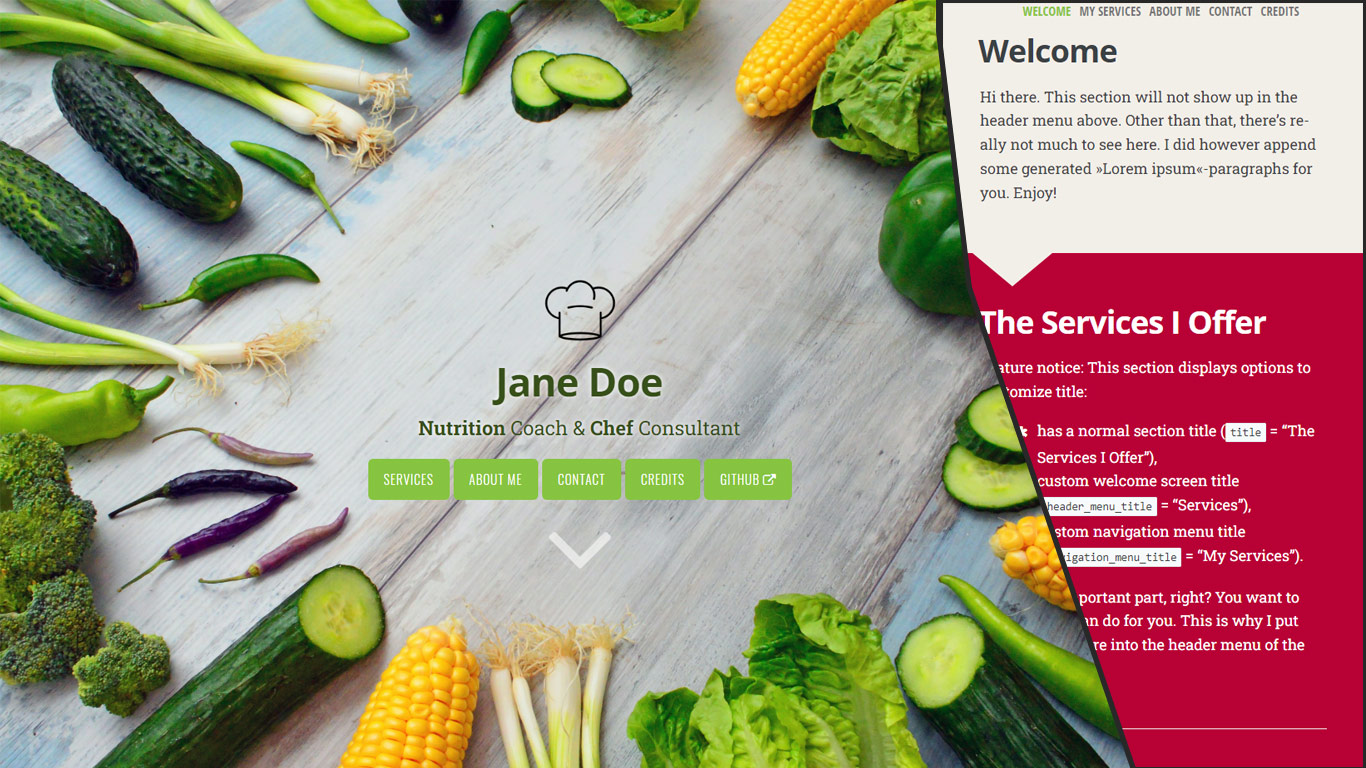
Promo image which may be a bit outdated:<br/>
## ⭐ Feature highlights
- Responsive to screen size/shape
- SEO friendly
- Customizable
- Video cover
- [Font Awesome v6.6.0 Icons][font-awesome-icons] out of the box
- Header logo
- Visual guards to guarantee readability
- External links
- JS/CSS Assets optimized (Minification, Fingerprinting, pipeline-processed
into single file)
- git info in footer (opt-in)
## 🔑 Installation
You need to install **Hugo Extended v0.165.0+** and the **[Dart Sass](https://github.com/sass/dart-sass)** executable in your system `$PATH` (since Hugo deprecated LibSass).
If you already have a Hugo site on your machine, you can simply add this theme via
```cli
git submodule add https://github.com/zjedi/hugo-scroll.git themes/hugo-scroll
```
Then, adjust the `hugo.toml` as detailed below & in the file comments.
### Playing around with our example site
If you simply want to check out the `exampleSite`, you can run
```cli
git clone https://github.com/zjedi/hugo-scroll.git hugo-scroll
cd hugo-scroll
hugo server --source=exampleSite --themesDir=../..
```
For more information, read the official [Hugo setup guide][hugo-setup-guide].
If you are starting fresh, simply copy over the contents of the `exampleSite`-directory included in this theme to your source directory. That should give you a good idea about how things work, and then you can go on from there to make the site your own.
Please check out the [hugo.toml](https://github.com/zjedi/hugo-scroll/blob/master/exampleSite/hugo.toml) included in the [exampleSite](https://github.com/zjedi/hugo-scroll/tree/master/exampleSite) of this theme.
You can add **a new section to the homepage** by running `hugo new homepage/my-new-content.md` (or craft the file manually)
To create **a page separate from the homepage**, run `hugo new my-new-page.md`
## 🔧 Feature details 🔨
### Customizing CSS
Add a [`custom_head.html`](https://github.com/zjedi/hugo-scroll/blob/master/exampleSite/layouts/partials/custom_head.html) file to your `layouts/partials` directory.
- You can use `<style>` tag to embed the overrides (better performance-wise)
- Alternatively you can `<link>` your own `custom.css`
`CSS` variables `var(--some-var-name)` from `assets\css\variables.scss` can be overridden by adding
```scss
:root {
--some-var-name: blue!important;
}
```
### Icons
This theme includes the full set of [Font Awesome v6.6.0 icons][font-awesome-icons]. Use the `{{< icon >}}` [shortcode][hugo-shortcodes] with the respective `name` to use an icon directly in your `.md` files. For example:
```html
{{< icon name="envelope" >}}
```
If you want to use one of Font Awesome's brand icons—the ones that have a trademark warning and the `fa-brands` class—add `brand=true`. For example:
```html
{{< icon name="github" brand=true >}}
```
If you want to use these branded icons in your contact list, use the full class names in your `hugo.toml`:
```toml
[[params.contacts]]
label = "GitHub"
value = "github.com/zjedi/hugo-scroll"
url = "https://github.com/zjedi/hugo-scroll"
icon = "fa-brands fa-github"
```
### Header logo
Configured in `_index.md`, see `exampleSite`: `header_logo: "images/chef-hat.png"`
### Video cover
Set `header_use_video: true` in `/exampleSite/content/_index.md` and define video source via custom partial, such as `exampleSite/layouts/partials/custom_header_video.html`.
### Footer version information
In order to see technical version information (extracted from Hugo's [GitInfo](https://gohugo.io/variables/git/))) set the following general option in your hugo.toml: `enableGitInfo = true`
### External links
You can add an external link in the menu, see `external.md` in the `exampleSite`.
You can also use `extlink` shortcode to create a link opening in a new tab:
```markdown
Visit us at {{<extlink text="Instagram" href="https://www.instagram.com/yourInstagramName/">}}
```
Referencing and showing icons in front of the link text is possible with a new parameter `icon`:
```markdown
Visit us at {{<extlink icon="fa fa-instagram" text="Instagram" href="https://www.instagram.com/yourInstagramName/">}}
```
## 🐛 Issues / 💡 Feedback / 👑 Contributing
[Discussion](https://github.com/zjedi/hugo-scroll/discussions) for Q&A (when unsure),
[Issues](https://github.com/zjedi/hugo-scroll/issues) for tracking,
[Pull Requests](https://github.com/zjedi/hugo-scroll/pulls) for contributions.
See [contributing guideline](https://github.com/zjedi/hugo-scroll/blob/master/contributing.md) for more.
### Code Style / Formatting
This project uses [Prettier](https://prettier.io/) as a baseline for code formatting. NPM is only used to manage the Prettier dependencies, apart from formatting, NPM is not required at all to be available.
## 👏 Special Thanks
- [Jan Raasch](https://www.janraasch.com), original author of theme
- [Yonatan Wolowelsky](https://github.com/grmmph), author of [GhostScroll](https://github.com/grmmph/GhostScroll) theme, which formed the basis of this [Hugo](https://gohugo.io/) theme.
- [Pexels](https://www.pexels.com), for supplying _free_ stock photos.
[hugo-setup-guide]: https://gohugo.io/getting-started/installing
[font-awesome-icons]: https://fontawesome.com/icons
[hugo-shortcodes]: https://gohugo.io/content-management/shortcodes/
看看同类模板
对比同技术栈与用途的模板,找到更适合的视觉与内容结构。

hugo-xmin
eXtremely Minimal Hugo theme: about 140 lines of code in total, including HTML and CSS (with no dependencies)
Hugo · 启动器

hugo-theme-gallery
Gallery Theme for Hugo
Hugo · 启动器

reveal-hugo
📽️ Create rich HTML-based presentations with Hugo and Reveal.js
Hugo · 启动器

anatole
Anatole is a minimalistic two-column theme for Hugo.
Hugo · 启动器

hugo-theme-diary
Moments piled up. A Hugo theme ported from SumiMakito/hexo-theme-Journal.
Hugo · 启动器

risotto
A minimalist, responsive hugo theme inspired by terminal ricing aesthetics.
Hugo · 启动器