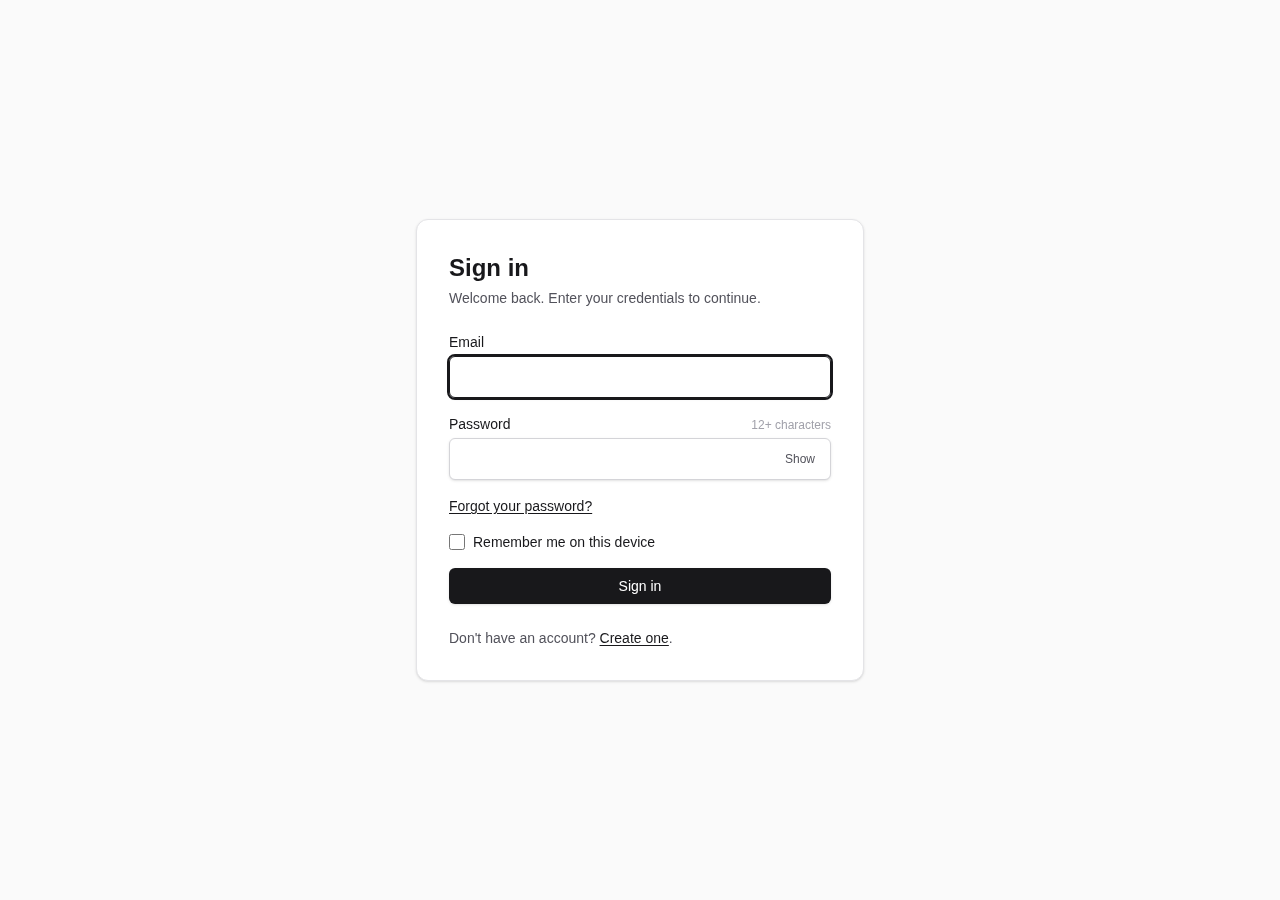
A single project hosts both the .NET 10 API and the Angular 22 client, so ng serve or a proxy is not needed during development
AngularHTMLAdmin dashboardStarter
claude-starter — Angular Admin dashboard Template
By aamcatamney
A single-project starter template combining .NET 10 and Angular 22, with built-in PostgreSQL, Dapper, DbUp migrations and cookie authentication, plus optional passkeys, email verification and OpenTelemetry metrics.
Explore the design
Compare the page layouts and mobile experience. Open any screenshot for a closer look.
Author preview
Author-provided previewTop of page
Preview provided in the project README.
One original preview is available. Open the full image to inspect the design.
Screenshots show visual appearance; interactive behavior may differ.
Recorded 2026-09-30View source
What stands out
A quick read of the recorded project description.
Dapper + Npgsql repository pattern accesses PostgreSQL, and DbUp applies embedded SQL migrations in name order at startup
Cookie authentication with BCrypt password hashing, and Data Protection keys stored in PostgreSQL
Registration is closed by default, and the first startup logs an administrator bootstrap link; SMTP is disabled by default, and enabling it supports email verification and password reset
Passkeys (Fido2/WebAuthn) and OpenTelemetry metrics push are both optional and disabled by default
Provides unit, integration and end-to-end test structures; integration tests use Testcontainers with a shared container and isolate by database
Template Details
claude-starter is a starter template for backend applications that places the .NET 10 server and Angular 22 client in the same project: the .NET host serves both the API and the Angular build output, so ng serve or a proxy is not needed during development. Data access uses a Dapper + Npgsql repository pattern without introducing EF Core; database migrations are applied by DbUp at startup in filename order, with scripts embedded in Migrations/Scripts/*.sql, and repeated runs are idempotent.
Authentication uses cookies by default, passwords are stored as BCrypt hashes, and Data Protection keys are persisted to PostgreSQL. Registration is closed by default, and on first startup a link to create an administrator account is written to the logs; SMTP is disabled by default, and email verification and password reset are only supported once it is enabled. Passkeys (WebAuthn) and OpenTelemetry metrics push are optional features, disabled by default; when enabled, they respectively register the /api/auth/passkeys routes or push metrics via OTLP.
The template provides unit test, integration test and end-to-end test directories; integration tests use Testcontainers to start a PostgreSQL container and isolate by database. Documentation includes ADRs and several topic-specific notes covering style tokens, screenshot generation, administrators and registration, passkeys, metrics and CI. Usage supports GitHub's "Use this template" button for automatic project renaming, or manual modification.
AngularHTMLBackendStarter
Is it right for your project?
Use Cases
- Quickly setting up a .NET + Angular backend project with a complete authentication flow
- PostgreSQL applications that prefer Dapper and native SQL migrations over EF Core
- Starter projects that need cookie authentication, email verification, password reset and optional passkeys
- Referencing ADR documentation to understand the trade-offs behind the template's technical decisions
Suitable For
- Developers familiar with .NET and Angular who want to reduce initial configuration work
- Projects that need a backend management interface with built-in authentication and database migrations
- Teams willing to adjust configuration manually according to the documentation (such as SMTP, passkeys and metrics)
- Users who want to freely modify and distribute under the MIT license
Getting started & customization
Use these recorded setup notes alongside the repository instructions for your chosen version.
- 1
Requires the .NET 10 SDK, Docker, and Node 22.22.3+ or 24.15.0+
- 2
First run docker compose up -d to start PostgreSQL, then run npm ci and npm run build in ClientApp, and finally dotnet run
- 3
Registration is closed by default; on first startup the logs output a link to create an administrator account
- 4
SMTP, passkeys and metrics are disabled by default and must be explicitly enabled in configuration with the corresponding parameters
- 5
Configuration items can be overridden by environment variables, with nested keys using double underscores, for example ConnectionStrings__Postgres
License & source material
Usage conditions & limitations
Free to use · keep license noticeThis entry covers the free version in the public repository under the MIT license; the free scope is the code of that version and does not mean external services or third-party assets are free.
Must comply with when using
- The code of this version may be used, modified, used commercially and distributed free of charge.
- When distributing copies or substantial portions of the code, retain the original author's copyright notice and the full MIT license notice.
- The code is provided as is; warranties and limitations of liability are governed by the original license and applicable law.
Additional costs & items to verify
- The GitHub Action for automatic project renaming depends on a self-hosted runner (labels self-hosted, linux, X64). If the new repository cannot access that runner, the bootstrap job will remain queued and renaming will not execute; in that case, switch to ubuntu-latest or run rename-project.sh locally.
- SMTP is disabled by default; email verification and password reset are only available after configuring an SMTP server (host, port, credentials, sender address).
- Passkeys (WebAuthn) are an optional feature, disabled by default; enabling them requires configuring parameters such as RelyingPartyId and Origins, and changing RelyingPartyId invalidates existing passkeys.
- OpenTelemetry metrics push is an optional feature, disabled by default; once enabled, you must provide an OTLP collector endpoint (default localhost:4317).
- Running and building require the .NET 10 SDK, Docker, and Node 22.22.3+ or 24.15.0+; without these environments, startup or build is not possible.
- Registration is closed by default; the first administrator account must be created via the bootstrap link in the startup logs, or public registration must be explicitly enabled with Auth:AllowPublicRegistration.
- Demo images, fonts, icons and other third-party assets must be checked against their respective licenses and cannot be judged solely by the code's MIT license.
- External services such as domains, hosting, databases, payments or AI may incur separate charges.
View Original Text Basis
Permission is hereby granted, free of charge
Original License Text
This workflow runs on `[self-hosted, linux, X64]`, like the rest of CI. The generated repository must have a runner with those labels available to it
Original README
Optional SMTP unlocks email verification and password reset.
Original README
Passkeys via Fido2.AspNet (WebAuthn) — optional, off by default
Original README
OpenTelemetry metrics, pushed over OTLP — optional, off by default
Original README
You need the .NET 10 SDK, Docker, and Node 22.22.3+ or 24.15.0+ (Angular 22 sets that floor).
Original README
https://github.com/aamcatamney/claude-starter/blob/main/LICENSEhttps://github.com/aamcatamney/claude-starter/blob/main/README.mdregistration is closed by default
Original README
Compiled by DeepSeek based on repository license and README ·2026-09-30. Results only cover the materials read; dependencies, images, fonts, and subsequent term changes are subject to their respective original texts.
Project checks & description sources
Template Information
- Source platforms
- GitHub
- Documentation and maintenance reference score
- Partly documented · 73 / 100
- Technologies
- Angular · HTML
- Website type
- Admin dashboard · Starter
How this score is calculated
Our heuristic uses license records (up to 30), a demo link (12), a preview (10), stars (15), recorded maintenance (15), description completeness (8), feature records (5) and classification data (5). It is not a code, security or performance test, or a Google score. A link does not establish tested functionality.
What to verify for this project
- Repository update recorded
- 2026-09-29
- Screenshot last checked
- 2026-09-30
No demo link is recorded. Use the repository instructions to evaluate the project locally; the screenshot alone cannot establish interactive behavior.
The catalog identifies Angular as the primary stack. Check the actual dependency manifest and lockfile for versions and hosting requirements. These notes use recorded metadata, not a code audit or a deployment test.
Use a selection guide →How this description was prepared
AI-assisted description based on catalog records and repository material. Repository authors are not automatically the reviewers of this description.
Automatically checked against source and license rules; no manual editorial review.
Inspect the recorded source material
SHA-256: aebb5edf0b808b1d7c88d9681403739dd76d3349617ad82118b528bb20b99573
2026-09-30T11:37:10.436Z
Source file / repository# claude-starter
[](https://github.com/aamcatamney/claude-starter/actions/workflows/ci.yml)
[](https://dotnet.microsoft.com/)
[](https://angular.dev/)
[](LICENSE)
A .NET 10 application serving an Angular client from a single project, with cookie authentication, Dapper against PostgreSQL, and SQL migrations applied on startup. Optional SMTP unlocks email verification and password reset.
Everything here is meant to be edited. The palette is neutral so you can brand it, the auth is complete so you can build past it, and the decisions that would otherwise puzzle you are written down in [`docs/adr/`](docs/adr/).
## Stack
- .NET 10, one project (`claude-starter.csproj`)
- PostgreSQL, reached through Dapper + Npgsql in a repository pattern — no EF Core
- DbUp migrations, embedded from `Migrations/Scripts/*.sql`
- Cookie authentication, with Data Protection keys persisted in Postgres
- BCrypt.Net-Next for password hashing
- MailKit for SMTP — optional, off by default
- OpenTelemetry metrics, pushed over OTLP — optional, off by default
- Passkeys via Fido2.AspNet (WebAuthn) — optional, off by default
- Angular 22 client in `ClientApp/`, served as static files
- Deployed as a container
## Getting started
You need the .NET 10 SDK, Docker, and Node 22.22.3+ or 24.15.0+ (Angular 22 sets that floor).
```bash
# 1. Postgres
docker compose up -d
# 2. Client dependencies
cd ClientApp && npm ci && cd ..
# 3. Build the client, then run the app — it serves the bundle too
cd ClientApp && npm run build && cd ..
dotnet run
```
The app creates the database if it is missing, then DbUp applies any pending scripts and records them in `schemaversions`. Re-running is idempotent.
There is no seed user, and **registration is closed by default**. While no account exists the application logs a link at startup for creating the first one, which becomes the administrator — see [docs/admin-and-registration.md](docs/admin-and-registration.md).
### Dev loop
Two terminals, same origin — no `ng serve`, no proxy. The .NET host serves the Angular build output from `ClientApp/dist/claude-starter/browser`.
```bash
# Terminal 1 — rebuild the client into dist/ on every change
cd ClientApp
npm run watch
# Terminal 2 — the API, which also serves the client and the SPA fallback
dotnet run
```
`npm ci` installs exactly what `package-lock.json` records, which is what CI does. Reach for `npm install` only when you mean to change dependencies.
### Docker Compose
```bash
docker compose down # stop, keep data
docker compose down -v # stop and wipe the volume
```
## Screenshots
<!-- SCREENSHOTS:START -->
| | |
| --- | --- |
| **Sign in** | **Create account** |
|  |  |
| **Reset password** | **Confirm email** |
|  |  |
Every page is captured in both themes from fixed data — see [docs/screenshots.md](docs/screenshots.md) for the full set and how to regenerate them.
<!-- SCREENSHOTS:END -->
## Project structure
```
Program.cs Wiring: auth, rate limiting, options, SPA fallback
Endpoints/ Minimal API endpoints — one endpoint per file
Auth/ Everything under /api/auth
Repositories/ Dapper repositories
Services/
Auth/ Password hashing, email links, token cleanup
Email/ SMTP and no-op senders, options
Diagnostics/ Metrics options and instruments
DataProtection/ Postgres-backed key storage
Data/ Npgsql connection factory, Dapper config
Models/ Domain types
Migrations/
DbMigrator.cs DbUp runner, applied on startup
Scripts/*.sql Embedded, applied in name order
ClientApp/ Angular 22 client
scripts/screenshots/ Seed data and Playwright capture
tests/
claude-starter.UnitTests/
claude-starter.IntegrationTests/
e2e/ Browser tests, including WebAuthn ceremonies
docs/adr/ Decisions worth explaining
```
## API
Every route lives under `/api/auth` and is rate-limited.
| Method | Route | Auth | Purpose |
| --- | --- | --- | --- |
| POST | `/api/auth/register` | — | Create an account; 403 while registration is closed unless a bootstrap invite is presented |
| POST | `/api/auth/login` | — | Sign in; sets auth and `XSRF-TOKEN` cookies |
| POST | `/api/auth/logout` | required | Sign out |
| GET | `/api/auth/me` | required | The current user |
| POST | `/api/auth/forgot-password` | — | Send a reset link |
| POST | `/api/auth/reset-password` | — | Set a new password from a link |
| POST | `/api/auth/verify-email` | — | Confirm an address from a link |
| POST | `/api/auth/resend-verification` | — | Send another confirmation link |
| GET | `/api/config` | — | Feature flags the client needs before sign-in |
With `Passkeys:Enabled`, six more routes appear under `/api/auth/passkeys` — options and verification for registration and sign-in, plus list and delete. They are unmapped when disabled. See [docs/passkeys.md](docs/passkeys.md).
Two behaviours are deliberate and easy to "fix" by accident:
- **`forgot-password` and `resend-verification` always answer 202**, whether or not the address exists. Anything else turns them into a way to test which addresses have accounts.
- **`logout` signs you out even if the antiforgery token is rejected.** Refusing would leave the cookie alive while the client cleared its own state — a signed-out screen in front of a live session. See [ADR 0003](docs/adr/0003-logout-is-not-gated-on-the-antiforgery-token.md).
## Configuration
| Setting | Default | What it does |
| --- | --- | --- |
| `ConnectionStrings:Postgres` | `localhost:5432`, `postgres`/`postgres` | Database |
| `Auth:AllowPublicRegistration` | `false` | Whether anyone may sign up. Closed, the first account comes from the link logged at startup |
| `Auth:RequireEmailVerification` | `false` | Refuse sign-in until the address is confirmed. Forced off while SMTP is disabled |
| `Auth:AppBaseUrl` | request origin | Origin used to build links in emails |
| `Auth:BCryptWorkFactor` | `12` | Password hashing cost. Raise as hardware improves |
| `Smtp:Enabled` | `false` | With this off, nothing is sent |
| `Smtp:Host` / `Port` / `UseStartTls` | — / `587` / `true` | Server |
| `Smtp:Username` / `Password` | — | Credentials, omitted for an open relay |
| `Smtp:FromAddress` / `FromName` | — | Sender |
| `RateLimit:Auth:PermitLimit` | `10` | Requests per window, per IP, across `/api/auth` |
| `RateLimit:Auth:WindowSeconds` | `60` | Length of that window |
| `Passkeys:Enabled` | `false` | Offer passkey registration and sign-in |
| `Passkeys:RelyingPartyId` | `localhost` | Host or parent domain credentials bind to; changing it orphans existing passkeys |
| `Passkeys:RelyingPartyName` | `claude-starter` | Name the device shows when prompting |
| `Passkeys:Origins` | `http://localhost:5000` | Origins allowed to complete a ceremony |
| `Metrics:Enabled` | `false` | Collect and push OpenTelemetry metrics |
| `Metrics:OtlpEndpoint` | `http://localhost:4317` | Collector to push to |
| `Metrics:ServiceName` | `claude-starter` | Name reported to the collector |
Override any of them with environment variables, doubling the underscore for nesting:
```bash
ConnectionStrings__Postgres="Host=db;Port=5432;Database=claude_starter;Username=...;Password=..."
Smtp__Enabled=true
Auth__RequireEmailVerification=true
```
Email verification and password reset have their own page: [docs/email-and-passwords.md](docs/email-and-passwords.md).
`Auth:BCryptWorkFactor` is worth understanding before you touch it: a hash at 12 costs a few hundred milliseconds by design, which is what makes guessing expensive. A unit test pins the default at 12 or above so it cannot quietly drop.
## Tests
```bash
dotnet test # backend; integration tests need Docker for Testcontainers
cd ClientApp
npm test -- --no-watch # frontend
```
Integration tests start one Postgres container for the whole run. Each collection then creates its own database inside it, migrates it, and boots one application against it — which is what lets collections run in parallel. See [ADR 0004](docs/adr/0004-integration-tests-share-a-container-and-isolate-by-database.md).
Adding a test class means adding a collection: a `[CollectionDefinition]` and a matching `[Collection]` attribute. Forget the attribute and xunit reports *"constructor parameters did not have matching fixture data"*, which sounds like a dependency-injection problem and is not.
Tests hash at work factor 4. At the production 12, a suite that hashes on nearly every case spends all its time there.
## Adding a migration
Create `Migrations/Scripts/NNNN_description.sql` with a zero-padded sequence number. It is picked up as an embedded resource automatically, and DbUp applies it in name order on the next startup.
## Documentation
| | |
| --- | --- |
| [Email verification and password reset](docs/email-and-passwords.md) | Enabling SMTP, what changes when verification is required, upgrading an existing database |
| [Frontend styling](docs/frontend-styling.md) | The token layer and component classes, and how to brand them |
| [Screenshots](docs/screenshots.md) | Every page in both themes, and how to regenerate them |
| [Administrators and registration](docs/admin-and-registration.md) | Creating the first account, closing sign-up, the admin flag |
| [Passkeys](docs/passkeys.md) | Enabling WebAuthn sign-in, and what it deliberately does not change |
| [Metrics](docs/metrics.md) | What is measured, and why nothing is exposed over HTTP |
| [Continuous integration](docs/continuous-integration.md) | The self-hosted runner, and why fork pull requests stay off it |
| [Versioning and releases](docs/releases.md) | CalVer, what a merge to `main` publishes, and what it does not |
### Decisions
Things a reader would otherwise have to reverse-engineer, and the trade-offs behind them:
| ADR | Decision |
| --- | --- |
| [0001](docs/adr/0001-neutral-token-layer-with-css-component-classes.md) | A neutral token layer with CSS component classes, rather than Angular components |
| [0002](docs/adr/0002-typescript-version-tracks-angular-peer-range.md) | TypeScript tracks Angular's build peer range, so its version looks perpetually behind |
| [0003](docs/adr/0003-logout-is-not-gated-on-the-antiforgery-token.md) | Logout signs you out even when the antiforgery token is rejected |
| [0004](docs/adr/0004-integration-tests-share-a-container-and-isolate-by-database.md) | Integration tests share one container and isolate by database |
| [0005](docs/adr/0005-email-links-are-hashed-single-use-and-cannot-outrun-smtp.md) | Email links are stored hashed and single-use, and verification cannot outrun SMTP |
## License
MIT — see [LICENSE](LICENSE).
<!-- TEMPLATE:START -->
## Using this template
### Option 1 — "Use this template" button (automatic)
Click **Use this template → Create a new repository**. A `Template bootstrap` GitHub Action runs on the new repo, derives the project name from the repository name (coerced to kebab-case), renames everything, and commits the result as `chore: bootstrap project from template`. Watch it under the **Actions** tab.
The workflow leaves itself in place (a GitHub token can't delete workflow files), but a sentinel check makes it a no-op on every later push. Delete `.github/workflows/template-bootstrap.yml` by hand once you're set up if you'd like it gone.
If your repository name can't be coerced to a valid kebab-case name (`^[a-z][a-z0-9-]{1,49}$`), the workflow fails with a clear error — rename the repo and re-run it from the Actions tab.
> **Runner requirement.** This workflow runs on `[self-hosted, linux, X64]`, like the rest of CI. The generated repository must have a runner with those labels available to it — an org-level runner shared with the new repo, or one registered against it directly. Without one the bootstrap job queues indefinitely and the rename never happens. If the new repo lives outside that runner's scope, change `runs-on` in `.github/workflows/template-bootstrap.yml` to `ubuntu-latest` (or run `./rename-project.sh` locally instead, Option 2 below).
### Option 2 — clone and rename locally
Clone the repo, then rename the project to your own name. The rename scripts replace every `claude-starter` / `claude_starter` placeholder in source + filenames, strip this section, delete `.git/`, clean `bin/` and `obj/`, and self-delete.
**Linux / macOS:**
```bash
./rename-project.sh my-new-app
```
**Windows (PowerShell):**
```powershell
./rename-project.ps1 my-new-app
```
Name must be kebab-case, 2-50 chars, starting with a letter (`^[a-z][a-z0-9-]{1,49}$`). The snake-case form (`my_new_app`) is derived automatically for namespaces and the Postgres database name.
Flags: `--yes` / `-y` skip the confirmation prompt; `--force` bypasses the safety guard that checks you are still in the template directory.
After it finishes:
```bash
git init && git add -A && git commit -m "Initial commit"
cd ClientApp && npm ci
dotnet restore my-new-app.sln
```
<!-- TEMPLATE:END -->
Explore similar templates
Compare previews and descriptions within the same stack and category.
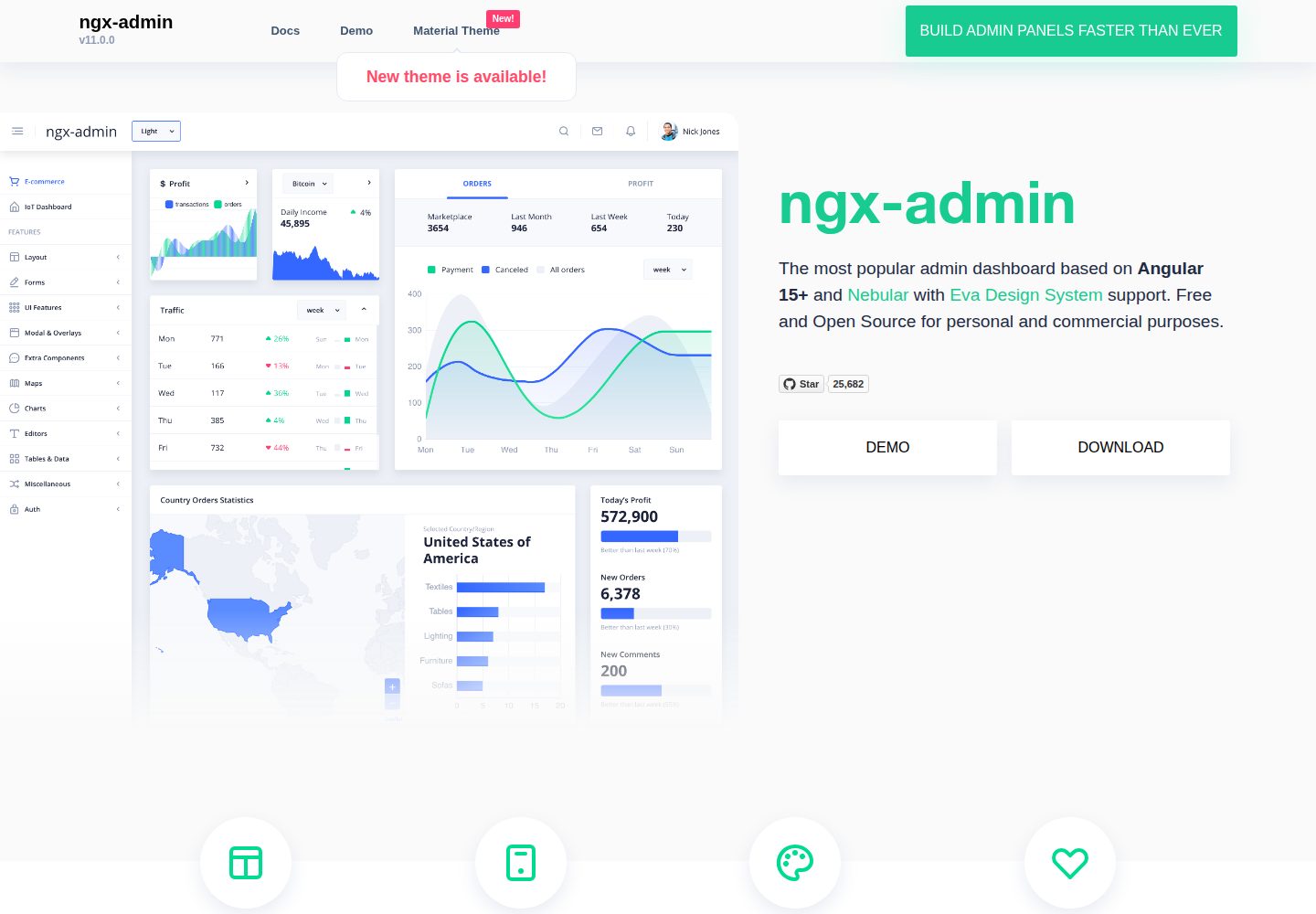
ngx-admin
ngx-admin is an Angular admin dashboard template maintained by Akveo, built on the Nebular component library and released under the MIT license.
Angular · Admin dashboard
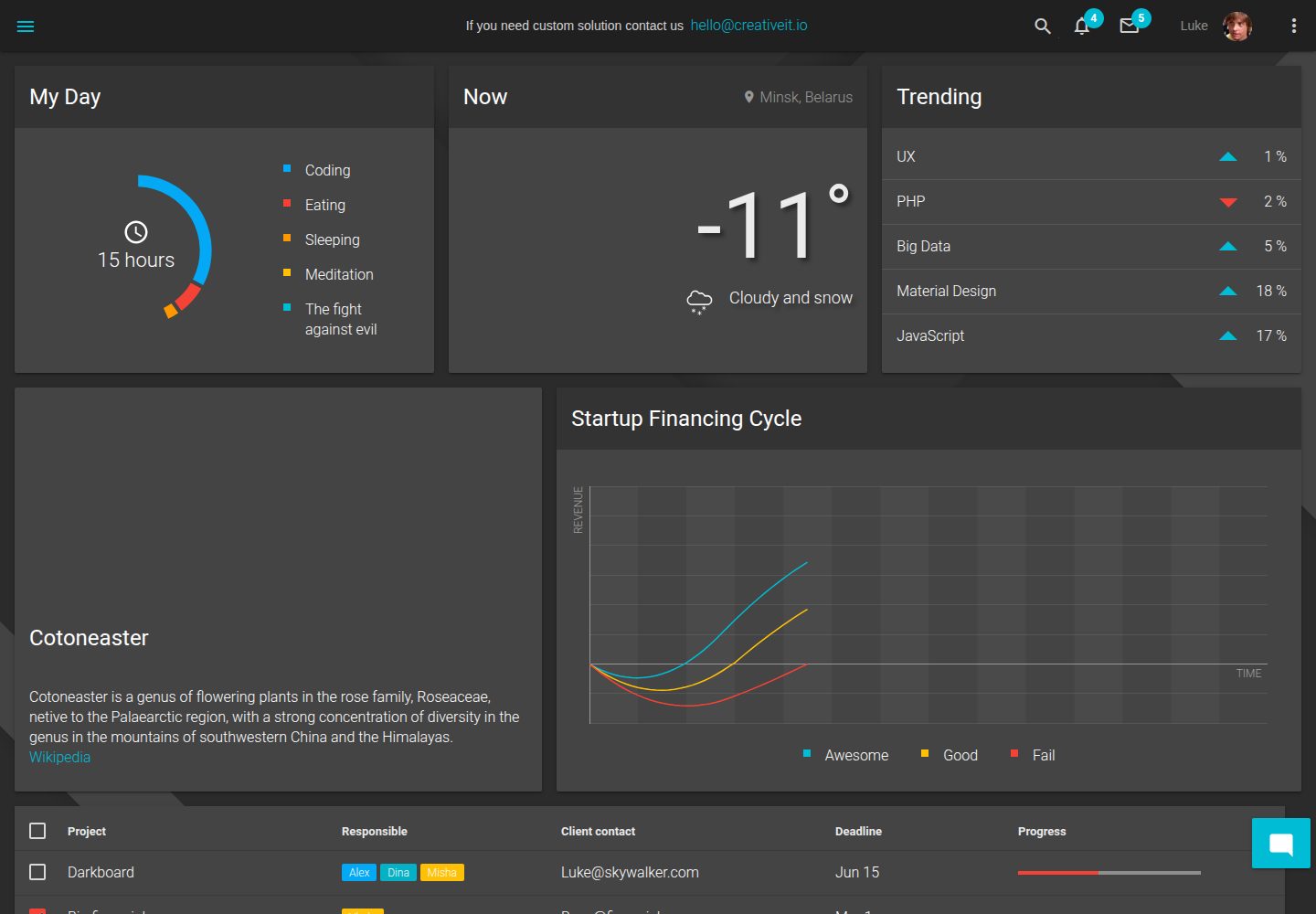
material-angular-dashboard
A dark-themed Angular admin template following Google Material Design, with dashboard pages, D3/NVD3 charts, ag-Grid tables, and a Sass/BEM theme. Released under the MIT license, it offers starter-kit, feature/backend, and feature/serverless branches.
Angular · Admin dashboard
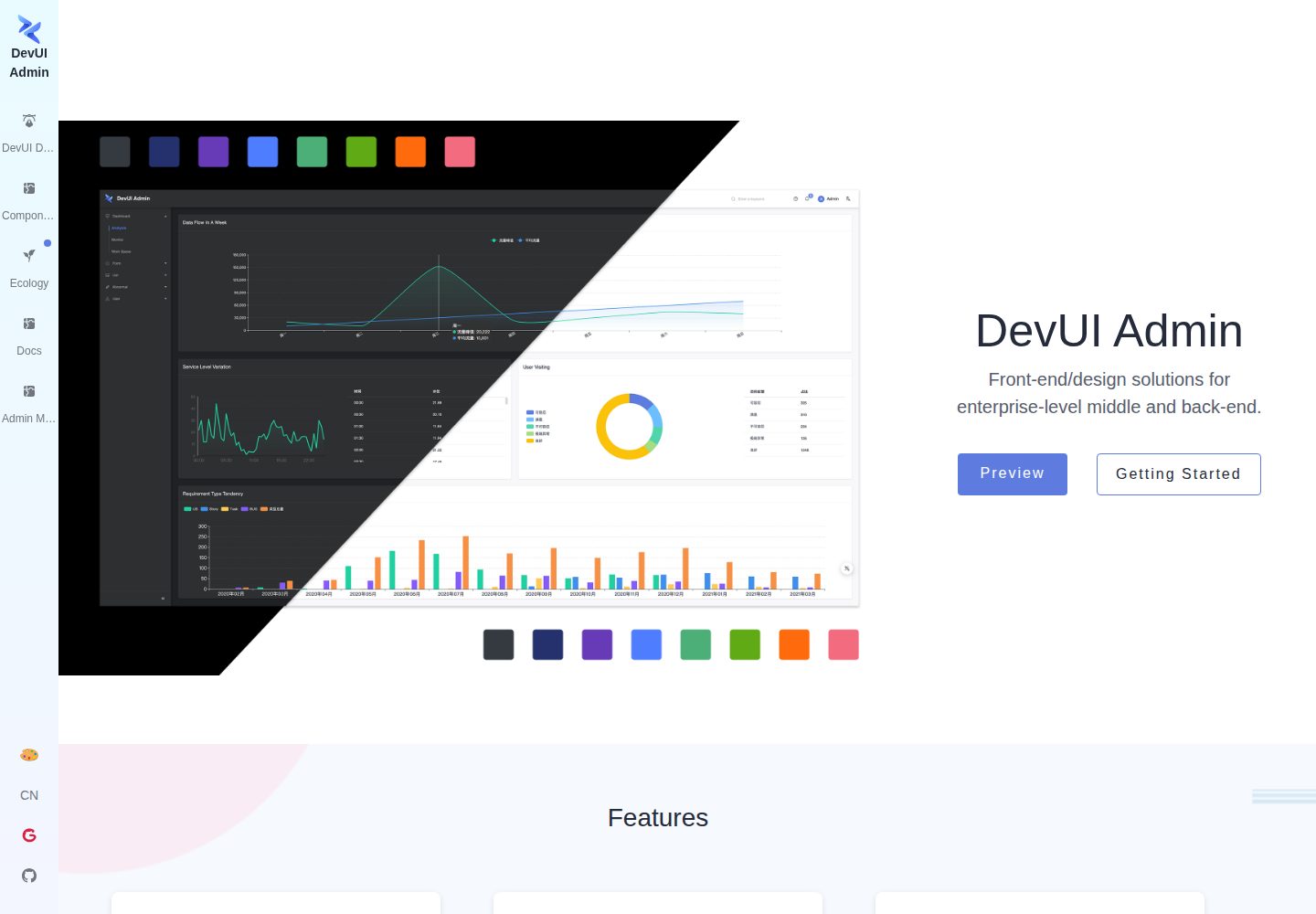
ng-devui-admin
A customizable mid-to-back-office admin template built with Angular and DevUI, featuring configurable layouts, multi-theme switching, internationalization, and local mock data debugging.
Angular · Admin dashboard
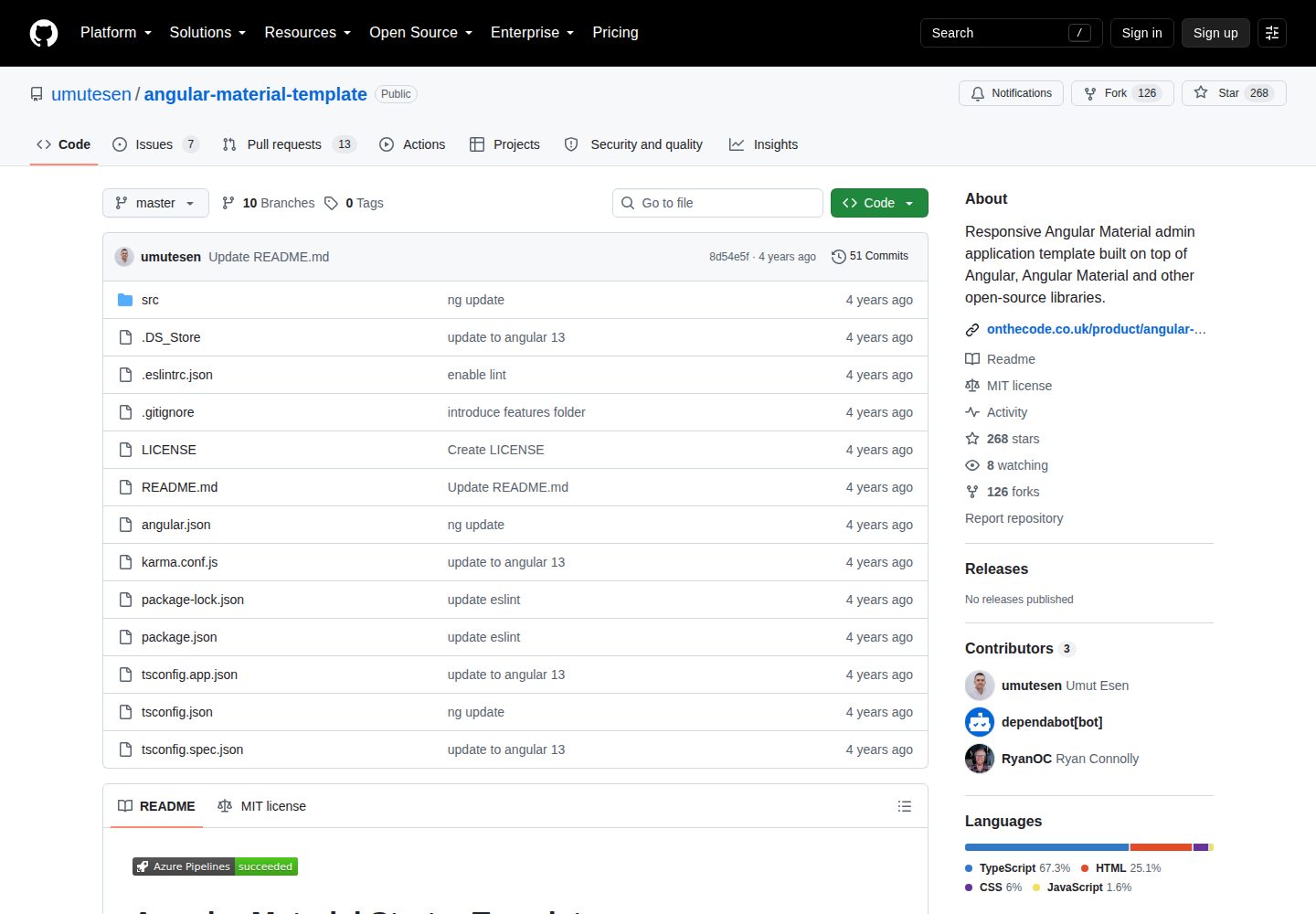
angular-material-template
A responsive Angular Material admin template with authentication, sidebar dashboard, account area, role guards, JWT interceptor, and lazy-loaded modules, under the MIT license.
Angular · Admin dashboard
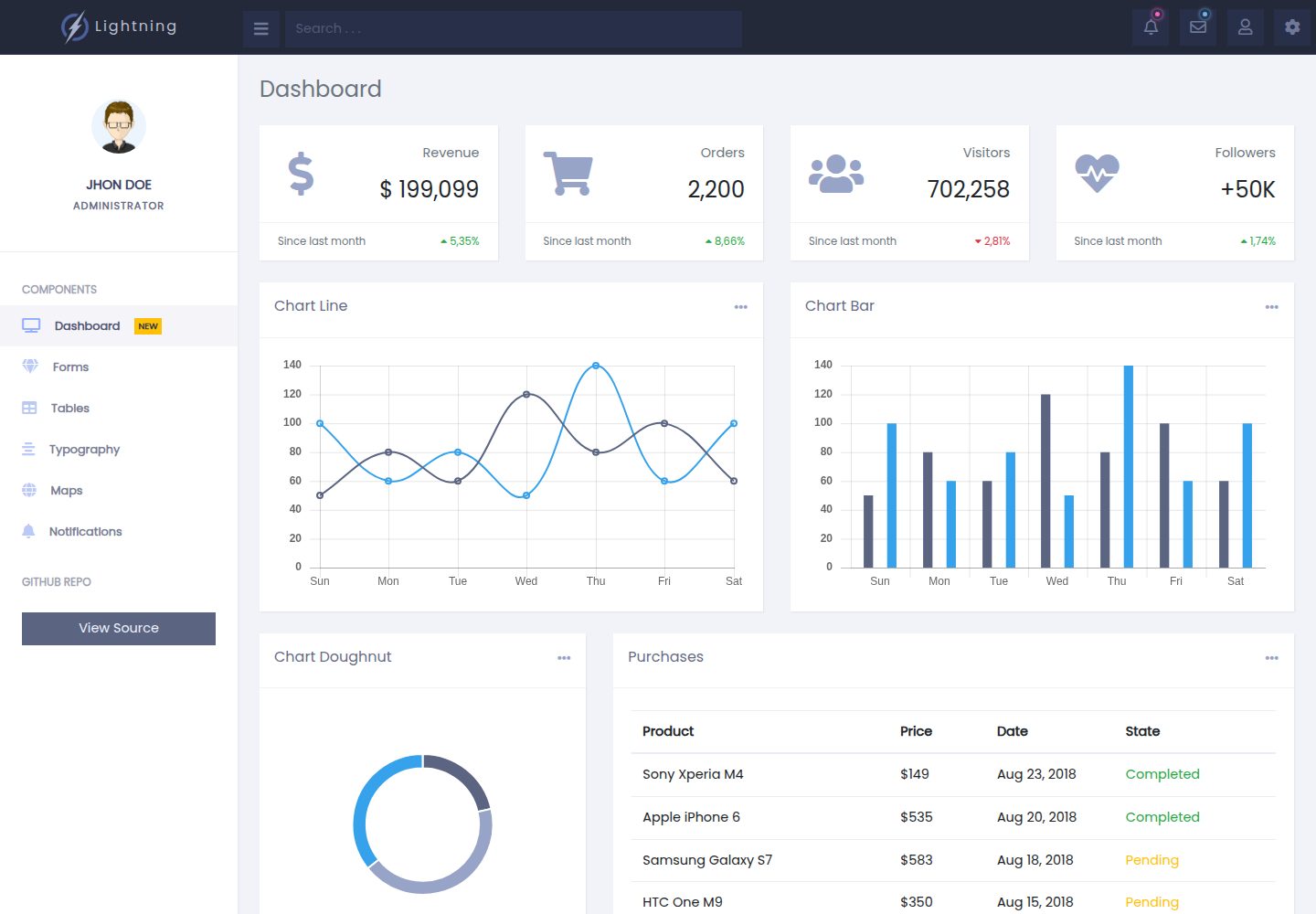
lightning-admin-angular
A mobile-first responsive admin template built with Angular and Bootstrap, offering data interface layouts such as dashboards.
Angular · Admin dashboard
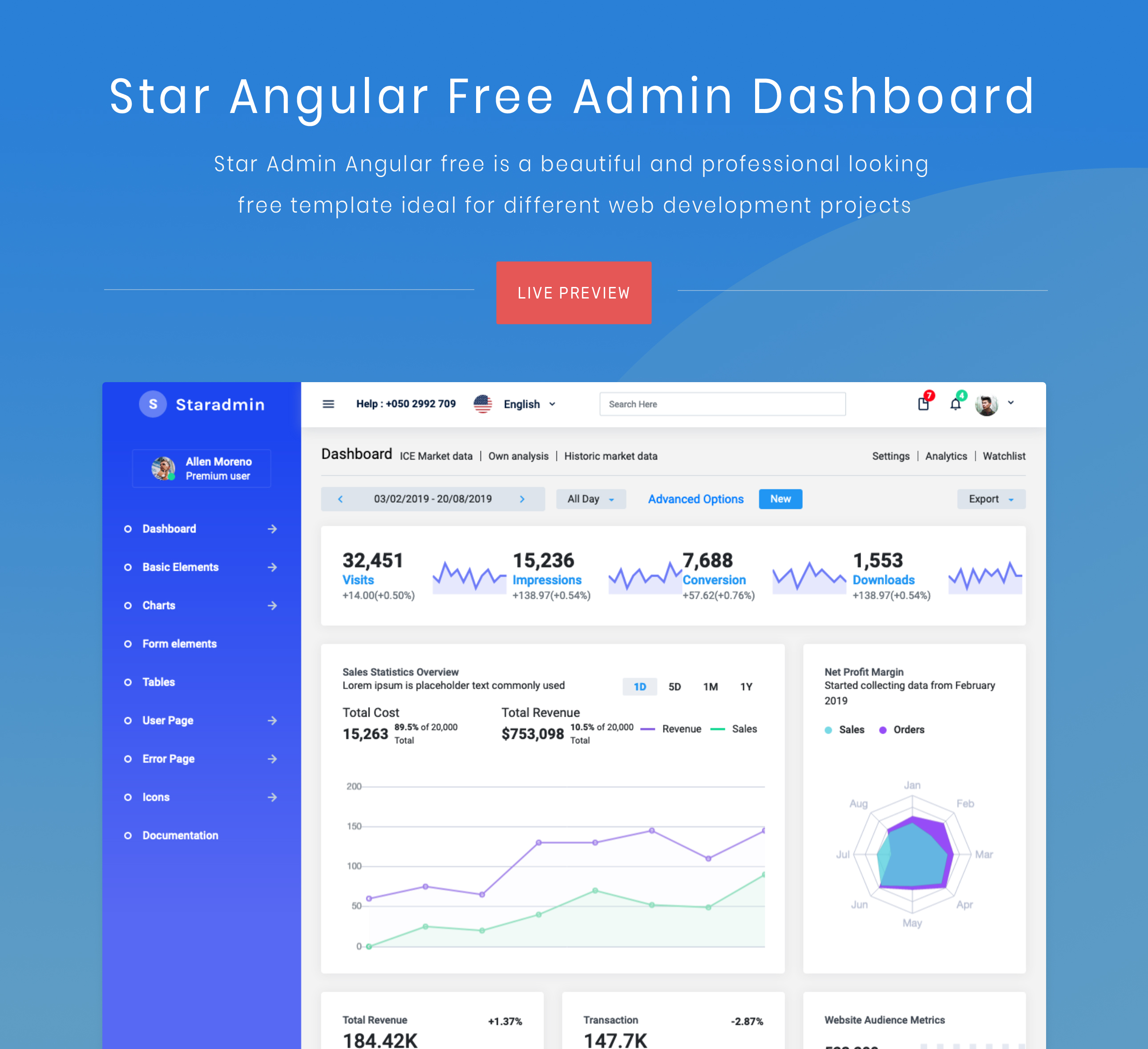
StarAdmin-Free-Angular-Admin-Template
A free admin template based on Angular 7 and Bootstrap 4, maintained by BootstrapDash.
Angular · Admin dashboard