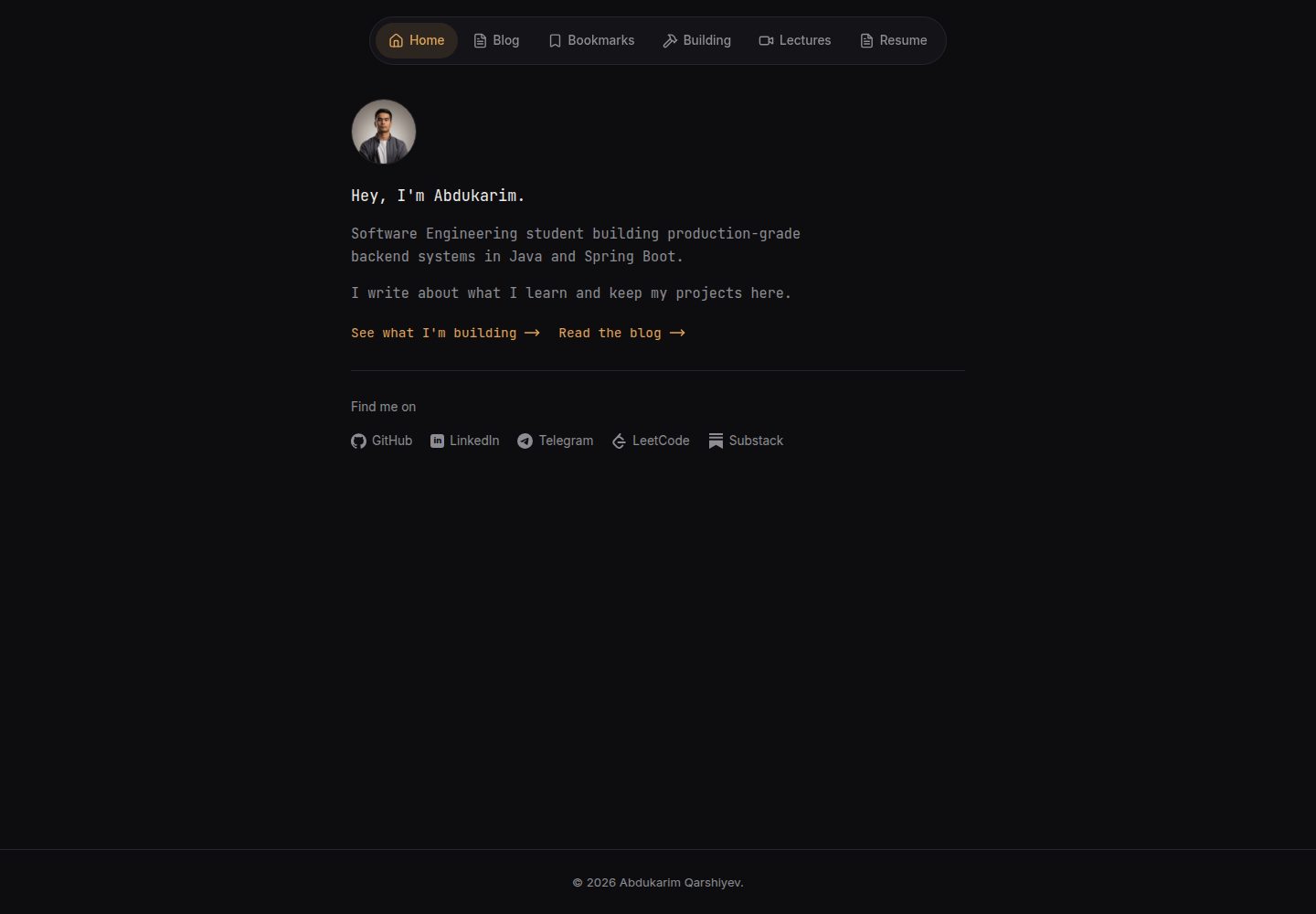
Posts are stored as Markdown files, with the filename as the URL, requiring no database or admin panel
FlaskPortfolioBlog
flask-markdown-blog — Flask Portfolio Template
By akarshiev
A Flask-based personal blog and portfolio template. Posts are stored as Markdown files, with no database or admin panel required. All personalization is centralized in config.py, and it can be deployed to Vercel.
Explore the design
Compare the page layouts and mobile experience. Open any screenshot for a closer look.
Desktop homepage1 / 3
Desktop captureTop of page
Actual screenshot captured by the server browser.
All pages & views 3
Screenshots show visual appearance; interactive behavior may differ.
Recorded 2026-10-15View source
What stands out
A quick read of the recorded project description.
All personalization is centralized in config.py; only the avatar, share cover, and CV files need to be replaced
Built-in SEO support: meta tags, Open Graph, Twitter cards, JSON-LD, sitemap.xml, and robots.txt
The Building page automatically pulls public GitHub repositories; the Bookmarks page is managed via a JSON file and filtered by category
Reading experience features include reading time, progress bar, copy code button, and share buttons
No build step, uses vanilla CSS and JS, and can be deployed to Vercel
Template Details
This is a personal blog and portfolio website template built with Flask. Posts are plain Markdown files in the posts/ directory, and the filename serves as the URL slug. No database, admin panel, or CMS is required. Site personalization is centralized in the SITE and SOCIALS configuration in config.py, and three static files must also be replaced: the avatar, the social share cover, and the CV PDF.
Pages include the homepage (intro, avatar, social links), blog list and individual posts, Building (automatically pulls public GitHub repositories), Bookmarks (a link page categorized via a JSON file), Lectures (video placeholder page), CV (embeds the CV PDF and provides a download), plus automatically generated sitemap.xml and robots.txt. The README describes built-in SEO-related tags, Open Graph, Twitter cards, JSON-LD, as well as reading time, progress bar, copy code button, and share buttons.
Regarding the tech stack, the README lists Flask, Python-Markdown, Pygments, vanilla CSS and JS, and Gunicorn for production; no specific dependency version list is provided. The deployment steps are to push the repository to GitHub, then import and deploy it on Vercel, with optional configuration of a custom domain and the SECRET_KEY environment variable. The README does not describe the template's testing status, browser compatibility, or production performance.
FlaskPortfolioBlog
Is it right for your project?
Use Cases
- Build a personal tech blog, write in Markdown, and automatically generate the post list and detail pages
- Create a personal portfolio page showcasing an intro, social links, and public GitHub repositories
- Maintain a bookmarked links page with category filtering
- Embed and download a PDF CV on the website
- Deploy a static blog to Vercel and configure a custom domain
Suitable For
- Developers who want to write in Markdown and do not want to maintain a database or admin panel
- Individuals who need a lightweight personal blog and portfolio site
- Users who prefer to personalize the site through a single configuration file
- Developers planning to deploy a Flask application to Vercel
Getting started & customization
Use these recorded setup notes alongside the repository instructions for your chosen version.
- 1
After cloning the repository, create a virtual environment, run pip install -r requirements.txt to install dependencies, then start with python wsgi.py; by default it is accessible at http://localhost:5000
- 2
Edit SITE and SOCIALS in config.py to configure site information and social links
- 3
Replace the three files app/static/images/avatar.png, app/static/images/og-cover.png, and app/static/files/cv.pdf
- 4
Add Markdown posts in the posts/ directory; the filename is the URL slug, and title and date are required in the front matter
- 5
To deploy to Vercel, import the repository and vercel.json will be automatically detected; optionally add the SECRET_KEY environment variable in the project settings
License & source material
Usage conditions & limitations
Free to use · keep license noticeThis entry covers the free version in the public repository under the MIT license; the free scope is the code of this version and does not mean that external services or third-party assets are free.
Must comply with when using
- You are allowed to use, modify, commercially use, and distribute the code of this version for free.
- When distributing copies or substantial portions of the code, retain the original author's copyright notice and the complete MIT license notice.
- The code is provided as is; warranties and limitations of liability are governed by the original license and applicable law.
Additional costs & items to verify
- Demo images, fonts, icons, and other third-party assets must be checked against their respective licenses and cannot be judged solely by the code's MIT license.
- External services such as domains, hosting, databases, payments, or AI may incur separate charges.
- The github_username in config.py drives the /building page and serves as the avatar fallback; a valid GitHub username must be provided.
- Deploying to Vercel requires registering and logging into a Vercel account and importing the repository through its website.
- For production, the SECRET_KEY environment variable must be added in the Vercel project settings.
- Using Google Search Console to verify site ownership is optional and requires pasting the verification token into config.py.
- Submitting sitemap.xml in Google Search Console is required for faster indexing, which involves using Google's external services.
View Original Text Basis
Permission is hereby granted, free of charge
Original License Text
"github_username": "octocat", # powers the /building page + avatar fallback
Original README
2. Go to [vercel.com](https://vercel.com) -> **Add New Project** -> import your repo.
Original README
To set a production secret key, add an environment variable `SECRET_KEY` in
Original README
To verify ownership, paste your verification token into `config.py`:
Original README
https://github.com/akarshiev/flask-markdown-blog/blob/main/LICENSEhttps://github.com/akarshiev/flask-markdown-blog/blob/main/README.md`https://yourdomain.com/sitemap.xml` in Search Console to get indexed faster.
Original README
Compiled by DeepSeek based on repository license and README ·2026-10-15. Results only cover the materials read; dependencies, images, fonts, and subsequent term changes are subject to their respective original texts.
Project checks & description sources
Template Information
- Source platforms
- GitHub
- Documentation and maintenance reference score
- More documented · 88 / 100
- Technologies
- Flask
- Website type
- Portfolio · Blog
How this score is calculated
Our heuristic uses license records (up to 30), a demo link (12), a preview (10), stars (15), recorded maintenance (15), description completeness (8), feature records (5) and classification data (5). It is not a code, security or performance test, or a Google score. A link does not establish tested functionality.
What to verify for this project
- Repository update recorded
- 2026-07-11
- Screenshot last checked
- 2026-10-15
A demo link is listed. Check it with your own content and viewport sizes; its presence does not confirm that forms, authentication or payments work.
The catalog identifies Flask as the primary stack. Check the actual dependency manifest and lockfile for versions and hosting requirements. These notes use recorded metadata, not a code audit or a deployment test.
Use a selection guide →How this description was prepared
AI-assisted description based on catalog records and repository material. Repository authors are not automatically the reviewers of this description.
Review declaration: codex-user-requested-batch-review-20261017 · 2026-10-16
Inspect the recorded source material
SHA-256: 24121c90f95413c5a74cf4893f8bb28a718192a89db230609282e1b9af03c95d
2026-10-15T16:35:43.063Z
Source file / repository# Flask Markdown Blog & Portfolio Template
A minimalist, fast personal blog and portfolio built with **Flask**. Posts are
plain Markdown files - no database, no admin panel, no CMS. Deploys free on
Vercel in minutes. Personalize the entire site by editing a single config file.
> Live example: [abdukarim.uz](https://abdukarim.uz)




---
## Features
- **Markdown posts** - write in `.md`, the filename becomes the URL. No database.
- **One-file setup** - all personalization lives in `config.py`.
- **Dark, minimal design** - floating pill navbar, JetBrains Mono, amber accent.
- **Syntax highlighting** - fenced code blocks via Pygments.
- **Live GitHub projects** - the Building page pulls your public repos automatically.
- **Bookmarks** - a curated links page, editable via one JSON file.
- **Resume page** - embeds your PDF with a download button.
- **SEO built in** - meta tags, Open Graph, Twitter cards, JSON-LD, `sitemap.xml`, `robots.txt`.
- **Reading experience** - reading time, progress bar, copy-code buttons, share button.
- **Zero build step** - plain CSS, ships as-is. Deploys free on Vercel.
---
## Pages
| Route | What it is |
|---|---|
| `/` | Home - bio, avatar, social links |
| `/blogs` | List of all posts, newest first |
| `/blogs/<slug>` | A single article |
| `/building` | Your public GitHub repos, live |
| `/bookmarks` | Curated links with category filters |
| `/lectures` | Placeholder for videos (optional) |
| `/cv` | Embedded resume PDF + download |
| `/sitemap.xml`, `/robots.txt` | SEO, generated automatically |
---
## Quick start
```bash
# 1. Clone
git clone https://github.com/YOUR_USERNAME/YOUR_REPO.git
cd YOUR_REPO
# 2. Create a virtual environment
python -m venv .venv
source .venv/bin/activate # Windows: .venv\Scripts\activate
# 3. Install dependencies
pip install -r requirements.txt
# 4. Run
python wsgi.py
```
Open <http://localhost:5000>. That's it.
---
## Make it yours
Everything personal lives in **`config.py`**. Open it and edit the `SITE` and
`SOCIALS` sections:
```python
SITE = {
"name": "Your Name",
"first_name": "Your",
"job_title": "Software Developer",
"domain": "https://example.com",
"bio_line_1": "Developer building things on the web.",
"github_username": "octocat", # powers the /building page + avatar fallback
...
}
SOCIALS = [
{"icon": "github", "label": "GitHub", "url": "https://github.com/octocat"},
{"icon": "linkedin", "label": "LinkedIn", "url": "https://linkedin.com/in/you"},
...
]
```
Then replace three files with your own:
| File | What it is |
|---|---|
| `app/static/images/avatar.png` | Your profile photo (square) |
| `app/static/images/og-cover.png` | Social-share preview (1200×630) |
| `app/static/files/cv.pdf` | Your resume |
That's the whole personalization. No template editing required.
---
## Writing posts
Add a Markdown file to `posts/`. The filename is the URL slug - `posts/my-first-post.md`
becomes `/blogs/my-first-post`.
```markdown
title: My first post
date: 2026-01-15
summary: A short line used in previews and SEO.
tags: java, tutorial
image: https://example.com/cover.png
Your **Markdown** content starts here...
```
Only `title` and `date` are required. Dates accept `YYYY-MM-DD`, `DD-MM-YYYY`,
or `DD/MM/YYYY` - all normalized for the sitemap. See `posts/welcome.md` for a
full example. Delete the two sample posts when you're ready.
---
## Editing bookmarks
Edit `data/bookmarks.json`:
```json
[
{ "title": "Spring Boot Docs", "url": "https://...", "category": "Java" }
]
```
Categories become filter buttons automatically.
---
## Deploy to Vercel (free)
1. Push your repo to GitHub.
2. Go to [vercel.com](https://vercel.com) -> **Add New Project** -> import your repo.
3. Vercel auto-detects `vercel.json`. Click **Deploy**.
4. Add your custom domain under **Settings -> Domains** (optional).
To set a production secret key, add an environment variable `SECRET_KEY` in
Vercel's project settings (see `.env.example`).
### Google Search Console (optional)
To verify ownership, paste your verification token into `config.py`:
```python
"google_site_verification": "google1234567890abcdef",
```
The route `/google1234567890abcdef.html` is then served automatically. Submit
`https://yourdomain.com/sitemap.xml` in Search Console to get indexed faster.
---
## Project structure
```
config.py <- edit this to personalize everything
wsgi.py <- entry point
vercel.json <- Vercel deploy config
requirements.txt
posts/ <- your Markdown posts
data/bookmarks.json <- your bookmarks
app/
├── __init__.py <- app factory, loads config
├── utils.py <- Markdown + front-matter parser
├── routes/__init__.py <- all routes
├── static/
│ ├── css/style.css
│ ├── images/ <- avatar.png, og-cover.png
│ └── files/cv.pdf
└── templates/
├── base.html <- shared layout, navbar, SEO
├── _icons.html <- social icon SVGs
├── index.html <- home
├── blog/ <- list + single post
├── bookmarks.html, building.html, lectures.html, resume.html
└── 404.html
```
---
## Tech stack
- **Flask 3** - web framework
- **Python-Markdown** - post rendering
- **Pygments** - code syntax highlighting
- **Vanilla CSS + JS** - no build tooling
- **Gunicorn** - production WSGI server
---
## License
MIT - free to use, modify, and share. See [LICENSE](LICENSE).
If you build something with this, a link back to the original repo is
appreciated but not required. 🙂
Explore similar templates
Compare previews and descriptions within the same stack and category.
frontpage
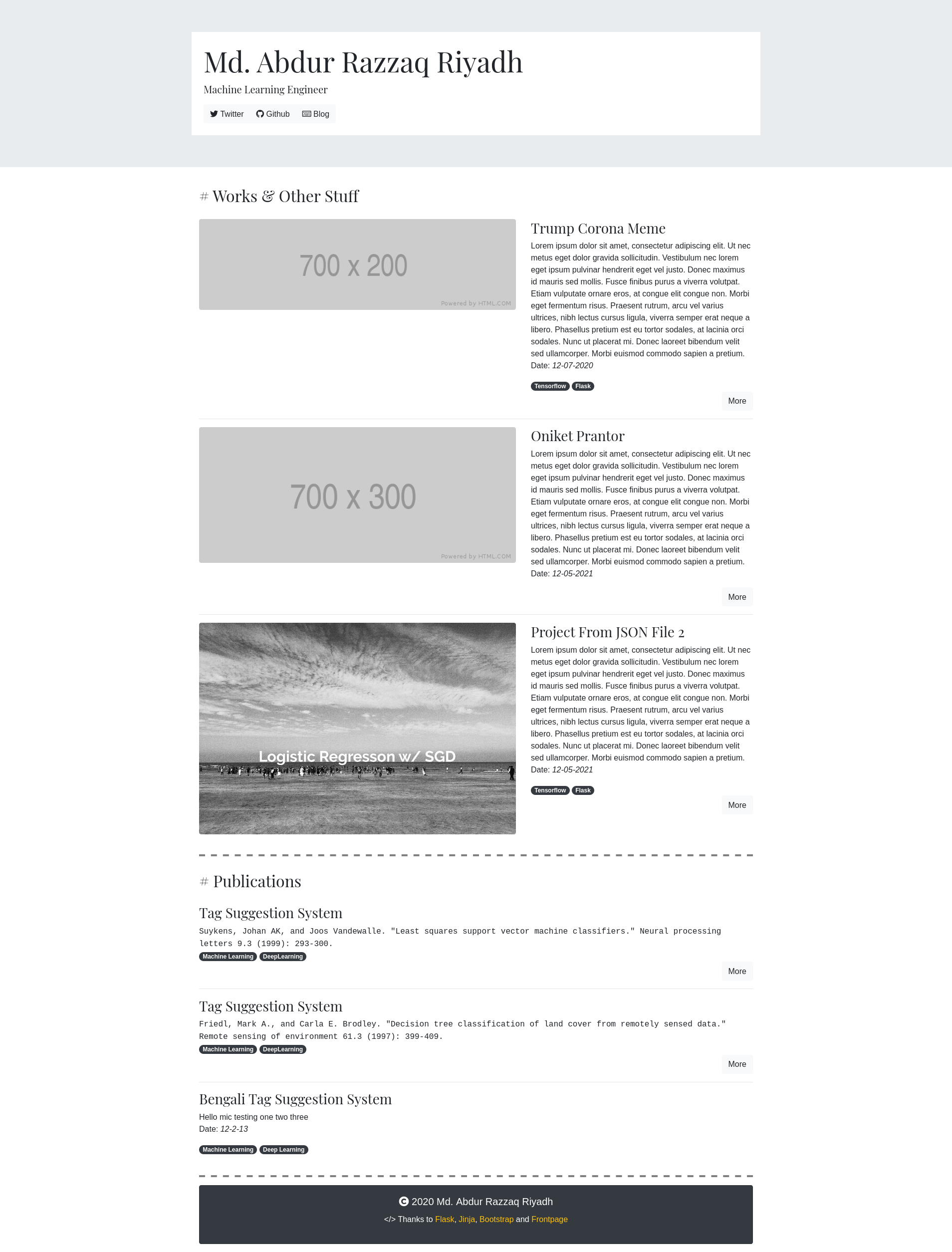
Frontpage is a small portfolio app built with Flask and Bootstrap, described by its author as "a kinda-hackable portfolio app." Content is driven by JSON files in the content/ directory, with one file per project and no database required.
Flask · Portfolio
project-team-pythonic
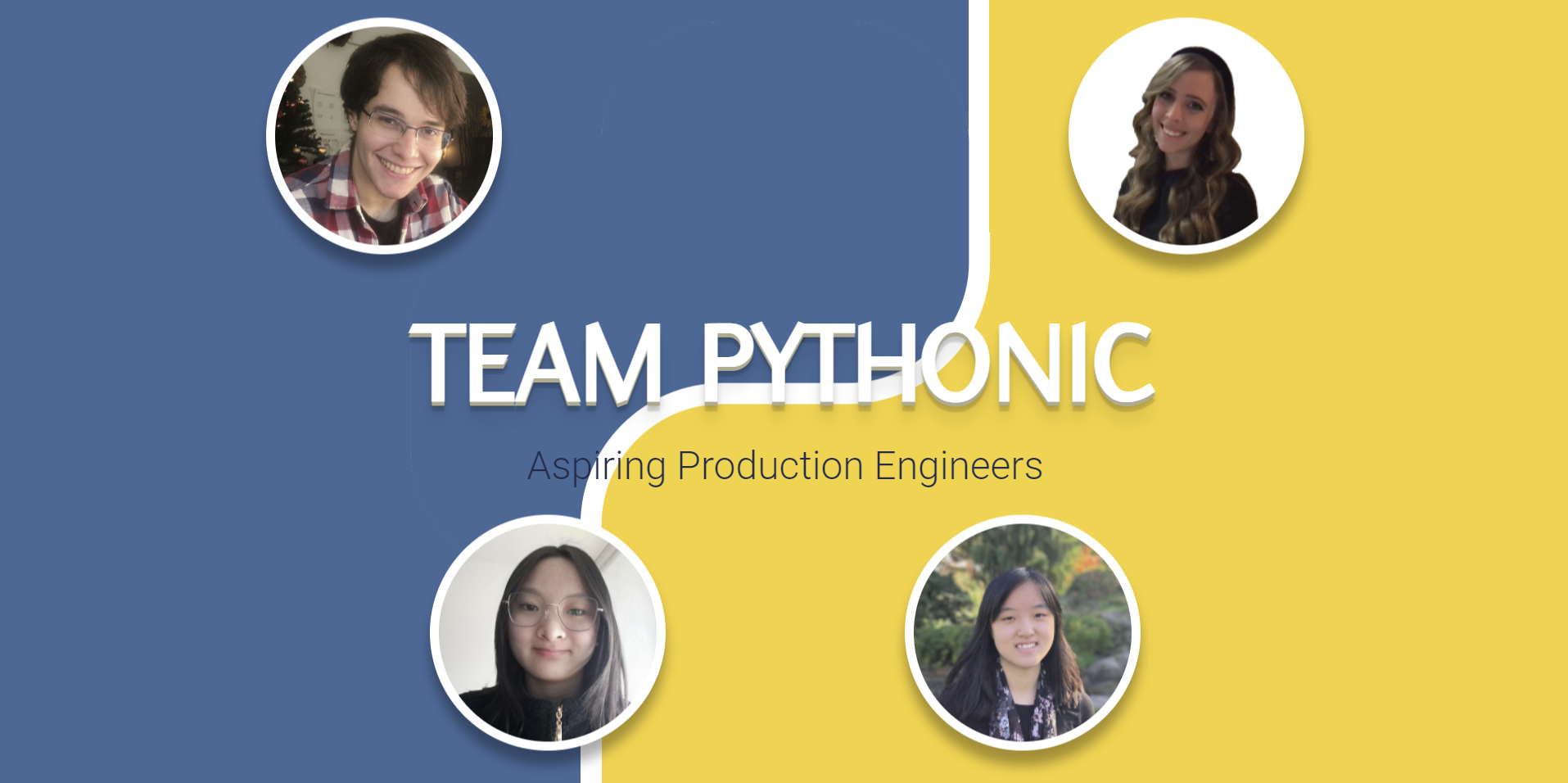
A Flask and Jinja team portfolio template from the MLH Fellowship, with a homepage and profile pages, member data in data.json, responsive Bootstrap styling, and Google Maps markers for visited places.
Flask · Portfolio
resume-builder
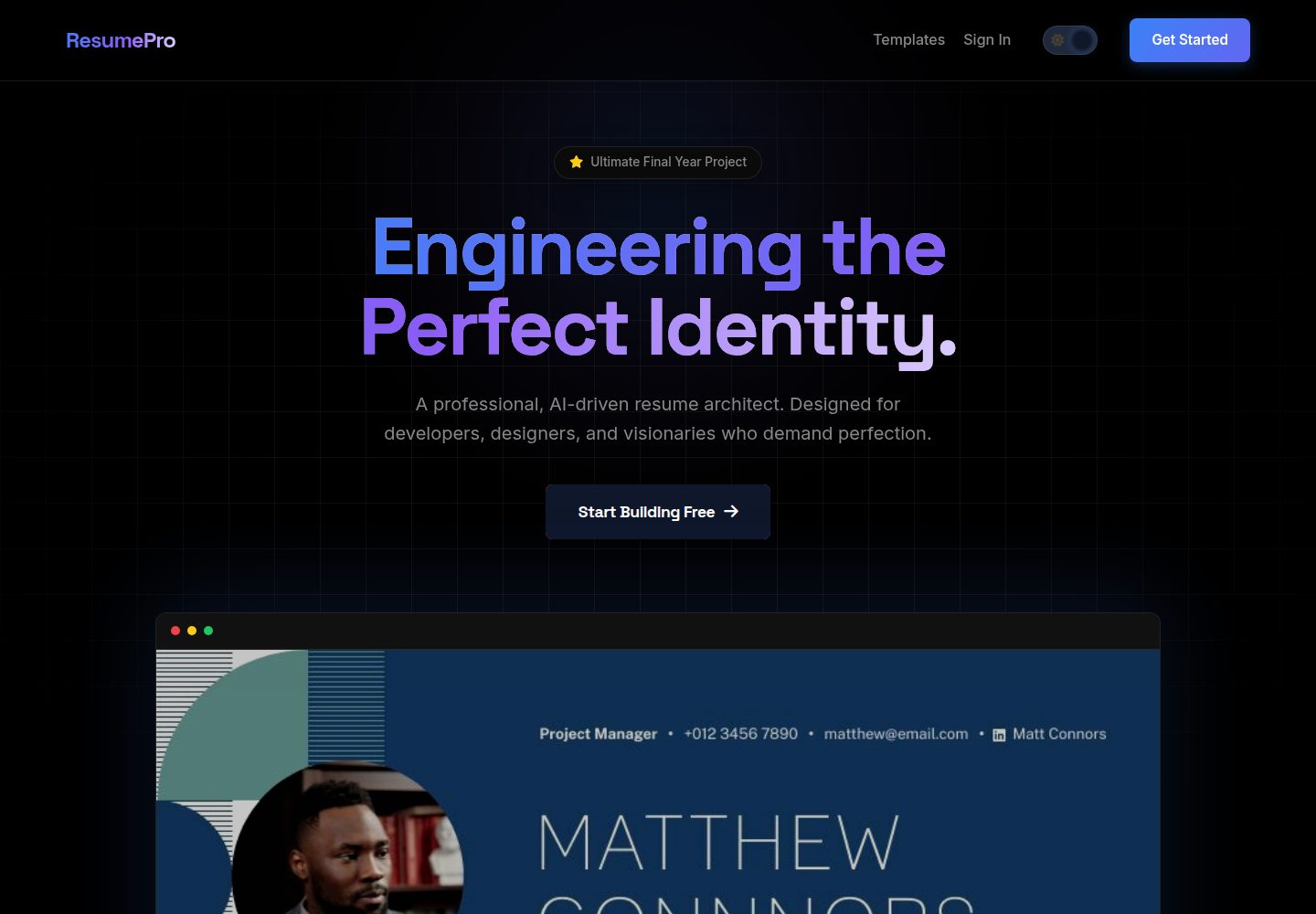
ResumePro is a Flask-based full-stack resume builder with a multi-step form, real-time preview, 10+ responsive templates, dark/light themes, OpenAI-powered ATS scoring, and high-fidelity PDF export via Base64 image prefetching.
Flask · Portfolio

al-folio
A Jekyll academic homepage theme for scholars and researchers, with a clean responsive design and out-of-the-box support for publication lists, project showcases, CVs, and blogs.
Jekyll · Portfolio

simplefolio
Simplefolio is a minimal single-page portfolio template for developers, built with HTML, Bootstrap, SCSS, and Parcel under the MIT license. It includes Hero, About, Projects, Contact, and Footer sections, with content edited in /src/index.html and theme colors controlled by two SCSS variables.
HTML · Portfolio

hugo-PaperMod
A fast, clean, responsive Hugo theme for blogs and lightweight portfolios, with three layout modes (Regular, Home-Info, Profile), automatic and manual light/dark themes, Fuse.js client-side search, multilingual support, and built-in Open Graph, Twitter Cards, and Schema.org data.
Hugo · Portfolio