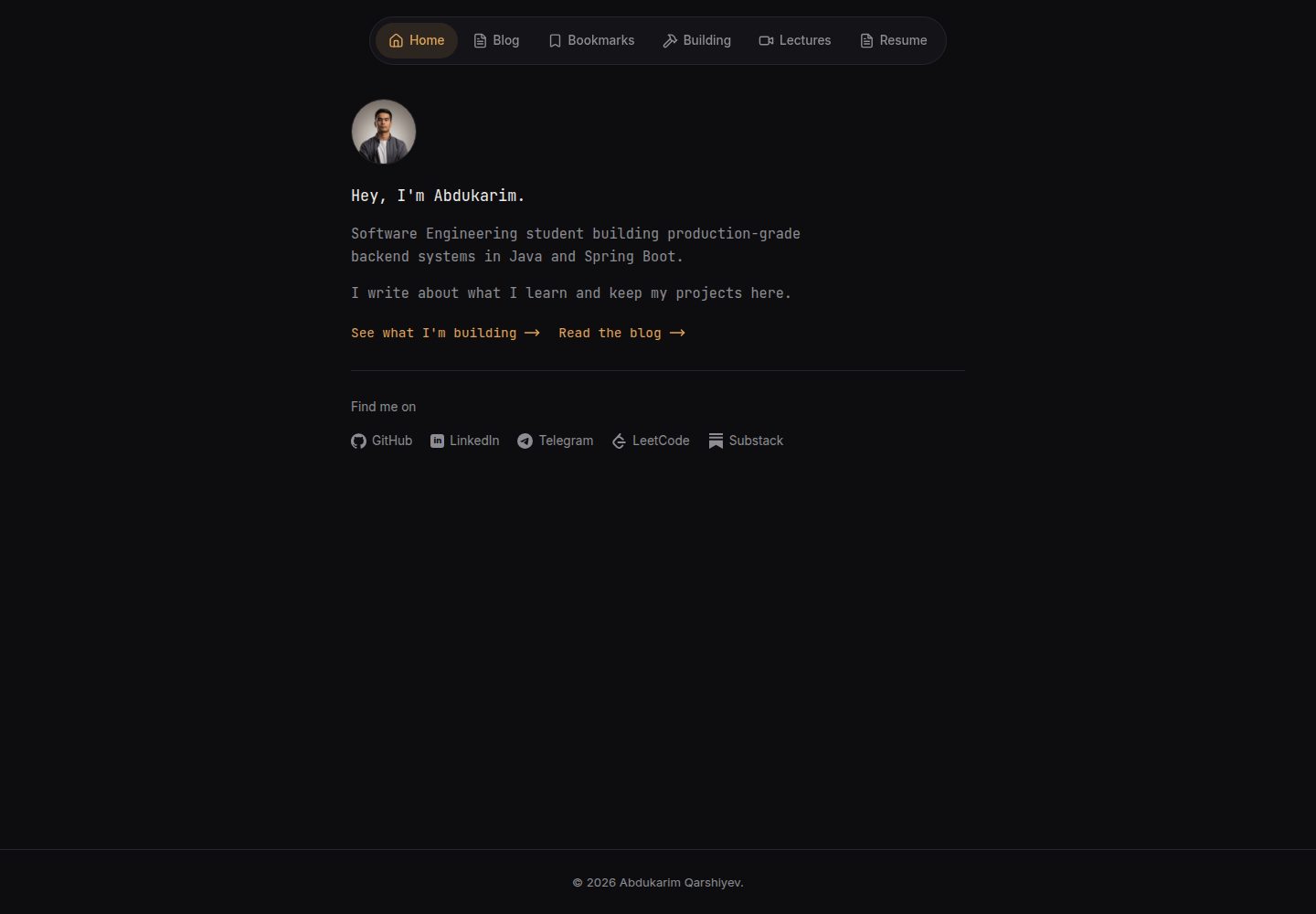
文章以 Markdown 文件存放,文件名即 URL,无需数据库或管理后台
Flask作品集博客
flask-markdown-blog — Flask 作品集模板
作者 akarshiev
基于 Flask 的个人博客与作品集模板,文章以 Markdown 文件存放,无需数据库或后台,所有个性化集中在 config.py,可部署到 Vercel。
看看你的网站会是什么样
浏览真实页面截图,比较内容排版与手机效果。点击下方缩略图切换,放大查看整页细节。
全部页面与视图 3
截图用于了解视觉与布局,交互效果请以实际项目为准。
采集于 2026-10-15查看来源
值得关注的模板亮点
从已有项目资料中,快速了解它的特点。
所有个性化配置集中在 config.py,只需替换头像、分享封面和简历三个文件
内置 SEO 支持:meta 标签、Open Graph、Twitter 卡片、JSON-LD、sitemap.xml 和 robots.txt
Building 页面自动拉取 GitHub 公开仓库,Bookmarks 页面通过 JSON 文件管理并按分类筛选
阅读体验功能包括阅读时间、进度条、复制代码按钮和分享按钮
无构建步骤,使用原生 CSS 与 JS,可部署到 Vercel
模板详细介绍
这是一个用 Flask 构建的个人博客与作品集网站模板。文章是 posts/ 目录下的纯 Markdown 文件,文件名即 URL slug,无需数据库、管理后台或 CMS。站点个性化集中在 config.py 的 SITE 与 SOCIALS 配置中,另需替换头像、社交分享封面和简历 PDF 三个静态文件。
页面包括首页(简介、头像、社交链接)、博客列表与单篇文章、Building(自动拉取 GitHub 公开仓库)、Bookmarks(按 JSON 文件分类的链接页)、Lectures(视频占位页)、CV(嵌入简历 PDF 并提供下载),以及自动生成的 sitemap.xml 和 robots.txt。README 说明内置 SEO 相关标签、Open Graph、Twitter 卡片、JSON-LD,以及阅读时间、进度条、复制代码按钮和分享按钮。
技术栈方面,README 列出 Flask、Python-Markdown、Pygments、原生 CSS 与 JS,以及用于生产环境的 Gunicorn;未提供具体依赖版本清单。部署步骤为将仓库推送到 GitHub 后在 Vercel 导入并部署,可选配置自定义域名和 SECRET_KEY 环境变量。README 未说明模板的测试情况、浏览器兼容性或生产环境性能表现。
Flask作品集博客
适合你的项目吗?
适用场景
- 搭建个人技术博客,用 Markdown 写作并自动生成文章列表与详情页
- 创建个人作品集页面,展示简介、社交链接和 GitHub 公开仓库
- 维护一个带分类筛选的收藏链接页面
- 在网站上嵌入并下载 PDF 简历
- 将静态博客部署到 Vercel 并配置自定义域名
适合人群
- 希望用 Markdown 写作、不想维护数据库或后台的开发者
- 需要一个轻量个人博客与作品集站点的个人用户
- 偏好用单个配置文件完成站点个性化的用户
- 计划将 Flask 应用部署到 Vercel 的开发者
上手与定制指南
结合仓库当前版本的说明,按下面的资料检查内容、配置与运行要求。
- 1
克隆仓库后创建虚拟环境,执行 pip install -r requirements.txt 安装依赖,再用 python wsgi.py 启动,默认访问 http://localhost:5000
- 2
编辑 config.py 中的 SITE 和 SOCIALS 完成站点信息与社交链接配置
- 3
替换 app/static/images/avatar.png、app/static/images/og-cover.png 和 app/static/files/cv.pdf 三个文件
- 4
在 posts/ 目录添加 Markdown 文章,文件名即 URL slug,front matter 中 title 和 date 为必填
- 5
部署到 Vercel 时导入仓库并自动识别 vercel.json,可选在项目设置中添加 SECRET_KEY 环境变量
授权与来源资料
使用条件与限制
免费使用 · 保留许可声明本次收录的是公开仓库中采用 MIT 许可的免费版本;免费范围为该版本代码,不代表外部服务或第三方素材免费。
使用时需要遵守
- 允许免费使用、修改、商用和分发该版本代码。
- 分发代码副本或实质性部分时,保留原作者版权声明和完整 MIT 许可声明。
- 代码按现状提供;担保与责任限制以原许可证及适用法律为准。
额外费用与待核对事项
- 演示图片、字体、图标及其他第三方素材需按各自许可核对,不能仅凭代码的 MIT 许可判断。
- 域名、托管、数据库、支付或 AI 等外部服务可能另外收费。
- config.py 中的 github_username 用于驱动 /building 页面并作为头像回退,需填写有效的 GitHub 用户名。
- 部署到 Vercel 需要注册并登录 Vercel 账号,通过其网站导入仓库。
- 生产环境需在 Vercel 项目设置中添加 SECRET_KEY 环境变量。
- 使用 Google Search Console 验证站点所有权为可选步骤,需粘贴验证令牌到 config.py。
- 需在 Google Search Console 提交 sitemap.xml 才能更快被索引,涉及使用 Google 的外部服务。
查看原文依据
Permission is hereby granted, free of charge
许可证原文
"github_username": "octocat", # powers the /building page + avatar fallback
README 原文
2. Go to [vercel.com](https://vercel.com) -> **Add New Project** -> import your repo.
README 原文
To set a production secret key, add an environment variable `SECRET_KEY` in
README 原文
To verify ownership, paste your verification token into `config.py`:
README 原文
https://github.com/akarshiev/flask-markdown-blog/blob/main/LICENSEhttps://github.com/akarshiev/flask-markdown-blog/blob/main/README.md`https://yourdomain.com/sitemap.xml` in Search Console to get indexed faster.
README 原文
DeepSeek 根据仓库许可证和 README 整理 ·2026-10-15。结果仅覆盖已读取资料,依赖、图片、字体及后续条款变更以各自原文为准。
项目核对记录与介绍依据
模板资料
- 来源平台
- GitHub
- 资料与维护参考分
- 资料较完整 · 88 / 100
- 技术栈
- Flask
- 网站类型
- 作品集 · 博客
这个分数如何计算
本站按许可资料(最高30分)、演示链接(12分)、预览图(10分)、Star数(15分)、记录的维护时间(15分)、描述完整度(8分)、功能记录(5分)和分类资料(5分)计算。它不是代码、安全或性能测试,也不是 Google 评分;有链接不代表已实测可用。
这个项目需要核对什么
- 记录的仓库更新时间
- 2026-07-11
- 截图检查日期
- 2026-10-15
已收录演示链接。请用你的内容与屏幕尺寸检查;有演示不代表表单、认证或支付已经可用。
目录记录的主要技术栈是 Flask。请通过依赖清单和锁文件核对实际版本与托管要求。这些说明基于收录资料,不代表代码审计或部署实测。
查看具体选型方法 →介绍的制作与核对状态
介绍由 AI 辅助整理目录与仓库资料。仓库作者不等于这篇介绍的审核者。
审核声明: codex-user-requested-batch-review-20261017 · 2026-10-16
查看当时使用的来源资料
SHA-256: 24121c90f95413c5a74cf4893f8bb28a718192a89db230609282e1b9af03c95d
2026-10-15T16:35:43.063Z
来源文件 / 仓库# Flask Markdown Blog & Portfolio Template
A minimalist, fast personal blog and portfolio built with **Flask**. Posts are
plain Markdown files - no database, no admin panel, no CMS. Deploys free on
Vercel in minutes. Personalize the entire site by editing a single config file.
> Live example: [abdukarim.uz](https://abdukarim.uz)




---
## Features
- **Markdown posts** - write in `.md`, the filename becomes the URL. No database.
- **One-file setup** - all personalization lives in `config.py`.
- **Dark, minimal design** - floating pill navbar, JetBrains Mono, amber accent.
- **Syntax highlighting** - fenced code blocks via Pygments.
- **Live GitHub projects** - the Building page pulls your public repos automatically.
- **Bookmarks** - a curated links page, editable via one JSON file.
- **Resume page** - embeds your PDF with a download button.
- **SEO built in** - meta tags, Open Graph, Twitter cards, JSON-LD, `sitemap.xml`, `robots.txt`.
- **Reading experience** - reading time, progress bar, copy-code buttons, share button.
- **Zero build step** - plain CSS, ships as-is. Deploys free on Vercel.
---
## Pages
| Route | What it is |
|---|---|
| `/` | Home - bio, avatar, social links |
| `/blogs` | List of all posts, newest first |
| `/blogs/<slug>` | A single article |
| `/building` | Your public GitHub repos, live |
| `/bookmarks` | Curated links with category filters |
| `/lectures` | Placeholder for videos (optional) |
| `/cv` | Embedded resume PDF + download |
| `/sitemap.xml`, `/robots.txt` | SEO, generated automatically |
---
## Quick start
```bash
# 1. Clone
git clone https://github.com/YOUR_USERNAME/YOUR_REPO.git
cd YOUR_REPO
# 2. Create a virtual environment
python -m venv .venv
source .venv/bin/activate # Windows: .venv\Scripts\activate
# 3. Install dependencies
pip install -r requirements.txt
# 4. Run
python wsgi.py
```
Open <http://localhost:5000>. That's it.
---
## Make it yours
Everything personal lives in **`config.py`**. Open it and edit the `SITE` and
`SOCIALS` sections:
```python
SITE = {
"name": "Your Name",
"first_name": "Your",
"job_title": "Software Developer",
"domain": "https://example.com",
"bio_line_1": "Developer building things on the web.",
"github_username": "octocat", # powers the /building page + avatar fallback
...
}
SOCIALS = [
{"icon": "github", "label": "GitHub", "url": "https://github.com/octocat"},
{"icon": "linkedin", "label": "LinkedIn", "url": "https://linkedin.com/in/you"},
...
]
```
Then replace three files with your own:
| File | What it is |
|---|---|
| `app/static/images/avatar.png` | Your profile photo (square) |
| `app/static/images/og-cover.png` | Social-share preview (1200×630) |
| `app/static/files/cv.pdf` | Your resume |
That's the whole personalization. No template editing required.
---
## Writing posts
Add a Markdown file to `posts/`. The filename is the URL slug - `posts/my-first-post.md`
becomes `/blogs/my-first-post`.
```markdown
title: My first post
date: 2026-01-15
summary: A short line used in previews and SEO.
tags: java, tutorial
image: https://example.com/cover.png
Your **Markdown** content starts here...
```
Only `title` and `date` are required. Dates accept `YYYY-MM-DD`, `DD-MM-YYYY`,
or `DD/MM/YYYY` - all normalized for the sitemap. See `posts/welcome.md` for a
full example. Delete the two sample posts when you're ready.
---
## Editing bookmarks
Edit `data/bookmarks.json`:
```json
[
{ "title": "Spring Boot Docs", "url": "https://...", "category": "Java" }
]
```
Categories become filter buttons automatically.
---
## Deploy to Vercel (free)
1. Push your repo to GitHub.
2. Go to [vercel.com](https://vercel.com) -> **Add New Project** -> import your repo.
3. Vercel auto-detects `vercel.json`. Click **Deploy**.
4. Add your custom domain under **Settings -> Domains** (optional).
To set a production secret key, add an environment variable `SECRET_KEY` in
Vercel's project settings (see `.env.example`).
### Google Search Console (optional)
To verify ownership, paste your verification token into `config.py`:
```python
"google_site_verification": "google1234567890abcdef",
```
The route `/google1234567890abcdef.html` is then served automatically. Submit
`https://yourdomain.com/sitemap.xml` in Search Console to get indexed faster.
---
## Project structure
```
config.py <- edit this to personalize everything
wsgi.py <- entry point
vercel.json <- Vercel deploy config
requirements.txt
posts/ <- your Markdown posts
data/bookmarks.json <- your bookmarks
app/
├── __init__.py <- app factory, loads config
├── utils.py <- Markdown + front-matter parser
├── routes/__init__.py <- all routes
├── static/
│ ├── css/style.css
│ ├── images/ <- avatar.png, og-cover.png
│ └── files/cv.pdf
└── templates/
├── base.html <- shared layout, navbar, SEO
├── _icons.html <- social icon SVGs
├── index.html <- home
├── blog/ <- list + single post
├── bookmarks.html, building.html, lectures.html, resume.html
└── 404.html
```
---
## Tech stack
- **Flask 3** - web framework
- **Python-Markdown** - post rendering
- **Pygments** - code syntax highlighting
- **Vanilla CSS + JS** - no build tooling
- **Gunicorn** - production WSGI server
---
## License
MIT - free to use, modify, and share. See [LICENSE](LICENSE).
If you build something with this, a link back to the original repo is
appreciated but not required. 🙂
看看同类模板
对比同技术栈与用途的模板,找到更适合的视觉与内容结构。
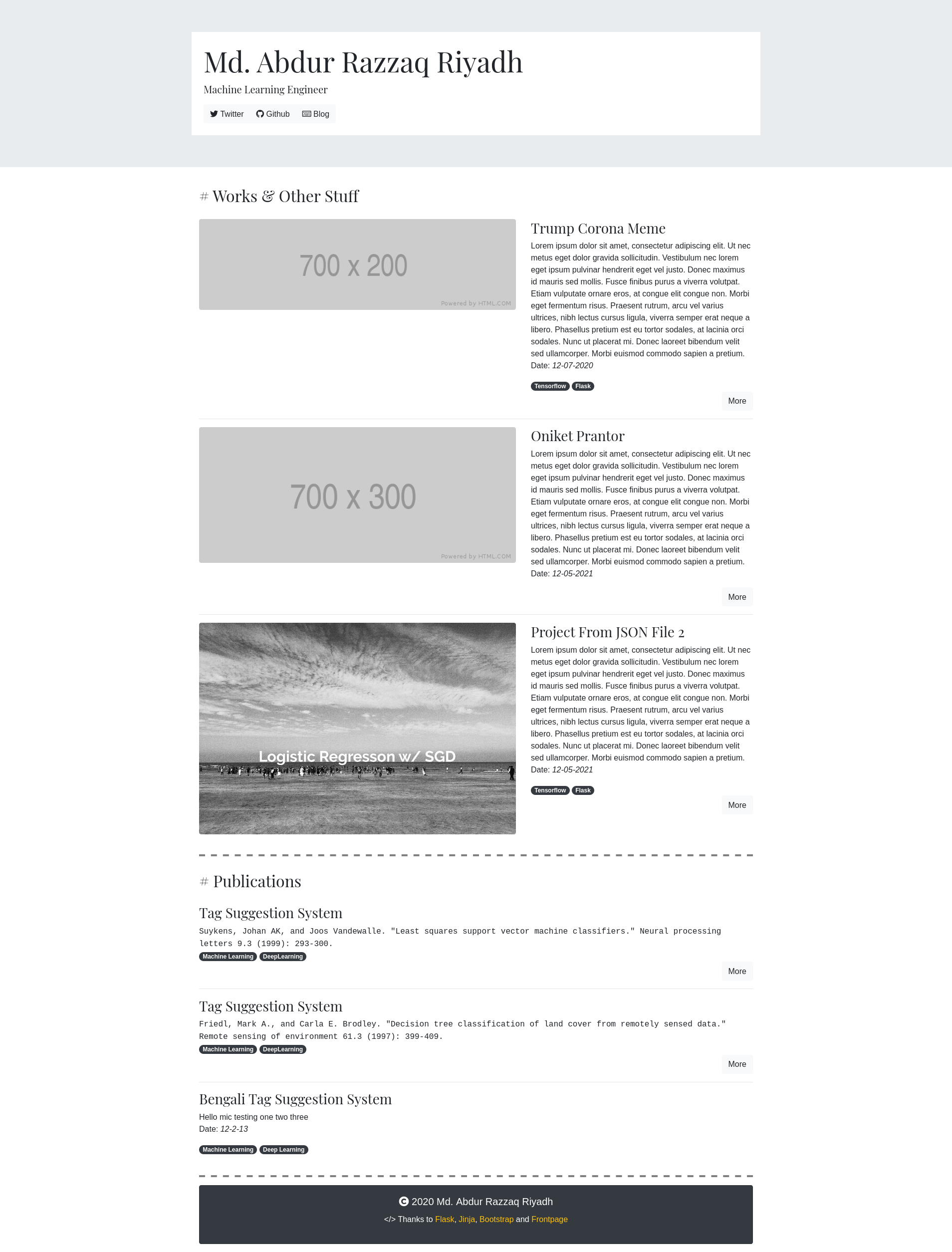
frontpage
A kinda-hackable portfolio app built with Flask and Bootstrap.
Flask · 作品集
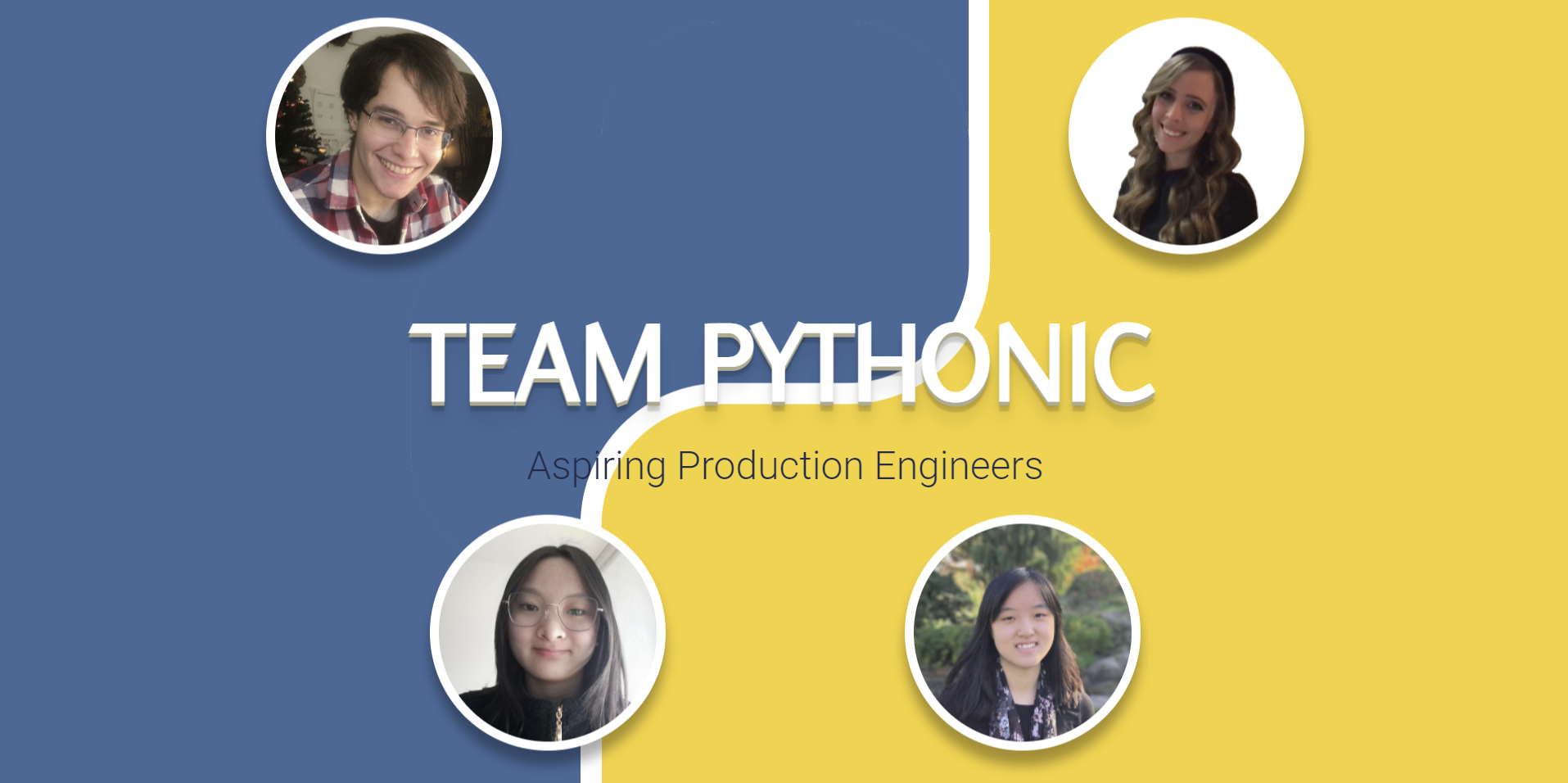
project-team-pythonic
A reusable, mobile-friendly team portfolio template.
Flask · 作品集
resume-builder
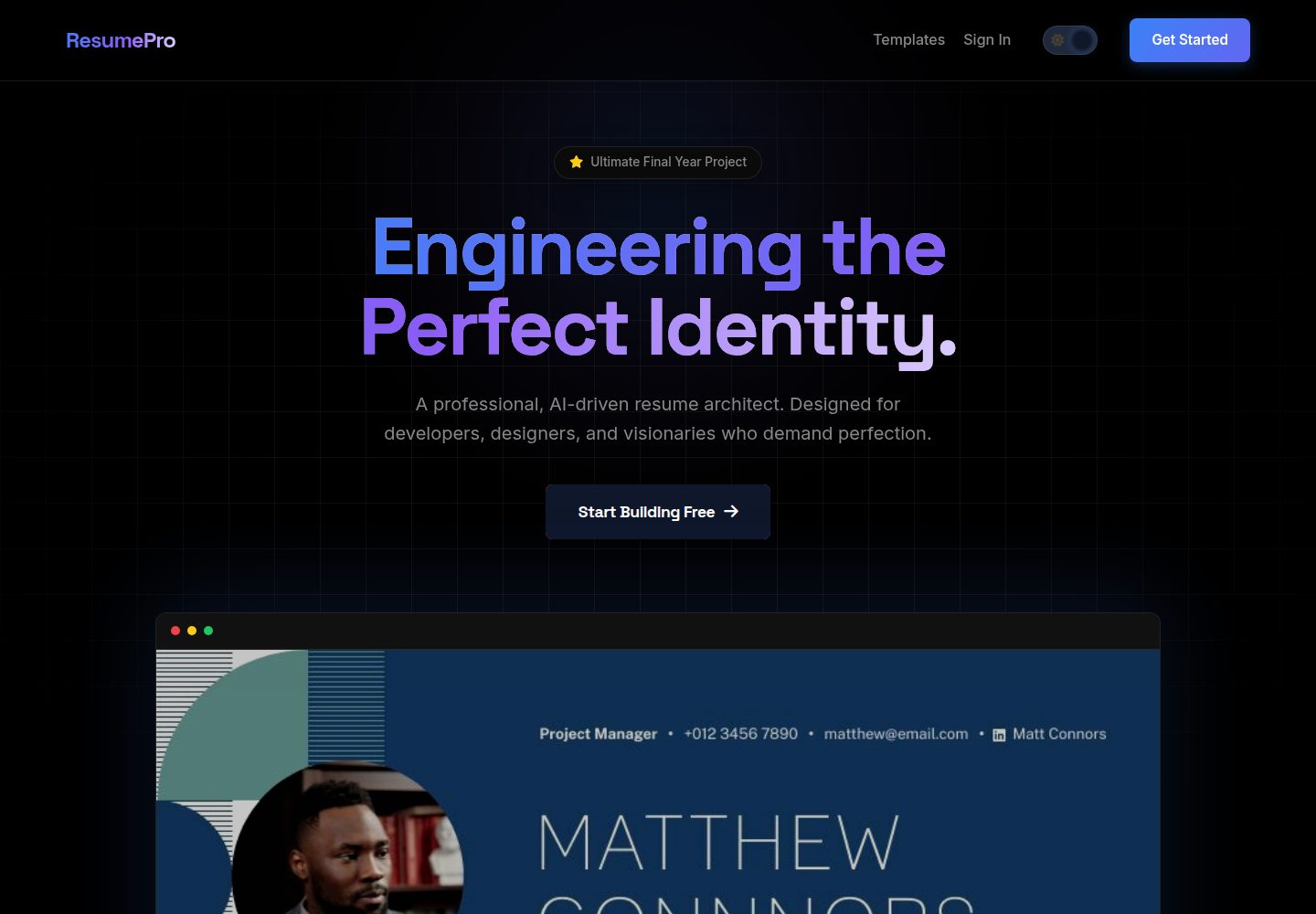
Production-grade SaaS Resume Builder featuring AI ATS scoring, 10+ dynamic templates, high-fidelity PDF export…
Flask · 作品集

al-folio
al-folio 是一个面向学者与研究人员的 Jekyll 作品集主题,设计简洁、响应式,适合搭建个人学术主页。
Jekyll · 作品集

simplefolio
⚡️ A minimal portfolio template for Developers
HTML · 作品集

hugo-PaperMod
PaperMod 是 Hugo 生态里知名度较高的主题之一,定位很明确:给博客和轻量作品集站点提供一套干净、响应式的阅读界面。
Hugo · 作品集