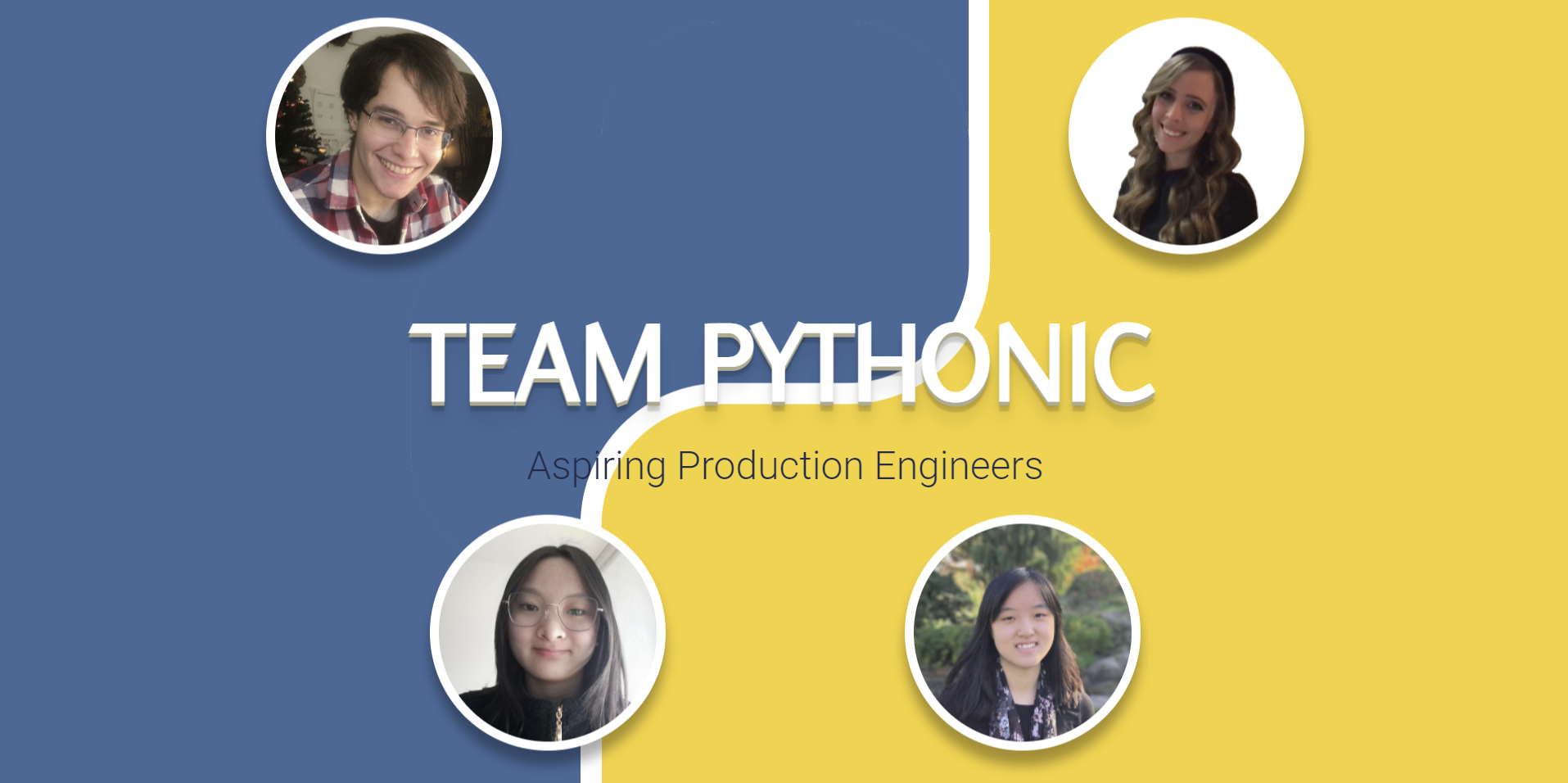
Flask + Jinja 模板结构,成员数据集中在 data.json 中,便于增删成员
FlaskHTML作品集
project-team-pythonic — Flask 作品集模板
作者 MLH-Fellowship
基于 Flask 与 Jinja 的团队作品集模板,包含首页与个人资料页,成员数据存放在 JSON 中,支持响应式布局与 Google Maps 访问地点标记。
看看你的网站会是什么样
浏览真实页面截图,比较内容排版与手机效果。点击下方缩略图切换,放大查看整页细节。
目前有 1 张原始预览,可打开完整图片查看设计细节。
截图用于了解视觉与布局,交互效果请以实际项目为准。
采集于 2026-10-03查看来源
值得关注的模板亮点
从已有项目资料中,快速了解它的特点。
首页包含动画标题与成员头像入口,个人资料页以卡片分区展示信息
个人资料页集成 Google Maps API,用标记显示成员去过的地点
使用 Bootstrap 与自定义 CSS,README 说明页面适配移动端屏幕
仓库采用 MIT 许可,README 提供虚拟环境、依赖安装与 flask run 的本地运行步骤
模板详细介绍
这是一个用 Flask 构建的团队作品集网站模板,来自 MLH Fellowship 生产工程方向第 22.SUM.21 组第 1 周的项目。网站分为两个主要部分:首页展示团队名称的动画标题、团队简介和每位成员的头像入口;个人资料页用卡片形式呈现 About me、Experience、Projects、Hobbies 以及“去过的国家/地区”交互式 Google 地图。
模板通过 Jinja 模板和 data.json 组织成员数据,方便按成员数量扩展;样式使用 HTML/CSS 与 Bootstrap,菜单下拉和地图由 JavaScript 驱动,地图依赖 Google Maps API。README 说明项目当前仅在本地运行,尚未部署到云端。
使用前需要准备 Python 3 与 pip,创建虚拟环境并安装 requirements.txt 中的依赖,再根据 example.env 创建 .env 文件并填入自己的 Google Maps API 密钥,否则地图功能不可用。仓库采用 MIT 许可,代码可免费使用、修改和分发,但演示图片、字体等第三方素材需单独核对许可,托管、数据库等外部服务也可能产生费用。
FlaskHTML作品集
适合你的项目吗?
适用场景
- 为小型开发团队或学习小组搭建成员介绍与个人资料展示页面
- 作为 Flask、Jinja 模板与 JSON 数据驱动页面的教学或练习项目
- 需要在地图上标注成员去过的国家/地区并展示个人经历的作品集场景
适合人群
- 希望用 Python/Flask 快速搭建团队作品集的开发者
- 需要可复用、按成员数量扩展的团队介绍页面的小组
- 想参考 Jinja 模板与 JSON 数据分离写法的学习者
上手与定制指南
结合仓库当前版本的说明,按下面的资料检查内容、配置与运行要求。
- 1
需要 Python 3 与 pip,建议用 virtualenv 创建并激活虚拟环境后执行 pip install -r requirements.txt
- 2
复制 example.env 为 .env,并填入自己的 Google Maps API 密钥,否则地图功能无法使用
- 3
运行前设置 FLASK_ENV=development,再执行 flask run,默认在 localhost:5000 访问
- 4
README 说明项目目前只在本地终端运行时可用,尚未提供云端部署配置
授权与来源资料
使用条件与限制
免费使用 · 保留许可声明本次收录的是公开仓库中采用 MIT 许可的免费版本;免费范围为该版本代码,不代表外部服务或第三方素材免费。
使用时需要遵守
- 允许免费使用、修改、商用和分发该版本代码。
- 分发代码副本或实质性部分时,保留原作者版权声明和完整 MIT 许可声明。
- 代码按现状提供;担保与责任限制以原许可证及适用法律为准。
额外费用与待核对事项
- 使用地图功能必须自行申请并配置 Google Maps API 密钥,否则个人资料页的地图无法加载;该密钥由 Google 提供,可能涉及账号、配额或计费。
- README 明确说明当前项目仅在本地终端运行时可用,尚未提供云端部署方案,不能直接作为线上站点发布。
- 演示图片、字体、图标及其他第三方素材需按各自许可核对,不能仅凭代码的 MIT 许可判断。
- 域名、托管、数据库、支付或 AI 等外部服务可能另外收费。
查看原文依据
Permission is hereby granted, free of charge
许可证原文
Add your own Google Maps API key in the .env file in order to use the map functionality
README 原文
https://github.com/MLH-Fellowship/project-team-pythonic/blob/main/LICENSE.mdhttps://github.com/MLH-Fellowship/project-team-pythonic/blob/main/README.mdFor now, the portfolio site will only work on your local machine while you have it running inside of your terminal.
README 原文
DeepSeek 根据仓库许可证和 README 整理 ·2026-10-03。结果仅覆盖已读取资料,依赖、图片、字体及后续条款变更以各自原文为准。
项目核对记录与介绍依据
模板资料
- 来源平台
- GitHub
- 资料与维护参考分
- 资料一般 · 61 / 100
- 技术栈
- Flask · HTML
- 网站类型
- 作品集
这个分数如何计算
本站按许可资料(最高30分)、演示链接(12分)、预览图(10分)、Star数(15分)、记录的维护时间(15分)、描述完整度(8分)、功能记录(5分)和分类资料(5分)计算。它不是代码、安全或性能测试,也不是 Google 评分;有链接不代表已实测可用。
这个项目需要核对什么
- 记录的仓库更新时间
- 2022-07-19
- 截图检查日期
- 2026-10-03
目前没有记录演示链接。请依据仓库说明在本地评估;仅凭截图无法确认交互行为。
目录记录的主要技术栈是 Flask。请通过依赖清单和锁文件核对实际版本与托管要求。这些说明基于收录资料,不代表代码审计或部署实测。
查看具体选型方法 →介绍的制作与核对状态
介绍由 AI 辅助整理目录与仓库资料。仓库作者不等于这篇介绍的审核者。
审核声明: [email protected] · 2026-10-04
查看当时使用的来源资料
SHA-256: 55cf93554ba7b70bc76aa4726decb228e27f49f21b139460f43d46ff76ce2969
2026-10-03T15:27:50.096Z
来源文件 / 仓库# PE Track: Week 1 - TEAM PYTHONIC - Portfolio Site
## Introduction
TEAM PYTHONIC is from Pod 22.SUM.21 of the Production Engineering Track at MLH Fellowship.
For week 1, we made a reusable, modular and interactive team portfolio with an enjoyable user interface and a variety of multimedia components. We explored new technologies in Web Development (Flask, Jinja, Google Maps API), learned GitHub best practices to collaborate as a team, and also learned to write more modular, scalable and well-documented code.
## Badges



## Description
This is a reusable portfolio template which can be easily adapted to any number of team members. It is also mobile-friendly, which is an important feature considering that 50%+ of traffic on the web comes from mobile devices.
Team Pythonic's portfolio website consists of two main components:
###### Landing page
- Animated heading text to display team name
- Medium subheading, animated text to display team info
- Profile pictures of each member which leads to their respective profile pages
###### Profile page
Cards with relevant profile sections, including:
- About me
- Experience
- Projects
- Countries I've visited: Interactive Google Map with markers of locations each member has visited
- Hobbies: Hover effect tooltip boxes which display more information
###### Additional features
- Landing page with pop-up CSS animations when user hovers over main text
- Fully responsive website that adjusts according to screen size and works on mobile screens
- Animated menu bar for switching profiles
## Visuals
##### Landing page

##### Landing page on mobile

##### Profile page on mobile

## Technologies used in the project
- The Python microframework Flask
- HTML/CSS and Bootstrap
- Jinja for templating (injecting Python code into HTML)
- JSON for storing our data
- JavaScript for the menu dropdown and map creation
- Google Maps API in JavaScript to mark locations visited in each profile page
## File Structure
```
main
│ README.md # You're reading this now!
| LICENSE.md # Details of this project's MIT license
│ .gitignore # Files to be ignored by git
| .python-version # Python version used to build the project
| example.env # An example of what your .env should look like
| requirements.txt # Requirements for Python dependencies to install using pip
| data.json # Database containing info to be loaded into the app
│
└───app
│ __init__.py # The Python init file that runs upon executing "flask run"
│
└───static
| └───fonts
| | | flux-regular.otf # The same font style used by Python (free to use)
| |
| └───img
| | | (all images for website) # Various images used in the project
| |
| └───scripts
| | | index.js # Script containing animation triggers for the landing page
| | | maps.js # Script that loads the Google Maps API into the DOM
| | | profile.js # Script containing animation trigger for the hamburger menu
| |
| └───styles
| | | index.css # Styles and animations for the landing page
| | | maps.css # Styles for the Google Map on profile page
| | | profile.css # Styles for static components on profile page
|
└───templates
| index.html # Template for the landing page
| profile.html # Template for the profile page
```
## Installation
Make sure you have python3 and pip installed
Create and activate virtual environment using virtualenv
```bash
$ python -m venv python3-virtualenv
$ source python3-virtualenv/bin/activate
```
Use the package manager [pip](https://pip.pypa.io/en/stable/) to install all dependencies!
```bash
pip install -r requirements.txt
```
## Usage
Create a .env file using the example.env template (make a copy of the file, then replace the values if required)
*Note: Add your own Google Maps API key in the .env file in order to use the map functionality*
Start flask development server
```bash
$ export FLASK_ENV=development
$ flask run
```
You should get a response like this in the terminal:
```
❯ flask run
* Environment: development
* Debug mode: on
* Running on http://127.0.0.1:5000/ (Press CTRL+C to quit)
```
You'll now be able to access the website at `localhost:5000` or `127.0.0.1:5000` in the browser!
*Note: For now, the portfolio site will only work on your local machine while you have it running inside of your terminal. We plan to host it in the cloud in the next few weeks!*
## Contributing
Pull requests are welcome. For major changes, please open an issue first to discuss what you would like to change.
Please make sure to update tests as appropriate.
## Tasks
Each of the following tasks have been completed.
Note: Our team has ensured that we created an issue for each task, we used a new branch for each issue and made corresponding pull requests.
### GitHub Tasks
- [x] Create Issues for each task below
- [x] Work on each task in a new branch
- [x] Open a Pull Request when a task is finished to get feedback
### Portfolio Tasks
- [x] Add a photo of yourself to the website
- [x] Add an "About youself" section to the website.
- [x] Add your previous work experiences
- [x] Add your hobbies (including images)
- [x] Add your current/previous education
- [x] Add a map of all the cool locations/countries you visited
### Flask Tasks
- [x] Get your Flask app running locally on your machine using the instructions.
- [x] Add a template for adding multiple work experiences/education/hobbies using [Jinja](https://jinja.palletsprojects.com/en/3.0.x/api/#basics)
- [x] Create a new page to display hobbies.
- [x] Add a menu bar that dynamically displays other pages in the app
## Acknowledgements
- [Google Maps API](https://developers.google.com/maps)
- [Bootstrap](https://getbootstrap.com)
- [FontsGeek](https://fontsgeek.com)
## Authors
* Emilie Zhang ([EmilieYZhang](https://github.com/EmilieYZhang))
* Hanna Gersten ([Hgersten-hash](https://github.com/Hgersten-hash))
* Emily Lim ([emilyllim](https://github.com/emilyllim))
* Juan Escalada ([jescalada](https://github.com/jescalada))
看看同类模板
对比同技术栈与用途的模板,找到更适合的视觉与内容结构。
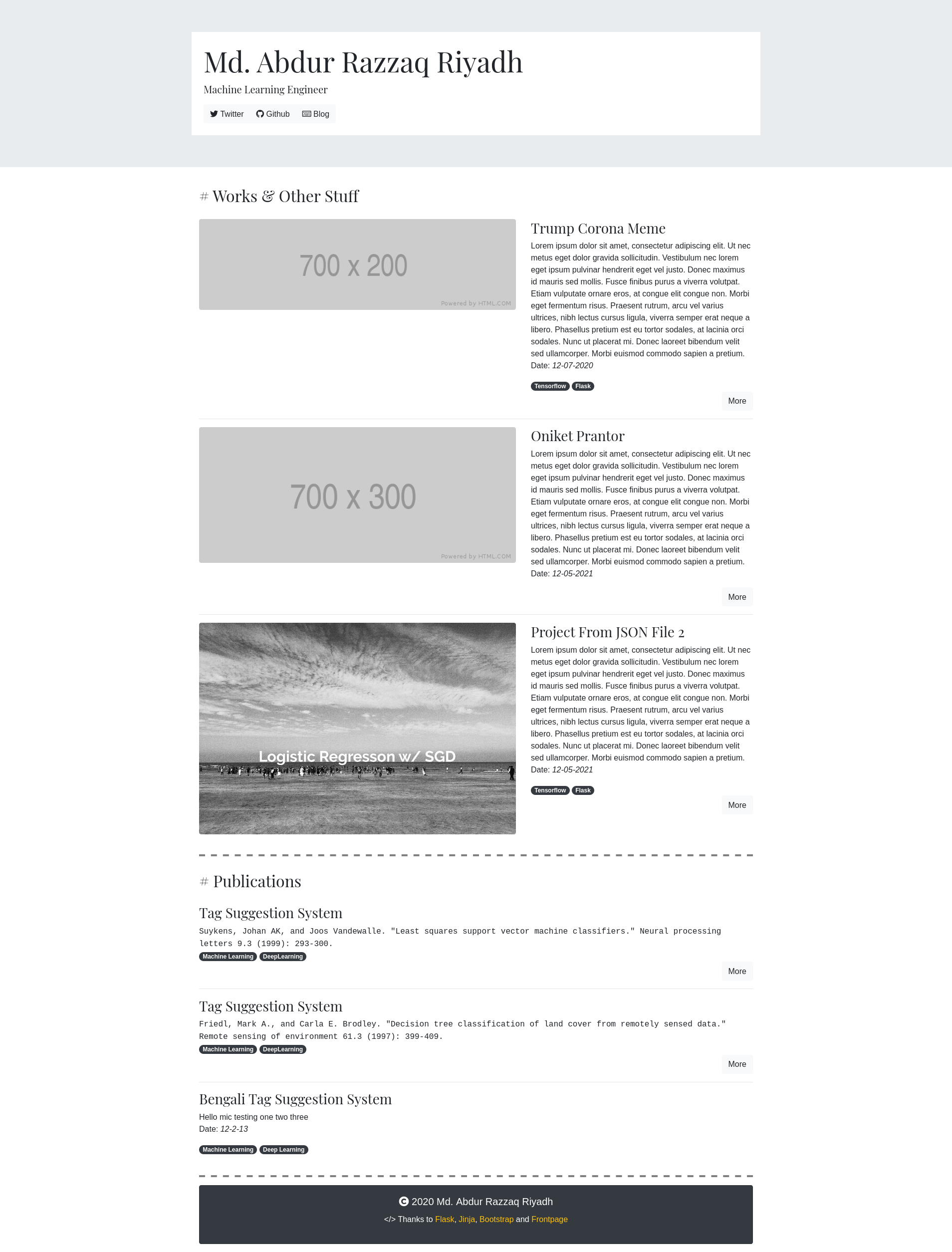
frontpage
A kinda-hackable portfolio app built with Flask and Bootstrap.
Flask · 作品集
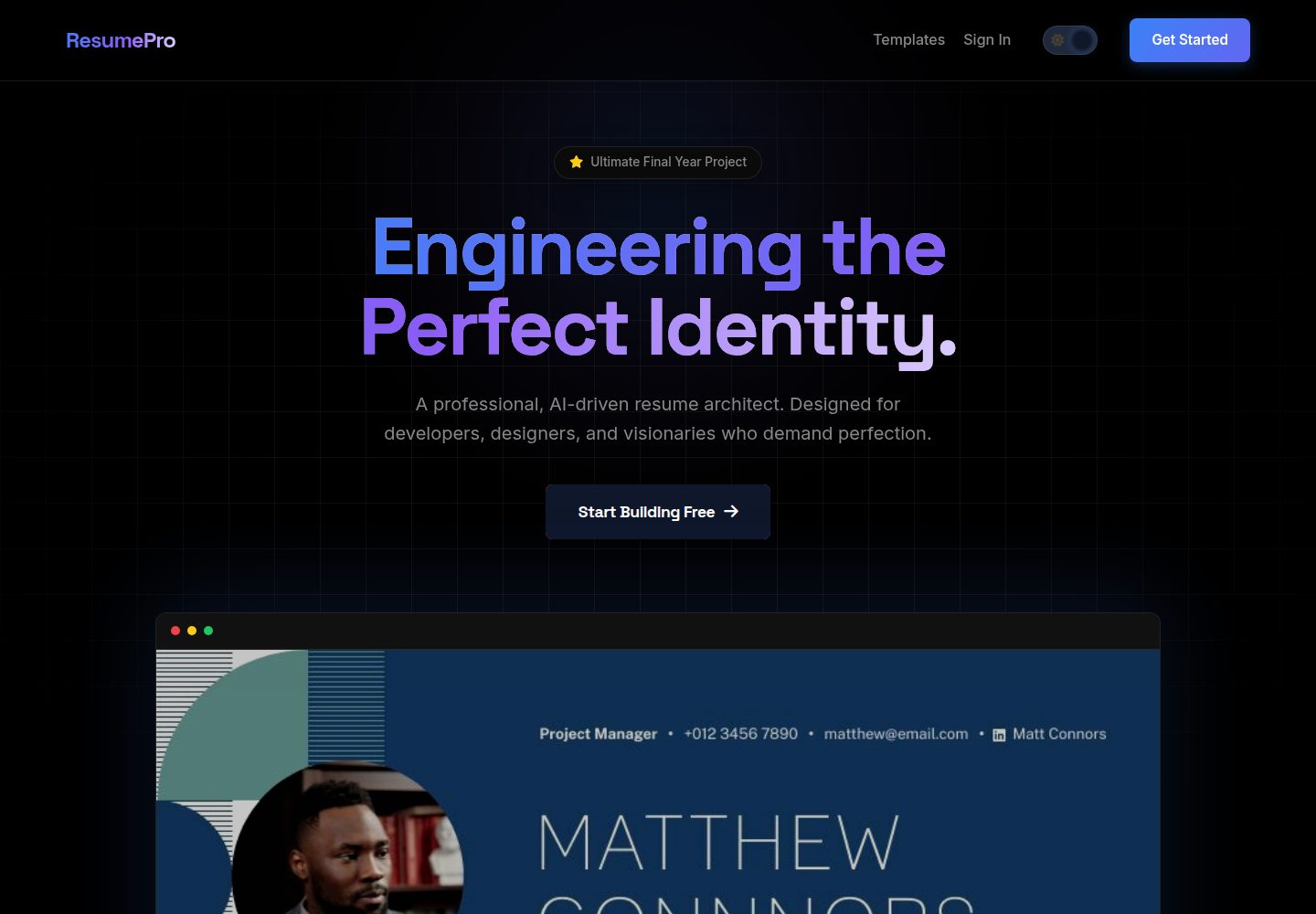
resume-builder
Production-grade SaaS Resume Builder featuring AI ATS scoring, 10+ dynamic templates, high-fidelity PDF export…
Flask · 作品集

al-folio
al-folio 是一个面向学者与研究人员的 Jekyll 作品集主题,设计简洁、响应式,适合搭建个人学术主页。
Jekyll · 作品集

simplefolio
⚡️ A minimal portfolio template for Developers
HTML · 作品集

Beautiful Jekyll
Beautiful Jekyll 是一个在 Jekyll 生态中经过长期打磨的博客主题,由 Dean Attali 维护,自 2015 年起积累了超过 5 万用户。
Jekyll · 博客

Freelancer
Freelancer 是 Start Bootstrap 出品的单页作品集模板,专为自由职业者、设计师和小型工作室设计。 页面结构清晰,包含多个内容区块、响应式作品集网格,每个作品项目配有模态窗口展示详情。
HTML · 作品集