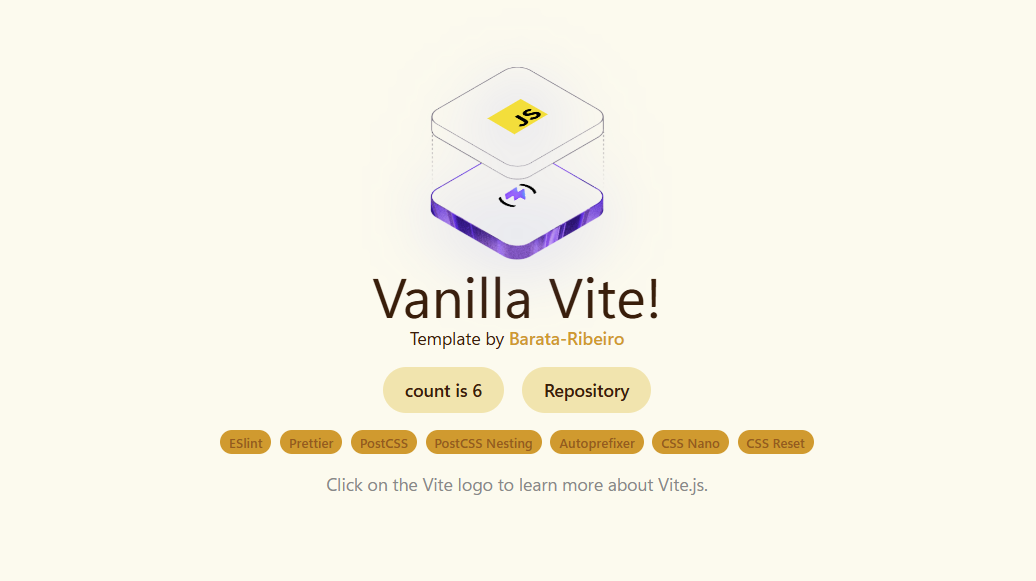
Vite-based vanilla JavaScript project structure with no frontend framework dependency
ViteHTMLStarter
vite-vanilla-js-template — Vite Starter Template
By Barata-Ribeiro
A Vite-based vanilla JavaScript starter template with built-in ESLint, Prettier, and PostCSS tooling for quickly starting a pure HTML/CSS/JS project.
Explore the design
Compare the page layouts and mobile experience. Open any screenshot for a closer look.
Author preview
Author-provided preview
Preview provided in the project README.
One original preview is available. Open the full image to inspect the design.
Screenshots show visual appearance; interactive behavior may differ.
Recorded 2026-10-02View source
What stands out
A quick read of the recorded project description.
Built-in ESLint (Flat Config) and Prettier, integrated into the Vite build process via plugins
Uses PostCSS with autoprefixer, cssnano, and postcss-nesting for styling
Includes the-new-css-reset as a base CSS reset
Provides npm scripts such as dev, lint, lint:fix, format, build, and preview
Supports obtaining the template via git clone or degit
Template Details
This is a Vite starter template for vanilla JavaScript, originally set up by the author for personal projects. It does not introduce a frontend framework; it only provides a Vite build process and a set of code quality and styling tools, making it suitable for projects that write HTML, CSS, and JavaScript from scratch.
The template is preconfigured with ESLint (using the Flat Config API) and Prettier, and integrates both into the Vite build process via plugins such as eslint-plugin-import, eslint-plugin-prettier, and eslint-config-prettier. For styling, it uses PostCSS with autoprefixer, cssnano, and postcss-nesting, and includes the-new-css-reset as a CSS reset.
There are two ways to use it: clone the repository directly with git, or pull the template into a new directory via degit. The README explicitly states that installing dependencies requires adding --legacy-peer-deps to avoid dependency conflicts related to ESLint 10; this flag can be removed once dependencies are updated. After cloning, manual cleanup is required: delete the .git directory and re-run git init, clear the README and example styles, remove example images and the .github directory, and update package.json and LICENSE.
Note that the template itself contains no page structure, components, or business logic, and provides no routing, state management, testing, or deployment configuration; these must be added by the user. The repository is released under the MIT license, but third-party assets such as example screenshots and icons require separate license verification.
ViteHTMLStarter
Is it right for your project?
Use Cases
- Starting a new project with vanilla HTML/CSS/JavaScript that does not need a framework
- Needing a Vite starting point with lint and formatting rules already configured
- Using modern CSS nesting and automatic prefixing in small pages, demos, or static sites
- Using it as a reference project for learning the Vite build process and ESLint/Prettier integration
Suitable For
- Developers who want to use vanilla JavaScript rather than a framework
- Personal projects or prototypes that need a lightweight build toolchain
- Developers accustomed to an ESLint + Prettier workflow
- Users willing to manually clean up example content after cloning
Getting started & customization
Use these recorded setup notes alongside the repository instructions for your chosen version.
- 1
After cloning, delete the .git directory and re-run git init, and clean up the README, example styles, example images, and the .github directory
- 2
When installing dependencies, use npm install --legacy-peer-deps as required by the README to avoid dependency conflicts related to ESLint 10
- 3
After cloning, update package.json and LICENSE as needed, and remove example code from src/js/main.js except for style imports
- 4
The template does not include routing, state management, testing, or deployment configuration; these must be added by the user
- 5
Licenses for third-party assets such as example screenshots and icons must be verified separately; do not judge solely based on the code's MIT license
License & source material
Usage conditions & limitations
Free to use · keep license noticeThis entry covers the free version from a public repository under the MIT license; the free scope is the code of this version and does not mean external services or third-party assets are free.
Must comply with when using
- Free use, modification, commercial use, and distribution of this version's code are permitted.
- When distributing copies or substantial portions of the code, retain the original author's copyright notice and the full MIT license notice.
- The code is provided as is; warranties and liability limitations are governed by the original license and applicable law.
Additional costs & items to verify
- When installing dependencies, the --legacy-peer-deps flag must be used; otherwise installation fails due to dependency conflicts related to ESLint 10. This flag can be removed only after dependencies are updated.
- After cloning, the .git directory must be deleted and git init re-run to clean up commit history; this is a manual cleanup step required before use.
- The LICENSE file must be adjusted by the user to fit their own project; the template does not handle attribution on their behalf.
- Example screenshots and icons must be deleted; licenses for these third-party assets must be verified separately and cannot be judged solely based on the code's MIT license.
- Demo images, fonts, icons, and other third-party assets must be checked against their respective licenses and cannot be judged solely based on the code's MIT license.
- External services such as domains, hosting, databases, payments, or AI may incur additional charges.
View Original Text Basis
Permission is hereby granted, free of charge
Original License Text
npm install --legacy-peer-deps
Original README
Remove the .git directory and run `git init` to clean the commit history.
Original README
Adapt the LICENSE file to your project.
Original README
https://github.com/Barata-Ribeiro/vite-vanilla-js-template/blob/main/LICENSEhttps://github.com/Barata-Ribeiro/vite-vanilla-js-template/blob/main/README.mdDelete `public/vite.svg`, `public/screenshot`, `src/assets/images/javascript.svg`, and `src/assets/images/vite.svg`.
Original README
Compiled by DeepSeek based on repository license and README ·2026-10-02. Results only cover the materials read; dependencies, images, fonts, and subsequent term changes are subject to their respective original texts.
Project checks & description sources
Template Information
- Source platforms
- GitHub
- Documentation and maintenance reference score
- More documented · 80 / 100
- Technologies
- Vite · HTML
- Website type
- Starter
How this score is calculated
Our heuristic uses license records (up to 30), a demo link (12), a preview (10), stars (15), recorded maintenance (15), description completeness (8), feature records (5) and classification data (5). It is not a code, security or performance test, or a Google score. A link does not establish tested functionality.
What to verify for this project
- Repository update recorded
- 2026-10-01
- Screenshot last checked
- 2026-10-02
No demo link is recorded. Use the repository instructions to evaluate the project locally; the screenshot alone cannot establish interactive behavior.
The catalog identifies Vite as the primary stack. Check the actual dependency manifest and lockfile for versions and hosting requirements. These notes use recorded metadata, not a code audit or a deployment test.
Use a selection guide →How this description was prepared
AI-assisted description based on catalog records and repository material. Repository authors are not automatically the reviewers of this description.
Automatically checked against source and license rules; no manual editorial review.
Inspect the recorded source material
SHA-256: f1bf73085ef2f942d013f88c095244620af5f201c26078601977f0200497c538
2026-10-02T11:37:36.015Z
Source file / repository# Vite Vanilla JS Template  Initially built for personal use, I created this template for starting a new project with Vite.js and Vanilla Javascript. It is already set up with standard development tools like ESLint and Prettier for easy code formatting and linting, with Vite for a robust, modern build process. ## Dependencies This template uses the following dependencies: - **[Vite](https://vitejs.dev/):** A next-generation frontend build tool that offers a fast dev server and optimized builds. - **[ESLint](https://eslint.org/):** An open-source JavaScript linting utility that helps maintain a consistent code style. - **[Prettier](https://prettier.io/):** An opinionated code formatter that enforces a consistent style across your project. - **[@eslint/js](https://www.npmjs.com/package/@eslint/js) and [eslint-config-prettier](https://www.npmjs.com/package/eslint-config-prettier):** The official ESLint recommended config via `@eslint/js` (used with ESLint v9) and a Prettier-compatible config that disables stylistic rules which might conflict with Prettier. - **[eslint-plugin-import](https://www.npmjs.com/package/eslint-plugin-import) and [eslint-plugin-prettier](https://www.npmjs.com/package/eslint-plugin-prettier):** ESLint plugins that enforce ES2015+ import/export syntax and integrate Prettier with ESLint. - **[autoprefixer](https://www.npmjs.com/package/autoprefixer) and [postcss](https://postcss.org/):** Autoprefixer automatically adds vendor prefixes to CSS, while PostCSS provides a way to transform CSS with JavaScript. - **[cssnano](https://cssnano.github.io/cssnano/):** A tool that helps to compress and optimize CSS files. - **[postcss-nesting](https://www.npmjs.com/package/postcss-nesting):** A PostCSS plugin that allows you to use modern CSS Nesting in your stylesheets. - **[vite-plugin-eslint](https://www.npmjs.com/package/vite-plugin-eslint):** Integrates ESLint into the Vite build process for on-the-fly linting. - **[the-new-css-reset](https://elad2412.github.io/the-new-css-reset/):** A modern, CSS reset for your styles. ## Cloning 1. To start using this template, clone the repository with this command: ```bash git clone https://github.com/Barata-Ribeiro/vite-vanilla-js-template.git ``` 2. Then proceed to the folder and install dependencies: ```bash cd vite-vanilla-js-template npm install --legacy-peer-deps # Until some deps are properly updated to work with eslint 10, use the --legacy-peer-deps flag to avoid dependency conflicts. Remove this flag once all dependencies are updated to work with eslint 10. ``` **or** ```bash npm install -g degit # if you don't have degit installed... #degit documentation at: https://github.com/Rich-Harris/degit ``` 1. Use 'degit' to create a folder project using this template: ```bash degit Barata-Ribeiro/vite-vanilla-js-template your-project-name ``` 2. Then proceed to the folder and install dependencies: ```bash cd your-project-name npm install --legacy-peer-deps # Until some deps are properly updated to work with eslint 10, use the --legacy-peer-deps flag to avoid dependency conflicts. Remove this flag once all dependencies are updated to work with eslint 10. ``` ## Post-Cloning Steps After cloning the template, make sure to clean up and update the following: 1. Remove the .git directory and run `git init` to clean the commit history. 2. Clean up the README.md file. 3. Adapt the LICENSE file to your project. 4. Delete `public/vite.svg`, `public/screenshot`, `src/assets/images/javascript.svg`, and `src/assets/images/vite.svg`. 5. Delete the content from `src/styles/style.css`. 6. In the `src/js/main.js` file, leave only these import statements: `import "../../styles/style.css";` and `import "the-new-css-reset/css/reset.css";`. 7. Adapt the `package.json` file with your project's own information. 8. Delete the .github folder. ## Scripts Use the following scripts for your development workflow: ```bash # Start the development server npm run dev # Checks your code for any linting errors npm run lint # Tries to automatically fix any linting errors present in your code npm run lint:fix # Formats your code in a consistent, predefined style using Prettier npm run format # Build for production npm run build # Preview the build npm run preview # Build and preview the project npm run buildpreview ``` ## Folder Structure This is the structure of the project: ```plaintext / ├── .github # Github actions and workflows ├── node_modules # Node.js dependencies for the project. ├── public # Public assets and resources ├── src # Source code │ ├── assets # General assets for your project │ │ ├── images # Store your images here │ ├── js # Javascript files of your project │ ├── styles # CSS styles for your project ├── .editorconfig # Configuration for the EditorConfig plugin ├── eslint.config.js # Configuration for ESLint (using the new Flat Config API) ├── .gitignore # Files and folders to be ignored by Git ├── .prettierignore # Files to be ignored by Prettier ├── .prettierrc # Configuration for Prettier ├── index.html # The HTML file for your project ├── LICENSE # The license for your project ├── package-lock.json # Lockfile for your project's dependencies ├── package.json # Defines your project and its dependencies ├── postcss.config.cjs # Configuration for PostCSS ├── README.md # This file ├── vite.config.js # Configuration for Vite ``` ## License This template was created under the [MIT License](LICENSE.md). **Happy coding!** 👨💻
Explore similar templates
Compare previews and descriptions within the same stack and category.

react-starter-kit
A full-stack SaaS monorepo starter built on Vite and React, with Bun, TypeScript, tRPC, Drizzle ORM, Better Auth, Stripe, and Cloudflare Workers. It includes email OTP, passkey, Google OAuth, organizations, subscription billing, Drizzle migrations, seed scripts, and Terraform infrastructure.
Vite · SaaS

cove
Cove is a minimal TanStack Start starter template maintained by mugnavo, integrating React, TanStack Router/Query, Tailwind CSS, shadcn/ui, Drizzle ORM with PostgreSQL, Better Auth, Vite Plus, and Nitro.
Vite · SaaS

vite-react-boilerplate
A production-ready Vite + React starter template with TypeScript, Tailwind CSS, TanStack Router/Query/Table, Storybook, React Hook Form + Zod, Vitest and Playwright testing, plus Husky/Commitizen/Commitlint commit conventions.
Vite · Starter

react-vite-admin
A backend management starter built on Vite and React, integrating Recoil, React Query, TypeScript, and Axios, with Ant Design-style interface screenshots. Suitable as a starting point for management-side projects, licensed under MIT, with Chinese documentation and common scripts.
Vite · Admin dashboard

typescript-react_best_practices-vite_template
A Vite + React + TypeScript starter template by CodelyTV, preconfigured with Jest and React Testing Library unit tests, Cypress end-to-end tests, ESLint and Prettier using Codely's shared configuration, GitHub Actions workflows, a Makefile, and Sass.
Vite · Starter

cloudflare-starter-kit
A Cloudflare Workers project scaffolding template maintained by kriasoft, using Vite and TypeScript, with three built-in workspaces: api, app, and edge, and preconfigured local testing, multiple environments, and a GitHub Actions deployment workflow.
Vite · Starter