Integrates Contentful with ready-to-use placeholder content
GatsbyHTMLReactStarter
gatsby-freelance-starter — Gatsby Starter Template
By blkfltchr
A Gatsby starter template for freelance projects, integrating Contentful content management and Netlify deployment, with placeholder content and a preconfigured contact form.
Explore the design
Compare the page layouts and mobile experience. Open any screenshot for a closer look.
Author preview
Author-provided preview
Preview provided in the project README.
One original preview is available. Open the full image to inspect the design.
Screenshots show visual appearance; interactive behavior may differ.
Recorded 2026-10-13View source
What stands out
A quick read of the recorded project description.
Integrates Netlify, including a preconfigured contact form
Built-in pagination logic and Theme UI theme configuration
SEO components support OpenGraph sharing and sitemap generation
Includes Google Analytics, progressive web app, and offline support
Provides Gatsby Standard and Stylelint code checking configurations
Template Details
This is a Gatsby starter for quickly building freelance project sites. The code is MIT-licensed, and the repository retains the original author's preview screenshots. The template is derived from gatsby-starter-gcn, combining Gatsby's static site generation with Contentful's content management and Netlify's hosting and form services.
Functionally, the template includes built-in Contentful integration with ready-to-use placeholder content, pagination logic, Theme UI theme configuration, SEO components (supporting OpenGraph sharing and sitemap generation), Google Analytics, progressive web app and offline support, and Gatsby Standard for JavaScript and Stylelint for Styled Components. Site metadata, menu links, posts per page, and post root path are adjusted centrally in siteMetadata in gatsby-config.js; colors, fonts, sizes, and responsive breakpoints are modified centrally in the Theme UI configuration file.
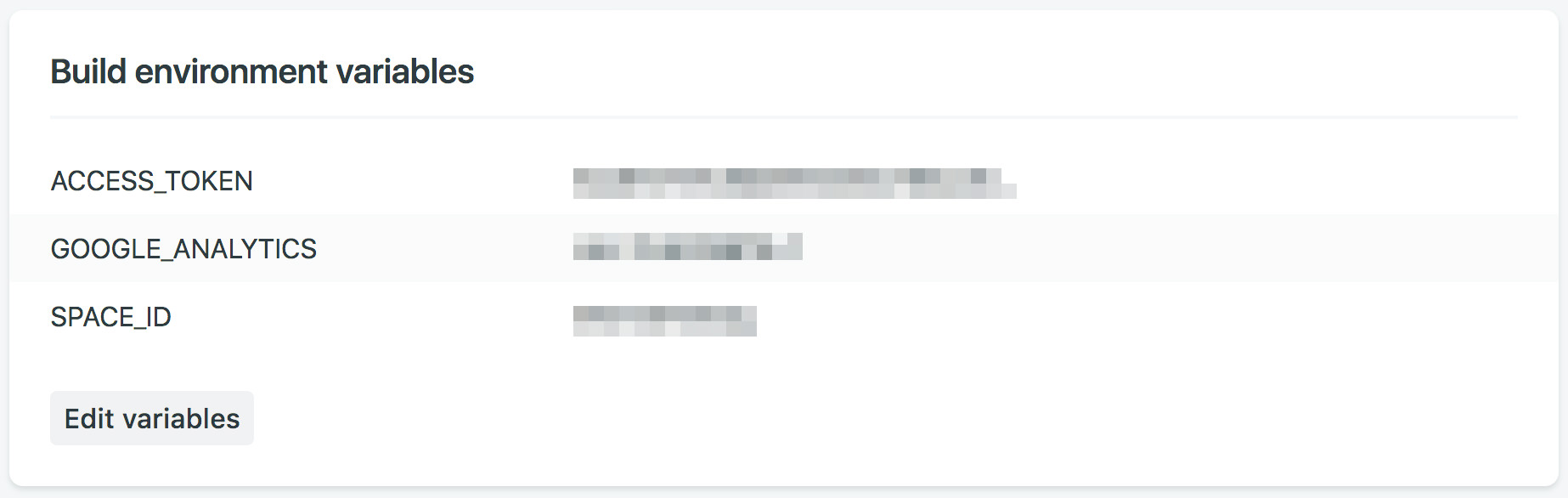
Before use, you need to register with Contentful and create an empty space, run npm run setup to enter the standard API key and management key, and import the placeholder content. When deploying to Netlify, configure ACCESS_TOKEN, SPACE_ID, and optionally GOOGLE_ANALYTICS in the build environment variables. The template organizes content in a blog structure by default, which can be changed to a portfolio path by modifying basePath. The README notes that during local development, changes to Contentful content require restarting gatsby develop to see updates, and no specific framework version numbers or performance details are provided.
GatsbyHTMLStarter
Is it right for your project?
Use Cases
- Building a site for freelancers that includes a blog, service descriptions, and a contact form
- Static site projects using Contentful as the content source and Netlify as the hosting platform
- Personal sites that need a paginated post list and SEO metadata management
- As a starting point for further development, replacing placeholder content to customize as a portfolio or service showcase page
Suitable For
- Front-end developers familiar with Gatsby and npm workflows
- Developers who already use or are willing to register with Contentful and Netlify
- Those who need quickly runnable placeholder content for customization
- Projects that accept organizing content in a blog structure and can change it to a portfolio path
Getting started & customization
Use these recorded setup notes alongside the repository instructions for your chosen version.
- 1
Create the project via Gatsby CLI with gatsby new, then run npm install
- 2
Register with Contentful and create an empty space, run npm run setup to enter the standard API key and management key
- 3
Configure ACCESS_TOKEN, SPACE_ID, and optionally GOOGLE_ANALYTICS in the Netlify build environment variables
- 4
Site metadata, menu links, and pagination parameters are modified in siteMetadata in src/gatsby-config.js
- 5
During local development, changes to Contentful content require restarting gatsby develop to see updates
License & source material
Usage conditions & limitations
Free to use · keep license noticeThis entry covers the free version in the public repository under the MIT license; the free scope is the code of this version and does not mean external services or third-party assets are free.
Must comply with when using
- Free use, modification, commercial use, and distribution of this version's code are permitted.
- When distributing copies or substantial portions of the code, retain the original author's copyright notice and the full MIT license notice.
- The code is provided as is; warranties and limitations of liability are governed by the original license and applicable law.
Additional costs & items to verify
- Demo images, fonts, icons, and other third-party assets must be checked against their respective licenses and cannot be judged solely by the code's MIT license.
- External services such as domains, hosting, databases, payments, or AI may incur additional charges.
- Before use, you must register a Contentful account and create an empty space; the template itself does not include a content management backend and depends on this third-party service.
- When running npm run setup, you must provide Contentful's standard API key and management key; without the keys, placeholder content cannot be imported.
- When deploying to Netlify, configure the ACCESS_TOKEN and SPACE_ID environment variables; the Google Analytics ID is optional; the variable names must match exactly to work properly.
- The Netlify deployment process requires connecting GitHub and selecting a repository; deployment depends on this external platform and a code hosting account.
- During local development, if you modify Contentful content, you must stop and rerun gatsby develop to see the changes; new posts or pages will not appear automatically.
View Original Text Basis
Permission is hereby granted, free of charge
Original License Text
1. [Sign up](https://www.contentful.com/sign-up/) for Contentful and create a new empty space
Original README
You will need to provide both a standard API key (first tab) and a management key (second tab).
Original README
Add the following environment variables using the Space ID and Content Delivery API - access token from Contentful. Additionally if desired you can enter a Google Analytics ID.
Original README
Connect with GitHub and select your repo
Original README
https://github.com/blkfltchr/gatsby-freelance-starter/blob/master/LICENSEhttps://github.com/blkfltchr/gatsby-freelance-starter/blob/master/README.mdIf you make edits to your Contentful space while running `gatsby develop` you will need to stop it and rerun the command to see the changes reflected.
Original README
Compiled by DeepSeek based on repository license and README ·2026-10-13. Results only cover the materials read; dependencies, images, fonts, and subsequent term changes are subject to their respective original texts.
Project checks & description sources
Template Information
- Source platforms
- GitHub
- Documentation and maintenance reference score
- Partly documented · 61 / 100
- Technologies
- Gatsby · HTML · React
- Website type
- Starter
How this score is calculated
Our heuristic uses license records (up to 30), a demo link (12), a preview (10), stars (15), recorded maintenance (15), description completeness (8), feature records (5) and classification data (5). It is not a code, security or performance test, or a Google score. A link does not establish tested functionality.
What to verify for this project
- Repository update recorded
- 2023-01-11
- Screenshot last checked
- 2026-10-13
No demo link is recorded. Use the repository instructions to evaluate the project locally; the screenshot alone cannot establish interactive behavior.
The catalog identifies Gatsby as the primary stack. Check the actual dependency manifest and lockfile for versions and hosting requirements. These notes use recorded metadata, not a code audit or a deployment test.
Use a selection guide →How this description was prepared
AI-assisted description based on catalog records and repository material. Repository authors are not automatically the reviewers of this description.
Review declaration: [email protected] · 2026-10-13
Inspect the recorded source material
SHA-256: 0abb7643bc7d8ca22f0e04ced036f700b65479005b492f5c1751a30e0c9553cb
2026-10-13T06:40:38.065Z
Source file / repository# gatsby-freelance-starter
A template to quickly and easily bootstrap freelance projects with Gatsby, Contentful and Netlify. Forked from [gatsby-starter-gcn](https://github.com/blkfltchr/gatsby-freelance-starter).
## Features
- Contentful integration with ready to go placeholder content
- Netlify integration including a pre-built contact form
- Minimal responsive design - made to customize or tear apart
- Pagination logic
- Theme UI
- SEO Friendly Component
- OpenGraph sharing support
- Sitemap Generation
- Google Analytics
- Progressive Web app
- Offline Support
- [Gatsby Standard module](https://www.npmjs.com/package/eslint-config-gatsby-standard) for linting Javascript with StandardJS
- Stylelint support for Styled Components to lint the CSS in JS
## Demo
https://gatsbyfreelancestarter.netlify.app/
## Getting Started
### Install
via the [Gatsby CLI](https://www.npmjs.com/package/gatsby-cli)
```
gatsby new [PROJECT_NAME] https://github.com/blkfltchr/gatsby-freelance-starter.git
cd [PROJECT_NAME]
npm install
```
### Setup Contentful
1. [Sign up](https://www.contentful.com/sign-up/) for Contentful and create a new empty space
2. `npm run setup`
3. Enter in the requested info for your Contentful space found here: **app.contentful.com** → **Settings** → **API keys**. You will need to provide both a standard API key (first tab) and a management key (second tab).
## Customization
### Website Data
Edit siteMeta data in [`/src/gatsby-config.js`](https://github.com/blkfltchr/gatsby-freelance-starter/blob/master/src/gatsby-config.js)
```js
siteMetadata: {
title: 'Gatsby Freelance Starter', // Title of the website
description: // Description of the website
'A template to quickly and easily bootstrap freelance projects with Gatsby, Contentful and Netlify.',
siteUrl: 'https://website.com', // Website URL. Do not include trailing slash
image: '/images/share.jpg', // Path to default image for SEO
menuLinks: [ // The links used in the top menu
{
name: 'Home',
slug: '/',
},
{
name: 'About',
slug: '/about',
},
{
name: 'Services',
slug: '/services',
},
{
name: 'Blog',
slug: '/blog',
},
{
name: 'Contact',
slug: '/contact',
},
],
postsPerFirstPage: 7, // Number of posts on the first page
postsPerPage: 6, // Number of posts used on all other pages
/*
Root URL for posts and tags
For example: 'blog' will result in:
- www.example.com/blog/
- www.example.com/blog/post-name/
*/
basePath: '/blog', // All posts default to /blog (change to /projects) if you replace the blog with a portfolio.
}
```
**Note:** If you do not see your changes reflected when developing locally you may need to run `gatsby clean` followed by restarting the server via `gatsby develop`.
### Theme UI
Edit [`/src/gatsby-plugin-theme-ui/index.js`](https://github.com/blkfltchr/gatsby-freelance-starter/blob/master/src/gatsby-plugin-theme-ui/index.js)
```js
export default {
colors: {
background: '#ffffff',
text: '#121212',
primary: '#121212',
secondary: '#e9e9e9',
tertiary: '#f3f3f3',
highlight: '#5b8bf7',
},
fonts: {
body:
'-apple-system, BlinkMacSystemFont, "Segoe UI", Roboto, Helvetica, Arial, sans-serif',
},
sizes: {
maxWidth: '1050px',
maxWidthCentered: '650px',
},
responsive: {
small: '35em',
medium: '50em',
large: '70em',
},
}
```
### Using Gatsby Standard
1. Quickly check your code for errors with the `yarn test` script
2. You can view the [Gatsby Standard README](https://github.com/brandonkal/eslint-config-gatsby-standard) for details on how to integrate this project's included Gatsby Standard, Stylelint, and Prettier modules into your text editor
### Content and SEO
1. You can replace the `share.jpg` and `favicon.png` files in the `static/images` directory.
2. Meta descriptions are defined in Contentful. If you choose to leave this field blank on new posts a 320 character excerpt of the post/page will be used instead.
## Deployment
### Netlify Deployment From Git
1. [New Netlify website from Git](https://app.netlify.com/start)
2. Connect with GitHub and select your repo
3. Navigate to Netlify: **Settings** → **Build & Deploy** → **Build Environment Variables**. Add the following environment variables using the Space ID and Content Delivery API - access token from Contentful. Additionally if desired you can enter a Google Analytics ID. The variables must be named exactly like this in order to work properly.
```
ACCESS_TOKEN
SPACE_ID
GOOGLE_ANALYTICS
```

4. Navigate to Netlify: **Deploys**. Click `Trigger deploy` to manually trigger a deploy to confirm the website is building successfully using your build environment variables. At this point be aware that every time you push to `master` a deploy will automatically start and be published to production.
## Additional Settings
### Contentful Webhook
So that every time you publish to Contentful a deploy will automatically start and be published to production.
1. Navigate to Netlify:
**Settings** → **Build & Deploy** → **Scroll down to Build hooks**.
Add and save a new build hook and call it: `Contentful build hook`. Copy the build hook url.
2. Navigate to Contentful:
**app.contentful.com** → **Space Settings** → **Webhooks**. Create a webhook using the Netlify build URL that you just created
and configure which events should trigger the build on production. For example the following will rebuild the production website every time a post or page is published, unpublished or deleted:

### Netlify Form Notifications
1. Navigate to Netlify:
**Forms** → **Notifications**
2. Click the add notification dropdown and select your desired notification method.

## Useful Tips
- If you make edits to your Contentful space while running `gatsby develop` you will need to stop it and rerun the command to see the changes reflected. For example a new post or page will not automatically show up until the website has been rebuilt.
Explore similar templates
Compare previews and descriptions within the same stack and category.

gatsby-starter-gcn
A Gatsby starter for building static blogs with Contentful and Netlify.
Gatsby · Blog

gatsby-starter-morning-dew
A Gatsby and React blog starter/theme that uses Markdown or MDX for posts, supports multilingual content, dark mode, tag grouping, PWA, and Disqus comments, and is MIT licensed.
Gatsby · Blog

starter-gatsby-blog
A community-maintained Gatsby blog starter for Contentful, with a simple content model, npm run setup import, Sync API support, and gatsby-plugin-image. Suitable for quickly building a CMS-driven static blog or learning Gatsby and Headless CMS integration.
Gatsby · 社区

automatic-gatsbyjs-app-landing-page
A GatsbyJS template for iOS app landing pages, ported from Emil Baehr's Automatic App Landing Page. Configure content in site-config.js without writing HTML or CSS, upload video previews or screenshots, and deploy via Netlify or build for GitHub Pages.
Gatsby · Tool Site
gatsby-starter-cv
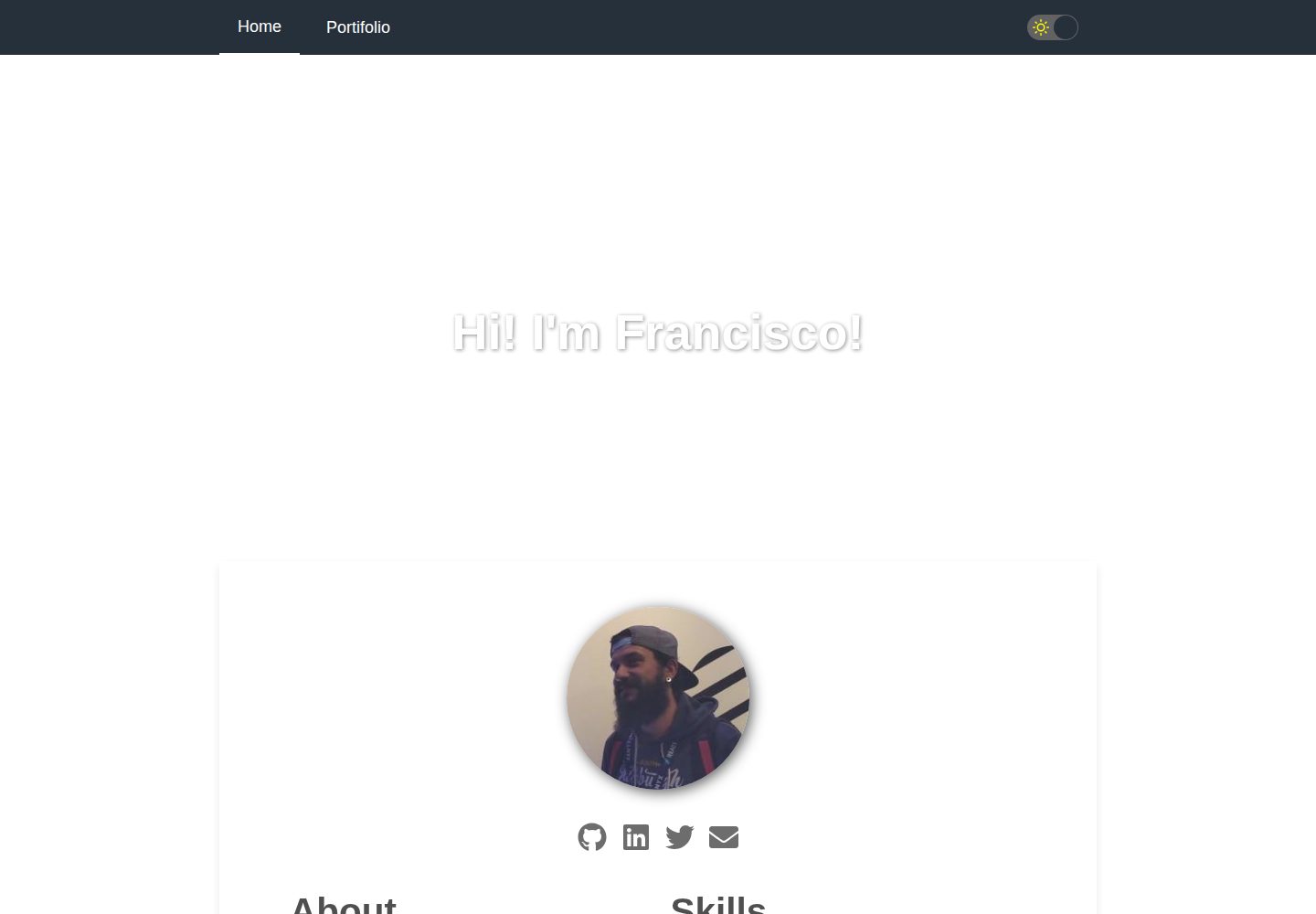
A Gatsby and React starter for building a responsive personal digital resume. It includes sections for About, Skills, Job experiences, GitHub repositories, and Portfolio, with all personal data configured in data/siteConfig.js.
Gatsby · Starter

clay-theme
Clay is an image-centric Gatsby theme for publishers, portfolios, and photography blogs. It includes PWA support, a preconfigured Netlify/Decap CMS, PurgeCSS, Netlify deployment settings, and Netlify Forms.
Gatsby · Portfolio