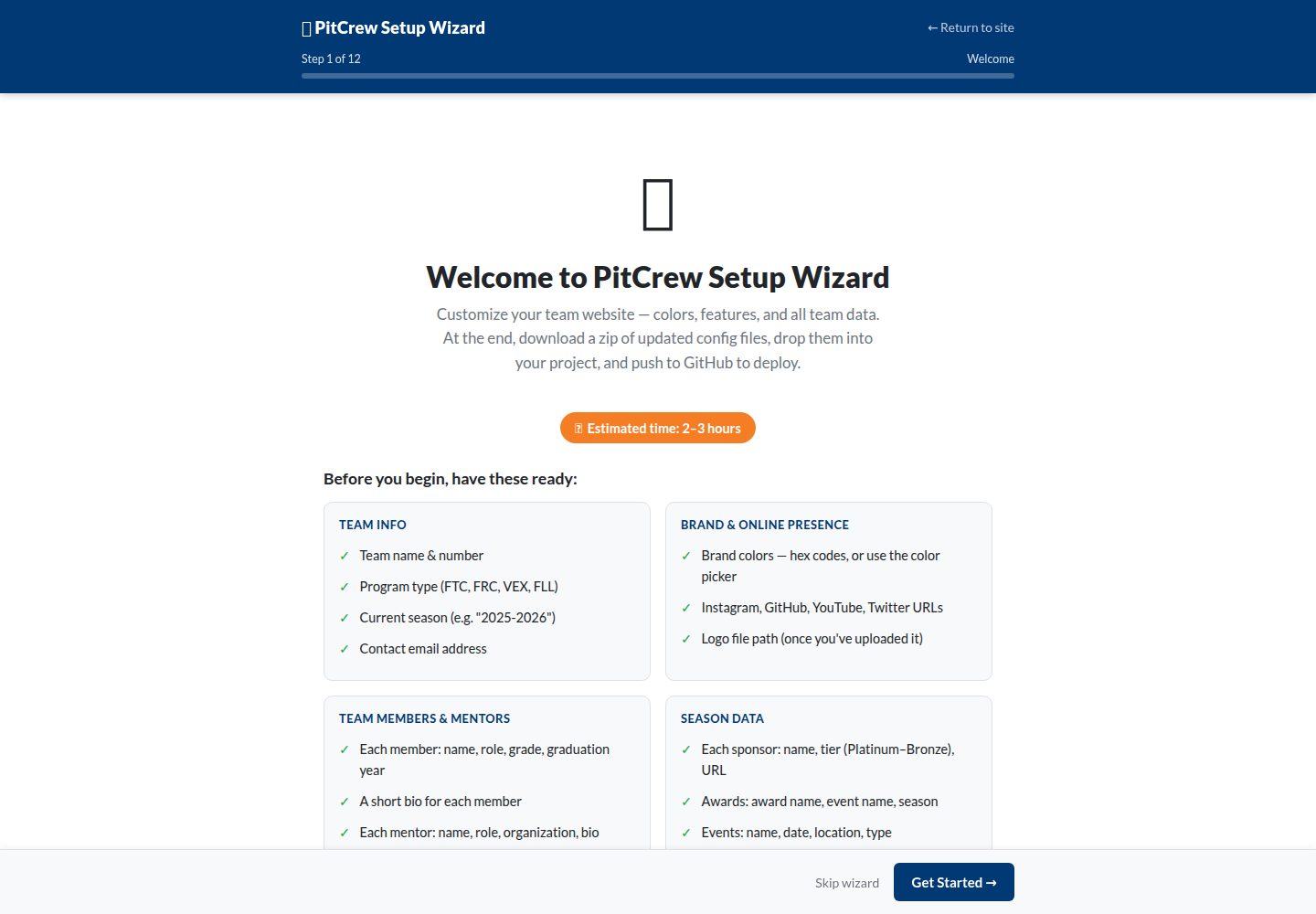
Provides a setup wizard that configures the site through an 11-step form and downloads the configuration file, without directly editing files
JekyllStarter
pitcrew — Jekyll Starter Template
By braineatingmachines
PitCrew is a free, open-source Jekyll-based website template for competitive robotics teams such as FTC, FRC, and VEX, offering a configuration wizard and data-file-driven site building.
Explore the design
Compare the page layouts and mobile experience. Open any screenshot for a closer look.
Desktop homepage1 / 2
Desktop captureTop of page
Actual screenshot captured by the server browser.
All pages & views 2
Screenshots show visual appearance; interactive behavior may differ.
Recorded 2026-10-03View source
What stands out
A quick read of the recorded project description.
Content is organized via _config.yml and _data/*.yml data files, making it easy to maintain team, sponsor, award, event, and other information
Built-in sections include team roster, season pages, blog, tiered sponsor display, awards, event calendar, documentation, judges mode, and search
Supports dark mode, high-contrast accessibility mode, and responsive layout
Includes a 3D robot model viewer that can embed robot CAD models
A graduation year field can automatically archive graduated members to an alumni page
Template Details
PitCrew is a Jekyll template published by braineatingmachines on GitHub for building showcase websites for competitive robotics teams. Template content is driven by _config.yml and _data/*.yml data files, covering sections such as team information, members, mentors, sponsors, awards, events, blog, and season pages, and it provides a setup wizard (/wizard/) that generates configuration files via a form. The site can be deployed on GitHub Pages and built automatically through GitHub Actions. The template includes an MIT license, allowing free use, modification, and distribution, but third-party assets such as demo images, fonts, and icons require separate license verification. The README mentions an experimental i18n branch supporting six languages: en, fr, de, es, zh, and ja; that branch is not part of the default version.
JekyllStarter
Is it right for your project?
Use Cases
- Competitive robotics teams such as FTC, FRC, VEX, and FLL building a public showcase website
- Robotics teams organizing competition results, robot descriptions, and engineering documentation by season
- Teams publishing recruitment information, sponsor showcases, and event updates
- Hosting a team site on GitHub Pages and updating content by committing data files
Suitable For
- Robotics teams that want to quickly launch a team website and are not familiar with front-end development
- Teams that need to archive content by season and manage member, mentor, and sponsor information
- Teams using GitHub for collaboration and willing to maintain site content through YAML files
- Competition teams that need judge-friendly pages and engineering documentation display
Getting started & customization
Use these recorded setup notes alongside the repository instructions for your chosen version.
- 1
Recommended to first fork the repository and set Source to GitHub Actions in GitHub Pages settings
- 2
You can use the /wizard/ wizard to generate configuration files, or directly edit _config.yml and _data/*.yml
- 3
Images need to be uploaded to the corresponding subdirectories under assets/images/ and referenced by path in data files
- 4
Local development is optional and requires installing a Jekyll environment yourself
- 5
The experimental i18n branch supports multiple languages, but it is not in the default branch; switch branches before use
License & source material
Usage conditions & limitations
Free to use · keep license noticeThis entry covers the free version under the MIT license in the public repository; the free scope applies to that version's code and does not imply that external services or third-party assets are free.
Must comply with when using
- Free use, modification, commercial use, and distribution of this version's code are permitted.
- When distributing copies or substantial portions of the code, retain the original author's copyright notice and the full MIT license notice.
- The code is provided as is; warranties and limitations of liability are governed by the original license and applicable law.
Additional costs & items to verify
- Demo images, fonts, icons, and other third-party assets must be checked against their respective licenses and cannot be judged solely by the code's MIT license.
- External services such as domains, hosting, databases, payments, or AI may incur separate charges.
View Original Text Basis
https://github.com/braineatingmachines/pitcrew/blob/main/LICENSEhttps://github.com/braineatingmachines/pitcrew/blob/main/README.mdPermission is hereby granted, free of charge
Original License Text
Compiled by DeepSeek based on repository license and README ·2026-10-03. Results only cover the materials read; dependencies, images, fonts, and subsequent term changes are subject to their respective original texts.
Project checks & description sources
Template Information
- Source platforms
- GitHub
- Documentation and maintenance reference score
- More documented · 83 / 100
- Technologies
- Jekyll
- Website type
- Starter
How this score is calculated
Our heuristic uses license records (up to 30), a demo link (12), a preview (10), stars (15), recorded maintenance (15), description completeness (8), feature records (5) and classification data (5). It is not a code, security or performance test, or a Google score. A link does not establish tested functionality.
What to verify for this project
- Repository update recorded
- 2026-07-01
- Screenshot last checked
- 2026-10-03
A demo link is listed. Check it with your own content and viewport sizes; its presence does not confirm that forms, authentication or payments work.
The catalog identifies Jekyll as the primary stack. Check the actual dependency manifest and lockfile for versions and hosting requirements. These notes use recorded metadata, not a code audit or a deployment test.
Use a selection guide →How this description was prepared
AI-assisted description based on catalog records and repository material. Repository authors are not automatically the reviewers of this description.
Review declaration: [email protected] · 2026-10-04
Inspect the recorded source material
SHA-256: a90324210866018328d77b0b549e15372de81ff5aa2b037a923af0013e4bfc72
2026-10-03T16:28:02.975Z
Source file / repository# PitCrew A free, open-source website template for robotics teams. Get your team's professional portfolio website up and running in minutes — no coding experience required.    > There is an experimental [`i18n`](https://github.com/braineatingmachines/pitcrew/tree/i18n) branch which supports `en, fr, de, es, zh, ja`. --- ## Table of Contents - [What is PitCrew?](#what-is-pitcrew) - [Features](#features) - [Quick Start](#quick-start) - [Option A: Setup Wizard (Recommended)](#option-a-setup-wizard-recommended) - [Option B: Manual Setup](#option-b-manual-setup) - [Customization Guide](#customization-guide) - [Team Information](#changing-your-team-information) - [Team Members](#adding-team-members) - [Mentors](#adding-mentors) - [Sponsors](#adding-sponsors) - [Awards](#adding-awards) - [Events](#adding-events) - [Blog Posts](#writing-blog-posts) - [Pages](#editing-pages) - [Photos & Logo](#adding-photos) - [Season Pages](#updating-your-season-page) - [Advanced Features](#advanced-features) - [Custom Colors](#custom-colors) - [Hero Background Image](#hero-background-image) - [Feature Flags](#disabling-features) - [3D Robot Viewer](#3d-robot-viewer) - [Local Development](#local-development-optional) - [File Structure](#file-structure) - [Troubleshooting](#troubleshooting) - [Contributing](#contributing) --- ## What is PitCrew? PitCrew is a ready-to-use website template designed specifically for competitive robotics teams. Just like your pit crew keeps your robot running at competitions, this template keeps your online presence running smoothly. **Perfect for:** FTC · FRC · VEX · any competitive robotics team **No coding required** — edit text files or use the built-in wizard, and your site updates automatically. --- ## Features | Feature | Description | |---------|-------------| | **Setup Wizard** | Guided UI to configure your entire site — no file editing needed | | **Responsive Design** | Looks great on phones, tablets, and desktops | | **Dark Mode** | Easy on the eyes with automatic dark/light switching | | **Team Roster** | Showcase your team members with photos and bios | | **Season Pages** | Organize content by competition season | | **Blog/News** | Share updates, competition recaps, and announcements | | **Sponsor Showcase** | Display sponsors in tiered sections (Platinum, Gold, Silver, Bronze) | | **Awards Display** | Show off your team's achievements | | **Event Calendar** | List upcoming competitions and outreach events | | **Documentation** | Technical docs section for engineering portfolio | | **3D Robot Viewer** | Interactive 3D model viewer for your robot CAD | | **Judge Mode** | Printer-friendly page for competition judges | | **Accessibility** | High contrast mode for better readability | | **Search** | Find content across your entire site | | **Auto-Deploy** | Push changes and your site updates automatically | | **Alumni Archive** | Automatically moves graduated members to alumni page | --- ## Quick Start ### Option A: Setup Wizard (Recommended) The wizard is the fastest way to get your site configured. It walks you through every setting — colors, team data, features, navigation — with a live preview. No file editing needed. **Before you start, have these ready** (~2–3 hours to complete): | Category | What you need | |---|---| | Team Info | Team name, number, program (FTC/FRC/VEX/FLL), current season | | Brand | Primary and secondary colors (hex codes, or use the color picker) | | Online | Instagram, GitHub, YouTube, Twitter URLs · contact email | | People | Each member: name, role, grade, grad year, bio · Each mentor: name, role, org, bio | | Season | Sponsors (name, tier, URL) · Awards (name, event, season) · Events (name, date, location, type) | > **Photos and logos** are referenced by file path (e.g. `/assets/images/photo.jpg`). Upload image files to your project separately — fields left blank use a placeholder automatically. **How to use the wizard:** 1. Fork this repository and enable GitHub Pages (see [Step 1–2 below](#1-fork-this-repository)) 2. Visit `/wizard/` on your live site — or it launches automatically on first visit 3. Work through the 11 steps (save progress at any point using the **Save Progress** button) 4. On the final Review step, click **Download pitcrew-config.zip** 5. Extract the zip, copy the files into your local repo, and push to GitHub: ```bash git add _config.yml _data/ git commit -m "Initial site setup via wizard" git push ``` **Need to stop partway through?** Click **Save Progress** on any step to download `pitcrew-progress.zip`. Copy those files into your project and commit — your data is preserved. When you return to `/wizard/` later, all saved data is already in place. --- ### Option B: Manual Setup Prefer editing files directly? Here's the four-step path. #### 1. Fork this Repository 1. Click **"Fork"** at the top-right of this page 2. Your fork will be at `github.com/YOUR-USERNAME/pitcrew` #### 2. Enable GitHub Pages 1. Go to **Settings** → **Pages** in your fork 2. Set **Source** to **"GitHub Actions"** 3. Click **Save** #### 3. Edit Your Team Info Open `_config.yml` (pencil icon on GitHub) and update: ```yaml title: "Your Team Name Robotics" description: "Your team's tagline or mission statement" site: team_name: "Your Team Name" team_number: "12345" program: "FTC" # FTC | FRC | VEX | FLL current_season: "2025-2026" ``` Commit the change. #### 4. Wait for Deployment Go to the **Actions** tab — wait for the workflow to show a green checkmark (~2–3 min). Your site is live at `https://YOUR-USERNAME.github.io/pitcrew`. See the [Customization Guide](#customization-guide) below to continue filling in your team's data. --- ## Customization Guide All content lives in two places: `_config.yml` (settings, colors, navigation) and `_data/*.yml` (team, sponsors, events, etc.). Edit either on GitHub directly or use the [Setup Wizard](#option-a-setup-wizard-recommended). ### Changing Your Team Information Edit `_config.yml`: ```yaml title: "Thunderbolts Robotics" description: "Building robots, building futures" site: team_name: "Thunderbolts" team_number: "12345" program: "FTC" current_season: "2025-2026" logo: "/assets/images/logo.png" socials: instagram: "https://instagram.com/thunderbolts12345" github: "https://github.com/thunderbolts12345" youtube: "https://youtube.com/@thunderbolts12345" twitter: "https://twitter.com/thunderbolts" email: "[email protected]" fundraising: enabled: true url: "https://gofundme.com/your-campaign" text: "Support Our Team" ``` ### Adding Team Members Edit `_data/team.yml`: ```yaml - name: Sarah Chen role: Team Captain grade: 12 graduation_year: 2026 bio: "3-year team member passionate about mechanical engineering." image: /assets/images/team/sarah.jpg skills: - Leadership - Strategy - CAD Design - name: Marcus Johnson role: Programming Lead grade: 11 graduation_year: 2027 bio: "Specializes in autonomous routines and computer vision." image: /assets/images/team/marcus.jpg skills: - Java - Python - Computer Vision ``` > The `graduation_year` field drives automatic alumni archival — graduated members move to the alumni page at the start of each season. ### Adding Mentors Edit `_data/mentors.yml`: ```yaml - name: Dr. Emily Rodriguez role: Lead Mentor bio: "Mechanical engineer at Boeing with 10 years of robotics mentoring experience." image: /assets/images/placeholder.svg organization: Boeing - name: James Park role: Programming Mentor bio: "Software developer who loves teaching students about real-world coding practices." image: /assets/images/placeholder.svg organization: Microsoft ``` ### Adding Sponsors Edit `_data/sponsors.yml`. Tiers: `platinum` · `gold` · `silver` · `bronze`. ```yaml - name: TechCorp Industries tier: platinum logo: /assets/images/sponsors/techcorp.png url: https://techcorp.example.com - name: Community Bank tier: gold logo: /assets/images/sponsors/bank.png url: https://communitybank.example.com - name: Local Hardware Store tier: silver logo: /assets/images/placeholder.svg url: https://hardware.example.com - name: Smith Family Foundation tier: bronze url: https://example.com ``` ### Adding Awards Edit `_data/awards.yml`: ```yaml - name: Inspire Award event: State Championship season: 2024-2025 description: "Highest honor recognizing teams that embody the mission of FIRST." - name: Think Award event: League Championship season: 2024-2025 description: "Excellence in engineering documentation and the design process." ``` ### Adding Events Edit `_data/events.yml`. Types: `competition` · `outreach` · `event`. ```yaml - name: League Meet 1 date: 2026-01-18 location: Lincoln High School type: competition description: "First qualifying meet of the season." - name: STEM Night at Elementary School date: 2026-01-25 location: Maple Elementary type: outreach description: "Robot demonstration for elementary students." ``` ### Writing Blog Posts Create a file in `_posts/` named `YYYY-MM-DD-title-here.md`: ```markdown --- layout: post title: "League Meet 1 Recap: Great Start to the Season!" date: 2026-01-20 author: Sarah Chen categories: [competition, recap] tags: [league-meet, awards] description: "A summary of our performance at League Meet 1." image: /assets/images/placeholder.svg --- We had an amazing time at League Meet 1 this weekend! ## Results Our robot finished with a 4-1 record in qualifying matches. ## What We Learned 1. Our intake needs faster cycle times 2. Driver practice paid off — much smoother than scrimmages ## Next Steps - Redesigning the intake rollers - Adding sensors for automatic alignment ``` ### Editing Pages Each main page is a Markdown file — click it on GitHub, hit the pencil icon, and commit: | File | Page | |------|------| | `index.md` | Home page | | `about.md` | About Us | | `sponsors.md` | Sponsors | | `awards.md` | Awards | | `contact.md` | Contact | | `season.md` | Current season overview | | `news.md` | Blog/news listing | | `handbook.md` | Team handbook | | `judge-mode.md` | Judge-friendly summary | ### Adding Photos Upload images to the appropriate subfolder and reference them by path: | What | Folder | Used in | |------|--------|---------| | Team member photos | `assets/images/team/` | `_data/team.yml` → `image:` | | Sponsor logos | `assets/images/sponsors/` | `_data/sponsors.yml` → `logo:` | | Season photos / robot / gallery | `assets/images/seasons/YYYY-YYYY/` | Season front matter → `hero_image:` | | Site logo | `assets/images/` | `_config.yml` → `site.logo:` | **Photo tips:** Square crops work best for team photos · landscape (16:9+) works best for hero images · keep files under 500 KB · JPG for photos, PNG for logos. --- ## Updating Your Season Page Each season has its own file at `_seasons/YYYY-YYYY.md`: ```markdown --- layout: season title: "2025-2026 Season" season: "2025-2026" game_name: "INTO THE DEEP" robot_name: "Phoenix" # hero_image: /assets/images/seasons/2025-2026/robot.jpg # Optional: replaces hero gradient with a photo --- ## Robot Overview Phoenix features mecanum wheels, dual-stage linear slides, and a compliant-wheel intake. ## Competition Results | Event | Date | Rank | Awards | |-------|------|------|--------| | League Meet 1 | Jan 18 | 3rd | Think Award | ## Outreach This season we've reached 400+ students through 6 STEM workshops and 3 library events. ``` To archive last season, leave its file in place at `_seasons/2024-2025.md` — it will appear automatically in the archive. --- ## Advanced Features ### Custom Colors Edit `_config.yml` — **this is the only file you need to change**. No CSS rebuild required; colors are injected into every page at build time as CSS custom properties. ```yaml theme: colors: primary: "#003974" # Buttons, links, gradients primary_highlight: "#002855" # Hover states, gradient midpoint primary_darkest: "#001a3d" # Hero gradient end stop secondary: "#F57E25" # Accent color (highlights, badges) secondary_highlight: "#d96a1f" # Accent hover states success: "#28a745" info: "#17a2b8" warning: "#f0b37e" danger: "#dc3545" sponsor_platinum: "#9ca3af" sponsor_gold: "#eab308" sponsor_silver: "#d1d5db" sponsor_bronze: "#92400e" dark_mode: true # true = dark mode on by default ``` All components reference these variables — never hardcoded values — so a single edit propagates everywhere. The [Setup Wizard](#option-a-setup-wizard-recommended) includes a live color preview that shows exactly how your choices look before you download. ### Hero Background Image The hero banner at the top of every page uses a color gradient by default. You can replace it with a photo — site-wide or per-season. **Site-wide** — applies to every page unless a season overrides it: ```yaml # _config.yml site: hero_image: "/assets/images/hero.jpg" ``` **Per-season** — each season can show its own robot photo. Add `hero_image` to the season's front matter: ```yaml # _seasons/2025-2026.md --- layout: season season: "2025-2026" hero_image: /assets/images/seasons/2025-2026/robot.jpg --- ``` The season-level setting takes priority over the site-wide one. If neither is set, the gradient is shown. **Photo tips:** Landscape orientation (16:9 or wider) works best · keep files under 1 MB · a dark overlay is applied automatically so white text remains readable. Store season photos in `assets/images/seasons/YYYY-YYYY/`. --- ### Disabling Features ```yaml features: blog: true docs: true cad_viewer: false # 3D model viewer circuit_viewer: false # Electrical schematic viewer search: true alumni_auto_archive: true accessibility_toggle: false # Accessibility mode toggle (disabled by default) ``` Disabled features are not built and won't appear in navigation. ### 3D Robot Viewer 1. Export your CAD as GLTF or GLB format 2. Upload to `assets/models/robot.glb` 3. Add to your season page: ```liquid {% include components/robot-viewer.html model_src="/assets/models/robot.glb" alt_text="3D model of Phoenix robot" %} ``` --- ## Local Development (Optional) Preview changes on your computer before publishing. ### Prerequisites | Tool | Version | Install | |------|---------|---------| | Ruby | 3.0+ | Mac: `brew install ruby` · Windows: [rubyinstaller.org](https://rubyinstaller.org/) | | Node.js | 18+ | [nodejs.org](https://nodejs.org/) | | Git | any | Mac: `brew install git` · Windows: [git-scm.com](https://git-scm.com/) | ### Setup ```bash git clone https://github.com/YOUR-USERNAME/pitcrew.git cd pitcrew bundle install npm install npm run build:css bundle exec jekyll serve ``` Open `http://localhost:4000`. ### Making and Pushing Changes ```bash git add . git commit -m "Description of your changes" git push ``` Your live site updates in 2–3 minutes. ### CSS Rebuild `npm run build:css` compiles Tailwind into `assets/css/output.css`. **You only need this if you're modifying `main.css` itself** — adding new component classes, changing layout styles, etc. For color changes, skip it entirely — colors live in `_config.yml` and are injected by Jekyll at build time. To auto-recompile while editing `main.css`: ```bash npm run watch:css ``` --- ## File Structure ``` pitcrew/ ├── _config.yml # ⭐ Main settings (team name, colors, features) ├── _data/ # ⭐ Your content data │ ├── team.yml # Team members │ ├── mentors.yml # Mentors │ ├── alumni.yml # Graduated members │ ├── sponsors.yml # Sponsors │ ├── awards.yml # Awards │ └── events.yml # Events ├── _posts/ # ⭐ Blog posts ├── _layouts/ # Page templates ├── _includes/ # Reusable components ├── assets/ │ ├── images/ # ⭐ Your images and logos │ │ ├── team/ # Team member photos │ │ ├── sponsors/ # Sponsor logos │ │ └── seasons/ # Season photos (robot, gallery, hero) │ │ ├── 2025-2026/ │ │ └── 2024-2025/ │ ├── models/ # 3D robot models (GLTF/GLB) │ ├── css/ # Stylesheets │ └── js/ # JavaScript ├── _docs/ # ⭐ Documentation pages ├── _seasons/ # ⭐ Season-specific pages │ ├── 2025-2026.md │ └── 2024-2025.md ├── wizard.md # Setup wizard entry point (/wizard/) ├── .github/workflows/ # Automated deployment ├── index.md # ⭐ Home page ├── about.md # ⭐ About page └── ... (other pages) ⭐ = Files you'll commonly edit ``` --- ## Troubleshooting **Changes aren't showing up** 1. Check the **Actions** tab — look for a green checkmark 2. If there's a red X, click it to see the error 3. After the green checkmark, wait 2–3 minutes, then hard-refresh (`Cmd+Shift+R` / `Ctrl+Shift+R`) **Site looks broken** Usually a YAML syntax error. Check: - All quotes are matched (`"text"` not `"text`) - Colons have a space after them (`key: value`) - Indentation uses spaces, not tabs **Images aren't loading** - Paths are case-sensitive on Linux hosts - Confirm the file was uploaded and the path matches exactly (starting with `/assets/images/`) **Wizard keeps redirecting on startup** Set `startup_wizard: false` in `_config.yml`, or check **"Skip wizard on startup"** on the wizard's Review step before downloading. **Something's broken and I want to undo it** GitHub keeps full history. Go to the file → click **History** → find a working version → **"..." → "Revert changes"**. --- ## Getting Help - **Issues:** Open an issue on this repository - **Discussions:** Use GitHub Discussions for questions - **FIRST Forums:** Ask the broader community --- ## Contributing Found a bug? Have an idea? Contributions are welcome. 1. Fork this repository 2. Create a branch: `git checkout -b feature/amazing-feature` 3. Make your changes and commit: `git commit -m 'Add amazing feature'` 4. Push: `git push origin feature/amazing-feature` 5. Open a Pull Request --- ## License MIT License — free to use for any robotics team. --- ## Credits Built with [Jekyll](https://jekyllrb.com/), [Tailwind CSS](https://tailwindcss.com/), and [Google Model Viewer](https://modelviewer.dev/). --- *Made with ❤️ for the robotics community*
Explore similar templates
Compare previews and descriptions within the same stack and category.
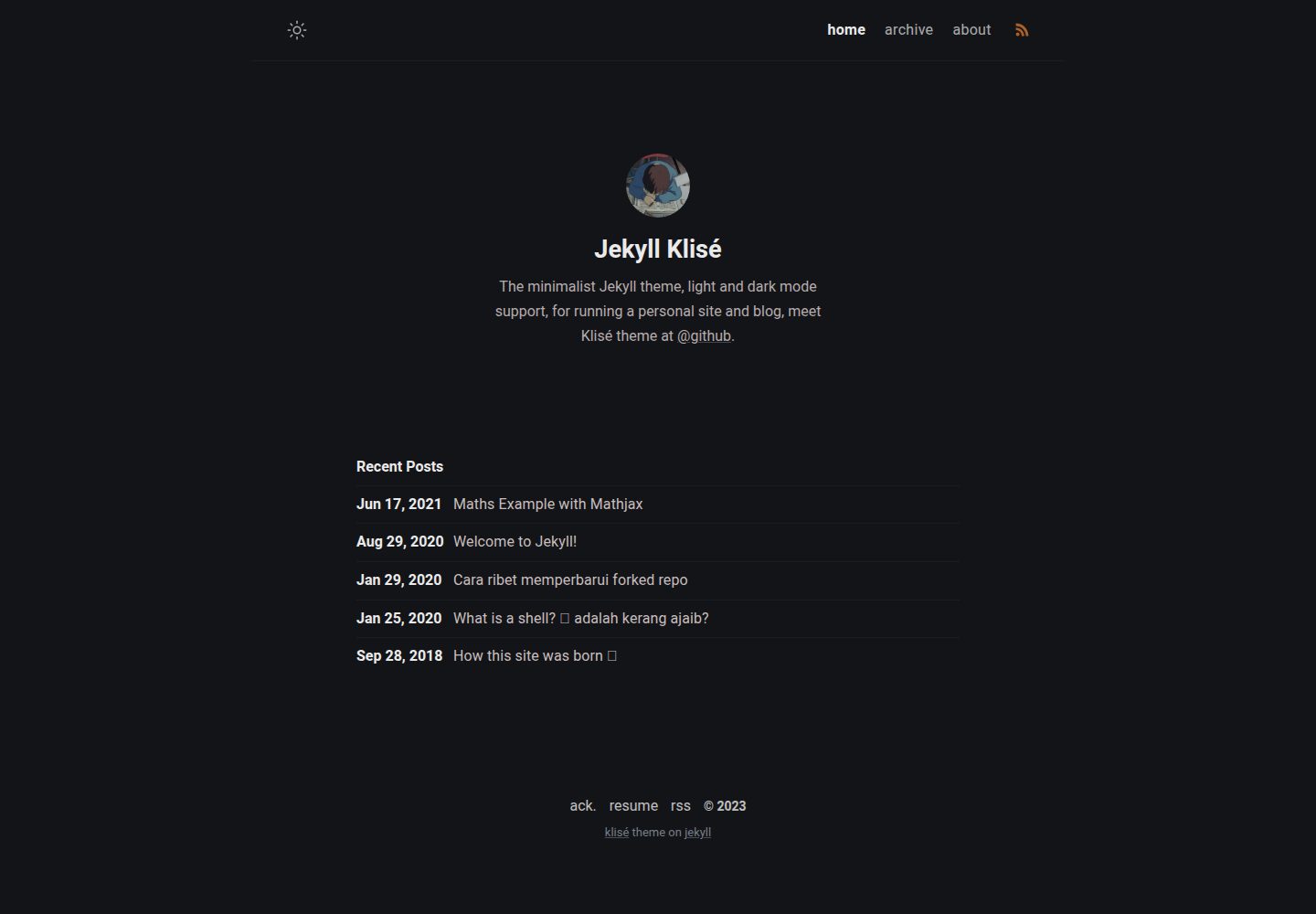
jekyll-klise
Klisé is a minimalist Jekyll theme for personal sites and blogs, with light and dark modes, a mobile-first responsive layout, and .scss-based styling.
Jekyll · Blog
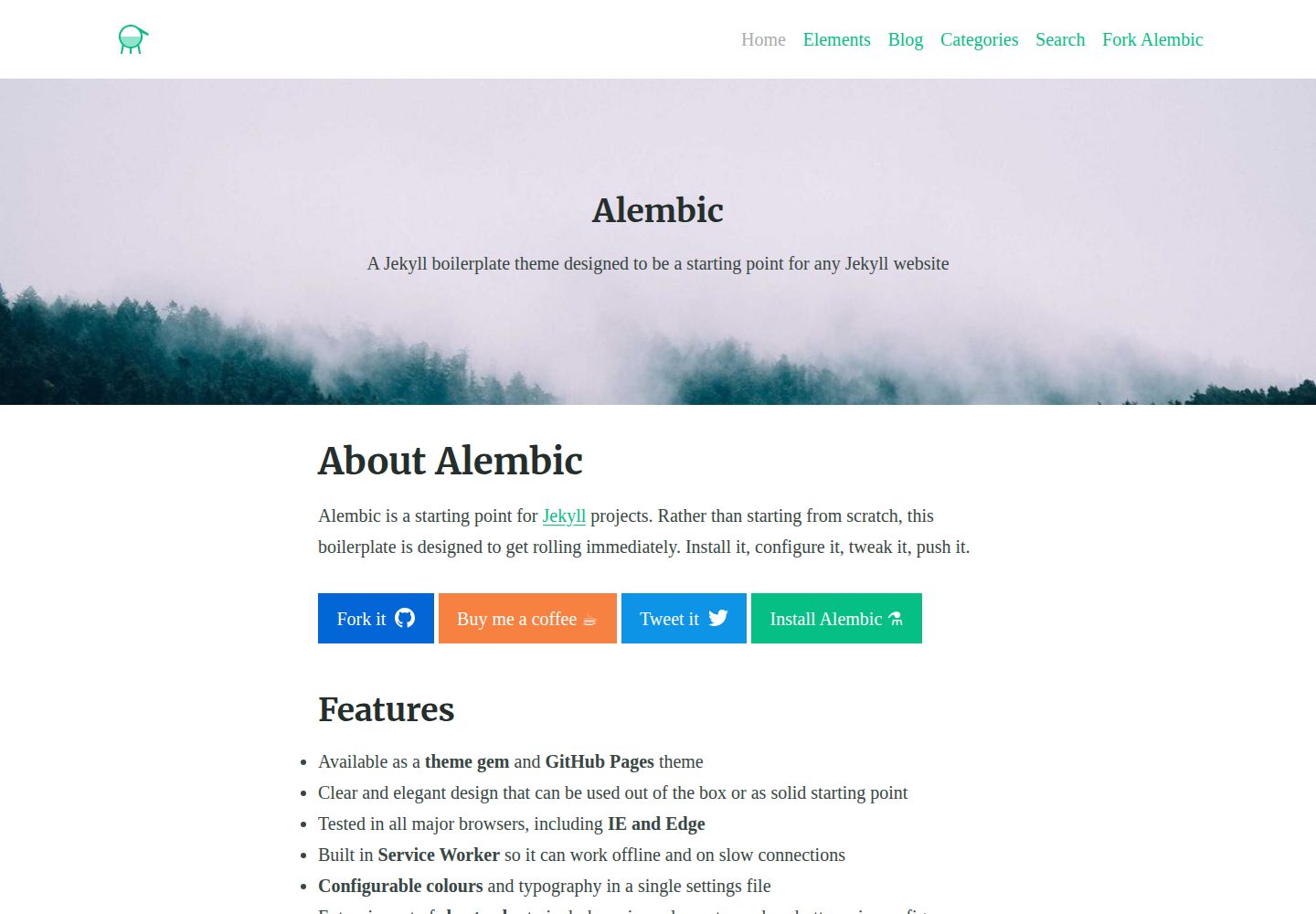
alembic
Alembic is an MIT-licensed Jekyll starter theme for quickly setting up a Jekyll site. It can be installed as a theme gem or a GitHub Pages remote theme, with centralized configuration via _config.yml for navigation, colors, fonts, language, and site information.
Jekyll · Starter
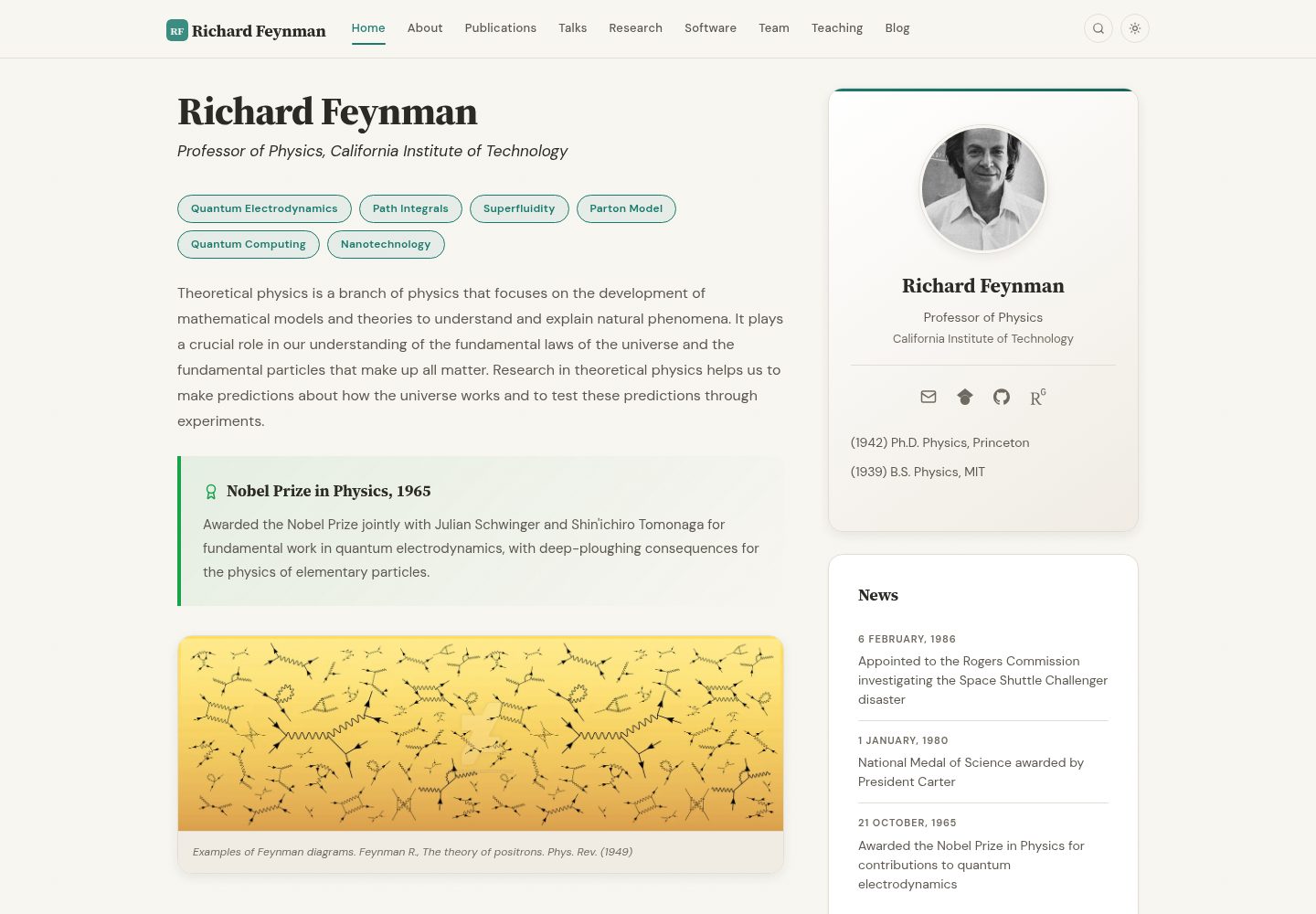
academic-website-template
A Jekyll static site template for academics and research groups, providing homepage, bio, and publication list pages. Content is maintained via configuration and data files, with a GitHub Actions workflow for deployment to GitHub Pages.
Jekyll · Starter
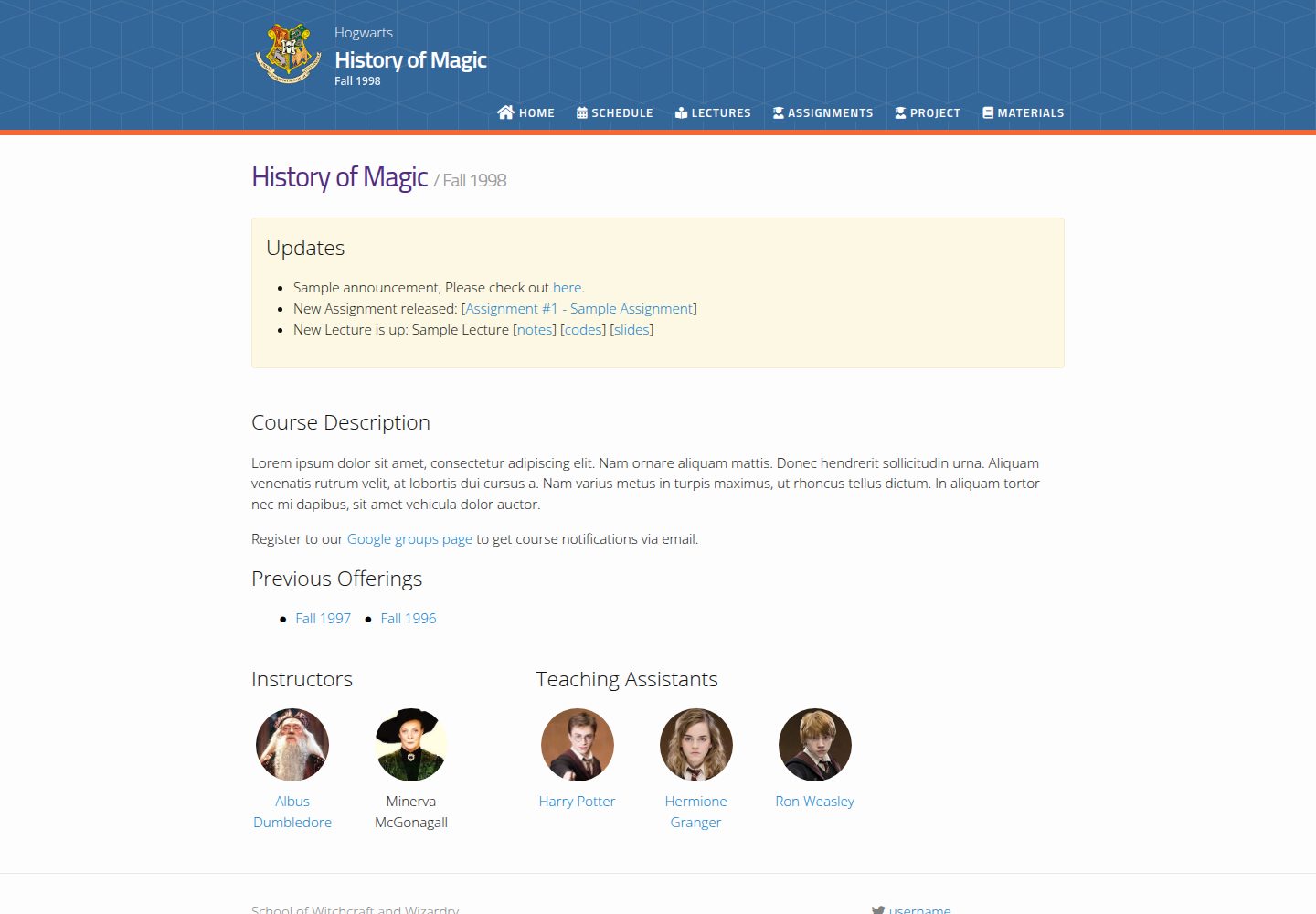
jekyll-course-website-template
A Jekyll-based academic course website template with separate pages for lectures, assignments, schedule, course materials, and announcements, plus auto-generated schedule and updates sections. It is configured through _config.yml, _data/people.yml, and _sass/_user_vars.scss, and content is organized as Markdown with YAML front matter.
Jekyll · Starter

agency-jekyll-theme-starter
A Jekyll-based Agency theme starter template for GitHub Pages. Generate a repository via the template button, replace the sample content, and configure baseurl or a custom domain.
Jekyll · Corporate Website
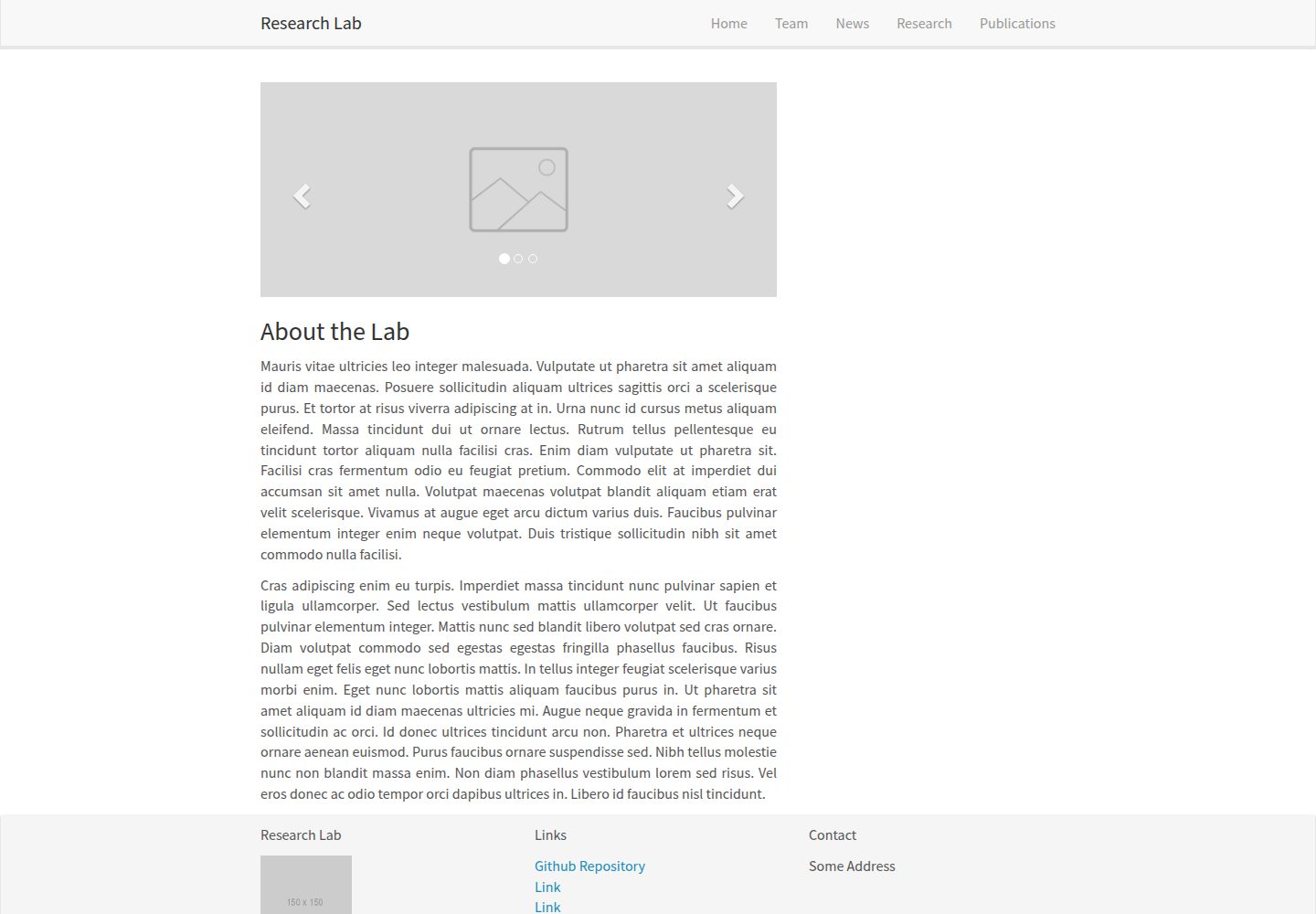
research-lab-website
A Jekyll-based research lab website template derived from the Allan Lab template at Leiden University.
Jekyll · Starter