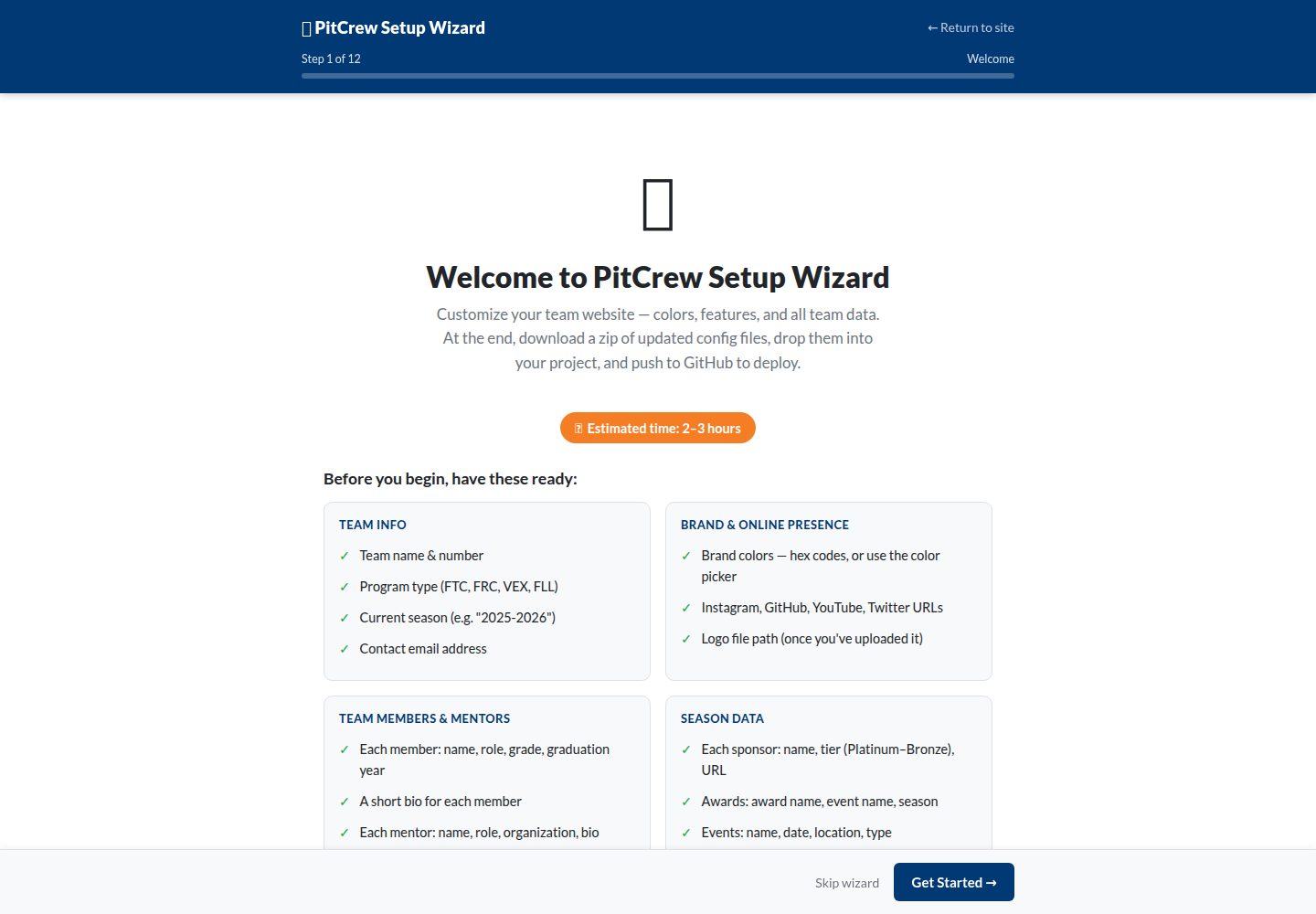
提供设置向导,通过 11 步表单配置站点并下载配置文件,无需直接编辑文件
Jekyll启动器
pitcrew — Jekyll 启动器模板
作者 braineatingmachines
PitCrew 是一个基于 Jekyll 的免费开源网站模板,面向 FTC、FRC、VEX 等竞技机器人团队,提供配置向导与数据文件驱动的建站方式。
看看你的网站会是什么样
浏览真实页面截图,比较内容排版与手机效果。点击下方缩略图切换,放大查看整页细节。
全部页面与视图 2
截图用于了解视觉与布局,交互效果请以实际项目为准。
采集于 2026-10-03查看来源
值得关注的模板亮点
从已有项目资料中,快速了解它的特点。
内容以 _config.yml 和 _data/*.yml 数据文件组织,便于维护团队、赞助商、奖项、赛事等信息
内置团队名册、赛季页面、博客、赞助商分级展示、奖项、赛事日历、文档、评委模式、搜索等栏目
支持深色模式、高对比度无障碍模式与响应式布局
包含 3D 机器人模型查看器,可嵌入机器人 CAD 模型
毕业年份字段可自动将已毕业成员归档到校友页面
模板详细介绍
PitCrew 是 braineatingmachines 在 GitHub 上发布的 Jekyll 模板,用于搭建竞技机器人团队的展示网站。模板内容由 _config.yml 与 _data/*.yml 数据文件驱动,涵盖团队信息、成员、导师、赞助商、奖项、赛事、博客、赛季页面等栏目,并提供设置向导(/wizard/)以表单方式生成配置文件。站点可部署在 GitHub Pages,通过 GitHub Actions 自动构建。模板附带 MIT 许可,允许免费使用、修改和分发,但演示图片、字体、图标等第三方素材需单独核对许可。README 提到存在实验性 i18n 分支,支持 en、fr、de、es、zh、ja 六种语言,该分支不属于默认版本。
Jekyll启动器
适合你的项目吗?
适用场景
- FTC、FRC、VEX、FLL 等竞技机器人团队搭建对外展示网站
- 机器人团队按赛季整理比赛成绩、机器人说明与工程文档
- 团队发布招募信息、赞助商展示与赛事动态
- 使用 GitHub Pages 托管团队站点,通过提交数据文件更新内容
适合人群
- 希望快速上线团队官网且不熟悉前端开发的机器人团队
- 需要按赛季归档内容并管理成员、导师、赞助商信息的团队
- 使用 GitHub 进行协作并愿意通过 YAML 文件维护站点内容的团队
- 需要评委友好页面与工程文档展示的参赛队伍
上手与定制指南
结合仓库当前版本的说明,按下面的资料检查内容、配置与运行要求。
- 1
推荐先 Fork 仓库并在 GitHub Pages 设置中将 Source 设为 GitHub Actions
- 2
可使用 /wizard/ 向导生成配置文件,或直接编辑 _config.yml 与 _data/*.yml
- 3
图片需上传到 assets/images/ 对应子目录,并在数据文件中按路径引用
- 4
本地开发为可选步骤,需自行安装 Jekyll 环境
- 5
实验性 i18n 分支支持多语言,但不在默认分支中,使用前需切换分支
授权与来源资料
使用条件与限制
免费使用 · 保留许可声明本次收录的是公开仓库中采用 MIT 许可的免费版本;免费范围为该版本代码,不代表外部服务或第三方素材免费。
使用时需要遵守
- 允许免费使用、修改、商用和分发该版本代码。
- 分发代码副本或实质性部分时,保留原作者版权声明和完整 MIT 许可声明。
- 代码按现状提供;担保与责任限制以原许可证及适用法律为准。
额外费用与待核对事项
- 演示图片、字体、图标及其他第三方素材需按各自许可核对,不能仅凭代码的 MIT 许可判断。
- 域名、托管、数据库、支付或 AI 等外部服务可能另外收费。
查看原文依据
https://github.com/braineatingmachines/pitcrew/blob/main/LICENSEhttps://github.com/braineatingmachines/pitcrew/blob/main/README.mdPermission is hereby granted, free of charge
许可证原文
DeepSeek 根据仓库许可证和 README 整理 ·2026-10-03。结果仅覆盖已读取资料,依赖、图片、字体及后续条款变更以各自原文为准。
项目核对记录与介绍依据
模板资料
- 来源平台
- GitHub
- 资料与维护参考分
- 资料较完整 · 83 / 100
- 技术栈
- Jekyll
- 网站类型
- 启动器
这个分数如何计算
本站按许可资料(最高30分)、演示链接(12分)、预览图(10分)、Star数(15分)、记录的维护时间(15分)、描述完整度(8分)、功能记录(5分)和分类资料(5分)计算。它不是代码、安全或性能测试,也不是 Google 评分;有链接不代表已实测可用。
这个项目需要核对什么
- 记录的仓库更新时间
- 2026-07-01
- 截图检查日期
- 2026-10-03
已收录演示链接。请用你的内容与屏幕尺寸检查;有演示不代表表单、认证或支付已经可用。
目录记录的主要技术栈是 Jekyll。请通过依赖清单和锁文件核对实际版本与托管要求。这些说明基于收录资料,不代表代码审计或部署实测。
查看具体选型方法 →介绍的制作与核对状态
介绍由 AI 辅助整理目录与仓库资料。仓库作者不等于这篇介绍的审核者。
审核声明: [email protected] · 2026-10-04
查看当时使用的来源资料
SHA-256: a90324210866018328d77b0b549e15372de81ff5aa2b037a923af0013e4bfc72
2026-10-03T16:28:02.975Z
来源文件 / 仓库# PitCrew A free, open-source website template for robotics teams. Get your team's professional portfolio website up and running in minutes — no coding experience required.    > There is an experimental [`i18n`](https://github.com/braineatingmachines/pitcrew/tree/i18n) branch which supports `en, fr, de, es, zh, ja`. --- ## Table of Contents - [What is PitCrew?](#what-is-pitcrew) - [Features](#features) - [Quick Start](#quick-start) - [Option A: Setup Wizard (Recommended)](#option-a-setup-wizard-recommended) - [Option B: Manual Setup](#option-b-manual-setup) - [Customization Guide](#customization-guide) - [Team Information](#changing-your-team-information) - [Team Members](#adding-team-members) - [Mentors](#adding-mentors) - [Sponsors](#adding-sponsors) - [Awards](#adding-awards) - [Events](#adding-events) - [Blog Posts](#writing-blog-posts) - [Pages](#editing-pages) - [Photos & Logo](#adding-photos) - [Season Pages](#updating-your-season-page) - [Advanced Features](#advanced-features) - [Custom Colors](#custom-colors) - [Hero Background Image](#hero-background-image) - [Feature Flags](#disabling-features) - [3D Robot Viewer](#3d-robot-viewer) - [Local Development](#local-development-optional) - [File Structure](#file-structure) - [Troubleshooting](#troubleshooting) - [Contributing](#contributing) --- ## What is PitCrew? PitCrew is a ready-to-use website template designed specifically for competitive robotics teams. Just like your pit crew keeps your robot running at competitions, this template keeps your online presence running smoothly. **Perfect for:** FTC · FRC · VEX · any competitive robotics team **No coding required** — edit text files or use the built-in wizard, and your site updates automatically. --- ## Features | Feature | Description | |---------|-------------| | **Setup Wizard** | Guided UI to configure your entire site — no file editing needed | | **Responsive Design** | Looks great on phones, tablets, and desktops | | **Dark Mode** | Easy on the eyes with automatic dark/light switching | | **Team Roster** | Showcase your team members with photos and bios | | **Season Pages** | Organize content by competition season | | **Blog/News** | Share updates, competition recaps, and announcements | | **Sponsor Showcase** | Display sponsors in tiered sections (Platinum, Gold, Silver, Bronze) | | **Awards Display** | Show off your team's achievements | | **Event Calendar** | List upcoming competitions and outreach events | | **Documentation** | Technical docs section for engineering portfolio | | **3D Robot Viewer** | Interactive 3D model viewer for your robot CAD | | **Judge Mode** | Printer-friendly page for competition judges | | **Accessibility** | High contrast mode for better readability | | **Search** | Find content across your entire site | | **Auto-Deploy** | Push changes and your site updates automatically | | **Alumni Archive** | Automatically moves graduated members to alumni page | --- ## Quick Start ### Option A: Setup Wizard (Recommended) The wizard is the fastest way to get your site configured. It walks you through every setting — colors, team data, features, navigation — with a live preview. No file editing needed. **Before you start, have these ready** (~2–3 hours to complete): | Category | What you need | |---|---| | Team Info | Team name, number, program (FTC/FRC/VEX/FLL), current season | | Brand | Primary and secondary colors (hex codes, or use the color picker) | | Online | Instagram, GitHub, YouTube, Twitter URLs · contact email | | People | Each member: name, role, grade, grad year, bio · Each mentor: name, role, org, bio | | Season | Sponsors (name, tier, URL) · Awards (name, event, season) · Events (name, date, location, type) | > **Photos and logos** are referenced by file path (e.g. `/assets/images/photo.jpg`). Upload image files to your project separately — fields left blank use a placeholder automatically. **How to use the wizard:** 1. Fork this repository and enable GitHub Pages (see [Step 1–2 below](#1-fork-this-repository)) 2. Visit `/wizard/` on your live site — or it launches automatically on first visit 3. Work through the 11 steps (save progress at any point using the **Save Progress** button) 4. On the final Review step, click **Download pitcrew-config.zip** 5. Extract the zip, copy the files into your local repo, and push to GitHub: ```bash git add _config.yml _data/ git commit -m "Initial site setup via wizard" git push ``` **Need to stop partway through?** Click **Save Progress** on any step to download `pitcrew-progress.zip`. Copy those files into your project and commit — your data is preserved. When you return to `/wizard/` later, all saved data is already in place. --- ### Option B: Manual Setup Prefer editing files directly? Here's the four-step path. #### 1. Fork this Repository 1. Click **"Fork"** at the top-right of this page 2. Your fork will be at `github.com/YOUR-USERNAME/pitcrew` #### 2. Enable GitHub Pages 1. Go to **Settings** → **Pages** in your fork 2. Set **Source** to **"GitHub Actions"** 3. Click **Save** #### 3. Edit Your Team Info Open `_config.yml` (pencil icon on GitHub) and update: ```yaml title: "Your Team Name Robotics" description: "Your team's tagline or mission statement" site: team_name: "Your Team Name" team_number: "12345" program: "FTC" # FTC | FRC | VEX | FLL current_season: "2025-2026" ``` Commit the change. #### 4. Wait for Deployment Go to the **Actions** tab — wait for the workflow to show a green checkmark (~2–3 min). Your site is live at `https://YOUR-USERNAME.github.io/pitcrew`. See the [Customization Guide](#customization-guide) below to continue filling in your team's data. --- ## Customization Guide All content lives in two places: `_config.yml` (settings, colors, navigation) and `_data/*.yml` (team, sponsors, events, etc.). Edit either on GitHub directly or use the [Setup Wizard](#option-a-setup-wizard-recommended). ### Changing Your Team Information Edit `_config.yml`: ```yaml title: "Thunderbolts Robotics" description: "Building robots, building futures" site: team_name: "Thunderbolts" team_number: "12345" program: "FTC" current_season: "2025-2026" logo: "/assets/images/logo.png" socials: instagram: "https://instagram.com/thunderbolts12345" github: "https://github.com/thunderbolts12345" youtube: "https://youtube.com/@thunderbolts12345" twitter: "https://twitter.com/thunderbolts" email: "[email protected]" fundraising: enabled: true url: "https://gofundme.com/your-campaign" text: "Support Our Team" ``` ### Adding Team Members Edit `_data/team.yml`: ```yaml - name: Sarah Chen role: Team Captain grade: 12 graduation_year: 2026 bio: "3-year team member passionate about mechanical engineering." image: /assets/images/team/sarah.jpg skills: - Leadership - Strategy - CAD Design - name: Marcus Johnson role: Programming Lead grade: 11 graduation_year: 2027 bio: "Specializes in autonomous routines and computer vision." image: /assets/images/team/marcus.jpg skills: - Java - Python - Computer Vision ``` > The `graduation_year` field drives automatic alumni archival — graduated members move to the alumni page at the start of each season. ### Adding Mentors Edit `_data/mentors.yml`: ```yaml - name: Dr. Emily Rodriguez role: Lead Mentor bio: "Mechanical engineer at Boeing with 10 years of robotics mentoring experience." image: /assets/images/placeholder.svg organization: Boeing - name: James Park role: Programming Mentor bio: "Software developer who loves teaching students about real-world coding practices." image: /assets/images/placeholder.svg organization: Microsoft ``` ### Adding Sponsors Edit `_data/sponsors.yml`. Tiers: `platinum` · `gold` · `silver` · `bronze`. ```yaml - name: TechCorp Industries tier: platinum logo: /assets/images/sponsors/techcorp.png url: https://techcorp.example.com - name: Community Bank tier: gold logo: /assets/images/sponsors/bank.png url: https://communitybank.example.com - name: Local Hardware Store tier: silver logo: /assets/images/placeholder.svg url: https://hardware.example.com - name: Smith Family Foundation tier: bronze url: https://example.com ``` ### Adding Awards Edit `_data/awards.yml`: ```yaml - name: Inspire Award event: State Championship season: 2024-2025 description: "Highest honor recognizing teams that embody the mission of FIRST." - name: Think Award event: League Championship season: 2024-2025 description: "Excellence in engineering documentation and the design process." ``` ### Adding Events Edit `_data/events.yml`. Types: `competition` · `outreach` · `event`. ```yaml - name: League Meet 1 date: 2026-01-18 location: Lincoln High School type: competition description: "First qualifying meet of the season." - name: STEM Night at Elementary School date: 2026-01-25 location: Maple Elementary type: outreach description: "Robot demonstration for elementary students." ``` ### Writing Blog Posts Create a file in `_posts/` named `YYYY-MM-DD-title-here.md`: ```markdown --- layout: post title: "League Meet 1 Recap: Great Start to the Season!" date: 2026-01-20 author: Sarah Chen categories: [competition, recap] tags: [league-meet, awards] description: "A summary of our performance at League Meet 1." image: /assets/images/placeholder.svg --- We had an amazing time at League Meet 1 this weekend! ## Results Our robot finished with a 4-1 record in qualifying matches. ## What We Learned 1. Our intake needs faster cycle times 2. Driver practice paid off — much smoother than scrimmages ## Next Steps - Redesigning the intake rollers - Adding sensors for automatic alignment ``` ### Editing Pages Each main page is a Markdown file — click it on GitHub, hit the pencil icon, and commit: | File | Page | |------|------| | `index.md` | Home page | | `about.md` | About Us | | `sponsors.md` | Sponsors | | `awards.md` | Awards | | `contact.md` | Contact | | `season.md` | Current season overview | | `news.md` | Blog/news listing | | `handbook.md` | Team handbook | | `judge-mode.md` | Judge-friendly summary | ### Adding Photos Upload images to the appropriate subfolder and reference them by path: | What | Folder | Used in | |------|--------|---------| | Team member photos | `assets/images/team/` | `_data/team.yml` → `image:` | | Sponsor logos | `assets/images/sponsors/` | `_data/sponsors.yml` → `logo:` | | Season photos / robot / gallery | `assets/images/seasons/YYYY-YYYY/` | Season front matter → `hero_image:` | | Site logo | `assets/images/` | `_config.yml` → `site.logo:` | **Photo tips:** Square crops work best for team photos · landscape (16:9+) works best for hero images · keep files under 500 KB · JPG for photos, PNG for logos. --- ## Updating Your Season Page Each season has its own file at `_seasons/YYYY-YYYY.md`: ```markdown --- layout: season title: "2025-2026 Season" season: "2025-2026" game_name: "INTO THE DEEP" robot_name: "Phoenix" # hero_image: /assets/images/seasons/2025-2026/robot.jpg # Optional: replaces hero gradient with a photo --- ## Robot Overview Phoenix features mecanum wheels, dual-stage linear slides, and a compliant-wheel intake. ## Competition Results | Event | Date | Rank | Awards | |-------|------|------|--------| | League Meet 1 | Jan 18 | 3rd | Think Award | ## Outreach This season we've reached 400+ students through 6 STEM workshops and 3 library events. ``` To archive last season, leave its file in place at `_seasons/2024-2025.md` — it will appear automatically in the archive. --- ## Advanced Features ### Custom Colors Edit `_config.yml` — **this is the only file you need to change**. No CSS rebuild required; colors are injected into every page at build time as CSS custom properties. ```yaml theme: colors: primary: "#003974" # Buttons, links, gradients primary_highlight: "#002855" # Hover states, gradient midpoint primary_darkest: "#001a3d" # Hero gradient end stop secondary: "#F57E25" # Accent color (highlights, badges) secondary_highlight: "#d96a1f" # Accent hover states success: "#28a745" info: "#17a2b8" warning: "#f0b37e" danger: "#dc3545" sponsor_platinum: "#9ca3af" sponsor_gold: "#eab308" sponsor_silver: "#d1d5db" sponsor_bronze: "#92400e" dark_mode: true # true = dark mode on by default ``` All components reference these variables — never hardcoded values — so a single edit propagates everywhere. The [Setup Wizard](#option-a-setup-wizard-recommended) includes a live color preview that shows exactly how your choices look before you download. ### Hero Background Image The hero banner at the top of every page uses a color gradient by default. You can replace it with a photo — site-wide or per-season. **Site-wide** — applies to every page unless a season overrides it: ```yaml # _config.yml site: hero_image: "/assets/images/hero.jpg" ``` **Per-season** — each season can show its own robot photo. Add `hero_image` to the season's front matter: ```yaml # _seasons/2025-2026.md --- layout: season season: "2025-2026" hero_image: /assets/images/seasons/2025-2026/robot.jpg --- ``` The season-level setting takes priority over the site-wide one. If neither is set, the gradient is shown. **Photo tips:** Landscape orientation (16:9 or wider) works best · keep files under 1 MB · a dark overlay is applied automatically so white text remains readable. Store season photos in `assets/images/seasons/YYYY-YYYY/`. --- ### Disabling Features ```yaml features: blog: true docs: true cad_viewer: false # 3D model viewer circuit_viewer: false # Electrical schematic viewer search: true alumni_auto_archive: true accessibility_toggle: false # Accessibility mode toggle (disabled by default) ``` Disabled features are not built and won't appear in navigation. ### 3D Robot Viewer 1. Export your CAD as GLTF or GLB format 2. Upload to `assets/models/robot.glb` 3. Add to your season page: ```liquid {% include components/robot-viewer.html model_src="/assets/models/robot.glb" alt_text="3D model of Phoenix robot" %} ``` --- ## Local Development (Optional) Preview changes on your computer before publishing. ### Prerequisites | Tool | Version | Install | |------|---------|---------| | Ruby | 3.0+ | Mac: `brew install ruby` · Windows: [rubyinstaller.org](https://rubyinstaller.org/) | | Node.js | 18+ | [nodejs.org](https://nodejs.org/) | | Git | any | Mac: `brew install git` · Windows: [git-scm.com](https://git-scm.com/) | ### Setup ```bash git clone https://github.com/YOUR-USERNAME/pitcrew.git cd pitcrew bundle install npm install npm run build:css bundle exec jekyll serve ``` Open `http://localhost:4000`. ### Making and Pushing Changes ```bash git add . git commit -m "Description of your changes" git push ``` Your live site updates in 2–3 minutes. ### CSS Rebuild `npm run build:css` compiles Tailwind into `assets/css/output.css`. **You only need this if you're modifying `main.css` itself** — adding new component classes, changing layout styles, etc. For color changes, skip it entirely — colors live in `_config.yml` and are injected by Jekyll at build time. To auto-recompile while editing `main.css`: ```bash npm run watch:css ``` --- ## File Structure ``` pitcrew/ ├── _config.yml # ⭐ Main settings (team name, colors, features) ├── _data/ # ⭐ Your content data │ ├── team.yml # Team members │ ├── mentors.yml # Mentors │ ├── alumni.yml # Graduated members │ ├── sponsors.yml # Sponsors │ ├── awards.yml # Awards │ └── events.yml # Events ├── _posts/ # ⭐ Blog posts ├── _layouts/ # Page templates ├── _includes/ # Reusable components ├── assets/ │ ├── images/ # ⭐ Your images and logos │ │ ├── team/ # Team member photos │ │ ├── sponsors/ # Sponsor logos │ │ └── seasons/ # Season photos (robot, gallery, hero) │ │ ├── 2025-2026/ │ │ └── 2024-2025/ │ ├── models/ # 3D robot models (GLTF/GLB) │ ├── css/ # Stylesheets │ └── js/ # JavaScript ├── _docs/ # ⭐ Documentation pages ├── _seasons/ # ⭐ Season-specific pages │ ├── 2025-2026.md │ └── 2024-2025.md ├── wizard.md # Setup wizard entry point (/wizard/) ├── .github/workflows/ # Automated deployment ├── index.md # ⭐ Home page ├── about.md # ⭐ About page └── ... (other pages) ⭐ = Files you'll commonly edit ``` --- ## Troubleshooting **Changes aren't showing up** 1. Check the **Actions** tab — look for a green checkmark 2. If there's a red X, click it to see the error 3. After the green checkmark, wait 2–3 minutes, then hard-refresh (`Cmd+Shift+R` / `Ctrl+Shift+R`) **Site looks broken** Usually a YAML syntax error. Check: - All quotes are matched (`"text"` not `"text`) - Colons have a space after them (`key: value`) - Indentation uses spaces, not tabs **Images aren't loading** - Paths are case-sensitive on Linux hosts - Confirm the file was uploaded and the path matches exactly (starting with `/assets/images/`) **Wizard keeps redirecting on startup** Set `startup_wizard: false` in `_config.yml`, or check **"Skip wizard on startup"** on the wizard's Review step before downloading. **Something's broken and I want to undo it** GitHub keeps full history. Go to the file → click **History** → find a working version → **"..." → "Revert changes"**. --- ## Getting Help - **Issues:** Open an issue on this repository - **Discussions:** Use GitHub Discussions for questions - **FIRST Forums:** Ask the broader community --- ## Contributing Found a bug? Have an idea? Contributions are welcome. 1. Fork this repository 2. Create a branch: `git checkout -b feature/amazing-feature` 3. Make your changes and commit: `git commit -m 'Add amazing feature'` 4. Push: `git push origin feature/amazing-feature` 5. Open a Pull Request --- ## License MIT License — free to use for any robotics team. --- ## Credits Built with [Jekyll](https://jekyllrb.com/), [Tailwind CSS](https://tailwindcss.com/), and [Google Model Viewer](https://modelviewer.dev/). --- *Made with ❤️ for the robotics community*
看看同类模板
对比同技术栈与用途的模板,找到更适合的视觉与内容结构。
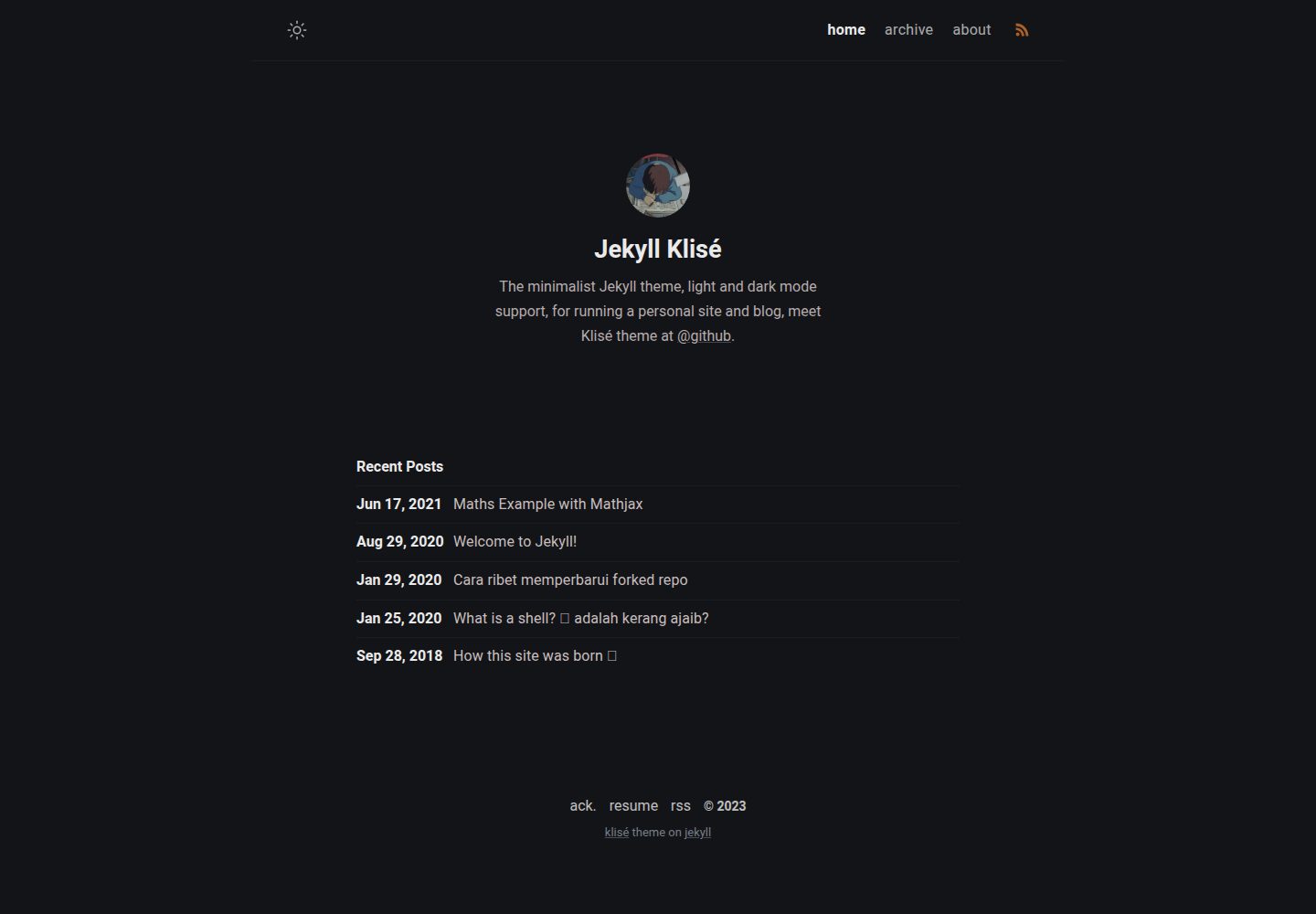
jekyll-klise
:beach_umbrella: Klisé is a minimalist Jekyll theme for running a personal site or blog, light & dark mode sup…
Jekyll · 博客
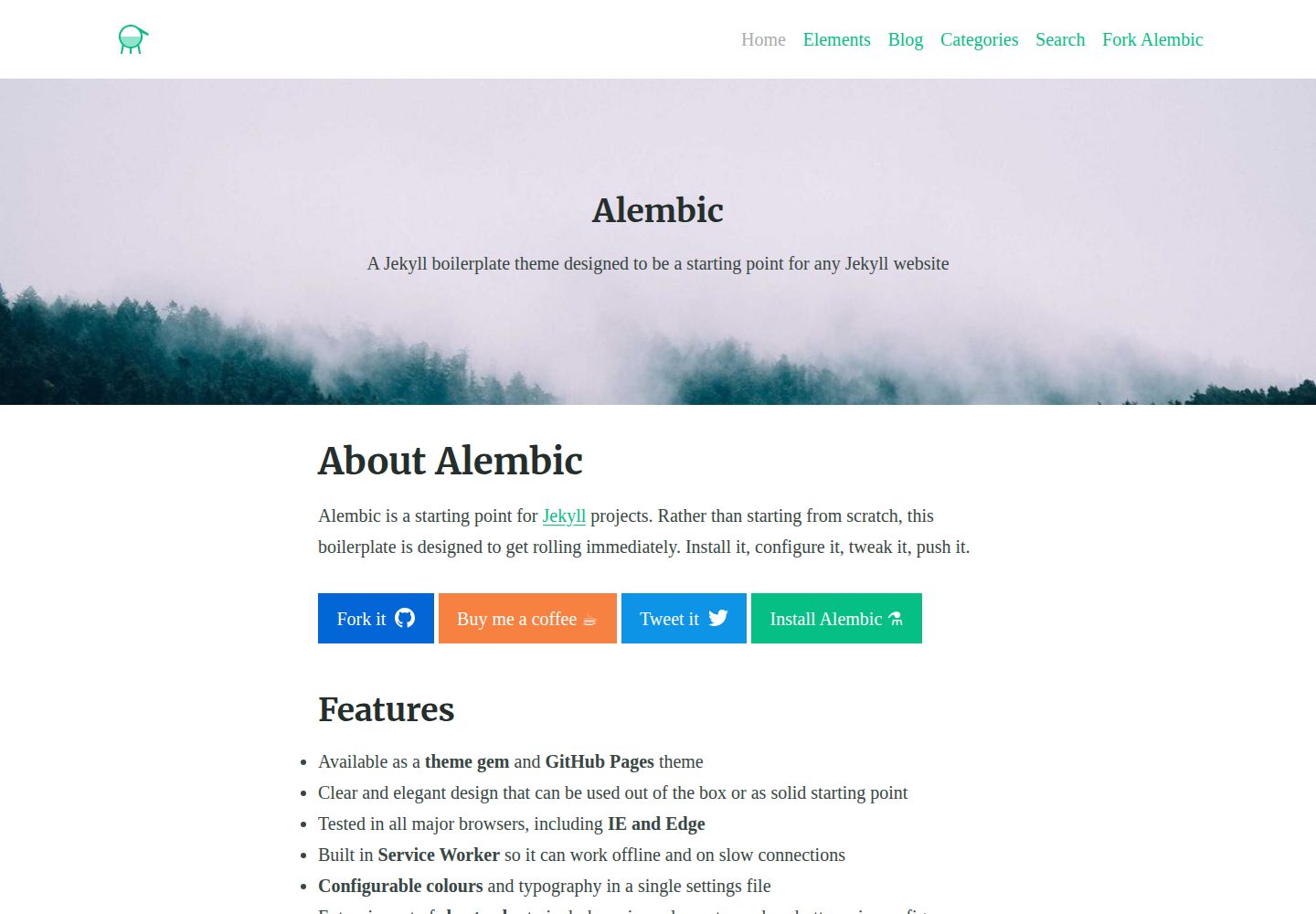
alembic
⚗️ A Jekyll boilerplate theme designed to be a starting point for any Jekyll website
Jekyll · 启动器
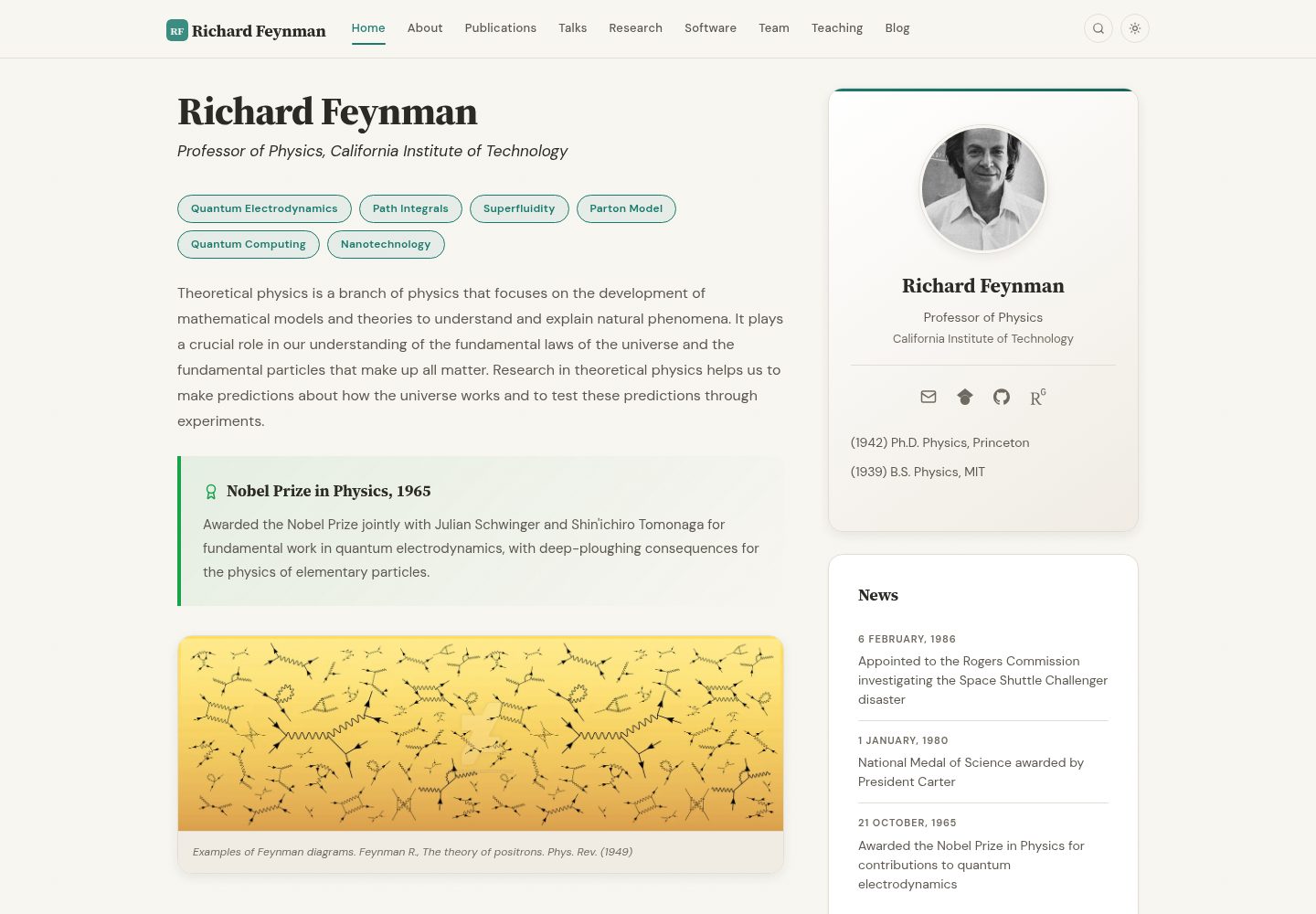
academic-website-template
Static web template for academics/research groups
Jekyll · 启动器
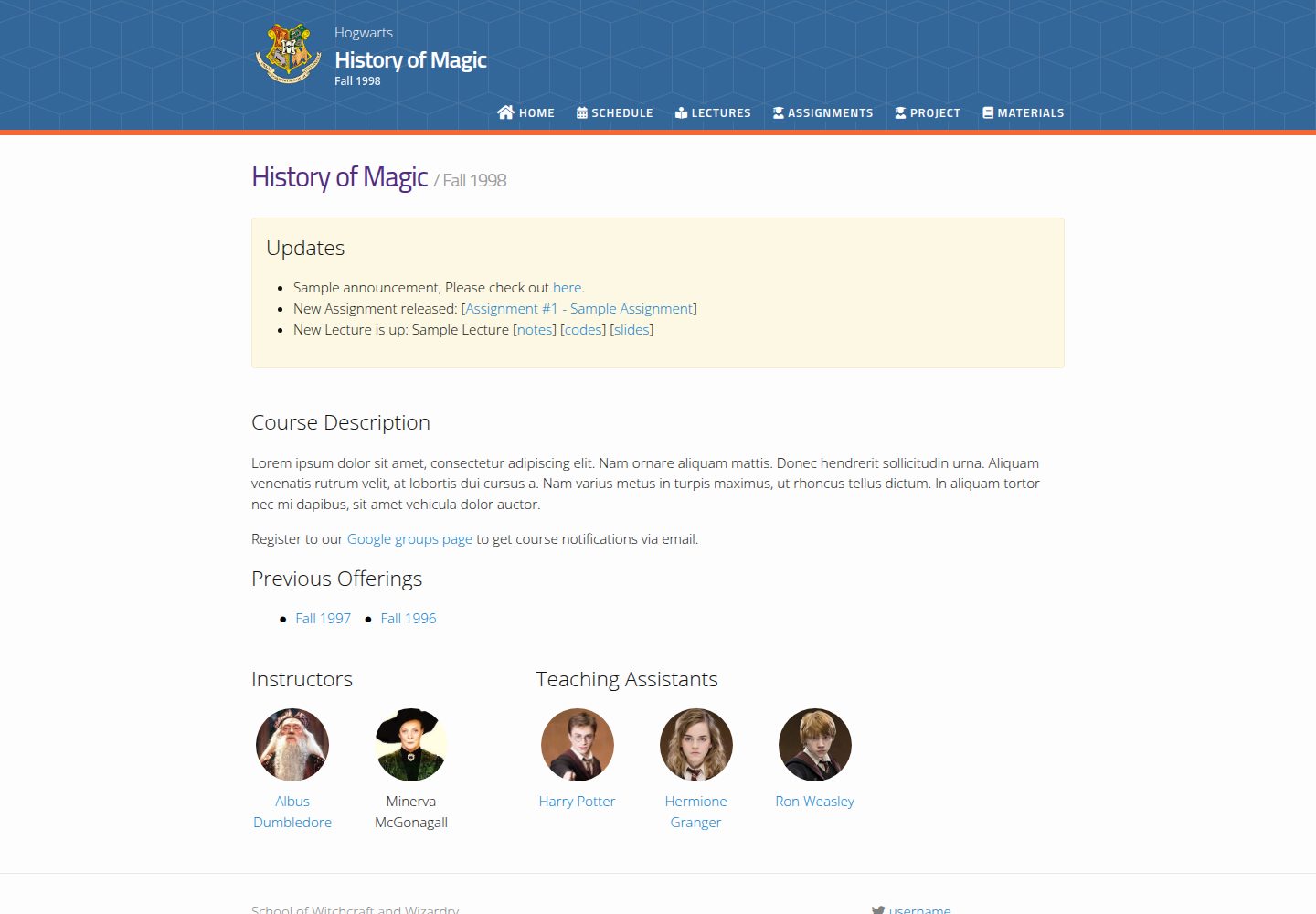
jekyll-course-website-template
Feature-rich and easy-to-use Jekyll website template for academic courses
Jekyll · 启动器

agency-jekyll-theme-starter
Agency Jekyll Theme starter template (optimized for GitHub Pages)
Jekyll · 企业官网
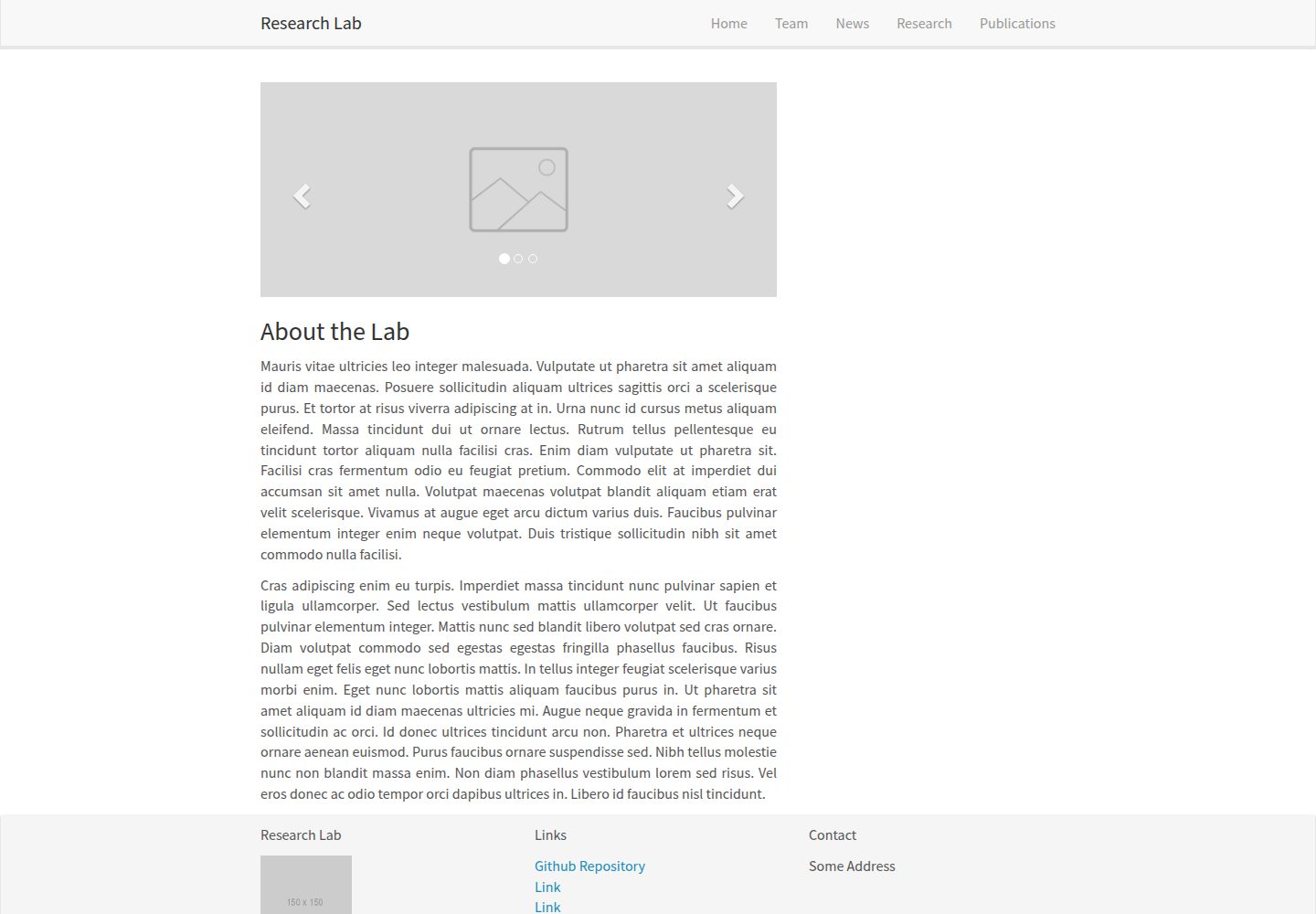
research-lab-website
A template for a Research Lab website, built with Jekyll.
Jekyll · 启动器