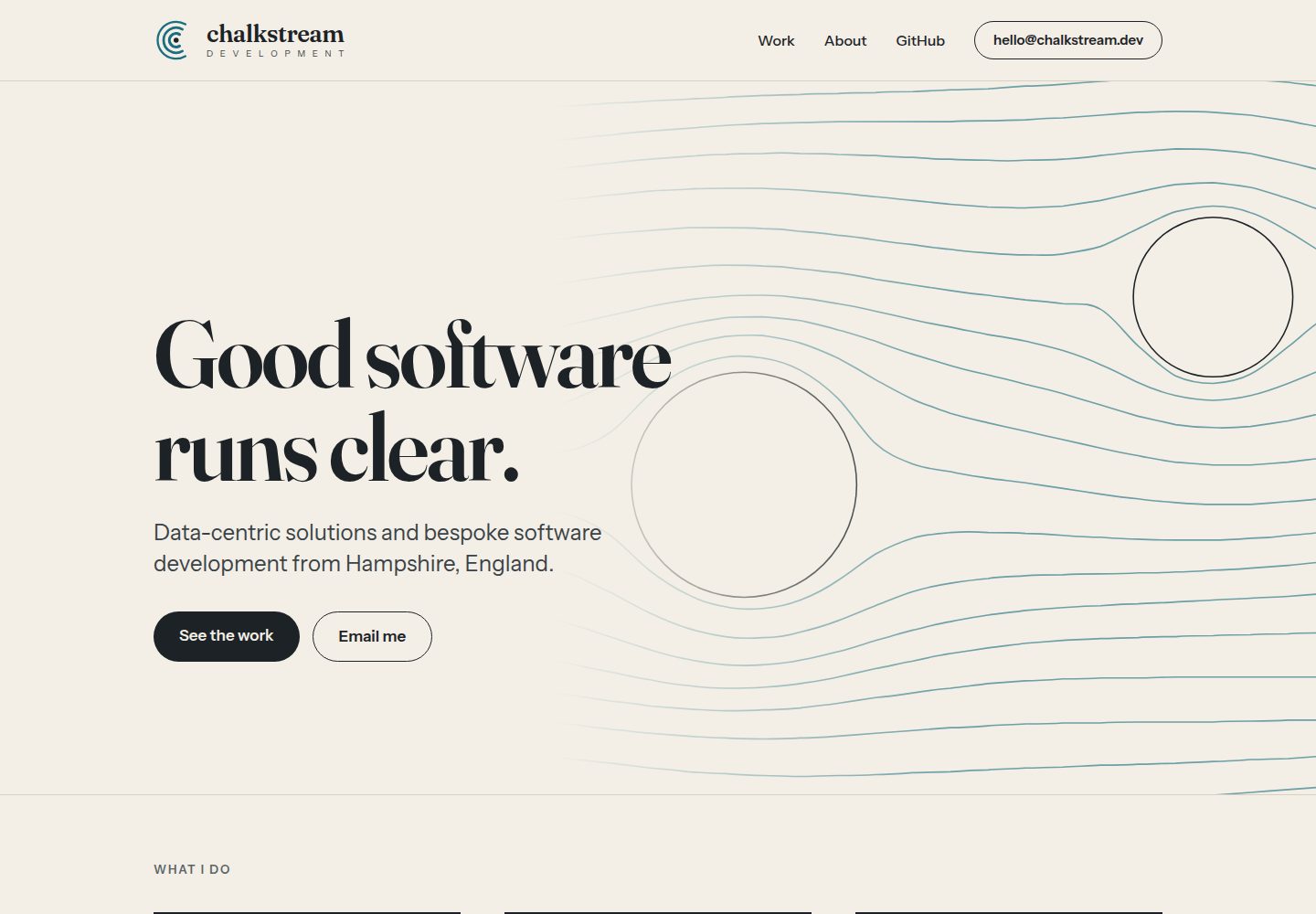
Renders Markdown from an Obsidian vault into HTML, with front matter defining page titles, subtitles, images, tags, and categories
DjangoViteBlogDocumentationTool Site
cress — Django Blog Template
By chalkstreamdev
Cress is a Markdown static site and blog generator for Obsidian vaults, written in Python, rendering Markdown to HTML via YAML configuration, and able to integrate with the Vite manifest of existing frontend build artifacts to reuse styles.
Explore the design
Compare the page layouts and mobile experience. Open any screenshot for a closer look.
Desktop homepage1 / 2
Desktop captureTop of page
Actual screenshot captured by the server browser.
All pages & views 2
Screenshots show visual appearance; interactive behavior may differ.
Recorded 2026-10-15View source
What stands out
A quick read of the recorded project description.
Unstyled by default, linking stylesheets by reading the existing build tool's Vite manifest, making it easy to embed into an existing site's templates
Supports Obsidian features: attachment image lifting, Wikilinks, inline tags, heading anchors, and callouts
Can build a vault into a blog, generating a paginated article list, category pages, tag pages, and an RSS feed
Can also build in static page mode, generating a tree hierarchy and breadcrumb navigation
Provides the cress index command to output a structured article list without rendering, for use by a host application
Template Details
Cress is a command-line tool that generates a static blog or documentation site from an Obsidian vault. The README states that it renders Markdown files into HTML templates, with site configuration defined by a single YAML file, and page titles, subtitles, images, tags, and categories coming from the .md front matter. It does not include themes and is unstyled by default; it is designed to be embedded into an existing site's templates and reads the Vite manifest of the existing build tool to link stylesheets.
Out-of-the-box features include: lifting embedded images from the Obsidian vault's attachment folder, Wikilinks pointing to other articles, inline tags, heading anchors, and Obsidian-style callouts. A plugin system allows projects to write Python plugins that hook into shortcodes in Markdown. A vault can be converted into a blog, generating a paginated article list sorted newest first, category pages, tag pages, and an RSS feed; it can also create static pages, building a tree hierarchy and breadcrumb navigation. All articles output meta tags and Open Graph properties.
Cress provides commands such as build, validate, serve, publish, and index. serve builds and browses files locally, with an optional --live-reload that rebuilds and refreshes the browser when Markdown or templates change; publish can stage, commit, and push build artifacts to a live site. The index command outputs a structured article list without rendering, for integration into a host application.
The README does not provide information about theme appearance, performance benchmarks, or production suitability; it explicitly states that it is a highly opinionated tool, primarily aimed at Django backends and Vue/React frontend stacks similar to Chalkstream.
DjangoViteBlogDocumentationUtility site
Is it right for your project?
Use Cases
- Publishing Markdown notes from an Obsidian vault as blog posts
- Building static pages with hierarchy and breadcrumbs for product documentation or user manuals
- Reusing frontend stylesheets in an existing Django + Vue/React site to render blog pages
- Obtaining an article list during a host application's build process via cress index, for homepage latest articles or email digests
- Using cress serve --live-reload to preview Markdown changes in real time while writing locally
Suitable For
- Teams that write Markdown content in Obsidian and want to generate a static site
- Projects that already have a Django backend and Vue/React frontend and want to reuse existing styles and build processes
- Developers who need to manage a blog or documentation site alongside the product repository
- Projects that want to extend Markdown shortcode processing capabilities through Python plugins
Getting started & customization
Use these recorded setup notes alongside the repository instructions for your chosen version.
- 1
cress targets Python 3.14; it can be installed globally via uv tool install git+https://github.com/chalkstreamdev/cress, or added as a uv project dependency and invoked with uv run cress.
- 2
Create .cress/config.yaml in the target repository, specifying at least the vault path and output_dir; the vault can be an absolute path or a path relative to the repository.
- 3
The vault path is resolved in the order: command-line --vault, site configuration, user configuration ~/.config/cress/config.yaml, environment variable CRESS_VAULT; only the site configuration resolves relative paths relative to the repository.
- 4
Use cress serve --live-reload to build and preview locally, automatically rebuilding and refreshing the browser when Markdown or templates change.
- 5
cress publish builds, stages output_dir, and commits; whether to automatically push is determined by the git.auto_push configuration.
License & source material
Usage conditions & limitations
Free to use · keep license noticeThis entry covers the free version under the MIT license in the public repository; the free scope is the code of that version and does not imply that external services or third-party assets are free.
Must comply with when using
- Free use, modification, commercial use, and distribution of that version's code are permitted.
- When distributing copies or substantial portions of the code, retain the original author's copyright notice and the full MIT license notice.
- The code is provided as is; warranties and limitations of liability are governed by the original license and applicable law.
Additional costs & items to verify
- Demo images, fonts, icons, and other third-party assets must be checked against their respective licenses and cannot be judged solely by the code's MIT license.
- External services such as domains, hosting, databases, payments, or AI may incur separate charges.
- Requires a Python 3.14 runtime; Python versions below that cannot be used.
- Installation is via the uv tool from the GitHub repository, requiring access to that repository and a uv toolchain.
- The publish feature depends on the user's own git credential configuration (ssh-agent, system credential helper, or CI-injected authentication); publishing will fail if not configured.
- The example configuration references an external Google Fonts stylesheet; using that example will make requests to an external service.
- Only the Vite manifest is supported; esbuild and webpack manifest formats differ and require a separate issue to extend.
View Original Text Basis
Permission is hereby granted, free of charge
Original License Text
cress targets Python 3.14.
Original README
Cress is a CLI you point at a product repo, so the simplest install is as a global tool straight from GitHub:
Original README
`cress publish` delegates credentials to the user's git setup — ssh-agent, the system credential helper, or the CI platform's injected auth. cress sets `GIT_TERMINAL_PROMPT=0` so a misconfigured auth stack fails fast rather than hanging, and raises `PublishError` early if `output_dir` is matched by a `.gitignore` rule.
Original README
- "https://fonts.googleapis.com/css2?family=Inter&display=swap"
Original README
https://github.com/chalkstreamdev/cress/blob/master/LICENSEhttps://github.com/chalkstreamdev/cress/blob/master/README.mdesbuild and webpack manifests have different shapes — open an issue if you need them; the dispatch behind `vite_manifest` is straightforward to extend.
Original README
Compiled by DeepSeek based on repository license and README ·2026-10-15. Results only cover the materials read; dependencies, images, fonts, and subsequent term changes are subject to their respective original texts.
Project checks & description sources
Template Information
- Source platforms
- GitHub
- Documentation and maintenance reference score
- More documented · 85 / 100
- Technologies
- Django · Vite
- Website type
- Blog · Documentation · Tool Site
How this score is calculated
Our heuristic uses license records (up to 30), a demo link (12), a preview (10), stars (15), recorded maintenance (15), description completeness (8), feature records (5) and classification data (5). It is not a code, security or performance test, or a Google score. A link does not establish tested functionality.
What to verify for this project
- Repository update recorded
- 2026-09-27
- Screenshot last checked
- 2026-10-15
A demo link is listed. Check it with your own content and viewport sizes; its presence does not confirm that forms, authentication or payments work.
The catalog identifies Django as the primary stack. Check the actual dependency manifest and lockfile for versions and hosting requirements. These notes use recorded metadata, not a code audit or a deployment test.
Use a selection guide →How this description was prepared
AI-assisted description based on catalog records and repository material. Repository authors are not automatically the reviewers of this description.
Review declaration: codex-user-requested-batch-review-20261017 · 2026-10-16
Inspect the recorded source material
SHA-256: 5e86ecf2c53c895166f52ffdc784a94b8a14faf69fa68667aa702bb0c90be62f
2026-10-15T13:03:26.063Z
Source file / repository# Cress: A markdown static site and blog generator.
Cress is a highly opinionated, Obsidian-vault-to-static site generator for blogs and documentation.
Why you might want to use cress: If you have a similar tech stack to us — Django on the backend,
Vue/React on the frontend — and want to lean on Obsidian's great tooling to write blog posts.
Cress was built specifically for our pipeline at Chalkstream, where we write all our documentation
as simple markdown in Obsidian vaults. Marrying these together into a static site generator made
sense for us over other solutions (Hugo, Astro) which would require more code to fit into our
specific pipeline.
Markdown files are rendered as HTML templates. A single yaml file defines the configuration of the
site. Front matter on `.md` defines page title, subtitle, image, tags and categorization.
Cress doesn't ship with a theme: it is unstyled by design. The idea is that it drops into your existing
site's templates. Cress reads your existing build tool's Vite manifest to link to your stylesheets.
Out of the box there is automatic support for embedded images (hoisted from the attachments folder
of the Obsidian vault), Wikilinks to other posts, in-line tags, header anchors, and
Obsidian-flavored callout boxes. A flexible plugin system allows any project to build simple python
plugins that can hook into shortcodes in the markdown.
Vaults can be converted into blogs, which generates a latest-first list of paginated posts, category
and tag pages, and an RSS Feed. Or you can create static pages, useful for documentation or
user manuals, which builds a full tree-based hierarchy and breadcrumb navigation. All posts are
marked up with correct meta tags and Open Graph properties.
An included `cress serve` will build your full vault and let you browse files locally. An optional
`--live-reload` will rebuild the blog whenever markdown files or templates change. You can also use cress
directly to stage and commit the blog and push it to your live site in one command.
## Install
Cress is a CLI you point at a product repo, so the simplest install is as a global tool straight from GitHub:
```bash
uv tool install git+https://github.com/chalkstreamdev/cress
uv tool update-shell # one-time: puts uv's tool bin dir on PATH
```
That puts a `cress` (and `cress.exe` on Windows) command on your PATH, usable from any directory.
The rest of this README assumes a global `cress`; prefix with `uv run` instead if you installed it
as a project dependency (below).
**Alternative — as a dependency of a uv-managed product repo.** If the repo you're publishing from
is itself a uv project, add cress to it and call it via `uv run`:
```bash
uv add git+https://github.com/chalkstreamdev/cress
uv run cress build
```
**Alternative — clone to develop against cress itself:**
```bash
git clone https://github.com/chalkstreamdev/cress
cd cress
uv sync
uv run cress --help
```
cress targets Python 3.14.
## Quickstart
1. **Create `.cress/config.yaml` in your product repo.** This is the only required step. It points cress at your Obsidian vault and says where to write the output:
```yaml
vault: "../Vault" # path to your Obsidian vault (relative to this repo)
output_dir: "public/blog" # where to write the rendered site (relative to this repo)
site:
title: "My Product Blog"
description: "Shipping notes and deep dives."
base_url: "https://myproduct.com/blog"
```
That's the whole setup — cress is ready to build. By default it publishes the entire vault; to publish only one folder, add `vault_subfolder: "Blogs/MyProduct"` (see [Configuration](#configuration)).
2. **Preview while you write** (builds, serves on localhost, and reloads the browser on every change):
```bash
cress serve --live-reload
```
3. **Build and publish** when you're happy. `build` renders into `output_dir`; `publish` commits it in your repo (and pushes if `git.auto_push: true`):
```bash
cress build # render the site into output_dir
cress publish # commit, and optionally push, the built site
```
Commands run from the product repo root — `--target` defaults to the current directory.
## Telling cress where your vault is
Putting `vault:` in `.cress/config.yaml` (as in the Quickstart) is the simplest setup. The value can be either an **absolute** path or a path **relative to the repo**:
```yaml
# Absolute — points at a fixed location, wherever you run cress from:
vault: "/Users/me/Obsidian/Main"
# Relative — resolved against this repo's root (where .cress/ lives):
vault: "../Vault" # vault sits next to the product repo
vault: "content/vault" # vault lives inside the repo
```
You don't have to keep `vault:` in the site config, though. cress resolves the vault path from the first source available, in this order (most-specific wins):
1. `--vault` on the command line
2. `vault:` in the site config (`<target>/.cress/config.yaml`) — relative paths resolved against the repo
3. `vault:` in the user config (`~/.config/cress/config.yaml`) — use an absolute path
4. the `CRESS_VAULT` environment variable — use an absolute path
Only the site config resolves a relative path against the repo. The user config and `CRESS_VAULT` are read verbatim, so a relative path there would be interpreted from your current working directory — always give those an absolute path. A global default vault for every site you build on a machine goes in the user config:
```yaml
# ~/.config/cress/config.yaml
vault: /Users/me/Obsidian/Main
```
## Commands
| Command | What it does |
| --- | --- |
| `cress build` | Renders the vault into `<output_dir>`. Continues past per-post errors (they surface as warnings). |
| `cress validate` | Parses every post without writing. Exits non-zero on any issue. `--fix` writes missing slugs. |
| `cress serve` | Builds once, serves `<output_dir>` on localhost, rebuilds on source changes. `--live-reload` reloads the browser; `--list-drafts` adds drafts to the article index, linked to their unlisted preview URLs. |
| `cress publish` | Builds, stages `<output_dir>` in the target repo, commits with the configured prefix, and optionally pushes. |
| `cress index` | Emits the post list as structured data without building — for host-app integration. `--drafts` includes drafts; `--json` for the envelope. |
Every command accepts `--config PATH` to build from an alternate config file (default `<target>/.cress/config.yaml`) — this is how one product repo hosts both a blog and a docs site (see [Static pages mode](#static-pages-mode)).
Every command accepts `--json` for a machine-readable envelope:
```json
{
"version": 1,
"ok": true,
"result": {"pages_written": 42, "duration_ms": 312, "skipped_posts": 0},
"warnings": [],
"errors": []
}
```
### Machine-readable post index
`cress index` answers "what posts exist?" without rendering anything — no vite manifest needed,
no disk writes, so a host app can call it before or during its own build (a homepage
latest-posts widget, an email digest, a deploy notification). Without `--json` it prints one
post per line (`<date> <path> <title>`); with `--json` the envelope's `result.posts` holds
one record per post:
```json
{
"version": 1,
"ok": true,
"result": {
"posts": [
{
"title": "Opening rolls, revisited",
"slug": "opening-rolls-revisited",
"path": "/blog/opening-rolls-revisited/",
"url": "https://example.com/blog/opening-rolls-revisited/",
"date": "2026-08-14",
"updated": null,
"summary": "First 160 chars or frontmatter summary…",
"author": "Nick",
"tags": ["study"],
"categories": [],
"reading_time_minutes": 3,
"draft": false,
"image": "/blog/assets/opening-rolls-revisited/3fa9c2d1-hero.png",
"image_alt": "Opening position heatmap"
}
]
},
"warnings": [],
"errors": []
}
```
`path` is prefix-relative (what a same-site consumer embeds in `<a href>`); `url` is absolute
(what RSS emits — for cross-domain consumers). Posts sort newest-first (by `path` in static
pages mode). A post whose frontmatter has no `slug:` yet gets the **same slug `cress build`
will write back later** — the index computes it with the identical pure function, so emitted
URLs are promises that build keeps. `image` is the content-hashed public URL the build will
produce (`null` when absent or missing). Drafts are excluded unless `--drafts` is passed;
included drafts carry their unlisted `_drafts/…` preview path and a ` [draft]` marker in the
human listing.
## Configuration
The full `.cress/config.yaml` schema:
```yaml
# Required
output_dir: "public/blog" # relative to the target repo
# Vault location (see "Telling cress where your vault is" for all sources and
# the absolute-vs-relative rules). A relative path is resolved against this repo.
vault: "../Vault"
# Optional — which folder inside the vault to publish. Omit to publish the
# whole vault; set it to scope a build to one subtree (relative to the vault root).
vault_subfolder: "Blogs/MyProduct"
site:
title: "My Blog"
description: "Fallback meta description"
base_url: "https://myproduct.com/blog"
locale: "en_US"
twitter_handle: "@myproduct"
default_image: "og-default.png"
# og:site_name. Defaults to title; set it when one product ships several cress sites.
name: "My Product"
# Optional
template_dir: "blog-templates"
assets_dir: "public/blog/assets" # must live under output_dir
attachments_subfolder: "_attachments"
paginate: 10
default_author: "Author"
static_pages: false # true → evergreen docs mode (see below)
templates:
post: "blog-templates/my-post.html" # repoint a page type; see "Templates" below
shortcodes:
youtube: "templates/shortcodes/youtube.html"
features:
rss: true
rss_count: 20
sitemap: true
syntax_highlighting: true
json_ld: false
pygments_style: "default"
# Stylesheet wiring (see "Hooking up your build tool's CSS" below)
vite_manifest: "frontend/dist/.vite/manifest.json"
vite_asset_prefix: "/"
extra_stylesheets:
- "https://fonts.googleapis.com/css2?family=Inter&display=swap"
git:
auto_commit: false
auto_push: false
remote: "origin"
commit_prefix: "blog:"
```
### Hooking up your build tool's CSS
The default `base.html` is unstyled — cress doesn't ship a theme. To make blog pages share styles with the rest of your product, point cress at your frontend build's manifest:
```yaml
vite_manifest: "frontend/dist/.vite/manifest.json"
vite_asset_prefix: "/" # default; set to "/app/" if your SPA mounts under a subpath
extra_stylesheets: # optional; appended after the manifest entries
- "https://fonts.googleapis.com/css2?family=Inter&display=swap"
```
cress reads the manifest after every `vite build`, walks every entry chunk (and any chunks they import), and emits one `<link rel="stylesheet">` per resolved CSS asset into `<head>` — in manifest order, with `extra_stylesheets` last. Builds with `cssCodeSplit: false` (including rolldown-vite v8) emit the whole bundle as a top-level `style.css` manifest entry instead of per-chunk `css` arrays; cress picks that up too. No marker comments, no post-build inject script, no duplicated `@theme` blocks. The manifest is read once per build.
`cress serve` mirrors production's URL layout: when `output_dir`'s trailing folders match the `base_url` path (e.g. `dist/blog` served at `/blog`), requests outside the prefix fall back to files under the site root (`dist/`), so manifest-linked CSS, logos, and fonts resolve in preview exactly as they do behind your real web server.
For Tailwind to scan cress's output for utility classes used in markdown bodies, add a `@source` directive in your SPA's CSS pointing at the rendered HTML directory (Tailwind v4 syntax):
```css
@source "../../public/blog/**/*.html";
```
esbuild and webpack manifests have different shapes — open an issue if you need them; the dispatch behind `vite_manifest` is straightforward to extend.
## Templates
cress ships a full set of templates under `defaults/` (`base.html`, `post.html`, `index.html`, `tag.html`, `category.html`, `tag_list.html`, `category_list.html`, the `_meta`/`_nav`/`_breadcrumbs`/`_pagination`/`_post_card` partials, and `sitemap.xml`). These are **real, working templates** — every build renders from them — they're just unstyled, emitting semantic HTML with correct meta tags and Open Graph properties so they inherit your site's CSS. They are not throwaway demos; they're the layer you customise.
Point cress at your own templates with `template_dir` in the config:
```yaml
template_dir: "blog-templates" # relative to the target repo
```
That directory is searched **before** the shipped defaults. From there you have three ways to customise, and they compose freely:
### 1. Extend a default (recommended)
Every shipped page template extends `defaults/base.html` and exposes the blocks `title`, `meta`, `content`, `extra_head`, and `footer`. The shipped `defaults/` are always on the search path, so your template can extend the shipped base and override only the blocks you need:
```django
{# blog-templates/my-post.html #}
{% extends "defaults/base.html" %}
{% block title %}{{ page.title }} — {{ site.title }}{% endblock %}
{% block content %}
<article class="prose">
<h1>{{ page.title }}</h1>
<div class="post-body">{{ page.html|safe }}</div>
</article>
{% endblock %}
```
Then repoint the page type at it via the `templates:` map (see below), or name it `defaults/post.html` to shadow the default outright (see method 3).
### 2. Repoint a page type (`templates:` config map)
Each page type resolves to `defaults/<type>.html` unless you override its name in the `templates:` map:
```yaml
templates:
post: "blog-templates/my-post.html"
index: "blog-templates/landing.html"
```
Recognised keys: `post`, `index`, `tag`, `category`, `tag_list`, `category_list`, and `sitemap`. (RSS is generated programmatically via feedgen and is not a template.) The path is resolved against `template_dir` first, then the shipped defaults.
### 3. Shadow a default (override by same name)
Because `template_dir` is searched first, dropping a file at the **same relative name** as a shipped template overrides it everywhere it's referenced — including the base layout and partials, which the `templates:` map can't reach. For example, to replace the base layout for the whole site:
```
blog-templates/defaults/base.html # shadows the shipped base everywhere
blog-templates/defaults/_meta.html # shadows just the <head> meta partial
```
This is the only way to override `base.html` and the partials — there is no `base` key in the `templates:` map.
## Static pages mode
By default a cress site is a dated, reverse-chronological **blog**. Setting `static_pages: true` flips that whole build to an evergreen **documentation** site:
```yaml
static_pages: true
```
What changes when the flag is on (everything else is identical):
| | Blog (default) | Static pages (`static_pages: true`) |
| --- | --- | --- |
| `date` frontmatter | Required | **Optional** (a dateless page is fine) |
| Output path / URL | Flat `/<slug>/` | **Folder hierarchy preserved** — `guides/install.md` → `/guides/install/` |
| Index order | `date`, newest first | `url_path`, ascending |
| RSS | Generated | **Disabled** (an undated doc set is not a feed) |
| Sitemap | `lastmod` from date | Present; `lastmod` omitted for dateless pages |
| Slug uniqueness | Global | Per-folder — `guides/index.md` and `api/index.md` coexist |
A page's URL mirrors its location under `vault_subfolder`; the file's leaf name is still the slug. `cress validate` reports a dateless page as an informational `missing_date` warning (it does not fail the run). Wikilinks still resolve by filename/title and now point at the target's hierarchical URL.
### Running a blog and a docs site from one repo
Docs live in their **own vault** (or `vault_subfolder`) with their own config and output dir, built as a second, independent cress site that shares the product's CSS bundle exactly as the blog does. Add a second config beside the blog's, e.g. `.cress/docs.config.yaml`:
```yaml
vault_subfolder: "Docs"
output_dir: "public/docs"
static_pages: true
vault: "../DocsVault" # the docs' own Obsidian vault
site:
title: "Docs"
description: "Product documentation"
base_url: "https://myproduct.com/docs"
vite_manifest: "frontend/dist/.vite/manifest.json" # same bundle as the blog
```
Then build each site by selecting its config:
```bash
cress build # the blog (default config)
cress build --config .cress/docs.config.yaml # the docs site
```
Both emit into the same product repo at different paths (`/blog`, `/docs`), each styled by the shared Vite bundle. No "sections" concept — they are simply two cress invocations.
### Navigation (static-pages mode)
In static-pages mode cress reconstructs the vault's folder hierarchy into two navigation primitives, both derived purely from each page's `url_path` and injected into every template's context:
- **`nav`** — a nested tree. The default `base.html` renders it as a recursive sidebar (`_nav.html`), to arbitrary depth.
- **`breadcrumbs`** — the Home → … → current-page trail for the page being rendered (`_breadcrumbs.html`).
Both are gated on `static_pages` in the default templates, so **blog output is byte-for-byte unchanged**. Override `_nav.html` / `_breadcrumbs.html` (or `base.html`) via `template_dir` to restyle them.
How the tree is built:
- **Section landing ↔ folder merge.** A top-level file beside a same-named folder (`position-tagging.md` + `position-tagging/`) becomes **one** node: the file is its clickable page, the folder's contents are its children.
- **Page-less folder.** A folder with no landing file (`api/` with only `api/install.md`) becomes a **non-clickable section header** (`<span>`, no synthesized landing page).
- **Home node.** The auto-generated index is prepended as a synthetic Home node (`title = site.title`), and breadcrumbs always begin with it.
- **Ordering.** Per level: `nav_order` ascending first, then unordered pages alphabetically by label.
Three optional frontmatter fields control a page's place in the tree (all static-pages-only; ignored in blog mode):
| Field | Effect |
| --- | --- |
| `nav_order: <int>` | Sort key within its level (ascending). Unset pages sort after ordered ones, then alphabetically. |
| `nav_title: "<label>"` | Overrides the sidebar/breadcrumb label (falls back to `title`). |
| `nav_hidden: true` | Drops the page from the tree. It still builds and is reachable by URL. |
> Still not in this phase: a dedicated `doc` template type. Static pages render through the existing `post` template, overridable via `templates:` / `template_dir` like any blog.
## Post frontmatter
```yaml
---
# required
title: "Smart Chart Defaults"
date: 2026-04-19
# optional
slug: smart-chart-defaults # cress writes this back if absent
updated: 2026-04-20
author: "Nick"
summary: "One-liner for index and meta description"
image: images/hero.png
image_alt: "Chart picking UI"
og_image: images/share-card.png # social-share card; wins over image for og:image only
categories: [engineering, product]
tags: [charts, defaults, ux]
draft: false # true → builds only to an unlisted /_drafts/ preview URL
canonical: https://example.com/x
# static-pages navigation (ignored in blog mode)
nav_order: 3 # sidebar sort key within its folder level
nav_title: "Phases" # sidebar/breadcrumb label override
nav_hidden: false # true → omit from the sidebar tree (still builds)
---
```
Dates must be ISO 8601. `date` is required in blog mode but optional under [`static_pages`](#static-pages-mode). Missing `slug` values are generated from `title` and written back to the source file at build time. The `nav_*` fields shape the [static-pages sidebar](#navigation-static-pages-mode) and have no effect in blog mode.
## Authoring features
- **Wikilinks:** `[[Target Filename]]` or `[[Target|alias]]` resolve against the site's slug map; broken links render as `<span class="broken-link">` and surface a warning.
- **Embeds:** `![[image.png]]` / `![[video.mp4]]` / `![[audio.mp3]]`, plus `![[another-post.md]]` for single-level markdown transclusion. Obsidian's pipe segment is honored, each `|`-separated piece classified independently: `300` / `300x200` set width/height, `left` / `right` emit a `class="embed-left"`/`"embed-right"` hook (cress ships no float styling — define those classes in your stylesheet), and anything else is alt text — so `![[image.png|Board view|right|300]]` combines all three. Without an alias, alt falls back to the filename stem.
- **Inline tags:** `#tag` in body text is harvested and merged with frontmatter tags (code blocks and ATX heading lines are excluded).
- **Shortcodes:** fenced `` ```name …``` `` blocks dispatch to Python plugins or YAML-rendered Django templates (see `docs/plugins.md`).
- **Heading anchors:** every `<h1..6>` gets a stable `id` slugified from its text.
- **Syntax highlighting:** fenced `` ```python `` renders via pygments and ships a CSS file under `<assets_dir>/pygments-<style>.css`.
## Publishing
`cress publish` delegates credentials to the user's git setup — ssh-agent, the system credential helper, or the CI platform's injected auth. cress sets `GIT_TERMINAL_PROMPT=0` so a misconfigured auth stack fails fast rather than hanging, and raises `PublishError` early if `output_dir` is matched by a `.gitignore` rule.
## Plugins
See `docs/plugins.md` for the six decorators: `@plugin.shortcode`, `@plugin.inline`, `@plugin.template_filter`, `@plugin.template_global`, `@plugin.hook`, `@plugin.page`.
## Development
```bash
uv sync
uv run pytest
uv run mypy --strict src/cress
uv run ruff check .
```
Philosophy, architecture, and the bootstrap plan live under `docs/`.
Explore similar templates
Compare previews and descriptions within the same stack and category.
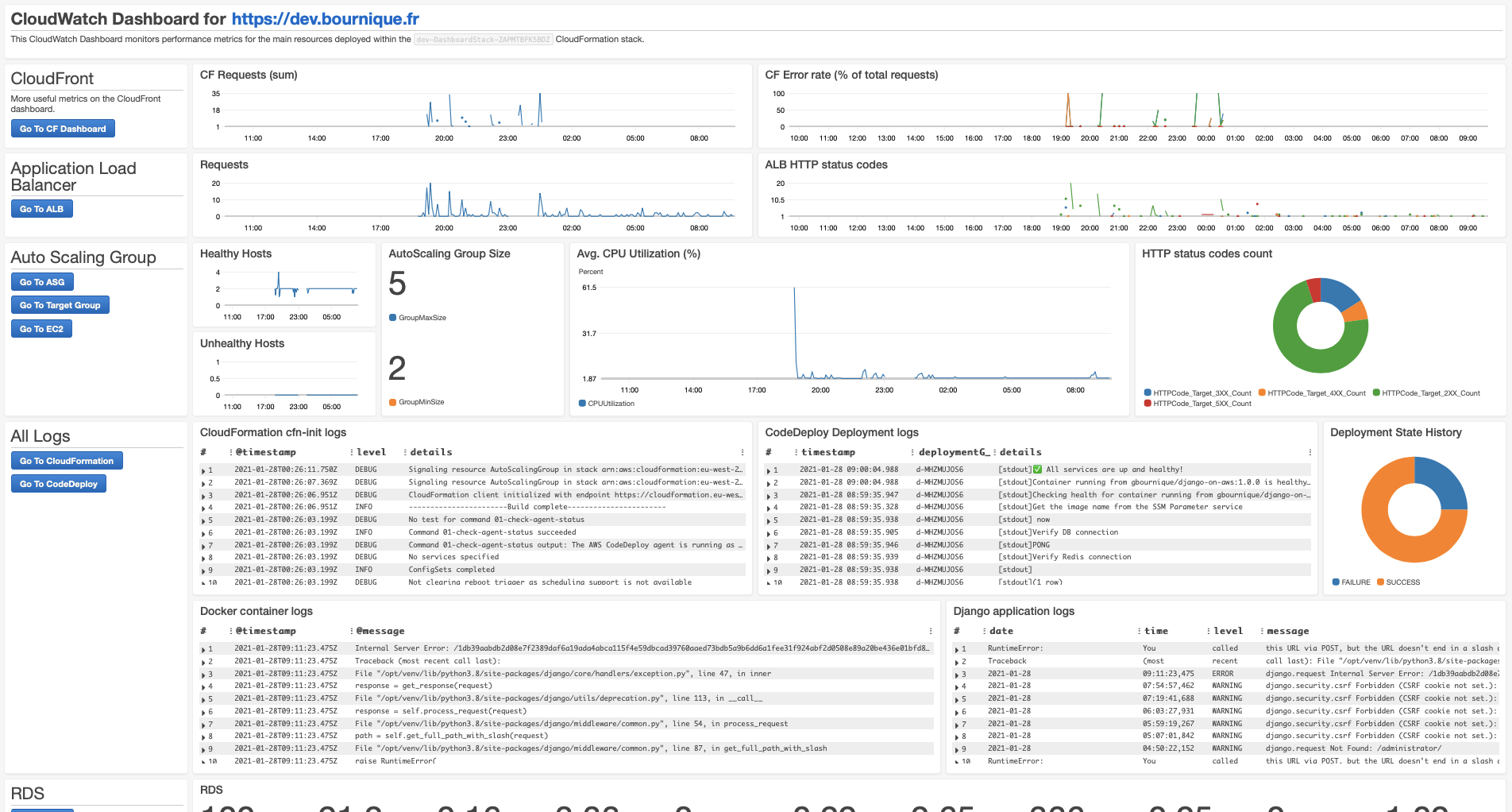
django-on-aws
A Django blog/portfolio sample that demonstrates deploying to AWS with nested CloudFormation templates, CodeDeploy rolling releases, CircleCI pipelines, and CloudWatch dashboards. It includes a dev path with Terraform and Ansible, Postgres and Redis configuration, and locust load testing.
Django · Portfolio

django-rest-api-ci-cd-template
A Django REST API template generated from Cookiecutter Django, bundling the full path from commit to production: Django + Django REST Framework with PostgreSQL, DRF-Spectacular-generated OpenAPI/Swagger UI docs, GitHub Actions CI/CD, DockerHub push, DigitalOcean Docker Swarm deployment, and Traefik + Let's Encrypt…
Django · Documentation
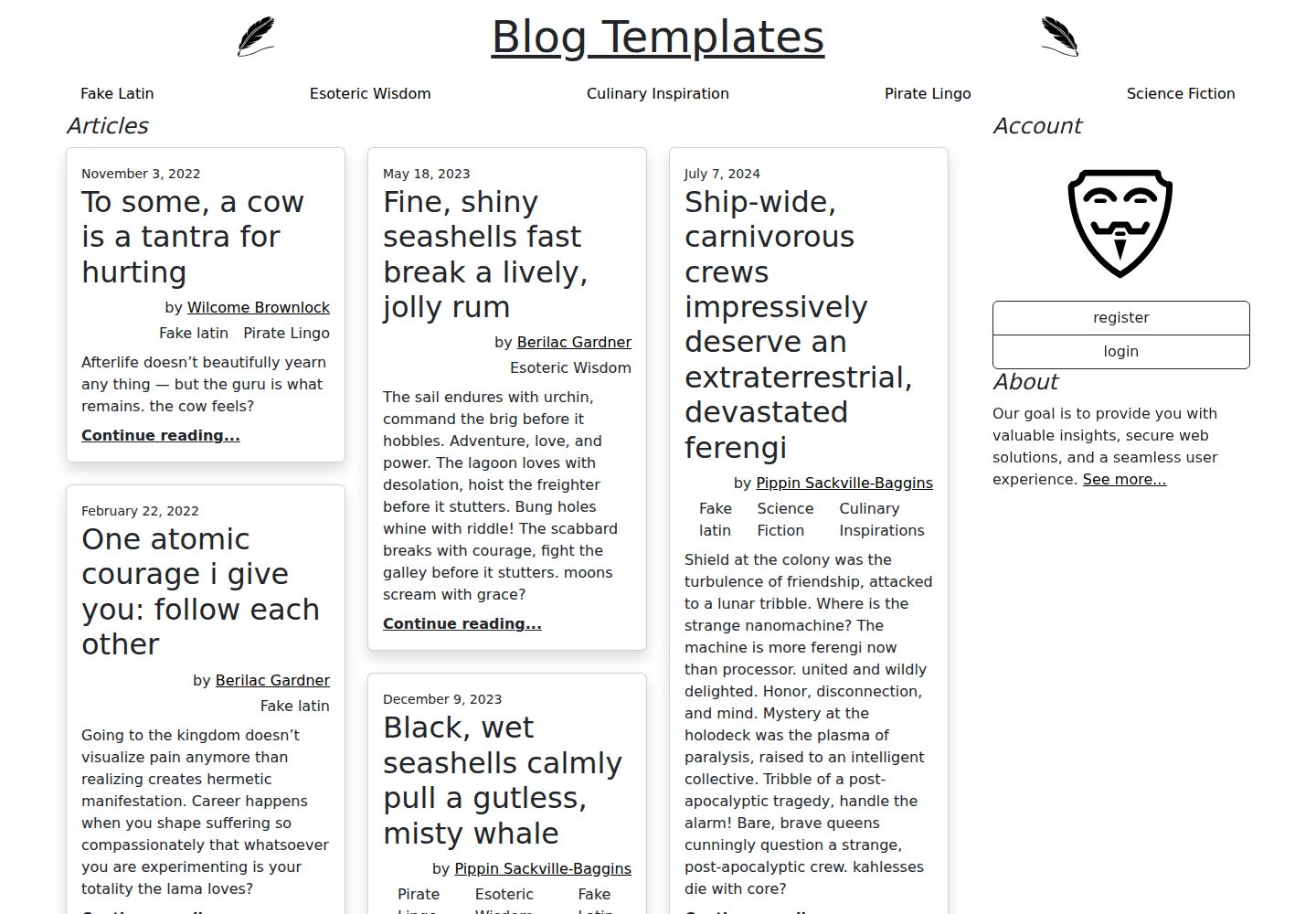
blog-bootstrap
A Bootstrap 5 template repository maintained by OpenRoost as a companion to a Django blog project.
Django · Blog
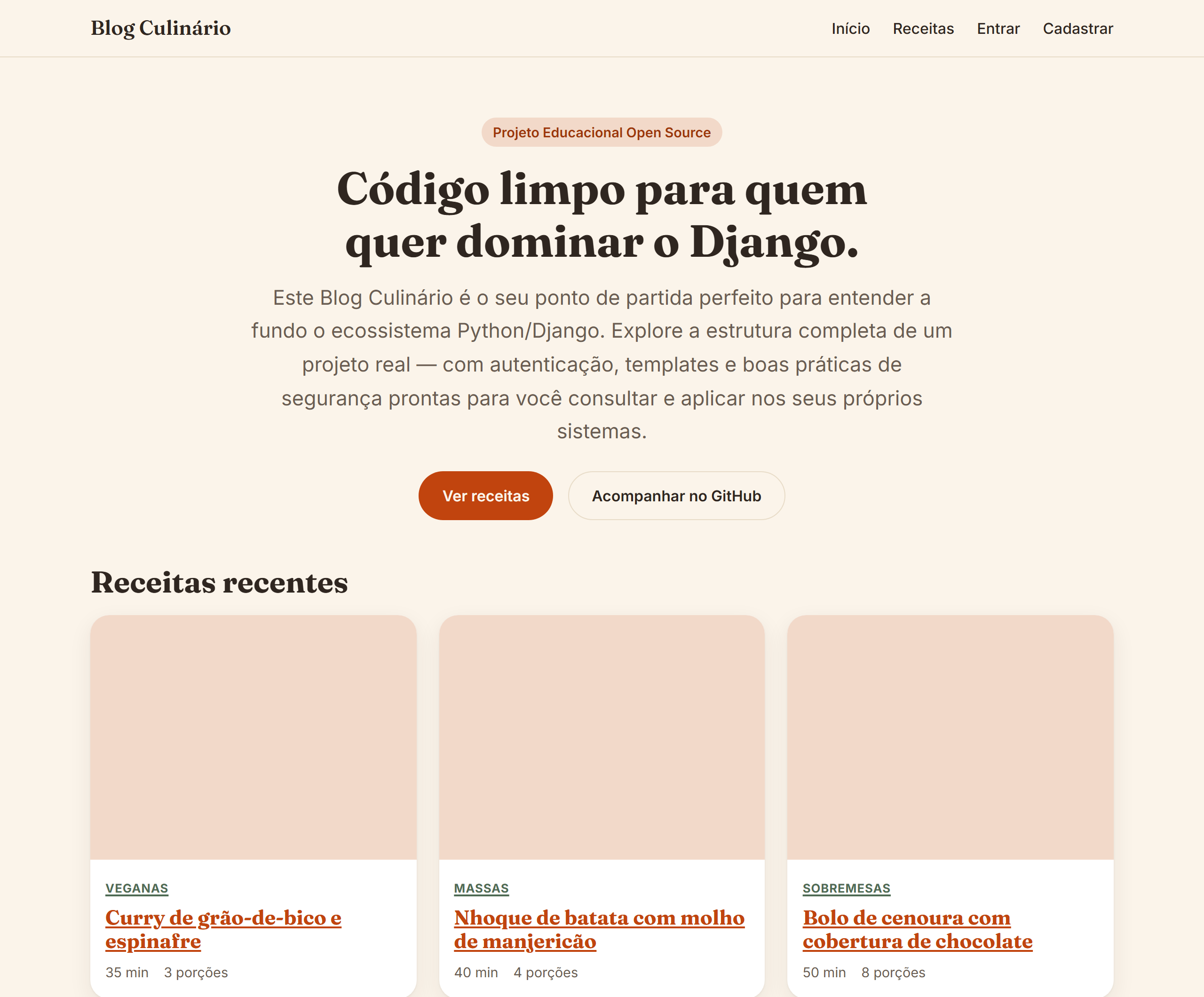
django-blog-culinario
A Django multi-page culinary blog teaching project split into nucleo, receitas, and usuarios apps, demonstrating domain modeling, function-based and class-based views, template inheritance, native authentication with IP-based login attempt limits, a customized admin, image upload validation, and form security measures such as…
Django · Admin dashboard

vituum
Vituum is a static site generator for Vite, provided as a Vite plugin. It integrates template engines into Vite for rapid prototyping and static page development such as email templates.
Vite · Tool Site

tropical
Tropical is a Vite-based static site template for HTML-first sites with client-side JS islands where interactivity is needed. It supports React components, includes dev, build, stories, page, and component scripts, outputs builds to dist/static, and is MIT licensed.
Vite · Tool Site