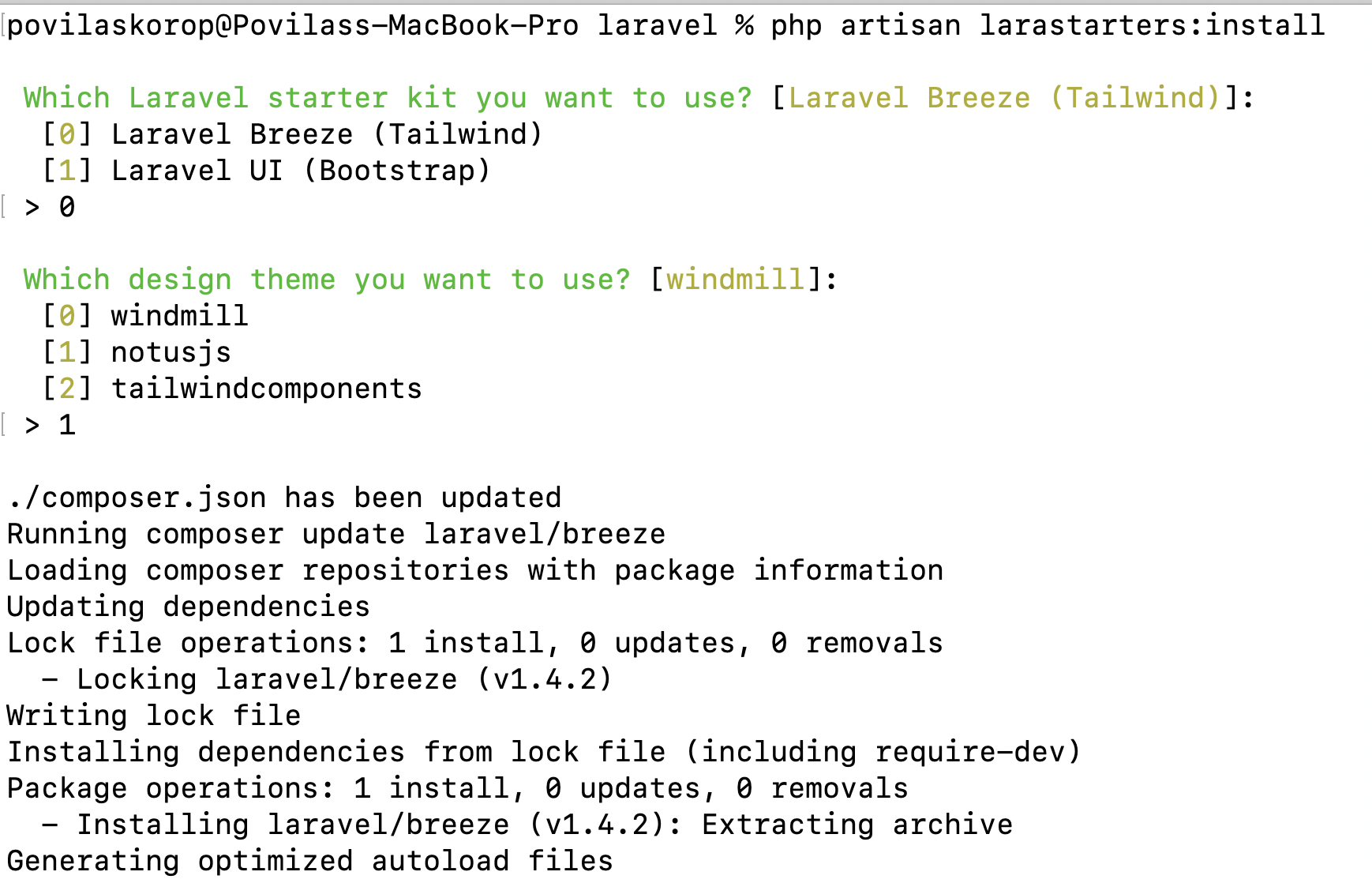
Choose Laravel Breeze or Laravel UI as the authentication foundation via an interactive wizard
VueLaravelHTMLStarter
Larastarters — Vue Starter Template
By juliandavid0610
Larastarters is a Laravel development dependency package that installs the Breeze or Laravel UI starter kit on a fresh Laravel project and layers on a non-default design theme.
Explore the design
Compare the page layouts and mobile experience. Open any screenshot for a closer look.
Author preview
Author-provided previewTop of page
Preview provided in the project README.
One original preview is available. Open the full image to inspect the design.
Screenshots show visual appearance; interactive behavior may differ.
Recorded 2026-10-13View source
What stands out
A quick read of the recorded project description.
Layer 9 selectable design themes on top of the starter kit
Built-in profile management, sample user list, static text page, and two-level sidebar menu
Installed as a Composer development dependency, not included in production dependencies
MIT license, allowing modification, commercial use, and distribution
Template Details
Larastarters is provided as a Composer development dependency for quickly scaffolding a starter kit with authentication screens in a newly created Laravel project. It does not implement authentication logic itself; instead, the installation wizard lets you choose Laravel Breeze (Tailwind) or Laravel UI (Bootstrap) as the foundation, then applies the selected theme.
Installation is triggered via php artisan larastarters:install, which runs an interactive wizard; afterward you need to run npm install && npm run dev to compile frontend assets. In addition to themes, the package includes a profile management form, a sample user list table, a static text sample page, and a two-level sidebar menu.
The limitations are clear: it only works with Laravel 9 and must be used immediately after installing Laravel; if the project already has custom routes, controllers, or similar content, it may be overwritten by Larastarters. When running inside a container, the php artisan commands invoked during installation may hang, and you need to use the --php_version parameter to specify an alternative command. The current version supports 9 themes: on the Tailwind side, Windmill, Notus JS, and Tailwind Components; on the Bootstrap side, Core UI, AdminLTE, Plainadmin, Volt, SB Admin 2, and Tabler.io.
VueLaravelHTMLStarter
Is it right for your project?
Use Cases
- After creating a new Laravel 9 project, you want to quickly get an authentication and admin skeleton with a non-default look
- You need to choose between two frontend approaches: Tailwind (Breeze) and Bootstrap (Laravel UI)
- You want to directly apply ready-made admin themes such as Windmill, AdminLTE, or Tabler.io to reduce UI construction work
- You need a demo starting point that includes a user list and profile form for further development
Suitable For
- Developers using Laravel 9 who are preparing to build an admin interface from scratch
- Those who accept running this package immediately after installing Laravel and do not mind overwriting existing routes and controllers
- Projects that prefer the Breeze or Laravel UI authentication approach and want a different theme appearance
- Teams that need MIT-licensed code for learning or internal projects
Getting started & customization
Use these recorded setup notes alongside the repository instructions for your chosen version.
- 1
First create a fresh Laravel 9 project, then run composer require laraveldaily/larastarters --dev
- 2
Run php artisan larastarters:install and follow the wizard to choose the starter kit and theme
- 3
After completion, run npm install && npm run dev to compile frontend assets
- 4
If installation hangs inside a container, add the --php_version parameter to specify an alternative command, for example --php_version=./vendor/bin/sail
- 5
Be sure to use it before adding custom routes or controllers, otherwise that content may be overwritten
License & source material
Usage conditions & limitations
Free to use · keep license noticeThis entry covers the free version under the MIT license in the public repository; the free scope is the code of that version and does not mean external services or third-party assets are free.
Must comply with when using
- You are allowed to use, modify, commercially use, and distribute the code of this version for free.
- When distributing copies or substantial portions of the code, retain the original author's copyright notice and the full MIT license notice.
- The code is provided as is; warranties and limitations of liability are governed by the original license and applicable law.
Additional costs & items to verify
- Demo images, fonts, icons, and other third-party assets must be checked against their respective licenses and cannot be judged solely by the code's MIT license.
- External services such as domains, hosting, databases, payments, or AI may incur additional charges.
- Only Laravel 9 is supported; other Laravel versions cannot use it.
- It must be used immediately after installing Laravel; if features such as routes or controllers have already been added, they may be overwritten by this package.
- When running inside a container, the installation command may hang, and you need to specify an alternative command via the --php_version parameter.
- More features require the paid product QuickAdminPanel; the free package only provides the starter kit and themes.
View Original Text Basis
Permission is hereby granted, free of charge
Original License Text
Works only with the latest Laravel 9.
Original README
This package should be used **immediately after installing Laravel**. If you add any more functionality, like routes or controllers, they may get overridden by Larastarters.
Original README
This command may not work and the installation process hang if you are within a container. Alternatively, you may pass the `--php_version` flag to change this behaviour.
Original README
https://github.com/juliandavid0610/Larastarters/blob/main/LICENSE.mdhttps://github.com/juliandavid0610/Larastarters/blob/main/README.md**Notice**: if you want more functionality than just the Starter Kit, check our premium product [QuickAdminPanel](https://quickadminpanel.com).
Original README
Compiled by DeepSeek based on repository license and README ·2026-10-13. Results only cover the materials read; dependencies, images, fonts, and subsequent term changes are subject to their respective original texts.
Project checks & description sources
Template Information
- Source platforms
- GitHub
- Documentation and maintenance reference score
- Partly documented · 58 / 100
- Technologies
- Vue · Laravel · HTML
- Website type
- Starter
How this score is calculated
Our heuristic uses license records (up to 30), a demo link (12), a preview (10), stars (15), recorded maintenance (15), description completeness (8), feature records (5) and classification data (5). It is not a code, security or performance test, or a Google score. A link does not establish tested functionality.
What to verify for this project
- Repository update recorded
- 2022-10-06
- Screenshot last checked
- 2026-10-13
No demo link is recorded. Use the repository instructions to evaluate the project locally; the screenshot alone cannot establish interactive behavior.
The catalog identifies Vue as the primary stack. Check the actual dependency manifest and lockfile for versions and hosting requirements. These notes use recorded metadata, not a code audit or a deployment test.
Use a selection guide →How this description was prepared
AI-assisted description based on catalog records and repository material. Repository authors are not automatically the reviewers of this description.
Review declaration: [email protected] · 2026-10-13
Inspect the recorded source material
SHA-256: a64859aa5765ba46374bdc4acb5f1d176a9e9c423247ea9f6e7e1d8d84238c2a
2026-10-13T09:18:40.423Z
Source file / repository# Larastarters Package to install a regular Laravel Starter Kit with a non-regular different design theme. Works only with the latest Laravel 9. The package suggests to install [Laravel Breeze](https://github.com/laravel/breeze) (Tailwind) or [Laravel UI](https://github.com/laravel/ui) (Bootstrap) starter kit, and adds the chosen design theme on top. **Notice**: if you want more functionality than just the Starter Kit, check our premium product [QuickAdminPanel](https://quickadminpanel.com). --- ## Important This package should be used **immediately after installing Laravel**. If you add any more functionality, like routes or controllers, they may get overridden by Larastarters. --- ## Usage 1. Install fresh Laravel project 2. Run `composer require laraveldaily/larastarters --dev` 3. Run `php artisan larastarters:install` - it will show a wizard to choose the starter kit and the theme (options are listed below) 4. Run `npm install && npm run dev` 5. That's it, you have Laravel Auth starter, just visit the home page and click Log in / Register ### Developing within a container Internally this package runs several `php artisan` commands during the install process. This command may not work and the installation process hang if you are within a container. Alternatively, you may pass the `--php_version` flag to change this behaviour. For example: `php artisan larastarters:install --php_version=./vendor/bin/sail`.  ## Available Themes In the current version, there are 9 themes supported. **Tailwind Themes with Laravel Breeze** - [Windmill](https://windmillui.com/dashboard-html) - [Notus JS](https://www.creative-tim.com/product/notus-js) - [Tailwind Components](https://github.com/tailwindcomponents/dashboard) Example screenshots from Windmill theme: 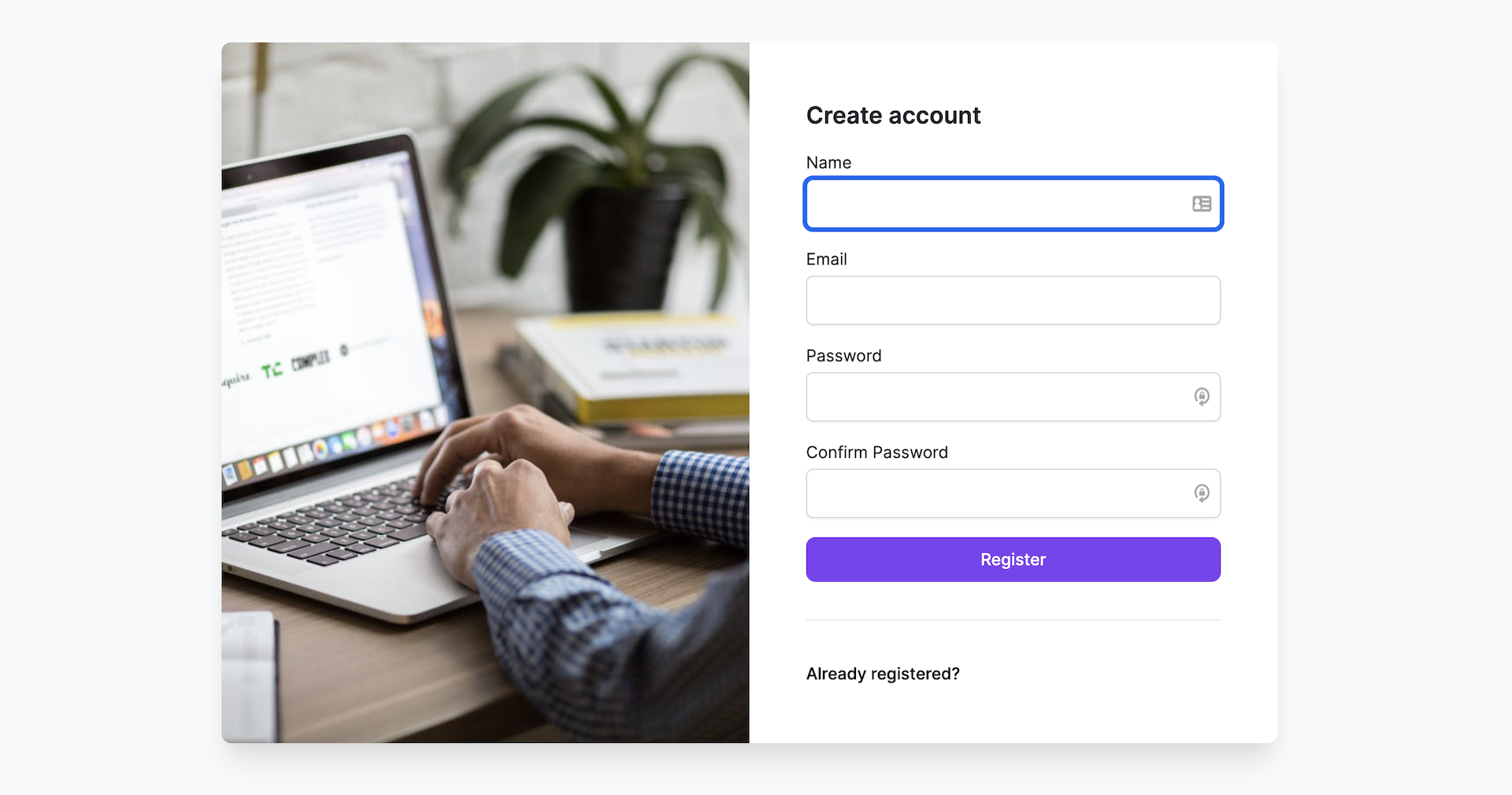 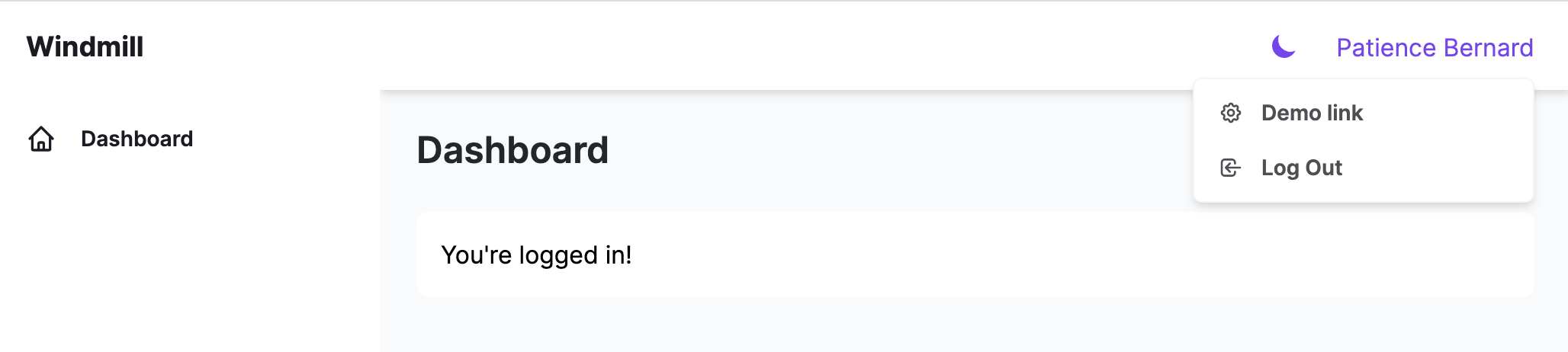 **Bootstrap Themes with Laravel UI** - [Core UI - Bootstrap 5](https://coreui.io/) - [AdminLTE - Bootstrap 4](https://adminlte.io/) - [Plainadmin - Bootstrap 5](https://plainadmin.com/) - [Volt - Bootstrap 5](https://demo.themesberg.com/volt/) - contributed by [@knaazimkhan](https://github.com/knaazimkhan) - [SB Admin 2 - Bootstrap 4](https://startbootstrap.github.io/startbootstrap-sb-admin-2/) - contributed by [@pcmehrdad](https://github.com/pcmehrdad) - [Tabler.io - Bootstrap 5](https://tabler.io/) - contributed by [@PierreLebedel](https://github.com/PierreLebedel) --- ## Pre-Installed Functions Along with the design themes, we add a few features that are typical for almost any project: - Profile management form to change name/email/password - A sample table of Users list - A sample static text page - Two-level menu on the sidebar Want more functions? Raise an issue with your suggestion, or check out our [QuickAdminPanel](https://quickadminpanel.com). --- ## More from our LaravelDaily Team - Enroll in our [Laravel Online Courses](https://laraveldaily.teachable.com/) - Check out our adminpanel generator [QuickAdminPanel](https://quickadminpanel.com) - Subscribe to our [YouTube channel Laravel Daily](https://www.youtube.com/channel/UCTuplgOBi6tJIlesIboymGA)
Explore similar templates
Compare previews and descriptions within the same stack and category.

vitesse
Vitesse is an opinionated Vite + Vue 3 starter template maintained by antfu-collective, offering file-based routing, component and API auto-import, Pinia, UnoCSS, PWA, i18n, Markdown, vite-ssg, TypeScript, Vitest, and Cypress.
Vue · Starter

vitesse-webext
vitesse-webext is a Vite-powered WebExtension starter template using Vue 3 and TypeScript, with built-in popup, options, and content script examples. It targets Chrome and Firefox, integrates webextension-polyfill, webext-bridge, UnoCSS, VueUse, and unplugin tools, and supports hot reload during development.
Vue · Starter

laravel-vue-spa
A Laravel + Vue SPA starter kit for quickly building a decoupled web application skeleton. It includes login, registration, email verification, and password reset flows, uses JWT for authentication, and integrates Laravel Socialite with GitHub as an example provider.
Vue · Starter

vue3-h5-template
A mobile H5 starter template built on Vue3, Vite, and Vant4, with TypeScript by default and JavaScript and i18n branches.
Vue · Starter

tov-template
tov-template is an MIT-licensed Vite + Vue 3 + TypeScript starter maintained by dishait. It bundles file-based routing, layouts, Mock, auto-imports, UnoCSS, Pinia, vue-request, Vitest, i18n, dark mode, Dockerfile, and engineering scripts.
Vue · Starter

shadcn-vue-landing-page
A Vue + Shadcn-Vue + TypeScript + Tailwind landing page template with sections like Navbar, Hero, Pricing, FAQ, Team, and Contact, plus dark mode and responsive layout.
Vue · Corporate Website