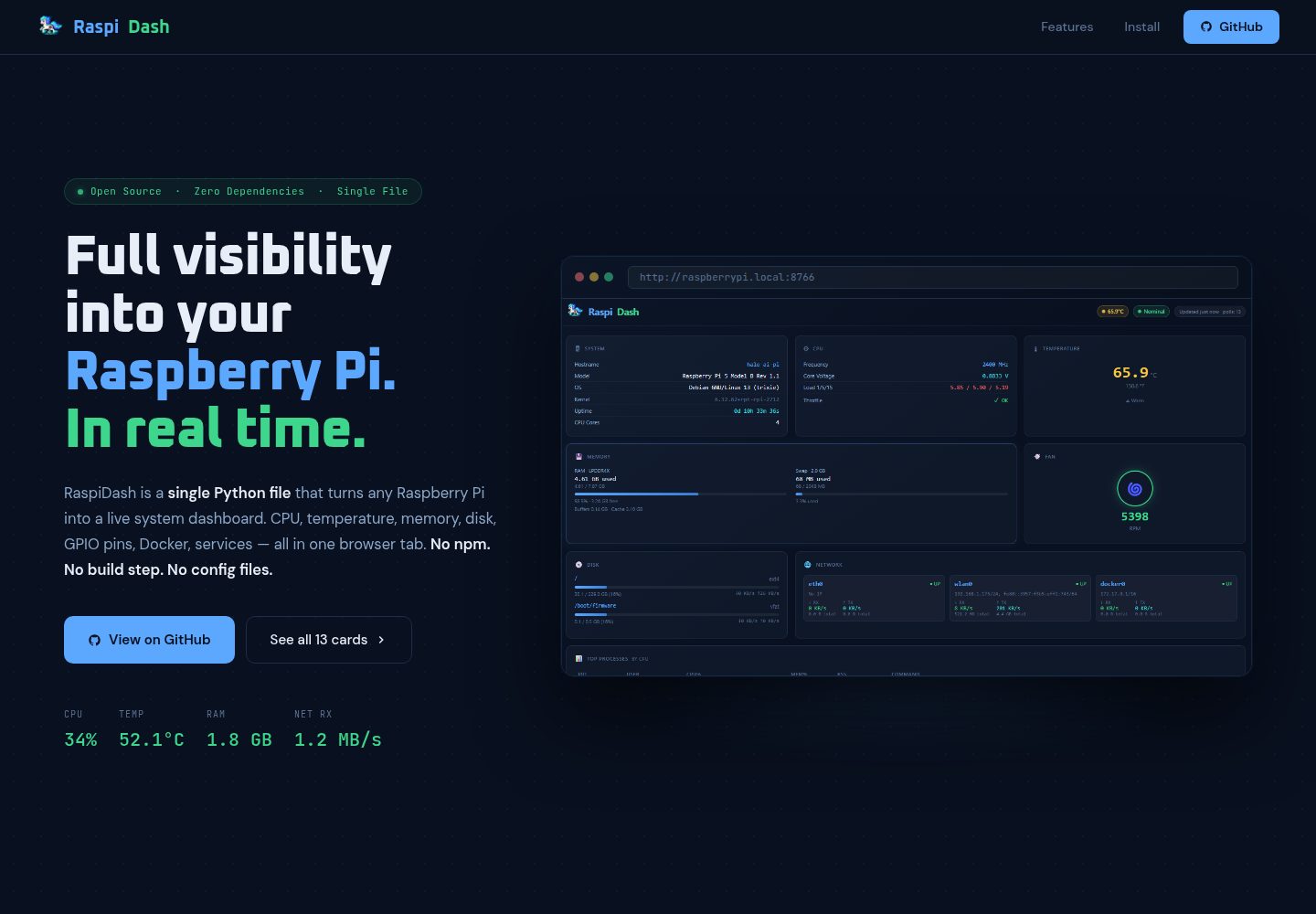
All data comes from native Pi interfaces (/proc, vcgencmd, pinctrl, etc.), with no additional runtime dependencies beyond Flask
FlaskAdmin dashboard
raspi-dash — Flask Admin dashboard Template
By kristoffersingleton
RaspiDash is a real-time monitoring dashboard for Raspberry Pi 5. It uses a Flask backend to collect data from native Pi interfaces such as /proc, vcgencmd, and pinctrl. The frontend has zero dependencies and displays system, CPU, memory, disk, network, GPIO, and other information through Jinja2 card templates.
Explore the design
Compare the page layouts and mobile experience. Open any screenshot for a closer look.
Desktop homepage1 / 2
Desktop captureTop of page
Actual screenshot captured by the server browser.
All pages & views 2
Screenshots show visual appearance; interactive behavior may differ.
Recorded 2026-10-02View source
What stands out
A quick read of the recorded project description.
Cards are enabled and ordered by cards_config.json, with one HTML template per card under templates/cards/
Covers system, CPU, temperature, memory, disk, network, fan, processes, systemd services, GPIO pinout, USB devices, and Docker containers
The GPIO card presents a visual 40-pin pinout diagram showing direction, function, pull-up/down, and level
Provides a systemd service unit example for startup on boot and restart on failure
The main branch depends only on Flask; the experimental real-time log card is kept in a separate logdisplay branch
Template Details
RaspiDash is a single-page monitoring dashboard running on Raspberry Pi 5. The backend uses Flask, the frontend introduces no additional dependencies, and cards are rendered by Jinja2 templates. Data sources are limited to native Pi interfaces (/proc, vcgencmd, pinctrl, etc.), covering system information, CPU frequency and core voltage, temperature, memory and swap, disk usage and real-time read/write rates for each mount point, network interface IPs and send/receive rates, fan speed, the top 15 processes sorted by CPU usage, systemd services grouped by running/failed/inactive, a 40-pin GPIO pinout diagram (direction, function, pull-up/down, level), a USB device list, and running Docker containers (graceful degradation when Docker is not installed).
The runtime environment requires Raspberry Pi 5 and Raspberry Pi OS (Debian Bookworm/Trixie), Python 3.11+, and Flask. Because Raspberry Pi OS enforces PEP 668 on Bookworm and later, you must create a virtual environment before installing dependencies, then run server.py. It listens on port 8766 by default, which can be changed with the --port argument. The project provides a systemd service unit example for startup on boot and restart on failure.
The dashboard cards are controlled by cards_config.json for enabled state and order, and each card corresponds to an HTML file under templates/cards/. Adding a card requires three steps: add a data key in StatsCollector.collect() in server.py, create the corresponding card template, and register it in cards_config.json. The main branch depends only on Flask; the logdisplay branch is experimental, adds a real-time log card, and therefore introduces additional dependencies. The project uses the Apache-2.0 license.
FlaskBackend
Is it right for your project?
Use Cases
- View the overall real-time operating status of a Raspberry Pi 5 in a browser
- Troubleshoot hardware-related issues such as CPU throttling, temperature, or fan speed
- Check disk usage and real-time read/write rates for each mount point
- Inspect systemd service running, failed, and inactive states
- Verify pin direction, function, and level against the 40-pin GPIO pinout diagram
Suitable For
- Users running Raspberry Pi OS (Bookworm/Trixie) on a Raspberry Pi 5
- Developers or operators who need to view Pi metrics within the local network
- Users who want to add, remove, or reorder monitoring cards as needed and are willing to modify a small amount of Python and HTML
Getting started & customization
Use these recorded setup notes alongside the repository instructions for your chosen version.
- 1
Requires Raspberry Pi 5 and Raspberry Pi OS (Debian Bookworm/Trixie), Python 3.11+, and Flask
- 2
Raspberry Pi OS enforces PEP 668, so first run python -m venv venv and activate the virtual environment, then pip install -r requirements.txt
- 3
Run python server.py to start; the default port is 8766, which can be changed with the --port argument. Access http://<Pi IP>:8766 in a browser
- 4
For startup on boot, create a systemd service unit as shown in the README and point ExecStart to the Python in the virtual environment
- 5
Adding a card requires modifying StatsCollector.collect() in server.py, adding a template under templates/cards/, and registering it in cards_config.json
License & source material
Usage conditions & limitations
Free to use · keep license noticeThis entry covers the free version in the public repository under the Apache-2.0 license; the free scope is the code of that version and does not imply that external services or third-party assets are free.
Must comply with when using
- Free use, modification, commercial use, and distribution are permitted; the Apache-2.0 license must be included when distributing.
- Modified files must carry prominent notices of changes, and relevant copyright, patent, trademark, and attribution notices must be retained.
- If the original project includes a NOTICE file, applicable attribution notices in it must be retained when distributing derivative works.
- The license includes an applicable contributor patent grant; initiating patent litigation as described in the license terminates that patent grant, and no trademark rights are granted.
- The code is provided as is; warranties and limitations of liability are governed by the original license and applicable law.
Additional costs & items to verify
- Supports only Raspberry Pi 5 hardware running Raspberry Pi OS (Debian Bookworm/Trixie); other platforms or systems are not supported.
- Requires Python 3.11 or later; lower Python versions cannot run it.
- Raspberry Pi OS Bookworm and later enforce PEP 668, so dependencies must be installed in a virtual environment and cannot be installed directly with pip install.
- The real-time log card is in the experimental logdisplay branch, introduces additional dependencies, and is not a stable feature of the main branch.
- Demo images, fonts, icons, and other third-party assets must be checked against their respective licenses; the code's Apache-2.0 license alone is not sufficient to judge them.
- External services such as domains, hosting, databases, payments, or AI may incur separate charges.
View Original Text Basis
no-charge, royalty-free, irrevocable copyright license
Original License Text
Raspberry Pi 5 running Raspberry Pi OS (Debian Bookworm/Trixie)
Original README
Python 3.11+
Original README
Raspberry Pi OS (Bookworm and later) enforces PEP 668 — it blocks `pip install` outside of a virtual environment
Original README
https://github.com/kristoffersingleton/raspi-dash/blob/main/LICENSEhttps://github.com/kristoffersingleton/raspi-dash/blob/main/README.md`logdisplay` — experimental branch that adds a live log card streaming systemd journal entries. Kept separate because it pulls in additional dependencies.
Original README
Compiled by DeepSeek based on repository license and README ·2026-10-02. Results only cover the materials read; dependencies, images, fonts, and subsequent term changes are subject to their respective original texts.
Project checks & description sources
Template Information
- Source platforms
- GitHub
- Documentation and maintenance reference score
- More documented · 83 / 100
- Technologies
- Flask
- Website type
- Admin dashboard
How this score is calculated
Our heuristic uses license records (up to 30), a demo link (12), a preview (10), stars (15), recorded maintenance (15), description completeness (8), feature records (5) and classification data (5). It is not a code, security or performance test, or a Google score. A link does not establish tested functionality.
What to verify for this project
- Repository update recorded
- 2026-03-05
- Screenshot last checked
- 2026-10-02
A demo link is listed. Check it with your own content and viewport sizes; its presence does not confirm that forms, authentication or payments work.
The catalog identifies Flask as the primary stack. Check the actual dependency manifest and lockfile for versions and hosting requirements. These notes use recorded metadata, not a code audit or a deployment test.
Use a selection guide →How this description was prepared
AI-assisted description based on catalog records and repository material. Repository authors are not automatically the reviewers of this description.
Automatically checked against source and license rules; no manual editorial review.
Inspect the recorded source material
SHA-256: 76d05138f8d004289f605ac148e63d47d8e1be6571124c006472b72c4ae5d581
2026-10-02T22:48:50.004Z
Source file / repository# RaspiDash
A real-time "single pane of glass" monitoring dashboard for Raspberry Pi 5.

## Features
- **System** — hostname, Pi model, OS, kernel, uptime
- **CPU** — frequency, core voltage, throttle flags, load averages
- **Temperature** — CPU gauge in °C / °F
- **Memory** — RAM and swap usage bars
- **Disk** — per-mount usage bars with live I/O read/write rates
- **Network** — per-interface IPs and live RX/TX rates
- **Fan** — RPM readout
- **Processes** — top 15 by CPU usage
- **Services** — systemd units grouped by running / failed / inactive
- **GPIO Pin Map** — visual 40-pin header with direction, function, pull, and level
- **USB Devices** — lsusb output
- **Docker** — running containers (graceful if Docker is absent)
All data is sourced from Pi-native interfaces (`/proc`, `vcgencmd`, `pinctrl`, etc.) — no external dependencies beyond Flask.
<img src="assets/raspi_dash_pony.png" width="50%">
## Requirements
- Raspberry Pi 5 running Raspberry Pi OS (Debian Bookworm/Trixie)
- Python 3.11+
- Flask (`pip install flask`)
## Install & Run
Raspberry Pi OS (Bookworm and later) enforces PEP 668 — it blocks `pip install` outside of a virtual environment to protect system Python packages. Create a venv first:
```bash
git clone https://github.com/kristoffersingleton/raspi-dash.git
cd raspi-dash
python -m venv venv
source venv/bin/activate
pip install -r requirements.txt
python server.py
```
If you're using an existing venv (e.g. shared across Pi projects), just activate it before the `pip install` step. Remember to point the `ExecStart` path in your systemd unit to the venv's Python binary.
Open `http://<your-pi-ip>:8766` in a browser.
## Options
```
python server.py --port 8766
```
## Customization
Cards are driven by two files: `cards_config.json` controls which cards are active and their order; `templates/cards/` holds one HTML file per card.
### Reordering or disabling cards
Edit `cards_config.json` — change the order of entries or set `"enabled": false`:
```json
[
{ "key": "system", "fn": "cardSystem", "template": "system", "enabled": true },
{ "key": "temperature", "fn": "cardTemp", "template": "temperature", "enabled": true },
{ "key": "cpu", "fn": "cardCpu", "template": "cpu", "enabled": true },
{ "key": "fan", "fn": "cardFan", "template": "fan", "enabled": false },
...
]
```
Restart the server — no code changes needed.
### Adding a new card
**1. Add a backend data source** — add a key to `StatsCollector.collect()` in `server.py`:
```python
data['uptime_raw'] = float(open('/proc/uptime').read().split()[0])
```
It's included in `/api/stats` automatically.
**2. Create a card template** — add `templates/cards/uptime_raw.html`:
```html
<script>
function cardUptimeRaw(val) {
return '<div class="card">' +
'<div class="card-title"><span class="icon">⏱</span> Uptime Raw</div>' +
row('Seconds', val, 'cyan') +
'</div>';
}
</script>
```
Use `span2` or `span3` on the outer div to make it wider.
**3. Register it in `cards_config.json`:**
```json
{ "key": "uptime_raw", "fn": "cardUptimeRaw", "template": "uptime_raw", "enabled": true }
```
That's it — position it anywhere in the list to control where it appears in the grid.
## Running as a service
To have RaspiDash start automatically on boot, create a systemd service unit.
**1. Create the service file:**
```bash
sudo nano /etc/systemd/system/raspidash.service
```
```ini
[Unit]
Description=RaspiDash monitoring dashboard
After=network.target
[Service]
ExecStart=/path/to/your/venv/bin/python /home/pi/raspi-dash/server.py
WorkingDirectory=/home/pi/raspi-dash
Restart=on-failure
User=pi
[Install]
WantedBy=multi-user.target
```
Replace `/path/to/your/venv` with your Python environment and adjust the `User` and paths to match your setup.
**2. Enable and start it:**
```bash
sudo systemctl daemon-reload
sudo systemctl enable raspidash
sudo systemctl start raspidash
```
**3. Check status:**
```bash
sudo systemctl status raspidash
```
The dashboard will now start on every boot and restart automatically if it crashes.
## Branches
`main` — stable dashboard with no extra dependencies beyond Flask.
`logdisplay` — experimental branch that adds a live log card streaming systemd journal entries. Kept separate because it pulls in additional dependencies.
## License
Apache 2.0
Explore similar templates
Compare previews and descriptions within the same stack and category.
PyFly
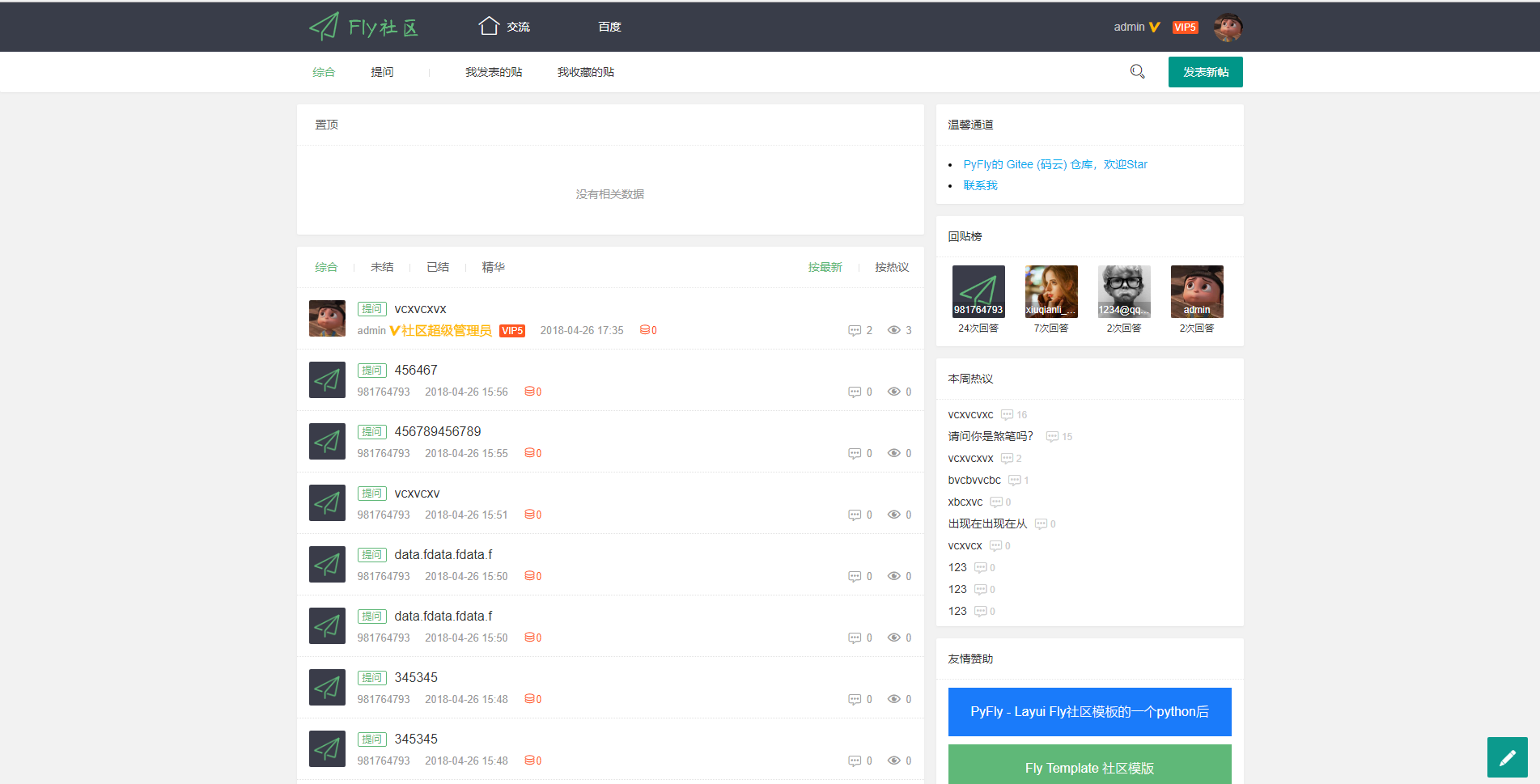
PyFly is a Flask + MongoDB community forum project using the Layui Fly Template. The frontend covers registration, login, email activation, posting, replying, liking, accepting answers, deleting posts, and closing threads; the backend uses flask-admin for simple management.
Flask · Admin dashboard
Dashboard
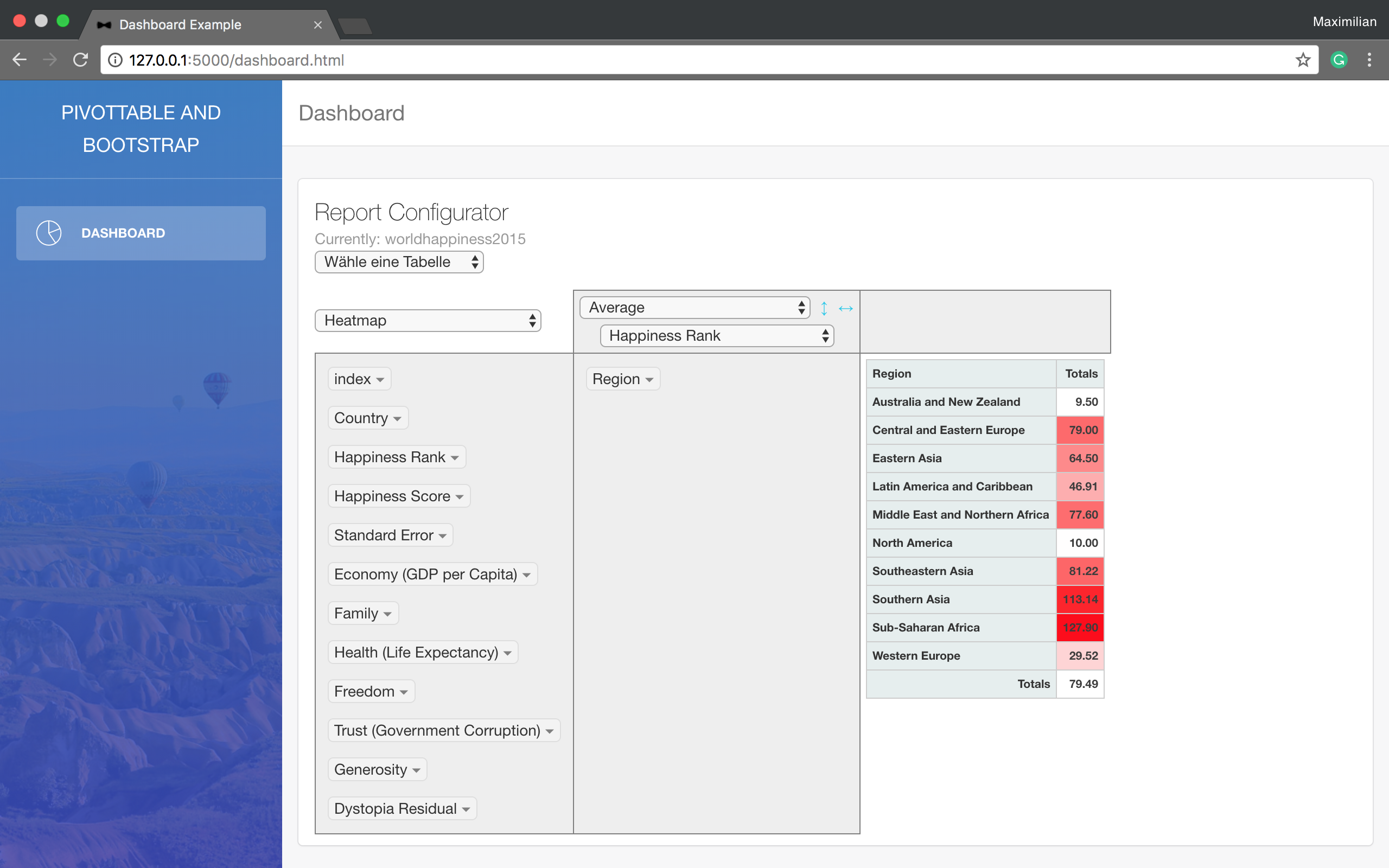
A minimal Flask example that reads data from a SQL database, processes it with Pandas, and displays it in a pivot table using a Bootstrap template. It requires your own SQL database and configuration changes at the TODO-marked positions in main.py.
Flask · Admin dashboard
finance-dashboard-template
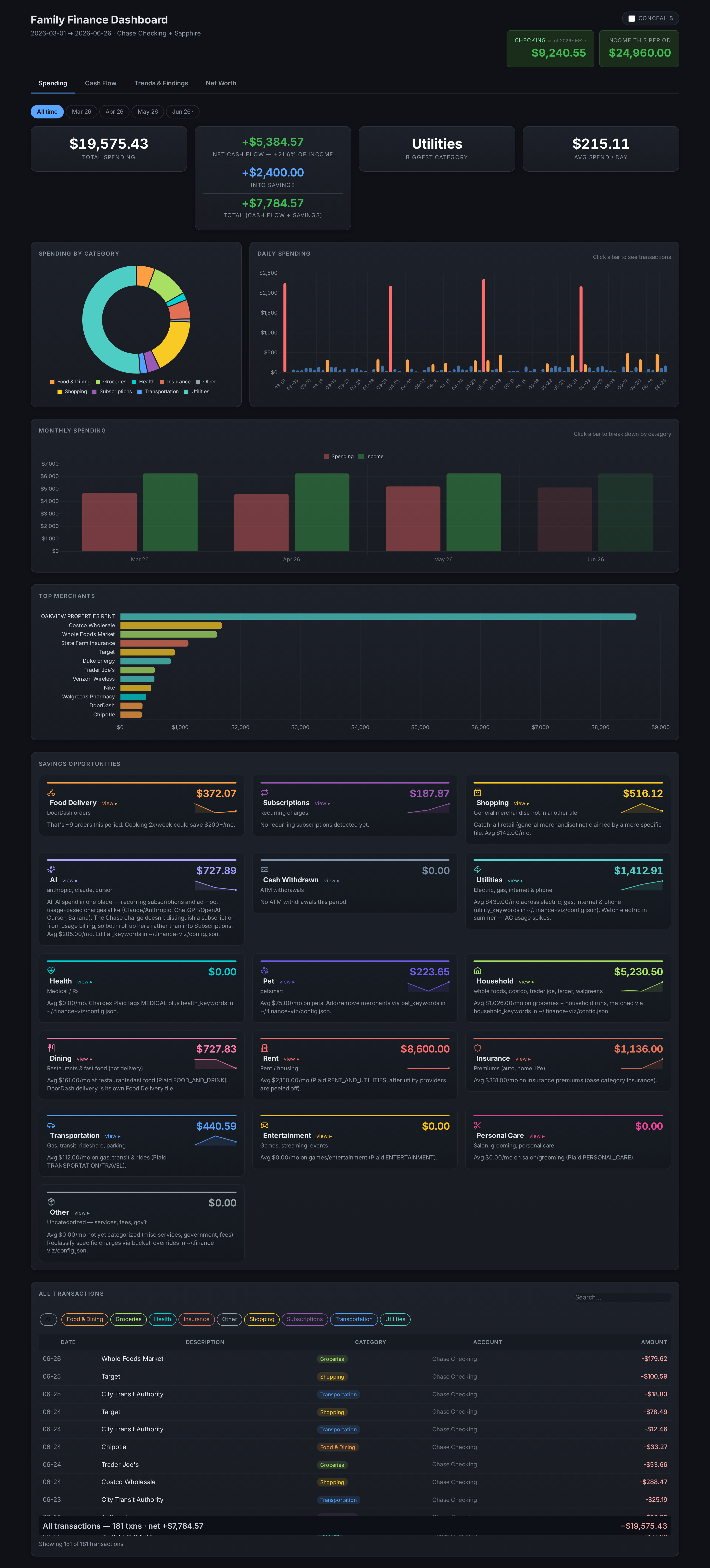
A Flask-based self-hosted personal finance dashboard template that aggregates bank, brokerage, and equity plan data via Plaid and custom scrapers, keeping all personal data local.
Flask · Admin dashboard
BootstrapFlask
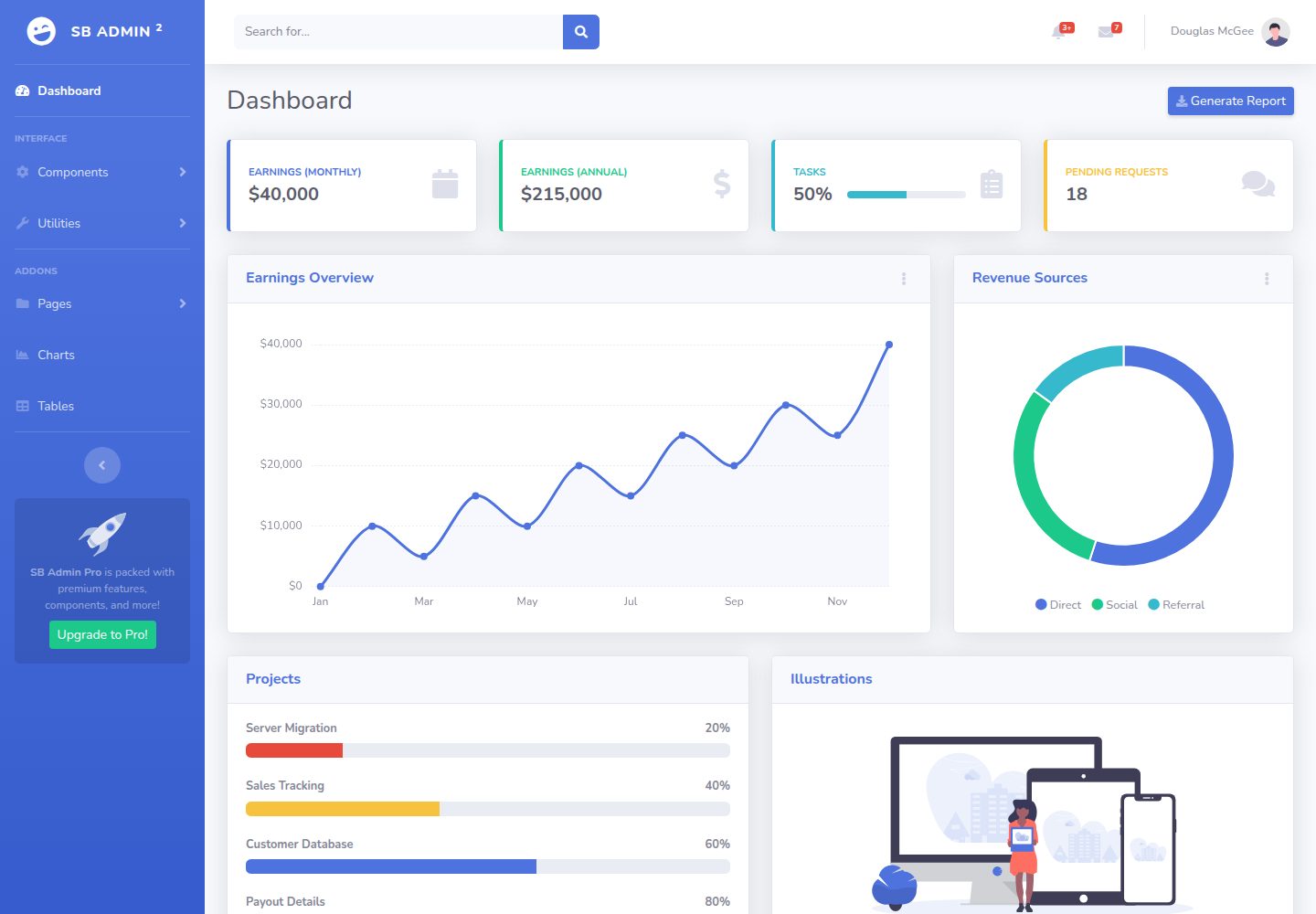
BootstrapFlask adapts Start Bootstrap's SB Admin 2 admin theme into a Flask project template, offering a dashboard-style data management interface with a sidebar and stat cards.
Flask · Admin dashboard

AdminLTE
AdminLTE is a free, open-source admin dashboard template built on Bootstrap 5 and vanilla JavaScript, with no jQuery dependency.
Astro · Admin dashboard
ant-design-pro
Ant Design Pro is an enterprise-grade React admin scaffold built on React 19, Umi Max 4, and antd 6 with TypeScript.
React · Admin dashboard