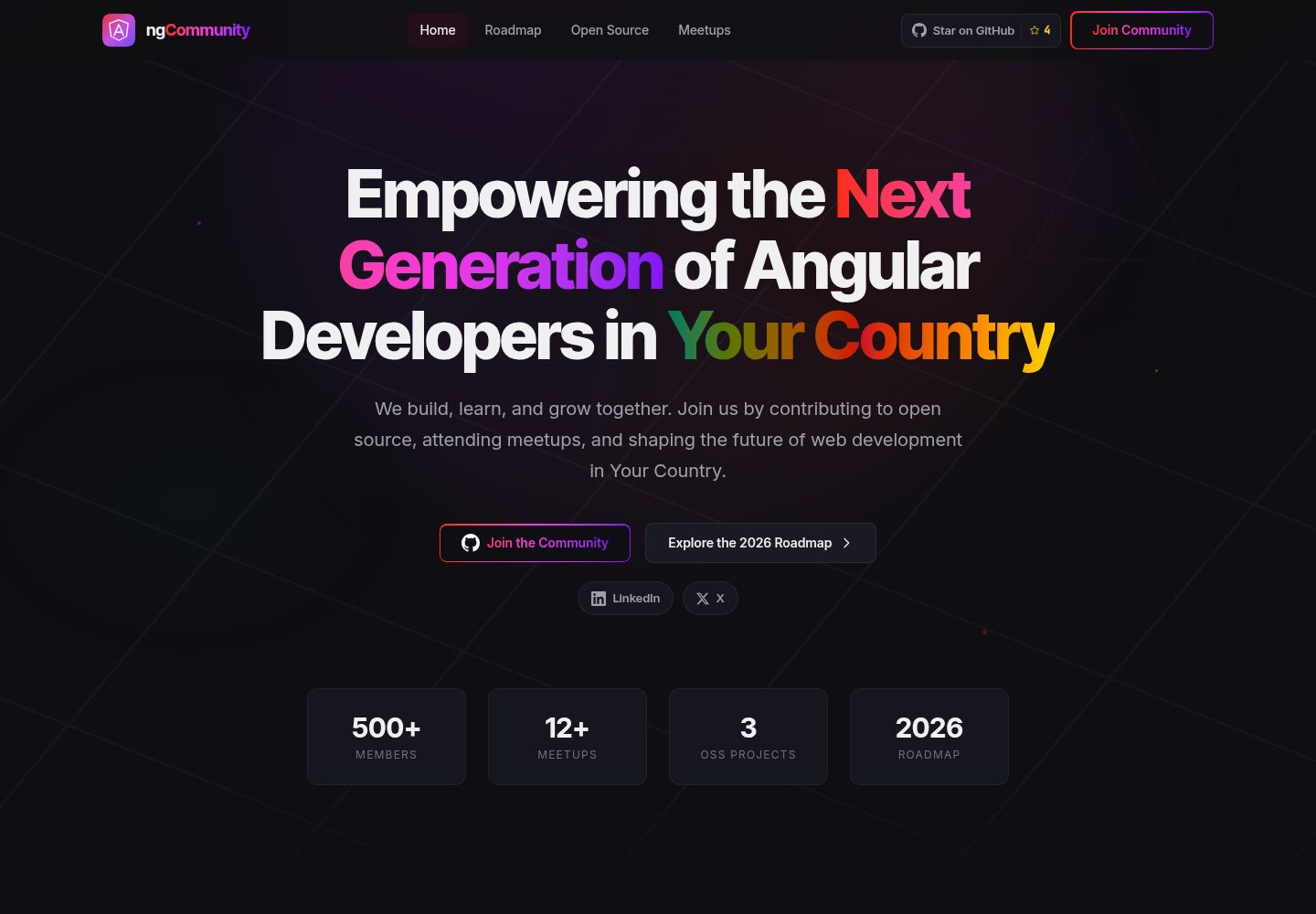
Brand replacement is centralized in one file, community.config.ts; the navbar, footer, hero, page titles, and meta descriptions update accordingly
AngularStarter
angular-community-website-template — Angular Starter Template
By ngcameroon
A website template for Angular community organizations. After forking, modify one configuration file to replace branding and content. Includes four pages: home, roadmap, meetup schedule, and open-source project showcase.
Explore the design
Compare the page layouts and mobile experience. Open any screenshot for a closer look.
Desktop homepage1 / 2
Desktop captureTop of page
Actual screenshot captured by the server browser.
All pages & views 2
Screenshots show visual appearance; interactive behavior may differ.
Recorded 2026-10-03View source
What stands out
A quick read of the recorded project description.
The roadmap page uses ng-diagram for an interactive journey map, with guided tour, stage navigation, thumbnails, and keyboard controls
The meetups page sorts automatically: the next event is pinned with a live countdown, shows Happening now while in progress, and moves into the past archive after it ends
Prerendering with TransferState handles the difference between build clock and visitor clock to avoid hydration mismatches
Content data uses real Angular Cameroon activities as examples, so you can see the site in a filled-in state
MIT licensed, allowing free use, modification, commercial use, and distribution of this version of the code
Template Details
This is an Angular community website template maintained by Angular Cameroon and originally used for the ngCameroon site. The repository is open under the MIT license, with the goal of letting other communities avoid starting from an empty ng new.
The template includes four pages: Home (hero, community pillars, featured projects), Roadmap (an interactive journey map based on ng-diagram, with guided tour, stage navigation, thumbnails, and keyboard controls), Meetups (an automatically sorted schedule that highlights the next event with a live countdown, and moves past events into an archive), and Open Source (showcasing community-maintained projects).
Brand replacement is centralized in a single file, src/app/core/community.config.ts, covering name, wordmark, tagline, city, country, time zone, site URL, GitHub organization, social links, hero stats, footer resource links, the three home page pillars, and featured projects; the navbar, footer, hero, page titles, and meta descriptions update accordingly. The logo goes in public/brand/logo.svg and is used in the navbar, footer, favicon, and web manifest. Static tags in src/index.html and the placeholder domains in public/robots.txt, sitemap.xml, and site.webmanifest must be replaced manually. Colors are defined in the @theme block in src/styles.css; changing the accent color hex value takes effect globally.
Content data uses real Angular Cameroon activities as examples: meetup sessions in meetups.data.ts, roadmap weeks and stages in journey.data.ts, and open-source projects in open-source.data.ts. When the meetups page is prerendered as static HTML, it writes the build-time clock via TransferState; the first client render reuses that value to match hydration, then switches to the visitor's real clock.
Requirements are Node.js 20.x or 22.x and npm 10+. The build command npm run build generates a prerendered output in dist/community-site/browser. The repository's vercel.json is configured for Vercel, with unmatched paths falling back to /index.html; the filesystem takes precedence over rewrite rules, so real prerendered routes such as /roadmap are served directly. The template can also be deployed to any static host.
AngularStarter
Is it right for your project?
Use Cases
- Quickly build a community site for an Angular user group with home, roadmap, meetup schedule, and open-source project showcase pages
- Replace the template's sample data with your community's event schedule and maintained project list
- Deploy the prerendered static output on Vercel or any static host
Suitable For
- Angular community organizers who want ready-made page structure and prefer to change only configuration and content data
- Developers who accept the Angular stack and are willing to replace branding, colors, and placeholder domains themselves
- Community site maintainers who need static hosting and a meetup schedule that updates automatically by session
Getting started & customization
Use these recorded setup notes alongside the repository instructions for your chosen version.
- 1
Requires Node.js 20.x or 22.x and npm 10+
- 2
Use npx degit ngcameroon/angular-community-website-template my-community to fetch the code, then npm install and npm start; the dev server runs at localhost:4200
- 3
To replace branding, modify src/app/core/community.config.ts, public/brand/logo.svg, the static tags in src/index.html, and the placeholder domains in public/robots.txt, sitemap.xml, and site.webmanifest
- 4
Adjust colors in the @theme block in src/styles.css; changing the accent color hex value takes effect globally
- 5
npm run build generates prerendered output in dist/community-site/browser, deployable to Vercel (the repository includes vercel.json) or any static host; third-party assets such as demo images, fonts, and icons must be checked against their respective licenses
License & source material
Usage conditions & limitations
Free to use · keep license noticeThis listing covers the free version in the public repository under the MIT license; the free scope is this version of the code and does not mean external services or third-party assets are free.
Must comply with when using
- Free use, modification, commercial use, and distribution of this version of the code are permitted.
- When distributing copies or substantial portions of the code, retain the original author's copyright notice and the full MIT license notice.
- The code is provided as is; warranties and limitations of liability are governed by the original license and applicable law.
Additional costs & items to verify
- Demo images, fonts, icons, and other third-party assets must be checked against their respective licenses; the code's MIT license alone is not sufficient to determine this.
- External services such as domains, hosting, databases, payments, or AI may incur separate charges.
View Original Text Basis
Compiled by DeepSeek based on repository license and README ·2026-10-03. Results only cover the materials read; dependencies, images, fonts, and subsequent term changes are subject to their respective original texts.
Project checks & description sources
Template Information
- Source platforms
- GitHub
- Documentation and maintenance reference score
- More documented · 83 / 100
- Technologies
- Angular
- Website type
- Starter
How this score is calculated
Our heuristic uses license records (up to 30), a demo link (12), a preview (10), stars (15), recorded maintenance (15), description completeness (8), feature records (5) and classification data (5). It is not a code, security or performance test, or a Google score. A link does not establish tested functionality.
What to verify for this project
- Repository update recorded
- 2026-08-12
- Screenshot last checked
- 2026-10-03
A demo link is listed. Check it with your own content and viewport sizes; its presence does not confirm that forms, authentication or payments work.
The catalog identifies Angular as the primary stack. Check the actual dependency manifest and lockfile for versions and hosting requirements. These notes use recorded metadata, not a code audit or a deployment test.
Use a selection guide →How this description was prepared
AI-assisted description based on catalog records and repository material. Repository authors are not automatically the reviewers of this description.
Review declaration: [email protected] · 2026-10-04
Inspect the recorded source material
SHA-256: 86cbbf836e14821987239f9e2a98a47037495a58efcd37a04ec491ecb141bdbb
2026-10-03T23:30:15.949Z
Source file / repository# Angular Community Website Template A production-ready website for an Angular community group. Fork it, edit one config file, and you have a site with a landing page, a roadmap timeline, a meetups scheduler, and an open source showcase. Built and maintained by [Angular Cameroon](https://github.com/ngcameroon). Originally the ngCameroon site, opened up so other communities do not have to start from an empty `ng new`. **Live demo:** [template.ngcameroon.com](https://template.ngcameroon.com) ## What you get - **Landing page** with a hero, community pillars, and a featured project spotlight - **Roadmap** with an interactive journey diagram: guided tour, phase navigation, minimap, keyboard control - **Meetups** that sort themselves, featuring the next session with a live countdown and moving finished sessions into a past archive automatically - **Open Source** showcase for the projects your community maintains - Angular 21, SSR with prerendering, Tailwind CSS 4, dark theme, responsive, reduced-motion aware ## Requirements - Node.js 20.x or 22.x - npm 10+ ## Getting started ```bash npx degit ngcameroon/angular-community-website-template my-community cd my-community npm install npm start ``` The site runs at `http://localhost:4200/`. ## Make it yours Most of the rebrand happens in one file. ### 1. Identity: `src/app/core/community.config.ts` Name, wordmark, tagline, city, country, timezone, site URL, GitHub org, social links, hero stats, footer resource links, the three home page pillars, and the featured project. Change these and the navbar, footer, hero, page titles, and meta descriptions all follow. ### 2. Logo: `public/brand/logo.svg` Drop your own file in at that path and every reference updates. It is used for the navbar, footer, favicon, and web manifest. ### 3. Static tags: `src/index.html` These cannot read the TypeScript config because they are plain HTML. Replace every `Angular Community` and `your-community.example` with your own name and domain. There is a comment at the top of the file marking exactly what to change. ### 4. Colours: `src/styles.css` The palette lives in the `@theme` block at the top: | Token | What it is | | :--- | :--- | | `--color-angular-red`, `--color-angular-blue` | Angular brand colours, usually keep these | | `--color-accent-green`, `--color-accent-red`, `--color-accent-gold` | Your community's accent colours | | `--color-page-bg`, `--color-surface*`, `--color-text*` | Dark theme surfaces and text | Change the accent hex values to your own and the whole site follows. ### 5. Content These files ship with Angular Cameroon's real programme as example data, so you can see what a filled-in site looks like before replacing it: | File | Drives | | :--- | :--- | | `src/app/pages/meetups/meetups.data.ts` | Session list, dates, topics, registration links | | `src/app/pages/roadmap/journey.data.ts` | Roadmap weeks and phases | | `src/app/pages/open-source/open-source.data.ts` | Projects on the Open Source page | ### 6. Public files `public/robots.txt`, `public/sitemap.xml`, and `public/site.webmanifest` all carry the placeholder domain. Swap in yours. ## How the meetups page works Sessions move themselves. The next upcoming session is featured at the top with a live countdown; during its hour it switches to a "Happening now" state; once it ends it drops into **Past sessions**, dimmed and badged. Because the page is prerendered to static HTML, the build stamps its own clock into the page via `TransferState`. The first client render reuses that exact value so hydration matches, then it switches to the visitor's real clock. That is why the page is never stale, however long ago you deployed. Add a session by appending to `MEETUPS` in `meetups.data.ts`. Set `registrationUrl` to a real link and the card's button becomes live; leave it `null` and it reads "Registration opens soon". ## Commands | Command | What it does | | :--- | :--- | | `npm start` | Dev server at `localhost:4200` | | `npm run build` | Production build with prerendering | | `npm test` | Unit tests via Vitest | ## Deploying `vercel.json` is set up for Vercel. Every route is prerendered, so the output is fully static: - **Output directory:** `dist/community-site/browser` - **Rewrite:** everything unmatched falls back to `/index.html` The filesystem is checked before rewrites, so real prerendered routes such as `/roadmap` are served directly and only unknown URLs hit the fallback. Any static host works. Point it at `dist/community-site/browser` after `npm run build`. ## Project structure ```text src/app/ ├── core/ │ ├── community.config.ts # start here │ ├── directives/ # scroll reveal │ └── services/ ├── pages/ │ ├── home/ # hero, pillars, featured project │ ├── roadmap/ # journey diagram (ng-diagram) │ ├── meetups/ # session scheduler │ └── open-source/ # project showcase └── shared/components/ # navbar, footer, icon set ``` ## Contributing Issues and pull requests are welcome, especially from communities adopting this. If you fork it and something was harder to change than it should have been, that is a bug worth reporting. ## Licence MIT. See [LICENSE](./LICENSE). You are free to use this for your community with no attribution required, though a link back is always appreciated.
Explore similar templates
Compare previews and descriptions within the same stack and category.
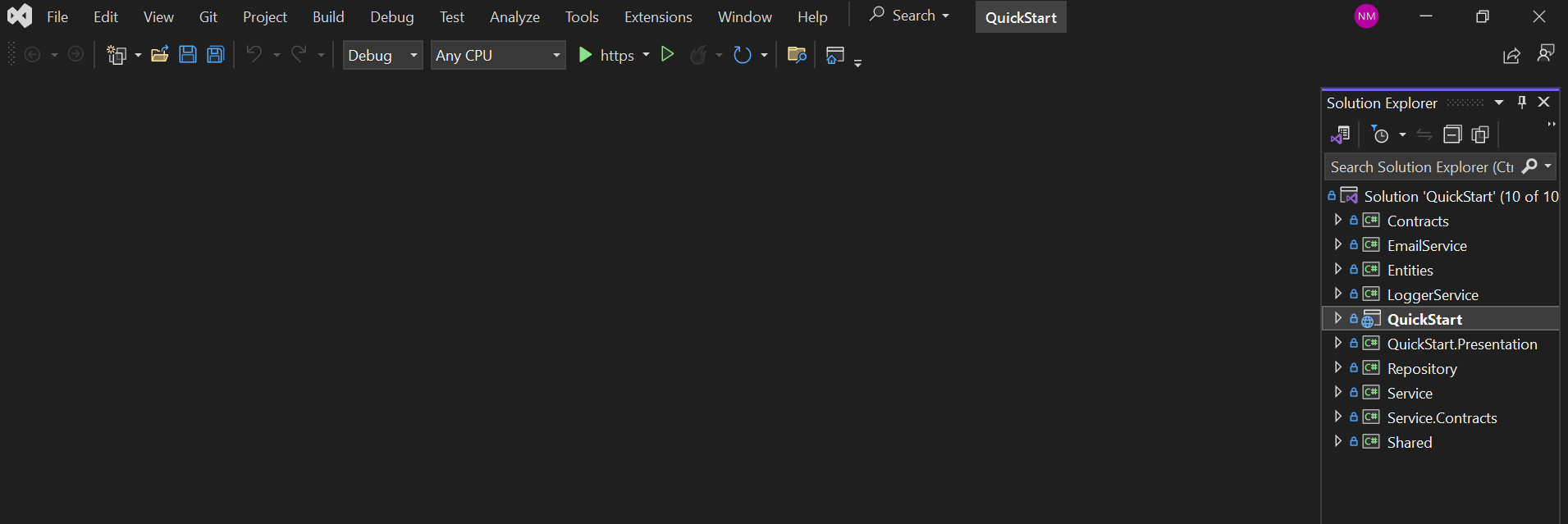
QuickStart
Matech QuickStart is an ASP.NET Core Web API and Angular admin starter project using onion architecture and EF Core Code First migrations.
Angular · Admin dashboard
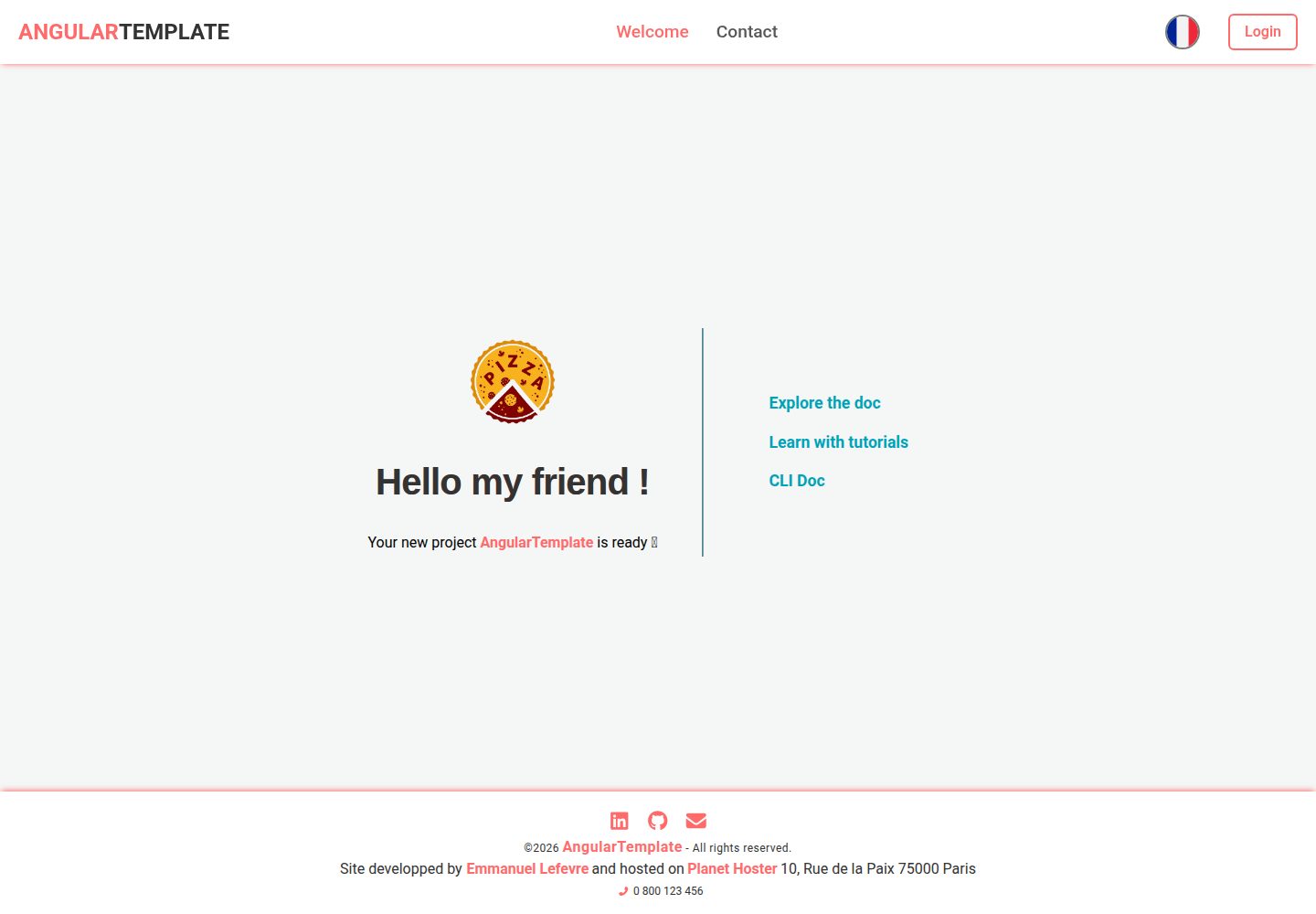
AngularTemplate
An Angular starter template under the MIT license, preconfigured with ESLint, Prettier, Vitest, Supabase authentication, I18n, SEO/PWA, and GitHub Actions pipelines.
Angular · Starter
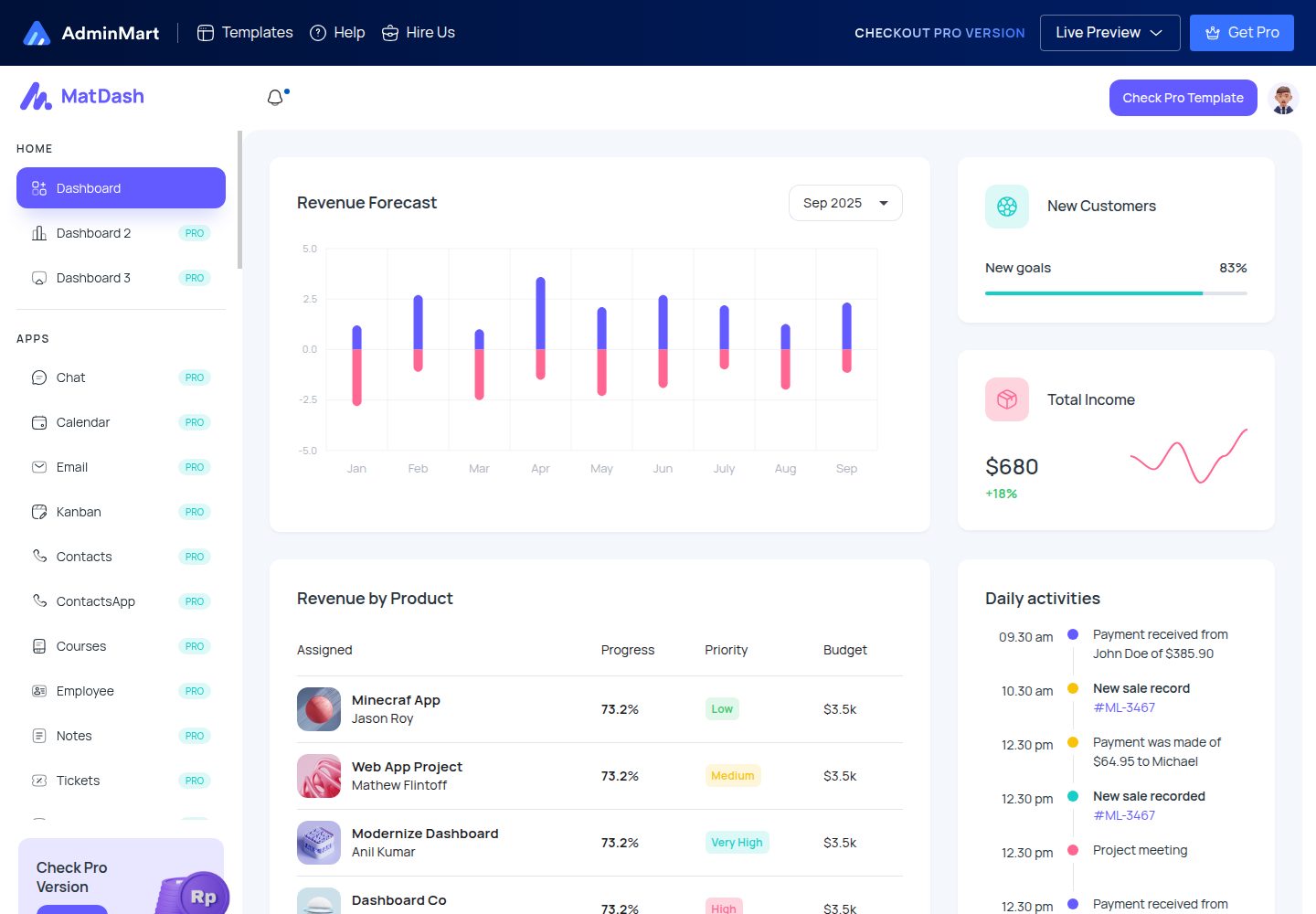
matdash-angular-free
MatDash Angular Free is a free Angular admin dashboard template from AdminMart, built with Angular and Angular Material and integrated with ApexCharts. It provides prebuilt pages, basic components, and a responsive layout under the MIT license.
Angular · Admin dashboard
claude-starter
A single-project .NET 10 + Angular 22 starter template for backend applications, with Dapper/Npgsql on PostgreSQL, DbUp startup migrations, cookie authentication with BCrypt and Data Protection keys in PostgreSQL, closed registration with an admin bootstrap link, and optional passkeys, SMTP-based email verification…
Angular · Admin dashboard
ant-design-pro
Ant Design Pro is an enterprise-grade React admin scaffold built on React 19, Umi Max 4, and antd 6 with TypeScript.
React · Admin dashboard

react-boilerplate
A production-grade React + Redux starter for experienced developers, integrating Redux, redux-saga, styled-components, and react-router, with offline-first and PWA support, CLI code generation, and built-in testing and CI configuration. Requires Node.js v8.15.1 and npm v5 or higher; not suitable for beginners.
React · Starter