Preconfigured code quality with ESLint, Prettier, HTMLHint, StyleLint, SecretLint, and SonarCloud
AngularViteHTMLStarter
AngularTemplate — Angular Starter Template
By EmmanuelLefevre
An Angular-based starter template preconfigured with ESLint, Prettier, Vitest, Supabase authentication, I18n, SEO/PWA, and GitHub Actions pipelines, under the MIT license.
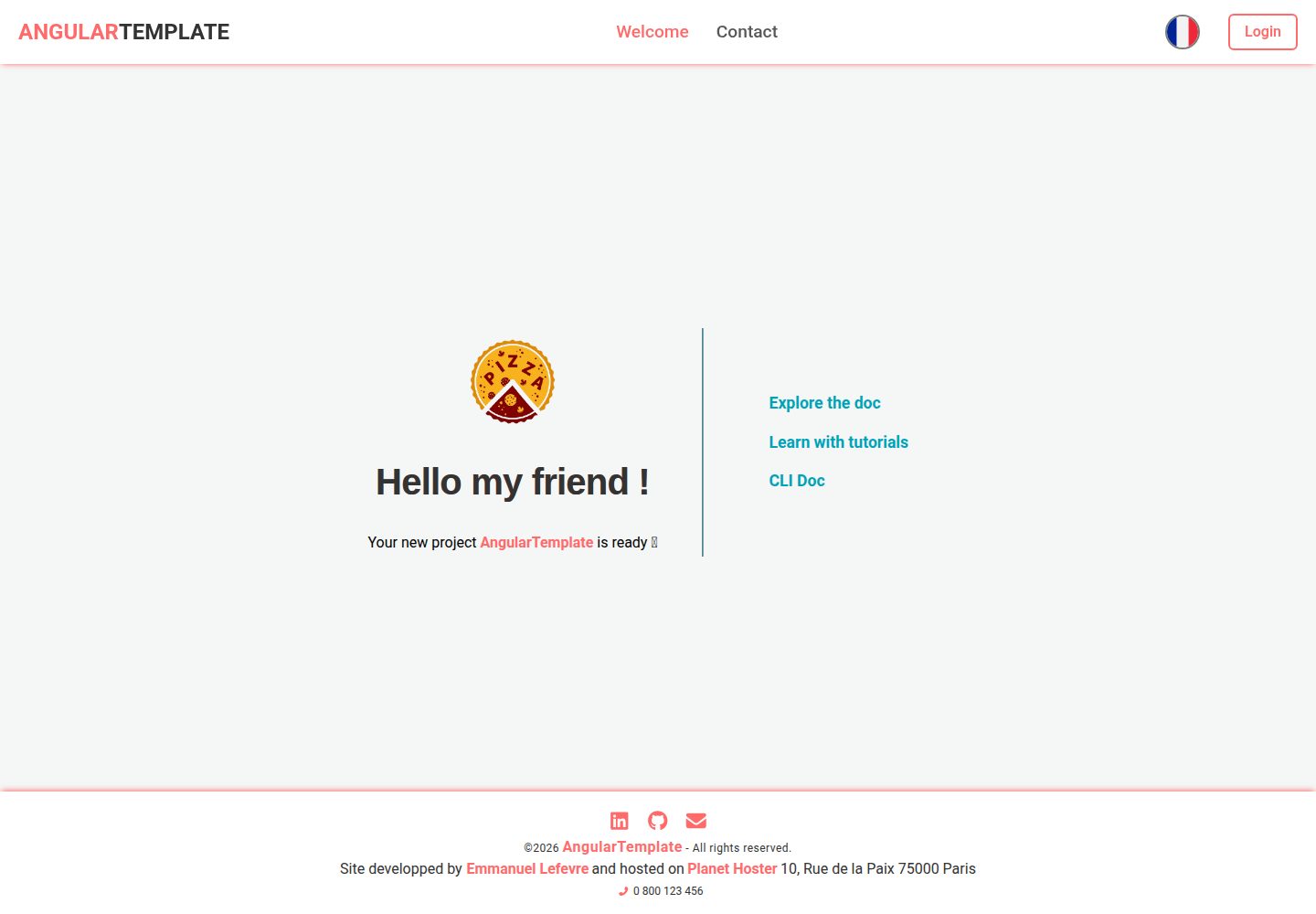
Explore the design
Compare the page layouts and mobile experience. Open any screenshot for a closer look.
Desktop homepage1 / 2
Desktop captureTop of page
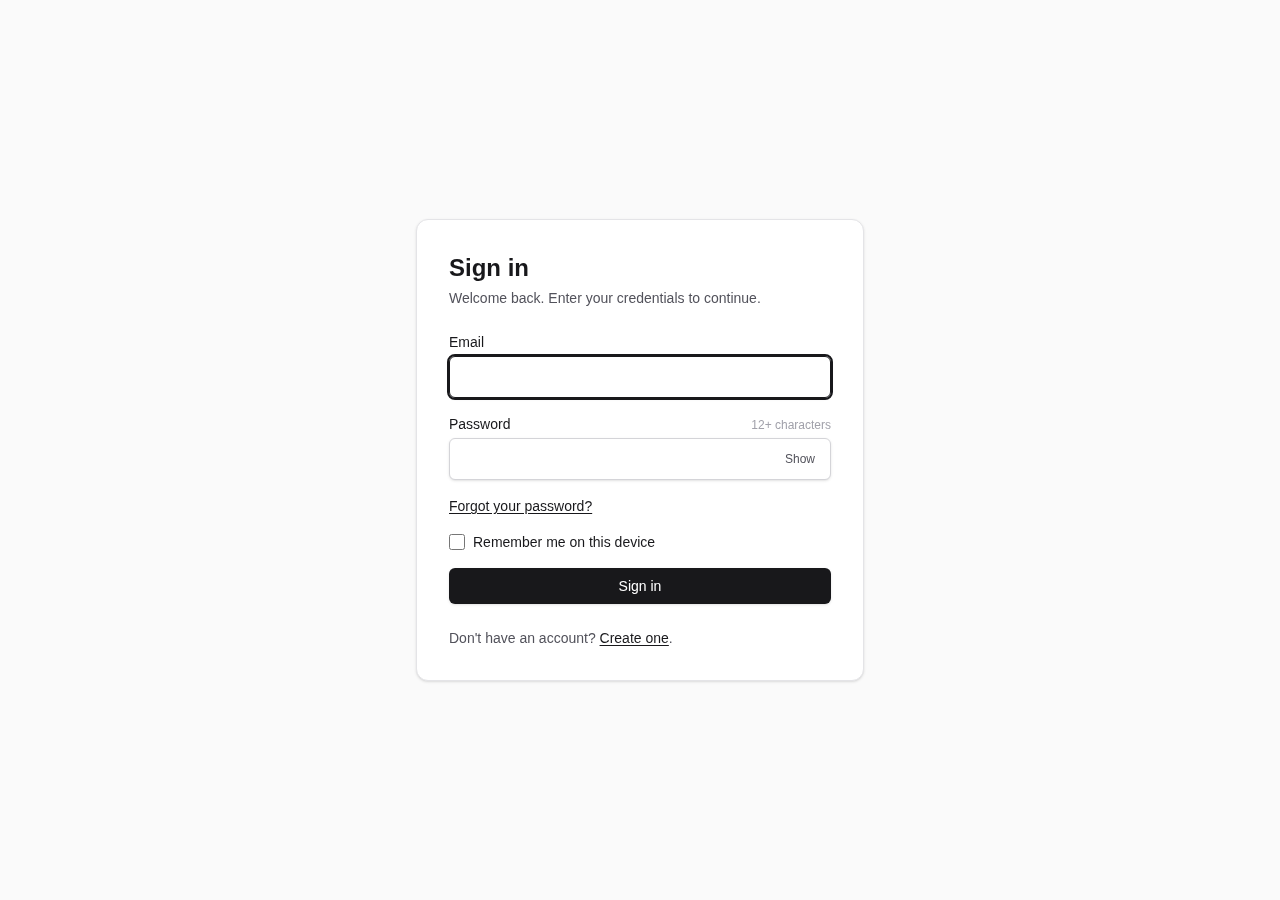
Actual screenshot captured by the server browser.
All pages & views 2
Screenshots show visual appearance; interactive behavior may differ.
Recorded 2026-10-03View source
What stands out
A quick read of the recorded project description.
Integrated Snyk, GitLeaks, and CodeQL security scanning, plus Husky and lint-staged local commit gates
Development and build toolchain using Vite, Esbuild, PNPM, and Corepack, with unit tests based on Vitest
Built-in Supabase authentication, role management, route guards, HTTP interceptors, and global error views
Provides Public/Private areas, Admin Dashboard, internal UI component library, and a variable-based Design System
Includes NGX-Translate multilingual support, dynamic Meta, sitemap, robots, manifest, and Compodoc documentation
Template Details
AngularTemplate is a starter template for Angular projects, maintained by EmmanuelLefevre on the repository and released under the MIT license. It preconfigures the development environment, code quality, testing, security scanning, CI/CD, and release processes so teams use a unified toolchain from the first commit instead of building from a blank skeleton.
The template's built-in engineering configuration includes ESLint (flat-config), Prettier, HTMLHint, StyleLint, and SecretLint, integrated with SonarCloud; for security, it uses Snyk, GitLeaks, and CodeQL scanning; local commits run formatting, linting, and secret checks at the commit stage via Husky and lint-staged. The build and development server use Esbuild and Vite, the package manager is PNPM, and versions are locked via Corepack. Unit tests use Vitest. CI/CD is handled by GitHub Actions, and Semantic Release manages version numbers, Changelog, GitHub Release, and GitHub Packages publishing.
At the application level, the template provides Public and Private areas, an Admin Dashboard, route guards, HTTP interceptors, global error handling (views for 401, 403, 404, 500, 408/504, 503, etc.), and Supabase-based authentication and role (Admin/User) management, with global state using Angular Signals. The UI side includes an internal component library (forms, inputs, buttons, links, ScrollToTop, etc.) and layouts (Public, Admin, Header, Footer, Nav), with styles using a variable-based Design System and a mobile-first approach. It also integrates NGX-Translate for multilingual support, a dynamic Meta service, sitemap.xml, robots.txt, manifest.json, and provides Compodoc documentation and GitHub Pages hosting.
Before use, note: the runtime requires specific version ranges of Node.js and Angular, prepared via NVM and Corepack; you must create a .env in the root directory and fill in the backend API address and Supabase URL and anon key. Maintenance mode switching depends on GitHub Actions workflows and server SSH and .htaccess configuration, and is not ready out of the box. Third-party assets such as demo images, fonts, and icons require separate license verification, and external services like domains, hosting, and databases may incur additional charges.
AngularViteHTMLStarter
Is it right for your project?
Use Cases
- Needing an Angular project starting point with lint, testing, security scanning, and CI/CD already configured
- Building an application with Supabase login/registration, Admin/User roles, and an admin dashboard
- Setting up a mid-to-back-office frontend with Public and Private areas, route guards, and unified error handling pages
- Needing multilingual support, SEO metadata, and basic PWA configuration for an Angular site
Suitable For
- Frontend teams familiar with Angular and PNPM workflows
- Medium-to-large projects needing unified code standards and commit gates
- Developers planning to use Supabase as the authentication and data backend
- Engineering teams wanting to start from a template and extend business modules themselves
Getting started & customization
Use these recorded setup notes alongside the repository instructions for your chosen version.
- 1
Install and switch to the Node.js version required by the template via NVM
- 2
Run corepack enable, then install dependencies with pnpm install --frozen-lockfile and start with pnpm start
- 3
Create a .env in the project root and fill in NG_APP_BACKEND_API_URL, NG_APP_SUPABASE_URL, and NG_APP_SUPABASE_ANON_KEY
- 4
Maintenance mode switching depends on GitHub Actions workflows and server SSH and .htaccess configuration, which must be prepared according to the deployment environment
- 5
Third-party assets such as demo images, fonts, and icons require separate license verification, and external services may incur additional charges
License & source material
Usage conditions & limitations
Free to use · keep license noticeThis entry covers the free version under the MIT license in the public repository; the free scope is the code of this version and does not imply that external services or third-party assets are free.
Must comply with when using
- Free use, modification, commercial use, and distribution of this version's code are permitted.
- When distributing copies or substantial portions of the code, retain the original author's copyright notice and the full MIT license notice.
- The code is provided as-is; warranties and limitations of liability are governed by the original license and applicable law.
Additional costs & items to verify
- Demo images, fonts, icons, and other third-party assets must be checked against their respective licenses and cannot be judged solely by the code's MIT license.
- External services such as domains, hosting, databases, payments, or AI may incur additional charges.
- The project requires a specific version of Node.js, which must be installed and switched to via NVM (e.g., 22.21.1) before it can run.
- The project relies on Corepack to lock the PNPM version; corepack enable must be run first to ensure a consistent dependency installation environment.
- Before use, you must create a .env file in the project root and fill in the backend API address and Supabase configuration keys.
- Authentication functionality depends on the external Supabase service; you must provide your own Supabase URL and anon key, which is an external service requirement.
- Maintenance mode switching depends on GitHub Actions workflows connecting to the server via SSH and manipulating the .htaccess file; you must prepare the server and deployment configuration yourself, and it is not ready out of the box.
View Original Text Basis
Permission is hereby granted, free of charge
Original License Text
Ce projet nécessite une version précise de **NodeJS**. Utilisez **NVM**.
Original README
Ce projet utilise **Corepack** (inclus dans **NodeJS**) pour garantir que tous les développeurs utilisent exactement la même version de **PNPM** (définie dans le `package.json`).
Original README
Créer un fichier `.env` à la racine de l'application et renseigner les clés de configuration (**API endpoint** et **Supabase**)
Original README
NG_APP_SUPABASE_URL=votre_url_supabase NG_APP_SUPABASE_ANON_KEY=votre_cle_anonyme_supabase
Original README
https://github.com/EmmanuelLefevre/AngularTemplate/blob/main/LICENSEhttps://github.com/EmmanuelLefevre/AngularTemplate/blob/main/README.mdPour cela le script se connecte en **SSH** pour piloter le fichier `maintenance.enable` intercepté par le `.htaccess`.
Original README
Compiled by DeepSeek based on repository license and README ·2026-10-04. Results only cover the materials read; dependencies, images, fonts, and subsequent term changes are subject to their respective original texts.
Project checks & description sources
Template Information
- Source platforms
- GitHub
- Documentation and maintenance reference score
- More documented · 92 / 100
- Technologies
- Angular · Vite · HTML
- Website type
- Starter
How this score is calculated
Our heuristic uses license records (up to 30), a demo link (12), a preview (10), stars (15), recorded maintenance (15), description completeness (8), feature records (5) and classification data (5). It is not a code, security or performance test, or a Google score. A link does not establish tested functionality.
What to verify for this project
- Repository update recorded
- 2026-08-04
- Screenshot last checked
- 2026-10-04
A demo link is listed. Check it with your own content and viewport sizes; its presence does not confirm that forms, authentication or payments work.
The catalog identifies Angular as the primary stack. Check the actual dependency manifest and lockfile for versions and hosting requirements. These notes use recorded metadata, not a code audit or a deployment test.
Use a selection guide →How this description was prepared
AI-assisted description based on catalog records and repository material. Repository authors are not automatically the reviewers of this description.
Review declaration: [email protected] · 2026-10-04
Inspect the recorded source material
SHA-256: 13df0613ab906b384b058d42ad08e65d73c81c4a9ae553322fec099920f651d0
2026-10-04T07:36:13.326Z
Source file / repository<div align="center">
<img src="https://visitor-badge.laobi.icu/badge?page_id=EmmanuelLefevre.AngularTemplate" alt="Visitors"/>
<img src="https://img.shields.io/github/last-commit/EmmanuelLefevre/AngularTemplate" alt="Last Commit"/>
<img src="https://img.shields.io/github/license/EmmanuelLefevre/AngularTemplate" alt="License MIT"/>
</div>
<br>
<div align="center"><a href="https://github.com/EmmanuelLefevre/AngularTemplate/actions"><img src="https://github.com/EmmanuelLefevre/AngularTemplate/actions/workflows/pipeline.yml/badge.svg" alt="CI/CD Pipeline"/></a> <a href="https://snyk.io/test/github/EmmanuelLefevre/AngularTemplate"><img src="https://snyk.io/test/github/EmmanuelLefevre/AngularTemplate/badge.svg?targetFile=package.json" alt="Libraries Vulnerabilities"/></a></div>
<br>
<div align="center"><a href="https://sonarcloud.io/api/dashboard?id=emmanuel-lefevre_angular-template"><img src="https://sonarcloud.io/api/project_badges/measure?project=emmanuel-lefevre_angular-template&metric=security_rating" alt="Security Rating"/></a> <a href="https://sonarcloud.io/dashboard?id=emmanuel-lefevre_angular-template"><img src="https://sonarcloud.io/api/project_badges/measure?project=emmanuel-lefevre_angular-template&metric=alert_status" alt="Quality Gate"/></a> <a href="https://sonarcloud.io/dashboard?id=emmanuel-lefevre_angular-template"><img src="https://sonarcloud.io/api/project_badges/measure?project=emmanuel-lefevre_angular-template&metric=coverage" alt="Coverage"/></a></div>
<br>
<br>
<br>
<h1 id="angular-template" align="center">
<img
alt="Angular"
title="Angular"
width="34px"
src="https://cdn.jsdelivr.net/gh/devicons/devicon@latest/icons/angular/angular-original.svg"
/>
ANGULAR TEMPLATE
<img
alt="Angular"
title="Angular"
width="34px"
src="https://cdn.jsdelivr.net/gh/devicons/devicon@latest/icons/angular/angular-original.svg"
/>
</h1>
<br>
<br>
## SOMMAIRE
- [PRÉSENTATION](#-présentation)
- [DOCUMENTATION](#-documentation)
- [QUICK START](#-quick-start)
- [Requirements](#requirements)
- [Installation & Démarrage](#installation--démarrage)
## 🚀 PRÉSENTATION
> **"L'excellence industrielle dès le premier commit !"**
Ce projet n'est pas simplement un squelette d'application, c'est un **accélérateur de développement Angular 21** conçu pour les équipes exigeantes.
Il incarne une philosophie **"Zéro Config - Maximum Quality"**.
Tout a été pré-configuré avec certains des outils les plus stricts du marché afin de se concentrer uniquement sur la valeur métier sans se soucier de la dette technique.
### 🔥 Pourquoi ce template ?
✨ **Qualité :**
Une config **ESLint** (flat-config) & **Prettier** stricte (mais aussi **HTMLHint**, **StyleLint**, **SecretLint**), couplée à **SonarCloud** pour un code propre, uniforme et maintenable.
🛡️ **Sécurité :**
Scans automatiques de vulnérabilités (**Snyk**), détection de secrets (**GitLeaks**) et analyse statique avancée (**CodeQL**).
⚡ **Haute Performance :**
Build ultra-rapide (**Esbuild**), serveur de développement quasi instantané (**Vite**) et gestionnaire de paquets optimisé et reproductible via (**PNPM**).
🧪 **Tests Next-Gen :**
Stratégie de tests unitaires modernisée propulsée par **Vitest** offrant une exécution instantanée et une compatibilité native avec l'écosystème **Vite**.
🚧 **Gatekeeping Local :**
Finis les commits cassés. **Husky** et **lint-staged** interceptent chaque commit pour formater, linter et vérifier les secrets sur les fichiers modifiés uniquement. La qualité est forcée à la source avant même d'arriver sur la CI.
🤖 **CI/CD Ready :**
Pipelines **GitHub Actions** complètes incluant tests, linting, documentations, audits de sécurité et déploiement.
🏷️ **Packaging & Release Automatisés :**
Fini la gestion manuelle des versions. Le template intègre **Semantic Release** pour calculer automatiquement le **SemVer**, générer le **Changelog**, créer la **Release GitHub** et publier les artefacts sur **GitHub Packages**.
🛠️ **DX & Corepack :**
Onboarding immédiat. Grâce à **Corepack**, le projet installe et utilise automatiquement la version stricte de **PNPM** définie dans le `package.json`. Fini les conflits de versions entre développeurs ou les installations globales.
♿ **Accessibilité Native :**
Conformité **RGAA / WCAG** intégrée dès le départ. Structure sémantique stricte, navigation au clavier et gestion du focus testées pour une inclusion totale.
📈 **SEO & PWA Ready :**
Maximisez votre visibilité. Un **Service Meta** dynamique gère vos balises `<head>` en temps réel selon les routes. Le tout est épaulé par une configuration native des fichiers **`sitemap.xml`**, **`robots.txt`** et **`manifest.json`** pour une indexation parfaite et une compatibilité mobile.
🗣️ **Multi-langues :**
**I18n** intégré par défaut via **NGX-Translate** permettant de gérer facilement les traductions et de séparer le contenu de la logique métier.
<!-- L'intégrité des traductions est garantie par un outillage automatisé :
- 🕵️♂️ **Extraction automatique :** `pnpm i18n:extract` => scanne le code pour générer et mettre à jour les fichiers **JSON** sans effort manuel.
- 👮 **Validation stricte :** `pnpm i18n:lint` un garde-fou **CI/CD** qui bloque le déploiement si une clé est manquante ou inutilisée. -->
🎨 **Design System & Mobile-First :**
Conception intégralement pensée pour le mobile. Le **Design System** est entièrement variabilisé (mixins, couleurs, polices, espacements...) pour une personnalisation sans douleur.
🧩 **Smart UI Kit :**
Une bibliothèque de composants internes (Custom Form, Generic Input, Button, Link, ScrollToTop...) et des layouts (Public, Admin, Header, Footer, Nav...) prêts à l'emploi. **Tous couverts à 100% par des tests.**
🧠 **Architecture :**
Des **Interceptors** robustes, des **Guards** d'authentification, une partie de l'application **Public** et **Private** ainsi qu'un **Dashboard Admin** fonctionnel sont déjà configurés. **Tous couverts à 100% par des tests.**
🔐 **Authentification Supabase :**
Mécanique d'authentification robuste et sécurisée pré-configurée avec **Supabase**. Gestion des sessions, des rôles (Admin/User), guards de routage stricts et flux complet d'inscription/connexion. L'état global est piloté via les **Angular Signals** pour une réactivité parfaite.
📢 **Résilience & Gestion des Erreurs :**
Un **Error Handler** global intercepte et redirige intelligemment vers des vues dédiées pour chaque scénario (**401**, **403**, **404**, **500**, **Generic**, **Timeout 408/504**, **Unknown**...). Une gestion du code **HHTP 503** est implémentée à double niveau : si l'**API** est indisponible, **Angular** affiche sa vue de maintenance. Si c'est l'application elle-même qui est en mise à jour (**Front-End** down), un mécanisme serveur (`.htaccess` via trigger **CI/CD**) prend instantanément le relais avec une page pur **HTML**/**CSS** statique. Le **SEO** est maintenu !
🛠️ **Pipes & Directives :**
Des outils essentiels comme des **Directives** (`input-focus`, `input-trim`, `input-uppercase`...) et des **Pipes** (`date-format`...) sont inclus. **Tous couverts à 100% par des tests.**
📘 **Documentation :**
Architecture documentée en temps réel. **Compodoc** génère une documentation technique complète, automatiquement déployée et hébergée sur **GitHub Pages** à chaque merge sur le code stable (branche `main`). Cette **Compodoc** est évidemment aussi disponible en environnement local !
🚦 **Toggle Maintenance :**
Besoin de geler l'application en production pour une maintenance ? Un workflow **GitHub Actions** dédié agit comme un interrupteur (`toggle-maintenance.yml`). Depuis l'onglet `Actions` de **GitHub**, un simple clic permet d'activer ou de désactiver la page de maintenance statique (**Erreur 503**). Pour cela le script se connecte en **SSH** pour piloter le fichier `maintenance.enable` intercepté par le `.htaccess`.
- Un script ping le serveur et recharge automatiquement le client dès lors que le site revient en ligne (sans intervention manuelle **F5**). ✨✨✨
- L'utilisation du code **HTTP 503** préserve totalement votre **SEO**. Il indique aux robots d'indexation que l'indisponibilité n'est que temporaire, les invitant à repasser plus tard sans jamais pénaliser le positionnement du site. 📈📈📈

## 📚 DOCUMENTATION
La documentation détaillée est disponible ici :
- 🏗 [Architecture](./docs/ARCHITECTURE.md)
- 🚀 [Setup](./docs/SETUP.md)
- 💎 [Qualité](./docs/QUALITE.md)
- 🧪 [Tests](./docs/TESTS.md)
- ⚙️ [Configuration](./docs/CONFIGURATION.md)
- 🏷️ [Build & Packaging](./docs/BUILD-&-PACKAGING.md)
- 🤖 [CICD](./docs/CICD.md)
- 🎨 [Styles](./docs/STYLES.md)
- 🗣️ [Multi Langues](./docs/MULTI-LANGUES.md)
- ♿ [Accessibilité](./docs/ACCESSIBILITE.md)
- 📈 [SEO](./docs/SEO.md)
- 📘 [Documentation](./docs/DOCUMENTATION.md)
- 🔧 [Rules Reference](./docs/RULES-REFERENCES.md)
- 💡 [FAQ & Erreurs](./docs/FAQ-&-ERREURS.md)
<br>
> [🔗 Lien vers la documentation GitHub Pages](https://emmanuellefevre.github.io/AngularTemplate/)
## ⚡ QUICK START
### Requirements
| Angular | Node.js | TypeScript | RxJS |
| :--------- | :---------------------------------------- | :----------------------- | :--------------------- |
| `21.0.x` | `^20.19.0` \|\| `^22.21.1` \|\| `^24.0.0` | `>=5.9.0` \|\| `<=6.0.0` | `^6.5.3` \|\| `^7.4.0` |
**Etape 1 :** Node.js
- Ce projet nécessite une version précise de **NodeJS**. Utilisez **NVM**.
```shell
nvm install 22.21.1
nvm use 22.21.1
```
> [🔗 NVM Cheatsheets](https://github.com/EmmanuelLefevre/Documentations/blob/main/Personnal%20Cheatsheets/nvm_cheatsheets.md)
**Etape 2 :** Gestionnaire de paquets : **PNPM** & **Corepack**
Ce projet utilise **Corepack** (inclus dans **NodeJS**) pour garantir que tous les développeurs utilisent exactement la même version de **PNPM** (définie dans le `package.json`).
⚠️ Vous pouvez toutefois installer **PNPM** en global.
> [👀 Setup](./docs/SETUP.md#pnpm)
### Installation & Démarrage
- Via Clone **SSH**
```bash
git clone [email protected]:EmmanuelLefevre/AngularTemplate.git
cd AngularTemplate
corepack enable
pnpm install --frozen-lockfile
pnpm start
```
- Via Package
```bash
```
### Configuration de l'environnement
Créer un fichier `.env` à la racine de l'application et renseigner les clés de configuration (**API endpoint** et **Supabase**) :
```bash
NG_APP_BACKEND_API_URL=https://monbackend/api
NG_APP_SUPABASE_URL=votre_url_supabase
NG_APP_SUPABASE_ANON_KEY=votre_cle_anonyme_supabase
```
### Installation de la CLI Angular en global
```bash
pnpm add -g @angular/[email protected]
```
### Installer une librairie
- En DEV
```bash
pnpm add -DE <MA_LIBRAIRIE>@latest
```
- En PROD
```bash
pnpm add -E <MA_LIBRAIRIE>@latest
```
Explore similar templates
Compare previews and descriptions within the same stack and category.
QuickStart
Matech QuickStart is an ASP.NET Core Web API and Angular admin starter project using onion architecture and EF Core Code First migrations.
Angular · Admin dashboard
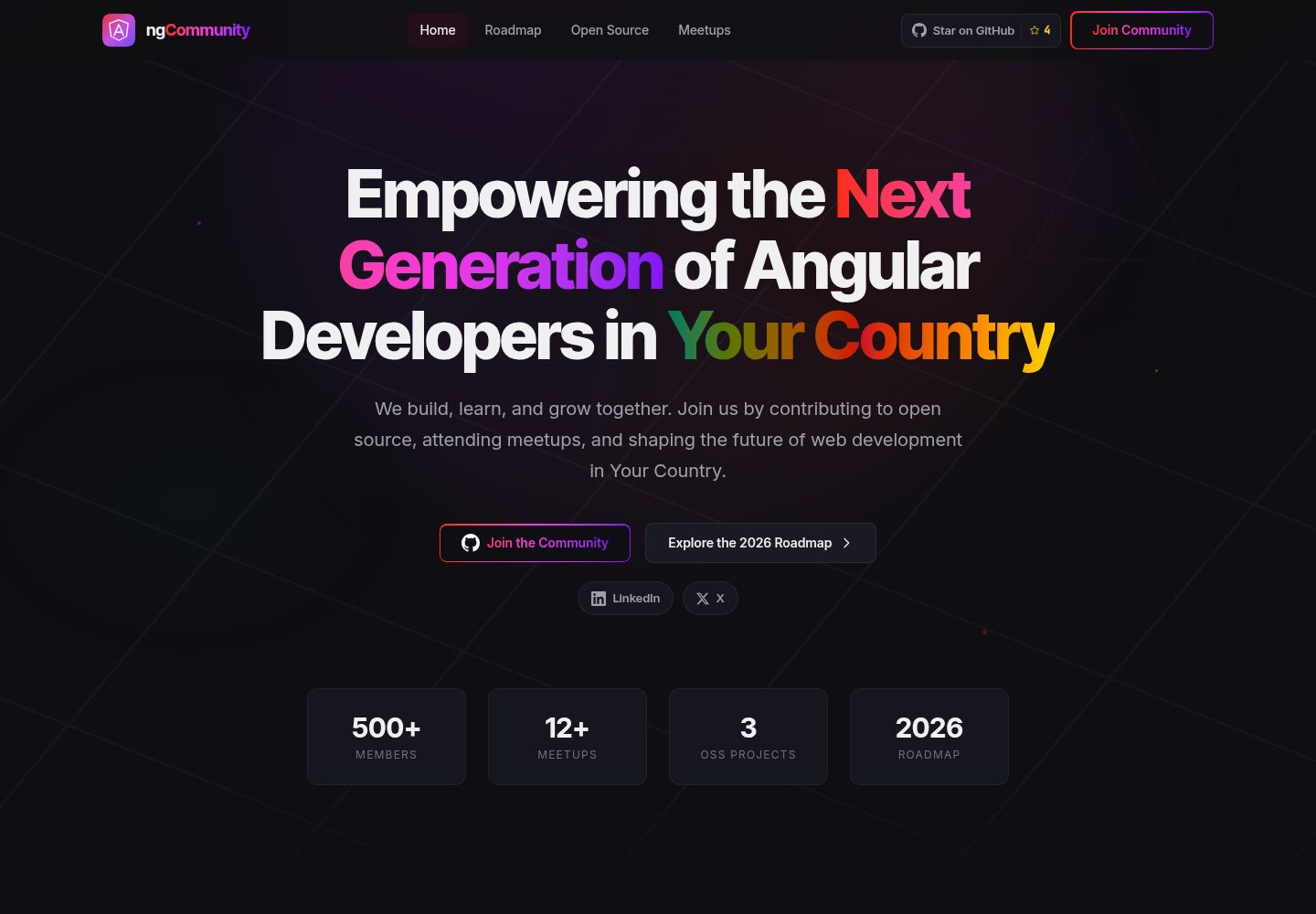
angular-community-website-template
An MIT-licensed Angular community website template maintained by Angular Cameroon, originally used for the ngCameroon site. It includes four pages: home, roadmap, meetup schedule, and open-source project showcase.
Angular · Starter
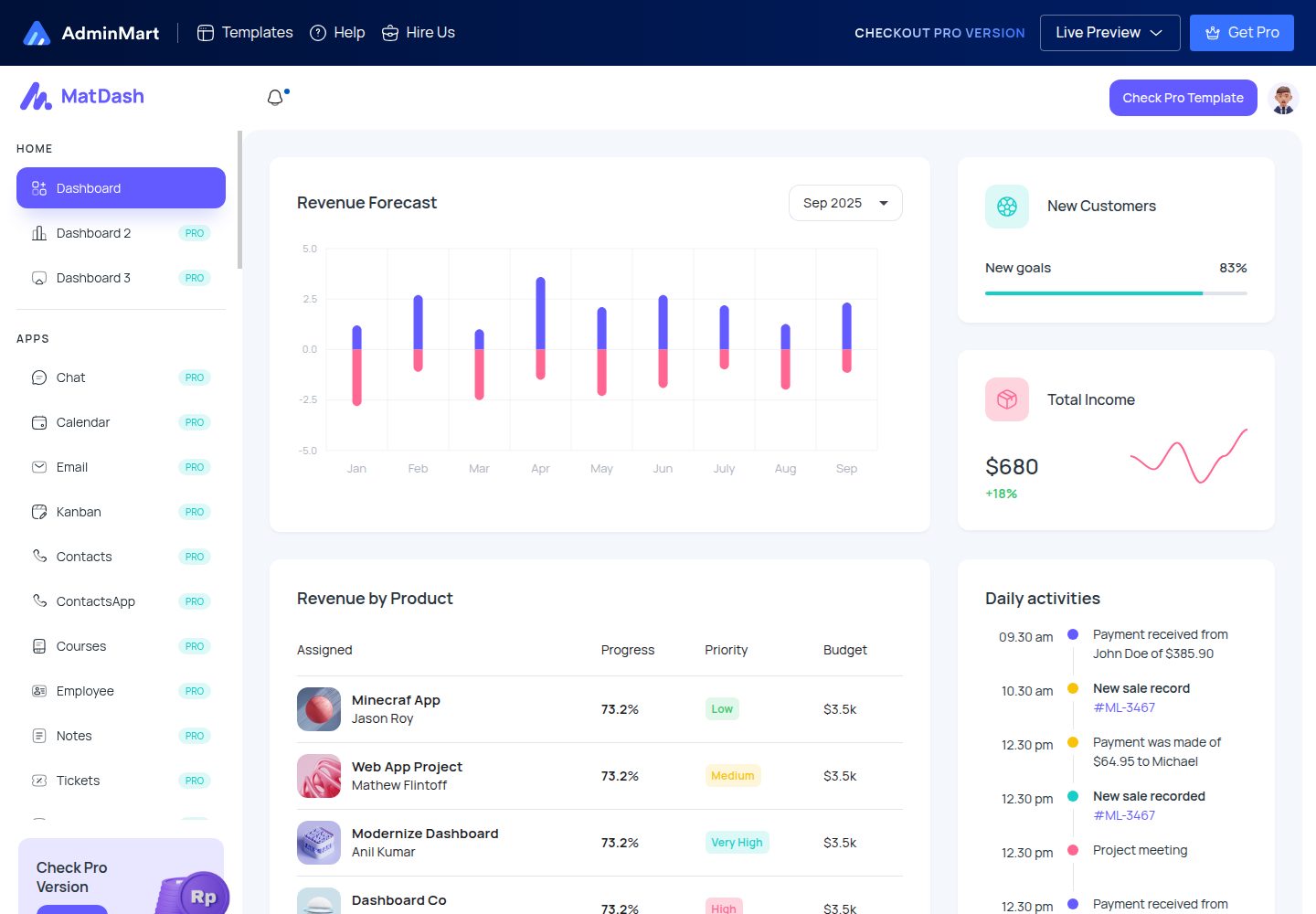
matdash-angular-free
MatDash Angular Free is a free Angular admin dashboard template from AdminMart, built with Angular and Angular Material and integrated with ApexCharts. It provides prebuilt pages, basic components, and a responsive layout under the MIT license.
Angular · Admin dashboard
claude-starter
A single-project .NET 10 + Angular 22 starter template for backend applications, with Dapper/Npgsql on PostgreSQL, DbUp startup migrations, cookie authentication with BCrypt and Data Protection keys in PostgreSQL, closed registration with an admin bootstrap link, and optional passkeys, SMTP-based email verification…
Angular · Admin dashboard

react-starter-kit
A full-stack SaaS monorepo starter built on Vite and React, with Bun, TypeScript, tRPC, Drizzle ORM, Better Auth, Stripe, and Cloudflare Workers. It includes email OTP, passkey, Google OAuth, organizations, subscription billing, Drizzle migrations, seed scripts, and Terraform infrastructure.
Vite · SaaS

vitesse
Vitesse is an opinionated Vite + Vue 3 starter template maintained by antfu-collective, offering file-based routing, component and API auto-import, Pinia, UnoCSS, PWA, i18n, Markdown, vite-ssg, TypeScript, Vitest, and Cypress.
Vue · Starter