Implemented in plain HTML, CSS, and JavaScript, with no build step and no third-party dependencies
HTMLDirectory site
event-hub — HTML Directory site Template
By p3xz
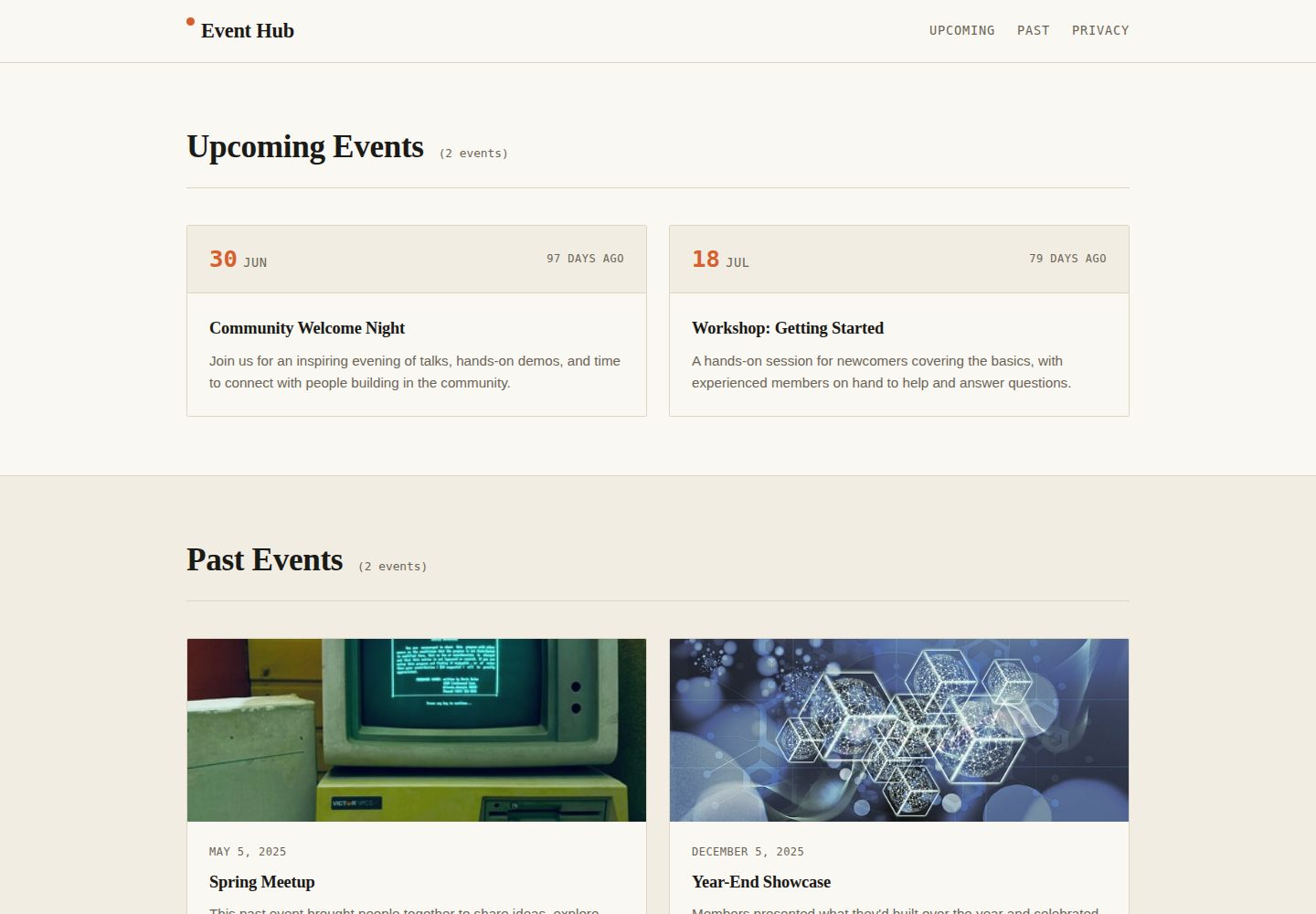
Event Hub is a static event listing template written in plain HTML, CSS, and JavaScript. It uses date attributes to drive countdowns and section counts, making it suitable for quickly publishing community event pages.
Explore the design
Compare the page layouts and mobile experience. Open any screenshot for a closer look.
Desktop homepage1 / 2
Desktop captureTop of page
Actual screenshot captured by the server browser.
All pages & views 2
Screenshots show visual appearance; interactive behavior may differ.
Recorded 2026-10-05View source
What stands out
A quick read of the recorded project description.
Calculates countdowns client-side based on data-event-date and displays relative time
Event counts next to section headings update automatically, with no manual maintenance
Shows a console notice when an event is placed in the wrong section
Includes a skip link, semantic tags, visible focus states, and prefers-reduced-motion support
Mobile-first responsive grid layout, with styles centralized through CSS variables
Template Details
Event Hub is an open-source static event listing template for displaying upcoming and past community events, such as meetups, workshops, conferences, or club activities. The page is divided into Upcoming and Past sections with anchor navigation; each event is represented by an article.event-card, and a data-event-date attribute (YYYY-MM-DD) drives a client-side countdown display such as "In 3 days", "Tomorrow", or "5 days ago". The event count next to each section heading is updated automatically by script, with no manual maintenance required; if an event is placed in the wrong section (for example, an expired event left in Upcoming), a console notice is shown. The template uses semantic HTML5 tags, includes a skip link, visible focus states, and supports prefers-reduced-motion, with a mobile-first responsive grid layout. The stack is native HTML, CSS, and JavaScript, with no build step and no third-party dependencies; it can be opened directly in a browser via index.html or published through any static hosting service, such as GitHub Pages, Netlify, Vercel, or S3. Event content is currently written directly in index.html, styles are centralized in CSS variables at the top of css/style.css, and countdown, counting, and checking logic is in js/script.js. The README roadmap mentions reading events from JSON or a CMS, adding .ics downloads, filter search, and a dark mode toggle; these are planned rather than existing features. The repository uses the MIT license, allowing free use, modification, commercial use, and distribution of this version of the code, but third-party assets such as demo images, fonts, and icons must be checked against their respective licenses.
HTMLDirectory site
Is it right for your project?
Use Cases
- Publishing an event listing page for community meetups, workshops, or conferences
- Maintaining upcoming and past events for a club or interest group
- Quickly launching an event page on static hosting such as GitHub Pages
- Using it as a front-end practice or teaching example, customizing appearance by editing HTML and CSS variables
Suitable For
- Individual or community organizers who need a zero-dependency static event page
- Users familiar with basic HTML and CSS who want to edit content directly
- Projects planned for deployment to static hosting such as GitHub Pages, Netlify, Vercel, or S3
- Developers who want to freely modify and distribute the code under the MIT license
Getting started & customization
Use these recorded setup notes alongside the repository instructions for your chosen version.
- 1
Get the repository via GitHub's Use this template button or git clone; no dependency installation is required
- 2
Edit events directly in index.html; each event is an article.event-card with data-event-date set to YYYY-MM-DD
- 3
After a date passes, move the entire article block from #upcoming-events to #past-events, or follow the console notice
- 4
Modify CSS variables for colors, fonts, and spacing in :root at the top of css/style.css
- 5
When deploying to GitHub Pages, select the default branch and root directory in the repository's Settings → Pages; other static hosts require no build command
License & source material
Usage conditions & limitations
Free to use · keep license noticeThis listing covers the free version in the public repository under the MIT license; the free scope applies to this version of the code and does not mean external services or third-party assets are free.
Must comply with when using
- Free use, modification, commercial use, and distribution of this version of the code are permitted.
- When distributing copies or substantial portions of the code, retain the original author's copyright notice and the full MIT license notice.
- The code is provided as is; warranties and limitations of liability are governed by the original license and applicable law.
Additional costs & items to verify
- Demo images, fonts, icons, and other third-party assets must be checked against their respective licenses; the code's MIT license alone is not sufficient to determine this.
- External services such as domains, hosting, databases, payments, or AI may incur separate charges.
View Original Text Basis
https://github.com/p3xz/event-hub/blob/main/LICENSEhttps://github.com/p3xz/event-hub/blob/main/README.mdPermission is hereby granted, free of charge
Original License Text
Compiled by DeepSeek based on repository license and README ·2026-10-05. Results only cover the materials read; dependencies, images, fonts, and subsequent term changes are subject to their respective original texts.
Project checks & description sources
Template Information
- Source platforms
- GitHub
- Documentation and maintenance reference score
- More documented · 80 / 100
- Technologies
- HTML
- Website type
- Directory site
How this score is calculated
Our heuristic uses license records (up to 30), a demo link (12), a preview (10), stars (15), recorded maintenance (15), description completeness (8), feature records (5) and classification data (5). It is not a code, security or performance test, or a Google score. A link does not establish tested functionality.
What to verify for this project
- Repository update recorded
- 2026-10-05
- Screenshot last checked
- 2026-10-05
A demo link is listed. Check it with your own content and viewport sizes; its presence does not confirm that forms, authentication or payments work.
The catalog identifies HTML as the primary stack. Check the actual dependency manifest and lockfile for versions and hosting requirements. These notes use recorded metadata, not a code audit or a deployment test.
Use a selection guide →How this description was prepared
AI-assisted description based on catalog records and repository material. Repository authors are not automatically the reviewers of this description.
Review declaration: [email protected] · 2026-10-06
Inspect the recorded source material
SHA-256: 7dccf1839aa4c54f60065226fe591a05d6781d68a4c8922690120542edfa224e
2026-10-05T23:03:23.050Z
Source file / repository# Event Hub
A free, open-source template for listing **upcoming** and **past** community events — meetups, workshops, conferences, club nights, anything with a date attached. Fork it, swap in your own events, and ship it as a static page or wire it up to a backend later.
**[Live demo](https://p3xz.github.io/event-hub/)**

## Features
- **Upcoming / Past sections** with anchor navigation
- **Live countdowns** ("In 3 days", "Tomorrow", "5 days ago") computed client-side from each event's date
- **Auto-updating event counts** next to each section heading — no manual upkeep
- **Console warnings** if an event is sitting in the wrong section (e.g. a past event still listed under Upcoming)
- **Accessible by default** — skip link, semantic landmarks, visible focus states, `prefers-reduced-motion` support
- **Responsive** grid layout, mobile-first
- **Zero dependencies** — plain HTML, CSS, and JavaScript, no build step, no framework
## Tech stack
| Layer | Tech |
|---|---|
| Markup | Semantic HTML5 (`<header>`, `<main>`, `<section>`, `<article>`, `<time>`) |
| Styling | Vanilla CSS with custom properties (design tokens) |
| Behavior | Vanilla JavaScript (ES6+), no dependencies |
| Hosting | Works on any static host — GitHub Pages, Netlify, Vercel, S3, etc. |
## Getting started
1. **Use this template** (click the green "Use this template" button on GitHub) or clone it directly:
```bash
git clone https://github.com/p3xz/event-hub.git
cd event-hub
```
2. **Open it locally.** No build tools needed — just open `index.html` in a browser, or serve it:
```bash
python3 -m http.server 8000
# then visit http://localhost:8000
```
3. **Edit your events** directly in `index.html`. Each event is one `<article class="event-card">`:
```html
<article class="event-card" data-event-date="2026-08-12">
<div class="event-card-meta">
<time datetime="2026-08-12" class="event-date">
<span class="event-date-day">12</span>
<span class="event-date-month">Aug</span>
</time>
<span class="event-countdown" data-countdown></span>
</div>
<div class="event-card-body">
<h3>Your Event Title</h3>
<p>Your event description.</p>
</div>
</article>
```
- `data-event-date` (format `YYYY-MM-DD`) drives the live countdown and the misplaced-event check — always set it.
- Move the whole `<article>` block from `#upcoming-events` to `#past-events` once the date has passed (or just leave it — the console warning will remind you).
4. **Customize the look** in `css/style.css`. Colors, fonts, and spacing are all defined as CSS variables at the top of the file under `:root`:
```css
:root {
--color-signal: #d65f2e; /* accent color — change this first */
--font-display: "Fraunces", Georgia, serif;
--font-body: "Inter", sans-serif;
}
```
## Project structure
```
event-hub/
├── index.html # Page structure & event content
├── css/
│ └── style.css # All styling (design tokens at the top)
├── js/
│ └── script.js # Countdowns, live counts, sanity checks
└── README.md
```
## Deploying
**GitHub Pages** (fastest path):
1. Push this repo to GitHub
2. Go to **Settings → Pages**
3. Set source to your default branch, root folder
4. Your site is live at `https://p3xz.github.io/event-hub/`
Any other static host (Netlify, Vercel, Cloudflare Pages) works by just pointing it at this folder — no build command required.
## Roadmap ideas (good first issues)
- [ ] Pull events from a JSON file or CMS instead of hardcoding HTML
- [ ] Add an `.ics` calendar download button per event
- [ ] Add filtering/search across events
- [ ] Add a dark mode toggle
Contributions welcome — open an issue or PR.
## Author
**Namish Yadav**
- GitHub: [https://github.com/p3xz](https://github.com/p3xz)
- LinkedIn: [https://www.linkedin.com/in/namish-yadav-639769408/](https://www.linkedin.com/in/namish-yadav-639769408/)
- Instagram: [https://instagram.com/nam7sh](https://instagram.com/nam7sh)
## License
MIT — see [LICENSE](LICENSE). Use it for personal projects, client work, or your own community, no attribution required (though it's appreciated).Explore similar templates
Compare previews and descriptions within the same stack and category.
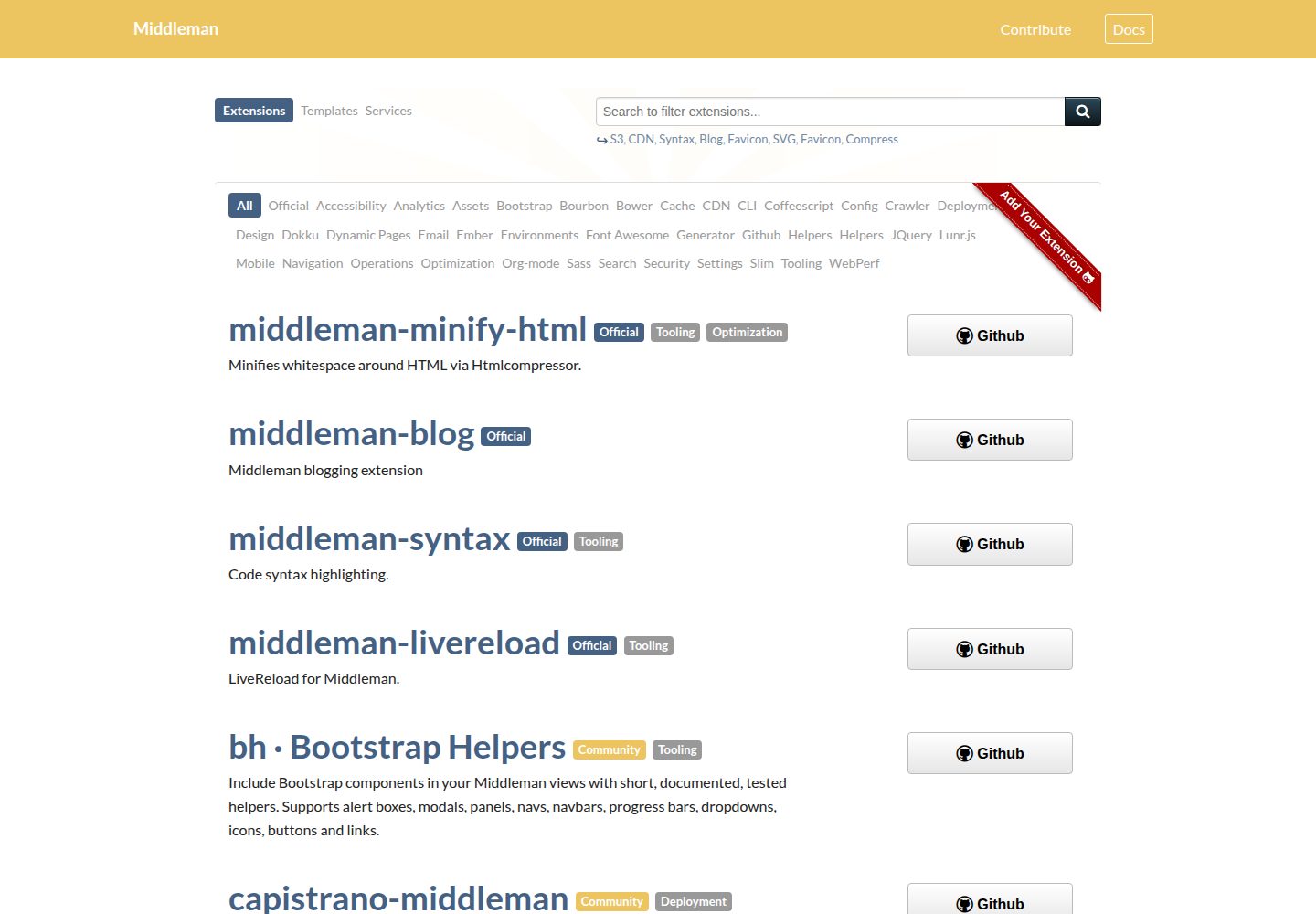
middleman-directory
Source files for the directory.middlemanapp.com directory site, which lists Middleman extensions, templates and services.
HTML · Directory site

classimax-bootstrap
Classimax is a free Bootstrap classified website template by Themefisher under the MIT license, offering over 20 static pages for home, categories, ad listings, stores, user center, and blog, with jQuery and other plugins plus a Gulp build workflow.
HTML · Directory site
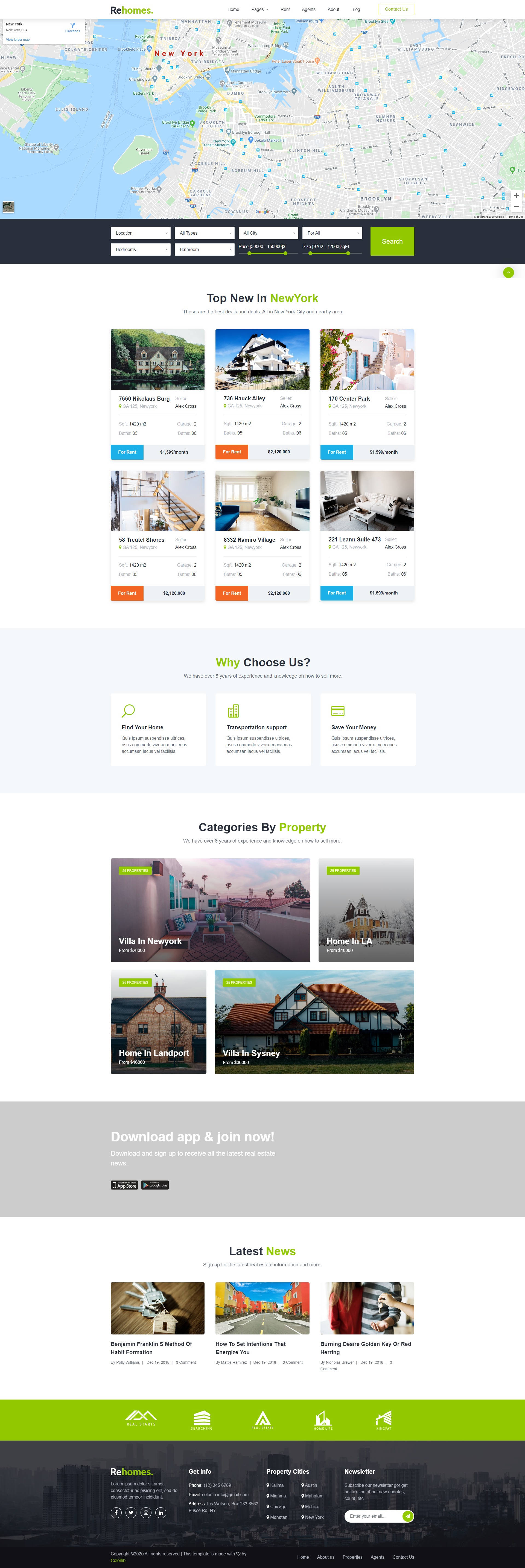
rehomes-colorlib
Rehomes is a Bootstrap-based HTML template for real estate listing websites, originally designed by Colorlib and adapted for October CMS by singdisain.
HTML · Directory site

axom-car-dealership-website-html-css-js
Axom is a responsive car dealership website template built with HTML, CSS, and JavaScript.
HTML · Directory site
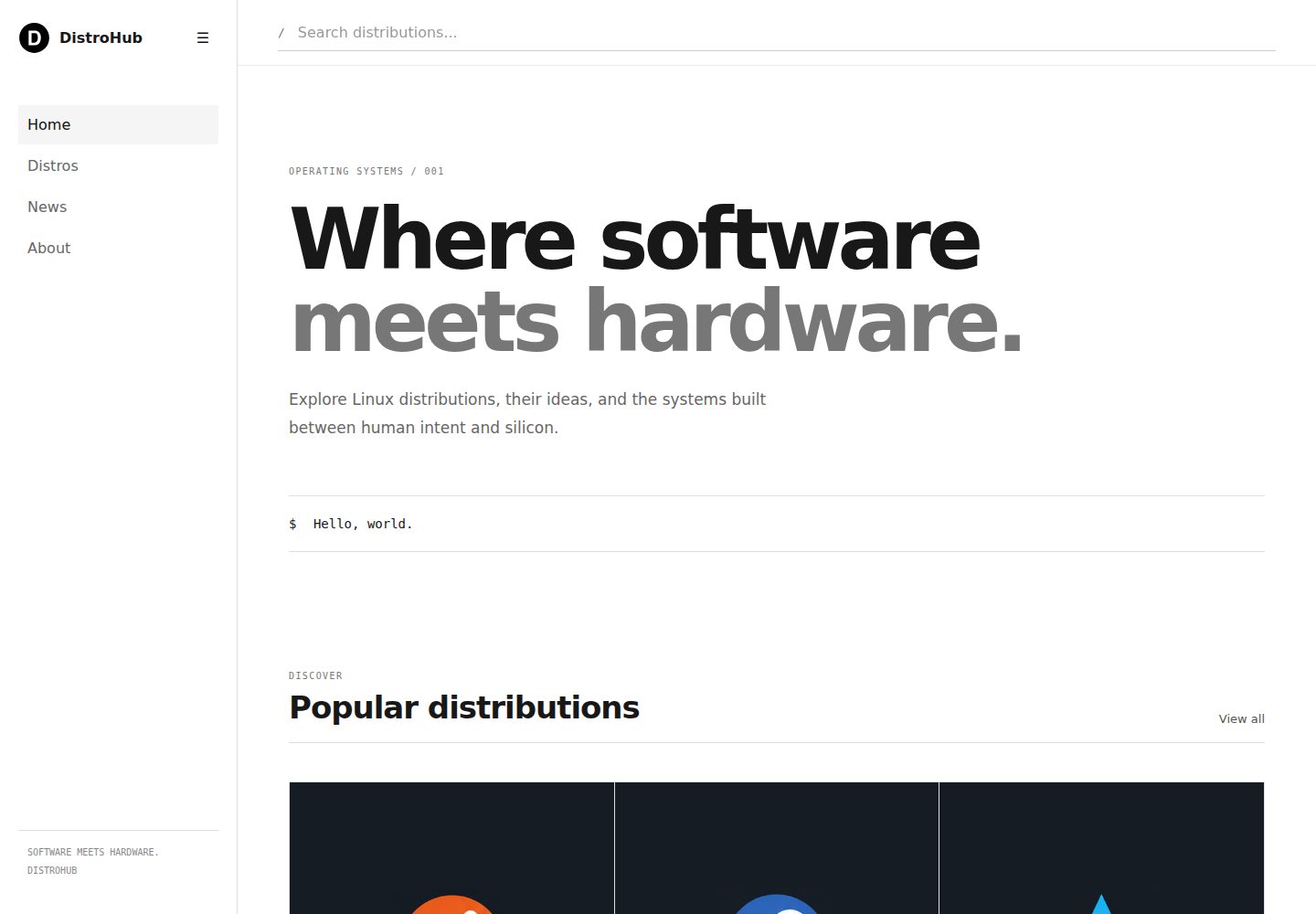
distrohub-template
DistroHub is a static front-end template for a Linux distribution directory built with HTML, CSS, and vanilla JavaScript.
HTML · Directory site
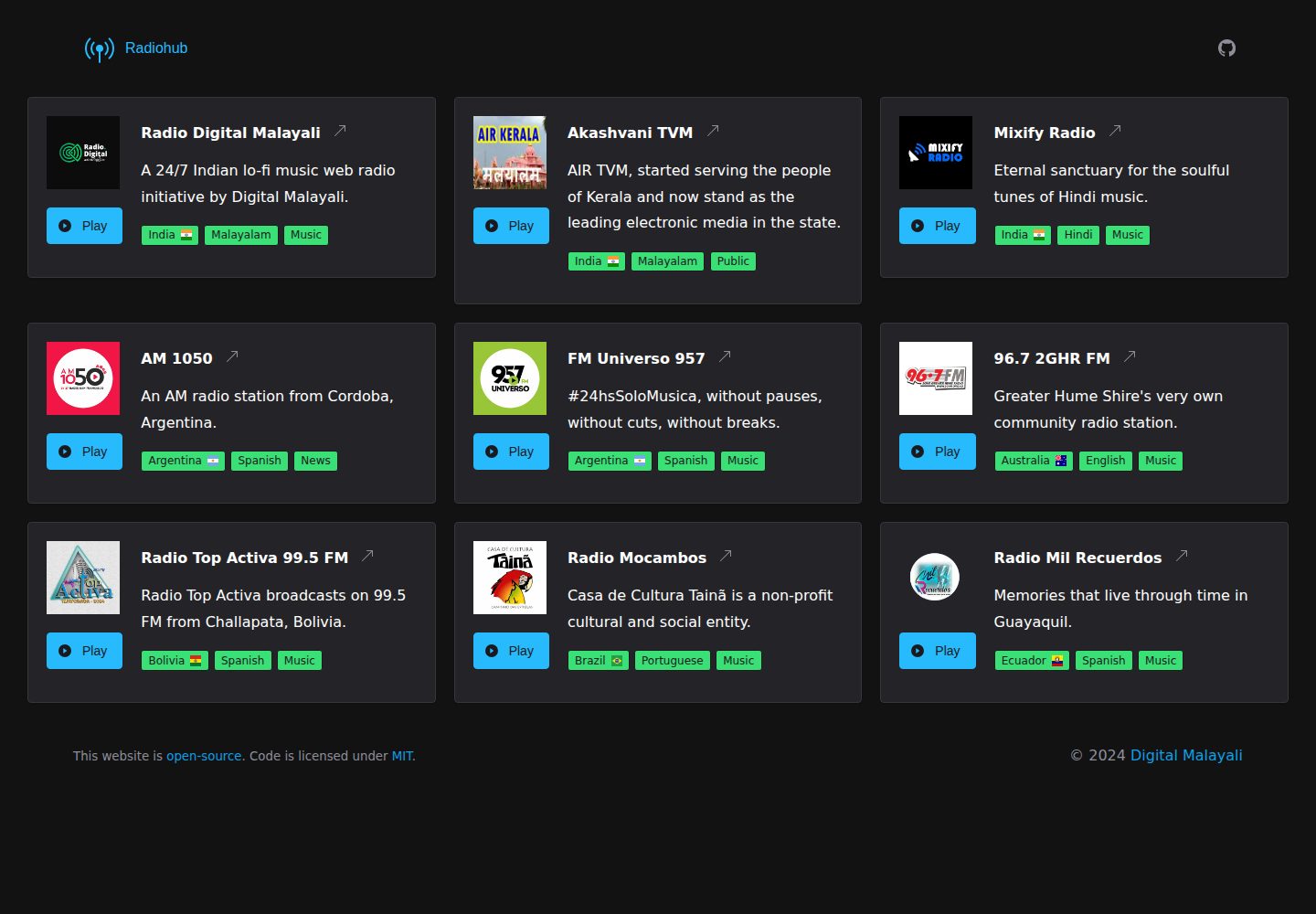
Radiohub
Radiohub is a free, open-source static HTML template for building an online radio directory. It uses the Shoelace component library and Flag Icons, supports playing radio streams directly within the page, and can be installed as a PWA.
HTML · Directory site