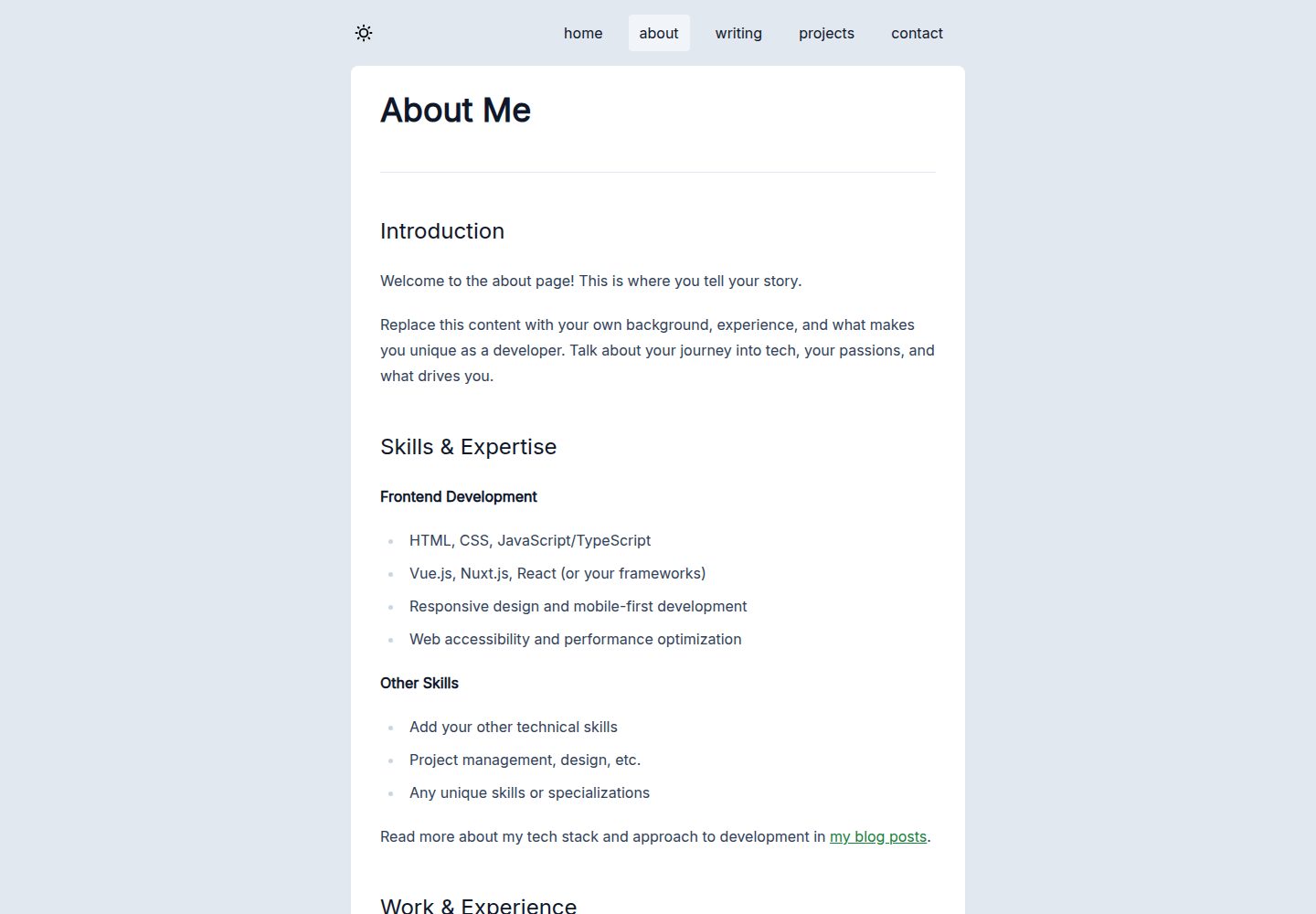
Uses Nuxt 4, Vue 3 and strict-mode TypeScript, with server-side rendering support
NuxtVuePortfolioBlog
nuxt-developer-website — Nuxt Portfolio Template
By philpicton
A front-end developer personal website template built on Nuxt 4, TypeScript and Tailwind CSS, including a Markdown blog, project showcase, Resend contact form and an automated deployment pipeline from GitHub Actions to Cloudflare Workers.
Explore the design
Compare the page layouts and mobile experience. Open any screenshot for a closer look.
Desktop homepage1 / 3
Desktop captureTop of page
Actual screenshot captured by the server browser.
All pages & views 3
Screenshots show visual appearance; interactive behavior may differ.
Recorded 2026-10-13View source
What stands out
A quick read of the recorded project description.
Uses Bun as the runtime and package manager, providing scripts for development, build and preview
Nuxt Content drives the Markdown blog and project showcase, with a tag system
The contact form sends email through the Resend API, with a honeypot, Cloudflare KV rate limiting and server-side validation
Vitest unit tests cover components and pages; failures in CI block merging and deployment
GitHub Actions automatically runs lint, format checks, type checks, tests and builds and deploys to NuxtHub/Cloudflare
Template Details
This template is aimed at front-end developers building a personal site. The README states that it uses Nuxt 4, Vue 3, TypeScript (strict mode) and Tailwind CSS v4, with Bun as the runtime and package manager. The content layer is driven by Nuxt Content; both blog posts and projects are Markdown files and support tags. The contact form sends email through the Resend API and includes a honeypot field, IP rate limiting based on Cloudflare KV, server-side validation and input sanitization. Testing uses Vitest, and code quality is handled by ESLint and Prettier. For deployment, the template offers two paths: after pushing to the main branch, GitHub Actions automatically runs checks, tests and builds and deploys to NuxtHub/Cloudflare; alternatively, you can build locally and run nuxthub deploy for manual deployment. The README also gives repository security configuration suggestions, including branch protection, Dependabot auto-merge and weekly vulnerability audits.
Before use, you need Bun (or Node.js 20+), a GitHub account and a NuxtHub account, and you must fill in the NuxtHub project key, Resend-related variables and rate-limiting parameters in .env. Content customization is concentrated in content/pages, content/writing, content/projects and public/images, while styles are adjusted in assets/css/main.css and nuxt.config.ts. The README does not state the template's browser compatibility range, accessibility level or actual runtime performance, nor does it provide more interface details beyond the example site.
NuxtPortfolioBlog
Is it right for your project?
Use Cases
- Front-end developers building a personal website with a blog and portfolio showcase
- Sites that need Markdown-managed writing and project content and want tag-based organization
- Projects that want automated checks and deployment to Cloudflare Workers via GitHub Actions
- Static content sites that need a contact form with anti-spam and rate-limiting mechanisms
Suitable For
- Front-end developers familiar with Nuxt, TypeScript and Tailwind CSS
- Users who use GitHub and NuxtHub as their hosting and deployment platform
- Personal site authors who need to maintain blog and project content in Markdown
Getting started & customization
Use these recorded setup notes alongside the repository instructions for your chosen version.
- 1
Install Bun (recommended) or Node.js 20+, then run bun install to install dependencies
- 2
Copy .env.example to .env and fill in NUXT_HUB_PROJECT_KEY, plus optional RESEND_API_KEY, MAIL_FROM, MAIL_TO and rate-limiting parameters
- 3
Run bun run dev to start the development server, accessible by default at http://localhost:3000
- 4
Before deployment, create a project in NuxtHub, link the Cloudflare account and GitHub repository, and add environment variables in NuxtHub
- 5
Configure branch protection, Dependabot and Actions permissions according to .github/GITHUB_SETTINGS.md, then push to the main branch to trigger automatic deployment
License & source material
Usage conditions & limitations
Free to use · keep license noticeThis entry covers the free version under the MIT license in the public repository; the free scope is the code of that version and does not mean that external services or third-party assets are free.
Must comply with when using
- You may use, modify, commercially use and distribute the code of this version for free.
- When distributing copies or substantial portions of the code, retain the original author's copyright notice and the complete MIT license notice.
- The code is provided as is; warranties and limitations of liability are governed by the original license and applicable law.
Additional costs & items to verify
- Demo images, fonts, icons and other third-party assets must be checked against their respective licenses and cannot be judged solely by the code's MIT license.
- External services such as domains, hosting, databases, payments or AI may incur additional charges.
- Deployment and hosting require a NuxtHub account and linking a Cloudflare account.
- The automated deployment process requires a GitHub account and forking the repository.
- Contact form email sending depends on the Resend API and requires configuring RESEND_API_KEY.
- The NuxtHub project key NUXT_HUB_PROJECT_KEY must be configured to use hosting features.
- The contact form's IP rate limiting depends on Cloudflare KV storage.
- The tech stack includes the Cloudflare D1 database, which is an external hosting service dependency.
View Original Text Basis
Permission is hereby granted, free of charge
Original License Text
- [NuxtHub](https://hub.nuxt.com/) account (for hosting)
Original README
- GitHub account (for deployment)
Original README
RESEND_API_KEY=your_resend_api_key
Original README
NUXT_HUB_PROJECT_KEY=your_nuxthub_project_key
Original README
- Rate limiting with Cloudflare KV (configurable IP-based limits)
Original README
https://github.com/philpicton/nuxt-developer-website/blob/main/LICENSEhttps://github.com/philpicton/nuxt-developer-website/blob/main/README.md| **Database** | Cloudflare D1 |
Original README
Compiled by DeepSeek based on repository license and README ·2026-10-13. Results only cover the materials read; dependencies, images, fonts, and subsequent term changes are subject to their respective original texts.
Project checks & description sources
Template Information
- Source platforms
- GitHub
- Documentation and maintenance reference score
- More documented · 85 / 100
- Technologies
- Nuxt · Vue
- Website type
- Portfolio · Blog
How this score is calculated
Our heuristic uses license records (up to 30), a demo link (12), a preview (10), stars (15), recorded maintenance (15), description completeness (8), feature records (5) and classification data (5). It is not a code, security or performance test, or a Google score. A link does not establish tested functionality.
What to verify for this project
- Repository update recorded
- 2026-03-29
- Screenshot last checked
- 2026-10-13
A demo link is listed. Check it with your own content and viewport sizes; its presence does not confirm that forms, authentication or payments work.
The catalog identifies Nuxt as the primary stack. Check the actual dependency manifest and lockfile for versions and hosting requirements. These notes use recorded metadata, not a code audit or a deployment test.
Use a selection guide →How this description was prepared
AI-assisted description based on catalog records and repository material. Repository authors are not automatically the reviewers of this description.
Review declaration: codex-user-requested-batch-review-20261015 · 2026-10-15
Inspect the recorded source material
SHA-256: 1637bcb782ccf5ba66b8d074342b653dad15283b024210717bd2ea992dd501e4
2026-10-13T13:41:01.708Z
Source file / repository# Frontend Developer Website Template [](https://nuxt.com) [](https://www.typescriptlang.org/) [](https://tailwindcss.com) [](LICENSE) A production-ready website template for frontend developers built with Nuxt 4, TypeScript, and Tailwind CSS. Features a blog, portfolio showcase, contact form with email integration, and automated CI/CD. Deploy to Cloudflare Workers via NuxtHub. Check out the [example live site](https://nuxt-developer-website.philpicton.workers.dev/about) ## Features - **Nuxt 4 & TypeScript** - Vue 3 framework with server-side rendering and full type safety - **Bun** - Fast JavaScript runtime and package manager - **Tailwind CSS v4** - Utility-first CSS framework with dark mode support - **Nuxt Content** - Markdown-powered blog and portfolio with tag system - **Contact Form** - Email delivery via Resend API with anti-spam protection and rate limiting - **Testing** - Comprehensive unit test suite with Vitest - **CI/CD** - Automated linting, formatting, type checking, testing, and deployment - **Security** - Dependabot with auto-merge for safe updates, weekly vulnerability audits, branch protection ## Quick Start ### Prerequisites - [Bun](https://bun.sh/) (recommended) or Node.js 20+ - GitHub account (for deployment) - [NuxtHub](https://hub.nuxt.com/) account (for hosting) ### Installation ```bash # Install dependencies bun install # Copy environment variables cp .env.example .env # Edit .env with your values (see below) # Start development server bun run dev ``` Visit `http://localhost:3000` ### Environment Variables Create a `.env` file: ```env # NuxtHub Configuration NUXT_HUB_PROJECT_KEY=your_nuxthub_project_key # Email Configuration (optional - for contact form) RESEND_API_KEY=your_resend_api_key [email protected] [email protected] # Rate Limiting MAX_SUBMISSIONS=3 RATE_LIMIT_TTL_SECONDS=3600 ``` ## Development Commands ```bash # Development bun run dev # Start development server bun run build # Build for production bun run preview # Preview production build # Testing bun run test # Run tests in watch mode bun run test -- --run # Run tests once (CI mode) # Code Quality bun run lint # Run ESLint bun run format # Format code with Prettier bun run format:check # Check formatting bun run typecheck # TypeScript type checking bun run check # Run quality checks and tests # Security bun run audit # Check for vulnerabilities bun run audit:fix # Auto-fix vulnerabilities bun run outdated # Check for outdated packages ``` ## Content Management ### Create a Blog Post ```bash touch content/writing/my-post.md ``` ```markdown --- title: "My Post Title" description: "Post description" date: "2024-01-01" tags: ["nuxt", "typescript"] image: "/images/post.jpg" --- Your content here... ``` ### Create a Project ```bash touch content/projects/my-project.md ``` ```markdown --- title: "Project Name" description: "Brief description" date: "2024-01-01" tech: ["tech", "stack"] heroImage: "/images/projects/placeholder.png" thumbnail: "/images/projects/placeholder.png" --- Project details... ``` ## Deployment ### Automated Deployment (Recommended) Every push to `main` automatically: 1. Runs quality checks (lint, format, typecheck) 2. Executes unit tests 3. Builds the project 4. Deploys to NuxtHub/Cloudflare ### Initial Setup 1. Fork this repository to your GitHub account 2. Check it out locally and set up local environment variables in `.env` file (as above) 3. **Create NuxtHub Project** - Visit [hub.nuxt.com](https://hub.nuxt.com) - Create new project and link Cloudflare account - Link your GitHub repository in NuxtHub - Add environment variables in NuxtHub - Optional add a custom domain in NuxtHub/Cloudflare 4. **Configure Repository Settings** - See [GitHub Settings Guide](.github/GITHUB_SETTINGS.md) for detailed instructions - Enable branch protection with required status checks - Enable Dependabot for automated dependency updates - Configure Actions permissions (read/write) - Push to your `main` branch to trigger deployment (or if you have not added a rule exception for the repo admin, you need to create a PR and merge it to deploy updates.) ### Manual Deployment ```bash # Build the project bun run build # Deploy to NuxtHub npx nuxthub deploy ``` ## Testing The project includes unit tests covering components and pages: ```bash # Run all tests bun run test # Run specific test file bun run test -- MainComponent.test.ts # Run tests in CI mode bun run test -- --run ``` Tests run automatically in CI/CD and block merges/deployments if failing. ## Security ### Automated Security Features - **Dependabot** - Weekly dependency scans with auto-merge for patch/minor updates - **Security Audits** - Weekly vulnerability scans with `bun audit` - **Branch Protection** - Required status checks block bad code from reaching production - **Contact Form Security** - Honeypot, rate limiting, input sanitization, XSS prevention ### Contact Form Features - Email delivery via Resend API - Honeypot anti-spam field - Rate limiting with Cloudflare KV (configurable IP-based limits) - Server-side validation and sanitization ## Customization ### Content 1. **Homepage** - Edit `content/pages/home.md` with your introduction 2. **About Page** - Edit `content/pages/about.md` with your background 3. **Blog Posts** - Replace examples in `content/writing/` 4. **Projects** - Replace examples in `content/projects/` 5. **Images** - Add your images to `public/images/` 6. **Footer** - Update `components/main/MainSiteFooter.vue` with your name ### Styling - **Main styles and theme** - Edit `assets/css/main.css` - **Tailwind config** - Modify `nuxt.config.ts` - **Component styles** - Some components have scoped styles as well as tailwind classes - **Favicon** - Replace `public/favicon.ico` and the other `.png`s with your own ### Configuration - **SEO** - Edit meta tags in `app.vue` and individual pages/components as needed, add OG tags, edit `robots.txt`, etc. See Nuxt documentation for details - **App config** - Edit `app.config.ts` - **Nuxt config** - Edit `nuxt.config.ts` - **Content config** - Edit `content.config.ts` ## Technology Stack | Category | Technology | | ------------- | ---------------------------- | | **Framework** | Nuxt 4, Vue 3 | | **Language** | TypeScript (strict mode) | | **Runtime** | Bun | | **Styling** | Tailwind CSS v4 | | **Content** | Nuxt Content (Markdown) | | **Testing** | Vitest | | **Linting** | ESLint, Prettier | | **Hosting** | Cloudflare Workers (NuxtHub) | | **Database** | Cloudflare D1 | | **KV Store** | Cloudflare KV | | **Email** | Resend API | | **CI/CD** | GitHub Actions | ## Further Documentation - [GitHub Settings Guide](.github/GITHUB_SETTINGS.md) - Complete repository setup with branch protection - [Quick Reference](.github/SETTINGS_QUICK_REFERENCE.md) - Fast setup checklist - [Dependabot Guide](.github/DEPENDABOT.md) - Dependency management and security ## License This project is open source and available under the [MIT License](LICENSE). ## Contributing Issues and pull requests welcome, fork and create a branch, then a PR. All code quality checks must pass. --- Built with Nuxt 4 • Deploy on Cloudflare Workers via NuxtHub
Explore similar templates
Compare previews and descriptions within the same stack and category.

canvas
Canvas is a Nuxt-based portfolio template that uses Nuxt Content for content management and Nuxt UI with Tailwind CSS for pages.
Nuxt · Portfolio
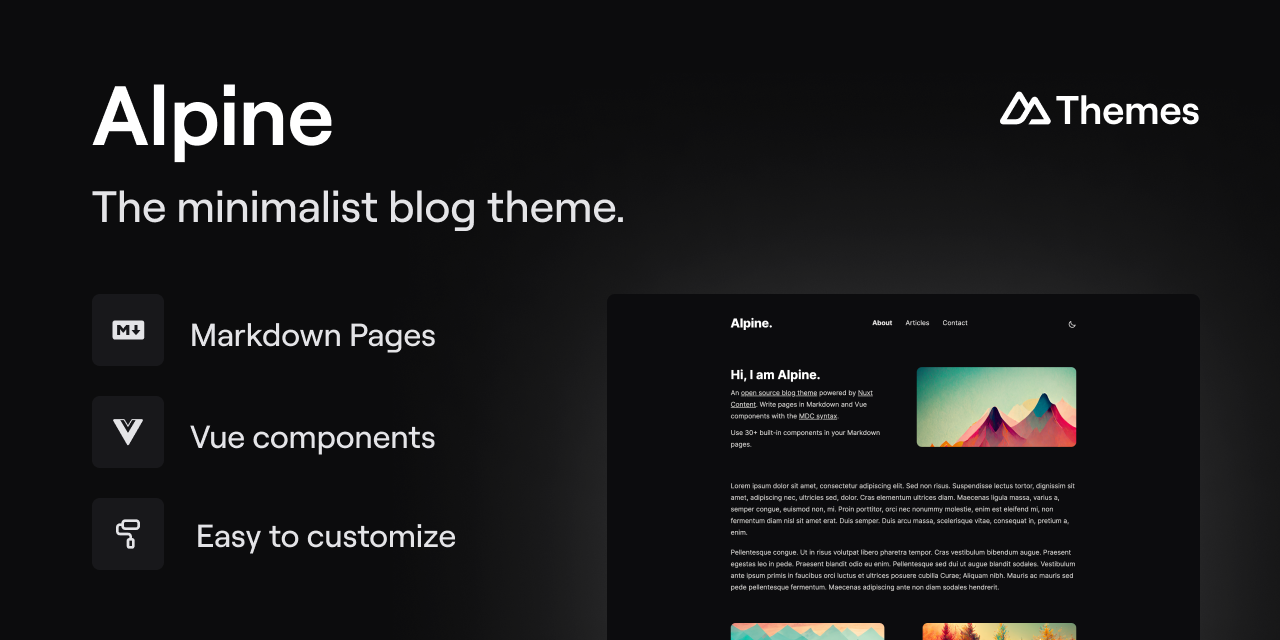
alpine-theme
Alpine is a minimalist blog theme built on Nuxt and Nuxt Content, supporting Markdown and MDC syntax with over 30 components from Nuxt Elements.
Nuxt · Blog
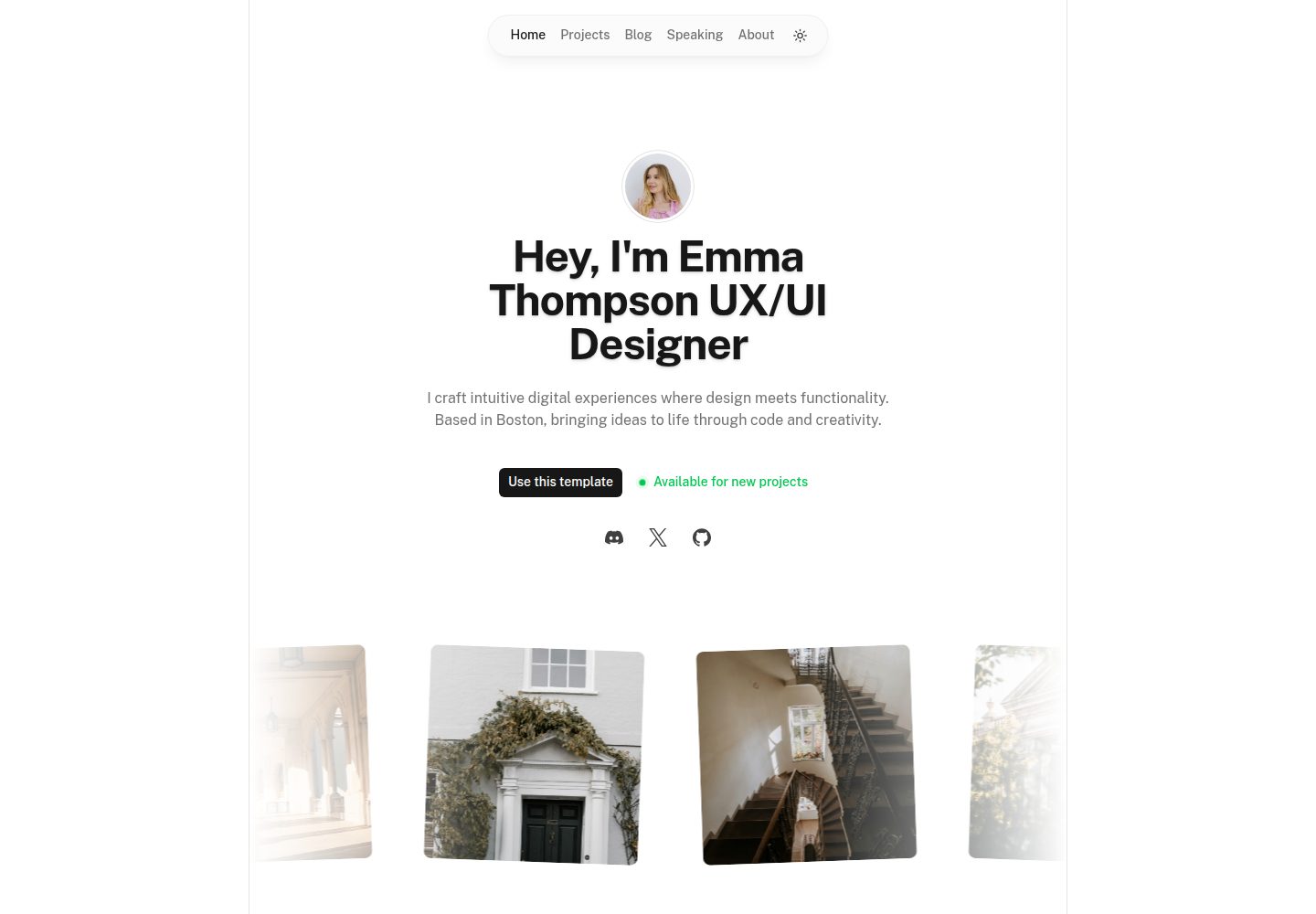
portfolio
A Nuxt portfolio template using Nuxt UI for interface components and Nuxt Content for content, intended to showcase projects, skills, and blog.
Nuxt · Portfolio
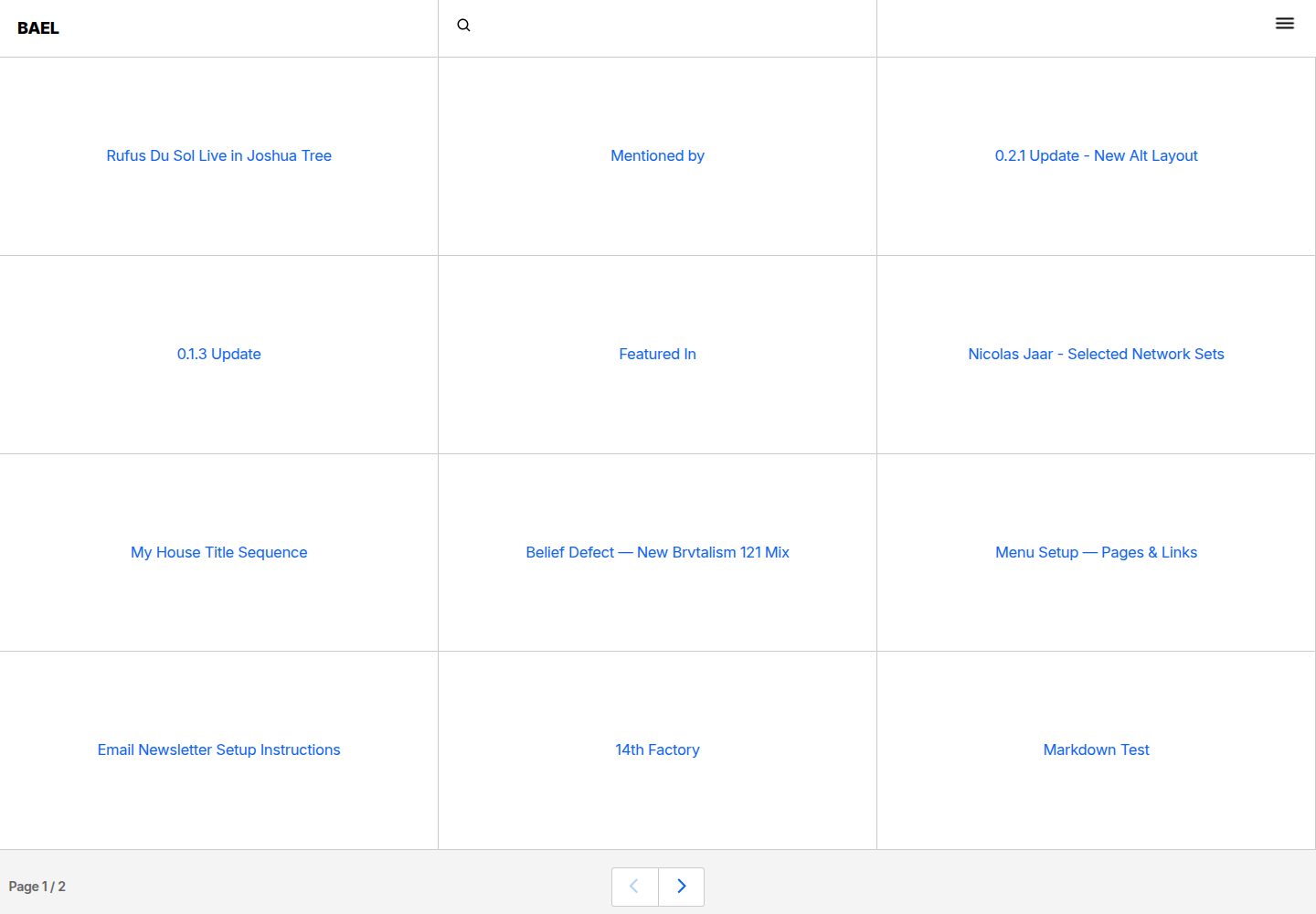
bael-template
Bael is a brutalist-style blog template built with Nuxt.js and Vue.js, using Netlify CMS for content management and deploying to Netlify. Content is stored as files in a Git repository and edited through the /admin path.
Nuxt · Blog

bloggrify
Bloggrify is a Nuxt layer that turns Markdown files into a blog site, built on Nuxt Content with preconfigured analytics, newsletter, comments, SEO, RSS, and content components.
Nuxt · Blog
nuxtjs-tailwindcss-portfolio
A Nuxt.js and Tailwind CSS personal portfolio starter theme with dark mode, theme switching, Vuex state management, reusable components, project category filtering and title search, Vue transition animations, a project carousel, smooth scrolling, a dynamic form, a counter, and back-to-top and download…
Nuxt · Portfolio