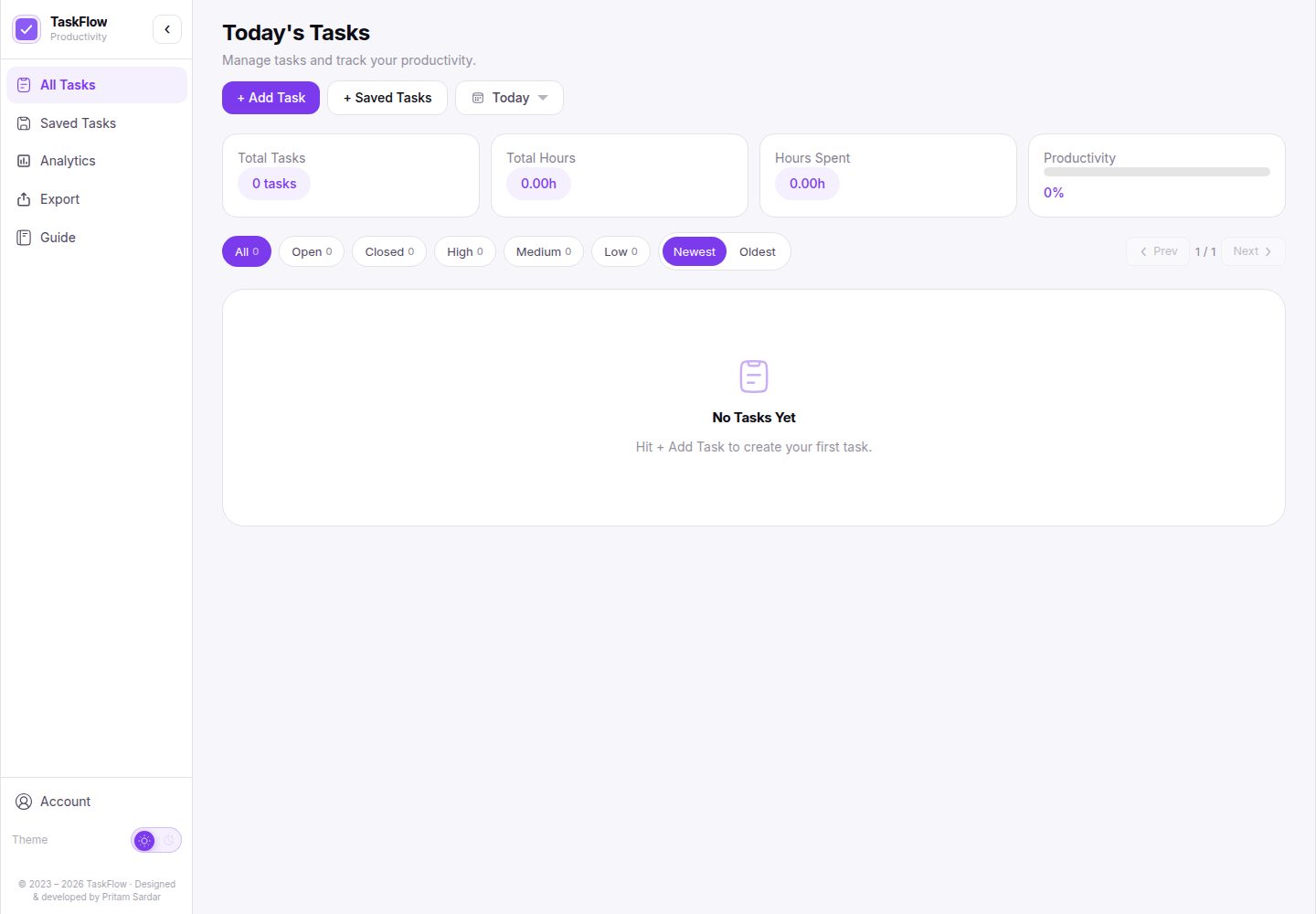
Create tasks with a name, notes, priority and target time
ViteReactPortfolio
portfolio-task-manager-v1 — Vite Portfolio Template
By pritamsardar-dev
TaskFlow is a browser-based personal task management template that supports task timing, productivity analysis and CSV/JSON export, with data stored in localStorage and no account or backend required.
Explore the design
Compare the page layouts and mobile experience. Open any screenshot for a closer look.
Desktop homepage1 / 2
Desktop captureTop of page
Actual screenshot captured by the server browser.
All pages & views 2
Screenshots show visual appearance; interactive behavior may differ.
Recorded 2026-10-17View source
What stands out
A quick read of the recorded project description.
Start, pause and reset a timer for an individual task, and track progress against the time goal
Pin important tasks and filter and sort by status, priority and date
Save reusable task templates and import them at any time
View productivity analysis over a custom date range, with export to CSV or JSON
All data is stored in browser localStorage, with no account or backend required
Template Details
TaskFlow is a browser-side task management application template aimed at personal productivity. The README states that it can create tasks with a name, notes, priority and target time, start, pause and reset a timer for an individual task, and track progress against the time goal; it also supports pinning tasks, filtering and sorting by status, priority and date, saving and importing reusable task templates, viewing productivity analysis over a custom date range, and exporting task data as CSV or JSON. All data is stored in browser localStorage; no account and no environment variables are required.
On the technical side, the README lists React 19, Vite and Tailwind CSS v4 for the frontend, state management based on React Hooks and localStorage, clsx and tailwind-merge as utility libraries, and Vercel as the deployment platform. The timer stores timestamps and computes elapsed time from the current clock to handle inactive tabs, refreshes or device sleep; analysis data is also stored as daily time records so tasks spanning multiple days can be counted per day.
Limitations and boundaries: the README does not document multi-device sync, team collaboration, recurring tasks or PWA support as implemented; these appear only under "Future Ideas". The template materials also do not provide information on production performance, accessibility or browser compatibility.
ViteReactPortfolio
Is it right for your project?
Use Cases
- Recording and prioritizing personal daily tasks
- Timing an individual task and checking progress against its target time
- Reviewing daily time investment and productivity data over a date range
- Exporting task data as CSV or JSON for backup or further processing
Suitable For
- Users who want a personal task management tool with no registration and data kept locally
- Developers who want to build on a React and Vite task management interface
- Individual users who need task timing and simple productivity analysis
Getting started & customization
Use these recorded setup notes alongside the repository instructions for your chosen version.
- 1
Requires Node.js 18 or higher
- 2
After cloning the repository, run npm install, then npm run dev; the app runs at http://localhost:5173 by default
- 3
No environment variables are required; all data is stored in the browser
- 4
The README lists Vercel as the deployment platform but does not provide specific deployment steps
License & source material
Usage conditions & limitations
Free to use · keep license noticeThis listing covers the free version under the MIT license in the public repository; the free scope is that version's code and does not mean external services or third-party assets are free.
Must comply with when using
- The code of this version may be used, modified, used commercially and distributed free of charge.
- When distributing copies or substantial portions of the code, the original author's copyright notice and the full MIT license notice must be retained.
- The code is provided as is; warranties and limitations of liability are governed by the original license and applicable law.
Additional costs & items to verify
- Demo images, fonts, icons and other third-party assets must be checked against their respective licenses; the code's MIT license alone is not sufficient to judge them.
- External services such as domains, hosting, databases, payments or AI may incur separate charges.
View Original Text Basis
Compiled by DeepSeek based on repository license and README ·2026-10-17. Results only cover the materials read; dependencies, images, fonts, and subsequent term changes are subject to their respective original texts.
Project checks & description sources
Template Information
- Source platforms
- GitHub
- Documentation and maintenance reference score
- More documented · 85 / 100
- Technologies
- Vite · React
- Website type
- Portfolio
How this score is calculated
Our heuristic uses license records (up to 30), a demo link (12), a preview (10), stars (15), recorded maintenance (15), description completeness (8), feature records (5) and classification data (5). It is not a code, security or performance test, or a Google score. A link does not establish tested functionality.
What to verify for this project
- Repository update recorded
- 2026-06-27
- Screenshot last checked
- 2026-10-17
A demo link is listed. Check it with your own content and viewport sizes; its presence does not confirm that forms, authentication or payments work.
The catalog identifies Vite as the primary stack. Check the actual dependency manifest and lockfile for versions and hosting requirements. These notes use recorded metadata, not a code audit or a deployment test.
Use a selection guide →How this description was prepared
AI-assisted description based on catalog records and repository material. Repository authors are not automatically the reviewers of this description.
Review declaration: codex-user-requested-batch-review-20261018 · 2026-10-18
Inspect the recorded source material
SHA-256: 5f9735c41a0c75e211779d0928003bdb60d405b00d409d20fae9c113a91f8a8d
2026-10-17T20:27:39.031Z
Source file / repository# TaskFlow A browser based task manager built for personal productivity. It combines task tracking, per task timers, productivity analytics, and data export without requiring an account or backend. Live: https://taskflow.pritamsardar.dev | Case Study: https://www.pritamsardar.dev/full-case-study/project-row-taskflow?source=case-studies <picture> <source media="(prefers-color-scheme: dark)" srcset=".github/images/taskflow-hero-dark.png"> <img src=".github/images/taskflow-hero-light.png" alt="TaskFlow shown on laptop, tablet, and mobile" width="100%"> </picture> ## Features * Create tasks with names, notes, priorities, and target times * Start, pause, and reset timers for individual tasks * Track progress against time goals * Pin important tasks to keep them visible * Filter and sort tasks by status, priority, and date * Save reusable task templates and import them anytime * View productivity analytics across custom date ranges * Export task data as CSV or JSON * Store everything locally with no account required ## Tech Stack **Frontend:** React 19, Vite, Tailwind CSS v4 **State Management:** React Hooks, localStorage **Utilities:** clsx, tailwind-merge **Deployment:** Vercel ## Getting Started ### Prerequisites * Node.js 18 or higher ### Clone and install ```bash git clone https://github.com/pritamsardar-dev/portfolio-task-manager-v1.git cd portfolio-task-manager-v1 npm install ``` ### Run locally ```bash npm run dev ``` App runs at `http://localhost:5173`. No environment variables are required. All data is stored in the browser. ## Project Structure ```text src/ ├── components/ │ ├── app-shell/ # Application shell and sidebar layout │ ├── dashboard/ # Dashboard UI and analytics views │ ├── layout/ # Header, filters, pagination, and date controls │ ├── task/ # Task cards, timers, progress tracking, and modals │ ├── templates/ # Saved task template management │ ├── export/ # Export screens and preview tables │ └── ui/ # Shared UI components and notifications │ ├── features/ │ ├── dashboard/ # Analytics calculations and dashboard logic │ └── tasks/ # Task filtering, sorting, and storage logic │ ├── hooks/ # Custom React hooks ├── pages/ # Route level application pages └── utils/ # Shared helper functions ``` ## Technical Notes ### Reliable Timer Persistence Browser timers often lose accuracy when a tab becomes inactive, the page is refreshed, or the device goes to sleep. Instead of relying on interval counts, TaskFlow stores timestamps and calculates elapsed time from the current clock whenever the timer updates. This keeps timers accurate even after long periods of inactivity. ### Daily Analytics Tracking A task can run across multiple days, which makes analytics more difficult than simply storing a total duration. To solve this, the application maintains a separate daily time store in localStorage. Each timer update only records the newly elapsed time for the current day, allowing the analytics dashboard to display accurate daily productivity data. ## Future Ideas - Cloud sync across devices - Team workspaces and shared task boards - Recurring tasks and scheduled templates - Progressive Web App support ## License Licensed under the MIT License. See [LICENSE](./LICENSE) for details. ## Author **Pritam Sardar** GitHub: [github.com/pritamsardar-dev](https://github.com/pritamsardar-dev) LinkedIn: [linkedin.com/in/pritam-sardar-dev](https://www.linkedin.com/in/pritam-sardar-dev/) Portfolio: [pritamsardar.dev](https://pritamsardar.dev) Email: [[email protected]](mailto:[email protected])
Explore similar templates
Compare previews and descriptions within the same stack and category.

Resumify
Resumify is a browser-based resume builder built with React, TypeScript, and Vite.
Vite · Portfolio

showlit
Showlit is a personal website template built with React, Vite, TypeScript, Tailwind CSS, and shadcn/ui.
Vite · Portfolio

folium
A developer portfolio template built with Vite, React, TypeScript, and Tailwind CSS.
Vite · Portfolio

kurizu-discord
A personal portfolio website built with React and Vite that mimics the Discord desktop app, organizing projects, skills, and experience into customizable channels, threads, a member list, and emoji reactions.
Vite · Portfolio
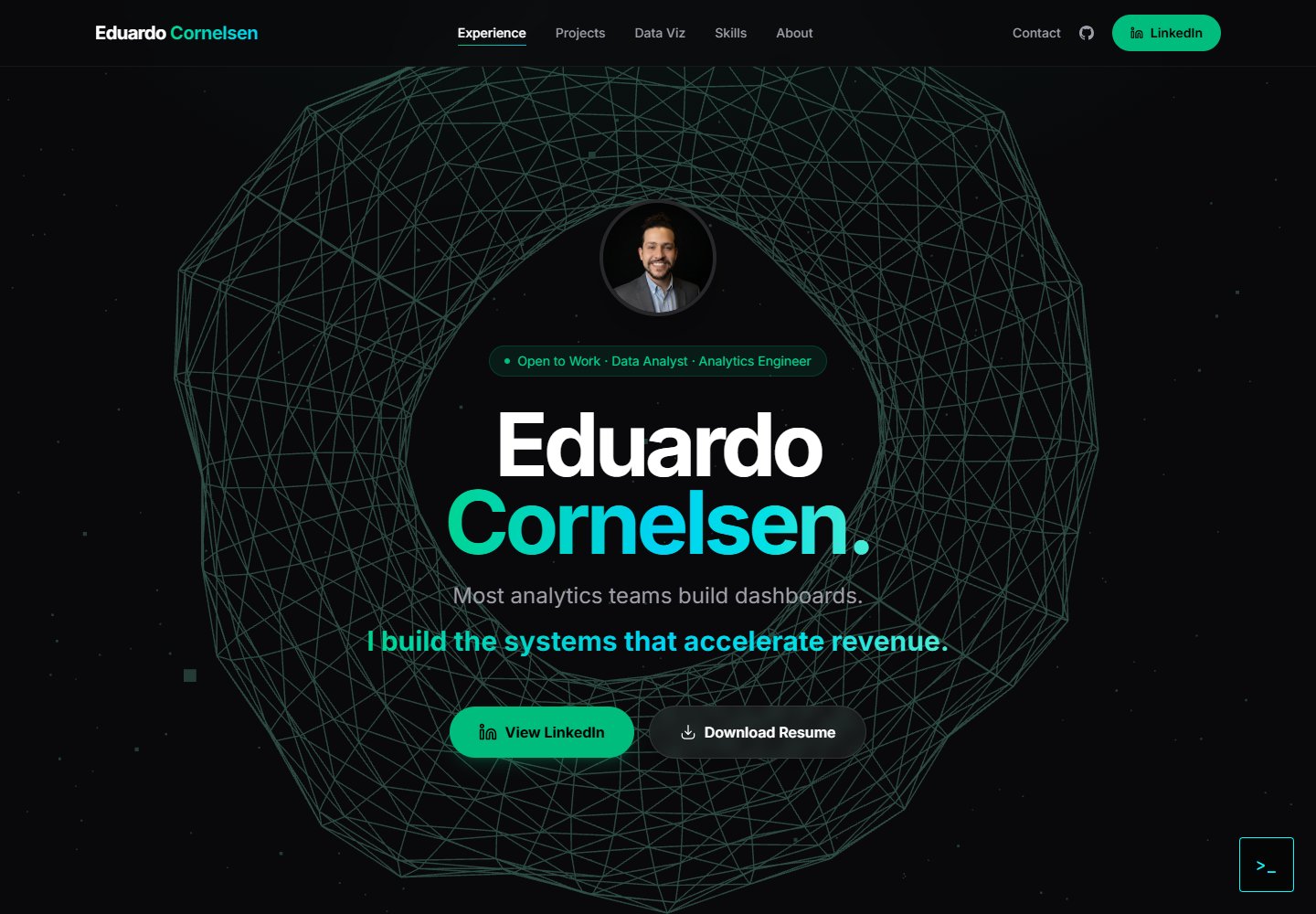
cv-educornelsen
A React + TypeScript personal portfolio template built with Vite, featuring a streaming AI chatbot powered by Google Gemini. An Express backend proxies requests to keep the API key server-side, with rate limiting, IP throttling, canary token injection, and LangFuse tracing.
Vite · Portfolio

about-me-personal-portfolio-website-template
AboutMe is a free personal website template built with Bootstrap and Vite, released under the MIT license. It provides a single-page index.html with organized src directories for images, JavaScript, and SCSS, along with npm scripts for development and build.
Vite · Portfolio