A Nuxt and Vue front-end starter under the MIT license, free to use, modify, and commercialize
NuxtVueStarter
gp-vue-boilerplate — Nuxt Starter Template
By prowebdev119
A Nuxt/Vue front-end starter by Grabarz & Partner, with built-in build configurations for image optimization, i18n, PWA, SEO, and code linting.
Explore the design
Compare the page layouts and mobile experience. Open any screenshot for a closer look.
Desktop homepage1 / 3
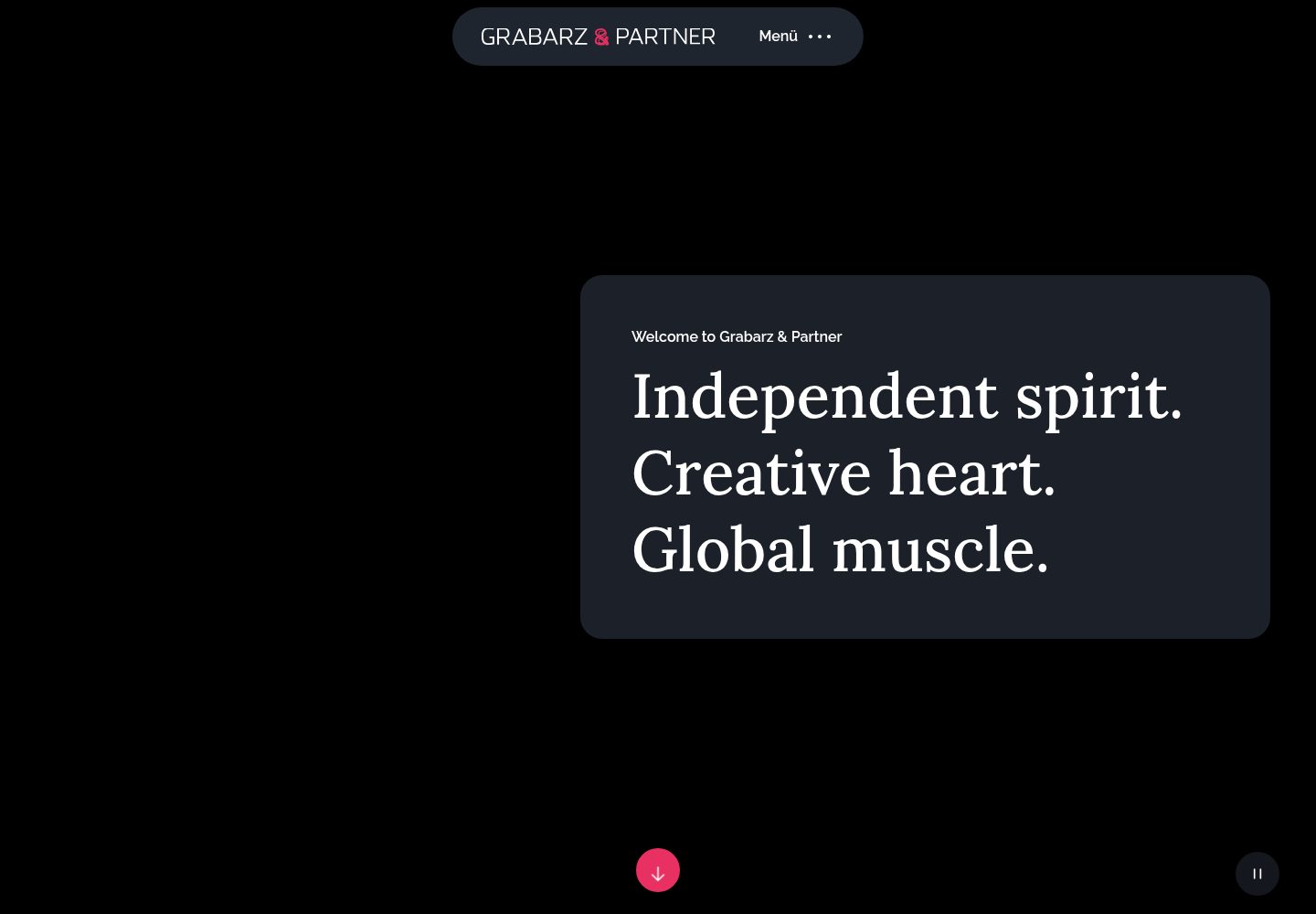
Desktop captureTop of page
Actual screenshot captured by the server browser.
All pages & views 3
Screenshots show visual appearance; interactive behavior may differ.
Recorded 2026-10-12View source
What stands out
A quick read of the recorded project description.
Image processing covers jpg, png, and webp optimization plus webp generation; svg provides sprite generation and optimization
Breakpoints defined globally and accessible in JavaScript and PostCSS
i18n supports global language files, per-language page files, and .lang block loading
Built-in sitemap and robots.txt generation and a configurable PWA module
Integrates ESLint, stylelint, commitlint, semantic release, and snyk scanning
Template Details
gp-vue-boilerplate is a front-end starter template released by Grabarz & Partner, based on Nuxt and Vue, for building web apps or sites. The repository uses the MIT license; the public version can be used, modified, commercialized, and distributed for free, provided copyright and license notices are retained.
The template integrates extensive build-level configuration: image processing covers optimization of jpg, png, and webp plus webp generation; svg provides sprite generation and optimization; breakpoints can be defined globally and accessed in JavaScript and PostCSS; i18n supports global language files, per-language page files, and .lang block loading. For SEO, it provides sitemap and robots.txt generation; PWA is embedded as a module and configurable via nuxt.config.js. Code quality tools include ESLint, stylelint, branchlint, and commitlint; version management uses semantic release and changelog generation; security scanning integrates snyk.
The repository README provides installation steps for macOS, Linux, and Windows, along with commands for development, static build, and production build, plus a pre-launch checklist covering browser matrix, multilingual support, form validation, SEO, Lighthouse, security, and performance. In the README, cypress testing and appveyor continuous integration are marked as incomplete, indicating that testing and CI are not ready out of the box.
Before use, note: licenses for third-party assets such as demo images, fonts, and icons must be checked separately and cannot be judged solely by the code's MIT license; external services such as domains, hosting, and databases may incur additional costs. The template was last updated in late 2022, so the currency of dependencies and toolchain should be evaluated independently.
NuxtVueStarter
Is it right for your project?
Use Cases
- Building a Nuxt site that requires multilingual support
- Web projects with optimization and sprite needs for images and svg assets
- Front-end engineering that needs basic SEO configuration such as sitemap and robots.txt
- Team projects seeking unified code linting, commit conventions, and release workflow
Suitable For
- Front-end developers familiar with Nuxt and Vue
- Projects that need ready-made build configuration and a multilingual solution
- Teams that accept the MIT license and will verify third-party asset licenses
- Developers who primarily use VSCode and are willing to configure the workspace per the README
Getting started & customization
Use these recorded setup notes alongside the repository instructions for your chosen version.
- 1
The README requires Node 12.1.0 and recommends installing via nvm
- 2
Clone the repository and run npm i to install dependencies; some platforms also require system libraries and build tools
- 3
Run npm run dev for development mode, npm run static for static build, and npm run production for production build with serving
- 4
The default access address is http://localhost:8050
- 5
In the README, cypress testing and appveyor continuous integration are marked as incomplete; related processes must be supplemented independently
License & source material
Usage conditions & limitations
Free to use · keep license noticeThis entry covers the free version under the MIT license in the public repository; the free scope is the code of this version and does not mean external services or third-party assets are free.
Must comply with when using
- Permits free use, modification, commercialization, and distribution of this version's code.
- When distributing copies or substantial portions of the code, retain the original author's copyright notice and the full MIT license notice.
- The code is provided as is; warranties and limitations of liability are governed by the original license and applicable law.
Additional costs & items to verify
- Demo images, fonts, icons, and other third-party assets must be checked under their respective licenses and cannot be judged solely by the code's MIT license.
- External services such as domains, hosting, databases, payments, or AI may incur separate charges.
- The installation process requires globally installing snyk and running snyk auth for account authentication; using the vulnerability scanning feature requires registering and logging into a Snyk account.
- In the README's Features, the cypress testing item is unchecked, indicating that testing functionality is not yet complete and not ready out of the box.
- The appveyor item in continuous integration is unchecked, indicating that this CI integration is not yet complete and must be configured independently.
- The pre-launch checklist requires independently verifying the licenses of used dependency packages; third-party dependency licenses must be confirmed separately by the user.
- This item is optional; sending a license list to the client's security department is not mandatory.
View Original Text Basis
Permission is hereby granted, free of charge
Original License Text
npm i snyk -g snyk auth
Original README
- [ ] cypress
Original README
- [ ] appveyor
Original README
- [ ] check licences of used packages
Original README
https://github.com/prowebdev119/gp-vue-boilerplate/blob/main/LICENSEhttps://github.com/prowebdev119/gp-vue-boilerplate/blob/main/README.md- [ ] send license list to the security department of your client (optional)
Original README
Compiled by DeepSeek based on repository license and README ·2026-10-12. Results only cover the materials read; dependencies, images, fonts, and subsequent term changes are subject to their respective original texts.
Project checks & description sources
Template Information
- Source platforms
- GitHub
- Documentation and maintenance reference score
- Partly documented · 73 / 100
- Technologies
- Nuxt · Vue
- Website type
- Starter
How this score is calculated
Our heuristic uses license records (up to 30), a demo link (12), a preview (10), stars (15), recorded maintenance (15), description completeness (8), feature records (5) and classification data (5). It is not a code, security or performance test, or a Google score. A link does not establish tested functionality.
What to verify for this project
- Repository update recorded
- 2022-12-30
- Screenshot last checked
- 2026-10-12
A demo link is listed. Check it with your own content and viewport sizes; its presence does not confirm that forms, authentication or payments work.
The catalog identifies Nuxt as the primary stack. Check the actual dependency manifest and lockfile for versions and hosting requirements. These notes use recorded metadata, not a code audit or a deployment test.
Use a selection guide →How this description was prepared
AI-assisted description based on catalog records and repository material. Repository authors are not automatically the reviewers of this description.
Review declaration: [email protected] · 2026-10-13
Inspect the recorded source material
SHA-256: e7eceda885c95042915214a9c78fe6e9196acd6d7ec1425db1170b748ca93247
2026-10-12T16:05:05.430Z
Source file / repository<p align="right">
share me:
<a href="https://twitter.com/intent/tweet?url=https://github.com/GrabarzUndPartner/gp-vue-boilerplate&text=Awesome full featured vue.js/nuxt.js boilerplate&via=grabarzpartner&hashtags=vue,nuxt,boilerplate">
<img width="24" height="24" src="https://raw.githubusercontent.com/edent/SuperTinyIcons/master/images/svg/twitter.svg?sanitize=true"/>
</a>
<a href="https://news.ycombinator.com/submitlink?u=https://github.com/GrabarzUndPartner/gp-vue-boilerplate&t=Awesome full featured vue.js/nuxt.js boilerplate">
<img width="24" height="24" src="https://raw.githubusercontent.com/edent/SuperTinyIcons/master/images/svg/hackernews.svg?sanitize=true"/>
</a>
<a href="https://reddit.com/submit?url=https://github.com/GrabarzUndPartner/gp-vue-boilerplate&title=Awesome full featured vue.js/nuxt.js boilerplate">
<img width="24" height="24" src="https://raw.githubusercontent.com/edent/SuperTinyIcons/master/images/svg/reddit.svg?sanitize=true"/>
</a>
<a href="https://www.facebook.com/sharer.php?u=https://github.com/GrabarzUndPartner/gp-vue-boilerplate">
<img width="24" height="24" src="https://raw.githubusercontent.com/edent/SuperTinyIcons/master/images/svg/facebook.svg?sanitize=true"/>
</a>
<a href="https://www.xing.com/spi/shares/new?url=https://github.com/GrabarzUndPartner/gp-vue-boilerplate">
<img width="24" height="24" src="https://raw.githubusercontent.com/edent/SuperTinyIcons/master/images/svg/xing.svg?sanitize=true"/>
</a>
<a href="https://www.linkedin.com/shareArticle?mini=true&url=https://github.com/GrabarzUndPartner/gp-vue-boilerplate&title=vue.js/nuxt.js boilerplate&summary=Awesome full featured vue.js/nuxt.js boilerplate">
<img width="24" height="24" src="https://raw.githubusercontent.com/edent/SuperTinyIcons/master/images/svg/linkedin.svg?sanitize=true"/>
</a>
</p>
# Grabarz & Partner - Boilerplate
[](https://github.com/GrabarzUndPartner/gp-vue-boilerplate)
[](https://github.com/GrabarzUndPartner/gp-vue-boilerplate)
[](https://github.com/GrabarzUndPartner/gp-vue-boilerplate/graphs/contributors)
[](https://renovatebot.com)
[](https://david-dm.org/GrabarzUndPartner/gp-vue-boilerplate)
[](https://david-dm.org/GrabarzUndPartner/gp-vue-boilerplate?type=dev)
[](https://snyk.io/test/github/GrabarzUndPartner/gp-vue-boilerplate)
[](https://www.codacy.com/app/stephan.gerbeth/gp-vue-boilerplate?utm_source=github.com&utm_medium=referral&utm_content=GrabarzUndPartner/gp-vue-boilerplate&utm_campaign=Badge_Grade)
[](https://ci.appveyor.com/project/StephanGerbeth/gp-vue-boilerplate/branch/master)
## Description
The Grabarz & Partner Boilerplate is a professional front-end template for building fast, robust, and adaptable web apps or sites with vuejs.
.
### Demo
- [website](https://grabarzundpartner.github.io/gp-vue-boilerplate/)
- [source code](https://github.com/GrabarzUndPartner/gp-vue-boilerplate/tree/gh-pages)
### Sandbox
[](https://codesandbox.io/s/gp-vue-boilerplate-ruwxe)
### Reports
- [webpack client](https://grabarzundpartner.github.io/gp-vue-boilerplate/reports/webpack/client.html)
- [webpack modern](https://grabarzundpartner.github.io/gp-vue-boilerplate/reports/webpack/modern.html)
- [webpack server](https://grabarzundpartner.github.io/gp-vue-boilerplate/reports/webpack/server.html)
- [packtracker modern](https://app.packtracker.io/organizations/310/projects/247)
***
## Quickstart
### IDE
It is recommended to use VSCode Editor. <https://code.visualstudio.com/>
Open the workspace by `config.code-workspace` and the recommended extensions, to use the boilerplate, can be installed by a notification.
### OSX - install
- install nvm <https://medium.com/@isaacjoe/best-way-to-install-and-use-nvm-on-mac-e3a3f6bc494d>
```bash
nvm install 12.1.0
git clone https://github.com/GrabarzUndPartner/gp-vue-boilerplate.git
cd gp-vue-boilerplate
npm i snyk -g
snyk auth
npm i
```
### Linux - install
- install nvm <https://github.com/nvm-sh/nvm#install--update-script>
```bash
sudo apt-get install libjpeg-dev libpng-dev libgif-dev libgtk2.0-0 libnotify-dev libgconf-2-4 libnss3 libxss1 libasound2
nvm install 12.1.0
git clone https://github.com/GrabarzUndPartner/gp-vue-boilerplate.git
cd gp-vue-boilerplate
npm i snyk -g
snyk auth
npm i
```
### Windows - install
- install nvm <https://github.com/coreybutler/nvm/releases>
- install git client <https://git-scm.com/download/win>
- install Visual C++ 2015 Build Tools <https://go.microsoft.com/fwlink/?LinkId=615460>
- install Rust <https://static.rust-lang.org/dist/rust-beta-x86_64-pc-windows-gnu.msi>
- restart Windows
- run command prompt as administrator
```bash
git clone -b msvc --recursive https://github.com/kornelski/pngquant.git
cd pngquant
cargo clean
set PNG_STATIC=1
cargo build --release
cd ..
git clone https://github.com/GrabarzUndPartner/gp-vue-boilerplate.git
cd gp-vue-boilerplate
nvm on
nvm install 12.1.0 64
nvm use 12.1.0
npm i snyk -g
# re-run command prompt as administrator
snyk auth
npm i
```
### Run boilerplate in dev-mode
```bash
npm run dev
```
### Run boilerplate production-build
```bash
npm run static
```
### Run boilerplate production-build + server
```bash
npm run production
```
### Open Page
```bash
http://localhost:8050
```
***
## Features
- browserslist support
- [x] > 1% in DE
- [x] Firefox ESR
- [x] IE 11
- images
- jpg
- [x] optimization
- png
- [x] optimization
- webp
- [x] generator (created by original source -> jpg, png)
- [x] optimization
- svg
- [x] sprite generator
- [x] optimization
- breakpoint
- [x] global definition
- [x] accessible in js
- [x] accessible in postcss
- i18n
- [x] global language files
- [x] page files by language
- [x] vue block support
- [x] exclusive language reference loader ".lang"
- PWA
- [x] module embedded - configurable by nuxt.config.js
- SEO
- [x] sitemap generator
- [x] robots.txt generator
- babel
- [x] embedded browserslist support
- postcss
- [x] embedded browserslist support
- plugins
- [x] postcss-preset-env
- [x] postcss-normalize
- [x] postcss-url
- [x] postcss-object-fit-images
- [x] @fullhuman/postcss-purgecss
- [x] postcss-momentum-scrolling
- [x] postcss-pseudo-content-insert
- [x] rucksack-css
- licenses
- [x] license extraction from build
- linter
- [x] eslint
- [x] stylelint
- [x] branchlint
- [x] commitlint
- versioning
- [x] semantic release
- [x] git release version
- [x] npm release version
- [x] changelog generator
- continous integration
- [ ] appveyor
- vulnerability scanner
- [x] snyk
- [x] greenkeeper
- IDE
- vscode workspace configuration
- [x] recommended project extensions
- [x] custom project settings
- [x] disabled prettier config
- [x] file association map
- testing
- [ ] cypress
- [x] components
- [x] load components lazy (vue-lazy-hydration)
***
## ToDo
-
***
## Checklist
All processes are working automatically. Nevertheless you should check before going live if all processes work correctly and the output is correct.
- project start
- [ ] browser matrix (IE11 support?)
- [ ] multilanguage (i18n)
- [ ] tracking concept
- [ ] webfonts
- prepare launch
- NO launch on friday
- deployment
- [ ] setup pipeline
- [ ] embed SonarQube
- [ ] test pipeline
- url/domain
- [ ] configured
- [ ] current ssl certificate
- before launch
- Build
- [ ] deployment pipeline
- [ ] no build errors
- Content
- [ ] favicon
- [ ] multilanguage
- [ ] complete
- [ ] no lorem ipsum
- [ ] disclaimer
- [ ] terms of use
- [ ] cookie notification
- [ ] contact
- [ ] 404-page
- [ ] 500-page
- Form validation
- [ ] prevent XSS (escape strings)
- [ ] input validation is configured
- Server
- [ ] language detection
- [ ] encrypted keys & secrets as environment variables
- [ ] prevent XSS by user inputs (escape strings)
- Device testing
- [ ] based on browser matrix
- [ ] on actual devices, not simulations
- [ ] in incognito mode
- [ ] activated adblocker
- SEO
- [ ] page title
- [ ] meta tags
- [ ] social meta tags
- [ ] added alt-texts to all images and links
- [ ] sitemap.xml
- [ ] robots.txt
- [ ] disabled noindex, nofollow on normal pages
- [ ] enabled noindex, nofollow on auth area pages
- Lighthouse
- [ ] a11y
- [ ] image optimization
- [ ] svg optimization
- [ ] PWA support
- [ ] cache durations on server
- [ ] time to first byte (TTFB)
- [ ] first meaningful paint (FMP)
- Security
- [ ] npm audit
- [ ] no keys & secrets embedded in frontend code
- [ ] different keys & secrets for test/prod environment
- [ ] valid ssl certificate
- Performance
- [ ] google chrome performance measurement (60fps)
- [ ] check js size
- [ ] check css size
- [ ] removed unused sources
- Tracking
- [ ] embedded
- [ ] different project ids for test/prod environment
- Licenses
- [ ] check licences of used packages
- [ ] send license list to the security department of your client (optional)
- Documentation
- [ ] technical concept
- [ ] git changelog with reference to ticket numbers (if applicable)
- [ ] deployment pipeline
- launch
- GOOD LUCK.
Explore similar templates
Compare previews and descriptions within the same stack and category.

laravel-nuxt
A Laravel + Nuxt decoupled starter kit with built-in login, registration, email verification, password reset, and Socialite third-party login (GitHub example), switchable between SPA and SSR.
Nuxt · Starter

canvas
Canvas is a Nuxt-based portfolio template that uses Nuxt Content for content management and Nuxt UI with Tailwind CSS for pages.
Nuxt · Portfolio

nuxt3-starter
A Nuxt 3 starter template generated by nuxi, preconfigured with UnoCSS, unplugin-icons, Pinia, and VueUse. It suits developers who need a quick Nuxt 3 project skeleton with atomic CSS and auto-import workflows, and is available under the MIT license.
Nuxt · Starter

starter
The official Nuxt starter template for Nuxt UI, based on Nuxt and Vue. It provides a runnable project skeleton, an online demo, and Nuxt UI installation documentation, with README commands for creating, installing, developing, building, and previewing.
Nuxt · Starter

bloggrify
Bloggrify is a Nuxt layer that turns Markdown files into a blog site, built on Nuxt Content with preconfigured analytics, newsletter, comments, SEO, RSS, and content components.
Nuxt · Blog
vitify-nuxt
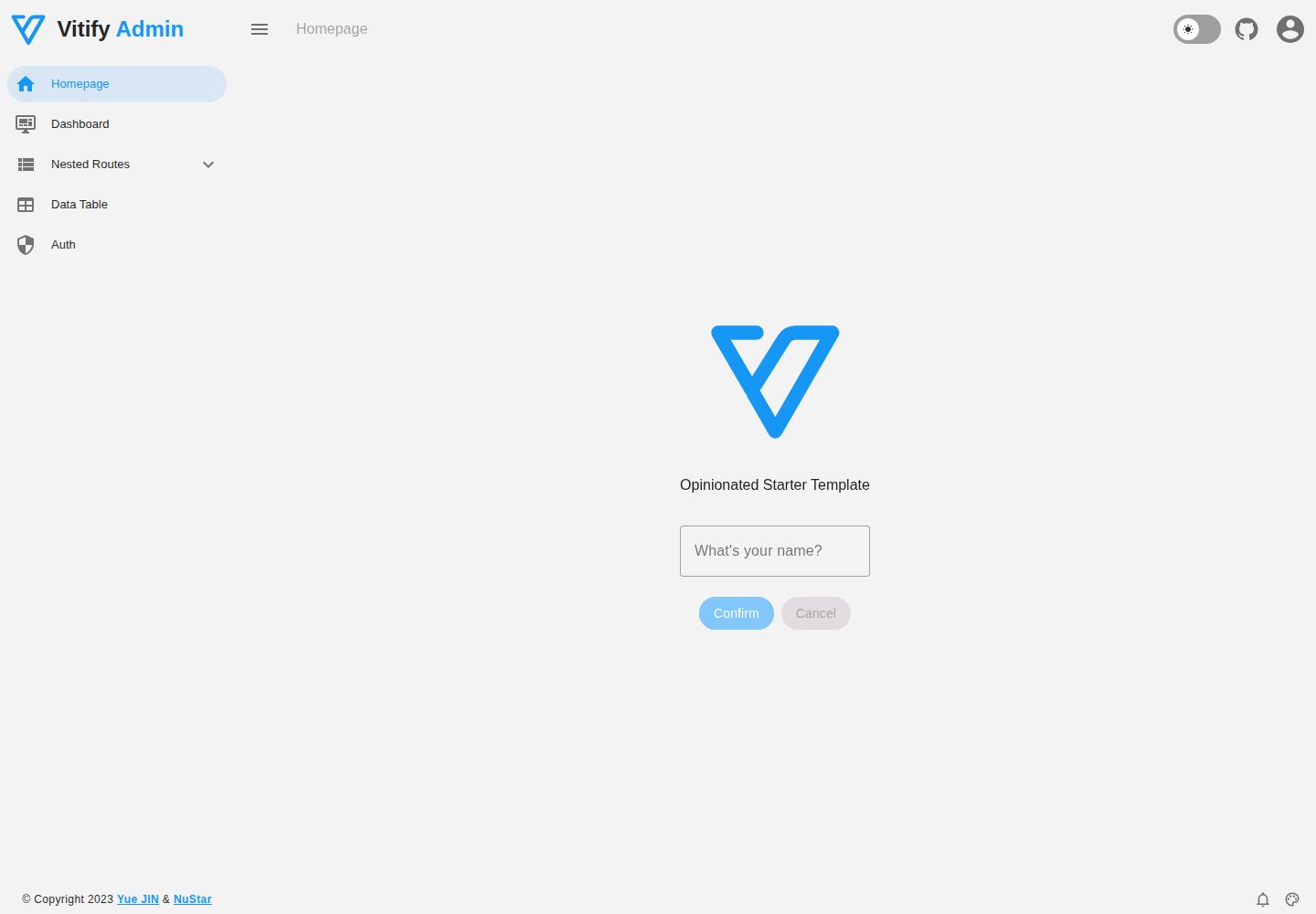
Vitify Nuxt is an admin dashboard starter template built on Nuxt and Vuetify, featuring a drawer layout, automatic navigation and breadcrumbs, notification state, ECharts charts, theming and dark mode, and authentication via nuxt-auth-utils.
Nuxt · Admin dashboard