Backend FastAPI provides JWT authentication and role-based access control
ViteReactStarter
fastapi-react-starter — Vite Starter Template
By raythurman2386
A full-stack starter template built on FastAPI and React, with a backend using PostgreSQL/SQLite and async SQLAlchemy, and a frontend using Vite, Tailwind CSS, and shadcn/ui, including built-in JWT authentication and role-based access control.
Explore the design
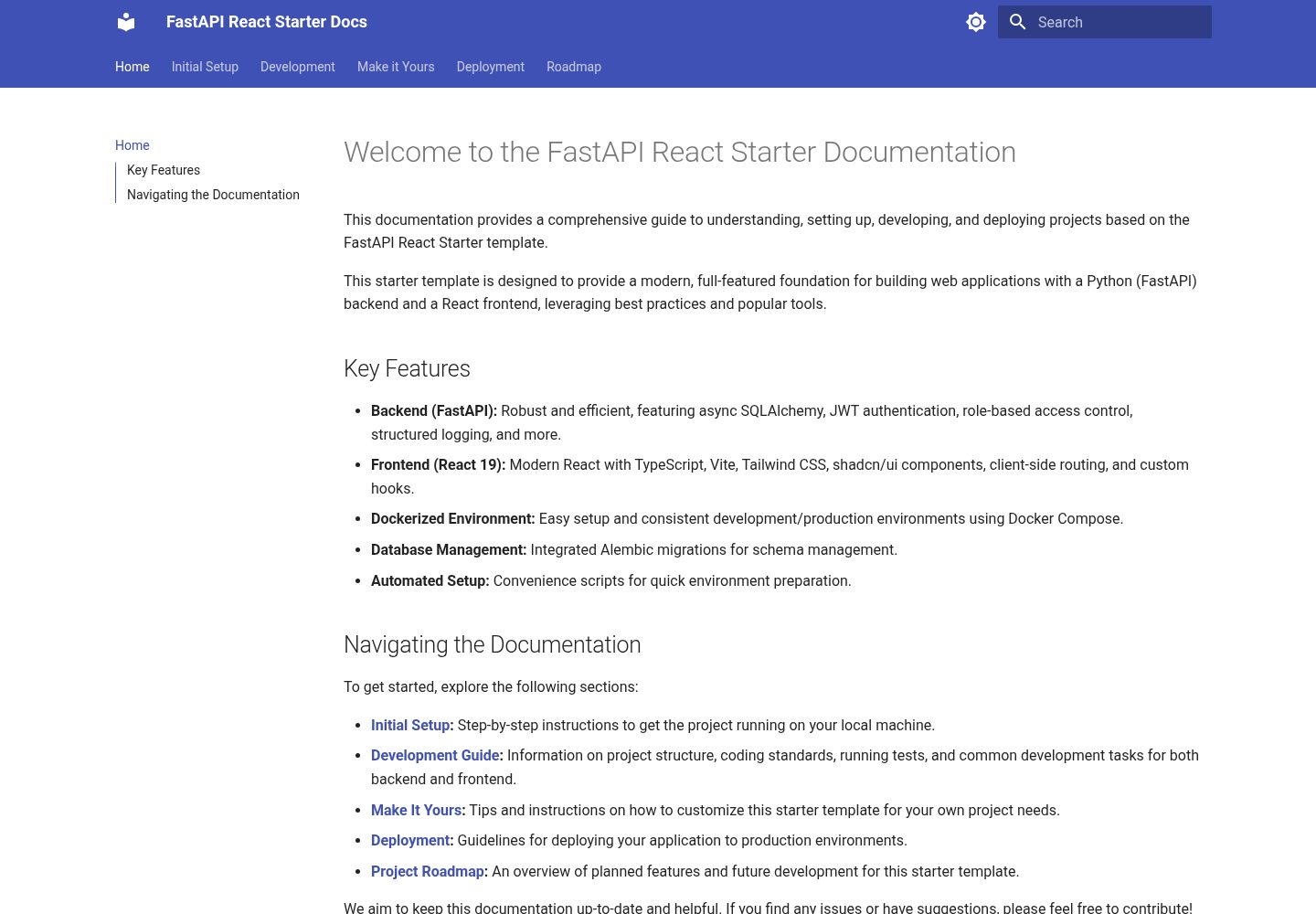
Compare the page layouts and mobile experience. Open any screenshot for a closer look.
Desktop homepage1 / 3
Desktop captureTop of page
Actual screenshot captured by the server browser.
All pages & views 3
Screenshots show visual appearance; interactive behavior may differ.
Recorded 2026-10-02View source
What stands out
A quick read of the recorded project description.
Async SQLAlchemy ORM, supporting PostgreSQL and SQLite
Frontend uses React, TypeScript, Vite, and Tailwind CSS
Interface components based on shadcn/ui, routing with React Router
Provides Docker Compose and Windows/Linux/Mac installation scripts
manage.py commands manage database migrations, status queries, and rollbacks
Template Details
This is a full-stack starter template that places a Python backend and a React frontend in the same repository. The backend is built on FastAPI and provides JWT authentication, role-based access control, asynchronous database operations, health check endpoints, structured logging, and graceful shutdown; the database layer uses an async SQLAlchemy ORM, supports PostgreSQL or SQLite, and manages environment configuration through pydantic. The frontend is built on React and TypeScript, uses Vite for building, React Router for routing, shadcn/ui for interface components, and Tailwind CSS for styling, and includes custom data-fetching hooks, Error Boundaries, and Suspense loading states.
The project is organized into two directories: backend and frontend. The backend is further split into config, db, routes, schemas, services, and utils, while the frontend is split into components, features, hooks, layouts, lib, routes, and types. The repository provides a Docker Compose startup method, automated installation scripts for Windows PowerShell and Linux/Mac, and manual installation steps. Database migrations are managed through manage.py commands, supporting migration generation, migration application, status viewing, rollback, and database reset. The README lists troubleshooting directions for two common issues: backend status errors and registration failures.
The template's demo site is a static page that showcases the frontend interface effects; actual operation requires preparing your own database and backend service. Before use, note the following: the code is under the MIT license, but third-party assets such as demo images, fonts, and icons need to be checked separately for their licenses; external services such as domains, hosting, and databases may incur separate charges.
ViteReactStarter
Is it right for your project?
Use Cases
- Starting a full-stack project that requires both a Python API and a React frontend
- Wanting a backend skeleton with JWT login/registration and role permissions out of the box
- Quickly spinning up a PostgreSQL, backend, and frontend integration environment with Docker Compose
- Needing a React frontend structure reference that includes Error Boundaries and Suspense
Suitable For
- Developers familiar with FastAPI and React
- Full-stack projects that need basic authentication and permission capabilities
- Teams that accept Docker or manual local database configuration
- Developers who want to organize frontend and backend code by directory layers
Getting started & customization
Use these recorded setup notes alongside the repository instructions for your chosen version.
- 1
Docker method: create a .env in the root directory containing DB_USER, DB_PASSWORD, and DB_NAME, then run docker compose up --build; the backend runs on port 8000 and the frontend on port 5173.
- 2
Manual method: the backend requires installing PostgreSQL and creating a database, configuring the database connection and CORS_ORIGINS in backend/.env, installing requirements.txt, then running migrations and starting uvicorn; the frontend runs npm install and npm run dev in the frontend directory.
- 3
Database migrations are executed via manage.py under backend, supporting makemigrations, migrate, reset_db, db-status, and downgrade.
- 4
If a database error requires a complete reset, stop the services, delete the PostgreSQL Docker volume, and rebuild and start again.
- 5
The demo site is a static page and cannot replace a complete local runtime environment with backend and database.
License & source material
Usage conditions & limitations
Free to use · keep license noticeThis entry covers the free version under the MIT license in the public repository; the free scope is the code of this version and does not mean that external services or third-party assets are free.
Must comply with when using
- Free use, modification, commercial use, and distribution of this version's code are permitted.
- When distributing copies or substantial portions of the code, retain the original author's copyright notice and the full MIT license notice.
- The code is provided as is; warranties and liability limitations are governed by the original license and applicable law.
Additional costs & items to verify
- Before starting with Docker, you must create a .env file in the root directory and fill in database configuration such as DB_USER, DB_PASSWORD, and DB_NAME, otherwise it cannot start properly.
- The manual installation method requires users to install and run PostgreSQL themselves and create the corresponding database, which is an external service dependency.
- You must provide database credentials such as username and password yourself; the template does not include usable database accounts.
- The backend must correctly configure CORS_ORIGINS, otherwise frontend requests will be blocked by cross-origin policy, and registration and login may fail.
- If a database error requires a complete reset, you must manually delete the PostgreSQL Docker volume, which will clear existing data.
- Demo images, fonts, icons, and other third-party assets must be checked against their respective licenses and cannot be judged solely by the code's MIT license.
- External services such as domains, hosting, databases, payments, or AI may incur additional charges.
View Original Text Basis
Permission is hereby granted, free of charge
Original License Text
Create `.env` file in the root directory:
Original README
Install PostgreSQL and create a database:
Original README
DB_USER=postgres # your database user
Original README
CORS_ORIGINS=["http://localhost:5173"]
Original README
https://github.com/raythurman2386/fastapi-react-starter/blob/main/LICENSEhttps://github.com/raythurman2386/fastapi-react-starter/blob/main/README.mdRemove the PostgreSQL Docker volume
Original README
Compiled by DeepSeek based on repository license and README ·2026-10-02. Results only cover the materials read; dependencies, images, fonts, and subsequent term changes are subject to their respective original texts.
Project checks & description sources
Template Information
- Source platforms
- GitHub
- Documentation and maintenance reference score
- More documented · 86 / 100
- Technologies
- Vite · React
- Website type
- Starter
How this score is calculated
Our heuristic uses license records (up to 30), a demo link (12), a preview (10), stars (15), recorded maintenance (15), description completeness (8), feature records (5) and classification data (5). It is not a code, security or performance test, or a Google score. A link does not establish tested functionality.
What to verify for this project
- Repository update recorded
- 2025-07-08
- Screenshot last checked
- 2026-10-02
A demo link is listed. Check it with your own content and viewport sizes; its presence does not confirm that forms, authentication or payments work.
The catalog identifies Vite as the primary stack. Check the actual dependency manifest and lockfile for versions and hosting requirements. These notes use recorded metadata, not a code audit or a deployment test.
Use a selection guide →How this description was prepared
AI-assisted description based on catalog records and repository material. Repository authors are not automatically the reviewers of this description.
Automatically checked against source and license rules; no manual editorial review.
Inspect the recorded source material
SHA-256: 081d38ffd34d3211994126180834dce6f102dfa0321251dd19025ff51300181d
2026-10-02T18:23:21.600Z
Source file / repository# FastAPI React Starter Template A modern, full-featured starter template featuring FastAPI backend and React 19 frontend with TypeScript, Tailwind CSS, and shadcn/ui components.  ## Features - **Backend (FastAPI)** - Fast and modern Python web framework - PostgreSQL/SQLite database with async SQLAlchemy ORM - JWT-based authentication system - Role-based access control - Async database operations - Proper connection pooling and cleanup - Environment configuration with pydantic - Structured logging - Health check endpoint - Graceful shutdown handling - Modular project structure - **Frontend (React 19)** - Latest React features including `use` hook - TypeScript for type safety and better developer experience - React Router 7 for client-side routing - shadcn/ui components for beautiful, accessible UI - Component-based architecture - Custom hooks for data fetching - Modern error handling with Error Boundaries - Suspense for loading states - Tailwind CSS for styling - Environment configuration - Vite for fast development ## Project Structure ``` fastapi-react-starter/ ├── backend/ │ ├── app/ │ │ ├── __init__.py │ │ ├── main.py # FastAPI application entry │ │ ├── config/ # Configuration management │ │ │ ├── __init__.py │ │ │ └── config.py # Environment settings │ │ ├── db/ # Database │ │ │ ├── __init__.py │ │ │ ├── database.py # Database connection │ │ │ └── models.py # SQLAlchemy models │ │ ├── routes/ # API routes │ │ │ ├── __init__.py │ │ │ ├── auth.py # Authentication endpoints │ │ │ └── health.py # Health check endpoint │ │ ├── schemas/ # Pydantic models │ │ │ ├── __init__.py │ │ │ └── auth.py # Authentication schemas │ │ ├── services/ # Business logic │ │ │ ├── __init__.py │ │ │ └── auth.py # Authentication services │ │ └── utils/ # Utilities │ │ ├── __init__.py │ │ └── logger.py # Logging configuration │ ├── .env # Environment variables │ └── requirements.txt # Python dependencies ├── frontend/ │ ├── src/ │ │ ├── components/ # Reusable UI components │ │ │ └── ui/ # shadcn/ui components │ │ │ ├── button.tsx │ │ │ ├── card.tsx │ │ │ └── status-dot.tsx │ │ ├── features/ # Feature modules │ │ │ ├── auth/ # Authentication feature │ │ │ │ ├── LoginForm.tsx │ │ │ │ └── RegisterForm.tsx │ │ │ └── health/ # Health check feature │ │ │ └── HealthStatus.tsx │ │ ├── hooks/ # Custom React hooks │ │ │ ├── useAuth.ts │ │ │ └── useHealthStatus.ts │ │ ├── layouts/ # Page layouts │ │ │ └── MainLayout.tsx │ │ ├── lib/ # Utility functions and configurations │ │ │ └── utils.ts │ │ ├── routes/ # Route components and configurations │ │ │ └── root.tsx │ │ ├── types/ # TypeScript type definitions │ │ │ └── index.d.ts │ │ └── App.tsx # Main React component │ ├── .env # Frontend environment variables │ └── package.json # Node.js dependencies └── README.md # Project documentation ``` ## Quick Start ### Using Docker (Recommended) 1. Clone the repository: ```bash git clone https://github.com/raythurman2386/fastapi-react-starter.git cd fastapi-react-starter ``` 2. Create environment files: Create `.env` file in the root directory: ```env # Database Configuration DB_USER=postgres DB_PASSWORD=postgres DB_NAME=fastapi_db ``` 3. Start the application with Docker: ```bash docker compose up --build ``` This will: - Start PostgreSQL database - Apply migrations to a fresh database (e.g., after Docker volume removal) - Start the FastAPI backend at http://localhost:8000 - Start the React frontend at http://localhost:5173 The Swagger docs will be available at http://localhost:8000/docs ### Automated Setup Scripts For your convenience, this project includes automated setup scripts for both Windows and Linux/Mac: #### Windows Setup 1. Open PowerShell as Administrator 2. Navigate to the project directory 3. Run the setup script: ```powershell .\setup.ps1 ``` This script will: - Check for required dependencies (Docker, Docker Compose V2) - Install the correct version of docker recommended for the system. - Set up environment variables #### Linux/Mac Setup 1. Open a terminal 2. Navigate to the project directory 3. Make the script executable and run it: ```bash chmod +x setup.sh ./setup.sh ``` This script performs the same setup steps as the Windows version but is adapted for Unix-based systems. ### Manual Setup (Alternative) 1. Backend Setup: a. Install PostgreSQL and create a database: ```bash # macOS with Homebrew brew install postgresql brew services start postgresql # Create database createdb fastapi_db ``` b. Create a `.env` file in the backend directory: ```env # Database Configuration DB_NAME=fastapi_db DB_USER=postgres # your database user DB_PASSWORD=postgres # your database password DB_HOST=localhost DB_PORT=5432 CORS_ORIGINS=["http://localhost:5173"] ENVIRONMENT=development ``` c. Install Python dependencies and run migrations: ```bash cd backend pip install -r requirements.txt python manage.py migrate uvicorn app.main:app --reload ``` 2. Frontend Setup: ```bash cd frontend npm install npm run dev ``` ### Database Management The project includes several database management commands: ```bash # Generate new migrations python manage.py makemigrations "description of changes" # Apply pending migrations python manage.py migrate # Apply all migrations to a (presumably) fresh database (runs 'alembic upgrade head') python manage.py reset_db # Check migration status python manage.py db-status # Rollback last migration python manage.py downgrade ``` If you encounter database errors and need a full reset: 1. Stop all running services: `docker compose down` 2. Remove the PostgreSQL Docker volume (e.g., `docker volume rm fastapi-react-starter_postgres_data` - verify volume name with `docker volume ls`) 3. Restart services: `docker compose up -d --build` ### Troubleshooting 1. Backend Status shows "error": - Ensure PostgreSQL is running - Check database credentials in `.env` - For a full reset, see the 'If you encounter database errors' section above (involves Docker volume removal). - Check backend logs for specific error messages 2. User Registration fails: - Ensure the database is properly initialized - Check if backend is running and accessible - Verify CORS settings in backend `.env` - Check browser console for specific error messages ## Contributing Contributions are welcome! Please feel free to submit a Pull Request. ## License This project is licensed under the MIT License - see the LICENSE file for details.
Explore similar templates
Compare previews and descriptions within the same stack and category.

react-starter-kit
A full-stack SaaS monorepo starter built on Vite and React, with Bun, TypeScript, tRPC, Drizzle ORM, Better Auth, Stripe, and Cloudflare Workers. It includes email OTP, passkey, Google OAuth, organizations, subscription billing, Drizzle migrations, seed scripts, and Terraform infrastructure.
Vite · SaaS

cove
Cove is a minimal TanStack Start starter template maintained by mugnavo, integrating React, TanStack Router/Query, Tailwind CSS, shadcn/ui, Drizzle ORM with PostgreSQL, Better Auth, Vite Plus, and Nitro.
Vite · SaaS

vite-react-boilerplate
A production-ready Vite + React starter template with TypeScript, Tailwind CSS, TanStack Router/Query/Table, Storybook, React Hook Form + Zod, Vitest and Playwright testing, plus Husky/Commitizen/Commitlint commit conventions.
Vite · Starter

react-vite-admin
A backend management starter built on Vite and React, integrating Recoil, React Query, TypeScript, and Axios, with Ant Design-style interface screenshots. Suitable as a starting point for management-side projects, licensed under MIT, with Chinese documentation and common scripts.
Vite · Admin dashboard

typescript-react_best_practices-vite_template
A Vite + React + TypeScript starter template by CodelyTV, preconfigured with Jest and React Testing Library unit tests, Cypress end-to-end tests, ESLint and Prettier using Codely's shared configuration, GitHub Actions workflows, a Makefile, and Sass.
Vite · Starter

cloudflare-starter-kit
A Cloudflare Workers project scaffolding template maintained by kriasoft, using Vite and TypeScript, with three built-in workspaces: api, app, and edge, and preconfigured local testing, multiple environments, and a GitHub Actions deployment workflow.
Vite · Starter